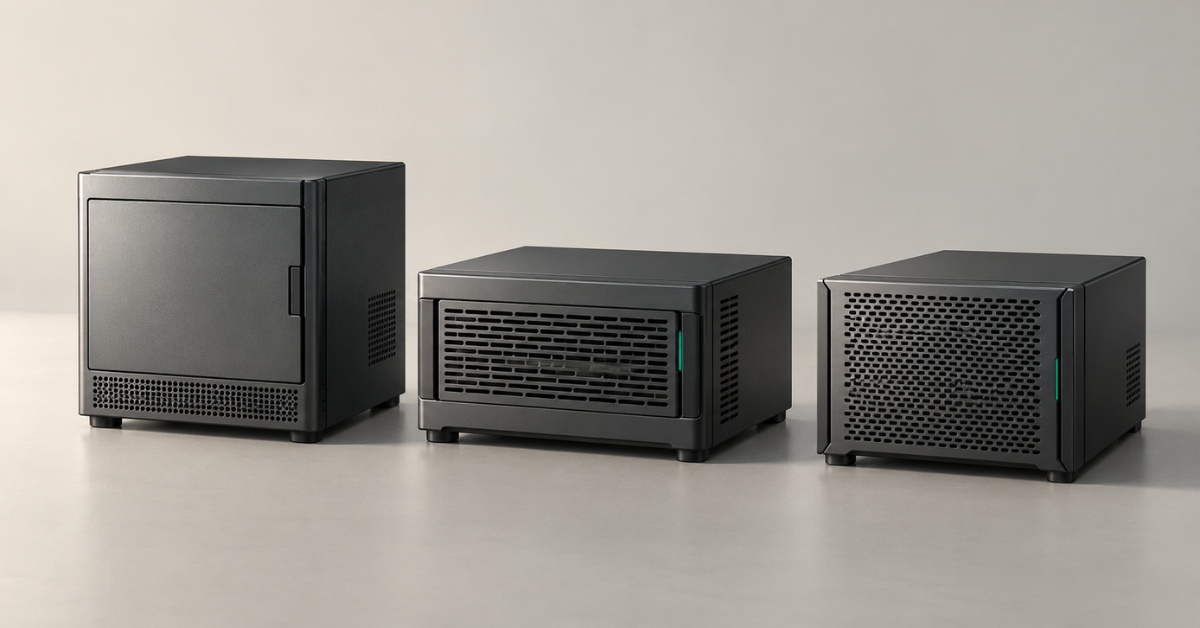
HPE ProLiant MicroServer is a compact server for a small office, branch or home lab. The range evolved from N36L/N40L/N54L through Gen8 and Gen10 to Gen10 Plus, Gen10 Plus v2 and Gen11. For a new production server, start by comparing Gen10 Plus v2 and Gen11: they offer more memory headroom. Gen10 Plus suits moderate workloads if its officially supported 32 GB is enough, while earlier models make more sense for existing services and learning environments.
What is MicroServer used for?
MicroServer sits between a mini PC and a full-size tower server. It needs no rack and lets you build a system with several drives and server memory. However, its compact chassis limits the number of drives, expansion cards and servicing options.
Typical uses include:
- shared folders, documents and small file archives;
- directory services and other office services;
- one or more lightweight business applications;
- a few small virtual machines;
- a home server;
- a learning environment for a system administrator.
Unlike a ready-made NAS appliance, MicroServer lets its owner choose the operating system and applications. That freedom comes with responsibilities: configuring access, updates, monitoring and data recovery. A server chassis alone does not turn the installed drives into a ready-to-use, protected storage system.
Which MicroServer generations are available?
The series has included several distinct platforms:
- Early HP ProLiant MicroServer models designated N36L, N40L and N54L (Gen7).
- HP ProLiant MicroServer Gen8.
- HPE ProLiant MicroServer Gen10.
- HPE ProLiant MicroServer Gen10 Plus.
- HPE ProLiant MicroServer Gen10 Plus v2.
- HPE ProLiant MicroServer Gen11.
MicroServer generation numbers do not necessarily follow those of other ProLiant ranges. The existence of a DL380 Gen9 or Gen12 does not establish that a MicroServer with the same number exists. In the documentation reviewed, the range moves from Gen8 to Gen10; models that do not exist should not be added to the comparison.
When looking for available configurations, a useful starting point is the main page for HPE MicroServer on Servermall. It currently focuses on Gen10 Plus, so the category name should not be taken as a promise that every historical platform is available.
HPE ProLiant MicroServer generations compared
|
Platform |
Processors |
Memory according to HPE documentation |
Remote management |
Main limitation |
|---|---|---|---|---|
|
N36L/N40L/N54L, Gen7 |
AMD Athlon II Neo / Turion II Neo |
DDR3; an early platform with a low official capacity limit |
No built-in iLO |
Age and limited computing headroom |
|
Gen8 |
Intel Celeron, Pentium and selected Xeon E3 models |
Up to 16 GB DDR3 ECC UDIMM, 2 slots |
iLO 4 |
Memory limit and ageing software support |
|
Gen10 |
AMD Opteron X3216/X3418/X3421 |
Up to 32 GB DDR4 ECC UDIMM, 2 slots |
No iLO |
Limited management and performance of an older platform |
|
Gen10 Plus |
Intel Xeon E-2200 / Pentium |
Up to 32 GB DDR4 ECC UDIMM, 2 slots |
iLO 5 (with an optional kit) |
One expansion slot and the official memory limit |
|
Gen10 Plus v2 |
Intel Xeon E-2314 / Pentium G6405 |
Up to 64 GB DDR4 ECC UDIMM, 2 slots |
iLO 5; allow for the enablement kit |
The same four main drive bays |
|
Gen11 |
Intel Xeon E-2400, Xeon 6300, Pentium |
Up to 128 GB DDR5 ECC UDIMM, 4 slots |
iLO 6 |
Compact size still limits servicing and expansion |
The table lists platform capabilities, not the configuration of every server offered for sale. “Up to 128 GB” does not mean that this much memory is included. Likewise, support for a processor family does not mean that any model in that family can be installed: HPE's supported processor list, power and cooling requirements matter.
ECC memory detects and corrects certain errors. UDIMM means an unbuffered memory module. RDIMM server modules from a larger ProLiant do not become suitable for MicroServer simply because they belong to the same DDR generation.
Choosing the Right Equipment
Our specialists will contact you and answer all your questions
Early MicroServer models: N36L, N40L and N54L
The first MicroServer became a platform for affordable file storage systems and home servers. Its appeal came from a simple combination of a small chassis and four main drive bays. AMD Neo processors were designed for efficient operation rather than heavy computing.
Its age shows in several areas:
- computing resources constrain encryption and concurrent application workloads;
- older memory leaves less room for virtualisation;
- replacement parts and the power supply become a separate expense;
- modern operating systems and drivers may lack official compatibility confirmation.
MicroServer Gen8: Intel and iLO
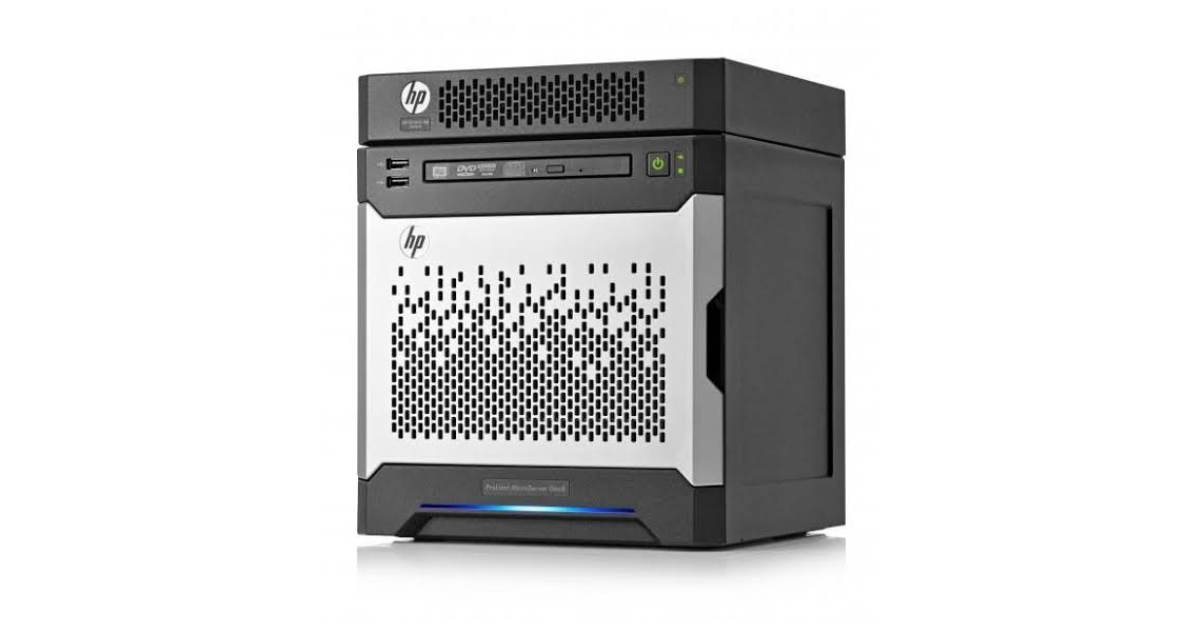
Image source: sysllc
Gen8 switched to Intel and gained iLO 4, a separate management system that operates independently of the main operating system. This is a significant advantage for a server located in another room or serviced remotely.
However, the official memory limit remains 16 GB. That may be enough for a file service, but several virtual machines quickly consume this capacity. The virtualisation system itself uses some of the memory; the remaining resources must be shared between applications and their caches.
In its day, the server became a legend among enthusiasts: it could be upgraded, and a relatively low investment could produce a capable server with full iLO functionality and hot-swappable drives.
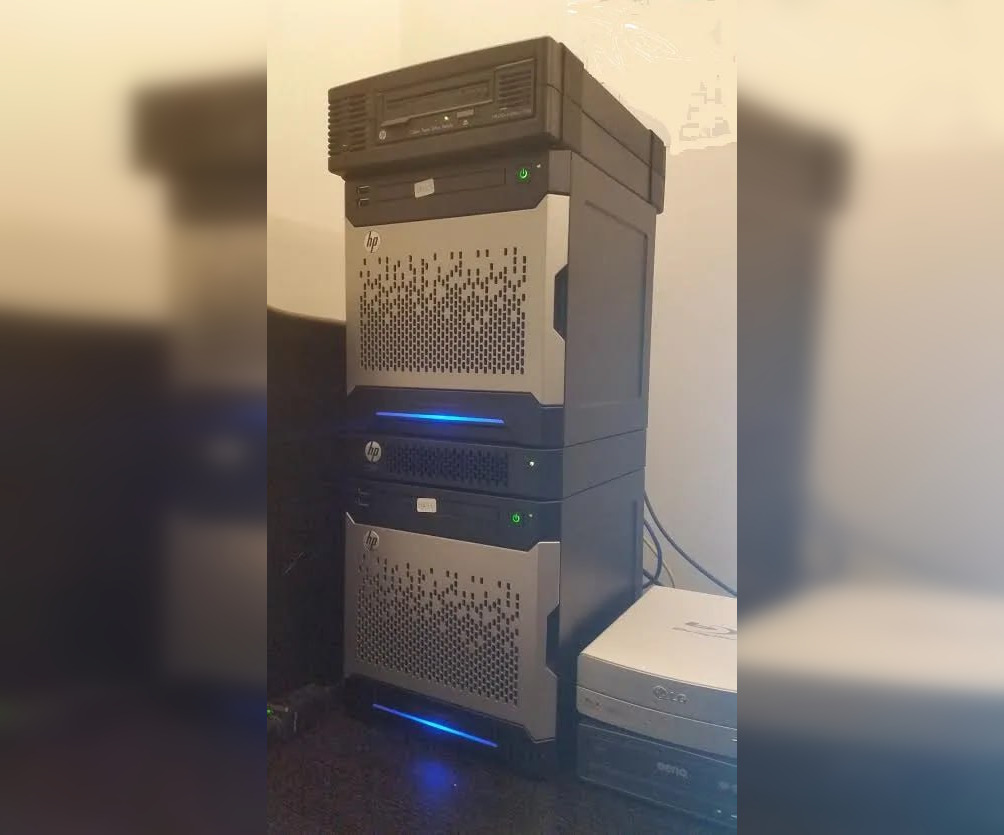
Image source: habr
The form factor was another interesting feature: a cube with specially shaped recesses that allowed several MicroServers to form a stable stack. A managed HPE PS1810-8G or PS1810-24G switch could also be purchased separately. The switch could sit in the same stack and form an ecosystem with the servers, providing automatic server discovery and management. Interchangeable coloured front panels offered a way to personalise the system.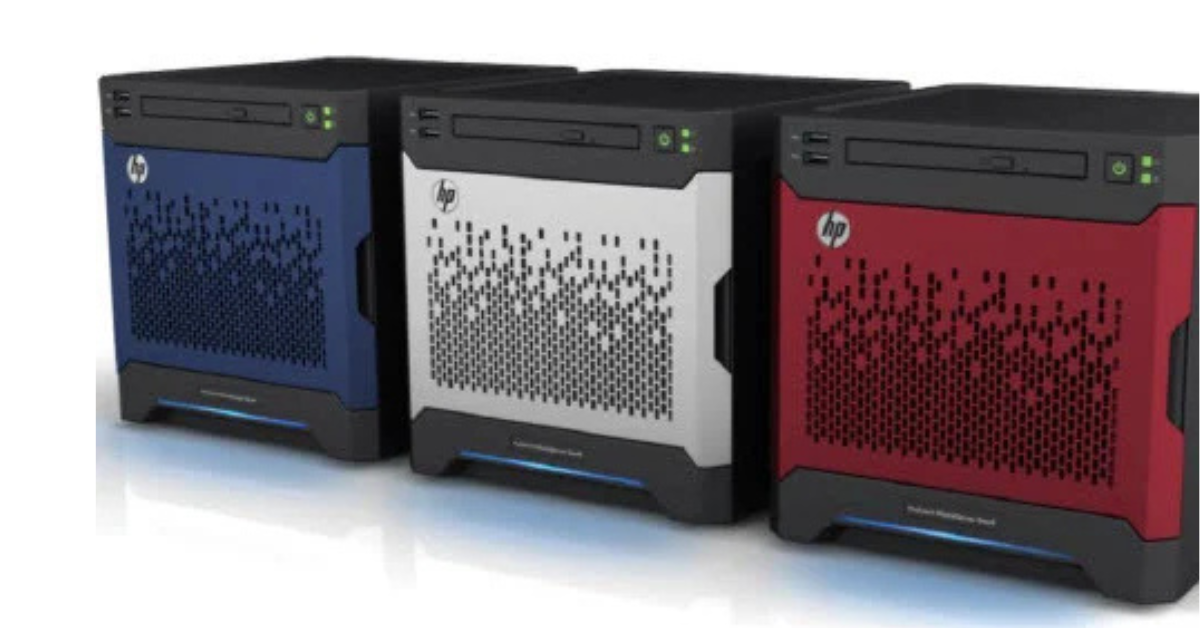
Image source: pcmag
Why upgrades do not turn Gen8 into a new server
Replacing the processor can improve computing performance, but leaves the following unchanged:
- the number of memory slots and the RAM limit;
- the storage subsystem and available interfaces;
- the iLO management generation;
- the chassis design, power supply and cooling;
- the platform's age and its official software support.
MicroServer Gen10: DDR4, AMD and no iLO
MicroServer Gen10 uses AMD Opteron X3000-series processors and supports up to 32 GB of DDR4 ECC memory in two slots. The documentation lists X3216, X3418 and X3421 models. Their computing capabilities differ; integrated graphics specifications should not be added to the CPU core count.
This generation has no iLO. For a local file server, the absence of separate management may be acceptable. It matters more at a branch without an administrator: if the server fails to boot, remote access through the main operating system will no longer help.
The standard Marvell 88SE9230 supports RAID 0, 1 and 10. The capabilities of an additional storage controller must be considered separately; they are not automatically available in every Gen10 configuration. In particular, RAID 5 support on an optional card must not be attributed to the standard controller.
The community had been waiting for this server after Gen8 went off sale, but the new model did not meet expectations: the processor was soldered to the board, iLO was absent, upgrade options were extremely limited and the price had increased.
MicroServer Gen10 Plus: a more compact Intel platform
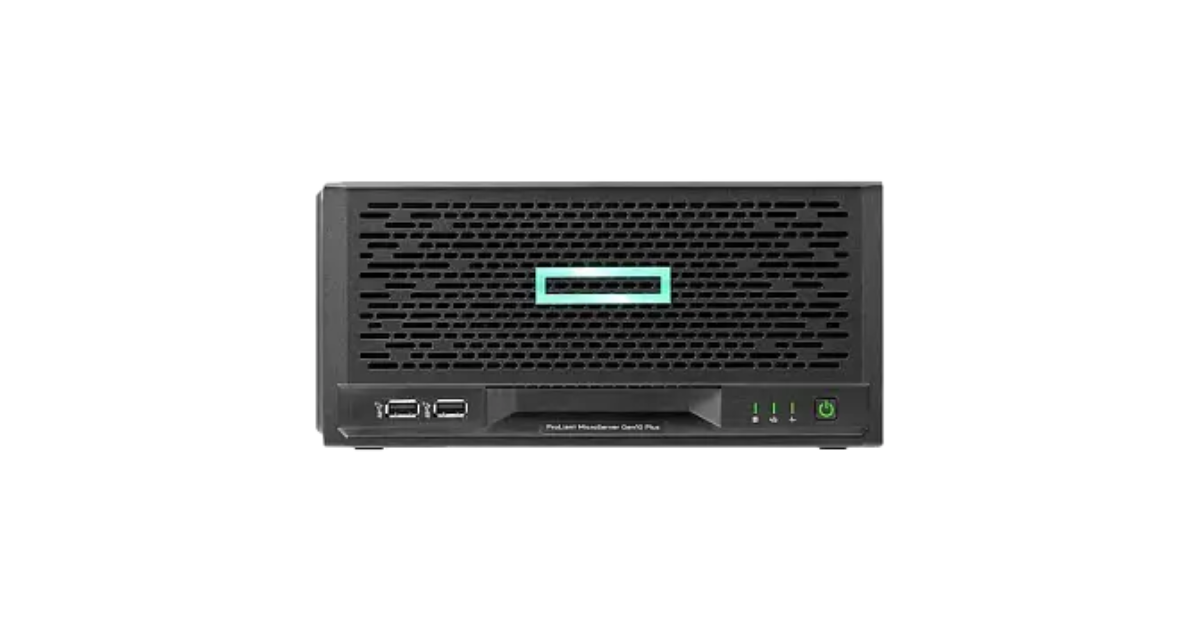
Image source: Servermall
MicroServer Gen10 Plus returned to Intel and became considerably more compact than previous MicroServers, mainly because the power supply was moved outside the chassis. The platform provides four Gigabit Ethernet ports and one PCIe 3.0 x16 slot. The processor range includes Xeon E-2200 and Pentium models; actual performance depends on the configuration.
The specifications for HPE MicroServer Gen10 Plus, hosted on Servermall, list two memory slots and a maximum of 32 GB DDR4 ECC UDIMM. They also describe iLO 5 management, which requires an additional module with a dedicated port.
This has two important implications when choosing a server:
- Do not assume that iLO is fully ready to use based on the generation name alone. The required kit must be included in the supplied configuration.
- The 64 GB installations described in some enthusiast guides must not be presented as this version's official memory limit. Gen10 Plus v2 is a separate platform with different specifications.
Having only one expansion slot also affects the configuration. If a 10 Gb/s network card occupies it, a separate storage controller or another card cannot be installed in the same slot. Future upgrades should therefore be considered together before purchase.
The result was an interesting server, but no longer a budget model. It never repeated Gen8's success, although these servers could also be arranged in a stable stack
MicroServer Gen10 Plus v2: up to 64 GB of memory
According to HPE's documentation for Gen10 Plus v2, the platform supports up to 64 GB of DDR4 ECC memory, uses a Xeon E-2314 or Pentium G6405 processor and gained PCIe 4.0. Its built-in RAID uses Intel VROC SATA rather than the controller in the original Gen10 Plus.
The chassis retains a similar form factor, along with four Gigabit Ethernet ports. However, doubling the official memory limit changes the potential uses: it is easier to run several small services and leave room for growth.
The iLO kit also matters for remote servicing. Hardware management, a dedicated network connection and a licence for advanced functions are separate parts of the configuration. They cannot be reduced to a single line saying “iLO included”.
MicroServer Gen11: DDR5 and more expansion headroom
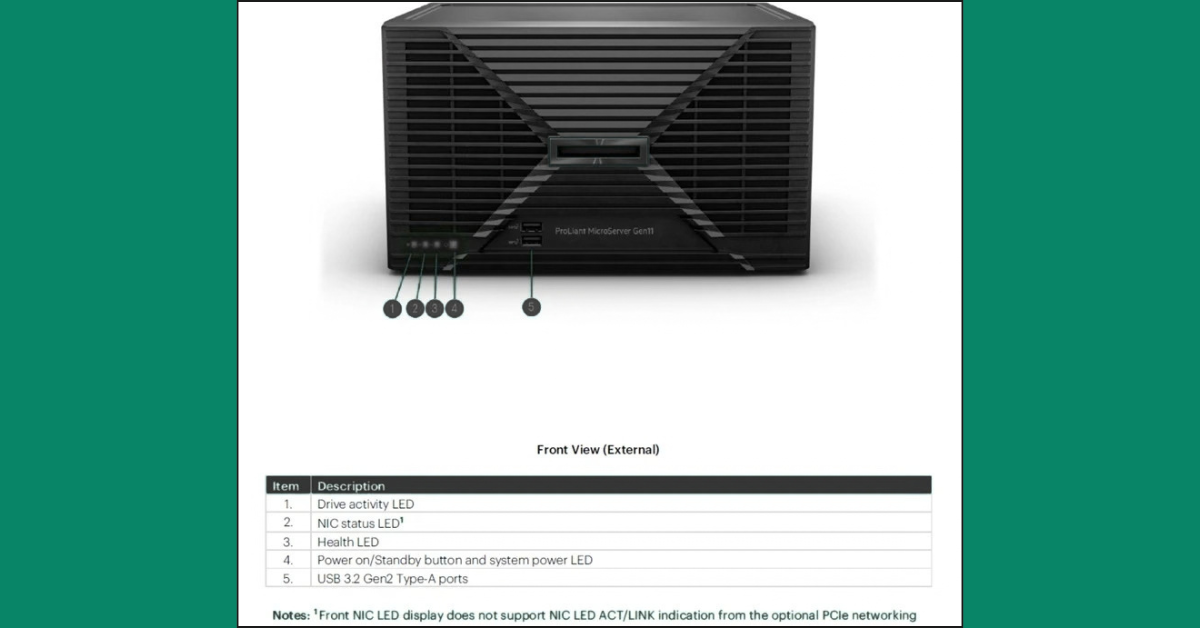
Image source: hpe
Gen11 supports up to 128 GB of DDR5 ECC UDIMM memory in four slots. This is an important step for the compact platform: memory upgrades are more flexible, and multiple applications are less likely to hit the limits of earlier versions.
The current specifications for HPE MicroServer Gen11 list not only Xeon E-2400 and Pentium processors, but also Xeon 6300 models, including a 12-core option. They specify two low-profile PCIe slots, one fifth-generation and one fourth-generation, and iLO 6.
What to know about Gen11 configurations
The current documentation describes access to iLO through a shared network port without an additional enablement module. A separate kit is needed for a dedicated management port and additional connectivity, including M.2 and a serial port. Advanced remote console functions still depend on the licence.
Gen11 offers more flexibility for virtualisation and expansion, but it does not remove MicroServer's limitations. Four main drive bays, compact expansion cards and the absence of redundant primary power remain significant factors when choosing a server.
Drives and RAID: what fits in a compact chassis
The generations covered here use four main drive bays as the basis of their storage. In modern versions, these are SATA drives without standard hot-swap support. A removable drive carrier or accessible front panel does not, by itself, mean that a drive can be removed while the server is running.
Large 3.5-inch drives are useful for high-capacity file archives. 2.5-inch SSDs require suitable adapters and mounting hardware. For a system handling frequent small requests, SSD speed may matter more than total storage capacity.
Several distinct limitations are often confused:
- the number of physical drive bays in the chassis;
- the drive interface and connection method;
- the list of drives validated by the manufacturer;
- the capabilities of the controller and operating system;
- power consumption, cooling and mounting compatibility.
How to calculate usable capacity
For example, four 8 TB drives provide 32 TB of total raw capacity. In RAID 10, usable capacity is approximately 16 TB before filesystem overhead. Some space should be left free for normal operation and data growth.
RAID 10 survives one drive failure; whether it can survive a second depends on which drives fail. Losing both drives in the same mirror destroys the array. It is therefore incorrect to say that it “survives any two drive failures”.
RAID does not recover deleted files or protect data against encryption by malware. A backup must be stored outside the main array. An additional drive inside the same chassis does not remove the risk of server failure, theft or damage to the entire device.
Why M.2 and NVMe are not the same thing
M.2 primarily describes a module's form factor and connection, while NVMe is a drive communication protocol. Four SATA bays do not become an NVMe drive cage simply because the server has a modern PCIe slot. A separate drive needs the appropriate connection, a compatible module and boot support if it will host the operating system.
Choosing the Right Equipment
Our specialists will contact you and answer all your questions
Networking: four ports do not make a single stream four times faster
The four built-in Gigabit Ethernet ports in Gen10 Plus, v2 and Gen11 are useful for separating networks and serving multiple clients. For example, file access can be separated from backup traffic, or connections can be dedicated to virtual machines.
However, four 1 Gb/s ports do not automatically become one 4 Gb/s link for copying a single file. The result depends on link aggregation, the switch, the protocol and how connections are distributed.
A 10 Gb/s network card helps when the rest of the system can support that speed. In addition to the card, you need a suitable switch, cables or transceivers, fast clients and sufficient storage performance. In a compact server, an available PCIe slot is another consideration.
Remote management and software compatibility
iLO lets you view the server's status independently of the main operating system. However, sensor monitoring, power control and a full remote console are different functions. A connectivity kit and a licence also serve different purposes.
Basic features may be sufficient in an office where an administrator is nearby. At a remote branch, the ability to view the screen before the OS boots and mount an installation image can substantially affect recovery time. These features should be included in the solution's cost from the outset.
Choosing an operating system and hypervisor
Compatibility must be assessed for the entire configuration, not just the processor. For Windows Server, Linux, Proxmox VE or VMware, the network adapter, storage controller, its operating mode and drivers all matter.
Built-in software or hybrid RAID is not equivalent to a separate hardware controller. An array accessible in one operating system through a special driver may not be supported in another. Installing a hypervisor on an SSD does not prove that it can correctly use the existing RAID array.
Systems with extensive logging and continuous writes are better installed on a suitable SSD. Older instructions for booting from a USB flash drive or memory card cannot automatically be applied to modern installations: the endurance of such media may be insufficient.
Noise, power and office placement
Compact size does not mean complete silence. Noise depends on the drives, room temperature, workload, installed cards and fan control. A system with four HDDs will sound different from the same model with SSDs, even with an identical processor.
The power supply or adapter rating indicates its capacity, not constant electricity consumption. To compare running costs, measure the complete configuration under typical conditions. A 20 W difference in continuous operation amounts to about 175 kWh per year; the financial effect depends on the electricity tariff.
Which generation to choose for your workload
|
Workload |
Where to start the comparison |
Possible starting configuration |
Factors limiting the choice |
|---|---|---|---|
|
Files and office services |
Gen10 Plus / v2 |
16–32 GB, drives with a suitable mirroring scheme |
Networking, capacity and a separate backup |
|
A small application and database |
v2 / Gen11 |
32–64 GB, SSDs for active data |
Drive latency and actual computing workload |
|
Several virtual machines |
v2 / Gen11 |
64 GB; Gen11 can grow to 128 GB |
Total memory and CPU headroom |
|
Home lab |
Gen8 and newer options |
Based on the requirements of the systems being studied |
Compatibility, upgrade costs and the RAM limit |
|
Services with minimal acceptable downtime |
Compare with a larger platform and multiple nodes |
Configuration based on availability requirements |
A single server and the need to shut it down for repairs |
File server
For documents and archives, drive capacity, access arrangements and recovery matter. A new processor will not help if usable capacity runs out in six months or backups cannot complete within the available window.
First assess current data volume and expected growth, then account for mirroring and free space. If all four drive bays are already occupied at the outset, further growth will require replacing drives or adding external storage.
Virtual machines and applications
Calculate memory requirements across all services. Suppose four virtual machines are each allocated 8 GB: that is already 32 GB, excluding the hypervisor's memory and headroom for peaks. With this plan, the original Gen10 Plus's official limit is insufficient, while v2 looks more appropriate.
Home lab
A different compromise is acceptable in a lab: cost, the ability to experiment and learning about management matter more. Gen8 can be useful for DIY enthusiasts exploring iLO and server systems, provided that 16 GB is enough for their workloads.
When to replace MicroServer with an ML30
MicroServer is convenient as long as its compact size accommodates the configuration you need. Moving to a roomier tower server makes sense when you need additional cards, different drive servicing options or more drives.
Compare specific ML30 configurations: drive cages, controllers and power supplies also vary in the larger model. Hot-swap support or redundancy cannot be promised for every ML30 based on the series name alone. The platform's capabilities and generations are covered in the article “HPE ProLiant ML30: Generation Overview”.
How to plan a move to another generation
Buying a new MicroServer does not guarantee that you can simply move the old drives across and continue working. Controllers, RAID metadata, boot order and supported drivers may differ.
Migration is usually organised around the data and applications:
- Create a suitable storage configuration on the new platform and install the operating system.
- Migrate applications, databases and file data while preserving the required permissions.
- Plan the final synchronisation and switch users over during an agreed window.
- Keep the option of returning to the previous system until the migration is complete.
For a new office, Gen10 Plus v2 is a sensible choice when 64 GB of memory and four drive bays are sufficient. Gen11 offers more room for memory and expansion. Gen10 Plus remains an option for stable, moderate workloads, while early MicroServers suit tasks where their limitations are acceptable from the outset. If you already need numerous drives, extensive expansion or minimal downtime, compare larger servers before buying a compact system.
Choosing the Right Equipment
Our specialists will contact you and answer all your questions