
DELL PowerEdge R360 Server
Das könnte Sie interessieren




-
Condition
Refurbished
-
CPU
2×8GB DDR4 RDIMM 2133MHz
-
RAM
noHDD (up to 8 HDD 2.5'' SFF)
-
Condition
Refurbished
-
CPU
2×8GB DDR4 RDIMM 2133MHz
-
RAM
noHDD (up to 8 HDD 2.5'' SFF)
-
Condition
Refurbished
-
CPU
2×8GB DDR4 RDIMM 2133MHz
-
RAM
noHDD (up to 8 HDD 2.5'' SFF)
-
Condition
Refurbished
-
CPU
2×8GB DDR4 RDIMM 2133MHz
-
RAM
noHDD (up to 8 HDD 2.5'' SFF)

Processor
1 x Intel® Xeon® E-2400 series processor with up to 8 cores, or Intel® Pentium® G7400/G7400T with 2 cores
Memory
DDR5: up to 4 x UDIMM (128 GB), speed up to 4400 MT/s, unregistered ECC only
Storage controllers
- Internal: HBA355i, PERC H355, PERC H755
- External HBA: HBA355e
- Boot: BOSS-N1 HWRAID 2 x M.2 SSDs or internal USB 3.0
- Software RAID: S160
Drive bays
Front bays
- Up to 4 x 3.5-inch SAS/SATA (HDD/SSD)
- Up to 8 x 2.5-inch SAS/SATA (SSD)
Power supplies
- 600 W Platinum
- 700 W Titanium
Cooling and fans
Air cooling; up to 4 fans
Dimensions
- Height: 42.8 mm (1.68 inches)
- Width: 482.0 mm (18.97 inches)
- Depth: up to 598.9 mm (23.57 inches)
- Weight: not specified in the provided spec sheet
Form factor
1U rack server
Embedded management
- iDRAC9
- iDRAC Direct
- iDRAC RESTful API with Redfish
- iDRAC Service Module
Security
- Cryptographically signed firmware
- Data at Rest Encryption with SEDs and local or external key management
- Secure Boot
- Secured Component Verification with hardware integrity check
- Secure Erase
- Secured-core server
- Silicon Root of Trust
- System Lockdown, requires iDRAC9 Enterprise or Datacenter
- TPM 2.0 FIPS, CC-TCG certified, TPM 2.0 China NationZ
Networking
- 2 x 1GbE LOM
GPU options
Up to 1 x 60 W single-width GPU
Ports
Front ports
- 1 x iDRAC Direct (Micro-AB USB) port
- 1 x USB 2.0
Internal ports
- 1 x USB 3.2 Gen1
Rear ports
- 1 x Dedicated iDRAC Ethernet port
- 1 x USB 2.0
- 1 x USB 3.2 Gen1
- 1 x VGA
- 1 x Serial
PCIe
Up to 2 x PCIe Gen4 slots plus dedicated internal PERC slot
Operating systems
- Canonical Ubuntu Server LTS
- Microsoft Windows Server with Hyper-V
- Red Hat Enterprise Linux
- SUSE Linux Enterprise Server
- VMware ESXi
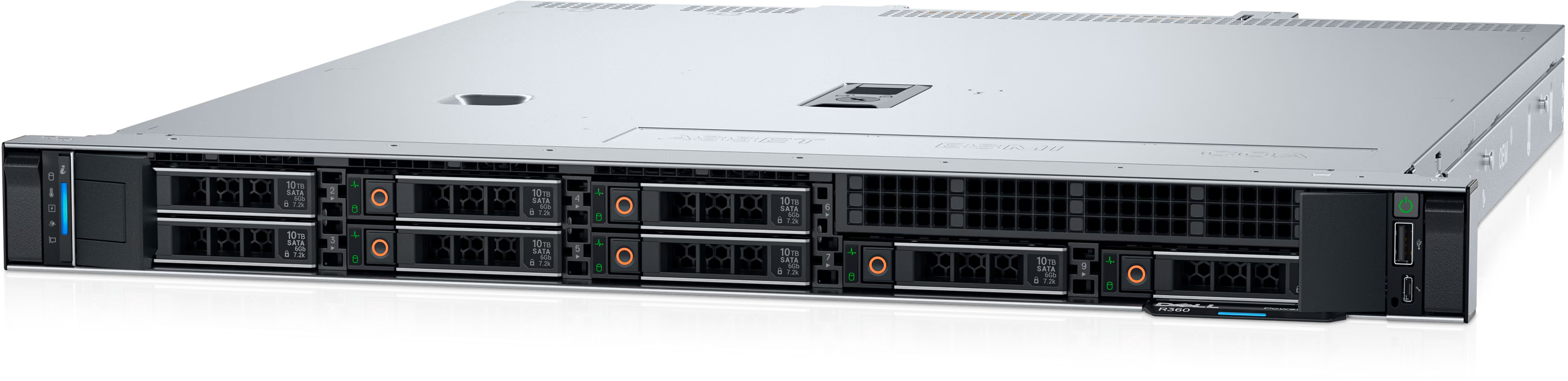
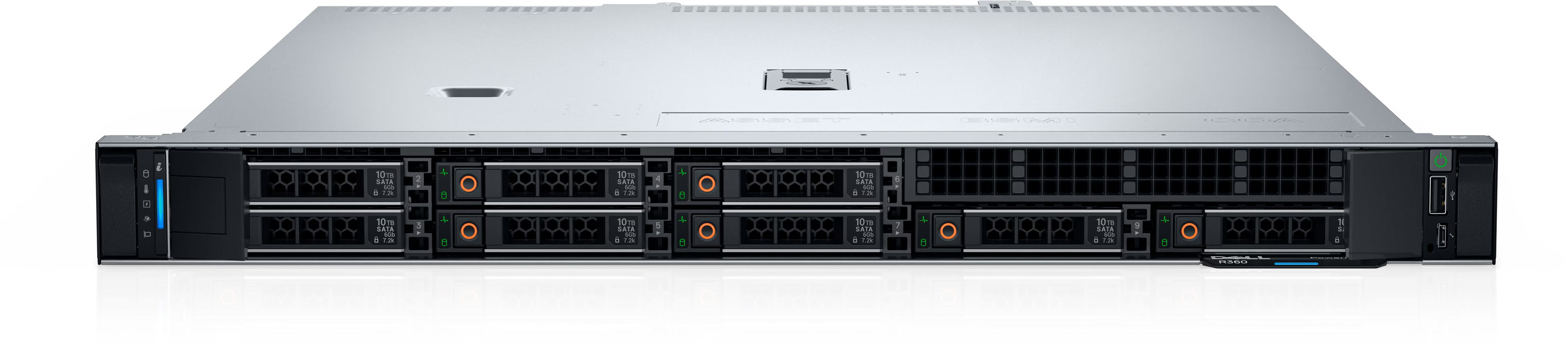
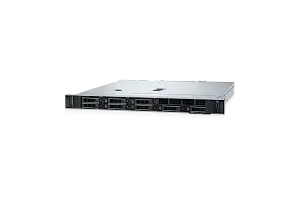
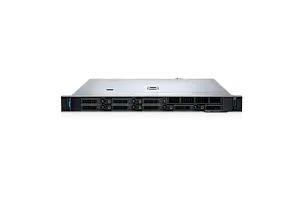
Dell PowerEdge R360 overview
Dell PowerEdge R360 is a 1U, single-socket rack server for SMB, ROBO, near-edge, collaboration, business applications, real-time database management and lightweight virtualization. It is designed for environments that need entry 1U rack deployment, redundant power options, hot-plug storage, DDR5 ECC memory and optional entry GPU support.
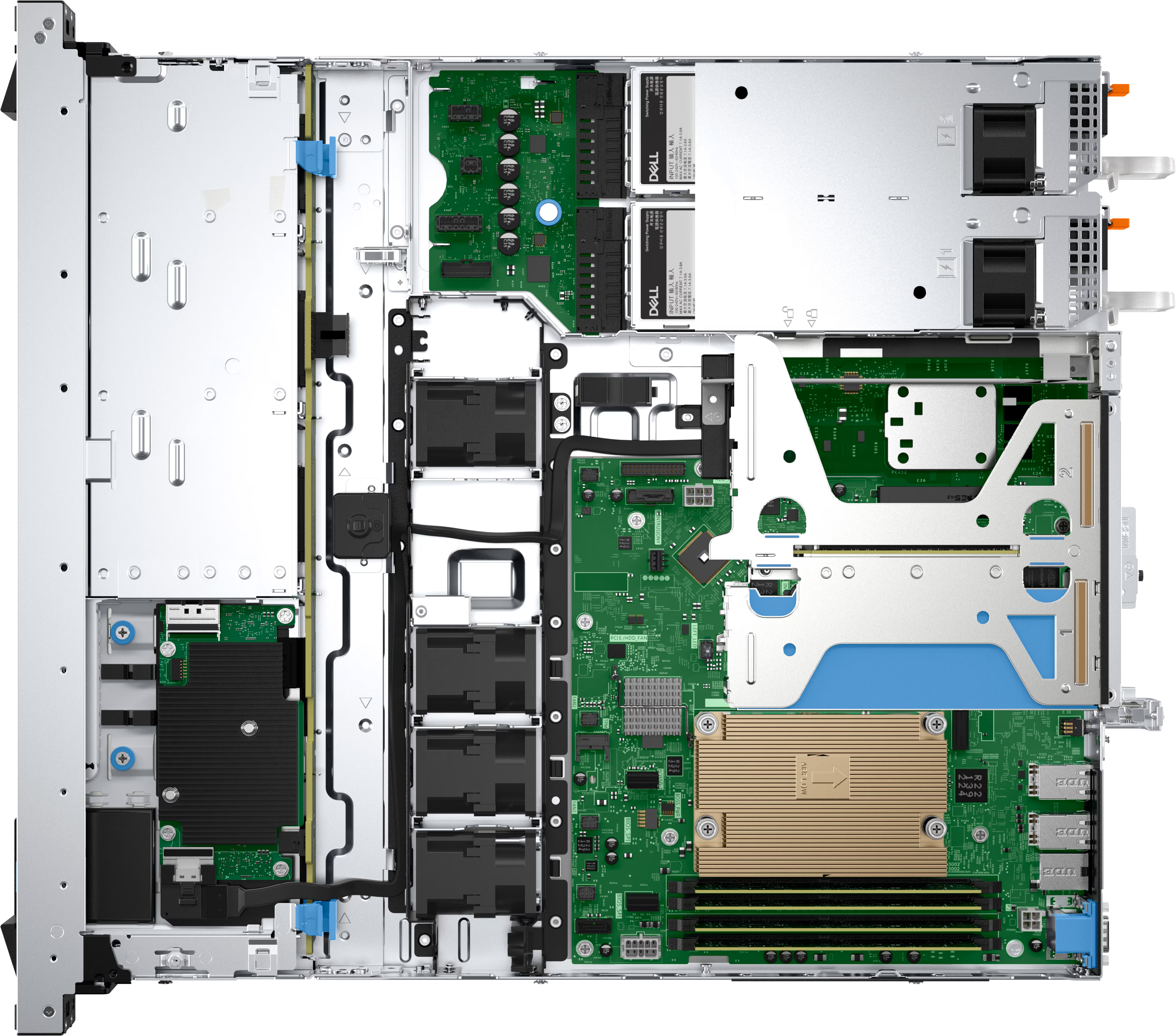
The R360 server is based on one Intel Xeon 6300 series or Intel Xeon E-2400 series processor with up to 8 cores, or one Intel Pentium G7400/G7400T processor with up to 2 cores. It supports 4 DDR5 ECC UDIMM slots, up to 128 GB and speeds up to 4400 MT/s, iDRAC9 and Dell OpenManage, embedded 2 x 1GbE LOM networking and optional OCP or PCIe networking where supported, PCIe Gen4 expansion and 4 x 3.5-inch, 8 x 2.5-inch, or 6 x 2.5-inch SAS/SATA plus 2 x 2.5-inch direct-attach NVMe drive layouts.
The Dell PowerEdge R360 server is suitable for SMB, ROBO, near-edge, collaboration, business applications, real-time database management and lightweight virtualization. It should be treated as a powerful entry rack server for SMB and near-edge workloads, not as a generic replacement for every adjacent PowerEdge model.
When to choose Dell PowerEdge R360
Choose Dell PowerEdge R360 when the workload needs entry 1U rack deployment, redundant power options, hot-plug storage, DDR5 ECC memory and optional entry GPU support in a validated Dell PowerEdge platform. It is a good fit for SMB, ROBO, near-edge, collaboration, business applications, real-time database management and lightweight virtualization where compute, RAM, local storage, networking and power must be sized as one configuration.
Compared with Dell PowerEdge R260, Dell PowerEdge R360 should be selected when its processor platform, form factor, I/O placement and drive layout match the project better. Compared with Dell PowerEdge T360, validate whether the workload needs Intel or AMD processors, rack or tower deployment, and the required storage or accelerator limits.
The R360 configuration should be validated carefully for processor type, memory population, drive bay layout, storage controller, BOSS or M.2 boot, OCP networking, risers, GPU or accelerator support where applicable, power supplies, fan type and cooling.
Chassis and drive bay options
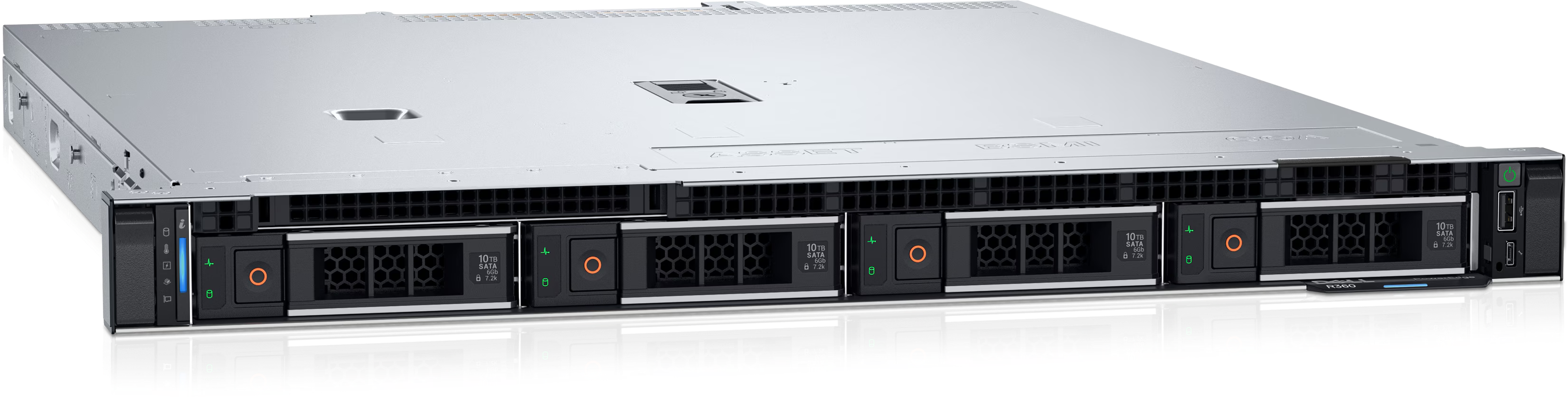
Dell PowerEdge R360 supports several chassis and drive bay layouts. The right option depends on whether the server is being configured for balanced virtualization, high-density SSD storage, capacity-oriented storage, NVMe performance or accelerator-heavy workloads.
| Chassis option | Best for | Comment |
|---|---|---|
| Dell PowerEdge R360 4LFF | capacity-oriented workloads, backup, archive storage and file services | Supports 4 x 3.5-inch SAS/SATA drives. This is the practical starting point when local capacity, backup windows and simple file services matter. Final support depends on backplane, controller, cabling and Dell validation. |
| Dell PowerEdge R360 8SFF | balanced virtualization, business applications and mixed enterprise workloads | Supports 8 x 2.5-inch SAS/SATA drives. This is the practical starting point when standard serviceability and flexible drive selection matter. Final support depends on backplane, controller, cabling and Dell validation. |
| Dell PowerEdge R360 6SFF + 2 NVMe | low-latency databases, high-I/O virtualization, analytics and NVMe-focused storage | Supports 6 x 2.5-inch hot-swap SAS/SATA drives through PERC plus 2 x 2.5-inch direct-attach NVMe drives. This is the practical starting point when latency and high I/O throughput matter. Final support depends on backplane, controller, cabling and Dell validation. |
| Dell PowerEdge BOSS-N1 boot options | separating OS or hypervisor boot from front data drives | BOSS-N1, BOSS-N1 DC-MHS or M.2 boot options can provide dedicated boot media, often with hardware RAID 1 on two M.2 NVMe SSDs depending on platform. Check the selected boot device, cable kit and controller rules. |
For balanced enterprise deployments, SFF or Universal drive configurations are usually the practical starting point. For capacity workloads, use the model-specific LFF or high-count SATA layouts where available. For latency-sensitive databases, high-I/O virtualization, analytics and AI data pipelines, NVMe or EDSFF E3.S configurations should be considered.
Final drive compatibility depends on the selected chassis, backplane, controller, BOSS or M.2 boot option, risers, GPU configuration, power supply and Dell support matrix. NVMe and EDSFF support should not be assumed from the server model name alone.
Recommended Dell PowerEdge R360 configurations by workload
| Workload | Recommended focus |
|---|---|
| ROBO / near edge | Compact server sizing, reliable boot, local protected storage, simple remote management and power planning. |
| Office / SMB infrastructure | Cost-effective CPU, ECC memory, protected local storage, quiet operation and Dell remote management. |
| Databases / data management | Processor choice matched to licensing and query profile, enough RAM for cache, low-latency storage and protected design. |
| Backup / archive | Capacity-oriented drive layout, moderate CPU/RAM and network throughput sized for backup windows. |
| AI inference / accelerator workloads | Validated accelerator model, riser and power planning, sufficient memory, fast local NVMe storage and thermal validation. |
| Mixed enterprise workloads | Balanced CPU, RAM, storage and NIC choices, with headroom for failover, maintenance and growth. |
The R360 configuration should be chosen around the main reason for selecting this platform: entry 1U rack deployment, redundant power options, hot-plug storage, DDR5 ECC memory and optional entry GPU support, Dell PowerEdge management and a storage layout matched to the workload.
How to choose CPU, RAM, RAID and storage
Dell PowerEdge R360 uses one Intel Xeon 6300 series or Intel Xeon E-2400 series processor with up to 8 cores, or one Intel Pentium G7400/G7400T processor with up to 2 cores. CPU selection should account for workload profile, software licensing, thermal limits and whether the application benefits more from core density, per-core performance or memory bandwidth.
RAM planning should start with VM density, database cache, container scheduling and future growth. Dell PowerEdge R360 supports 4 DDR5 ECC UDIMM slots, up to 128 GB and speeds up to 4400 MT/s. DIMM capacities and operating speeds depend on processor type and population rules.
For storage, select the drive layout around capacity, latency and serviceability. 4 x 3.5-inch, 8 x 2.5-inch, or 6 x 2.5-inch SAS/SATA plus 2 x 2.5-inch direct-attach NVMe drive layouts Hardware RAID should be selected around validated PERC controller options, while HBA/JBOD mode is usually preferred for software-defined storage platforms that manage disks directly.
BOSS-N1, BOSS-N1 DC-MHS or M.2 boot options can separate OS or hypervisor boot from the main data drives where supported. Mixed SAS, SATA, NVMe and EDSFF designs must follow Dell controller and backplane rules.
Networking, PCIe, GPU and power should be validated as part of the same configuration. OCP NIC 3.0, PCIe risers, accelerator support, cooling options, fan type and PSU choice can all affect the final supported build.
Dell PowerEdge R360 vs related Dell PowerEdge models
| Model | When to consider |
|---|---|
| Dell PowerEdge R260 | Choose R260 when its 1U rack server, processor platform and storage limits fit the workload better. |
| Dell PowerEdge T360 | Choose T360 when its 4.5U tower server, processor platform and storage limits fit the workload better. |
| Dell PowerEdge R660xs | Choose R660xs when its 1U rack server, processor platform and storage limits fit the workload better. |
| Dell PowerEdge R660 | Choose R660 when its 1U rack server, processor platform and storage limits fit the workload better. |
| Dell PowerEdge R-Series Servers | Use the R-Series category when comparing broader rack server options. |
Dell PowerEdge R360 is the right reference point when the requirement matches its processor platform, form factor and storage design. It should not be positioned as interchangeable with older PowerEdge generations or with a different Intel or AMD platform without validating CPU, memory, storage, I/O and cooling rules.
Summary: is Dell PowerEdge R360 the right server for your workload×
Dell PowerEdge R360 is a strong Dell PowerEdge server for SMB, ROBO, near-edge, collaboration, business applications, real-time database management and lightweight virtualization. Choose it when you need entry 1U rack deployment, redundant power options, hot-plug storage, DDR5 ECC memory and optional entry GPU support with one Intel Xeon 6300 series or Intel Xeon E-2400 series processor with up to 8 cores, or one Intel Pentium G7400/G7400T processor with up to 2 cores, 4 DDR5 ECC UDIMM slots, up to 128 GB and speeds up to 4400 MT/s and Dell PowerEdge management. Before purchase, confirm CPU type, RAM population, drive bay layout, RAID or HBA mode, BOSS or M.2 boot option, OCP networking, risers, GPU or accelerator support where applicable, cooling, PSU and warranty requirements.
Die Servermall-Garantie umfasst:
- Rund um die Uhr (auch an Feiertagen) erreichbarer Servermall-Kundenservice und -Support zur Behebung von Problemen mit generalüberholten Servern und zugehörigen Produkten sowie ausgewählten Softwareproblemen.
- 5 Jahre Garantie. Im Falle einer Problemdiagnose oder Reparatur führen wir diese kostenlos am Installationsort des Servers durch.
- Vor-Ort-Versand von Ersatzteilen an den Installationsort oder einen anderen von Servermall genehmigten und gemeinsam vereinbarten Geschäftsstandort des Kunden zur Behebung eines Produktproblems.
Abonnieren Sie unsere News und erhalten Sie 50 € Rabatt auf den Server.
Kostenloser Versand innerhalb der EU bei Bestellungen von Ausrüstung ab 500 €. Lieferung innerhalb von 4 Werktagen.
einen Server bei Servermall zu kaufen
Garantie
Wir möchten sicherstellen, dass unsere Geräte für Sie absolut zuverlässig sind. Deshalb werden alle unsere Geräte (auch neue) umfassend diagnostiziert, getestet und Teile ausgetauscht.
Tests
Wir statten unsere Geräte mit verschiedenen Dienstprogrammen und Software aus. Sie werden garantiert lange funktionieren.
Stromversorgung
Die Komponenten arbeiten mit voller Leistung und werden mehrere Tage lang getestet. Bei Zweifeln tauschen wir sie aus.
aller Geräte
Unsere Vorschriften sehen die gleichen Prüfungen für gebrauchte und neue Geräte vor. Übrigens: Wir ergänzen die offizielle Herstellergarantie durch unsere eigene Garantie.