Intel Xeon Silver suits infrastructure services and moderate workloads, Gold is worth considering for databases and general-purpose virtualisation hosts, and Platinum is intended for high compute density and workloads that genuinely use many cores. Choose a specific model based on its generation, per-core performance, memory capabilities and licensing costs. For most enterprise workloads, Silver and Gold are sensible starting points; paying extra for Platinum is justified when application requirements or workload measurements confirm the limitations of lower-tier models.
What Silver, Gold and Platinum mean
These names indicate where a processor sits within the Intel Xeon Scalable family. They help narrow the selection, but they do not provide a universal performance ranking: Platinum does not have to complete every operation faster than Gold, and a new Silver should not be judged by the specifications of older models in the range.
The Xeon Scalable range also includes Bronze: entry-level processors for basic tasks with modest compute requirements. This comparison focuses on Silver, Gold and Platinum, which offer a broader choice of models for enterprise applications, virtualisation, databases and parallel computing.
How to read a processor model name
Intel’s Xeon naming guidance does not treat the model number as a direct measure of performance. For conventional four-digit Xeon Scalable models, the first two digits indicate the tier and generation:
- The first digit identifies the tier: 4 means Silver, 5 or 6 means Gold, and 8 or 9 means Platinum.
- The second digit indicates the generation: for example, Gold 6230 belongs to the second generation, Silver 4314 to the third, and Gold 6544Y to the fifth.
- The last two digits distinguish models, but do not indicate core count or clock speed.
- Suffixes identify specific variants. For example, U indicates single-socket use on the relevant models, while Y indicates support for Intel Speed Select performance profiles.
Why Xeon 6 uses a different naming scheme
Xeon 6 uses new numbered series and core-type designations instead of the familiar Silver, Gold and Platinum hierarchy. Scalable server platforms offer variants with performance P-cores and efficient E-cores. Comparing the three “metal” tiers primarily applies to the first five generations of Xeon Scalable, which are still found in new and refurbished servers.
Why you should choose the generation first
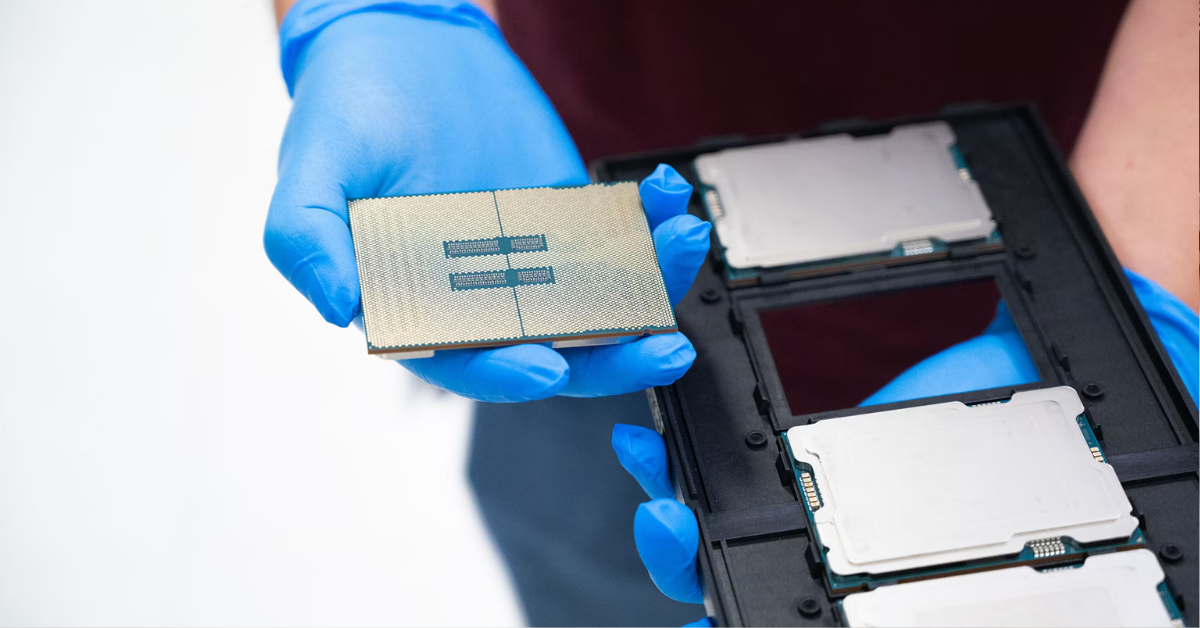
5th Gen Intel Xeon.
Image source: Intel Corporation
The generation determines the core architecture, memory type, expansion capabilities and system board compatibility. Choosing between an “older Platinum and a newer Silver” therefore means comparing complete platforms, rather than just two processor price tags.
For common single- and dual-socket servers, the differences are as follows:
| Intel platform | Example model designations | Memory and channels per processor | Expansion interface |
|---|---|---|---|
| 1st Gen Xeon Scalable | Silver 41xx, Gold 51xx/61xx, Platinum 81xx | DDR4, 6 channels | PCIe 3.0 |
| 2nd Gen Xeon Scalable | Silver 42xx, Gold 52xx/62xx, Platinum 82xx | DDR4, 6 channels | PCIe 3.0 |
| 3rd Gen Xeon Scalable Ice Lake | Silver 43xx, Gold 53xx/63xx, Platinum 83xx without H | DDR4, 8 channels | PCIe 4.0 |
| 4th Gen Xeon Scalable | Silver 44xx, Gold 54xx/64xx, Platinum 84xx | DDR5, 8 channels | PCIe 5.0 |
| 5th Gen Xeon Scalable | Silver 45xx, Gold 55xx/65xx, Platinum 85xx | DDR5, 8 channels | PCIe 5.0 |
The third generation needs a separate explanation. Cooper Lake processors with the H suffix are designed for different multi-socket platforms and are not interchangeable with Ice Lake. The table describes mainstream platforms, rather than every specialised Xeon variant.
How specific Silver, Gold and Platinum models differ
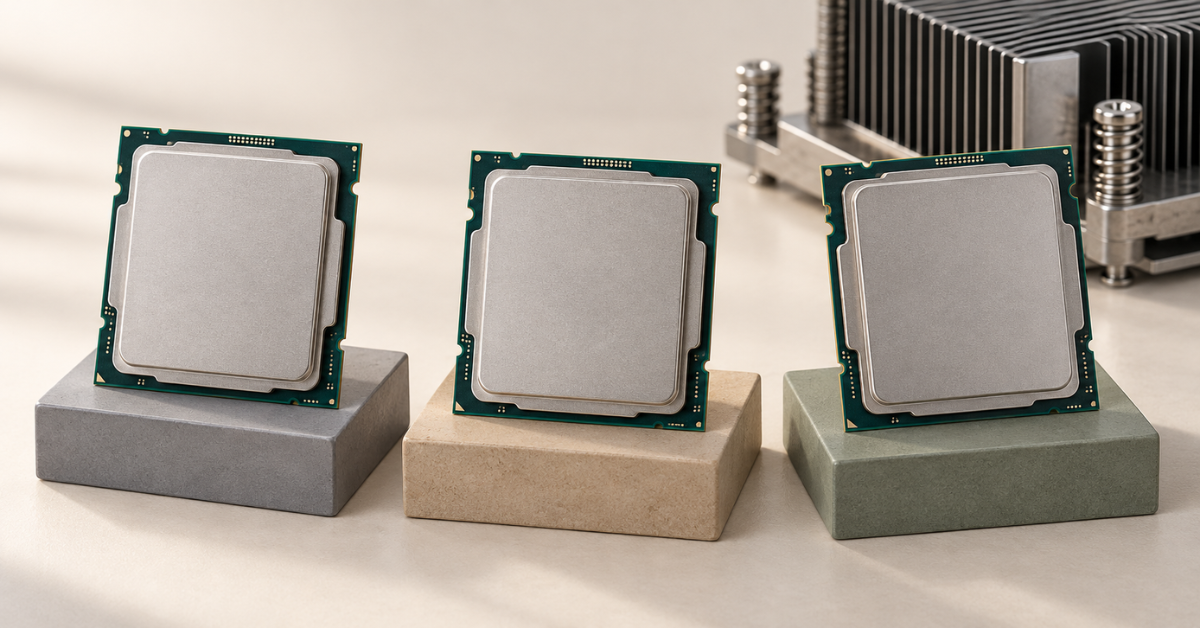
Cache is fast internal processor memory. Comparing models from the same generation is more informative. Below are three 5th Gen Xeon Scalable processors. They illustrate different performance profiles, rather than average specifications for each tier.
| Specification | Silver 4514Y | Gold 6544Y | Platinum 8558 |
|---|---|---|---|
| Physical cores / threads | 16 / 32 | 16 / 32 | 48 / 96 |
| Base clock speed | 2.0 GHz | 3.6 GHz | 2.1 GHz |
| Maximum clock speed | 3.4 GHz | 4.1 GHz | 4.0 GHz |
| Last-level cache | 30 MB | 45 MB | 260 MB |
| Thermal design power | 150 W | 270 W | 330 W |
| Maximum DDR5 speed with one module per channel | 4400 MT/s | 5200 MT/s | 5200 MT/s |
| Memory channels | 8 | 8 | 8 |
| PCIe 5.0 lanes per processor | 80 | 80 | 80 |
| Scalability | Up to 2 processors | Up to 2 processors | Up to 2 processors |
Choosing the Right Equipment
Our specialists will contact you and answer all your questions
The specifications are given for standard profiles in the Intel ARK catalogue for 5th Gen Xeon Scalable. Memory speed also depends on the modules and how they are populated; the maximum turbo frequency does not mean every core will run at that speed under sustained load.
Also note the similarities: all three processors have eight memory channels and 80 PCIe lanes. Buying Platinum solely for these specifications makes no sense here. Moreover, Platinum 8558 supports a maximum of two processors in a system: the familiar claim that “every Platinum supports eight sockets” is incorrect.
When Silver is sufficient
Silver supports error-correcting server memory, but the processor tier alone does not determine system resilience.
Silver makes sense when compute performance is not a persistent bottleneck and the budget is better spent on memory, storage or a second server. Typical uses include:
- directory services, DNS and small infrastructure applications;
- a file server with moderate workloads and no heavy data processing;
- backup, where storage or networking limits performance;
- a few virtual machines with low levels of simultaneous activity;
- a test environment whose requirements fit within the capabilities of the selected model.
When Gold is the better choice
Gold offers different combinations of clock speed and core count. Models with fewer fast cores are worth considering for transactional databases, remote desktop session hosts and applications with critical response-time requirements. High-core-count Gold models suit large numbers of simultaneously active virtual machines, data processing and workloads that parallelise well.
However, the Gold tier does not guarantee a high clock speed. Comparing two Gold models may matter more than moving from Gold to Platinum. For example, a model designed for dense virtualisation is not necessarily the best option for an application whose key operation runs sequentially.
When Platinum is justified
Platinum is useful when a project needs high compute density, a large cache or specific capabilities of a higher-tier model. Suitable scenarios include a large virtualisation host, parallel computing, analysis of large datasets and consolidation of several heavily loaded servers.
Clock speed or core count
Per-core performance determines the speed of sequential parts of a program. Core count helps execute more independent operations at the same time. Real applications usually combine both types of work, so there is no universal winner between “fewer fast” and “more slow” cores.
Why maximum clock speed is not enough
Clock speed under load depends on the number of active cores, temperature, power limits and the type of computation. Turbo mode, which provides the maximum clock speed, often does not apply to every core, so sustained all-core operation differs from briefly boosting a few cores. Take particular care when comparing demanding vector workloads with ordinary office services.
Hyper-Threading creates two logical threads per physical core on processors that support the technology. They share the core’s resources. The 32 threads of a 16-core processor are not equivalent to 32 full physical cores, and the benefit depends on the workload.
Memory and a second processor can change the result
A processor has a memory controller and a specific number of memory channels. Channels allow it to access modules in parallel. The number of memory slots on the system board does not equal the number of channels: a channel may have two slots.
The same memory capacity can deliver different performance
For example, eight 32 GB modules and four 64 GB modules both provide 256 GB. On an eight-channel platform, the first configuration may use all the channels, while the second uses only half. This illustrates memory distribution; follow the population rules for the specific server, accounting for module type and organisation.
The result depends on several interconnected parameters:
- enough memory capacity for working data and virtual machines;
- the number of memory channels actually populated;
- the speed supported by the processor, modules and system board;
- whether one or two modules are installed per channel;
- how memory is distributed between processors.
A large cache reduces memory accesses when data is reused, but does not provide a predetermined percentage performance gain.
Installing modules rated at 5600 MT/s will not make Silver 4514Y run memory at that speed. Populating the second slot on a channel may also reduce the supported speed. MT/s indicates the number of data transfers, so this value should not be described as a frequency in megahertz without qualification.
One powerful processor or two lower-tier models
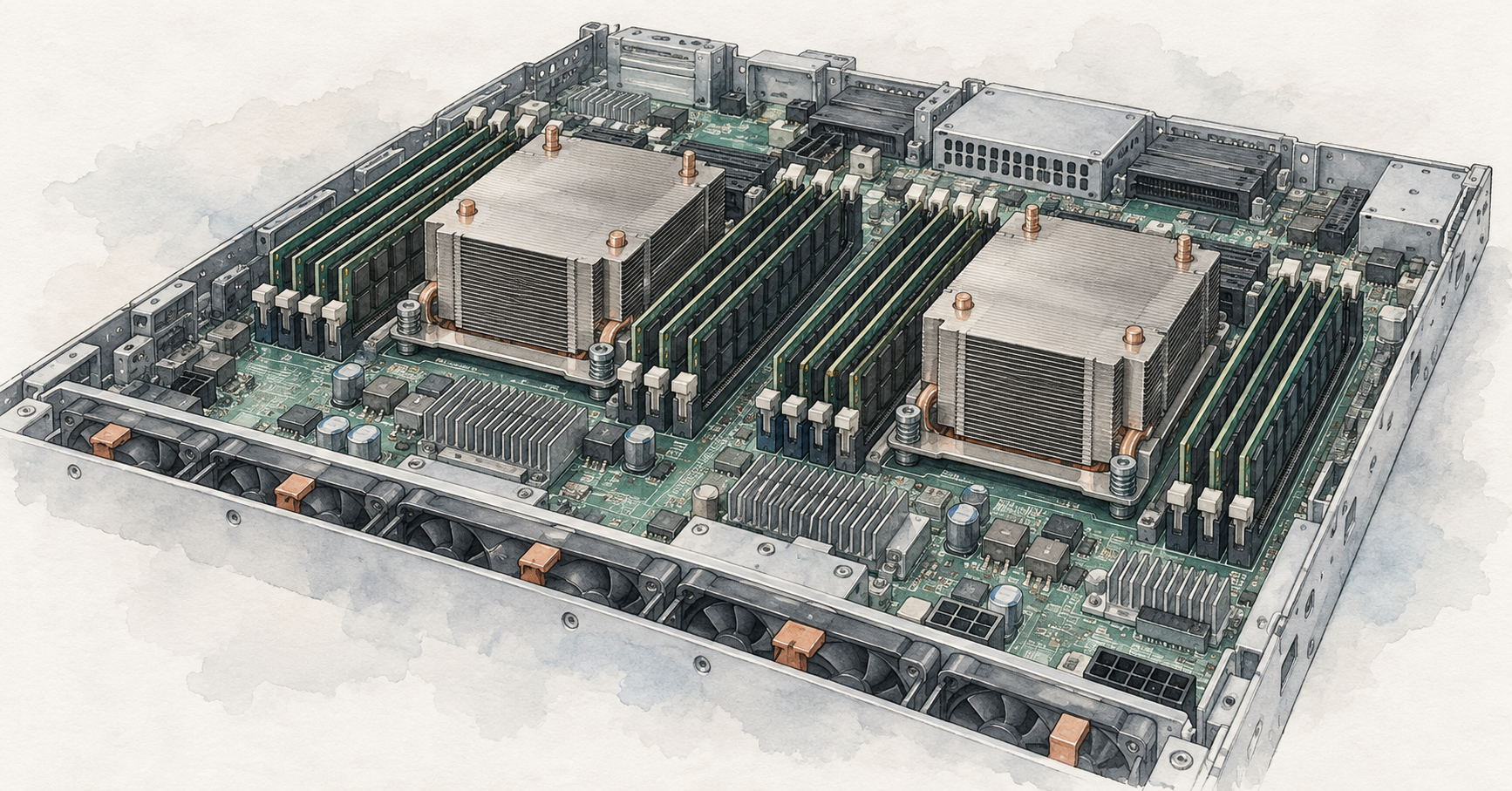
A second processor adds cores, memory channels and device connectivity resources. However, memory in a dual-socket system is physically distributed between the processors. Accessing local memory is usually faster than accessing memory attached to the other processor. This arrangement is called NUMA.
If a large virtual machine or application constantly uses memory attached to both processors, the result depends on thread and data placement. One more powerful processor can sometimes be more practical than two lower-tier models: it simplifies workload placement and may reduce licensing costs. Two processors are useful when the workload needs their combined memory, compute or expansion resources.
With only one processor installed, some memory and expansion slots in a dual-socket server may be unavailable. Choosing “one Gold instead of two Silver processors” must therefore account for how drives, network adapters and accelerators are connected. The number of available devices is determined by the system board layout and expansion kits, rather than just the number of PCIe lanes listed in the CPU specifications.
A second processor does not act as a standby node. Adding it later may require memory, a heatsink, fans and different power supplies.
Accelerators and specialised features
Newer Xeon processors provide ways to accelerate specific operations: matrix calculations for AI, array processing, compression and cryptography. For example, all three processors in the table support Intel AMX. This technology is not an advantage exclusive to Platinum.
The benefit appears when the application and its libraries use the relevant instructions or built-in accelerator. Software running its original code without these optimisations does not automatically gain the advantages described in processor marketing materials.
When choosing a specialised model, consider:
- whether the specific application and operating system versions support the feature;
- the number of available accelerators and the conditions for enabling them;
- compatibility with firmware and platform settings;
- the share of execution time taken by the operation being accelerated.
In a GPU server, the processor may mainly prepare data for the graphics accelerators. Labelling a system “for AI” does not by itself justify buying Platinum.
How licensing changes the processor choice
The processor price is only part of the cost. If software is licensed per core, a model with more cores may be substantially more expensive to operate, even when the CPU itself is a good deal. The terms depend on the product, edition and deployment method.
The Microsoft SQL Server licensing guidance requires all physical cores to be covered when licensing a physical server per core, with a minimum of four core licences per processor. Different terms apply when licensing individual virtual machines; the current guidance requires Software Assurance or a subscription for this option and specifies a minimum of four core licences per virtual environment.
In addition to licensing, account for the technical limits of the software edition. A server may have more cores and memory than the application can use. Blanket advice to “disable extra cores in the BIOS and stop paying for them” is risky: the applicable licensing terms must explicitly permit that approach.
If all physical cores are licensed, moving from one 16-core CPU to two 48-core CPUs increases the count from 16 to 96. Buying processors at an attractive price does not remove those licensing costs.
The reverse can also apply: if an application is licensed per socket, a platform with one high-core-count CPU may be more economical than a dual-socket platform.
Why a lower TDP does not always mean lower costs
Thermal design power, or TDP, is used to design cooling systems. It does not equal the processor’s constant power consumption, let alone the entire server’s draw at the wall. Compare energy costs for the same useful work, accounting for memory, drives, fans and power supplies.
If a system consumes an average of 100 W more and runs continuously, the annual difference is 0.1 kW × 8760 hours = 876 kWh. At an illustrative tariff of RUB 10 per kWh, this amounts to RUB 8760 a year, excluding additional cooling costs. This calculation shows the scale of the expense, but the actual power difference must be measured or substantiated for the configurations being compared.
Choosing the Right Equipment
Our specialists will contact you and answer all your questions
Which servers use these processors
Compatibility starts with the server model and generation. An identical socket is a necessary but insufficient condition: the supported CPU list, firmware, system board revision, cooling and the limits of the specific configuration all matter.
HPE ProLiant DL380 Gen10
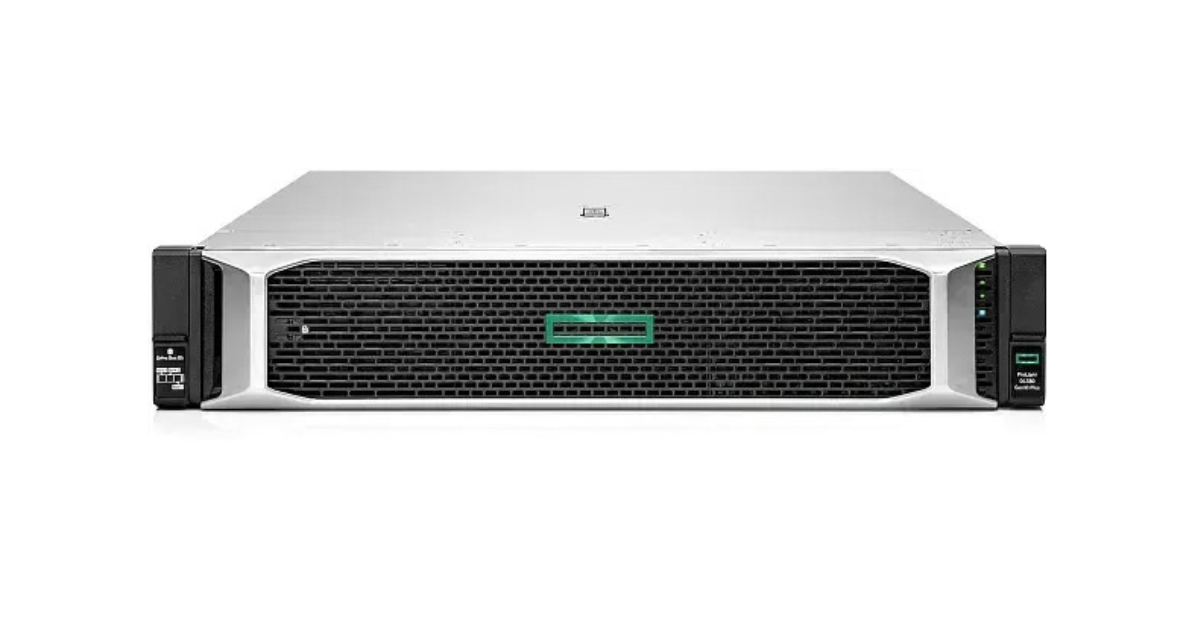
Image source: Servermall
HPE ProLiant DL380 Gen10 specifications and configurator
DL380 Gen10 uses 1st and 2nd Gen Xeon Scalable processors and DDR4 memory. This platform lets you choose among compatible Silver, Gold and Platinum models from its era. The fifth-generation Xeon processors in the comparison table cannot be installed in it.
HPE ProLiant DL380 Gen11
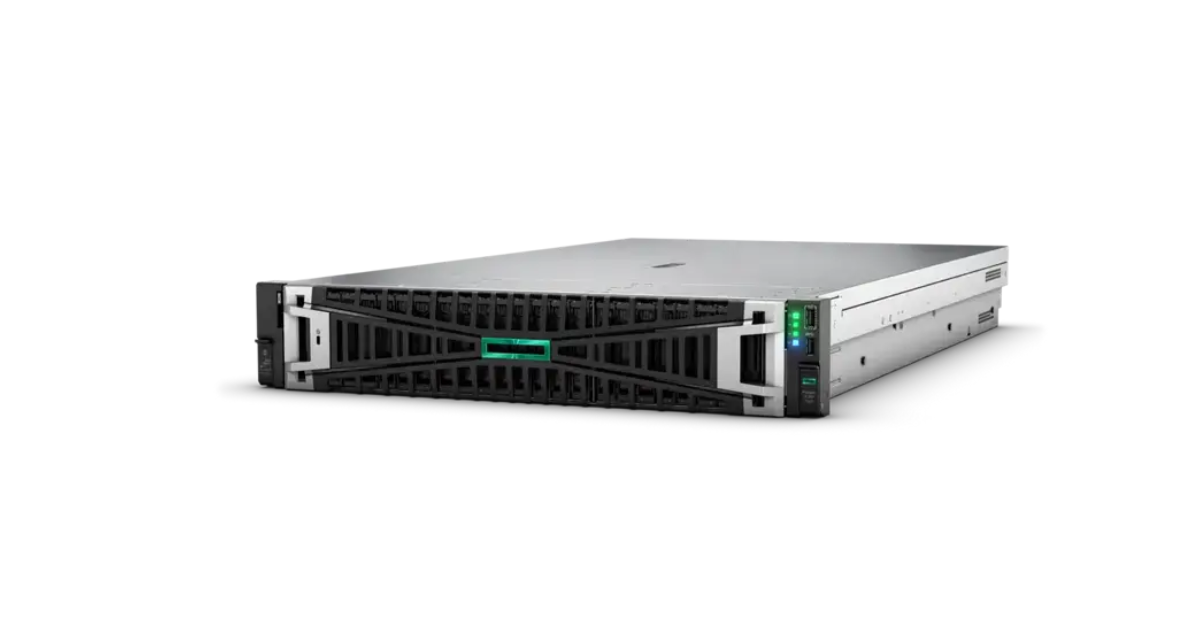
Image source: Servermall
HPE ProLiant DL380 Gen11 specifications and configurator
DL380 Gen11 is a DDR5 and PCIe 5.0 platform for 4th or 5th Gen Xeon Scalable processors in the corresponding variants. Silver 4514Y, Gold 6544Y and Platinum 8558 are worth comparing here if they are supported by the specific server version and configuration.
HPE documentation specifies an important restriction: the Gen11 system board supplied for fourth-generation Xeon processors is incompatible with the firmware required for the fifth generation. Moving between them should not be treated as a routine CPU replacement. When buying a server with a future upgrade in mind, the specific system version becomes decisive.
Specifications are available through the model pages on Servermall. Differences between generations are covered in more detail in the article “HPE ProLiant DL380 Gen12 vs. DL380 Gen11 vs. DL380 Gen10 Plus”. Gen9 uses Xeon E5-2600 v3/v4, Gen10 Plus uses 3rd Gen Xeon Scalable, and Gen12 uses Xeon 6. These platforms have different processors and expansion requirements.
Which Xeon should you choose for your workload
Small infrastructure deployments and file services
Silver is a sensible candidate when service applications rarely perform demanding calculations. For a file server, the budget is often better spent on reliable drives, memory and networking. However, antivirus scanning, encryption, compression and deduplication can change CPU requirements.
Transactional databases
Start by comparing Gold models focused on strong per-core performance, paired with sufficient memory. The number of active users, report complexity, background jobs and database size determine how many additional cores will actually be useful.
For a database licensed per core, a fast 16-core Gold may be more economical than a 48-core Platinum. The picture can change for demanding analytics with many parallel operations. The same database server needs different configurations depending on its query workload.
Virtualisation and remote desktop session hosts
For mixed workloads, Gold usually provides enough options in clock speed and core count. Platinum makes sense for a high density of actively running guests. Memory capacity and distribution should match the selected core count; otherwise, the cores will sit idle.
For example, 24 virtual machines with four assigned virtual CPUs each add up to 96 virtual CPUs. This does not mean you need exactly 96 physical cores. If the guests perform intensive calculations simultaneously, they will need significantly more resources than services with occasional bursts of activity.
For remote desktop applications, the speed of each user action matters, so high session density should not come at the expense of unacceptable response times.
In a cluster, also account for operation after a node failure. If the remaining servers cannot take over its workload, high virtual machine density alone does not ensure availability. Sometimes two or three moderately configured nodes are more useful than one expensive node.
Analytics and parallel computing
Consider Platinum when the application scales across many cores and receives data quickly enough. Memory performance, cache, supported instructions and sustained clock speed under full load all matter here.
When a refurbished platform offers better value than a new one
Older Xeon Gold and Platinum processors are attractive when the budget is limited, DDR4 is affordable and a complete configuration is available. The saving is particularly noticeable when the application does not require modern accelerators or interfaces. This can be a rational choice for learning environments, infrastructure services or a separate supporting node.
Engineering samples marked ES or QS should not be treated as ordinary production CPUs for a working system.
However, CPU prices on the secondary market do not represent the cost of a complete server. Memory of the required capacity, cooling, controllers, drive upgrades and licences can all be expensive. Equipment provenance, the supplier’s warranty and access to servicing also matter.
Compare benchmark results from different platforms using comparable memory configurations, application versions, power settings and test methods. Advertised performance gains do not guarantee the same result for your workload.
How to choose without overspending
The decision should account for the complete server and its service life. A powerful Gold in a well-configured system can deliver better results than Platinum with insufficient memory or unnecessary expensive licences. A good choice is a compatible configuration that completes the required work with acceptable response times, retains sufficient headroom and fits the purchase and operating budget.
Choosing the Right Equipment
Our specialists will contact you and answer all your questions