
DELL PowerEdge R750 Server
Das könnte Sie interessieren



-
Condition
Refurbished
-
CPU
2×8GB DDR4 RDIMM 2133MHz
-
RAM
noHDD (up to 8 HDD 2.5'' SFF)
-
Condition
Refurbished
-
CPU
2×8GB DDR4 RDIMM 2133MHz
-
RAM
noHDD (up to 8 HDD 2.5'' SFF)
-
Condition
Refurbished
-
CPU
2×8GB DDR4 RDIMM 2133MHz
-
RAM
noHDD (up to 8 HDD 2.5'' SFF)
-
Condition
Refurbished
-
CPU
2×8GB DDR4 RDIMM 2133MHz
-
RAM
noHDD (up to 8 HDD 2.5'' SFF)



Prozessor
Bis zu zwei Intel Xeon Scalable Prozessoren der 3. Generation mit bis zu 40 Kernen pro Prozessor
Arbeitsspeicher
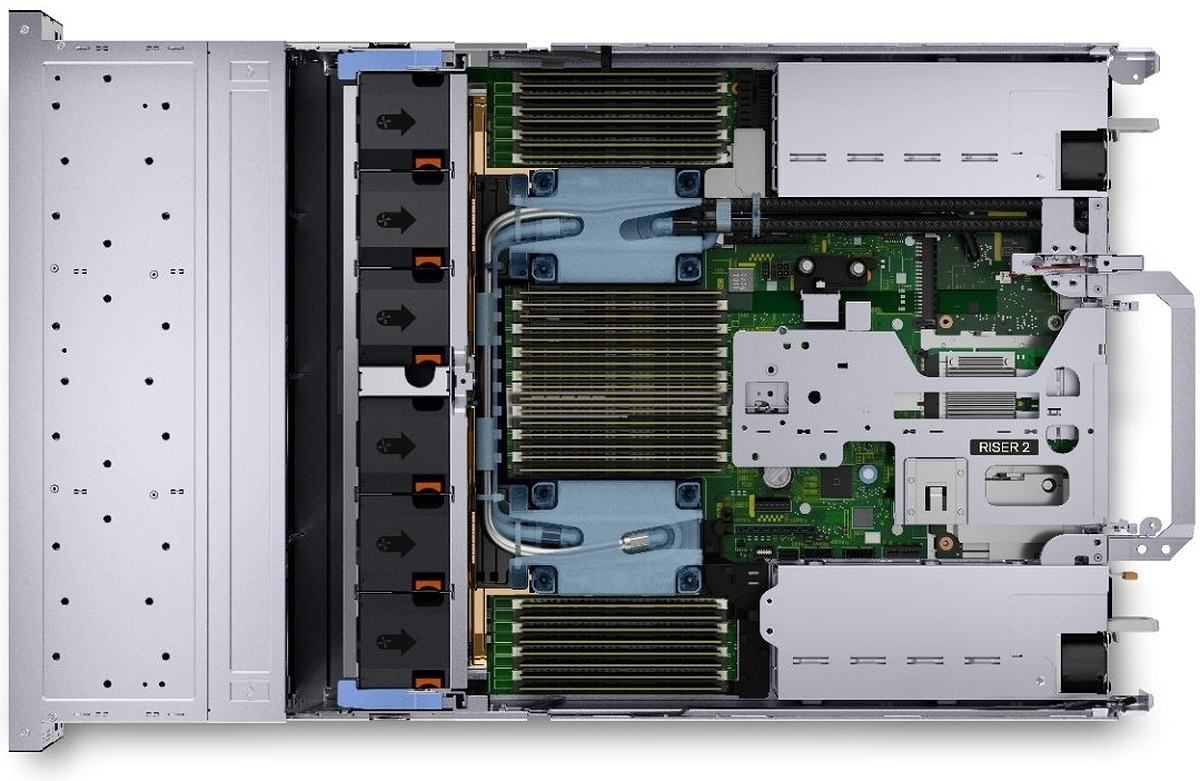
- 32 DDR4-DIMM-Steckplätze, unterstützt RDIMM bis 2 TB oder LRDIMM bis 8 TB, Geschwindigkeiten bis 3200 MT/s
- Bis zu 16 Steckplätze für Intel Persistent Memory 200 Series (BPS), maximal 8 TB
- Unterstützt ausschließlich registrierte ECC-DDR4-DIMMs
Storage-Controller
- Interne Controller: PERC H745, HBA355i, S150, H345, H755, H755N
- Boot Optimized Storage Subsystem (BOSS-S2): HW RAID 2 x M.2 SSDs 240 GB or 480 GB
- Boot Optimized Storage Subsystem (BOSS-S1): HW RAID 2 x M.2 SSDs 240 GB or 480 GB
- Externer PERC (RAID): PERC H840, HBA355e
Laufwerksschächte
Vordere Schächte
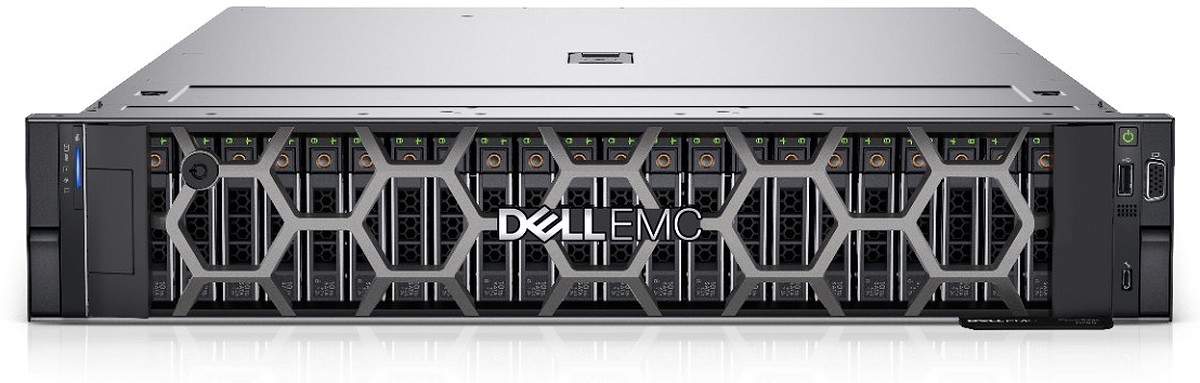
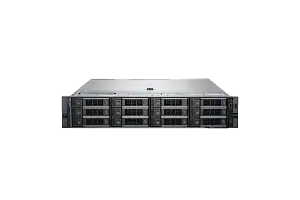
- Bis zu 12 x 3.5-inch SAS/SATA (HDD/SSD) max. 192 TB
- Bis zu 8 x 2.5-inch NVMe (SSD) max. 122.88 TB
- Bis zu 16 x 2.5-inch SAS/SATA/NVMe (HDD/SSD) max. 245.76 TB
- Bis zu 24 x 2.5-inch SAS/SATA/NVMe (HDD/SSD) max. 368.84 TB
Hintere Schächte
- Bis zu 2 x 2.5-inch SAS/SATA/NVMe (HDD/SSD) max. 30.72 TB
- Bis zu 4 x 2.5-inch SAS/SATA/NVMe (HDD/SSD) max. 61.44 TB
Netzteile
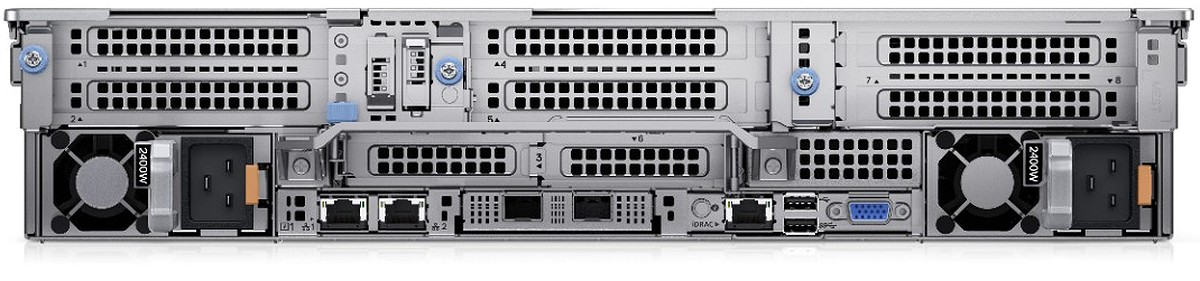
- 700 W Titanium HLAC/240 Mixed Mode
- 800 W Platinum AC/240 Mixed Mode
- 1100 W Titanium AC/240 Mixed Mode
- 1100 W DC -48 V to -60 V
- 1400 W Platinum AC/240 Mixed Mode
- 1800 W Titanium HLAC/240 Mixed Mode
- 2400 W Platinum AC/240 Mixed Mode
- 2800 W Titanium HLAC/240 Mixed Mode
Kühloptionen
Luftkühlung, optionale Flüssigkeitskühlung des Prozessors
Lüfter
- Standardlüfter, High Performance SLVR-Lüfter oder High Performance GOLD-Lüfter
- Bis zu 6 Hot-Swap-Lüfter
Abmessungen
- Höhe: 86.8 mm (3.41 Zoll)
- Breite: 482 mm (18.97 Zoll)
- Tiefe: 758.3 mm (29.85 Zoll) - ohne Blende
- Tiefe: 772.14 mm (30.39 Zoll) - mit Blende
Formfaktor
2U-Rack-Server
Integrierte Verwaltung
- iDRAC9
- iDRAC Service Module
- iDRAC Direct
- Quick Sync 2 wireless module
Blende
Optionale LCD-Blende oder Sicherheitsblende
OpenManage-Software
- OpenManage Enterprise
- OpenManage Power Manager plugin
- OpenManage SupportAssist plugin
- OpenManage Update Manager plugin
Mobilität
OpenManage Mobile
Integrationen und Verbindungen
- BMC Truesight
- Microsoft System Center
- Red Hat Ansible Modules
- VMware vCenter and vRealize Operations Manager
- IBM Tivoli Netcool/OMNIbus
- IBM Tivoli Network Manager IP Edition
- Micro Focus Operations Manager
- Nagios Core
- Nagios XI
Sicherheit
- Kryptografisch signierte Firmware
- Secure Boot
- Secure Erase
- Silicon Root of Trust
- System Lockdown (erfordert iDRAC9 Enterprise oder Datacenter)
- TPM 1.2/2.0 FIPS, CC-TCG-zertifiziert, TPM 2.0 China NationZ
Integrierte NIC
2 x 1 GbE LOM
Netzwerkoptionen
1 x OCP 3.0 (x8 PCIe lanes)
GPU-Optionen
Bis zu zwei Double-Width 300 W, drei Single-Width 150 W oder sechs Single-Width 75 W Beschleuniger
Anschlüsse
Frontanschlüsse
- 1 x dedizierter iDRAC Direct micro-USB
- 1 x USB 2.0
- 1 x VGA
Rückseitige Anschlüsse
- 1 x USB 2.0
- 1 x Seriell (optional)
- 1 x USB 3.0
- 2 x RJ-45
- 1 x VGA (optional bei Konfiguration mit Flüssigkeitskühlung)
Interne Anschlüsse
- 1 x USB 3.0
PCIe
Bis zu 8 x PCIe-Gen4-Steckplätze (bis zu 6 x16) mit Unterstützung für SNAP I/O-Module
Betriebssysteme und Hypervisoren
- Canonical Ubuntu Server LTS
- Citrix Hypervisor
- Microsoft Windows Server with Hyper-V
- Red Hat Enterprise Linux
- SUSE Linux Enterprise Server
- VMware ESXi
Dell PowerEdge R750 overview
Dell PowerEdge R750 is a 2U, dual-socket rack server for enterprise workloads that need a balance of compute density, memory capacity, storage flexibility and PCIe expansion. As a Dell R750 2U rack server, it is based on 3rd Generation Intel Xeon Scalable processors, DDR4 memory and PCIe Gen4, making it a practical platform for modern data center consolidation without moving to a DDR5 generation.
The Dell PowerEdge R750 server can be configured with SFF, LFF and NVMe storage layouts, so it can serve as a virtualization host, database server, software-defined storage node, VDI platform, backup server or analytics system. It is also relevant for selected GPU workloads when the exact riser, PSU, airflow and cooling options are validated. Within Dell rack servers, the R750 sits between older budget platforms and newer-generation servers.
When to choose Dell PowerEdge R750
Choose the Dell R750 server when the workload is mixed, growing or difficult to size precisely. It is a good fit for virtualization clusters running VMware ESXi, Microsoft Hyper-V, Proxmox or KVM, especially when each host must support many virtual machines and still leave room for future RAM and network expansion.
For database environments such as Microsoft SQL Server, PostgreSQL, MySQL and Oracle, the R750 can be tuned toward higher CPU frequency, large memory pools and low-latency SSD or NVMe storage. For VDI and remote desktop environments, the platform provides predictable CPU performance, high RAM capacity and optional GPU acceleration, subject to configuration validation.
It also works well for software-defined storage, backup and disaster recovery nodes, business applications, analytics and general enterprise services. The main reason to consider the R750 is flexibility: it can combine dual-socket performance, scalable memory, multiple storage backplanes and PCIe Gen4 expansion in one standard 2U chassis.
Dell R750 chassis options: 8SFF, 16SFF, 24SFF and 12LFF
The chassis choice should follow the role of the server. A compute-heavy virtualization node may not need many local drives, while a database or SDS node may depend heavily on drive count, latency and redundancy. For backup and archive use, raw capacity is often more important than IOPS.
| Chassis option | Best for | Comment |
|---|---|---|
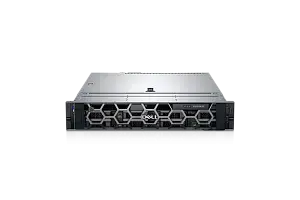
| Dell R750 8SFF | Balanced compute nodes | Good when local storage is not the main priority and the server mainly uses shared storage, SAN, NAS or external arrays. |
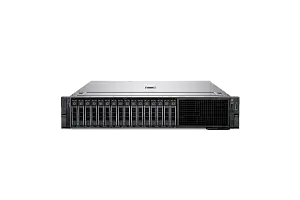
| Dell R750 16SFF | Virtualization and databases | Offers more room for SSD/SAS layouts, cache tiers and mirrored volumes while keeping the chassis balanced. |
| Dell R750 24SFF | High-density SSD or Dell R750 NVMe setups | Better for IOPS-oriented workloads, dense SSD pools and local storage-heavy applications. |
| Dell R750 12LFF | Backup, archive and capacity storage | Better when large raw capacity is more important than low latency or maximum IOPS. |
Final compatibility depends on the exact backplane, storage controller, riser configuration, power supplies, cabling and selected server build. This is especially important when combining NVMe drives, high-TDP CPUs, rear storage, expansion cards or GPU options in the same system.
Recommended Dell R750 configurations by workload
There is no single ideal Dell R750 configuration. A good build depends on workload profile, software licensing, redundancy model and growth plans. Use the table below as selection logic rather than a fixed bill of materials, and check the final build in the Dell server configurator.
| Workload | Recommended focus |
|---|---|
| Virtualization | More CPU cores, high RAM capacity, SSD or NVMe storage where local performance matters, and 10/25GbE networking for cluster traffic. |
| Database server | Balanced CPU frequency and core count, large RAM, low-latency SSD/NVMe storage and a controller matched to the database design. |
| Backup / archive | LFF chassis, capacity HDD/SAS/SATA drives, moderate CPU/RAM and enough network bandwidth for backup windows. |
| VDI / terminal services | High RAM, predictable CPU performance, fast boot/profile storage and optional GPU for graphics-heavy users. |
| AI inference / Dell R750 GPU workloads | Validate GPU compatibility, PSU capacity, riser layout, airflow, cooling and supported server GPUs before purchase. |
| Software-defined storage | HBA/JBOD mode, planned disk layout, redundant networking, cache strategy and cluster-level failure domains. |
For cluster deployments, it is usually better to keep hosts consistent. Matching CPU families, RAM layout, NICs and drive types simplifies maintenance and avoids uneven performance across VMware, Hyper-V, Proxmox or KVM nodes.
How to choose CPU, RAM, RAID and storage
CPU selection should start with workload behavior. More cores help virtualization, containers, multi-user environments and mixed application hosting. Higher clock speed is more useful for databases and business applications sensitive to single-thread performance. Licensing is also important: VMware, Windows Server, SQL Server, Oracle and other platforms may price by CPU, core count or edition, so the most powerful CPU is not always the most cost-effective one.
RAM is often the limiting factor in virtualization and databases. The R750 is suitable for memory-intensive workloads, and adding RAM often gives more practical value than a small CPU upgrade. Plan capacity for today’s virtual machines or database cache, future growth, failover headroom and maintenance scenarios.
For RAID and HBA selection, match the controller to the storage model. Hardware RAID is suitable for classic server deployments with mirrored or parity-protected arrays. HBA or JBOD mode is usually preferred for ZFS, Ceph, VMware vSAN, Proxmox/ZFS and other software-defined storage designs where the software layer controls disks directly. BOSS can be used for boot drives when available in the selected configuration.
Storage should follow performance and capacity requirements. HDD and LFF layouts are capacity-oriented. SSD and SFF layouts provide balanced performance and serviceability. NVMe is the best fit for low latency and high IOPS, but it must be planned together with redundancy, heat, controller/backplane support and budget.
Dell R750 vs R740, R750xs and R760
A Dell R750 vs R740, Dell R750 vs R750xs or Dell R750 vs R760 comparison is mainly about platform generation, expandability, memory type and budget. The R750 is often the balanced choice when a company wants a modern DDR4-based server with PCIe Gen4 but does not need the newest DDR5 platform.
| Model | When to consider |
|---|---|
| Dell PowerEdge R740 | Consider Dell PowerEdge R740 if budget is the priority and PCIe Gen4 or newer platform features are not required. For storage-heavy 14th Gen projects, Dell PowerEdge R740xd may also be relevant. |
| Dell PowerEdge R750 | Choose it as the balanced platform for modern DDR4-based enterprise workloads, especially when expandability matters. |
| Dell R750xs | Consider Dell R750xs as a cost-optimized alternative for scale-out and medium-density workloads, but not as the same server at a lower price. It has more limited expandability than the R750. |
| Dell PowerEdge R760 | Consider Dell PowerEdge R760 when a newer CPU platform, DDR5 memory and newer-generation I/O are required, usually at a higher price point. |
New and refurbished Dell PowerEdge R750 servers
Both new and refurbished units can be suitable for production when they are correctly configured, tested and covered by warranty. A Dell R750 refurbished system can be a rational choice for virtualization clusters, backup infrastructure, lab-to-production environments or capacity expansion when budget efficiency matters.
New units are a better fit when procurement policy requires new hardware, a very specific configuration or standardization across a new deployment. Servermall provides testing, warranty options and EU delivery for Dell PowerEdge R750 systems, including a 5-year warranty indicated on the current product page. Before ordering, confirm the exact condition, warranty terms, lead time and configuration details in the quote.
Summary: is Dell PowerEdge R750 the right server for your workload?
Dell PowerEdge R750 is a universal 2U server for enterprise workloads that need dual-socket performance, scalable RAM, flexible storage and PCIe Gen4 expansion. It is a strong candidate for virtualization, databases, VDI, software-defined storage, backup, analytics and selected GPU-accelerated workloads.
For tighter budgets, compare it with Dell PowerEdge R740. For cost-optimized scale-out nodes, compare it with Dell R750xs. For a newer DDR5 platform, compare it with Dell PowerEdge R760. Before purchase, align CPU, RAM, storage, RAID/HBA, GPU, network and warranty requirements with the intended workload.
Die Servermall-Garantie umfasst:
- Rund um die Uhr (auch an Feiertagen) erreichbarer Servermall-Kundenservice und -Support zur Behebung von Problemen mit generalüberholten Servern und zugehörigen Produkten sowie ausgewählten Softwareproblemen.
- 5 Jahre Garantie. Im Falle einer Problemdiagnose oder Reparatur führen wir diese kostenlos am Installationsort des Servers durch.
- Vor-Ort-Versand von Ersatzteilen an den Installationsort oder einen anderen von Servermall genehmigten und gemeinsam vereinbarten Geschäftsstandort des Kunden zur Behebung eines Produktproblems.
Abonnieren Sie unsere News und erhalten Sie 50 € Rabatt auf den Server.
Kostenloser Versand innerhalb der EU bei Bestellungen von Ausrüstung ab 500 €. Lieferung innerhalb von 4 Werktagen.
für den Kauf eines Servers
bei Servermall
Garantie
Wir möchten sicherstellen, dass unsere Geräte für Sie absolut zuverlässig sind. Deshalb werden alle unsere Geräte (auch neue) umfassend diagnostiziert, getestet und Teile ausgetauscht.
Tests
Wir statten unsere Geräte mit verschiedenen Dienstprogrammen und Software aus. Sie werden garantiert lange funktionieren.
Stromversorgung
Die Komponenten arbeiten mit voller Leistung und werden mehrere Tage lang getestet. Bei Zweifeln tauschen wir sie aus.
aller Geräte
Unsere Vorschriften sehen die gleichen Prüfungen für gebrauchte und neue Geräte vor. Übrigens: Wir ergänzen die offizielle Herstellergarantie durch unsere eigene Garantie.