A corporate mail server receives, sends and stores email on a company’s domain. Running your own server makes sense when you need control over data, specialised integrations or independence from an email service, and have a specialist to maintain it. For most small companies without that expertise, cloud email is more convenient. If you choose to host email yourself, first select the software platform, check that port 25 is available and PTR records can be configured, then size the storage and plan backups.
What a mail server is and how it works
Mail services can run on a physical server, in a virtual machine or across several nodes. They are supplemented by spam filtering, antivirus, search and a web interface.
An email’s journey: from client to mailbox
Mail components perform three roles:
- MUA — mail user agent: an application or web interface for working with email.
- MTA — mail transfer agent: accepts messages, determines their route and manages the queue.
- MDA — mail delivery agent: places a message in a mailbox according to rules and limits.
An email sent to an external domain goes through several stages:
- An employee connects to the outgoing mail server and authenticates.
- The server queues the message and queries the recipient domain’s MX records.
- MX specifies the receiving host’s name, while A or AAAA provides its IP address.
- The sending server establishes an SMTP connection with the recipient’s server.
- The receiving server checks the address, domain authentication and spam indicators, then stores the message in the mailbox.
An SMTP response indicating acceptance does not confirm that the message reached the inbox or was read. After a temporary error, the sender retries delivery from the queue; a permanent rejection results in a non-delivery notification.
SMTP, IMAP and POP3: ports and encryption
SMTP transfers messages. IMAP synchronises email and folders across devices. POP3 is primarily used by clients to retrieve messages; whether copies remain on the server depends on the settings, and synchronisation capabilities are limited.
| Purpose | TCP port | Encryption |
|---|---|---|
| Server-to-server SMTP | 25 | STARTTLS when supported by both sides; strict protection requires additional policies |
| Message submission by employees | 587 | STARTTLS with TLS required before credentials are transmitted |
| Message submission by employees | 465 | TLS immediately on connection |
| IMAP access | 143 / 993 | STARTTLS on 143, implicit TLS on 993 |
| POP3 retrieval | 110 / 995 | STLS on 110, implicit TLS on 995 |
For a new system, the usual choice is IMAP on 993 and message submission on 465 or 587 with mandatory TLS. Enable POP3 only when needed, and provide webmail over HTTPS on 443.
User connections and server-to-server connections serve different purposes. External servers connecting on port 25 do not have your company’s passwords. They must be able to send messages to your recipients without signing in, but must not be allowed to use the host for unrestricted relaying.
Cloud email or your own server
Hosting your own email gives you control over data, but requires maintenance, recovery and management of sender reputation.
| Criterion | Cloud email | Your own server |
|---|---|---|
| Control | Within the service’s capabilities and contract | Over the operating system, configuration and data location |
| Costs | Per-user fees and charges for additional features | Rental or hardware, licences and maintenance |
| Administration | Managing access and service settings | Maintaining email, the operating system, DNS and backups |
| Integrations | Depend on the provider | Can be integrated more deeply with internal systems |
| Storage in Russia | Depends on the service and its data processing terms | Determined by the locations hosting the system and its backups |
| Deliverability | The provider manages infrastructure reputation | The company or its contractor manages IP and domain reputation |
A specific requirement can justify hosting your own email: an isolated environment, special archiving rules or directory integration.
Choosing mail server software

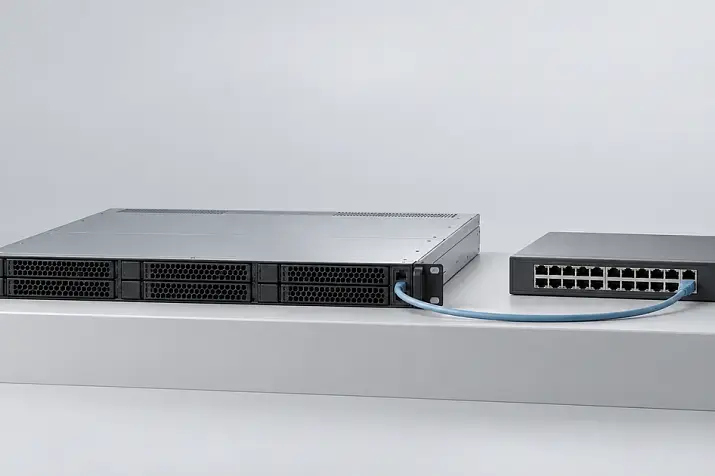
Server hardware in a data centre. Photo: panumas nikhomkhai / Pexels.
Postfix, Dovecot, Exim and integrated mail stacks
Postfix + Dovecot is a common combination on Linux. Postfix receives and sends messages; Dovecot provides IMAP access and delivers messages to mailboxes over LMTP. Exim is an alternative mail transfer agent.
Additional components handle specific tasks:
- Rspamd or SpamAssassin assess spam indicators; Rspamd also verifies and generates DKIM signatures.
- ClamAV scans attachments for known malicious content.
- Roundcube provides a web interface for existing mailboxes, but does not replace the mail server.
- iRedMail and mailcow combine services and simplify initial deployment.
Install the mail stack on a supported operating system, keep it updated and back it up regularly.
Microsoft Exchange: capabilities and support
Exchange is useful when shared calendars, delegation, address books and integration with Microsoft infrastructure matter alongside email. Its requirements should not be equated with those of a small Postfix installation.
Support for Exchange Server 2016 and 2019 ended on 14 October 2025. For a new deployment, consider Subscription Edition; current versions are listed in the Exchange Server supportability matrix.
SE requires valid entitlements under an appropriate subscription, or server and client access licences with active Software Assurance. The exact arrangement depends on the licensing terms. Buying Office for every employee is not a universal Exchange requirement: server rights, client access and the email application are accounted for separately.
Choosing the Right Equipment
Our specialists will contact you and answer all your questions
Choosing hardware for a mail server
VDS, a dedicated server or your own hosting site
A VDS needs permission to run mail workloads, a static public IP address, PTR configuration and accessible ports. Predictable disk latency is important.
A dedicated server gives you more control over resources. Hosting a server in your office also requires reliable power, cooling and connectivity; using a data centre removes some of those responsibilities. Behind carrier-grade NAT, incoming connections will not work without a suitable way to expose the services.
Email can run in a virtual machine. When choosing virtualisation servers, account for the host’s combined workload, reserve resources for peaks and plan how to recover the VM if a node fails.
Sizing resources for the number of users
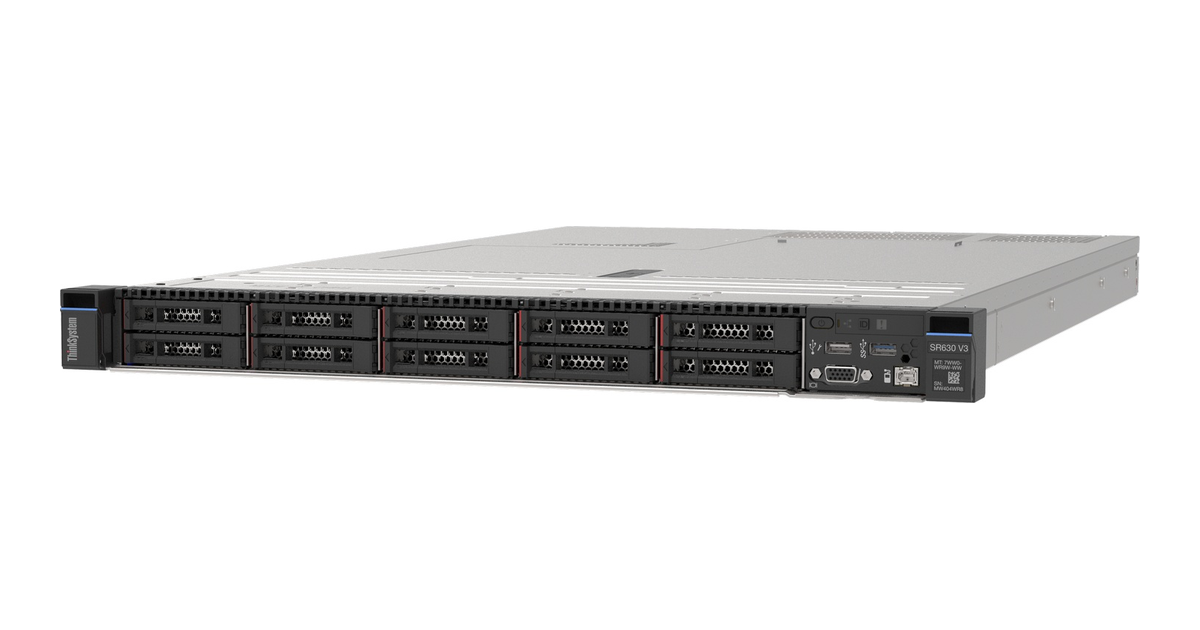
The Lenovo ThinkSystem SR630 V3 is an example of a compact 1U server platform. Source: Lenovo Press.
The number of mailboxes helps estimate capacity, but does not fully describe the workload. Concurrent connections, attachments, antivirus and indexing also matter.
The mailcow documentation provides these guidelines:
- the minimum for a standard installation is 6 GiB of RAM, 1 GiB of swap and 20 GiB of disk space, excluding email;
- 8 GiB of RAM is recommended for approximately 5–10 users;
- 16 GiB is suggested for an example workload with 15 phones using Exchange ActiveSync and around 50 concurrent IMAP connections.
These are mailcow requirements, not universal sizing rules. For the Mailbox role in Exchange SE, Microsoft specifies a minimum recommended memory capacity of 128 GB. Determine other systems’ needs from their documentation and measurements.
Calculate storage capacity separately. For example, 100 mailboxes with an actual average size of 5 GB occupy around 500 GB. Growth of 30% brings that to 650 GB. Allow additional space for indexes, the queue, logs and maintenance. Account for backups separately. This is a storage calculation example, not a server configuration for 100 employees.
Before selecting hardware in the server configurator, establish expected mailbox growth, message throughput, the number of connections, search and antivirus requirements, and recovery time.
Drives, RAID and platform selection
Mail storage performs many small operations. SSDs reduce latency; consider write endurance and power-loss protection when choosing them. For a small server, consider mirroring; for intensive writes, consider RAID 10 with a suitable controller or software RAID.
If needed, place the queue and mailbox storage on separate drives: partitions on the same array do not isolate its performance. For Exchange, account for database and log requirements. RAID cannot recover deleted or encrypted messages.
Among rack servers, the HPE ProLiant DL360 Gen10 can form the basis of a compact node. For more drive bays, compare the HPE ProLiant DL380 Gen10. Suitability depends on the configuration and software requirements, rather than the model name.
Platform differences are covered in the Servermall article “HPE ProLiant DL380 Gen12 vs Gen11 vs Gen10 Plus: Which Server Should You Buy in 2026?”.
How to deploy your own mail server
Domain, IP address and network connectivity
The hosting site must allow incoming and outgoing connections on TCP port 25. Access often has to be requested. Port 587 does not replace direct delivery: it allows sending through an external SMTP relay.
The domain example.com, hostname mail.example.com and IP address 192.0.2.10 in these examples are placeholders; replace them with your own values. Publish the following DNS records:
mail.example.com.  IN A   192.0.2.10
example.com.       IN MX  10 mail.example.com.
MX contains a hostname with its own address record. Add AAAA only when IPv6 works, including mail connections and reverse DNS.
Obtain a trusted TLS certificate for the server hostname, with automatic renewal and reloading by the services. The mailbox domain and server hostname can differ.
Installing Postfix and Dovecot on Ubuntu 26.04
Ubuntu 26.04 uses Dovecot 2.4 with its new configuration format. The following snippets are for a single domain with Linux system users. Add them to the package-provided configuration, retaining the mandatory version settings and file includes.
Install the components:
sudo apt update
sudo apt install postfix dovecot-core dovecot-imapd dovecot-lmtpd rspamd
In the Postfix installer, choose direct internet delivery and specify the mail domain. Basic settings in /etc/postfix/main.cf:
myhostname = mail.example.com
mydomain = example.com
myorigin = $mydomain
inet_interfaces = all
inet_protocols = ipv4
mydestination = mydomain, localhost, $mydomain
mynetworks = 127.0.0.0/8
smtpd_relay_restrictions = permit_mynetworks, permit_sasl_authenticated, reject_unauth_destination
local_transport = lmtp:unix:private/dovecot-lmtp
smtpd_sasl_type = dovecot
smtpd_sasl_path = private/auth
smtpd_sasl_auth_enable = no
smtpd_tls_cert_file = /etc/letsencrypt/live/mail.example.com/fullchain.pem
smtpd_tls_key_file = /etc/letsencrypt/live/mail.example.com/privkey.pem
smtpd_tls_security_level = may
smtp_tls_security_level = may
Enable IPv6 after preparing the network and DNS. mynetworks is restricted to the local host: trusting a broad network creates a risk of open relaying for spam.
mydestination contains the local domain. Virtual domains require a different lookup-table configuration; do not declare the same domain as both local and virtual.
Edit the submission service in /etc/postfix/master.cf to enable message submission on port 587:
submission inet n - y - - smtpd
  -o smtpd_tls_security_level=encrypt
  -o smtpd_sasl_auth_enable=yes
  -o smtpd_relay_restrictions=permit_sasl_authenticated,reject
Authentication and TLS are mandatory on 587. Port 25 continues to accept external email for your own recipients without a password.
Mail storage and authentication in Dovecot
Dovecot authenticates system users through PAM and obtains account information through passwd. Basic version 2.4 settings:
protocols {
  imap = yes
  lmtp = yes
}
mail_driver = maildir
mail_path = ~/Maildir
auth_username_format = %{user | username}
auth_allow_cleartext = no
ssl = required
ssl_server_cert_file = /etc/letsencrypt/live/mail.example.com/fullchain.pem
ssl_server_key_file = /etc/letsencrypt/live/mail.example.com/privkey.pem
passdb pam {
}
userdb passwd {
}
Here, [email protected] maps to the system user anna. Several independent domains require a virtual user database containing full email addresses.
Local sockets connect the services:
service lmtp {
  unix_listener /var/spool/postfix/private/dovecot-lmtp {
    mode = 0600
    user = postfix
    group = postfix
  }
}
service auth {
  unix_listener /var/spool/postfix/private/auth {
    mode = 0660
    user = postfix
    group = postfix
  }
}
LMTP delivers messages, while private/auth authenticates senders. Create users, configure PAM and directory permissions, and set up the postmaster and abuse addresses. Mail users do not need shell access.
Check the syntax before applying changes:
sudo postfix check
sudo doveconf -n
sudo systemctl restart dovecot postfix
After checking the syntax, test authentication and delivery. Version differences are explained in the Dovecot 2.4 migration guide.
Connecting Rspamd and deploying on Windows Server
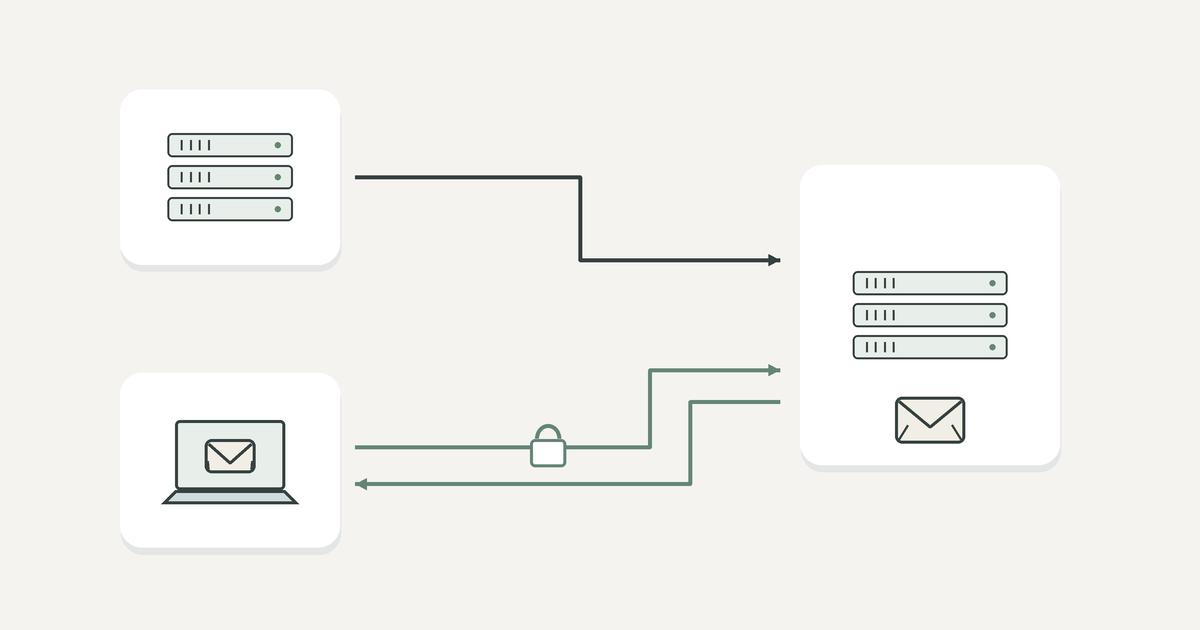
Postfix passes messages to Rspamd through the Milter interface. If the Rspamd worker listens on local port 11332, add:
smtpd_milters = inet:127.0.0.1:11332
non_smtpd_milters = $smtpd_milters
milter_protocol = 6
milter_default_action = tempfail
tempfail defers acceptance if the filter fails, so monitor its availability. Do not expose Rspamd ports to the internet. Connect antivirus and statistics storage separately.
For Exchange SE, select a supported Windows Server version, prepare Active Directory and dependencies, and install the mail role. Then configure certificates, domains, connectors, databases and external access. DKIM and filtering may require a gateway or compatible add-on.
For alternatives, also check the server-side operating system requirements: the availability of a Windows client does not imply Windows Server support.
SPF, DKIM, DMARC and PTR: configuration and verification
SPF lists authorised senders, DKIM verifies a message’s signature, DMARC ties authentication to the visible sender, and PTR provides reverse mapping from an IP address to a hostname. These mechanisms complement each other, but do not guarantee inbox placement.
How to configure SPF
If only one server sends email, the TXT record could look like this:
example.com. IN TXT "v=spf1 ip4:192.0.2.10 -all"-all produces fail for other sources, while ~all produces the less strict softfail. Before adopting a strict policy, account for email sent by your website, CRM and mailing service. Publish one SPF record per DNS name.
RFC 7208 limits the number of evaluated mechanisms and modifiers that require DNS lookups to ten, including nested include and redirect operations. This is not a limit on the number of IP addresses in ip4 and ip6.
SPF checks the domain of the technical return address, MAIL FROM, rather than simply the From field. Forwarding changes the sending IP address, so SPF alone is insufficient.
How to configure DKIM
The server signs message headers and the body with a private key. The recipient verifies the signature using the public key in DNS. DKIM does not encrypt the content.
Generate a 2048-bit RSA key using Rspamd:
sudo install -d -m 0750 /var/lib/rspamd/dkim
sudo rspamadm dkim_keygen -b 2048 -s mail2026 -d example.com \
  -k /var/lib/rspamd/dkim/example.com.mail2026.key \
  > /tmp/example.com.mail2026.txt
Copy the public TXT record from the .txt file into DNS. Keep the private .key file on the server; set ownership and permissions on the directory and key so the Rspamd process can read them, while restricting other users.
Set the following in /etc/rspamd/local.d/dkim_signing.conf:
domain {
  example.com {
    selector = "mail2026";
    path = "/var/lib/rspamd/dkim/example.com.mail2026.key";
  }
}
The selector determines the name mail2026._domainkey.example.com. Publish the complete generated public key in the p= field. Sign trusted outgoing mail after user authentication, or mail from explicitly authorised internal sources.
After running sudo rspamadm configtest, apply the settings. The parameters are described in the Rspamd DKIM documentation. When rotating keys, publish the key under a new selector first, then switch signing to it. Retain the old public key long enough for previously signed messages to be delivered and DNS caches to expire.
How to verify DKIM
Check that the key is published using these commands:
dig TXT mail2026._domainkey.example.com +short
nslookup -type=TXT mail2026._domainkey.example.com
In the raw source of a message delivered to an external recipient, find DKIM-Signature: d=example.com identifies the domain, and s=mail2026 identifies the selector. Look for dkim=pass in Authentication-Results added by the recipient’s trusted server. The mere presence of a signature proves nothing.
Common causes of failure include:
- Key not found: the selector differs, or the DNS control panel appended the domain name twice.
- Key mismatch: the server signs with a new key, while DNS still contains the old one.
- Malformed TXT record: characters are missing or extra quotation marks have been added. Several valid character strings within one TXT record are allowed; they are concatenated when read.
- Message modified: a gateway or mailing list rewrote signed headers or the body.
- Signing bypassed: an application sent the message through another server.
Forwarding preserves DKIM if the signed parts remain unchanged. Verify the result at the intended recipient.
Choosing the Right Equipment
Our specialists will contact you and answer all your questions
How to configure DMARC
DMARC passes when SPF or DKIM passes and the authenticated domain aligns with the visible From domain. A signature from an unrelated domain does not, by itself, produce dmarc=pass.
In May 2026, RFC 9989 replaced the earlier RFC 7489. Start monitoring with this record:
_dmarc.example.com. IN TXT "v=DMARC1; p=none; rua=mailto:[email protected]"The reporting address must exist; using a reporting address in an external domain requires additional authorisation in the report recipient’s DNS. After identifying all legitimate sources, move from none to quarantine, then to reject. These policies request monitoring, treatment of non-compliant messages as suspicious, and rejection, respectively; the recipient makes the final decision.
How to check a PTR record

PTR is configured by the IP address owner, such as the hosting company or network operator. A regular record in the domain’s DNS zone is insufficient. For a dedicated outgoing IP address, PTR points to mail.example.com, the A record returns the same IP, and the server introduces itself with that hostname in HELO/EHLO.
dig -x 192.0.2.10 +short
dig A mail.example.com +short
nslookup 192.0.2.10
Configure the mapping for every outgoing IP address. PTR does not replace SPF, DKIM or sender reputation.
Security and spam protection
Email security covers several areas:
- Encryption. TLS is mandatory for users. Strengthen server-to-server protection with MTA-STS or DANE policies where the design supports them: STARTTLS alone does not guarantee encryption.
- Login protection. Enable MFA in control panels and interfaces that support it. Enabling MFA for webmail does not add a second factor to ordinary password-based IMAP and SMTP authentication.
- Access restrictions. Disable unused services and restrict administration to a VPN or trusted networks. Keep administrator passwords separate from user passwords.
- Behaviour monitoring. Limit login attempts and message submission, and use fail2ban or a similar tool. A sharp increase in outgoing mail can indicate a compromised mailbox.
- Maintenance. Update components, monitor logs and track changes to forwarding rules.
Spam filtering evaluates a combination of signals. Account for false positives and let users manage quarantined messages. Separate bulk mail from everyday correspondence in both infrastructure and reputation where possible.
High availability and backups
A backup MX accepts messages when the primary node is unavailable and holds them in its queue. It does not copy mailboxes or give employees access to earlier correspondence. Recipient verification and filtering must be consistent with the primary server, or the fallback route will become a way around its protection.
Mailbox availability requires a separate architecture. Exchange uses database availability groups, or DAGs. Dovecot CE 2.4 removed replicator, so the old automatic replication arrangement from version 2.3 cannot be used. Shared storage needs its own redundancy and correct locking behaviour.
Replication can propagate data deletion or corruption. Keep backups separately, with independent access rights and protection against modification. Back up messages, configuration, account databases, rules and DKIM keys.
Choose backup frequency and retention based on acceptable email loss and recovery time. Practise restoring an individual message, a mailbox and the whole system in advance. A VM snapshot without an application-consistent procedure does not guarantee valid application data.
Hardware selection is covered in “Server Backup Solutions: Choosing the Best Backup Server”. A mail server failure must not destroy its backups at the same time.
How to test a mail server
Service availability and delivery
Test TLS without transmitting a password:
openssl s_client -connect mail.example.com:587 \
  -starttls smtp -servername mail.example.com \
  -verify_hostname mail.example.com -verify_return_error
openssl s_client -connect mail.example.com:993 \
  -servername mail.example.com \
  -verify_hostname mail.example.com -verify_return_error
The connection helps assess availability and the certificate, but not deliverability. To test deliverability, send messages to several external systems and back, then examine responses and headers. An unauthenticated external client must not be able to relay messages through your server between two unrelated domains.
Inspect the queue and events using:
postqueue -p
sudo journalctl -u postfix -u dovecot -u rspamd --since "1 hour ago"
Depending on the configuration, some events are written to /var/log/mail.log. Monitor queue growth, free space, login failures and certificate expiry. Investigate delays using the recipient server’s responses: causes can include DNS, the network, signatures or reputation.
External diagnostics can include mail-tester, MXToolbox and IP checks against RBL blocklists. A service’s score does not guarantee delivery; the individual recipient’s rules matter.
How to find a mail server’s hostname and IP address
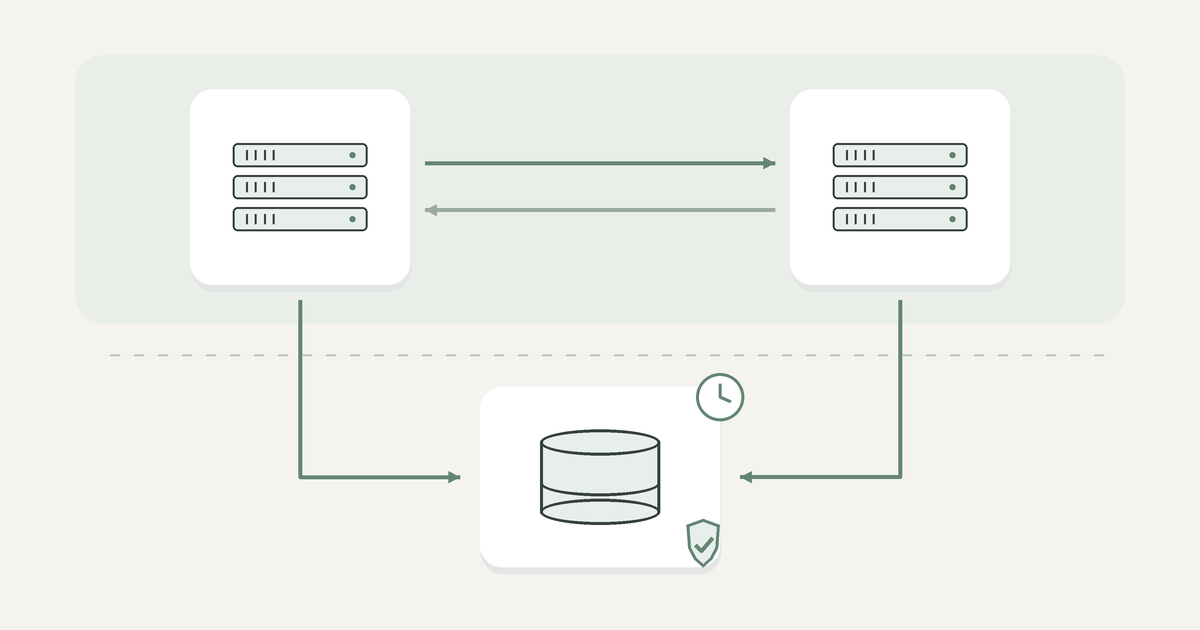
MX records show a domain’s receiving servers:
dig MX example.com +short
nslookup -type=MX example.com
A lower number means a higher priority. Find a host’s IP addresses with dig A server-hostname +short and dig AAAA server-hostname +short. There may be several hosts and addresses.
MX describes incoming delivery. The hostname for IMAP or employee message submission may differ; ask the administrator for it. Connect using a domain name that matches the certificate.
Frequently asked questions
Why run your own mail server?
To control data, integrations and message processing. Email on your own domain is also available through cloud services.
Can a mail server run on a VDS?
Yes, provided it has sufficient resources, mail workloads are permitted, and a static IP address and PTR configuration are available. Direct mail exchange requires port 25. If outgoing delivery is restricted, an approved SMTP relay may be an option; design the incoming route separately.
How many users can a server support?
That depends on the software, employee activity, mailbox sizes, search, antivirus and drives. Select a configuration using the product’s requirements and refine it through measurements. The number of registered mailboxes alone is insufficient without message throughput and connection counts.
Why does email go to spam even with a valid DKIM signature?
The recipient also considers DMARC, IP and domain reputation, complaints and content. One possible cause is an external source signing with another domain. Examine the specific message’s headers and the recipient’s responses, rather than only checking that a key exists in DNS.
Reliable email requires a stable network, suitable storage and working recovery procedures. Once the services are installed, assign someone to maintain them so delivery and the safety of correspondence do not depend on avoiding random failures.
Choosing the Right Equipment
Our specialists will contact you and answer all your questions