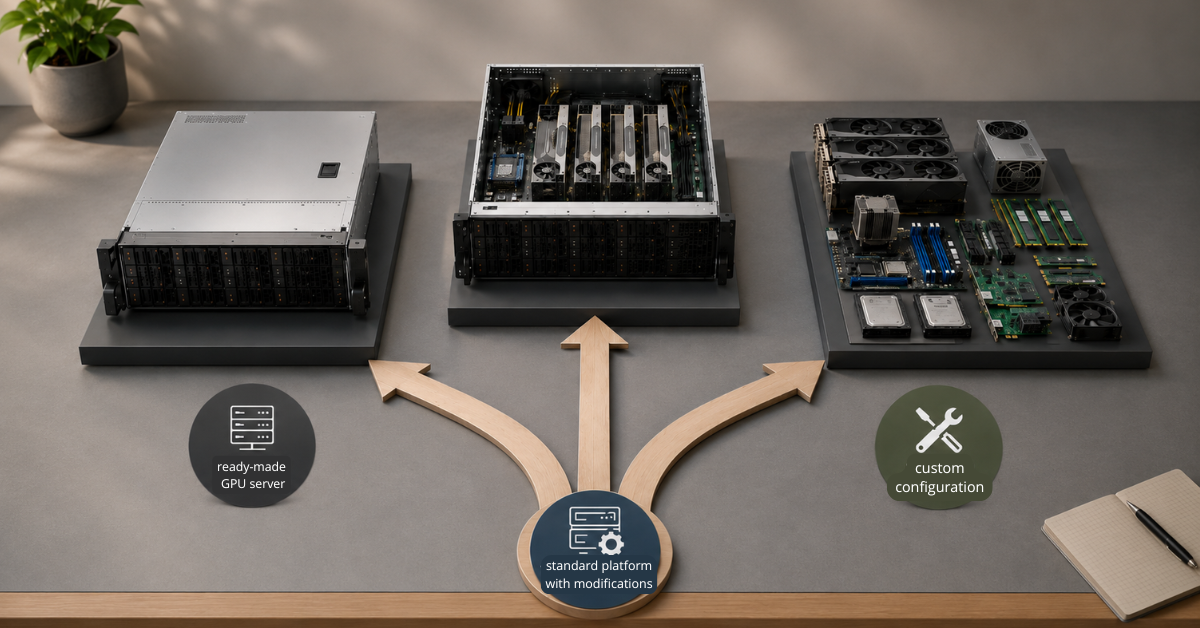
A ready-made GPU server is the better choice when the task is clear, the launch needs to happen quickly, and the requirements fit a typical scenario: inference, rendering, VDI, a pilot project, or work for a single team. A custom configuration is worth building when the server has to cover a non-standard workload: 4–8 GPUs, a large amount of video memory, fast NVMe drives, 100/200/400G networking, special requirements for cooling, power, redundancy, or future upgrades.
The choice between a ready-made model and a custom build rarely comes down to price alone. With GPU servers, the whole architecture matters: graphics cards, CPUs, RAM, drives, network, chassis, rack, cooling, drivers, software, and the time frame in which the server has to be put into operation.
A standard configuration may be the best solution if the business needs to launch a project faster and reduce the risk of component incompatibility. A custom build is justified when there is a goal to save money by assembling the system in-house with the right expertise, when the requirements are non-standard, and, most importantly, when a configuration mistake in six months will not lead to a repeat purchase, team downtime, or an inability to scale the service.
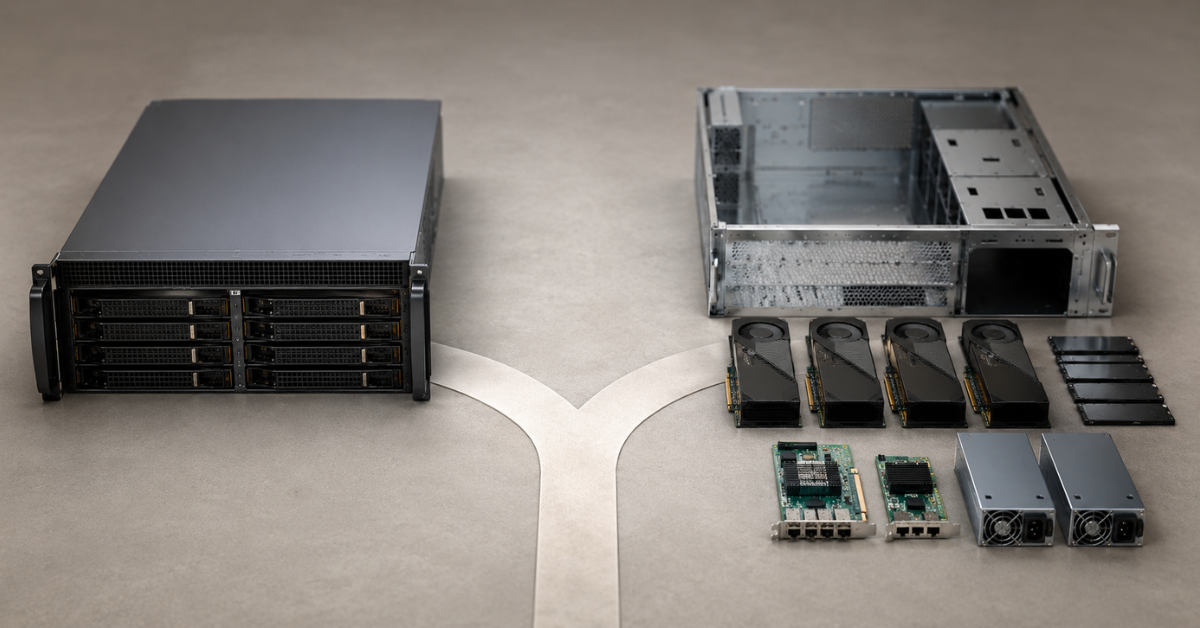
What counts as a ready-made GPU server
A ready-made GPU server is not necessarily a completely fixed system “off the shelf.” More often, it is a proven platform where the main parameters are already clear:
- how many GPUs the chassis supports;
- which power supplies are required;
- how airflow is organized;
- which CPUs and RAM capacities are available;
- which drives can be installed;
- which network cards are supported;
- which options have already been tested by the supplier or manufacturer.
Such a server is easier to choose, approve, deliver, and maintain. For many tasks, this is enough.
A ready-made model works well for scenarios where the workload is already understood:
- inference for one or several models;
- rendering;
- video editing and media processing;
- VDI and graphics workstations;
- a test bench for a team;
- an AI pilot project;
- a lab for learning and experimentation.
If the server needs 1–2 GPUs, a moderate amount of RAM, standard NVMe or SSD storage, and a regular network, full customization often only increases delivery time and makes support more complicated.
GPU servers
Free shipping on orders over 500 € in the EU, £500 in the UK, and $3,000 in the USA
Free shipping on orders over 500 € in the EU, £500 in the UK, and $3,000 in the USA

Free shipping on orders over 500 € in the EU, £500 in the UK, and $3,000 in the USA
Free shipping on orders over 500 € in the EU, £500 in the UK, and $3,000 in the USA
What a custom GPU server configuration is
A custom configuration is a server built for a specific technical specification. In this type of build, not only the component list is planned in advance, but also the limitations of future operation.
Customization can affect almost any level:
- the number of GPUs;
- the amount of video memory;
- the GPU form factor;
- CPUs;
- RAM;
- NVMe, SAS, or SATA drives;
- RAID and separate arrays for data;
- network cards;
- power redundancy;
- cooling;
- remote management;
- compatibility with drivers and software;
- rack and data center requirements.
A custom build is not needed simply to “make it better.” It is most often needed when a standard model does not provide the required density, speed, upgrade headroom, or compatibility with a specific task.
For example, a server for lightweight inference and a server for training large models can both be called GPU servers, but inside they are different systems. In the first case, it is more important to launch a stable configuration quickly. In the second, video memory, GPU-to-GPU communication, networking, drives, power, and cooling must be calculated in advance.
Ready-made model vs. custom build: comparison by key criteria
| Criterion | Ready-made GPU server | Custom configuration | What this means in practice |
|---|---|---|---|
| Launch time | Usually faster | Longer because of design and validation | If the project has to launch in the coming weeks, a standard model is often more practical |
| Initial price | Often lower and clearer | May be higher because the supplier selects task-specific components, or lower if the system is assembled in-house | Custom should be evaluated not only by purchase price, but also by service life and support |
| Compatibility | Lower risk | Requires separate checks | Power, cooling, slots, BIOS, and drivers matter in GPU servers |
| Warranty and service | Usually simpler | May depend on the build composition | The more complex the configuration, the more important a clear area of responsibility becomes |
| Scaling | Limited by the platform | Can be planned in advance | Custom is useful when the server is bought not for a pilot, but for growth |
| Upgrade | Not always possible | Slots, power, and cooling can be planned ahead | Adding GPUs later is possible only if there is physical and electrical headroom |
| Drives | Standard options | A required storage layout can be built for the data | For large datasets, both capacity and read/write speed matter |
| Network | Often 10/25G | 100/200/400G can be planned | For a cluster and external storage, the network quickly becomes a bottleneck |
| Cooling | Already calculated for a standard workload | Must be checked for the exact GPUs | Formal compatibility does not guarantee a healthy thermal mode |
| Risk of overpaying | It is possible to buy excess capacity “just in case” | It is possible to over-engineer the system | In both options, the real workload must be assessed |
| Limitations in 6–12 months | Likely if the project grows | Can be reduced in advance | If the workload grows quickly, a standard model may become a temporary solution |
A ready-made server wins when speed, predictability, and low risk matter. Custom wins when the task affects the architecture of the entire server, not only the choice of graphics card.
When a ready-made GPU server is the right choice
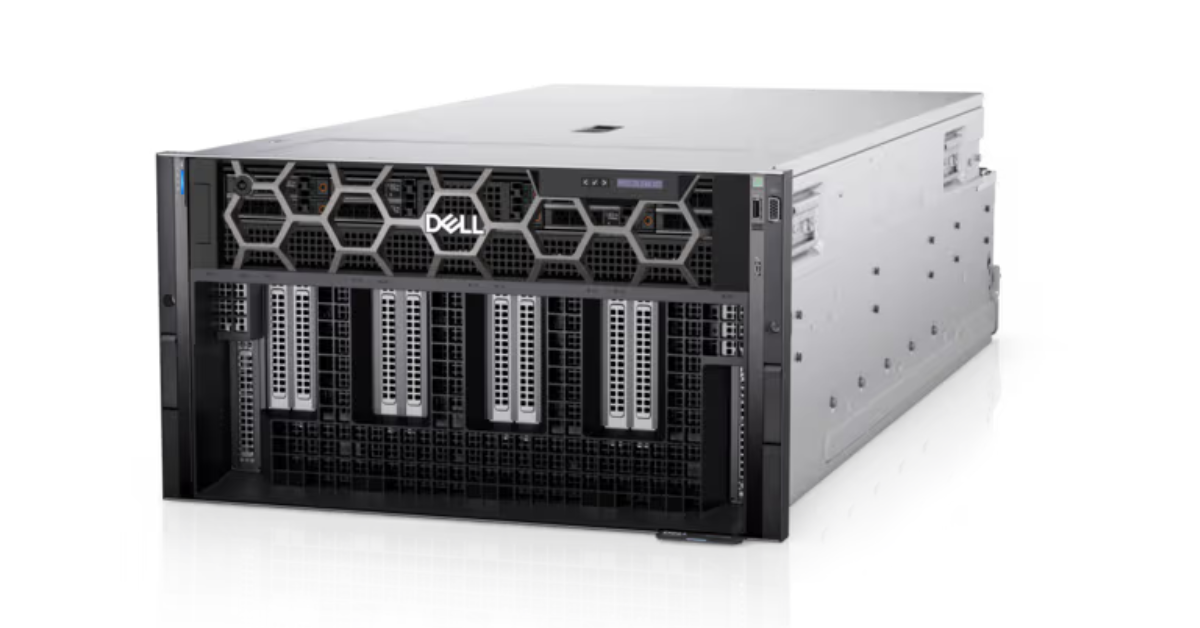
Dell PowerEdge XE9680.
Image source: DELL
A ready-made model does not mean a weak or compromised system. In many cases, it is the most rational option: it launches faster, is easier to maintain, and does not require a long engineering review.
The workload is clear in advance
A standard GPU server is suitable if you know:
- which applications will run;
- how many users will work with the system;
- how much video memory is needed;
- how much data will be stored locally;
- whether high network throughput is required;
- whether growth is planned within the next year.
For example, for VDI, rendering, tests, or inference of a small model, 1–2 GPUs are often enough. In these scenarios, you can look at versatile server GPUs such as NVIDIA A10 24GB or NVIDIA L40S 48GB, provided they fit the video memory, power consumption, and workload profile.
Choosing the Right Equipment
Our specialists will contact you and answer all your questions
Fast deployment is important
Launch speed is sometimes more important than a perfect configuration. This is especially noticeable when:
- the team is ready to work but is waiting for infrastructure;
- a pilot has to be shown to a customer;
- a business process depends on deadlines;
- the project is still testing a hypothesis;
- engineering downtime costs more than potential savings from selecting parts.
A ready-made model is easier to pass through purchasing, receive from the supplier, and transfer to operation faster. It has fewer unknowns: the platform, components, cooling, and available service options are clear.
There are no rare drive or network requirements
A standard configuration is suitable if the following are enough:
- a standard 10/25G network;
- local NVMe or SSD drives;
- regular RAID for the system partition;
- a moderate data volume;
- one server without joining it into a cluster.
If data is not constantly moved between several nodes and the models and datasets fit on local drives, a complex network and a non-standard storage subsystem may be excessive.
You need to reduce the risk of incompatibility
A GPU server cannot be selected by the logic of “a server plus a powerful graphics card.” You need to check:
- the physical size of the card;
- power consumption;
- power connectors;
- available airflow;
- BIOS support;
- slots and risers;
- driver compatibility;
- rack temperature;
- power supply requirements.
That is why proven platforms and validated systems matter not only for large companies. NVIDIA separately highlights the certified systems approach, where servers are validated for accelerated workloads, including training, inference, rendering, and enterprise software. More details are available in the NVIDIA Certified Systems section.
When it is better not to start without a custom configuration
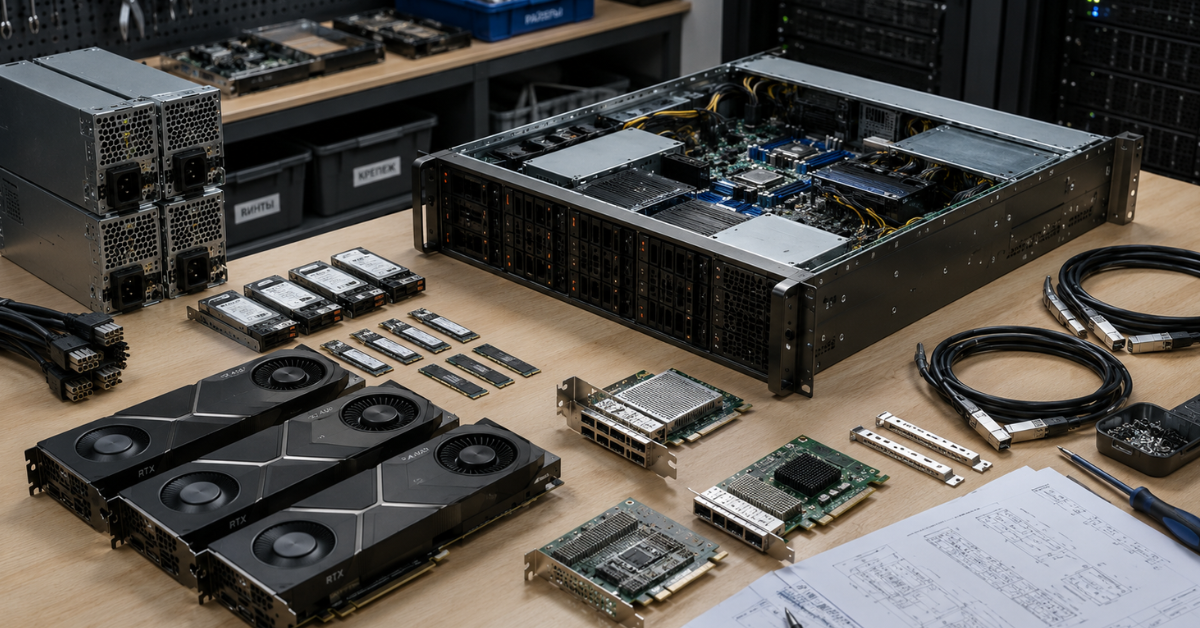
Custom is needed when the task requirements go beyond “install one or two GPUs and launch the application.” The more the workload depends on video memory, GPU-to-GPU communication, drive speed, and networking, the higher the cost of a mistake.
You need 4–8 GPUs
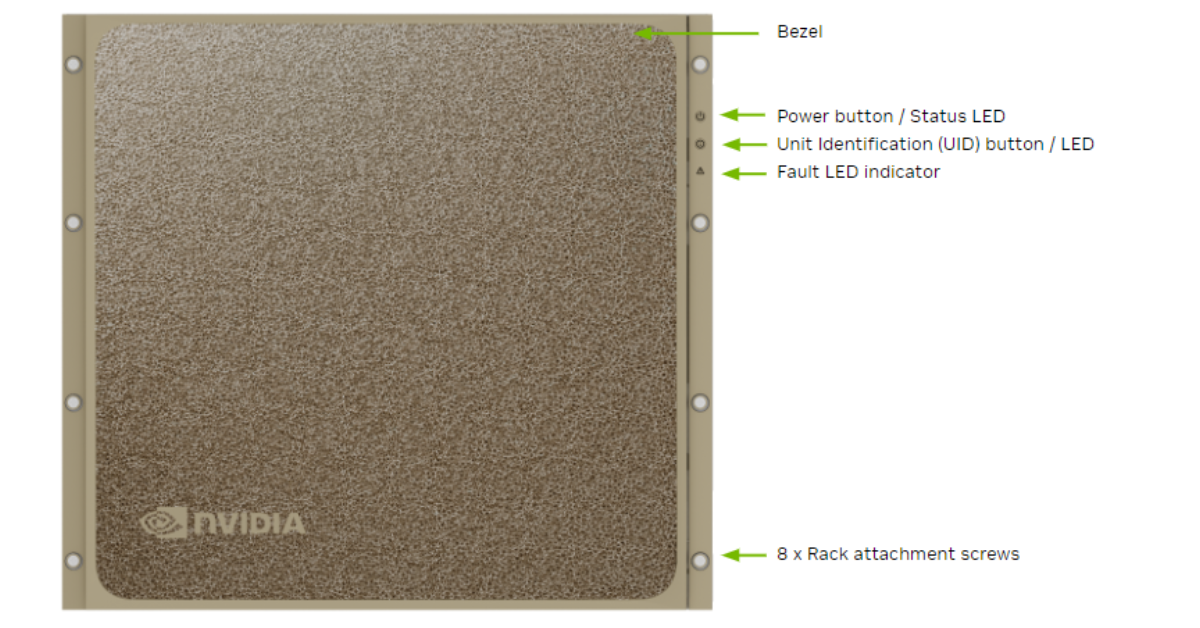
Official product render of NVIDIA DGX B200.
Image source: NVIDIA DOCS
With 1–2 GPUs, it is often possible to choose a ready-made model. With 4–8 GPUs, the server becomes a separate infrastructure project.
You need to check:
- whether there are enough PCIe lanes;
- whether the chassis can handle the thermal load;
- whether the power supplies are sufficient;
- how the GPUs will be arranged;
- whether the cards will block adjacent slots;
- whether fast GPU-to-GPU communication is needed;
- whether the rack has enough power and depth;
- whether there is headroom for network cards and drives.
For heavy training, large models, and high compute density, looking only at the price of graphics cards is no longer enough. For example, NVIDIA H100 80GB or NVIDIA H200 can be part of very different systems: from a single powerful server to a cluster infrastructure with high-speed networking and separate storage.
Video memory capacity is critical
Video memory often becomes the first limitation in AI tasks. If the model does not fit into GPU memory, the server may look powerful on paper but be inconvenient in real work.
A large amount of VRAM is important for:
- large language models;
- models with long context;
- processing large images;
- fine-tuning;
- running several models at the same time;
- serving a large number of users;
- experiments with heavier model versions.
Sometimes one GPU with a large amount of video memory is more useful than several less suitable cards. In other cases, parallelism matters more, and several GPUs are needed. That is why the choice should not start only with the question “which graphics card is faster.” First, you need to understand how much memory is required now and how much may be needed in a year.
For tasks where video memory and model training are critical, it makes sense to separately consider solutions such as NVIDIA A100 80GB and compare them not only by performance, but also by compatibility with the server platform.
A special drive layout is required
Drives in a GPU server are responsible not only for storage. They affect data preparation speed, dataset loading, temporary files, and pipeline stability.
A custom configuration is needed if:
- datasets take tens or hundreds of terabytes;
- data is frequently read and written;
- a fast local cache is required;
- a separate array is needed for the OS, data, and temporary files;
- NVMe U.2/U.3 drives are required;
- hot-swap drives are important;
- system partition redundancy is needed;
- the server works with external storage.
A weak storage subsystem can lead to a situation where GPUs sit idle waiting for data. This is especially unpleasant in expensive configurations: money has been invested in graphics cards, but performance is limited not by the GPU, but by storage.
The server will be part of a cluster
If one server connects to other GPU nodes or external storage, the network becomes part of the architecture.
Custom is worth choosing if you need:
- 100/200/400G network cards;
- several network ports;
- a separate storage network;
- a separate management network;
- fast communication between nodes;
- scaling to several servers;
- a single cluster for training or inference.
In its enterprise reference architectures, NVIDIA describes AI infrastructure not as a single server, but as a combination of compute nodes, high-speed networking, storage, monitoring, and a software stack. This approach is especially important when a project grows from one server into full infrastructure. An example is available in NVIDIA Enterprise Reference Architectures.
There are rack, power, and cooling constraints
A GPU server may be compatible by components but unsuitable for the real data center.
Before purchasing, you need to check:
- how many kilowatts are available per rack;
- which PDUs are used;
- how many power lines can be allocated;
- the rack depth;
- whether the rack can support the server weight;
- what airflow is required;
- the temperature in the cold aisle;
- whether there is cooling headroom;
- whether liquid cooling is allowed;
- what noise level is acceptable if the server is not located in a data center.
High-density GPU systems show how closely compute, networking, power, and cooling are connected. In the NVIDIA DGX SuperPOD with DGX B200 reference architecture, these parameters are treated as a single infrastructure, not as a set of separate components.
There is a goal to save money
A custom build can be assembled even cheaper than a “ready-made” server if you choose:
- less expensive components, for example OEM instead of vendor-branded solutions;
- components from the secondary market;
- older components instead of cutting-edge ones.
At the same time, this kind of build requires expertise, and any warranty may be questionable. But with budget constraints and for pilot projects, this option can be justified.
NVIDIA DGX servers
Free shipping on orders over 500 € in the EU, £500 in the UK, and $3,000 in the USA
Free shipping on orders over 500 € in the EU, £500 in the UK, and $3,000 in the USA
Free shipping on orders over 500 € in the EU, £500 in the UK, and $3,000 in the USA
Free shipping on orders over 500 € in the EU, £500 in the UK, and $3,000 in the USA
Where mistakes most often happen when choosing a GPU server
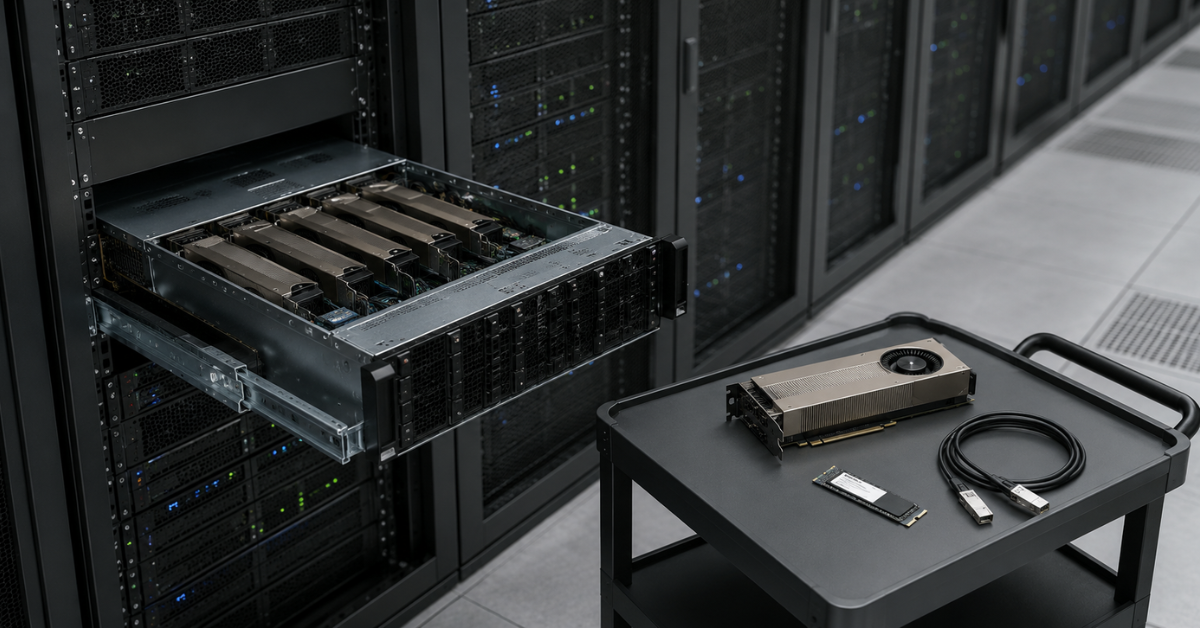
Mistakes when choosing a GPU server rarely look dramatic at the purchasing stage. They usually appear later: the server works, but not as fast as expected, does not scale, overheats, does not support new GPUs, or requires infrastructure rework.
Counting only the price of graphics cards
The project cost includes more than GPUs. The real budget includes:
- the server platform;
- graphics cards;
- CPUs;
- RAM;
- drives;
- network cards;
- cables;
- power supplies;
- rack and power;
- cooling;
- commissioning;
- licenses and support;
- engineering time;
- possible downtime.
A cheap server can become expensive if it has to be rebuilt or replaced in six months. And the opposite is also true: a custom build can be justified if it covers growth for 2–3 years and does not require another purchase after the first successful tests.
Buying “the maximum” without a workload profile
Headroom is useful only when it is clear what it is reserved for. Without a workload profile, you can overpay for something that will not increase performance.
Common examples:
- more GPUs were purchased, but each card’s video memory became the bottleneck;
- expensive CPUs were chosen, but the task is almost entirely GPU-bound;
- fast drives were installed, but data comes through a slow network;
- a large amount of RAM was installed, but the model is limited by VRAM;
- the server was bought without power headroom, making an upgrade impossible.
Before buying, it is worth determining what exactly limits the task: video memory, number of GPUs, CPU, RAM, drives, network, or cooling.
Not thinking about growth in 6–12 months
A standard model may be perfect for a pilot and weak for production. This is not a mistake if the server is bought specifically for a pilot. The mistake is assuming that a pilot configuration will automatically suit a growing service.
Limitations appear when:
- the number of users increases;
- several models must be run at the same time;
- the model becomes larger;
- more local storage is required;
- another GPU is needed;
- the slots are already occupied;
- the supported GPU or another component is unavailable for purchase;
- the power supplies were not sized for an upgrade;
- the rack cannot handle the increased power draw;
- GPU virtualization is needed;
- the server has to be added to a cluster.
If today the server is needed for tests and in six months a commercial service is planned, it is better to build in at least basic headroom immediately: chassis, power, slots, RAM, drives, and network.
Not checking software compatibility
A GPU server must fit not only the hardware requirements. The software stack should also be checked in advance:
- operating system;
- drivers;
- CUDA;
- containers;
- hypervisor;
- Kubernetes;
- GPU virtualization;
- machine learning libraries;
- monitoring;
- backup;
- remote management.
Extra care is needed if the server is being purchased for an existing product. In that case, hardware cannot be selected separately from the application: you need to check which driver and library versions are supported, how the application uses GPUs, and whether there are requirements for specific graphics card models.
What to include in a technical specification for a custom GPU server
If custom has been chosen, the starting point should be the task, not the component list. The more accurately the workload is described, the lower the risk of building an expensive but unbalanced system.
| Specification block | What to include | Why it matters | Example wording |
|---|---|---|---|
| Task | Inference, training, fine-tuning, rendering, VDI, compute | Different tasks load GPU, CPU, RAM, drives, and network differently | Model inference for an internal service, up to 30 users at launch |
| Models and software | Models, frameworks, OS, containers, drivers | The hardware must fit the real software stack | Ubuntu, Docker, PyTorch, several models, headroom for updates |
| Video memory | Minimum and preferred VRAM capacity | Large models are often limited specifically by video memory | At least 48 GB per GPU, preferably 80 GB for growth |
| Number of GPUs | 1, 2, 4, or 8 GPUs, future growth | This determines chassis, power, cooling, and networking | 2 GPUs at launch, ability to move to 4 GPUs |
| CPU | Number of CPUs, cores, frequency | The CPU must not slow down data preparation and requests | CPU with headroom for preprocessing and parallel tasks |
| RAM | Current capacity and expansion options | RAM is needed for data, services, caches, and virtualization | 512 GB at launch, expansion to 1–2 TB |
| Drives | OS, cache, datasets, RAID, hot swap | Weak drives can leave GPUs without data | 2 NVMe drives for the OS in a mirror, a separate NVMe pool for data |
| Network | 10/25/100/200/400G, number of ports | For a cluster and external storage, the network is critical | 2×25G at launch, 100G option for storage |
| Redundancy | PSUs, RAID, spare drives, remote management | The server must be serviceable, not just powerful | Redundant PSUs, remote management, spare fans |
| Rack | Height, depth, weight, power, cooling | The data center can limit the real configuration, especially by power | No more than 4U, air cooling, compatibility with the current rack |
| Budget | Purchase, service, operating horizon | Helps choose between initial price and long service life | Budget for the first stage, upgrade in 12–18 months |
Choosing the Right Equipment
Our specialists will contact you and answer all your questions
Such a specification helps the supplier not just select a “powerful server,” but build a system for a real scenario. This is especially important for projects where a GPU server is bought for 3–5 years rather than for a single experiment.
When custom is not needed
Customization can look attractive because it gives a sense of full control. But in many cases, it does not add value.
Pilot project
If the team is only testing a hypothesis, it is better not to start with the maximum configuration. For a pilot, the following are often enough:
- 1–2 GPUs;
- a moderate amount of RAM;
- standard NVMe drives;
- a regular network;
- a clear warranty;
- the ability to replace or expand the server quickly later.
A pilot should quickly answer one question: does the idea work or not? An overly complex build can delay the project before the first results appear.
Inference of a small model
If the model fits into video memory, the workload is predictable, and the number of users is known, a standard model will be simpler. In this scenario, stability, cooling, warranty, and clear commissioning matter more.
For GPU selection, you can start with the general category of NVIDIA server GPUs and then move from the task to specific cards: for example, versatile models for inference, graphics, VDI, or heavier solutions for training.
Rendering, VDI, and graphics workstations
In these tasks, requirements are often clear in advance:
- which software is used;
- how many users will work;
- how much video memory is needed per user;
- whether virtualization is required;
- which monitors and resolutions are used;
- which network is needed for remote work.
If the workload profile is known, a standard GPU server can cover the task without long engineering design.
Tight budget
When the budget is limited, custom does not always help. Sometimes it is better to take a balanced standard model than to assemble a complex configuration with components that will not be used.
In this situation, it is more reasonable to choose a server with clear headroom:
- not the maximum number of GPUs, but the number actually needed;
- not the most expensive CPU, but a sufficient one;
- not excessive RAM capacity, but an expandable configuration;
- not a rare network card, but networking that matches the real workload;
- not the largest possible drive array, but a clear storage layout.
AMD EPYC 9004 servers
Free shipping on orders over 500 € in the EU, £500 in the UK, and $3,000 in the USA
Free shipping on orders over 500 € in the EU, £500 in the UK, and $3,000 in the USA
Free shipping on orders over 500 € in the EU, £500 in the UK, and $3,000 in the USA
Free shipping on orders over 500 € in the EU, £500 in the UK, and $3,000 in the USA
When a standard model will become a limitation in 6–12 months
A standard model can be a good starting point but a weak foundation for growth. This is especially true when a server is bought for a project that quickly moves from tests to production.
It is worth being cautious if these signs are already present:
- the team plans to run several models at the same time;
- the number of users may grow several times;
- a GPU with more memory will be needed;
- the current model will be replaced with a heavier one;
- datasets are growing quickly;
- data is planned to be stored locally;
- external storage will need to be connected;
- a 100G network will be required;
- the server will be part of a cluster;
- GPU virtualization is planned;
- fault-tolerance requirements will become stricter.
For example, a standard model with 2 GPUs can be suitable for an internal prototype. But if in six months it must serve dozens or hundreds of users, run several models, and store large datasets, limitations will appear not only in GPUs. There may not be enough RAM, drives, network, power, or free slots.
In that case, it is better to choose a platform that allows growth in advance. Even if not all capabilities are used at launch, the server will not have to be replaced completely after the first successful project stages.
Intermediate option: a standard base with targeted customization
In practice, the choice is not always “ready-made server or fully custom build.” Often the best option is an intermediate one: a proven server platform is used as the base, while selected parameters are changed for the task.
You can selectively change:
- the GPU model;
- RAM capacity;
- the number of NVMe drives;
- the network card;
- the RAID controller;
- power supplies;
- the cooling system;
- remote management configuration;
- headroom for future upgrades.
This approach reduces risks. The server remains on a clear platform but does not limit the project too rigidly. It is a good option when the task is already understood but has some non-standard requirements.
For example, for a universal server for inference, visualization, and some work tasks, a standard base with a stronger GPU, more RAM, and fast NVMe drives may be suitable. For more modern graphics and AI workloads, cards such as NVIDIA RTX PRO 6000 Blackwell Server Edition can be considered, but only after checking compatibility with the chassis, power, cooling, and software.
How to make the decision
Before buying a GPU server, it is useful to go through a simple algorithm.
- Describe the main task: inference, training, fine-tuning, rendering, VDI, compute, or a mixed workload.
- Determine the minimum amount of video memory.
- Understand how many GPUs are needed now.
- Estimate how many GPUs may be needed in 12 months.
- Check CPU, RAM, drive, and network requirements.
- Assess rack, power, and cooling constraints.
- Compare launch time, incompatibility risk, and the cost of a mistake.
- Choose a ready-made model, custom, or a standard base with targeted changes.
If the task is typical and deadlines matter, it is better to start with a ready-made GPU server. If the server must become part of long-term infrastructure, it is better to prepare a technical specification first and check all constraints. If the requirements are partly non-standard, it is more reasonable to take a proven platform and adapt it to the workload.
Checklist before purchase
Before placing an order, it is worth answering these questions:
- what the server’s main task is;
- which applications and models will run;
- how much video memory is needed now;
- how much video memory may be needed in a year;
- how many GPUs are needed at launch;
- whether GPUs can be added later;
- whether the CPU is sufficient for data preparation;
- how much RAM is needed;
- whether local NVMe drives are required;
- how much data will be stored;
- what network is needed;
- whether the server will be part of a cluster;
- whether there are rack constraints;
- whether there is enough power;
- whether there is cooling headroom;
- who will maintain the server;
- what is more important: fast launch or exact fit for the task;
- what happens if the workload grows 2–3 times.
If some of these questions cannot be answered, it is better not to buy a server “by maximum specifications.” First, you need to understand where the bottleneck will be. For some tasks it is video memory, for others it is drives, network, RAM, or cooling.
FAQ
Which is cheaper: a ready-made GPU server or a custom one?
At the start, a ready-made model is often, but not always, cheaper and faster. But if the task is non-standard, a custom configuration may be more cost-effective over a 1–3 year horizon: it reduces the risk of repeat purchases, rework, and downtime.
Can I buy a ready-made server and add GPUs later?
Yes, but not always. You need to check the chassis, power supplies, cooling, free slots, risers, BIOS, and support for specific GPUs in advance. If that headroom was not planned, the upgrade may be impossible or economically pointless.
When are 1–2 GPUs enough?
Usually, 1–2 GPUs are enough for pilots, inference, rendering, VDI, test benches, and small ML tasks. But the decision depends not only on the number of GPUs, but also on video memory, workload, number of users, and latency requirements.
When are 4–8 GPUs needed?
4–8 GPUs are needed for heavy training, large models, high parallel load, a service with many users, or a cluster. In this case, power, cooling, network, drives, and rack space must be designed in advance.
What matters more: GPU or video memory?
It depends on the task. For large models, video memory is often critical. For parallel processing and high throughput, the number of GPUs, network, and communication between nodes matter more. That is why choosing a server only by the graphics card name is wrong.
What must be checked before ordering?
You need to check GPU compatibility, power, cooling, physical slots, network, drives, drivers, software, upgrade options, and rack constraints. The more expensive the server, the more important it is to describe the workload and growth scenario in advance.
Conclusion
A ready-made GPU server is the best choice when the task is clear, deadlines matter, and the requirements fit a standard configuration. A custom build is needed when the server must become part of long-term infrastructure and withstand workload growth: more GPUs, more video memory, faster drives, and higher requirements for networking, power, cooling, and service.
A good choice does not start with the question “which graphics card is more powerful,” but with a short technical specification: what workload, which models, how much video memory, how many GPUs, what data, what network, which rack constraints, and what headroom should be available in a year.
Choosing the Right Equipment
Our specialists will contact you and answer all your questions
Content:
Ready-made model vs. custom build: comparison by key criteria
When it is better not to start without a custom configuration
What to include in a technical specification for a custom GPU server
When a standard model will become a limitation in 6–12 months
Intermediate option: a standard base with targeted customization
Free shipping on orders over 500 € in the EU, £500 in the UK, and $3,000 in the USA
Free shipping on orders over 500 € in the EU, £500 in the UK, and $3,000 in the USA
Free shipping on orders over 500 € in the EU, £500 in the UK, and $3,000 in the USA
Free shipping on orders over 500 € in the EU, £500 in the UK, and $3,000 in the USA
Free shipping on orders over 500 € in the EU, £500 in the UK, and $3,000 in the USA
Free shipping on orders over 500 € in the EU, £500 in the UK, and $3,000 in the USA