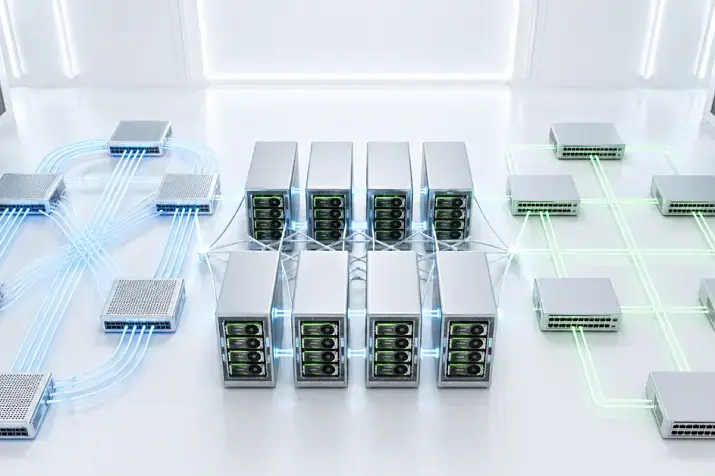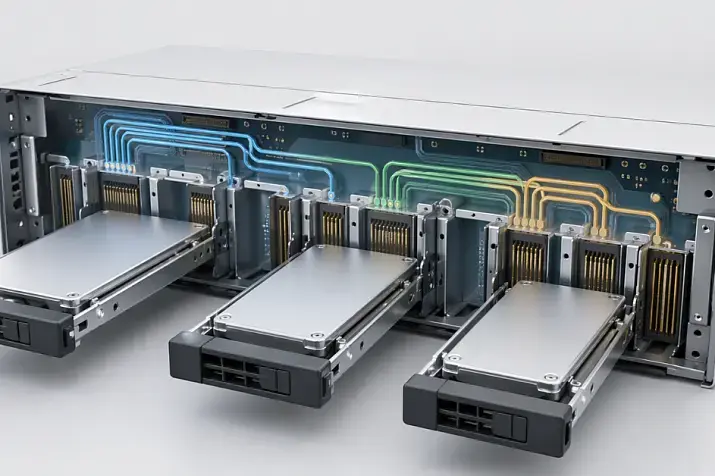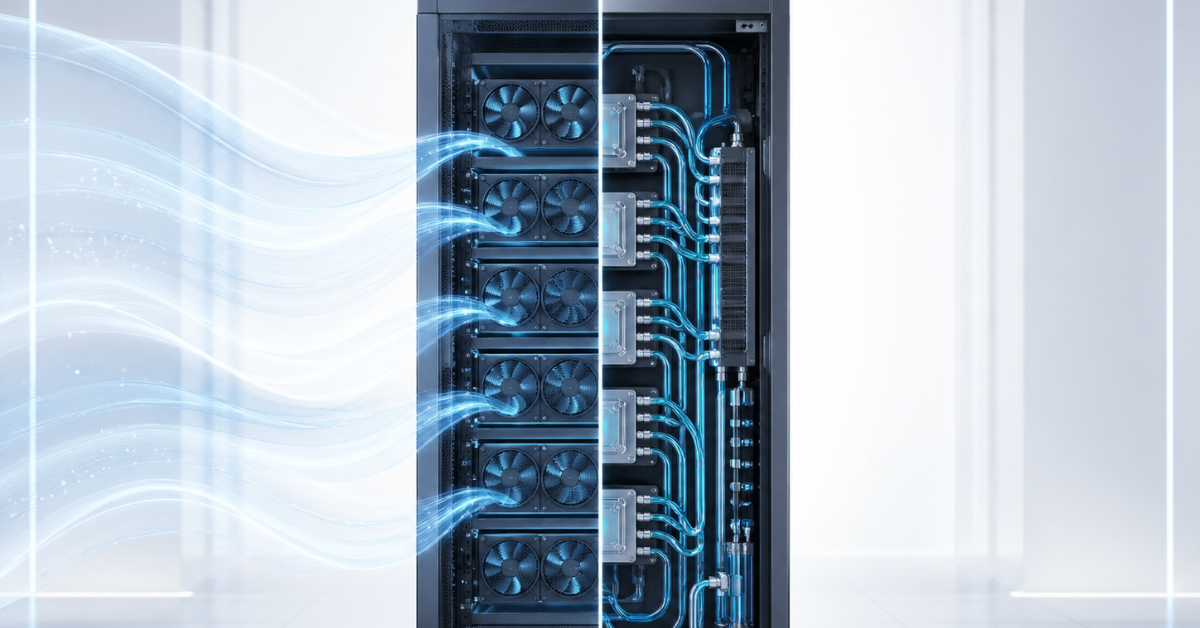
In 2026, air cooling remains a reasonable choice for most servers: virtualization, databases, file storage, backup, corporate services, and moderate analytics. Liquid cooling should be considered where the thermal load is already too high for a conventional air-based setup: dense racks, AI servers with multiple GPUs, HPC clusters, new high-power platforms, and infrastructure where maximum compute density matters. The choice should not be based on what seems more modern, but on equipment heat output, rack power, server room or data center capabilities, budget, and team expertise.
Server cooling can no longer be treated as a secondary detail. In the past, many scenarios only required placing a server in a rack, ensuring proper cold-air intake, and monitoring the room temperature. Today, the situation is more complex. Modern CPUs and graphics accelerators generate more heat, and a single rack may contain not just several ordinary servers, but a dense computing system with tens of kilowatts of load.
That is why the main question is not “air or liquid?”. It is more accurate to ask: how much thermal load must be removed, how many servers will be in the rack, how long they will run under high load, and whether the existing infrastructure can support that mode without overheating, downtime, or excessive electricity costs.
Why cooling has become more important now
Server hardware has become denser and hotter. This is especially noticeable in systems for artificial intelligence, machine learning, engineering simulations, and high-performance computing. In these environments, servers do not simply process requests from time to time; they may run close to full power for hours or days.
For ordinary enterprise infrastructure, this is not always critical. Virtualization servers, file storage systems, domain controllers, backup systems, and many databases often have variable workloads. They may experience peaks, but they do not always produce continuous heat output comparable to a dense GPU cluster. Under such conditions, air cooling usually remains sufficient.
But AI and HPC environments are different. Several servers with powerful graphics accelerators can create a load that quickly pushes a rack toward its limits for both power and heat removal. A 2025 Uptime Institute report states that direct liquid cooling is being adopted gradually, while most operators still use traditional air cooling; however, increasing rack density remains the main driver of interest in liquid systems.
There is another important point: almost all the energy consumed by a server eventually turns into heat. If a rack consumes 20, 40, or 80 kW, that heat must be removed somewhere. You cannot simply place more powerful servers in an old server room and assume the existing air conditioners will cope. Sometimes the limiting factor is not the server itself, but rack power, airflow, cabinet doors, cable channels, raised floor, air conditioning, or the absence of temperature monitoring at server inlets.
Most popular refurbished servers

Free shipping on orders over 500 € in the EU, £500 in the UK, and $3,000 in the USA

Free shipping on orders over 500 € in the EU, £500 in the UK, and $3,000 in the USA

Free shipping on orders over 500 € in the EU, £500 in the UK, and $3,000 in the USA

Free shipping on orders over 500 € in the EU, £500 in the UK, and $3,000 in the USA
What air server cooling is
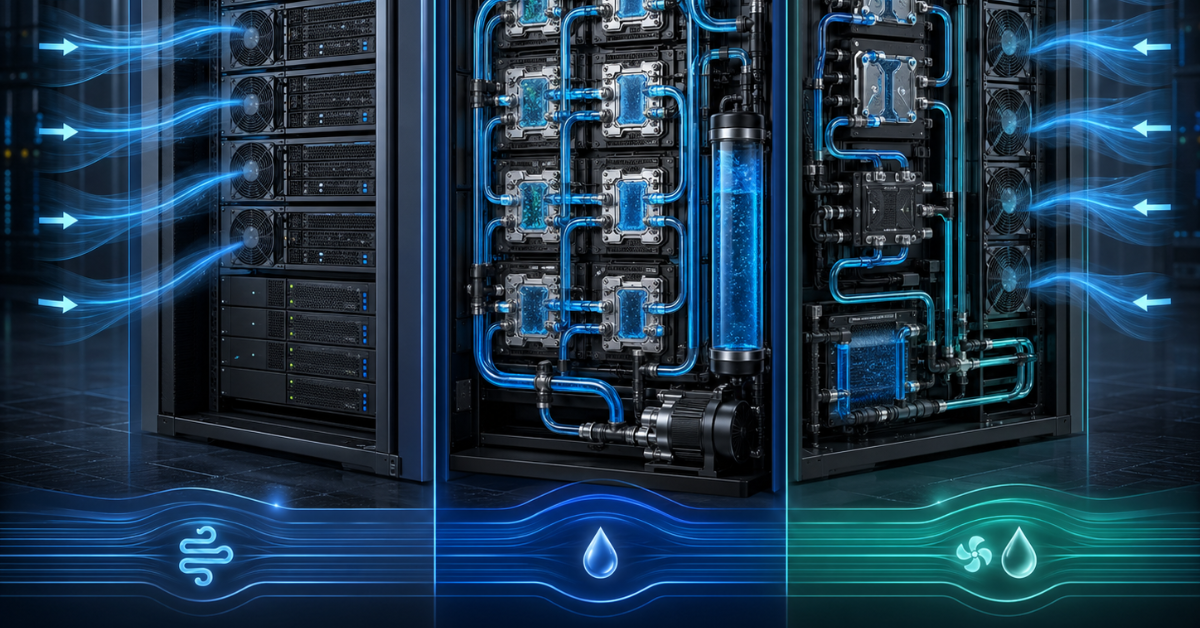
Air cooling is a setup in which heat from processors, memory, drives, expansion cards, and other components is transferred to heatsinks and then removed by airflow. Inside the server, this is handled by fans, heatsinks, air shrouds, chassis design, and the overall airflow path.
In most rack servers, air is drawn in from the front from the “cold” aisle, passes through hot components, and is exhausted at the rear. It should then enter the “hot” aisle and be removed by the air-conditioning system. If hot air returns to the server inlets, cooling efficiency drops sharply. Therefore, air cooling is not just the fans inside the chassis. It is a combination of server, rack, room, and engineering system.
Air cooling efficiency is affected by:
- air temperature at server inlets;
- airflow speed and direction;
- condition of fans and heatsinks;
- component layout inside the chassis;
- blanking panels in empty rack spaces;
- separation of cold and hot airflow;
- equipment installation density;
- cables that may block airflow;
- cleanliness of filters, grilles, and heatsinks;
- available room air-conditioning capacity.
The advantage of air cooling is that it is familiar. It is easier to implement, maintain, and troubleshoot. Most engineers understand how an air-based setup works, how to replace a fan, how to check inlet temperature, and how to find a hot-air recirculation problem. For standard server tasks, this is often the most rational option.
But air has its limits. The higher the thermal density, the more air must be moved through the server and rack. Fans begin to run faster, noise increases, power consumption rises, and the cooling reserve shrinks. At some point, air may still cope technically, but the cost of that solution becomes too high: more racks, more air conditioning, higher overheating risk, and a more difficult task of maintaining stable operation.
What liquid server cooling is

Liquid cooling is not one single technology, but several different approaches. They share the same general principle: heat is removed not only by air, but with the help of a liquid that transfers heat more effectively from hot components to a heat exchanger.
The most practical option for modern servers is direct-to-chip liquid cooling. In this design, special thermally conductive cold plates are installed on processors, graphics accelerators, or other hot components. A liquid coolant flows through them and absorbs heat directly near the source. Dell describes PowerEdge direct liquid cooling as a way to manage high heat density at chip level.
There is also immersion cooling, where equipment is submerged in a special non-conductive liquid. This approach can be effective, but it requires different infrastructure, different maintenance procedures, and is not always suitable for standard server operation. For most companies, it is a more complex step than direct liquid cooling of individual components.
Hybrid schemes also exist. For example, liquid may cool the hottest components — processors or GPUs — while air continues to cool memory, drives, power supplies, network cards, and other elements. This is an important point: liquid cooling does not always mean that air disappears completely. In many systems, it remains part of the overall cooling design.
Liquid cooling is especially useful where a large amount of heat must be removed from a limited space. But it adds a new engineering system: loops, connections, distribution modules, heat exchangers, sensors, leak detection, coolant requirements, and service procedures. That is why it should not be treated as a simple replacement for fans.
Choosing the Right Equipment
Our specialists will contact you and answer all your questions
Air and liquid cooling: key differences
| Criterion | Air cooling | Liquid cooling | What it means in practice |
|---|---|---|---|
| Initial cost | Usually lower | Usually higher | Air is easier to deploy; liquid requires additional components and design work |
| Implementation complexity | Familiar setup | Requires loops, connections, heat exchangers, and leak monitoring | A liquid system must be planned in advance, not added at the last moment |
| Rack density | Well suited to moderate density | Better suited to high density | The hotter the rack, the stronger the case for liquid becomes |
| AI and GPU servers | Not suitable for every configuration | Often used in dense systems | Air may be enough for a single server; for a dense GPU cluster, it may no longer be sufficient |
| Maintenance | Easier for a typical IT team | Requires new procedures | Requires regulations, training, and understanding of the engineering system |
| Energy efficiency | Can be good with properly organized airflow | Can be higher at high density | The benefit of liquid is more visible where air is already near its limit |
| Risks | Overheating, dust, noise, hot-air recirculation | Leaks, pumps, connections, coolant quality | Each approach has its own weak points |
| Scaling | Convenient at small and medium scale | Better planned for dense racks and workload growth | For future AI workloads, liquid may be strategically more reasonable |
This table does not mean that liquid cooling is always better. It is better where the thermal load genuinely exceeds the comfortable limits of air. If the server workload is moderate, the rack is not overloaded, and airflow is organized correctly, switching to liquid may not provide enough benefit.
When air cooling is enough
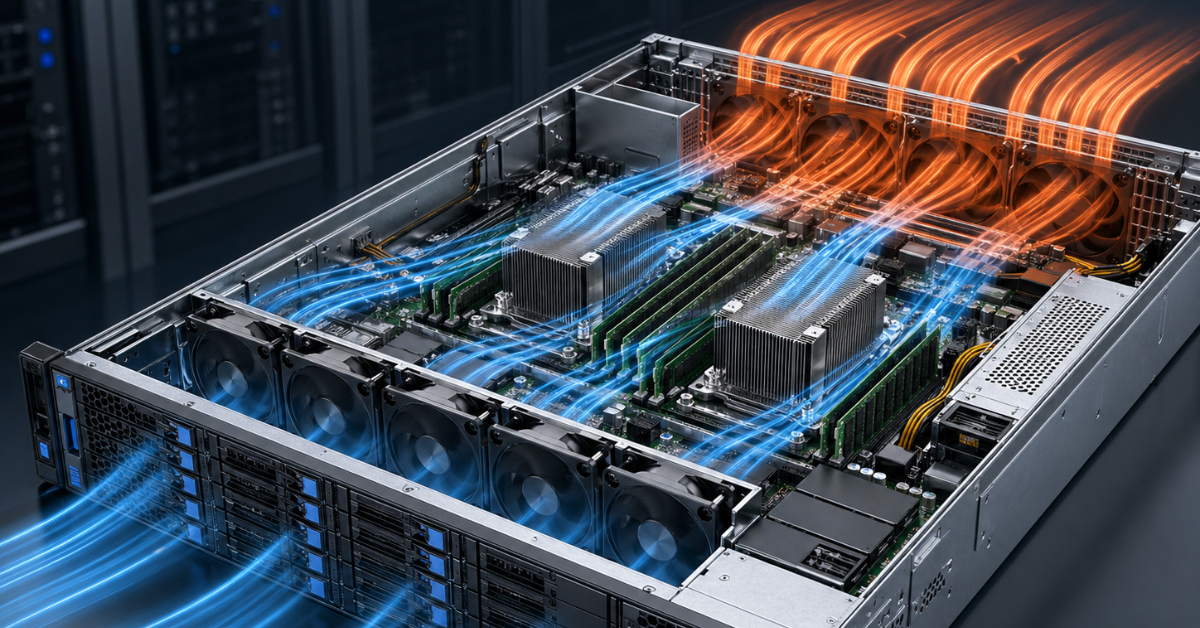
Air cooling is usually sufficient for most classic server workloads. It works well for general-purpose virtualization, file servers, backup, enterprise applications, web services, moderate databases, and infrastructure services.
Air is worth choosing if:
- servers do not run constantly at maximum power;
- the rack does not have extreme equipment density;
- processors and accelerators with moderate heat output are used;
- the server room is already designed for the current load;
- cold and hot airflow are properly separated;
- the team is used to maintaining standard servers;
- there is no task to place maximum compute power in minimum space;
- the budget is limited, and the workload does not require a liquid setup.
An important non-obvious point: overheating does not always mean that you need to move to liquid cooling. Sometimes the problem is poor airflow organization. For example, the rack may lack blanking panels, hot air may return to server inlets, cables may block the rear of the cabinet, the room temperature may be too high, air conditioning may operate unevenly, and some servers may receive air that is already warmed up.
Before assuming that air cooling is insufficient, it is worth checking:
- air temperature at server inlets;
- whether hot-air recirculation is present;
- whether empty rack spaces are filled with blanking panels;
- whether cables obstruct hot-air exhaust;
- whether fans are working properly;
- whether heatsinks and filters are clogged;
- how hot servers are distributed across racks;
- whether there is spare air-conditioning capacity;
- whether rack power is exceeded;
- how the server behaves under real workload, not only at idle.
Sometimes this inspection shows that changing the cooling technology is unnecessary. It may be enough to improve rack layout, eliminate recirculation, redistribute servers, or upgrade air conditioning.
When to consider liquid cooling
Liquid cooling should be considered not because it sounds modern, but because the thermal load becomes too high for a conventional air-based setup. This is especially relevant for dense AI servers, systems with multiple GPUs, compute clusters, and new racks where equipment runs under constant high load for long periods.
Liquid cooling becomes a rational option if:
- the server has several powerful GPUs installed;
- servers run under high load almost constantly;
- the rack is approaching high thermal density;
- air fans run at high speed most of the time;
- more compute power must be placed in limited space;
- cooling becomes a noticeable part of operating expenses;
- the server manufacturer recommends a liquid-cooled configuration;
- a new data center or a separate AI/HPC zone is being designed;
- workload growth is planned in the coming years.
In 2025, NVIDIA linked liquid cooling with improved AI infrastructure efficiency based on Blackwell, while Dell introduced AI solutions in the same year where air-cooled PowerEdge models are intended for simpler integration into existing data centers, and liquid-cooled versions are intended for rack-scale deployments with high GPU density.
But it is also important not to make the opposite mistake. Not every AI server necessarily needs liquid. If it is a single server for inference, testing, development, or moderate load, air cooling may be normal. If, however, the case involves a rack with several dense GPU systems, continuous model training, and space constraints, liquid cooling becomes a much more serious candidate.
Air cooling: hidden risks and common mistakes
The main risk of air cooling is its apparent simplicity. It seems that if a server has fans and the room has an air conditioner, everything should work. In practice, server infrastructure often overheats not because of one major mistake, but because of a set of small violations.
Common problems include:
- choosing a server without considering future workload;
- placing too much hot equipment in one rack;
- not calculating total rack power;
- leaving empty spaces without blanking panels;
- mixing hot and cold airflow;
- using doors or panels with poor ventilation;
- routing cables so that they obstruct air exhaust;
- not monitoring dust and heatsink condition;
- looking only at CPU temperature while forgetting memory, drives, network cards, and power zones;
- not measuring air temperature precisely at server inlets;
- assuming that high fan speed always solves the problem.
If servers are constantly noisy, fans run almost at maximum speed, and the temperature is still close to the limit, this is not a normal comfortable operating mode. This state means that the system is at the edge of its capabilities. It may continue working, but the reliability reserve is already small. Any air-conditioner failure, room temperature increase, or workload growth may lead to overheating.
Liquid cooling: risks that are often forgotten
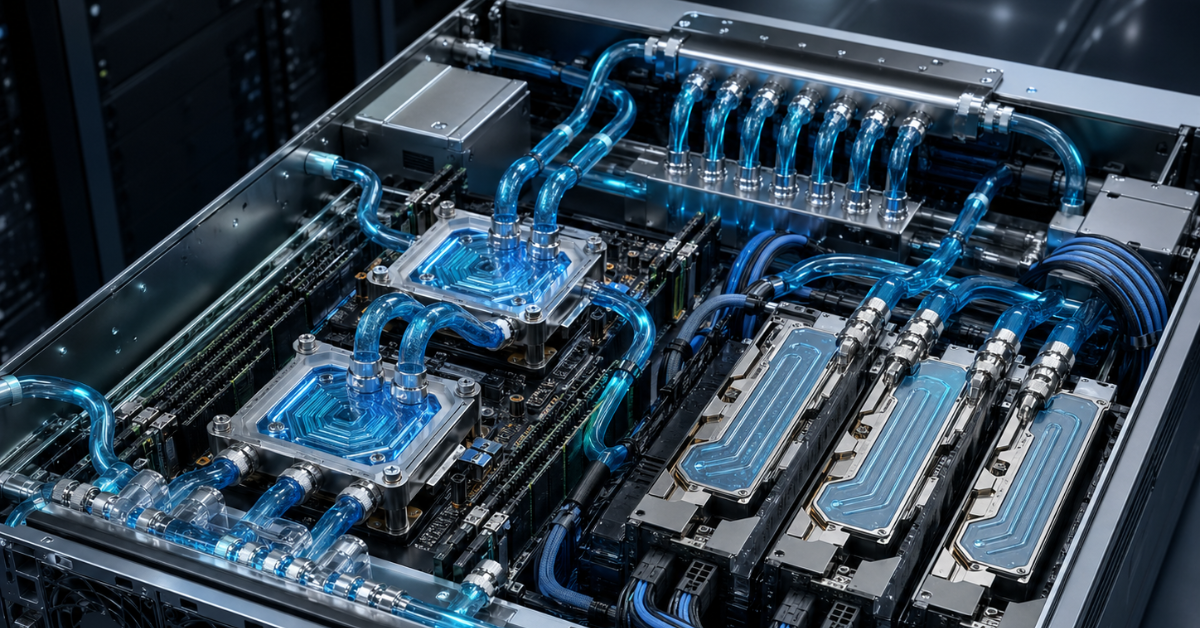
Liquid cooling is often perceived as a more efficient and modern solution, but it also has limitations. It does help remove heat from very hot components, but in return it adds an engineering system that must be designed, maintained, and monitored.
The main risks include:
- higher implementation cost;
- the need for compatibility between servers, racks, and engineering infrastructure;
- coolant requirements;
- pumps, heat exchangers, and distribution modules;
- connections that must be checked and maintained;
- leak monitoring;
- changes to service procedures;
- the need to train staff;
- dependence on monitoring;
- more complex emergency scenarios.
In direct liquid cooling, not only the cold plates on processors or GPUs matter. The entire chain matters: server, hoses, connections, distribution module, heat exchanger, building loop, sensors, monitoring, and maintenance procedures. If one element is poorly designed, the whole system can create new risks.
The specialist committee ASHRAE TC 9.9 separately emphasizes that the growth in chip power and wider use of liquid cooling require attention to system resilience, because loss of cooling at extreme component power levels can have serious consequences.
Therefore, liquid cooling must not be deployed on the principle of “we will install it and figure things out later.” It must be part of the project: with calculations for power, redundancy, maintenance, emergency shutdown, and monitoring.
Rack density and power: the main selection criterion
Cooling selection starts not with the server model, but with rack power. A single hot server can be cooled in different ways. But if there are many such servers and they stand next to each other, the task changes. The question is not only the temperature of one processor, but how much heat the entire rack produces and whether the room can remove that heat.
Almost all the energy consumed by a server turns into heat. That is why a 10 kW rack and a 60 kW rack are fundamentally different engineering tasks. In the second case, the simple logic of “let’s add another air conditioner” may not work, because airflow, local hot zones, cabinet doors, power, cables, emergency redundancy, and serviceability may become the limiting factors.
Before choosing a cooling approach, you need to answer these questions:
- what the rack power is now;
- what it will become after installing new servers;
- how many servers will run at full load simultaneously;
- whether there is spare electrical power;
- whether there is spare air-conditioning capacity;
- whether cabinets and doors are designed for that airflow;
- whether hot servers can be distributed across different racks;
- whether server inlet temperature is monitored;
- what will happen if an air conditioner, pump, or fan fails;
- who will maintain the system in one or two years.
The closer the infrastructure is to dense GPU racks and constant high load, the more seriously liquid or hybrid cooling should be considered. But if the workload is moderate, racks are not overloaded, and the air-based design is properly organized, air remains a practical choice.
AI servers, GPUs, and HPC: why liquid appears more often here
AI and HPC workloads differ from ordinary server tasks in their operating pattern. Servers may remain under high load for long periods, while several graphics accelerators in one chassis create a very dense heat source. In such systems, it is important not only to prevent emergency overheating, but also to preserve stable performance.
If components overheat, they may reduce clock speeds. Formally, the server continues to work, but it completes tasks more slowly. For an ordinary service, this may be unpleasant; for an expensive GPU cluster, it is a direct loss: the hardware has been purchased, electricity is being consumed, but useful performance is lower than expected.
Cooling is especially important for training large models. Such tasks may load GPUs continuously, and downtime or clock-speed reduction quickly turns into money. For inference, requirements may be softer: workload can be more distributed, and the architecture is easier to scale horizontally. Therefore, a single AI server does not always require liquid, while a dense rack for model training often already forces liquid cooling to be considered.
The logic is similar in HPC. Scientific computing, engineering modeling, climate models, physics, chemistry, bioinformatics, and numerical simulations may run for long periods and at high intensity. There, not only peak performance matters, but also stability under sustained load.
Most popular GPU

Free shipping on orders over 500 € in the EU, £500 in the UK, and $3,000 in the USA
Free shipping on orders over 500 € in the EU, £500 in the UK, and $3,000 in the USA

Free shipping on orders over 500 € in the EU, £500 in the UK, and $3,000 in the USA
Free shipping on orders over 500 € in the EU, £500 in the UK, and $3,000 in the USA
Choosing the Right Equipment
Our specialists will contact you and answer all your questions
Cost: why cooling price alone is not enough for comparison
Comparing air and liquid cooling only by initial price is incorrect. Total cost of ownership must be considered: equipment, installation, operation, maintenance, power consumption, downtime, placement density, and the ability to grow further.
For air cooling, the calculation includes:
- the servers themselves;
- fans;
- fan power consumption;
- room air conditioning;
- efficiency losses at high temperature;
- rack density limitations;
- the possible need to deploy more racks;
- maintenance of filters, heatsinks, and airflow paths.
For liquid cooling, the calculation includes:
- servers with liquid-cooling support;
- cold plates;
- distribution modules;
- pumps;
- heat exchangers;
- connections and piping;
- installation;
- monitoring;
- staff training;
- spare parts;
- service procedures;
- emergency scenarios.
Liquid cooling is usually more expensive at the start. But if it allows more computing to be placed in a rack, reduces the load on the air system, and uses expensive GPUs more effectively, the overall economics may be better. For standard enterprise infrastructure, by contrast, liquid may be excessive and may complicate operation without a noticeable benefit.
Maintenance and reliability
Reliability depends not only on the technology, but also on how mature the company’s operations are. A well-organized air-cooling setup can be more reliable than a poorly implemented liquid system. Conversely, a properly designed liquid infrastructure can be more stable than an overloaded air-based design that operates at its limit.
Air cooling is easier to maintain. Engineers are used to replacing fans, cleaning heatsinks, checking airflow, and monitoring temperature. Spare parts are available, procedures are clear, and maintenance usually does not require special engineering training beyond standard server-room practice.
Liquid cooling requires stricter procedures. The team must understand how to shut down and service servers, how to check connections, how to monitor coolant quality, how to respond to sensor warnings, and how to act in case of a leak or pump failure. For critical infrastructure, such procedures must be documented in advance, not invented after the first incident.
Which cooling option to choose in different scenarios
| Scenario | What to choose | Why | What to watch |
|---|---|---|---|
| Standard virtualization and enterprise services | Air cooling | Usually sufficient at normal density | Check rack headroom and inlet temperature |
| Storage and backup servers | Air cooling | Load often depends on drives and airflow | Monitor drive temperatures |
| High-load databases | Mostly air, sometimes hybrid | It all depends on processors, memory, and density | Look at the actual thermal load |
| One AI server with GPUs | Air or liquid according to the manufacturer’s configuration | Depends on the number of GPUs and chassis | Evaluate heat output, not the server name |
| Dense GPU cluster | Usually liquid or hybrid | High thermal density | Check rack, power, cooling loop, and service procedures |
| HPC cluster | Air, liquid, or hybrid | Depends on density and workload duration | Stability under full load is important |
| Small server room without engineering upgrades | Usually air | Liquid may be difficult to maintain | Better to reduce density and improve airflow |
| New data center for AI | Plan liquid or hybrid | Future density growth | Design together with power and monitoring |
This scheme does not replace calculation, but it helps narrow the choice quickly. If the infrastructure is ordinary, the workload is moderate, and the racks are not overloaded, air cooling will most often be the right solution. If the case involves a dense AI or HPC zone where equipment will run under high load for years, a liquid setup is better considered already at the design stage.
What to check before buying a server
Before purchasing a server, it is important to assess not only the processor, memory, drives, and network cards, but also cooling. This is especially important if the server is not purchased alone, but as part of a future rack or cluster.
Check:
- heat output of processors and GPUs;
- supported cooling options for the specific model;
- manufacturer requirements for inlet air temperature;
- permitted installation density;
- rack power;
- power headroom;
- air-conditioning headroom;
- temperature monitoring availability;
- compatibility with the existing server room;
- maintenance requirements;
- spare-part availability;
- warranty terms;
- workload growth plan;
- the ability to test under real load.
If a server is being purchased for AI or HPC, one chassis alone must not be evaluated in isolation. You need to look at what will happen when several such servers are installed next to each other. One server may work normally on air, but a whole rack of such systems may already require a different engineering setup.
Typical mistakes when choosing cooling
Mistakes most often occur because cooling is considered too late. First the servers are chosen, then the racks, and only then does the team try to understand why the room cannot cope. For modern dense configurations, this approach is dangerous.
Common mistakes include:
- choosing cooling after servers have already been purchased;
- focusing only on the heat output of one processor;
- forgetting about GPUs;
- not calculating total rack power;
- placing dense servers in an old server room without checking air conditioning;
- treating liquid cooling as a universal solution;
- treating air cooling as outdated;
- ignoring maintenance;
- ignoring noise;
- not checking manufacturer requirements;
- forgetting about drive and memory temperatures;
- not planning monitoring;
- not testing the server under real load;
- not considering workload growth over the next few years.
The most dangerous mistake is treating cooling as a secondary part of the project. For an ordinary server, this is sometimes acceptable. For AI, HPC, and dense racks, it is not. Cooling must be designed together with compute, power, networking, and equipment placement.
Conclusion
In 2026, air cooling remains the optimal choice for most servers and standard workloads. It is simpler, cheaper, more familiar to maintain, and works well where the load is moderate, the rack is not overloaded, and airflow is organized correctly.
Liquid cooling should be considered for dense AI servers, GPU clusters, HPC, new high-power platforms, and infrastructures where an air-based setup already requires too many compromises. It helps remove more heat from limited space, but requires more complex design, maintenance, and monitoring.
The right choice depends on four factors: equipment heat output, rack density, engineering infrastructure capabilities, and team expertise. If servers run under moderate load and the room can handle the heat, air will be a reasonable and economical solution. If the case involves powerful GPUs, high density, constant full load, and future growth, liquid or hybrid cooling is better planned in advance.
Choosing the Right Equipment
Our specialists will contact you and answer all your questions
Free shipping on orders over 500 € in the EU, £500 in the UK, and $3,000 in the USA
Free shipping on orders over 500 € in the EU, £500 in the UK, and $3,000 in the USA

Free shipping on orders over 500 € in the EU, £500 in the UK, and $3,000 in the USA

Free shipping on orders over 500 € in the EU, £500 in the UK, and $3,000 in the USA
Free shipping on orders over 500 € in the EU, £500 in the UK, and $3,000 in the USA
Free shipping on orders over 500 € in the EU, £500 in the UK, and $3,000 in the USA