A DHCP server automatically assigns IP addresses and network settings to devices: the subnet mask, gateway and DNS server addresses. A router usually handles this role in a small network, while corporate networks use Windows Server or Linux with Kea. If the DHCP server cannot be found or does not respond, first check address acquisition on the client, then trace requests to the server: the cause may be a stopped service, an incorrect VLAN, an exhausted pool or packet filtering.
What is a DHCP server and why do you need one?
DHCP stores settings centrally, so administrators do not need to enter an address, gateway and DNS servers manually on every computer.
A DHCP server is a service, which does not necessarily require a dedicated machine. Its clients include computers, phones, printers and other devices. The protocol evolved from BOOTP; the core rules for DHCP over IPv4 are described in RFC 2131. This article focuses mainly on DHCPv4: IPv6 uses different addressing mechanisms.
How DHCP works: DORA, ports and leases
Obtaining an address for the first time usually involves four messages. The exchange is called DORA, using the first letters of their names.
| Stage | Message | What happens |
|---|---|---|
| Discovery | Discover | The client broadcasts a request on its network |
| Offer | Offer | The server offers an address and connection settings |
| Request | Request | The client selects an offer and requests the address |
| Acknowledgement | ACK | The server confirms the lease |
DHCPv4 uses UDP: the server receives requests on port 67, and the client receives replies on port 68. Communication between the server and a relay agent normally uses UDP 67. Firewall rules must account for these traffic directions.
An address is assigned for a lease period. By default, renewal works as follows:
- T1, 50% of the lease: the client contacts the server that assigned the address.
- T2, 87.5% of the lease: if there is no reply, the client broadcasts to find an available server.
- Lease expiry: the client stops using the address unless it receives a new confirmation.
The server can supply different T1 and T2 values. A normal renewal does not require a complete DORA exchange. Releasing a lease sends DHCPRELEASE, but a device that disconnects abruptly may not notify the server.
For a stable office network, a lease of 1–7 days can be a starting point; for a guest network, a few hours may be appropriate, or 30–60 minutes where visitors change frequently. These are examples rather than protocol requirements: short leases increase the number of requests, while long leases delay address reclamation.
What DHCP provides: settings and options
The IP address is carried in message fields; additional settings are carried in options. The basic options are described in RFC 2132, and the relay agent option in RFC 3046.
| Option | Purpose | Use |
|---|---|---|
| 1 | Subnet mask | Defines the boundaries of the local IPv4 network |
| 3 | Routers | Supplies the default gateway address |
| 6 | DNS servers | Specifies servers for name resolution |
| 15 | Domain name | Supplies the domain suffix |
| 42 | NTP servers | Supplies time sources if the client supports this option |
| 51 | Lease time | Defines how long the address remains valid |
| 66 and 67 | Boot server name and boot file name | Used in certain PXE/TFTP configurations |
| 82 | Relay agent information | Allows address assignment to take the client's connection location into account |
Option 15 does not join a computer to AD. Domain-joined Windows computers normally obtain time according to domain rules rather than the NTP option. Option 82 is added by network equipment.
Do not set options 66/67 for the entire network without considering the boot configuration. BIOS and different UEFI variants may require different files; WDS and a separate PXE service also affect the configuration.
Dynamic addresses, reservations and static addressing
- Dynamic assignment suits workstations and guest devices: the server selects an available address from the pool.
- A reservation associates an address with a client while retaining automatic configuration. This is useful for printers and other equipment that needs a fixed address.
- Manual static addressing is configured on the device. It is often used for gateways, hypervisors and infrastructure servers that must not depend on obtaining a lease.
The binding uses the MAC address or client identifier; randomised Wi-Fi MAC addresses can disrupt it.
Exclude static addresses from dynamic allocation. In the examples below, .1–.49 are set aside for infrastructure, .50–.99 for reservations and .100–.200 for ordinary clients.
Where a DHCP server runs: router, server or switch
The choice depends on the network design and availability requirements:
- Small office or branch: running DHCP on the router simplifies maintenance. Explore suitable equipment categories in Servermall's network equipment catalogue.
- Active Directory network: Windows Server makes it convenient to administer DHCP, the domain and internal DNS together.
- Multiple sites and automation: Linux with Kea can serve subnets centrally and apply advanced allocation policies.
- Address assignment on network equipment: an L3 switch is suitable if it specifically supports the DHCP server role. Routing or relay support alone does not guarantee this.
Platform capacity depends on the total workload, including applications and virtual machines. For more information, see How to Choose a Server for a Small Business or Office.
Choosing the Right Equipment
Our specialists will contact you and answer all your questions
DHCP server not found or not responding: what to do
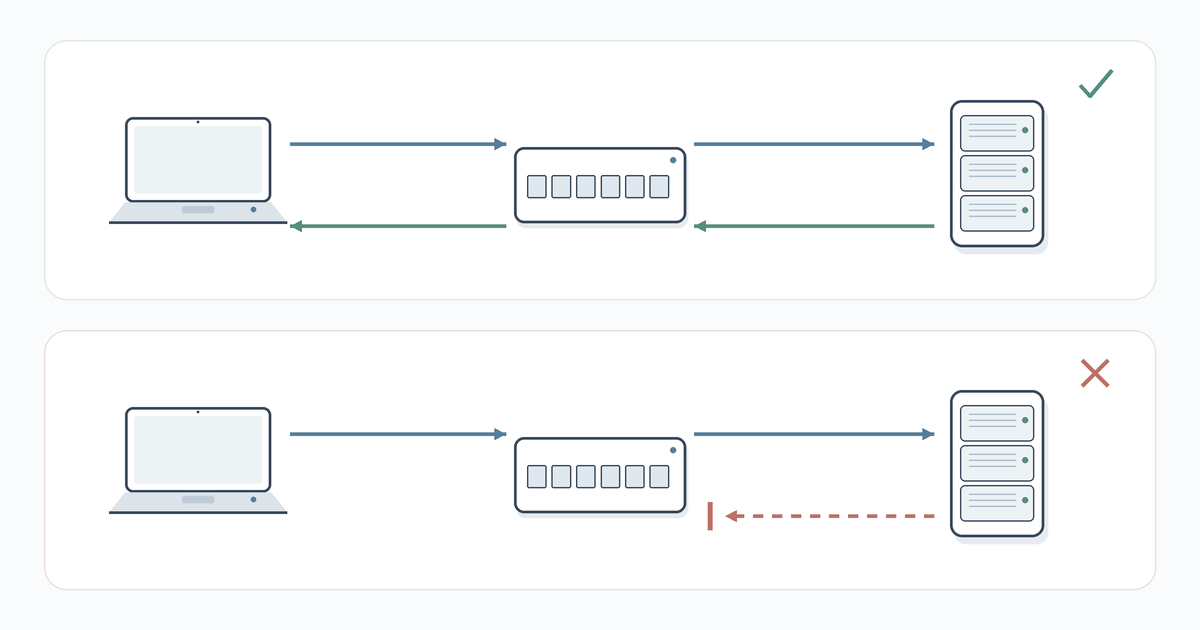
Messages such as “DHCP server not found” and “Unable to contact your DHCP server” mean that the client has not completed configuration. Requests or replies may be lost in the network.
The extent of the outage helps narrow down the search:
- if one computer is affected, investigate its settings and connection;
- if one VLAN cannot obtain addresses, check its gateway, relay and scope;
- if new devices cannot connect in any segment, check the service, shared network devices and pool utilisation.
Existing devices may continue working with valid leases for some time after the server fails.
On a Windows computer
View the configuration:
ipconfig /allFor the relevant adapter, find the DHCP status, IPv4 address, gateway, DHCP server, DNS servers and lease times.
169.254.x.x after unsuccessful automatic configuration usually indicates APIPA, a local address assigned by Windows itself. It does not prove that the router has failed and usually does not provide access beyond the local segment.
If the network uses DHCP, IPv4 properties must be set to obtain an address automatically. Then check the client service in PowerShell:
Get-Service Dhcp
Run ipconfig /renew to request an address again. To release the old lease first:
ipconfig /release
ipconfig /renew
The /release command temporarily removes the address and can disconnect a remote session. Specify a particular adapter when appropriate instead of renewing all connections.
If no address is obtained, try a known-good cable and another port, and check the Wi-Fi network, adapter status and driver. Reserve a full network reset for a confirmed local fault: VPN and virtual adapter settings may need to be configured again afterwards.
On a Linux computer
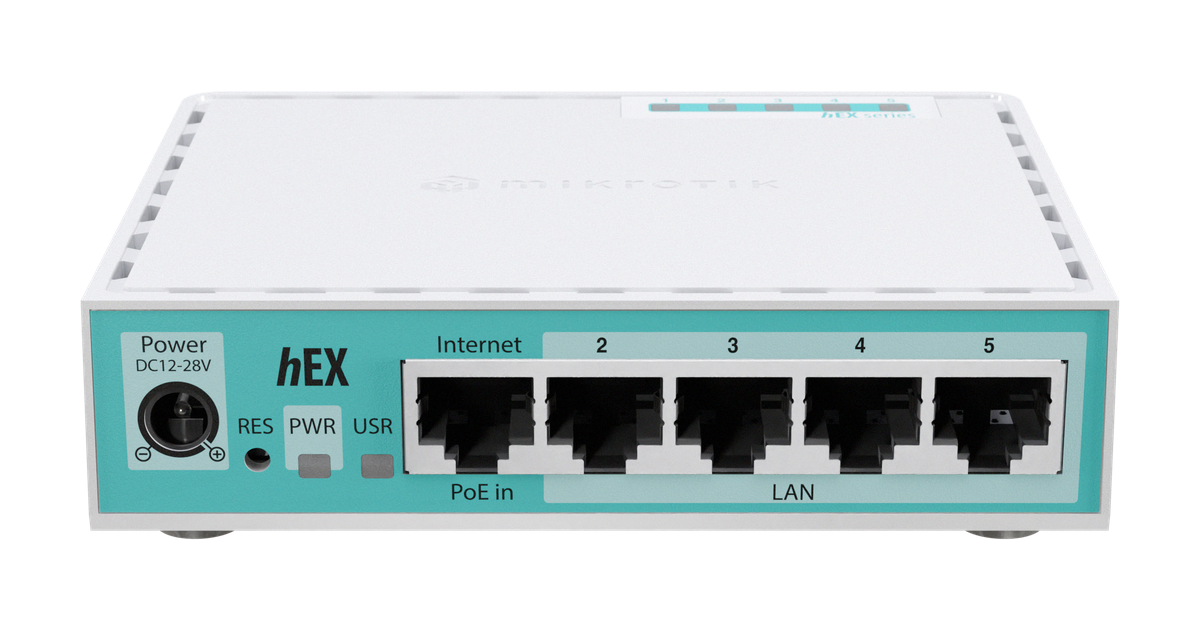
MikroTik hEX refresh E50UG router. Photo: MikroTik.
Start with addresses, routes and the network management tool in use:
ip -4 address
ip route
nmcli device status
nmcli connection show --active
In NetworkManager, automatic addressing corresponds to ipv4.method auto. View the profile with nmcli connection show "Office" and the received settings with nmcli device show enp1s0. Replace the profile and interface names with your own.
To change an existing static profile to DHCP, remove its previous address and gateway:
sudo nmcli connection modify "Office" \
  ipv4.method auto ipv4.addresses "" ipv4.gateway ""
sudo nmcli connection up "Office"
Activating the connection may interrupt connectivity. Check for remaining manual DNS settings and routes; view the log with journalctl -u NetworkManager.
If an installed ISC dhclient manages addressing, release and request a lease as follows:
sudo dhclient -r enp1s0
sudo dhclient -v enp1s0
Do not run dhclient alongside NetworkManager or systemd-networkd. On a system using networkd, use networkctl status enp1s0 and sudo networkctl renew enp1s0.
On the server and in the network
On Windows Server, check the service, scopes, available addresses and interface bindings:
Get-Service DHCPServer
Get-DhcpServerv4Scope
Get-DhcpServerv4ScopeStatistics
Get-DhcpServerv4Binding
A domain DHCP server also needs authorisation in AD. On Linux, check Kea's status and error messages as follows:
systemctl status kea-dhcp4-server
journalctl -u kea-dhcp4-server -n 100 --no-pager
The service name depends on the package. Next, examine the allocation conditions and the packet path:
- Pool: check that addresses remain available, the scope is active and exclusions or filters are not preventing allocation.
- Firewall: check that UDP 67/68 requests and replies are allowed, including relay traffic.
- VLAN: check the configuration of client ports, the access point and links between switches.
- Relay: check that the correct server is specified and a return route exists.
- DHCP snooping: check that protection is not blocking legitimate server replies because a port is untrusted.
How to locate packet loss
Capture the exchange on the Linux server or relay agent:
sudo tcpdump -ni enp1s0 -vvv 'udp port 67 or udp port 68'Select the actual interface. Observing other devices' unicast packets on a switched network segment may require port mirroring.
- Discover is visible at the client but absent at the server: the problem lies along the request path or in the relay.
- Discover arrives, but there is no Offer: examine the pool, subnet selection, interface and server rules.
- Offer leaves the server but does not reach the client: check the return path and filtering.
- NAK arrives instead of an acknowledgement: the server considers the requested address unsuitable.
Correlate records by time, transaction and client. An ACK with an incorrect gateway confirms the lease, but does not confirm that its settings are correct.
How to identify the DHCP server that assigned an address
On Windows, the server address appears in ipconfig /all. In NetworkManager, it is often shown as dhcp_server_identifier among the DHCP4.OPTION entries in nmcli device show output.
In a capture, look for option 54 in the Offer or ACK message. When a relay is involved, the immediate packet sender is not necessarily the DHCP server itself. Multiple Offers from different servers need to be explained: an extra reply may come from a consumer router or a test virtual machine.
When an address is assigned but access still fails
- An incorrect subnet mask distorts the boundaries of the local network.
- An incorrect gateway disrupts access to other subnets.
- Unsuitable DNS settings prevent access to resources by name and discovery of domain services.
- A pool that overlaps static addresses or another independent pool creates duplicate addresses.
If a resource is reachable by IP but not by name, investigate DNS. Domain-joined computers normally need internal DNS servers.
Configuring DHCP on MikroTik
The following sections use a shared example: network 192.168.10.0/24, gateway 192.168.10.1, dynamic range .100–.200 and an operational internal DNS server at 192.168.10.10. Each deployment example is independent: do not run all the servers described here simultaneously on the same subnet.
The RouterOS 7 configuration procedure is described in the MikroTik DHCP Server documentation. First inspect the existing configuration: DHCP is often already configured by the manufacturer.
Wizard and manual configuration
In Winbox, open IP → DHCP Server → DHCP Setup. The wizard asks for the interface, subnet, gateway, address range, DNS servers and lease time. Start it in the terminal with:
/ip dhcp-server setupSelect the logical LAN interface: a bridge or VLAN. If a port belongs to a bridge, DHCP is normally configured on the bridge itself. The interface must have an IP address; do not bridge WAN and LAN simply to obtain a lease.
The manual example assumes that a bridge named bridge already exists. Add the address only if it is absent:
/ip address add address=192.168.10.1/24 interface=bridge
/ip pool add name=office-pool ranges=192.168.10.100-192.168.10.200
/ip dhcp-server network add address=192.168.10.0/24 gateway=192.168.10.1 dns-server=192.168.10.10
/ip dhcp-server add name=office-dhcp interface=bridge address-pool=office-pool lease-time=1d disabled=no
The pool defines the addresses, network defines the subnet settings, and the server associates them with the interface. View status and leases with:
/ip dhcp-server print detail
/ip dhcp-server lease print detail
Reservations, DNS and the WAN client
On the Leases tab, convert an existing lease into a reservation using Make Static. For a known MAC address, create an entry as follows:
/ip dhcp-server lease add server=office-dhcp address=192.168.10.50 mac-address=02:11:22:33:44:55 comment=printerThe printer receives its settings automatically. Replace the MAC address with your own.
To use MikroTik as a DNS server, enable responses to LAN queries and configure upstream DNS servers. Restrict access from the WAN. In a domain, supply internal DNS servers.
Obtaining an address from the ISP uses a different role: a DHCP client on the WAN:
/ip dhcp-client add interface=ether1 add-default-route=yes use-peer-dns=no disabled=no
Here, ether1 is the external port, and use-peer-dns=no retains independently configured DNS settings. Do not add a second client to an interface that is already configured. This example does not apply to PPPoE or a static ISP connection.
Configuring a DHCP server on Linux
Kea is the main option for a new full-featured server. ISC ended maintenance of ISC DHCP at the end of 2022. For a small standalone network, dnsmasq may be sufficient.
Kea on Debian and Ubuntu
The IPv4 server package is called kea-dhcp4-server; its version and support period depend on the OS release and repository.
sudo apt update
sudo apt install kea-dhcp4-server
Assume the server already has a static address of 192.168.10.2/24 on enp1s0. Example /etc/kea/kea-dhcp4.conf:
{
  "Dhcp4": {
    "interfaces-config": {
      "interfaces": ["enp1s0"]
    },
    "lease-database": {
      "type": "memfile",
      "persist": true
    },
    "valid-lifetime": 86400,
    "renew-timer": 43200,
    "rebind-timer": 75600,
    "subnet4": [
      {
        "id": 1,
        "subnet": "192.168.10.0/24",
        "pools": [
          {"pool": "192.168.10.100 - 192.168.10.200"}
        ],
        "option-data": [
          {"name": "routers", "data": "192.168.10.1"},
          {"name": "domain-name-servers", "data": "192.168.10.10"}
        ],
        "reservations": [
          {
            "hw-address": "02:11:22:33:44:55",
            "ip-address": "192.168.10.50"
          }
        ]
      }
    ]
  }
}
This configuration serves a directly connected subnet; when using a relay, align subnet selection and routing. The parameters are described in the Kea Administrator Reference Manual. Replace the interface and reservation MAC address with your own.
Validate the configuration and start the service:
sudo kea-dhcp4 -t /etc/kea/kea-dhcp4.conf
sudo systemctl enable --now kea-dhcp4-server
sudo systemctl restart kea-dhcp4-server
The -t check does not prove network reachability: after starting the service, inspect the log and verify that a client obtains a lease.
The Kea HA hook synchronises leases and node states in load-balancing or hot-standby mode. Copying a configuration does not create HA. Protecting against hypervisor failure requires independent platforms.
ISC DHCP in existing infrastructure
An existing service typically uses a configuration fragment like this in /etc/dhcp/dhcpd.conf:
default-lease-time 86400;
max-lease-time 172800;

subnet 192.168.10.0 netmask 255.255.255.0 {
    range 192.168.10.100 192.168.10.200;
    option routers 192.168.10.1;
    option domain-name-servers 192.168.10.10;
}

host printer {
    hardware ethernet 02:11:22:33:44:55;
    fixed-address 192.168.10.50;
}
On Debian-based systems, interfaces are often specified in /etc/default/isc-dhcp-server. Check syntax with sudo dhcpd -t -cf /etc/dhcp/dhcpd.conf.
During migration, transfer ranges, options, exclusions, bindings and active leases. Otherwise, the new server may offer addresses already in use. The old and new independent servers must not allocate addresses from the same range simultaneously.
dnsmasq for a small network
Install the package with sudo apt install dnsmasq. In /etc/dnsmasq.d/office-dhcp.conf, you can specify:
port=0
interface=enp1s0
bind-interfaces
dhcp-range=192.168.10.100,192.168.10.200,255.255.255.0,24h
dhcp-option=option:router,192.168.10.1
dhcp-option=option:dns-server,192.168.10.10
dhcp-host=02:11:22:33:44:55,192.168.10.50
log-dhcp
The line port=0 disables the DNS function while retaining DHCP: port 53 is not used, and clients are given a separate DNS server. The server must have a static address on the specified interface.
sudo dnsmasq --test
sudo systemctl restart dnsmasq
sudo systemctl enable dnsmasq
Also inspect the main /etc/dnsmasq.conf: other active settings may supplement this file. Do not enable independent allocation of overlapping addresses through dnsmasq and Kea.
Choosing the Right Equipment
Our specialists will contact you and answer all your questions
Configuring DHCP on Windows Server
DHCP is convenient to administer alongside AD and DNS. Size rack servers for the total workload; availability and lease persistence matter more for the DHCP role itself.
Installation and authorisation in Active Directory
Assign a static address to the server and check DNS. Install the role through Server Manager → Manage → Add Roles and Features → DHCP Server or an elevated PowerShell session:
Install-WindowsFeature DHCP -IncludeManagementToolsIn a domain environment, authorise the server in AD:
Add-DhcpServerInDC -DnsName "dhcp1.ad.example.com" -IPAddress 192.168.10.2
Get-DhcpServerInDC
Replace the name with the server's actual fully qualified domain name. Authorisation requires appropriate permissions and does not apply in a workgroup. The deployment procedure is covered in the Microsoft Learn guide.
AD authorisation controls domain Windows DHCP servers, but does not block an unauthorised router. AD, DNS and DHCP can share a host, but failure of that single host affects every service running on it.
Scopes, exclusions and reservations
Create an inactive scope, configure it, then enable address allocation:
Add-DhcpServerv4Scope -Name "Office" `
  -StartRange 192.168.10.50 -EndRange 192.168.10.200 `
  -SubnetMask 255.255.255.0 -LeaseDuration 1.00:00:00 `
  -State InActive

Add-DhcpServerv4ExclusionRange -ScopeId 192.168.10.0 `
  -StartRange 192.168.10.50 -EndRange 192.168.10.99

Set-DhcpServerv4OptionValue -ScopeId 192.168.10.0 `
  -Router 192.168.10.1 -DnsServer 192.168.10.10

Add-DhcpServerv4Reservation -ScopeId 192.168.10.0 `
  -IPAddress 192.168.10.50 -ClientId "02-11-22-33-44-55" `
  -Description "Printer"

Set-DhcpServerv4Scope -ScopeId 192.168.10.0 -State Active
Addresses .50–.99 are excluded from ordinary allocation, and .50 is reserved for a printer. In Windows, a reservation belongs to the scope's address range and works within an exclusion. Ordinary clients receive .100–.200.
Creating a reservation from an existing lease helps retain the correct identifier. Supply domain-joined computers with internal DNS servers; configure the suffix separately.
Service redundancy and migration
Windows DHCP failover pairs two servers to coordinate IPv4 scope servicing:
- Load balancing: both nodes serve clients.
- Hot standby: one node handles normal operation, and the other takes over under the configured conditions.
Create a failover relationship for the scope in the DHCP console. The partner needs the DHCP role, connectivity and domain authorisation. Also account for TCP 647 between the partners.
Leases synchronise automatically; scope configuration changes made after pairing must be replicated. If connectivity is lost, behaviour depends on the pair's state and timers: the second node does not always gain access to the entire range immediately. Windows DHCP failover does not apply to DHCPv6.
To migrate a standalone server, export the configuration and leases:
Export-DhcpServer -ComputerName "dhcp1.ad.example.com" `
  -File "C:\DHCP-Migration\dhcp.xml" -Leases -Force
Create the directory beforehand. Install the role on the new server, transfer the file and import it, specifying an existing backup directory:
Import-DhcpServer -File "C:\DHCP-Migration\dhcp.xml" `
  -BackupPath "C:\DHCP-Migration\Backup" -Leases
During an agreed maintenance window, stop allocation on the old node, transfer the current data and switch service to the new one. If the address changes, update relay destinations; remove the old AD authorisation after migration. A failover pair requires a separate migration procedure that accounts for partner relationships.
Events are available in the DHCP Server logs in Event Viewer; text audit logs are stored by default in \System32\Dhcp. Correlate the time, client, scope and allocation result: the overall service status does not show the state of each subnet.
DHCP on Cisco, Eltex and Huawei
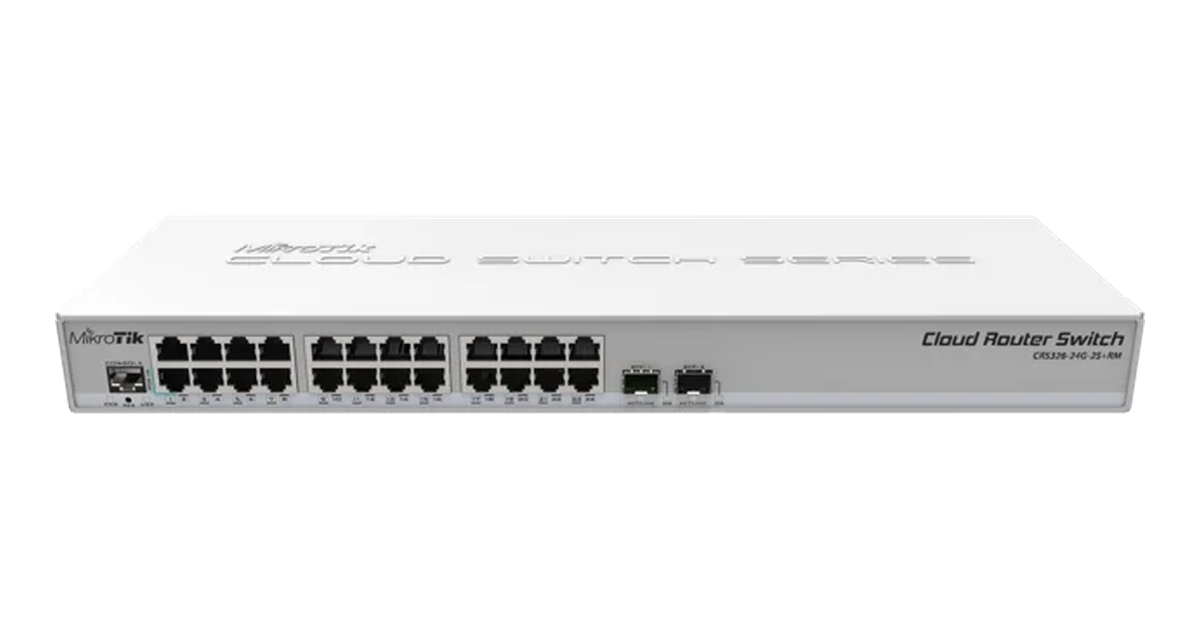
MikroTik CRS326-24G-2S+RM managed switch. Photo: MikroTik.
Syntax depends on the product family and firmware. DHCP server, client and relay are different roles; support for one does not guarantee the others. VLANs and interfaces must be configured beforehand.
Cisco IOS XE
According to the Cisco guide for IOS XE 17.x, a basic configuration fragment looks like this:
configure terminal
ip dhcp excluded-address 192.168.10.1 192.168.10.99
ip dhcp excluded-address 192.168.10.201 192.168.10.254
ip dhcp pool OFFICE
 network 192.168.10.0 255.255.255.0
 default-router 192.168.10.1
 dns-server 192.168.10.10
 lease 1
exit
end
The exclusions leave the .100–.200 range available. The client network interface must have an appropriate address. If DHCP was previously disabled, enable it with service dhcp on supported platforms. View leases and pools with show ip dhcp binding and show ip dhcp pool.
DHCP in a VLAN network: relay and option 82
Routers do not forward broadcast Discover messages between VLANs. To let a central server serve other subnets, enable DHCP relay on their gateways to relay requests and replies.
A typical example on Cisco IOS/IOS XE:
interface Vlan10
 ip address 192.168.10.1 255.255.255.0
 ip helper-address 192.168.100.10
Server 192.168.100.10 must have a scope for 192.168.10.0/24 with gateway 192.168.10.1. Scope selection relies on request data, primarily the relay address in the giaddr field.
Operation requires a return route, permitted DHCP traffic and a scope for each client subnet. When choosing switches from Servermall, consider VLAN, relay and snooping support separately: manageability alone does not guarantee the required feature set.
Option 82 adds information about the connection location, such as the port and network device. The server can use it in allocation policies. It is not mandatory for ordinary relay operation. Agree the option format and trust settings between devices, or requests may be dropped. It does not provide encryption or protection against unauthorised servers on its own.
Security: DHCP snooping and unauthorised servers
An unauthorised DHCP server can supply clients with an incorrect gateway and DNS servers. The cause may be an attack, a consumer router or a test virtual machine. Authorising Windows servers in AD does not replace network protection.
Trusted and client ports
DHCP snooping filters messages on the switch:
- trusted ports accept replies from the legitimate server;
- untrusted client ports block server offers.
Configure trust along the actual reply path. Leaving the legitimate path untrusted stops allocation; trusting every connection makes the protection ineffective. On many platforms, snooping maintains a table of IP addresses, MAC addresses, VLANs and ports that other security mechanisms also use. Persistence of this table and its interaction with static addresses depend on the equipment.
If settings look suspicious, capture the exchange and locate the source using MAC address tables, accounting for any relay. After the source is disconnected, incorrect settings remain until the lease is renewed.
Pool exhaustion and two servers
A pool can run out because its range is too small, leases are too long, devices change frequently, or an attack generates many requests with different identifiers. Access control, pool utilisation monitoring and appropriate request rate limits on client ports can help.
Two designs are valid for two servers:
- Split-scope: independent nodes receive non-overlapping ranges. They do not share a lease database; if one fails, the other node's capacity remains available.
- Failover or HA: nodes coordinate state and lease exchange according to their implementation.
Copying an identical pool onto a second independent server creates conflicts rather than redundancy. Windows failover and Kea HA cannot form a single pair with each other.
Frequently asked questions
Does a small network need a DHCP server?
Yes, for automatic configuration, but it is usually already running on the router. A separate computer is not required. Manual addressing is possible, but settings must then be maintained on every device.
DHCP or a static IP address?
DHCP is convenient for workstations, reservations suit printers, and critical network devices often receive manually assigned addresses. Exclude static addresses from dynamic allocation. The address acquisition method does not make the network faster or determine permission to connect.
Can two DHCP servers run on the same network?
Yes, with a coordinated redundancy mechanism or non-overlapping ranges. Gateway and DNS settings must be consistent. Two independent identical pools can cause conflicts without an explicit error message on the servers.
Are DHCP and DNS the same thing?
No. DHCP provides network settings, while DNS maps names and addresses. Both services can run on the same host, but successfully obtaining a lease does not prove that DNS is working.
How does DHCPv6 differ from SLAAC?
SLAAC allows a device to form an IPv6 address using router advertisements. DHCPv6 can assign addresses or only additional settings if the client supports the relevant mode. It uses UDP 546 on the client and 547 on the server. The default gateway is normally determined through router advertisements rather than DHCPv6, so IPv4 settings cannot be transferred directly.
When do you need IPAM?
IPAM tracks subnets, ranges, static assignments, VLANs and responsible administrators. It complements automatic allocation with an overall view of the address space, particularly across multiple sites.
Reliable DHCP depends on an address plan, a working network path and coordinated redundancy. During an outage, trace the exchange from client to server to locate the cause without making arbitrary changes across the network.
Choosing the Right Equipment
Our specialists will contact you and answer all your questions