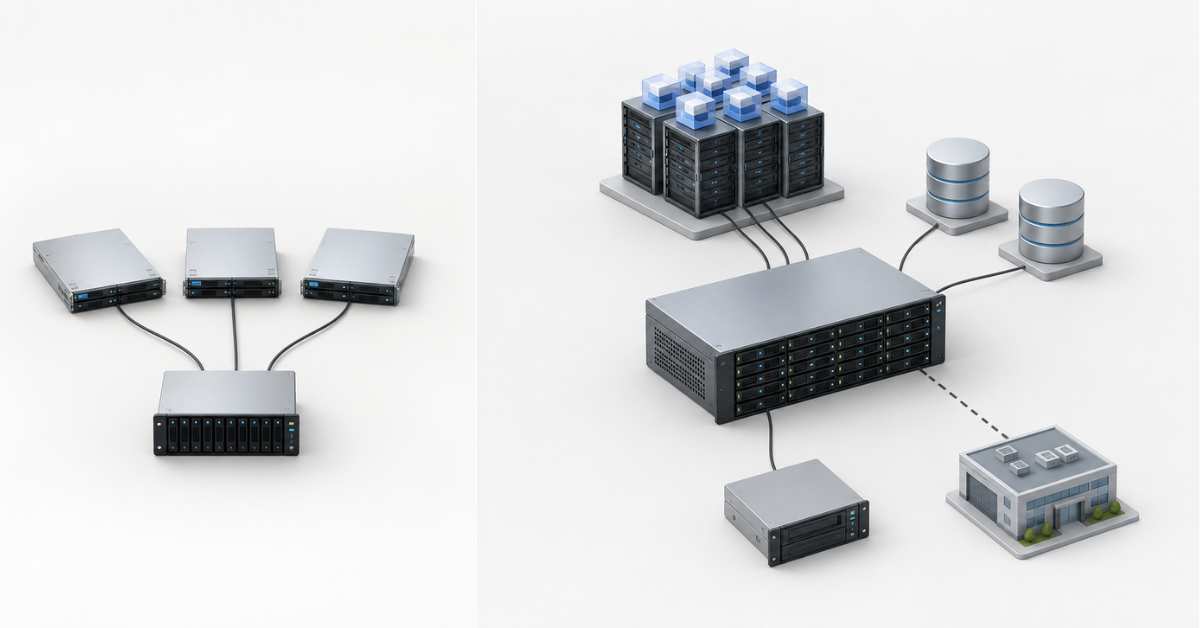
If a storage system is needed for a file archive, backups, small-scale virtualization or a predictable office workload, Dell PowerVault or HPE MSA is usually enough. If the storage system serves critical databases, VDI, a large virtualization cluster, dozens of hosts, replication between sites and strict downtime requirements, it is better to look at PowerStore, Nimble / Alletra or OceanStor from the start. The difference between these classes is not only about price and brand, but also about architecture, data protection features, scalability, analytics and the ability to handle mixed workloads without a sharp increase in latency.
Storage systems are often chosen by two superficial criteria: “how many terabytes” and “what price”. For simple tasks, this is sometimes enough, but in corporate infrastructure this approach quickly leads to mistakes. A storage system is not just about capacity. Controllers, cache, drive types, connection protocols, snapshots, replication, deduplication, compression, peak-load handling, hypervisor support, license costs and the service contract all matter.
Therefore, the question should not be framed as “which brand is better”, but differently: which class of storage fits a specific workload, data growth and the cost of downtime.
If you are just building infrastructure or upgrading an old system, it makes sense to start with the general catalog of storage systems, and then compare not abstract product lines, but specific configurations: controllers, drives, ports, licenses and support.
Our most popular storage systems
Free shipping on orders over 500 € in the EU, £500 in the UK, and $3,000 in the USA

Free shipping on orders over 500 € in the EU, £500 in the UK, and $3,000 in the USA

Free shipping on orders over 500 € in the EU, £500 in the UK, and $3,000 in the USA

Free shipping on orders over 500 € in the EU, £500 in the UK, and $3,000 in the USA
What Entry-Level Means in Enterprise Storage
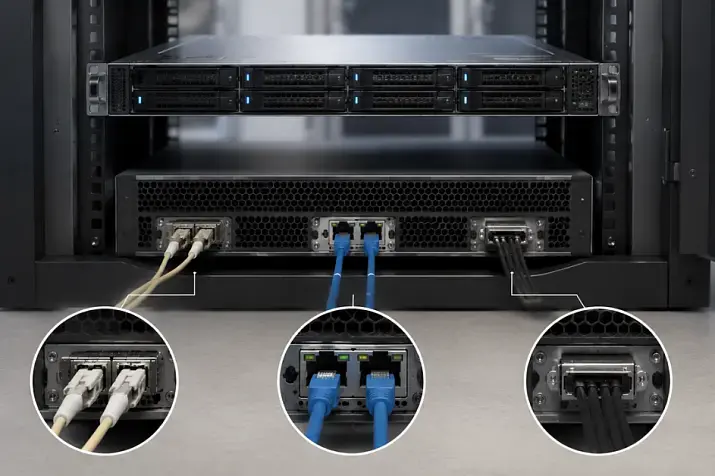
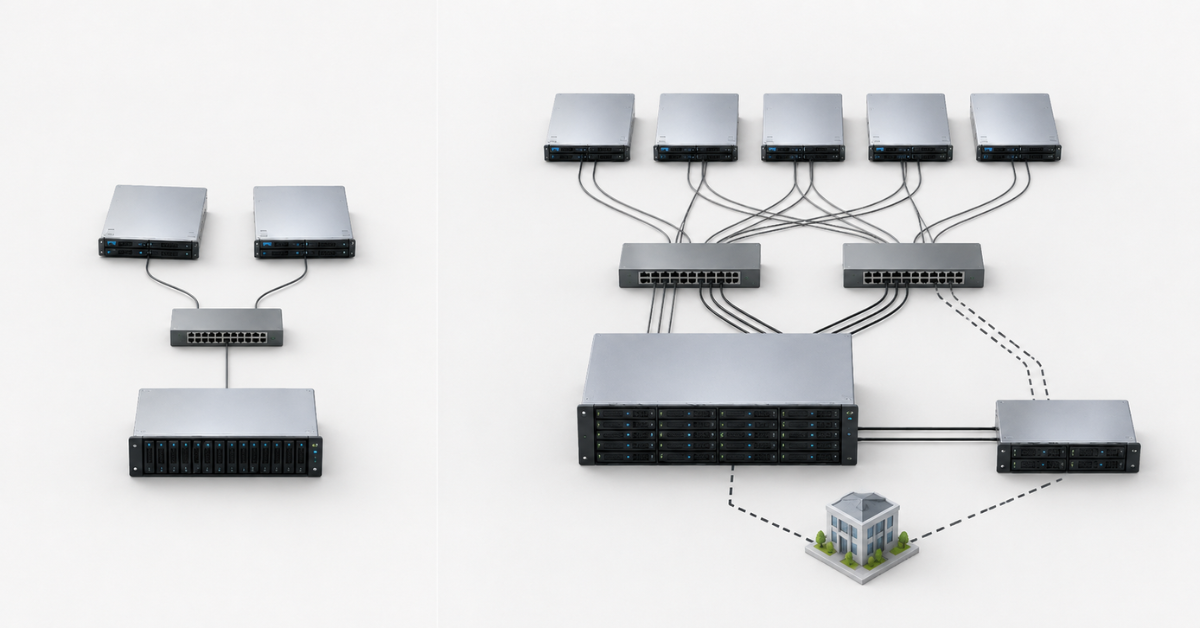
Entry-level storage is not a home NAS and not a simple box with disks. It is an entry-level enterprise storage system that can work with multiple servers, provide shared volumes, support RAID, controller redundancy, basic snapshots and connectivity via SAS, iSCSI or Fibre Channel.
This class usually includes:
- Dell PowerVault ME;
- HPE MSA;
- similar entry-level enterprise systems from other vendors.
Such storage systems are well suited when the infrastructure is clear and does not change too quickly. For example, when it consists of:
- 2–6 physical servers;
- a small virtualization cluster;
- file resources;
- backup;
- office applications;
- archives;
- small databases;
- test environments.
The strength of entry-level storage is its predictable cost. A company gets centralized storage, hardware redundancy, proper server connectivity and basic data protection features without buying an expensive mid-range platform.
But there are also limitations. They are not always obvious in a commercial offer, because on paper even a simple storage system may have “snapshots”, “replication” and “SSD support”. In practice, something else matters:
- how many snapshots can be kept without performance degradation;
- how convenient recovery is;
- whether workloads can be separated flexibly;
- how the system behaves when databases, virtual machines and backups run at the same time;
- how quickly it can be expanded;
- whether advanced analytics are available;
- whether every new feature turns into a separate license.
That is why Dell PowerVault and HPE Storage / MSA should be viewed not as a “cheap replacement for everything”, but as a good option for tasks where the workload is predictable and fault-tolerance requirements remain within the needs of a small or medium-sized business.
What Mid-Range Means in Storage
Mid-range is a storage class for infrastructures where storage becomes a central business component. Such systems cost more, but they provide more than just higher performance. Their value lies in a different level of data management.
This class usually includes:
- Dell PowerStore;
- HPE Nimble / HPE Alletra;
- Huawei OceanStor Dorado;
- similar all-flash and hybrid systems for mid-sized enterprise workloads.
Mid-range storage systems are chosen when it is important not only to store data, but also to consistently serve different workload types at the same time:
- virtualization;
- databases;
- VDI;
- file services;
- backup;
- test and development environments;
- disaster recovery;
- multiple sites.
For such systems, the following are important:
- more powerful controllers;
- advanced cache;
- support for NVMe and fast SSDs;
- built-in deduplication and compression;
- convenient snapshots and clones;
- replication between sites;
- prioritization of critical workloads;
- analytics and forecasting;
- integration with hypervisors and backup systems;
- scaling without painful migration.
Mid-range should be considered where storage is no longer an auxiliary component, but the foundation of service operations. If its outage causes downtime for sales, production, accounting, CRM, ERP, VDI or customer-facing services, saving on the storage class may cost more than the storage system itself.
Why You Should Not Choose by Brand Alone
The same manufacturer can have different storage classes. Dell PowerVault and Dell PowerStore are not “a smaller and a larger box with disks”, but different approaches to different tasks. HPE MSA and Nimble / Alletra also cover different scenarios. Huawei OceanStor can be represented by both compact configurations and serious all-flash systems.
A comparison such as “Dell vs HPE” or “HPE vs Huawei” says little by itself. You need to compare not logos, but the capabilities of a specific configuration.
Before choosing, it is worth answering several questions:
- how many hosts will be connected now and in 2–3 years;
- which applications will run on this storage system;
- whether there are databases with high transactional load;
- whether VDI is planned;
- how many virtual machines will reside on the storage system;
- whether downtime of several hours is acceptable;
- whether replication to a second site is needed;
- how much data can be lost in an incident;
- how quickly recovery must happen;
- whether the workload will grow;
- whether there is a maintenance window;
- who will administer the system.
If the answers are simple, entry-level may be the best solution. If the answers are complex, mid-range is often safer.
How Entry-Level Differs from Mid-Range
| Criterion | Entry-Level: PowerVault / MSA | Mid-Range: PowerStore / Nimble / OceanStor |
|---|---|---|
| Typical tasks | Files, archives, backups, small-scale virtualization, office services | Critical virtualization, databases, VDI, production clusters |
| Controllers | Usually two controllers, enough for moderate load | More powerful architecture, better handling of mixed workloads |
| Cache | Helps smooth out ordinary peaks | Important for stable latency when resources are highly contested |
| Snapshots | Available, but limits and impact on capacity must be checked | Usually integrated more deeply into data protection, clones and recovery |
| Replication | May be available, but licenses and scenarios often require careful checking | More often designed for regular protection between sites |
| Deduplication and compression | Often absent or limited | Used to save flash capacity and work with repetitive data |
| Encryption | Often limited | Often supported |
| Workload prioritization | Usually limited | Important for separating critical and secondary systems |
| Storage tiers | Hybrid SSD + HDD schemes are possible | More flexible work with all-flash and NVMe is more common |
| Analytics | Basic health monitoring | Forecasting, recommendations, bottleneck detection |
| Scalability | Usually through expansion shelves within the model limits | More options for growth in capacity and performance |
| Initial cost | Lower | Higher |
| Cost during growth | May increase sharply because of upgrades, shelves and licenses | May be more cost-effective with significant growth, data reduction and lower downtime |
This table does not replace a specification. Each model has generations, licenses, firmware versions, limits for volumes, disks, ports and snapshots. But it shows the main point: entry-level and mid-range differ not only by the number of disks.
Choosing the Right Equipment
Our specialists will contact you and answer all your questions
When PowerVault or MSA Is Enough
Entry-level storage is usually sufficient if the workload is clear and recovery requirements are not too strict.
This class is a good fit if:
- a small cluster is connected;
- the number of servers is limited;
- there are dozens of virtual machines, not hundreds;
- there is no heavy VDI workload;
- databases are moderate in size and activity;
- most of the capacity is used by files, archives or backups;
- data growth is predictable;
- there are night or weekend maintenance windows;
- replication is not a mandatory requirement;
- the business is ready for planned downtime during maintenance;
- budget is more important than advanced automation.
File Archive
For a file archive, capacity is often more important than minimum latency. If data is mostly read rarely and writes are predictable, entry-level storage can be a rational choice.
A suitable profile:
- project documentation;
- accounting archives;
- media materials;
- shared departmental folders;
- cold data;
- data that rarely changes.
In such tasks, an expensive all-flash system is not always needed. Sometimes it is better to invest in sufficient capacity, a proper RAID scheme, backup and clear support.
Backup
For backups, not only write speed matters, but also restore speed. A common mistake is to calculate only how quickly the storage system accepts backups. But in an incident, another question is more important: how long it will take to bring critical services back.
Entry-level is suitable if:
- backups run on schedule;
- the workload does not compete with production databases;
- recovery does not require minute-level RTO;
- volumes grow moderately;
- there is no continuous replication to a second site.
If the backup system, virtualization and databases use the same storage system, you need to be more careful. Nightly backup writes may interfere with maintenance tasks, snapshots, integrity checks and virtual machine migration, and a single point of failure for both production data and backups can become a fatal mistake.
Small-Scale Virtualization
For small and medium-sized businesses, PowerVault or MSA often covers the virtualization scenario for 2–4 hosts.
For example:
- 15–40 virtual machines;
- a domain controller;
- a file server;
- an accounting system;
- CRM;
- several internal applications;
- test VMs;
- a moderate database.
In such an infrastructure, entry-level storage can work for years if disks, network and path redundancy are selected correctly. But the reserve should be calculated in advance. If there are 30 VMs today and 100 VMs are planned next year, it is better not to choose a system only for the current day.
Office Services
Office services rarely require extreme performance. Reliability, clear support and sufficient capacity matter more for them.
Entry-level can be appropriate for:
- file shares;
- small ERPs;
- mail archives;
- internal portals;
- document management;
- small SQL databases;
- remote offices.
The main point is not to mix these tasks with workloads that sharply change the load profile. For example, if VDI or a heavy analytical database appears alongside office services, a simple storage system may quickly become a bottleneck.
What to Check Before Buying Entry-Level Storage
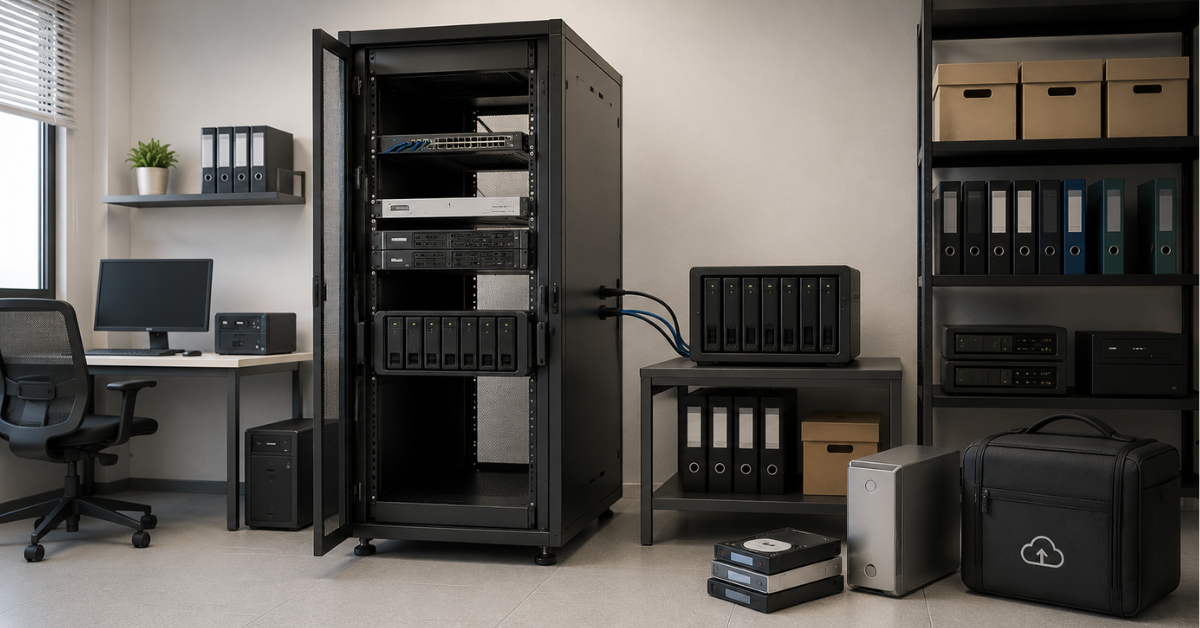
Before buying PowerVault, MSA or a similar system, you need to look not only at price and capacity.
Check:
- Connection type
- SAS;
- iSCSI;
- Fibre Channel;
- the required number of ports;
- the ability to provide path redundancy.
- Drives
- supported SSDs and HDDs;
- the number of expansion shelves;
- drive compatibility;
- expansion cost;
- spare drives.
- Snapshots
- how many snapshots are supported;
- how they consume space;
- how they affect performance;
- whether it is convenient to restore individual volumes.
- Replication
- whether it is included;
- whether a separate license is required;
- how it works over a slow link;
- whether recovery can be tested.
- Performance
- not only maximum IOPS;
- latency under mixed workload;
- write behavior;
- growth reserve.
- Support
- warranty term;
- availability of spare parts;
- response time;
- conditions for replacing controllers and drives;
- access to updates.
- Expansion
- how many disks can be added;
- how many shelves are supported;
- when the whole system will have to be replaced;
- how much expansion will cost in 1–2 years.
Buying entry-level storage is justified when these answers are clear and leave no doubts.
When You Need PowerStore, Nimble / Alletra or OceanStor
Mid-range should be considered when the infrastructure has outgrown a simple scenario. This is not always connected to company size. Sometimes 80 users with a critical database require a more serious storage system than 500 users with a file archive.
A move to mid-range is usually needed if:
- the storage system serves critical business applications;
- downtime is expensive;
- the storage system is used by several departments and systems;
- databases, virtualization, VDI and backups run on one storage system;
- the number of hosts is growing;
- the number of virtual machines is increasing;
- latency requirements are becoming stricter;
- clones need to be created quickly;
- replication between sites is required;
- the maintenance window is shrinking;
- data is growing faster than forecast;
- bottleneck analytics are needed;
- compression and deduplication are required to save flash capacity.
For such tasks, it is worth looking not only at new systems, but also at refurbished mid-range configurations. Sometimes a refurbished mid-range system with a strong configuration, proper support and a feature reserve delivers more value than a new entry-level storage system at a comparable budget.
For high-load scenarios, you can separately consider Mid-Range storage systems and specific product lines such as Huawei OceanStor if all-flash configurations, NVMe, advanced protocols and scalability headroom are required.
Storage systems

Free shipping on orders over 500 € in the EU, £500 in the UK, and $3,000 in the USA

Free shipping on orders over 500 € in the EU, £500 in the UK, and $3,000 in the USA
Free shipping on orders over 500 € in the EU, £500 in the UK, and $3,000 in the USA

Free shipping on orders over 500 € in the EU, £500 in the UK, and $3,000 in the USA
Databases: Where Simple Storage Often Gives Up First
Databases are sensitive not only to speed, but also to latency. If latency increases, users see it as “the application is slow”, even though server CPU and memory may still be free.
Entry-level may be suitable for a small database if:
- there are few users;
- the workload is even;
- the database does not compete with VDI and backups;
- there is no strict requirement to recover within minutes;
- there is a reserve in disks and network capacity.
Mid-range is better if:
- the database supports sales, warehouse operations, production or finance;
- there are many write operations;
- there are peaks during working hours;
- the database grows every month;
- frequent snapshots are needed;
- replication is required;
- downtime directly affects revenue.
For databases, choosing storage by the maximum number of IOPS in the specification is especially risky. A peak value under ideal conditions does not show how the system will behave with mixed writes, snapshots, background tasks and a filled array.
VDI: Why Latency Headroom Is Required
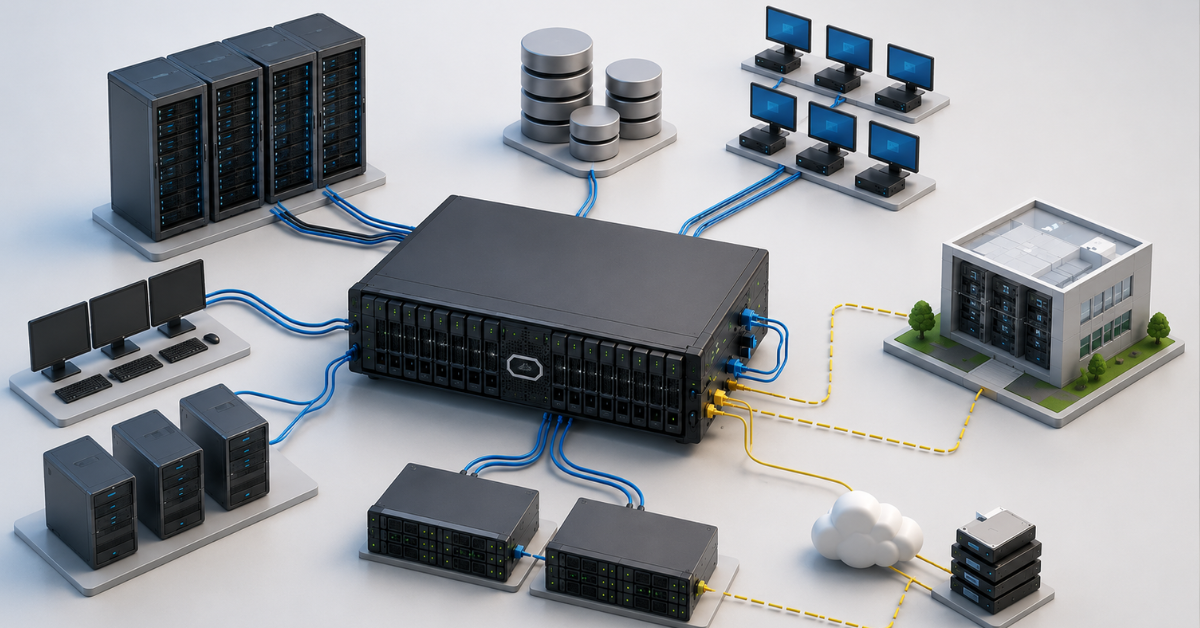
VDI creates an unpleasant workload profile for storage. In the morning, users log in to their desktops at the same time. After updates, many virtual machines start reading and writing similar data. During antivirus scans and mass reboots, the load becomes peak-heavy.
For VDI, the following are especially important:
- stable latency;
- fast clones;
- deduplication;
- compression;
- good handling of random operations;
- peak forecasting;
- the ability to separate VDI from other workloads.
Entry-level can be used for a small VDI pilot, but for a working environment with dozens or hundreds of users, it is better to look at mid-range. Otherwise, the storage system will work normally during calm hours, but degrade at the very moments when users need stability most.
Production Virtualization Cluster
For a small cluster, entry-level is often enough. But as it grows, tasks appear that change storage requirements:
- migration of virtual machines between hosts;
- simultaneous snapshots;
- backup without stopping services;
- hypervisor updates;
- test clones;
- workload separation by priority;
- latency monitoring;
- fast recovery.
If the whole virtualization cluster runs on the storage system, its failure becomes a failure of many services at once. In this case, you need to look not only at disks, but also at controller architecture, path support, hypervisor integration, replication and the service contract.
Two Sites and Disaster Recovery
Replication is often perceived as a “just in case” feature. In practice, it is a separate scenario that needs to be designed.
For disaster recovery, the following are important:
- which data is replicated;
- how often it is transferred;
- what happens if the link is interrupted;
- how much data can be lost;
- how quickly services can be started at the second site;
- whether recovery can be tested without risk to production;
- how replication is licensed;
- whether both systems have enough performance.
Entry-level storage may support replication, but that does not mean it is automatically suitable for a complex DR scenario. If recovery between sites is a mandatory requirement, mid-range usually provides more capabilities and convenience.
Why IOPS Should Not Be the Only Criterion
IOPS is a useful metric, but it often misleads. Commercial offers and specifications may show attractive maximum values obtained in conditions that do not resemble real infrastructure.
In practice, it is more important to look at a combination of factors.
Latency
For databases, VDI and critical applications, stable latency is more important than the maximum peak. A system that shows good IOPS but periodically goes into high latency can be a poor choice for production.
Operation Profile
Different tasks create different workloads:
- databases — many small operations;
- backups — sequential writes;
- VDI — bursts of similar operations;
- file archives — high capacity and relatively few operations;
- virtualization — a mixed profile.
Storage should be selected for the profile, not for an averaged test.
Block Size
The same number of IOPS can mean different workloads with different block sizes. A database, file server and backup system will have different requirements.
Array Fill Level
Many systems behave worse when heavily filled. If a storage system is bought without reserve, in a year it may work noticeably slower, even if there is still formally enough disk capacity.
Network
Sometimes the problem is not the storage system itself, but the connection:
- too few ports;
- no path redundancy;
- weak switches;
- incorrectly selected SFPs;
- not enough HBAs;
- old Fibre Channel is used;
- iSCSI runs over an overloaded network.
Therefore, the whole path must be evaluated: server, adapter, switch, cables, storage ports, disks, controllers and settings.
Which Storage Class to Choose for Each Scenario
| Scenario | Entry-level is usually enough | Better to consider mid-range | What to pay attention to |
|---|---|---|---|
| File archive | Yes | Sometimes | Capacity, RAID, expansion price, backup |
| Backup | Yes | Sometimes | Recovery speed, backup window, network |
| Small-scale virtualization | Yes | Sometimes | Number of hosts, VMs, latency, growth reserve |
| Office services | Yes | Sometimes | Support, simplicity, clear cost of ownership |
| Databases | Sometimes | Yes | Latency, writes, snapshots, recovery |
| VDI | Rarely | Yes | Peaks, clones, deduplication, stability |
| Production cluster | Sometimes | Yes | SLA, replication, support, scalability |
| Two sites | Sometimes | Yes | RPO, RTO, recovery testing, licenses |
| Test environments | Yes | Sometimes | Fast clones, snapshots, capacity |
This table should be used as a starting point. If the workload is simple and clear, entry-level may be the best option. If the workload is mixed and downtime is expensive, mid-range reduces risks.
Choosing the Right Equipment
Our specialists will contact you and answer all your questions
Hidden Costs When Choosing Storage
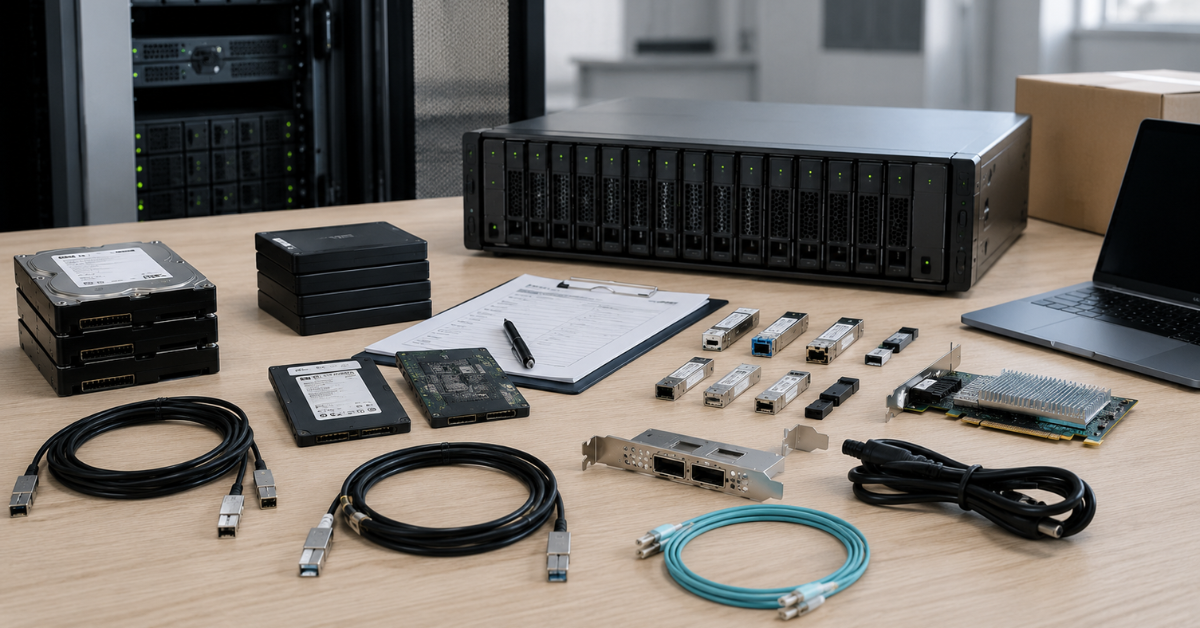
The price in a commercial offer does not always show the real cost of ownership. Two storage systems with the same capacity may differ greatly in the final budget.
Licenses
Check what is included and what must be purchased separately:
- snapshots;
- replication;
- deduplication;
- compression;
- encryption;
- advanced analytics;
- hypervisor integrations;
- backup system integrations;
- support for additional protocols;
- disaster recovery features.
Sometimes a feature exists in the documentation, but is not included in a particular configuration. This is especially important when comparing new and refurbished systems.
Disk Shelves
Capacity expansion is not just the purchase of disks. You may need:
- expansion shelves;
- cables;
- controllers or expansion modules;
- rack space;
- power;
- cooling;
- service maintenance.
If the system is purchased “for growth”, you need to understand in advance how much the second and third expansion stages will cost.
Drives
Vendor-branded drives for storage systems can cost significantly more than ordinary drives. In addition to price, it is important to check:
- compatibility, including compatible OEM options;
- workload type;
- write endurance for SSDs;
- HDD speed;
- availability of spare drives;
- delivery times;
- vendor support.
For all-flash systems, not only “raw” capacity but also effective capacity after compression and deduplication is evaluated separately. But these figures depend on the data. Virtual desktops and similar VMs may compress and deduplicate well, while already compressed archives and media data perform much worse.
Network and Connectivity
The budget often forgets to include:
- Fibre Channel switches;
- 10/25/40/100G Ethernet switches;
- SFP and QSFP modules;
- HBA adapters;
- network cards;
- cables;
- redundant paths;
- multipathing configuration.
If you buy a fast storage system but connect it through a weak or poorly designed network, the expected performance will not be achieved.
Support
Support affects not only convenience, but also downtime risk. It is important to clarify:
- warranty term;
- response time;
- component replacement format;
- whether an engineer is available on site;
- firmware availability;
- support for end-of-sale models;
- availability of spare parts in the region;
- contract renewal conditions.
For critical systems, saving on support can be more dangerous than saving on disks.
Migration
Moving from an old storage system also costs money. Even if the work is done by an internal team, it still means engineering time and the risk of error.
You need to account for:
- data migration;
- testing;
- changing connection paths;
- hypervisor reconfiguration;
- backup reconfiguration;
- recovery checks;
- possible downtime;
- a rollback plan.
If the old entry-level storage system is already overloaded, migration can be more difficult: maintenance windows are smaller, risks are higher and the performance reserve is almost gone.
When Entry-Level Becomes a Bottleneck
It is better to plan a move to mid-range before the storage system starts interfering with the business. The problem usually develops gradually.
The following signs indicate limitations:
- applications slow down during working hours;
- latency increases during backups;
- virtual machines take longer to migrate between hosts;
- snapshots are created more slowly;
- recovery takes too much time;
- there are not enough ports;
- workloads have to be distributed manually;
- new disks and shelves become too expensive;
- there is no convenient replication;
- analytics are insufficient;
- the vendor limits support;
- updates and maintenance become risky;
- the business demands a smaller downtime window.
If every new task requires a workaround, that is already a signal. Storage should simplify operations, not turn into a constant source of restrictions.
How to Calculate Requirements Before Purchase
Before choosing storage, it is useful to collect not ideal wishes, but real infrastructure data.
1. Describe the Workloads
The list should be specific:
- virtualization;
- databases;
- file resources;
- backup;
- VDI;
- test environments;
- archives;
- analytics;
- ERP and CRM;
- remote offices.
For each workload, specify how critical it is and how it affects the business.
2. Evaluate Current Metrics
The minimum set:
- used capacity;
- annual data growth;
- number of servers;
- number of virtual machines;
- peak hours;
- average and peak latency;
- backup speed;
- recovery speed;
- current storage fill level;
- connection type.
Even approximate data is better than choosing by guesswork.
3. Plan Growth for 3 Years
Storage systems are rarely bought for one year. You need to estimate:
- user growth;
- database growth;
- file growth;
- new projects;
- new branches;
- transition to VDI;
- growth in the number of VMs;
- stricter recovery requirements.
If growth is high, buying entry-level “just enough” can lead to another purchase in only 12–18 months.
4. Define Recovery Requirements
You need to answer directly:
- how much data can be lost;
- how quickly recovery must happen;
- which services are the most critical;
- whether a second site is needed;
- who is responsible for recovery;
- how often tests will be performed;
- what happens if a controller, disk, shelf or switch fails.
Without these answers, it is impossible to choose the correct storage class.
5. Compare Two Budgets
It is useful to calculate not one purchase, but two scenarios:
- entry-level now, expansion in a year, possible replacement in 2–3 years;
- mid-range now, a larger initial budget, but a reserve in features and growth.
Sometimes the first scenario is more profitable. Sometimes the second is cheaper over time because it reduces downtime, simplifies data protection and postpones the next migration.
Mistakes When Choosing Storage
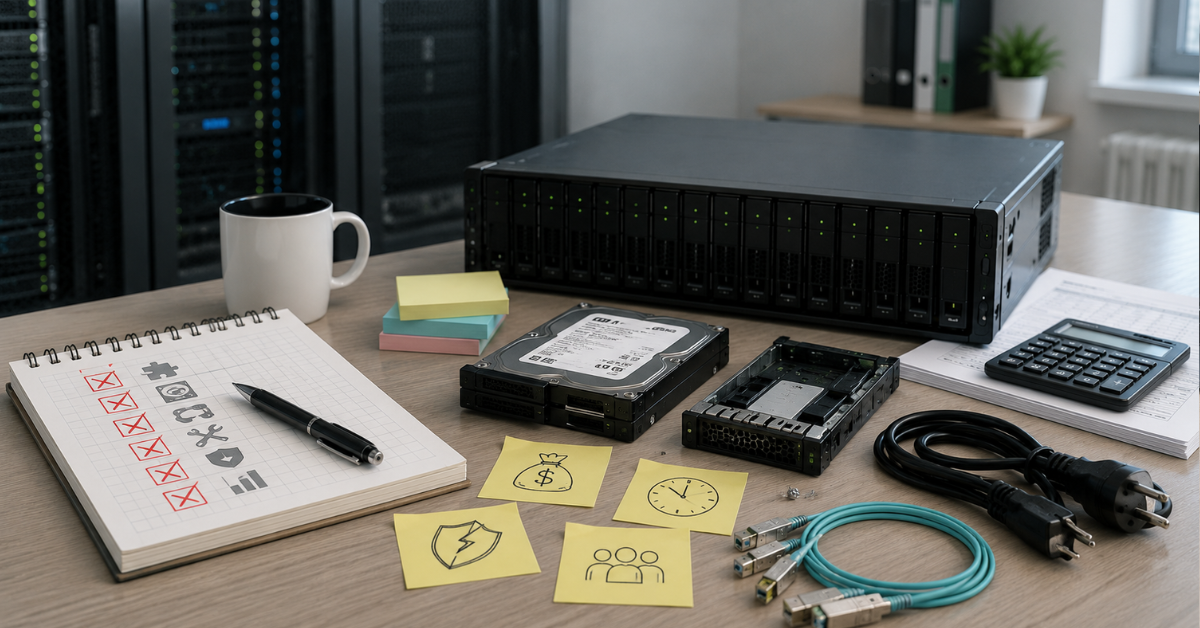
Most often, problems arise not because of a bad model, but because of the wrong scenario.
Typical mistakes:
- choosing only by price per terabyte;
- comparing raw capacity without considering RAID and service reserves;
- not accounting for space used by snapshots;
- trusting only maximum IOPS;
- not looking at latency;
- forgetting about the network;
- not checking licenses;
- not calculating expansion cost;
- not considering support;
- not considering the qualification of the internal team and the need for training;
- buying all-flash without understanding the data profile;
- using entry-level for VDI without testing;
- buying mid-range for a simple archive without a real need;
- not checking hypervisor compatibility;
- not planning migration;
- not testing recovery.
A good storage choice is not maximum performance on paper. It is the match between a specific system, workload, administration team and budget for the entire service life.
What to Request from the Supplier
For the comparison to be fair, you need to request more from the supplier than just the price and model name.
The commercial offer should include:
- exact model;
- generation;
- equipment condition;
- number of controllers;
- cache size;
- drive types and quantities;
- usable and raw capacity;
- RAID scheme;
- list of ports;
- supported protocols;
- list of included licenses;
- list of paid features;
- maximum expansion;
- supported shelves;
- warranty;
- support conditions;
- delivery times;
- availability of spare parts;
- network recommendations;
- connection diagram to servers;
- migration plan;
- configuration for your workload.
You should compare not “PowerVault vs OceanStor”, but two specific configurations. For example: PowerVault with specific SSDs, ports and licenses versus OceanStor with specific controllers, NVMe drives, support and compression features. Only then does the comparison make sense.
How to Make the Decision
You can use a simple rule.
Entry-level storage is worth choosing if:
- the workload is clear;
- growth is moderate;
- the number of hosts is small;
- the data does not require complex replication;
- downtime is acceptable within a planned maintenance window;
- there is no VDI or heavy databases;
- the budget is limited;
- mid-range features will not be used.
Mid-range is worth choosing if:
- the storage system serves critical services;
- downtime is expensive;
- the workload is mixed;
- there are many virtual machines;
- stable latency is required;
- there are databases with active writes;
- VDI is planned;
- replication is needed;
- fast recovery is required;
- data is growing quickly;
- analytics, compression, deduplication and clones are important;
- entry-level expansion already looks expensive and inconvenient.
Dell PowerVault and HPE MSA are a normal choice for files, backups, small-scale virtualization and office services. They provide enterprise storage without unnecessary complexity and high cost. PowerStore, Nimble / Alletra and OceanStor are needed where storage becomes the core of the infrastructure: serving databases, VDI, production clusters, multiple sites and strict recovery requirements.
The right storage system is not the most expensive or the newest one. It is a system with enough performance, features, support and growth reserve for your infrastructure over the next several years.
Choosing the Right Equipment
Our specialists will contact you and answer all your questions
Content:
Free shipping on orders over 500 € in the EU, £500 in the UK, and $3,000 in the USA
Free shipping on orders over 500 € in the EU, £500 in the UK, and $3,000 in the USA
Free shipping on orders over 500 € in the EU, £500 in the UK, and $3,000 in the USA
Free shipping on orders over 500 € in the EU, £500 in the UK, and $3,000 in the USA
Free shipping on orders over 500 € in the EU, £500 in the UK, and $3,000 in the USA
Free shipping on orders over 500 € in the EU, £500 in the UK, and $3,000 in the USA