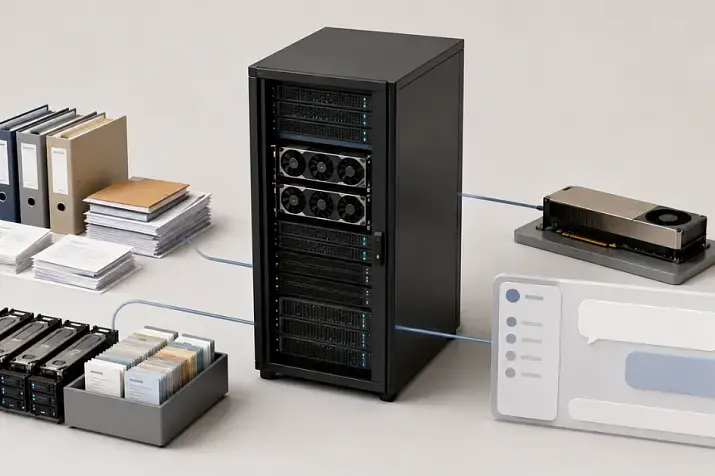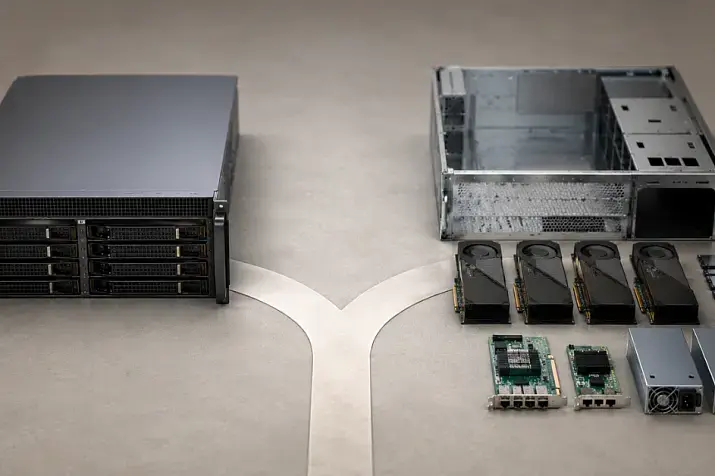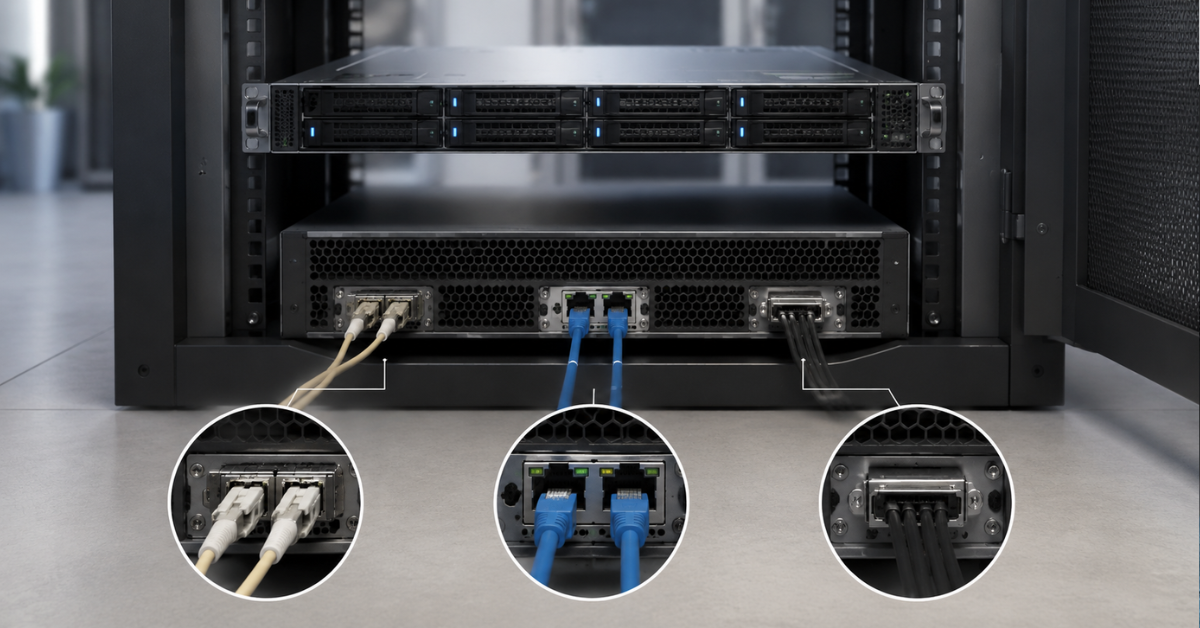
If a storage system is connected to one or two servers in the same rack, it is usually best to start with SAS: it is a simple and clear setup without a separate SAN infrastructure. For a small or medium-sized cluster, iSCSI is often the more rational option, but only with a dedicated storage network and multipath connectivity. For critical databases, large virtualization environments, VDI, and systems where predictable latency and fault tolerance are important, FC is usually the better choice.
Choosing a storage connection interface based only on port speed is a mistake. In practice, other factors matter more:
- how many servers will be connected now and in a year;
- whether clustered operation is required;
- how critical latency is;
- whether there is a separate storage network;
- which ports the storage system already has;
- whether HBAs, network cards, SFP modules, cables, and switches are available;
- who will administer this setup after implementation.
That is why FC, iSCSI, and SAS should not be compared simply as “faster or slower”, but as three different connection architectures.
Our most popular storage systems
Free shipping on orders over £500 in the EU, £500 in the UK, and $3,000 in the USA

Free shipping on orders over £500 in the EU, £500 in the UK, and $3,000 in the USA

Free shipping on orders over £500 in the EU, £500 in the UK, and $3,000 in the USA

Free shipping on orders over £500 in the EU, £500 in the UK, and $3,000 in the USA
What exactly are we comparing?
FC, iSCSI, and SAS can solve a similar task: giving a server block-level access to storage. Technically, however, they are different approaches.
FC: a dedicated storage network
FC, or Fibre Channel, is a separate network that is usually used for data storage. A typical setup includes:
- FC adapters in servers;
- FC switches;
- SFP modules;
- optical cables or DAC cables;
- access zoning;
- multipath connectivity.
FC is often chosen for critical systems where stable latency and predictable behavior under load are important. This interface is well suited for large virtualization clusters, databases, ERP systems, VDI, and other infrastructure where downtime is expensive.
However, FC has a higher entry threshold. You need to buy not only the storage system, but also adapters, switches, modules, cables, and port licenses. In addition, the administrator must understand how a SAN works: zones, WWPN identifiers, two independent fabrics, and path policies on the server.
iSCSI: block storage over an IP network
iSCSI transmits SCSI commands over TCP/IP. This is described in the IETF RFC 7143 standard. In simple terms, the server accesses block storage through an Ethernet network.
The main advantage of iSCSI is accessibility. Infrastructure often already has Ethernet switches, network cards, SFP modules, or DAC cables, and traffic routing is also possible. That is why iSCSI can be cheaper at the start than FC.
But this does not mean that iSCSI can be connected “to any free port on an office switch”. Of course, iSCSI will work even over a regular gigabit network, but that setup will not be stable or productive. For stability, you need a separate storage network:
- separate VLANs, or preferably separate physical switches;
- at least two independent paths;
- dedicated ports on the server;
- separate IP subnets;
- monitoring of packet loss, port errors, and latency;
- consistent MTU across the entire path if jumbo frames are enabled.
iSCSI is well suited for small and medium-sized VMware/Hyper-V clusters, backup, file services, test environments, and general-purpose infrastructure. But its quality directly depends on network design.
SAS: direct connection without a SAN
SAS, or Serial Attached SCSI, is most often used for direct connection of a server to a storage system or disk shelf. IBM describes SAS as a serial interface and a set of protocols for data exchange between storage devices.
A typical setup requires:
- a SAS HBA or RAID controller in the server;
- external mini-SAS or mini-SAS HD cables;
- a storage system with host SAS ports;
- a correct connection scheme to one or two controllers.
SAS is convenient when the storage system is located next to the server and you need to connect one server or a small pair of servers. This setup does not require FC switches or a separate Ethernet storage network. The limitations are also clear: less flexibility, distance limits, and restrictions on the number of connected servers. It is worth noting that a storage network can also be built on SAS, and special SAS switches do exist, but this equipment is rare and specific, and in most cases it is not worth going down that path.
How to choose an interface for your environment
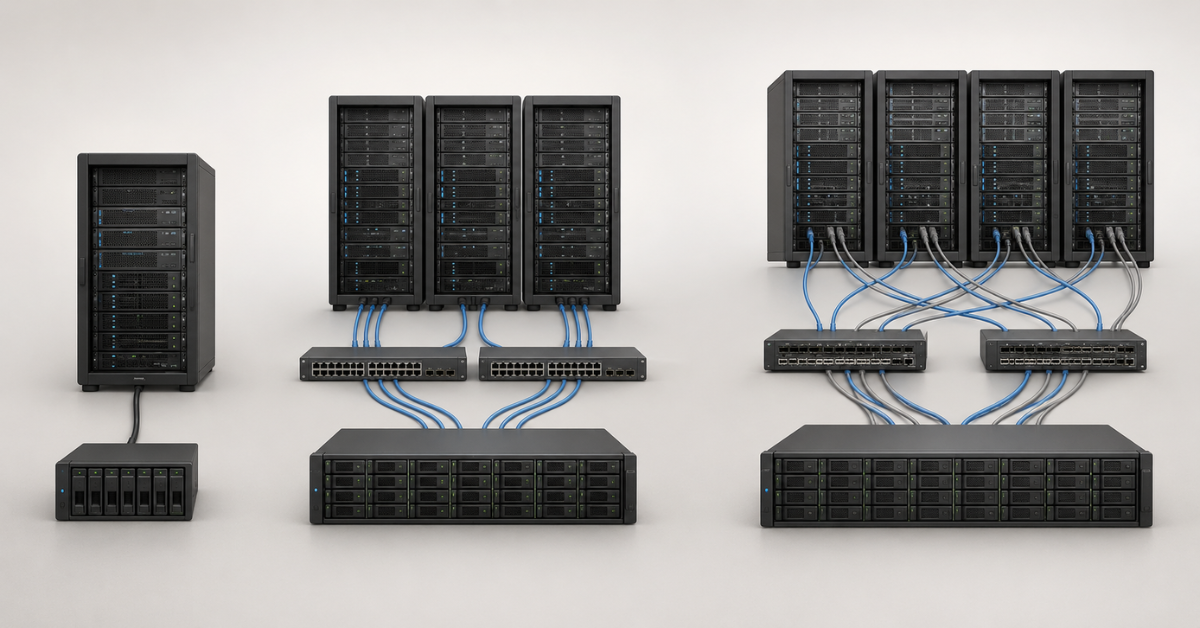
It is better to start not with the question “which interface is faster”, but with the topology.
One server and a storage system in the same rack
SAS should be considered first.
It is suitable for:
- a file server;
- a small database;
- a backup server;
- compact virtualization;
- direct connection of a disk shelf;
- small infrastructure without a separate SAN.
Before purchasing, it is important to check that the storage system has host SAS ports specifically for server connection. SAS connectors on the rear panel may be intended for expansion shelves, not servers. These are different scenarios.
2–4 servers in a small cluster
Here, the choice is usually between iSCSI and FC.
iSCSI is suitable if:
- there is already a 10/25 GbE infrastructure;
- a separate storage network can be allocated;
- the workload is moderate;
- the team knows how to administer Ethernet;
- the budget is limited.
FC is worth considering if:
- latency is critical;
- infrastructure downtime is expensive;
- the cluster will grow;
- there is a budget for a SAN;
- the company already has experience with FC.
SAS is also possible, but only if the specific storage system and servers support this connection scheme. It is less convenient for future growth.
VMware, Hyper-V, and other virtualization clusters
For virtualization, speed is not the only important factor. Stable access to LUNs, multipath I/O support (MPIO), hypervisor compatibility, and behavior during path failure are just as important.
VMware documentation by Broadcom on FC SAN separately covers ESXi practices with Fibre Channel and recommendations for connecting to a SAN.
For a small cluster of 2–6 hosts, iSCSI is often sufficient if storage traffic is isolated. For more critical virtualization, a larger number of hosts, and strict SLAs, FC is more often chosen.
SAS is not always possible in a cluster. It must be checked against the compatibility matrix of the storage system, controllers, servers, and hypervisor.
Choosing the Right Equipment
Our specialists will contact you and answer all your questions
A database with critical latency requirements
For a high-load production database, FC is more often chosen. The reason is not only speed, but also predictable behavior under peak loads.
But this does not mean that iSCSI cannot be used for databases. If the network is designed correctly, 25 GbE or higher is used, separate paths are configured, and there is no competition with user traffic, iSCSI can be a viable option.
SAS is good for a database on one server if the storage system is connected directly and scaling to many hosts is not required.
Backup, archive, and file services
For backup, stable throughput and the backup window are often more important than minimum latency.
Usually, the following is sufficient:
- iSCSI — if there is a dedicated network and flexible connectivity is required;
- SAS — if the backup server and storage system are located next to each other;
- FC — if a SAN already exists or backup must run through the existing FC infrastructure.
Here, it is important not to overestimate the role of the interface. A slow disk pool, deduplication, a weak controller, or an overloaded network can limit performance more than the connection type itself.
VDI and workstations
VDI is sensitive to peak loads: mass user logins in the morning, simultaneous desktop boot, updates, and antivirus scans.
For a small VDI environment, iSCSI on a dedicated network can be used. For a large VDI infrastructure or strict latency requirements, FC is a better option to consider. SAS may work for a compact installation, but it quickly runs into growth limitations.
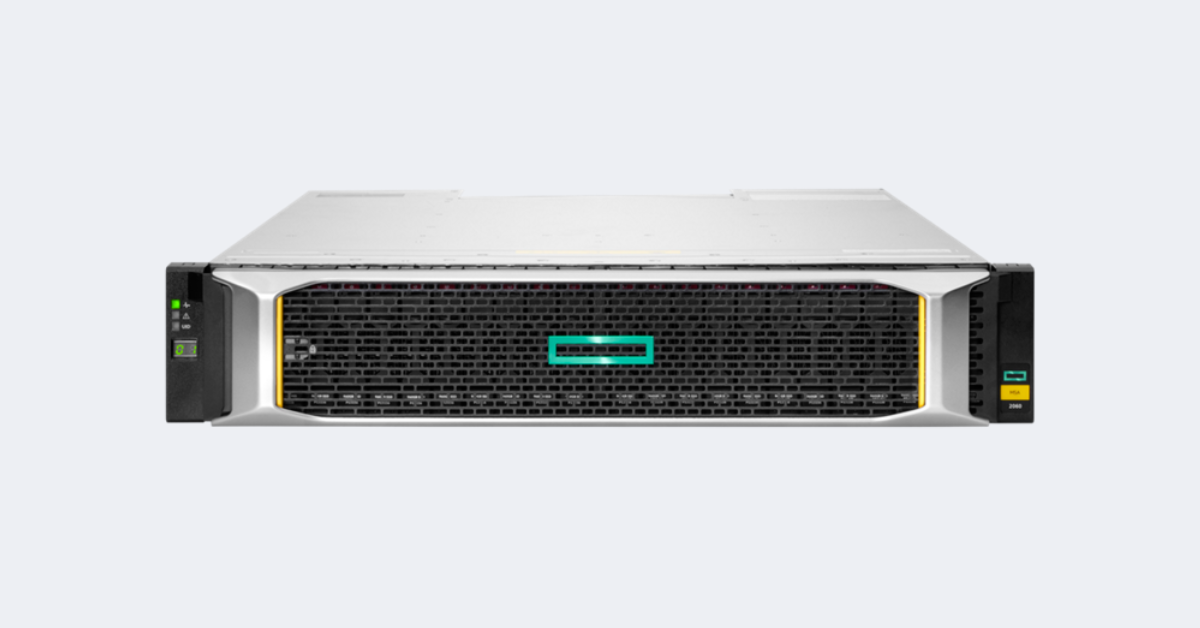
HPE MSA 2060/2050 image.
Image source: hpe.com
FC, iSCSI, and SAS comparison
| Criterion | FC | iSCSI | SAS |
|---|---|---|---|
| Connection type | Dedicated storage network | IP Ethernet network | Direct connection |
| Typical workloads | Critical databases, VMware/Hyper-V, VDI, large clusters | Small and medium-sized clusters, backup, file services | One server, a pair of servers, DAS, compact infrastructure |
| Latency | Usually the most predictable | Depends on the network and load | Low with direct connection |
| Entry cost | High | Medium or low if Ethernet is already available | Low or medium with a small number of servers |
| Connection distance | Good, especially with optics | Good, depends on the IP network | Usually within one rack or row |
| Scalability | Good for many hosts | Good with a well-designed network | Limited, requires specific equipment |
| Fault tolerance | Through two SAN fabrics, HBAs, and multipath connectivity | Through two networks, two switches, NICs, and multipath connectivity | Through two controllers and two paths, if supported |
| Equipment | FC HBA, FC switches, SFP, optics | Ethernet NIC, switches, SFP/DAC/RJ-45 | SAS HBA or RAID controller, mini-SAS cables |
| Speed | The most modern available 8th-generation standard is 128GFC, with 256GFC expected. 16GFC and 32GFC are most common in practice | Limited by Ethernet networks: 40, 100 GbE, and higher in the most modern networks. 10 and 25 GbE are most common in practice | The modern SAS 4.1 standard supports 24G+ |
| Administration complexity | Higher | Medium | Lower, but compatibility is important |
| Main risk | Underestimating cost and complexity | Sending storage traffic through a shared network | Expecting SAN-like scalability |
Port speed is not the same as application speed. Real performance is affected by storage controllers, disk groups, cache, RAID type, queue depth, OS settings, path policy, and competition with other traffic.
For example, iSCSI over 25 GbE can perform better than a poorly designed FC network. And SAS can be more rational than FC if the setup consists of one server and a storage system in the same rack.
Practical connection schemes
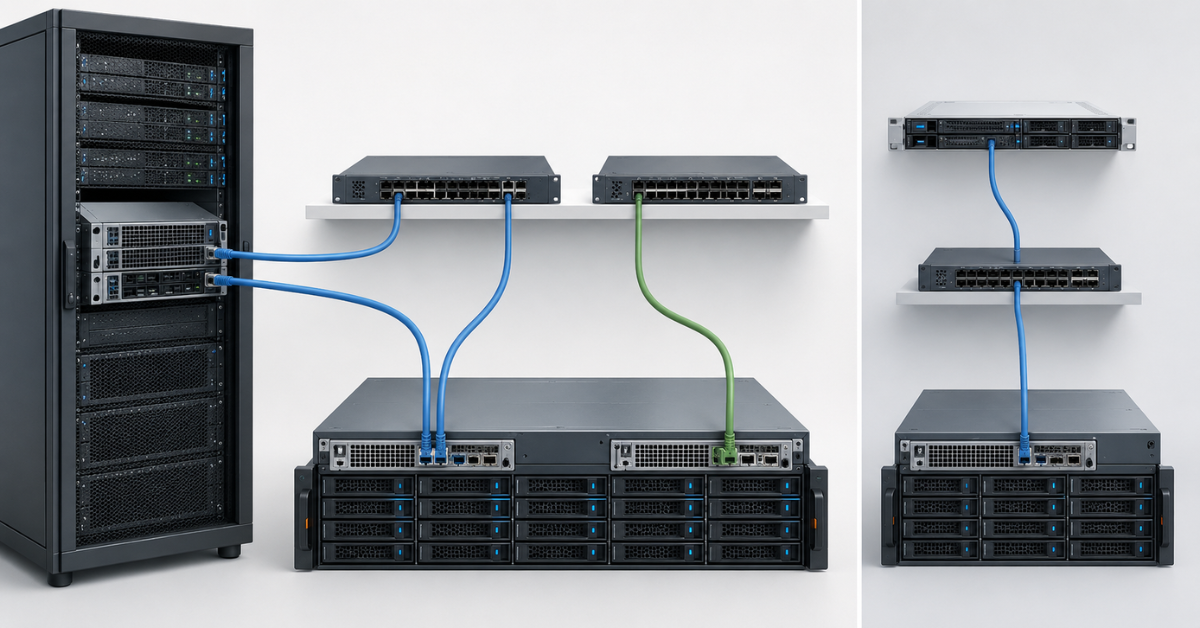
One path to the storage system
The scheme looks simple:
Server → one cable or one switch → one storage port
For a test environment, this setup is acceptable. For production, it is almost never acceptable.
The problem is that every element becomes a single point of failure:
- cable;
- server port;
- HBA or network card;
- switch;
- storage port;
- storage controller.
Even an expensive storage system will not provide fault tolerance if the server is connected to it through only one path.
FC with two independent fabrics
A more correct FC scheme is:
Server, HBA 1 → FC switch A → storage controller A
Server, HBA 2 → FC switch B → storage controller B
In this architecture, it is important to:
- avoid joining the two fabrics in a way where a failure of one element can affect both;
- configure access zoning;
- check LUN visibility from each path;
- enable multipath connectivity on the server;
- check the path selection policy in the OS or hypervisor;
- document which port is connected where.
This approach is more complex than one cable, but it is exactly what makes FC meaningful in critical infrastructure.
iSCSI on a separate storage network
A correct iSCSI scheme usually looks like this:
Server, NIC 1 → iSCSI switch A or VLAN A → storage port A
Server, NIC 2 → iSCSI switch B or VLAN B → storage port B
For iSCSI, it is especially important not to mix storage traffic with the regular office network. In its iSCSI troubleshooting materials, Microsoft separately discusses network-related causes of connectivity issues and instability: iSCSI Storage Connectivity Troubleshooting Guidance.
In practice, for iSCSI you should allocate in advance:
- separate VLANs or physical switches;
- separate IP subnets;
- dedicated network ports on the server;
- two independent paths;
- monitoring of port errors, packet loss, and latency;
- clear rules for changing MTU.
Jumbo frames should be enabled only when they are configured consistently across the entire path: server, switch, and storage port. Partial configuration often creates more problems than benefits.
SAS direct-attached
The SAS scheme is usually simpler:
Server, SAS HBA → mini-SAS HD cable → storage controller A
Server, second SAS HBA port → mini-SAS HD cable → storage controller B
This connection is convenient when the server and storage system are located close to each other. There is no need for switches and no need to design a separate storage network. But it is important to understand in advance how many servers can be connected to a specific storage system and whether a fault-tolerant option with two controllers is supported.
In a storage catalog, you can find different versions of the same product line with different interfaces. For example, to compare the selection logic, it is useful to look separately at FC/iSCSI and SAS models: HPE MSA 2050 FC/iSCSI 24SFF storage system and HPE MSA 2050 HD-SAS 24SFF storage system.
When to choose FC
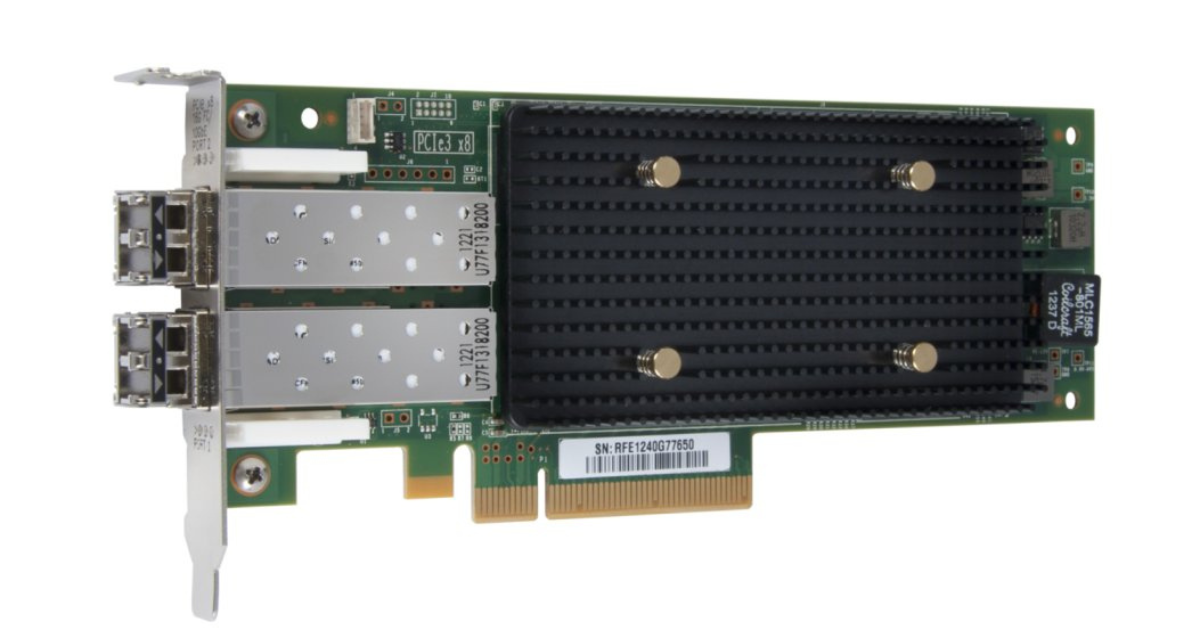
FC HBA / Fibre Channel adapter.
Image source: Oracle official documentation
FC should be chosen when the infrastructure is critical and it is important to reduce the number of random factors in the storage network.
Suitable scenarios:
- a production VMware or Hyper-V cluster;
- high-load databases;
- ERP, accounting, and financial systems;
- VDI;
- high-load file services;
- infrastructure with a large number of servers;
- an environment where FC is already used and supported by the team.
FC is useful because storage traffic is already physically separated from the regular Ethernet network. It does not compete with user traffic, office services, backup over LAN, or other applications.
At the same time, it brings additional costs:
- FC HBA in every server;
- at least two FC switches;
- SFP modules;
- optical cables;
- port licenses;
- spare modules and cables;
- time for zoning and path configuration.
FC is justified not because it is “more expensive”, but because it provides a mature and predictable SAN model for systems where downtime and unstable latency cost more than the equipment.
When to choose iSCSI
iSCSI should be chosen when you need a flexible and relatively affordable storage connection scheme, and the infrastructure already has a strong Ethernet base.
It is suitable for:
- small and medium-sized virtualization clusters;
- backup infrastructure;
- file services;
- test and development environments;
- small databases;
- general-purpose server workloads;
- companies without dedicated FC expertise.
Before implementation, you need to make sure that iSCSI will run not in the shared office network, but in a separate storage environment.
The minimum set of conditions is:
- 10 GbE as the minimum reasonable baseline for modern workloads;
- 25 GbE or higher for denser workloads;
- two independent paths;
- separate VLANs or separate switches;
- dedicated NIC ports;
- enabled multipath connectivity;
- latency and error monitoring;
- a clear IP addressing scheme.
The main risk of iSCSI is not the protocol itself, but a poorly designed network. If storage traffic goes through a shared switch together with users, cameras, telephony, Wi-Fi, and file copies, latency will be random. At the virtual machine level, this may look like “freezes”, even though the disks and storage system are healthy.
Storage systems

Free shipping on orders over £500 in the EU, £500 in the UK, and $3,000 in the USA

Free shipping on orders over £500 in the EU, £500 in the UK, and $3,000 in the USA
Free shipping on orders over £500 in the EU, £500 in the UK, and $3,000 in the USA

Free shipping on orders over £500 in the EU, £500 in the UK, and $3,000 in the USA
Choosing the Right Equipment
Our specialists will contact you and answer all your questions
When to choose SAS
SAS should be chosen for compact setups where the storage system is connected directly to a server or a small pair of servers.
Good scenarios:
- one physical server;
- small virtualization;
- a file server;
- a backup server;
- direct connection of a disk shelf;
- infrastructure in one rack;
- a limited budget without the goal of building a SAN.
The advantages of SAS are clear:
- fewer components;
- no separate SAN;
- low latency;
- a simpler connection scheme;
- simpler physical path diagnostics.
But before purchasing, you need to check several things:
- whether the storage system has host SAS ports;
- how many servers can be connected;
- whether connection to two controllers is supported;
- which exact cables are needed;
- which connector type is used;
- what cable length is allowed;
- whether an HBA or RAID controller is required;
- whether the OS or hypervisor supports the chosen setup;
- whether the configuration can be expanded later.
SAS is a good choice for direct connection, but it does not replace a SAN if, in a year, you need to connect ten servers, place them in different racks, and flexibly distribute volumes between hosts.
Choice by workload type
| Scenario | First choice | Alternative | What to pay attention to |
|---|---|---|---|
| One server and storage system nearby | SAS | iSCSI | Check host SAS ports and cables |
| 2–4 servers, small cluster | iSCSI 10/25 GbE | SAS or FC | Dedicated storage network and multipath connectivity |
| Production VMware/Hyper-V | FC or iSCSI | SAS in limited schemes | Compatibility, path policy, two controllers |
| Database with critical latency | FC | SAS for one server, iSCSI 25 GbE | Queues, cache, RAID, latency stability |
| Backup and archive | iSCSI or SAS | FC if a SAN already exists | Backup window and pool speed |
| VDI | FC or iSCSI 25 GbE | SAS for a compact environment | User login peaks and mass desktop boot |
| File server | iSCSI or SAS | FC for a large environment | Disk group, cache, network, workload growth |
| Growth to many servers | FC or iSCSI | — | SAS will quickly hit topology limits |
If the infrastructure is being purchased from scratch, you should compare not only the price of the storage system itself, but also the full connection kit. In a storage systems catalog, it is useful to look not only at the form factor and capacity, but also at controller interfaces, configuration, cable availability, port type, and expansion options.
Hidden connection costs
An interface has not only a technical side, but also a financial one. Sometimes a solution seems cheap only until it is time to buy cables, modules, and licenses.
What to include for FC
The budget should include:
- FC HBA for every server;
- two FC switches;
- SFP modules;
- optical cables;
- port licenses;
- spare SFP modules;
- spare cables;
- zoning work;
- compatibility checks;
- multipath configuration.
FC is rarely the cheapest option at the start, but it can be more cost-effective in a critical environment where the cost of downtime is higher than the infrastructure cost.
What to include for iSCSI
For iSCSI, you need to account for:
- 10/25 GbE network cards;
- switches with sufficient throughput;
- SFP+, SFP28, or DAC;
- separate VLANs or physical switches;
- path redundancy;
- time for MPIO configuration;
- storage network monitoring;
- possible network infrastructure upgrades.
If iSCSI is built on weak office switches, the savings quickly turn into instability.
What to include for SAS
For SAS, it is important not to forget:
- a SAS HBA or RAID controller;
- external mini-SAS cables of the required type;
- a sufficient number of ports on the storage system;
- the ability to connect to two controllers;
- cable length limits;
- future growth;
- compatibility with the server and OS.
SAS can be the most rational option for a compact environment, but it must be evaluated with future expansion in mind.
Typical selection mistakes
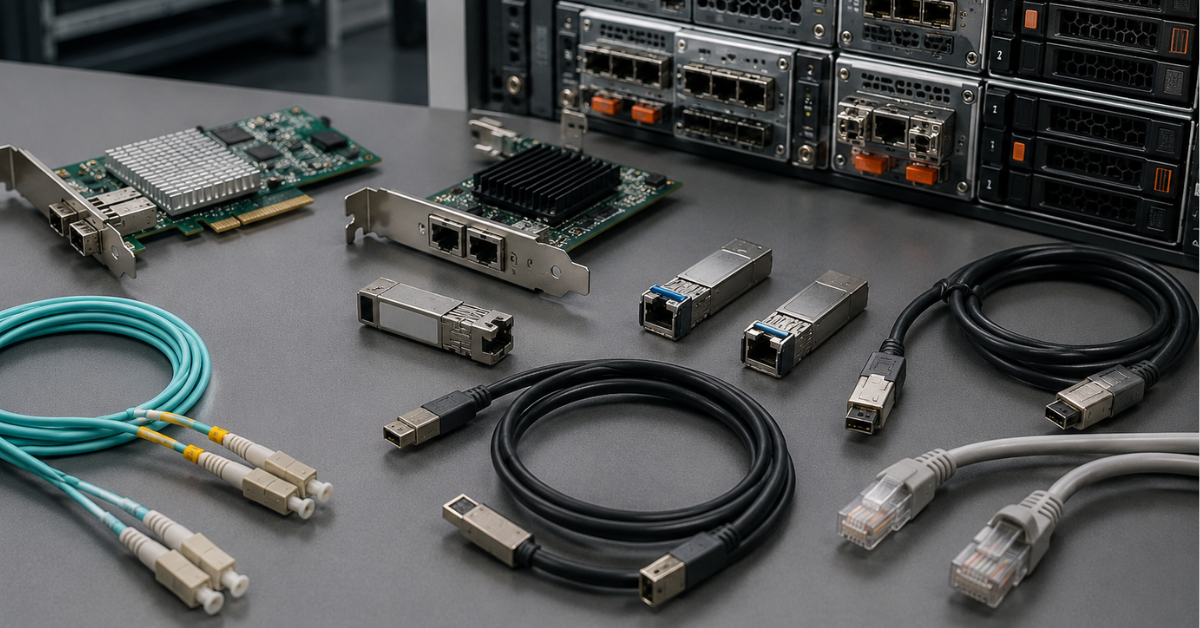
iSCSI in a shared office network
This is one of the most common mistakes. Storage traffic should not be mixed with user traffic, Wi-Fi, IP telephony, cameras, printers, and regular file exchange.
Consequences include:
- random latency;
- packet loss;
- virtual machine freezes;
- difficult diagnostics;
- a false impression that the problem is in the storage system.
The right approach is a separate storage network, two paths, monitoring, and a clear IP addressing scheme.
One path to the storage system
One cable to an array is a single point of failure. One switch is also a single point of failure. One HBA or NIC is also one.
For a production environment, at least two independent paths must be planned. Otherwise, the failure of one physical element can stop access to storage.
Buying a storage system without the required ports
The same storage product line can be sold with different controllers: FC, iSCSI, SAS, or combined variants. Therefore, before purchasing, you need to check not only the model name, but also the exact configuration.
In a commercial offer, it is worth checking separately:
- host port type;
- port speed;
- number of ports per controller;
- SFP availability;
- SFP compatibility with the switch;
- availability of HBA or NIC in servers;
- cable type;
- licenses for ports and features.
Confusing SAS host ports with expansion ports
There may be SAS connectors on the rear panel of a storage system, but this does not always mean that a server can be connected to them. Sometimes these are ports for connecting expansion disk shelves.
Before purchasing, you need to explicitly clarify:
- whether servers can be connected to these SAS ports;
- how many servers are supported;
- whether fault-tolerant connection is supported;
- which cables and adapters are required.
Choosing by maximum port speed
16/32 Gb FC, 10/25 GbE iSCSI, or 12 Gb SAS do not guarantee that speed at the application level.
The limitation may be:
- disk group;
- RAID type;
- storage cache;
- controller;
- request queue;
- one active path;
- an overloaded switch;
- OS or hypervisor settings.
The interface is important, but it will not fix a weak storage architecture.
Using LACP to increase iSCSI throughput
A fairly common case is taking two 10GbE ports and combining them into LACP, expecting to get 20GbE throughput. But port aggregation in this case provides only fault tolerance, not scaling. To increase throughput, MPIO must be used.
Checklist before buying storage systems and servers
Before purchasing, go through this list:
- How many servers will be connected now?
- How many servers need to be connected in 1–2 years?
- Is a VMware, Hyper-V, or another hypervisor cluster required?
- Which interfaces does the storage system have: FC, iSCSI, SAS?
- What is the port speed?
- How many ports are there on each controller?
- Are there two controllers?
- Are there HBAs or network cards in the servers?
- Are FC switches required?
- Are separate Ethernet switches required for iSCSI?
- Are SFP, DAC, optical, or SAS cables required?
- Are there licenses for ports and features?
- Does the OS or hypervisor support the chosen setup?
- Is multipath connectivity configured?
- Is there monitoring for latency, errors, and path failures?
- Has the manufacturer compatibility matrix been checked?
If there is no answer to at least several of these questions, the interface choice should not yet be considered final.
How to make the final decision
For small infrastructure where the storage system is located next to one server or a pair of servers, SAS will often be the simplest and most economical option. It does not require a separate SAN network, it is easy to understand, and it works well for compact solutions.
For a small or medium-sized cluster, iSCSI is usually worth considering first. But only if storage traffic will be isolated from the regular network and the connection will be built with at least two paths. iSCSI is not a “cheap FC”, but a separate approach that works well with the right network architecture.
For critical systems, large clusters, databases, VDI, and infrastructure with high latency requirements, FC is usually the better choice. It is more complex and expensive to implement, but it provides a mature dedicated storage network model and predictable behavior in production.
The right storage connection interface is not the most expensive option and not the fastest option on paper. It is the interface that matches the topology, workload, budget, team expertise, and growth plans. Mistakes usually happen not because of FC, iSCSI, or SAS themselves, but because of unchecked ports, one path to the storage system, a shared network for iSCSI, forgotten cables and licenses, and incorrect scalability expectations.
Choosing the Right Equipment
Our specialists will contact you and answer all your questions
Content:
Free shipping on orders over £500 in the EU, £500 in the UK, and $3,000 in the USA
Free shipping on orders over £500 in the EU, £500 in the UK, and $3,000 in the USA
Free shipping on orders over £500 in the EU, £500 in the UK, and $3,000 in the USA
Free shipping on orders over £500 in the EU, £500 in the UK, and $3,000 in the USA
Free shipping on orders over £500 in the EU, £500 in the UK, and $3,000 in the USA
Free shipping on orders over £500 in the EU, £500 in the UK, and $3,000 in the USA