A separate mistake is assuming that a larger model can compensate for a poor knowledge base. In RAG, answer quality often depends more on documents, chunking, search, and data freshness than on model size.
A GPU server for RAG and a corporate chatbot should not be chosen by the graphics card alone: video memory capacity, model speed, CPU, RAM, NVMe drives, the vector database, document storage, network, access rights, monitoring, and security all matter. For a pilot, one server GPU, fast NVMe storage, and a clear document indexing scheme are often enough. For a production scenario where several company departments use the chatbot, the knowledge base is updated frequently, and data cannot be sent to external services, you already need a complete architecture with redundancy, logging, and a scaling plan.
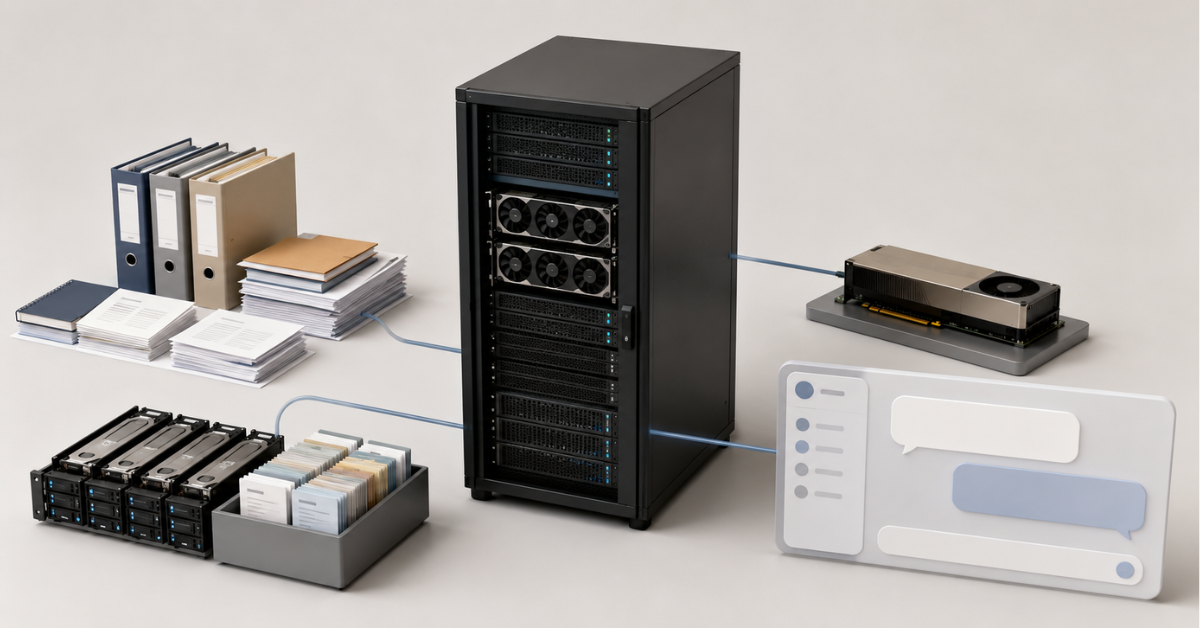
A corporate chatbot based on RAG does not answer “from memory”. It receives a user question, searches for relevant fragments in internal documents, passes them to the language model, and generates an answer based on the retrieved context. That is why the server must not only run the model, but also search documents quickly, check permissions, store indexes, process new files, and handle concurrent requests.
If you choose a server only by the name of the GPU, you can end up with an expensive but unbalanced system. For example, the GPU may sit idle because of slow disks, answers may be delayed because of the vector database, and the security team may block the launch because there is no access control for documents.
What RAG means in a corporate chatbot
RAG (Retrieval-Augmented Generation) is an approach where a language model receives additional context from an external knowledge base. In a corporate chatbot, this knowledge base may include regulations, instructions, contracts, support knowledge base articles, internal policies, customer cards, technical documentation, or materials from a corporate portal.
In simplified form, the process looks like this:
- The user asks a question.
- The system converts the question into a numerical representation for search.
- The vector database finds similar document fragments.
- An additional module can rank the retrieved fragments by usefulness.
- The language model receives the question and the selected fragments.
- The chatbot generates an answer.
- The system saves logs, metrics, and, if necessary, links to sources.
In the NVIDIA RAG Blueprint, this architecture is treated as a separate enterprise pipeline: data ingestion, information extraction, search, answer generation, and system control. This matters because RAG is not a single component, but a set of connected services where each part affects response speed and answer quality.
A corporate RAG system usually includes several parts:
- a language model for answer generation;
- a model for semantic search;
- a vector database;
- a document ingestion and processing module;
- storage for source files;
- a metadata database;
- access rights checks;
- request logging;
- quality and performance monitoring;
- a chatbot interface or API for integration with corporate systems.
A GPU is most often needed to run the language model and accelerate certain search stages. But not every part of RAG depends on the graphics card in the same way. Document indexing, storage, permission filtering, API work, task queues, and monitoring may put more load on the CPU, RAM, disks, and network.
AI servers with NVIDIA
Free shipping on orders over 500 € in the EU, £500 in the UK, and $3,000 in the USA
Free shipping on orders over 500 € in the EU, £500 in the UK, and $3,000 in the USA
Free shipping on orders over 500 € in the EU, £500 in the UK, and $3,000 in the USA
Free shipping on orders over 500 € in the EU, £500 in the UK, and $3,000 in the USA
Why the graphics card does not solve everything
The graphics card handles heavy computation, but it cannot fix architectural mistakes. If documents are poorly prepared, the server will generate weak answers quickly. If the knowledge base sits on slow storage, the user will still wait even when the GPU is almost idle. If there is not enough RAM, indexes and caches will start competing with other services.
A chatbot may be slow not because of the GPU, but because of other bottlenecks:
- the context passed to the model is too long;
- several users create a request queue at the same time;
- the vector database searches documents slowly;
- documents are stored on external storage with slow access;
- the CPU cannot keep up with processing PDFs, tables, and presentations;
- there is not enough RAM for indexes and caches;
- regular SSDs or network storage without the required speed are used instead of NVMe;
- there is no cache for popular questions;
- the system repeatedly processes the same documents;
- the selected model does not fit well into video memory;
- monitoring is not configured, so the team cannot see the real cause of delays.
For RAG, what matters is not only the maximum text generation speed, but the total response time: search, fragment ranking, context preparation, generation, and delivery of the result to the user. If one of these stages is slow, even the strongest GPU will not save the user experience.
What a server architecture for RAG consists of
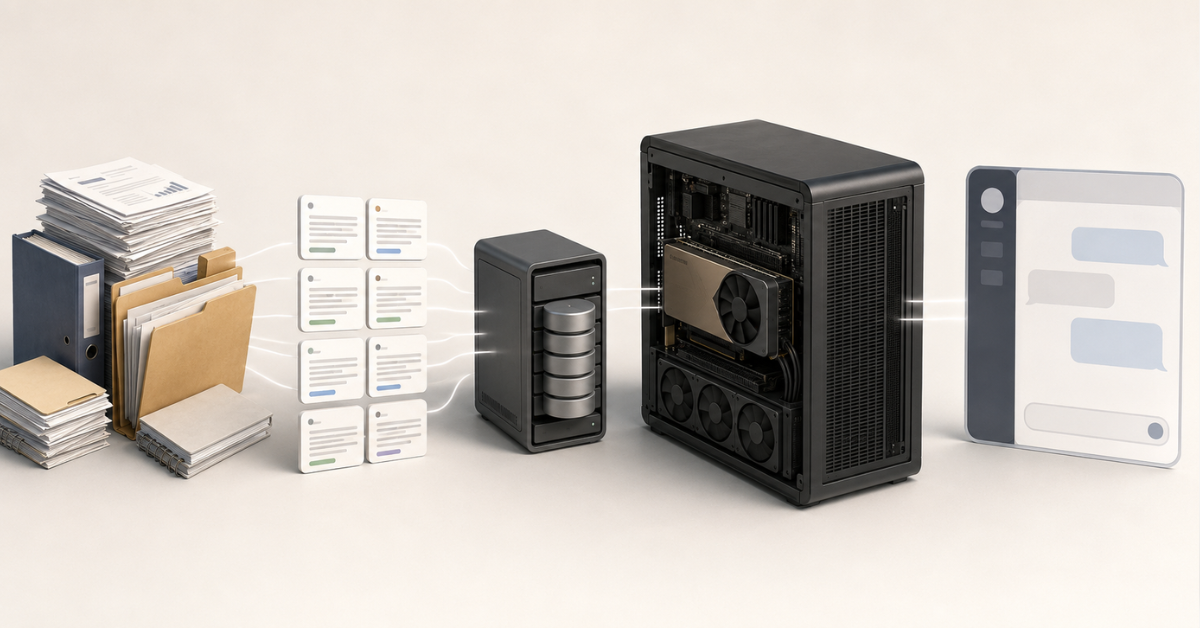
A corporate RAG server is best viewed as several connected subsystems. They can run on one physical server, on several nodes, or in a mixed architecture.
Answer generation
The language model is the most visible part of the system. It is the component that generates the answer for the user. For it, the following are important:
- video memory capacity;
- model size;
- context length;
- number of concurrent users;
- model operating mode;
- time to first response;
- stable latency under load.
The larger the model and the longer the context, the more video memory is required. For a simple pilot, you can use a more compact model and one GPU. For a production scenario with many users and long documents, you need VRAM headroom and more careful inference configuration.
The vLLM documentation separately discusses parameters that affect GPU memory usage, cache, and model throughput. This is a good example of how performance depends not only on the GPU itself, but also on how queues, caching, and parallel request processing are organized.
Semantic search
To help the chatbot find the right document, the text of the question and the text of the documents are converted into numerical representations. This makes it possible to search not only by exact words, but also by semantic similarity.
For example, a user asks: “How do I take unpaid leave?” In the documents, the wording may be “leave without pay”. A regular keyword search may fail to find the right fragment, while semantic search is more likely to connect these formulations.
The model for this type of search can run on CPU or GPU. If the knowledge base is small and rarely updated, a GPU is not always critical for this stage. If documents are added constantly, there are many PDFs and tables, and reindexing runs every day, acceleration becomes important.
NVIDIA NeMo Retriever describes this pipeline as a set of components for data extraction, embedding generation, indexing, and result reranking. In a corporate environment, this is especially important because search quality directly affects answer quality.
Vector database
The vector database stores document fragments in a form suitable for semantic search. It determines which fragments will be passed into the model context.
For a vector database, the following are important:
- index size;
- read speed;
- RAM capacity;
- fast disks;
- metadata filtering;
- backup;
- recovery after failure;
- support for access rights.
In production, a vector database must not be treated like a temporary folder. If the index is lost, becomes outdated, or is built without access rights in mind, the chatbot will start answering incorrectly or using documents that a specific user should not see.
Choosing the Right Equipment
Our specialists will contact you and answer all your questions
Document ingestion and processing
Document preparation is often more difficult than it seems. A corporate knowledge base rarely consists of neatly structured text files. It usually contains PDFs, scans, DOCX files, spreadsheets, presentations, HTML pages, archives, old versions of instructions, and duplicates.
At the ingestion stage, you need to:
- extract text;
- remove noisy characters;
- remove duplicates;
- separate current versions from outdated ones;
- split documents into fragments;
- add metadata;
- preserve the link to the source document;
- take access rights into account;
- prepare data for indexing.
If this stage is done poorly, a strong model will answer confidently but inaccurately. It will receive the wrong fragment, an outdated document version, or text without the required context.
Storage for documents, indexes, and logs
RAG needs different types of data, and it is better not to mix them in one shared folder:
- source documents;
- cleaned text;
- document fragments;
- embeddings;
- vector database indexes;
- metadata;
- request logs;
- user ratings;
- backups.
NVMe drives are especially useful for active indexes, cache, temporary files, and fast reindexing. Large archives can be stored separately, but the working dataset must be read quickly. Otherwise, the GPU will wait while the server prepares the data.
CPU and RAM
The CPU is not needed “just for completeness”. It serves the API, document processing, text extraction, filtering, queues, background tasks, monitoring, and part of the search logic. If the server has a weak processor, the whole system can slow down before the request even reaches the GPU.
RAM is needed for:
- the vector database;
- indexes;
- cache for popular requests;
- document processing queues;
- containers;
- system services;
- monitoring;
- several models or services on one node.
For a pilot, a moderate amount of RAM may be enough. For production, where the database, API, indexing, monitoring, and several users work at the same time, saving on memory quickly becomes a problem.
Network
The network matters if documents are stored on external storage, the vector database is moved to another server, there are several GPU nodes, or the chatbot connects to corporate systems.
For a pilot, 10G is often enough. For production with a large volume of documents, separate storage, and several nodes, it is worth considering 25G and higher in advance. For clustered architecture and heavy AI workloads, the network quickly becomes as important as the GPU and disks.
Security
A corporate chatbot works with internal data. Therefore, security must be built into the architecture, not added after the pilot.
You need to think through in advance:
- who has access to which documents;
- how permissions are checked before fragments are passed to the model;
- where request logs are stored;
- whether personal data appears in logs;
- whether documents and indexes are encrypted;
- how outdated or prohibited documents are removed;
- who can reindex the knowledge base;
- how errors and suspicious requests are recorded;
- whether data can be sent to external APIs.
OWASP separately highlights prompt injection in its list of risks for LLM applications: a situation where a malicious instruction in a request or document attempts to change model behavior. For RAG, this is especially important: a dangerous instruction can come not only from the user, but also from a document uploaded to the knowledge base.
What data affects server configuration
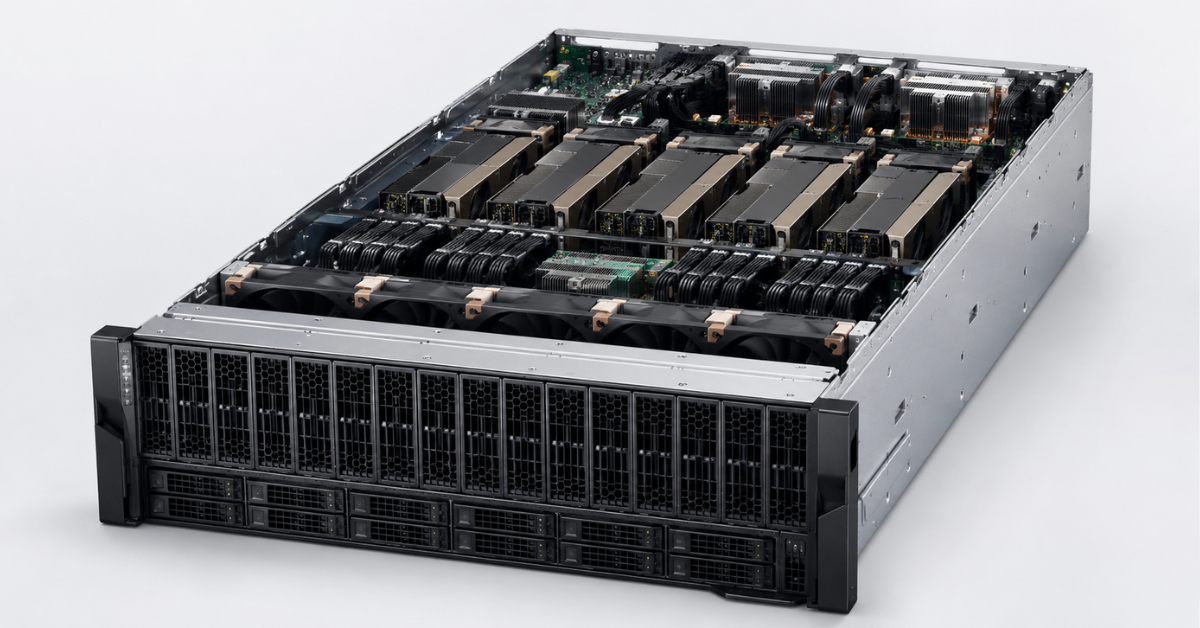
Before choosing a server, you need to describe not only the model, but the task itself. Two companies may both launch a “corporate chatbot”, but their hardware requirements will be different.
| Project parameter | What to clarify | What it affects |
|---|---|---|
| Knowledge base size | Gigabytes, terabytes, number of documents | Disks, RAM, index size |
| Update frequency | Monthly, daily, continuously | CPU, task queue, processing speed |
| File types | PDF, DOCX, spreadsheets, presentations, scans | CPU, RAM, text extraction quality |
| Context length | Short answers or long documents | VRAM, latency, request size |
| Number of users | 10, 100, 1000+ | GPU, API, queues, load balancing |
| Peak load | How many requests run simultaneously | VRAM, throughput, cache |
| Access rights | Shared base or department-based access | Metadata, filtering, security |
| Latency requirements | Users can wait 30 seconds or need 2–5 seconds | GPU, cache, network, architecture |
| Data storage | Whether cloud is allowed or a closed environment is required | Server placement, redundancy, audit |
It is especially important to assess growth. If the knowledge base is 100 GB today, but in a year it will become 2 TB of documents with daily updates, the pilot server can quickly turn into a temporary solution.
Requirements for a pilot, production, and multi-user scenario
There is no single universal configuration for every RAG system. But there are reference points that help avoid mistakes at the start.
| Scenario | VRAM | RAM | Disks | Redundancy | Latency and load | Monitoring |
|---|---|---|---|---|---|---|
| Pilot | 24–48 GB if the model is compact or optimization is used | 128–256 GB | 1–2 NVMe drives for the system, index, and test knowledge base | Basic, without complex fault tolerance | Higher latency is acceptable; validating the hypothesis matters more | GPU, RAM, disks, response time, search errors |
| Production for one department | 48–80 GB and higher, depending on the model and context | 256–512 GB | Separate NVMe drives for indexes, documents, logs, and cache | RAID for the system partition, backups of the index and documents | Stable response time, queue control | Latency, throughput, VRAM, search quality, access errors |
| Several departments and many users | 80 GB and higher or several GPUs | 512 GB–1 TB and higher | Fast NVMe pool, separate document storage, snapshots | Redundant PSUs, RAID, backups, recovery plan, possibly several nodes | p95/p99 control, user limits, queues | Full request metrics, audit, alerts, answer quality, security |
These values should not be treated as a ready-made specification. The real server is selected after testing the model, evaluating the knowledge base, the number of users, security requirements, and the acceptable response time.
Our most popular servers

Free shipping on orders over 500 € in the EU, £500 in the UK, and $3,000 in the USA
Free shipping on orders over 500 € in the EU, £500 in the UK, and $3,000 in the USA
Free shipping on orders over 500 € in the EU, £500 in the UK, and $3,000 in the USA

Free shipping on orders over 500 € in the EU, £500 in the UK, and $3,000 in the USA
How to choose a GPU for RAG and a chatbot
GPU selection starts not with the question “which graphics card is the most powerful”, but with which model will run, what context it needs, and how many users will work at the same time.
When choosing a GPU, the following matter:
- video memory capacity;
- support for the required software stack;
- power consumption;
- form factor;
- cooling requirements;
- the option to install several GPUs;
- compatibility with the server platform;
- headroom for model and user growth.
For small pilots and corporate assistants with moderate load, you can start with the broader category of NVIDIA GPUs for AI and neural networks and choose a card for the specific model and VRAM capacity. For example, some tasks may work with NVIDIA L40S 48GB or NVIDIA RTX PRO 6000 Blackwell Server Edition, provided the server is compatible in terms of power, cooling, and dimensions.
For heavier local models, long context, and production load, it is worth considering solutions with larger video memory: NVIDIA A100 80GB, NVIDIA H100 80GB, or NVIDIA H200. But even such a GPU will not be a good choice by itself if the server cannot support it in terms of power, cooling, slots, and overall architecture.
For RAG, what often matters more than peak performance in ideal conditions is stable operation with real requests. Users do not evaluate “theoretical tokens per second”. They see how quickly the chatbot starts answering, how accurate the answer is, and whether the service breaks during peak hours.
CPU, RAM, and NVMe: where hidden limits appear
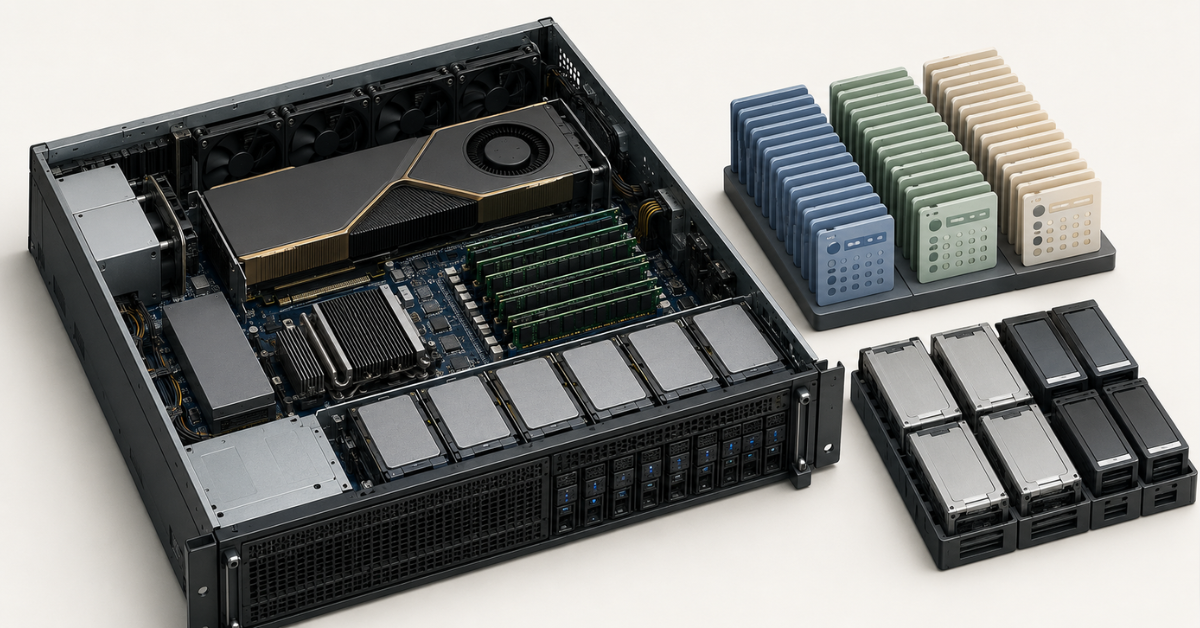
In a RAG project, CPU, RAM, and disks can be as important as the GPU.
The CPU participates in document processing, API work, result filtering, request preparation, background tasks, and monitoring. If documents are updated constantly, the server will regularly extract text, rebuild fragments, and update the index. This is not always a GPU workload.
RAM is needed for the vector database, caches, containers, queues, and system processes. If memory runs out, the server becomes unstable: latency grows, indexing takes longer, and services start competing for resources.
NVMe drives are needed for active data:
- indexes;
- temporary files;
- cache;
- logs;
- cleaned text;
- local copies of the knowledge base;
- fast reindexing.
If you save on NVMe, the GPU may sit idle. The money is invested in the accelerator, but the data reaches the model too slowly.
Corporate RAG security
Corporate RAG almost always works with sensitive data. This can include contracts, commercial proposals, financial documents, personal data, customer correspondence, internal regulations, and technical documentation.
Before launch, you need to define:
- which documents can be indexed;
- which documents must not be used;
- who is responsible for keeping the knowledge base up to date;
- how user permissions are checked;
- how outdated documents are removed;
- how logs are stored;
- who has access to request history;
- whether data can be sent to external services;
- what to do if a data leak is suspected.
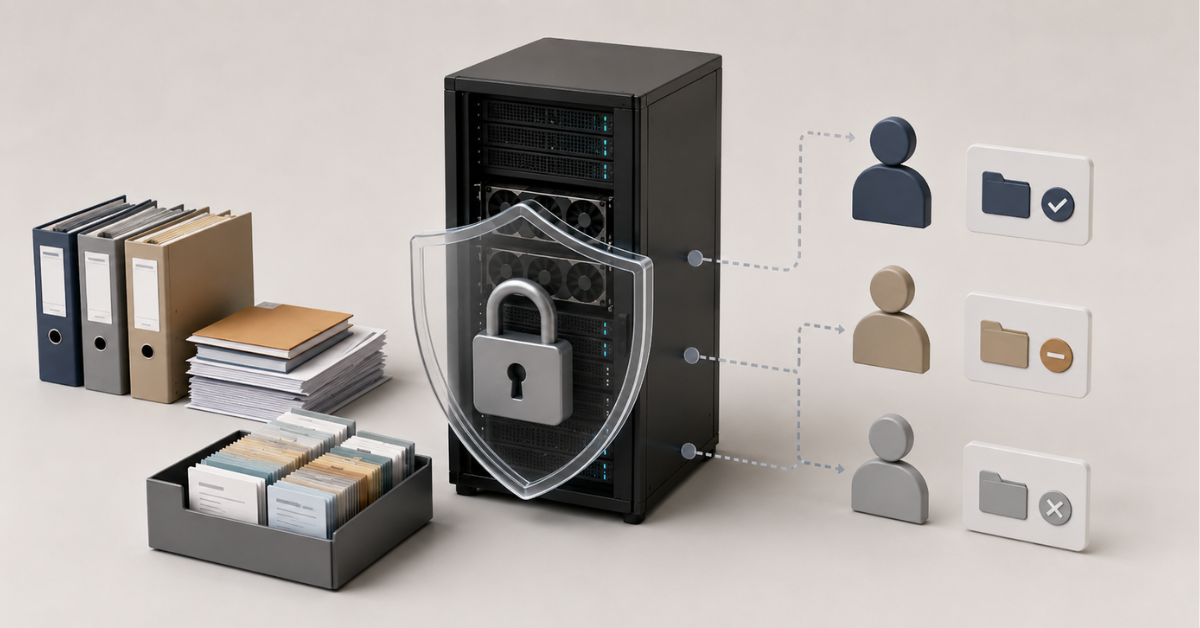
If an employee does not have access to a document in the corporate system, the chatbot must not use that document when generating an answer. This rule should be implemented not at the level of a “model instruction”, but at the architecture level: metadata, filters, roles, and permission checks before the context is passed to the model.
In its generative AI risk profile, NIST recommends viewing such systems through risk management, audit, lifecycle, and trustworthiness of outputs. For a corporate chatbot, this means that the server architecture must support not only speed, but also control: who asked the question, which documents were used, why a specific answer was given, and whether the system can be restored after a failure.
How to implement RAG and a corporate chatbot
Implementation is better started not with buying a server, but with preparing data and scenarios.
Collect data sources
You need to determine where the chatbot will get its knowledge from:
- knowledge base;
- corporate portal;
- file folders;
- CRM;
- support tickets;
- instructions;
- contracts;
- regulations;
- technical documentation;
- training materials.
At this stage, it is important to remove unnecessary materials immediately: drafts, duplicates, outdated versions, documents without an owner, and files that cannot be used under the security policy.
Prepare documents
Documents must be converted into a form that the search system can work with:
- extract text;
- clean formatting;
- process tables;
- separate useful text from service content;
- preserve the link to the source file;
- add date, owner, department, and access level.
If the knowledge base contains many scans, optical character recognition will be required. If there are many tables, you need to check separately whether the meaning is lost during extraction.
Split documents into fragments
Fragments that are too small lose context. Fragments that are too large increase model load and can reduce accuracy. For corporate RAG, it is important to test different fragment sizes on real questions.
For example, a 40-page instruction may contain several different procedures. If the whole document is passed to the model, it may pick up unnecessary information. If the document is split too finely, the answer may lose conditions and exceptions.
Choosing the Right Equipment
Our specialists will contact you and answer all your questions
Build the index
After preparation, fragments are converted into vectors and loaded into the database. At this stage, it is important not to forget metadata:
- department;
- document type;
- update date;
- version;
- owner;
- language;
- access level;
- link to the source document.
Without metadata, it is difficult to filter results, remove outdated documents, and explain to the user what the answer is based on.
Configure search and ranking
A good RAG system does not simply take the first similar fragments. It must select genuinely useful sources. This is done with filtering, hybrid search, and result reranking.
It is important to test search quality separately from generation quality. If the system finds the wrong fragments, the model will almost inevitably produce a weak answer.
Configure answer generation
The model should answer based on the retrieved documents, not invent missing data. For a corporate chatbot, it is useful to define rules in advance:
- what to do if information is missing;
- when to ask for clarification;
- how to refer to documents;
- how to answer disputed questions;
- which topics are prohibited;
- which data must not be shown in the answer.
Launch a pilot and measure quality
The pilot should be conducted not on ideal demo questions, but on real employee requests. The test set should include:
- simple questions;
- questions with ambiguous wording;
- questions about outdated documents;
- requests with restricted permissions;
- questions where the correct answer is “there is not enough information”;
- attempts to bypass restrictions.
After the pilot, it will become clear what needs to be strengthened: GPU, RAM, disks, search, access rights, document preparation, or prompt quality.
Which metrics to monitor
Without monitoring, it is impossible to understand whether the server is coping. The team may see that “the chatbot is slow”, but not know where the problem actually is.
For infrastructure, monitor:
- GPU load;
- video memory usage;
- GPU temperature;
- CPU load;
- RAM usage;
- disk speed;
- network latency;
- free space;
- container and service errors.
For the RAG pipeline:
- search time;
- reranking time;
- answer generation time;
- time to first token;
- total response time;
- number of retrieved fragments;
- share of answers without relevant context;
- document access errors.
For quality:
- answer accuracy;
- presence of links to documents;
- share of “not enough information” answers;
- user ratings;
- follow-up questions;
- complaints about outdated data.
For security:
- attempts to access restricted documents;
- suspicious requests;
- signs of prompt injection;
- leaks of sensitive data in logs;
- unusual activity spikes.
If these metrics are not collected from the start, a production launch turns into guesswork. The team will change the model, GPU, or database without understanding where the real bottleneck is.
One server or several nodes
One server can be a good solution for a pilot or an initial production launch. It is simpler to buy, maintain, and debug.
One server is suitable if:
- the knowledge base is moderate in size;
- there are not many users;
- documents are not updated continuously;
- the model fits into one GPU;
- there are no strict fault-tolerance requirements;
- the vector database does not create a separate heavy load;
- the project is only validating a hypothesis.
Several nodes are needed when the system becomes part of a real business process:
- there are many users;
- there are several chatbots for different departments;
- the knowledge base is growing quickly;
- documents are updated daily or more often;
- a separate vector database is required;
- the model is heavy;
- the context is long;
- fault tolerance is required;
- there are p95/p99 latency requirements;
- separate environments are needed for document processing and answer generation.
The architecture may look different. In one version, the GPU server handles only the model, while the vector database runs on a separate node. In another, a separate server handles document processing and indexing. In a more complex scheme, several GPU servers sit behind a load balancer, while documents and indexes are stored separately.
The key is not to build a cluster too early, but also not to buy a server with no room for growth.
Common mistakes when choosing a server for RAG
The most expensive mistakes usually appear not at the time of purchase, but several months later.
Companies often:
- Choose a server only by the GPU.
- Do not calculate context length.
- Do not account for concurrent users.
- Store documents, indexes, and logs on one disk.
- Do not reserve RAM for the vector database.
- Do not test reindexing speed.
- Do not think through access rights.
- Do not account for knowledge base growth.
- Do not measure search quality.
- Test only convenient demo questions.
- Do not plan model and driver updates.
- Launch production without backup.
- Do not check power, cooling, and rack space.
- Do not collect metrics from day one.
A separate mistake is assuming that a larger model can compensate for a poor knowledge base. In RAG, answer quality often depends more on documents, chunking, search, and data freshness than on model size.
What to include in a GPU server specification
Before procurement, it is better to describe the server from the task, not from a list of components. The specification should include:
- the main task of the chatbot;
- document types;
- current knowledge base size;
- growth forecast for one year;
- document update frequency;
- number of users;
- peak concurrent load;
- model or class of models;
- minimum video memory capacity;
- response time requirements;
- data storage requirements;
- access rights requirements;
- backup requirements;
- monitoring requirements;
- rack, power, and cooling constraints;
- scaling plan.
Example wording:
A server is required for a corporate RAG chatbot based on the company’s internal documents. At launch: up to 50 users, knowledge base up to 500 GB, daily document updates, closed-environment operation, storage of personal and commercial data, expected response time for most requests up to 5–8 seconds, and the ability to expand GPU, RAM, and NVMe within 12 months.
This description is more useful than the phrase “we need a server for AI”. It helps identify where the real limitations will be: video memory, search, disks, RAM, network, security, or scaling.
FAQ
Do you need a GPU for RAG?
Yes, if the language model runs locally and must answer quickly. But the RAG pipeline does not load only the GPU. Search, document processing, the vector database, filtering, API, and monitoring require CPU, RAM, fast disks, and a stable network.
Can you start with one GPU?
Yes, especially if it is a pilot, the knowledge base is small, and the number of users is limited. But it is better to check in advance whether you can add a second GPU, increase RAM, and install additional NVMe drives.
What is more important: GPU or RAM?
For answer generation, GPU and video memory are important. For search, indexes, cache, document processing, and stable service operation, RAM and disks are important. In production, they cannot be considered separately.
Why does a chatbot answer slowly on a powerful GPU?
The cause may be a long context, a slow vector database, a weak CPU, lack of RAM, slow storage, request queues, or poor inference configuration.
Do you need a separate server for the vector database?
Not always for a pilot. For production, a large knowledge base, several departments, and high load, a separate node for the vector database may be justified.
What is better: a large model or good search?
For corporate RAG, good search and high-quality document preparation are often more important. A large model will not fix outdated files, poor indexing, or lack of access rights checks.
What must be checked before purchase?
You need to check video memory capacity, RAM, CPU, NVMe, network, power, cooling, driver compatibility, upgrade options, monitoring, backup, access rights, and data storage requirements.
Conclusion
A GPU server for RAG and a corporate chatbot should be chosen from the task, not from the name of the graphics card. It is important to understand in advance which documents will be used, how often they are updated, how many users will ask questions, what context the model needs, which data cannot leave the company, and what response time is acceptable.
A good RAG server is a balanced system: GPU for generation, CPU for processing, RAM for indexes and caches, NVMe for fast data, network for integrations, monitoring for quality control, and security for protecting corporate information. If these parts are thought through in advance, the chatbot is easier to launch, scale, and support in production.
Choosing the Right Equipment
Our specialists will contact you and answer all your questions
Free shipping on orders over 500 € in the EU, £500 in the UK, and $3,000 in the USA
Free shipping on orders over 500 € in the EU, £500 in the UK, and $3,000 in the USA
Free shipping on orders over 500 € in the EU, £500 in the UK, and $3,000 in the USA
Free shipping on orders over 500 € in the EU, £500 in the UK, and $3,000 in the USA
Free shipping on orders over 500 € in the EU, £500 in the UK, and $3,000 in the USA
Free shipping on orders over 500 € in the EU, £500 in the UK, and $3,000 in the USA