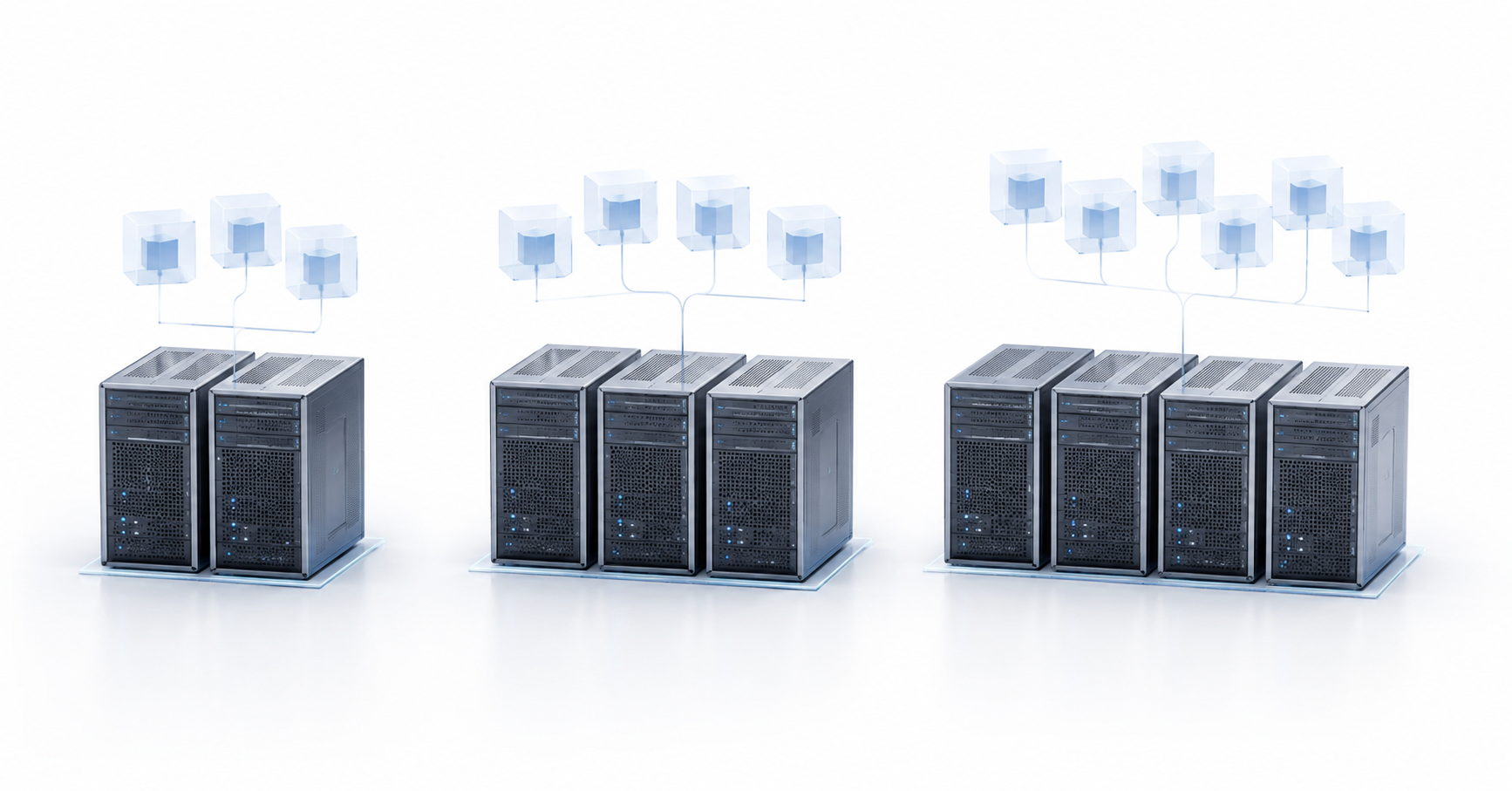
For fault-tolerant virtualization, the minimum configuration can use 2 servers, but this is a compromise: in most cases, it will require a separate quorum witness, careful storage configuration, and strict resource headroom. For most production infrastructures, it is more reasonable to start with 3 nodes: such a cluster maintains quorum more easily, handles the failure of one server more predictably, and is better suited for distributed storage. 4 nodes are chosen not because this is “automatically more reliable”, but because this configuration provides more capacity reserve, makes maintenance easier, and reduces performance degradation after a failure.
The number of servers is only part of the answer. Fault-tolerant virtualization depends not only on how many physical machines are installed in a rack. Quorum, storage, network, power, CPU and memory headroom, virtual machine restart rules, backup, and a clear incident response plan are all important. Two clusters with the same number of nodes can behave very differently: one will survive a server failure calmly, while the other will stop some services because of insufficient resources or loss of access to disks.
The main mistake when choosing a configuration is to think only in terms of “2 is cheaper, 4 is more reliable”. In reality, 2 nodes can be a good option for a small branch office, 3 nodes are often the optimal base for small and medium-sized businesses, and 4 nodes are a more mature configuration for infrastructures where growth, lower-risk maintenance, and resistance to overloads matter. Of course, clusters with 5 or more nodes are more reliable and more interesting, but here we will focus specifically on budget cluster designs for small and medium-sized businesses.
What fault-tolerant virtualization means
There are several levels of fault tolerance. The first is the normal restart of virtual machines after a server fails. This is the most common scenario: a physical node goes down, the cluster detects the problem, and the VMs are started where free resources are available. The second level is planned migration without stopping VMs, when an administrator moves the workload in advance before an update or repair. The third level is near-continuous operation without a noticeable pause, but this is already a more complex and expensive architecture that not everyone needs. There is also a fourth level, where virtual machines are started manually, including from replicas or backups, but this kind of “fault tolerance” is already very close to having no fault tolerance at all.
Data storage must be considered separately. If a virtual machine is restarted on another server, but its disks were located only on the failed node, there will be no fault tolerance. Therefore, the data must reside either on shared fault-tolerant storage, in a distributed system, or be replicated between nodes according to clear rules.
Cluster management should not be forgotten either. The management panel, controllers, DNS, backups, monitoring, network switches, and power supplies also contribute to overall resilience. The servers may be healthy, but if the only storage switch or the only disk array fails, the virtual machines will still stop.
For production infrastructure, at least five layers should be checked:
- compute resources: processors and RAM;
- virtual machine storage;
- management, migration, and storage networks;
- power supply and power-line redundancy;
- backup and recovery after logical errors.
Fault-tolerant virtualization is not a single checkbox in the settings. It is an architecture where the failure of one component should not turn into a shutdown of the entire system.
Our most popular servers

Free shipping on orders over 500 € in the EU, £500 in the UK, and $3,000 in the USA
Free shipping on orders over 500 € in the EU, £500 in the UK, and $3,000 in the USA
Free shipping on orders over 500 € in the EU, £500 in the UK, and $3,000 in the USA

Free shipping on orders over 500 € in the EU, £500 in the UK, and $3,000 in the USA
Why quorum matters more than it seems
Quorum is a mechanism that helps a cluster understand which part of the infrastructure has the right to continue operating. In simple terms, the nodes must agree on who “sees” the current state of the cluster and who can manage virtual machines. Usually, this requires a majority of votes.
Quorum is needed primarily to protect against a situation where the cluster is split into separate parts. For example, two servers lose connectivity to each other, but both are still physically running. If each of them decides that it is the primary one, this can lead to data corruption, duplicate startup of the same services, and other serious consequences. This situation is often called split-brain; in plain language, it means the cluster has divided into independent parts, each of which considers itself operational.
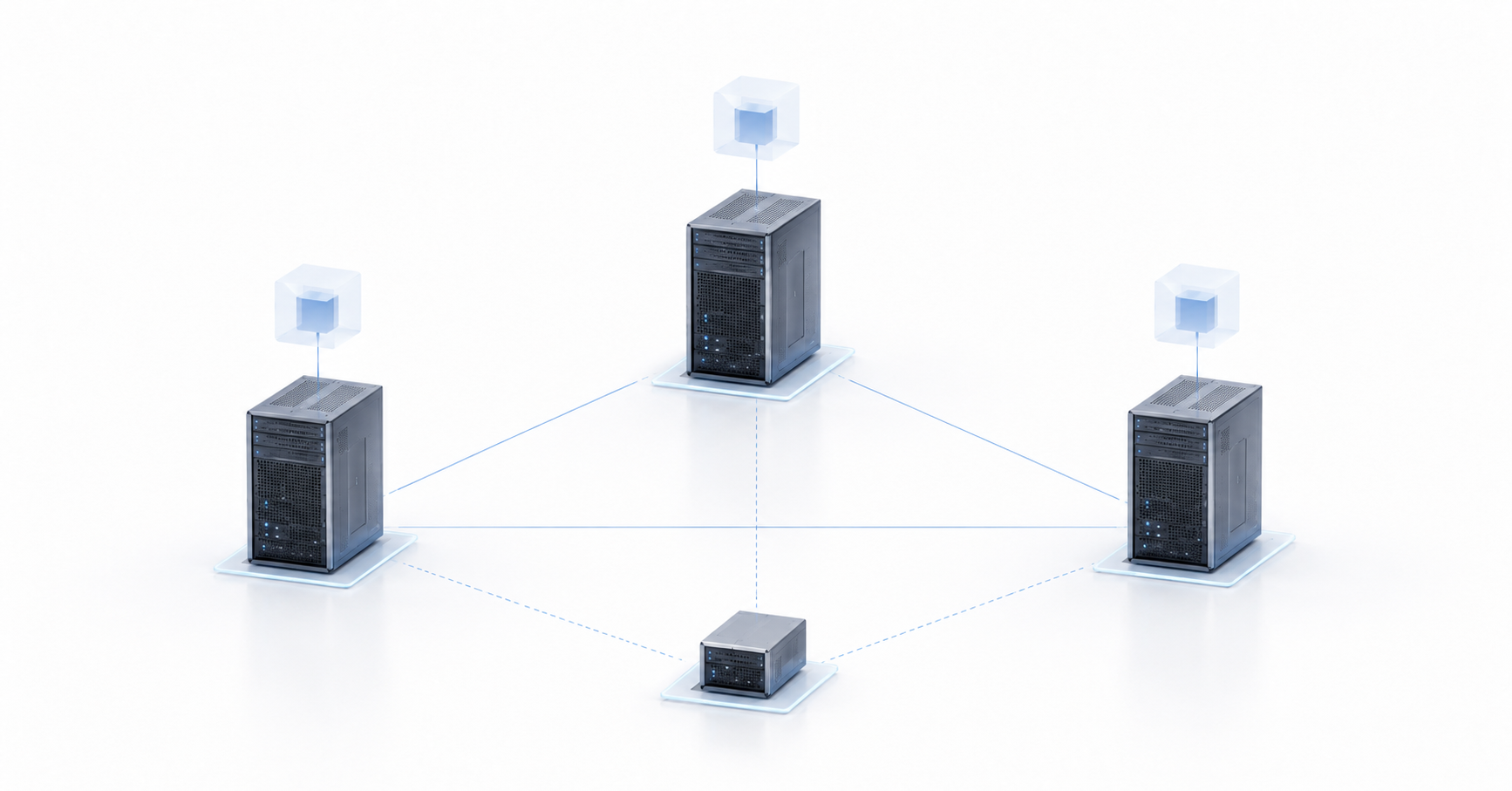
In a cluster with an odd number of nodes, quorum is usually simpler. In a three-node configuration, a majority is two nodes. If one server fails, the remaining two continue to work in agreement. In even-numbered configurations, especially with 2 or 4 nodes, an additional element often appears: a quorum witness. It does not have to run virtual machines or be a full compute part of the cluster. Its task is to provide an additional vote and help the cluster make the correct decision.
In practice, this is especially important for two-node configurations. Imagine a cluster of two servers. One node stops responding. The second node cannot always tell whether the first one really failed or whether the network connection between them was simply lost. Without a witness, the risk of an incorrect decision is higher. That is why a two-node cluster without separate arbitration is a poor foundation for serious fault tolerance.
Different platforms implement quorum differently, but the majority-based logic remains. For example, the Proxmox VE documentation specifically notes that reliable quorum in high-availability scenarios requires at least three nodes.
What affects the choice of the number of servers
Before choosing between 2, 3, and 4 nodes, you need to answer not one question, but several. Otherwise, you may buy the right number of servers and still end up with the wrong architecture.
- How many resources must remain after a failure. In a fault-tolerant cluster, you cannot count all processors and all memory as permanently available. If one node fails, its workload must move to the remaining servers. That is why the N+1 principle is used: one node may fail, but the infrastructure must continue operating.
A simple example: there are two servers, each loaded at 80%. While both are running, everything looks fine. But if one server fails, the second one will physically be unable to take over the entire workload without severe degradation or stopping some VMs. In this configuration, fault tolerance exists on paper, but not in real operation.
- Where the virtual machine disks are stored. There are different options: external shared storage, local disks with replication, distributed storage, or a mixed configuration. An external array can simplify VM migration, but it must also be fault-tolerant. Local replication reduces dependence on a separate array, but requires a good network and careful latency calculations. Distributed storage is convenient for hyperconverged architecture, but it also does not forgive planning mistakes.
- Acceptable downtime. For some services, 15–30 minutes is acceptable. For others, even a few minutes is already a problem. Normal high availability more often means restarting VMs, not completely eliminating downtime. If the business expects continuous operation, more complex configurations should be discussed immediately instead of simply adding one more server.
- How maintenance will be performed. Servers need to be updated, rebooted, cleaned, repaired, and equipped with replacement disks, network cards, and power supplies. If every such operation turns into a risk for all services, the architecture has been chosen too close to the minimum.
- Whether there is room for a quorum witness or a third site. For two-node configurations, this is almost always critical. The witness can be located in another room, data center, cloud, or on a separate small machine, if the selected platform supports it.
Choosing the Right Equipment
Our specialists will contact you and answer all your questions
2-node architecture: the minimum option, but not a universal one
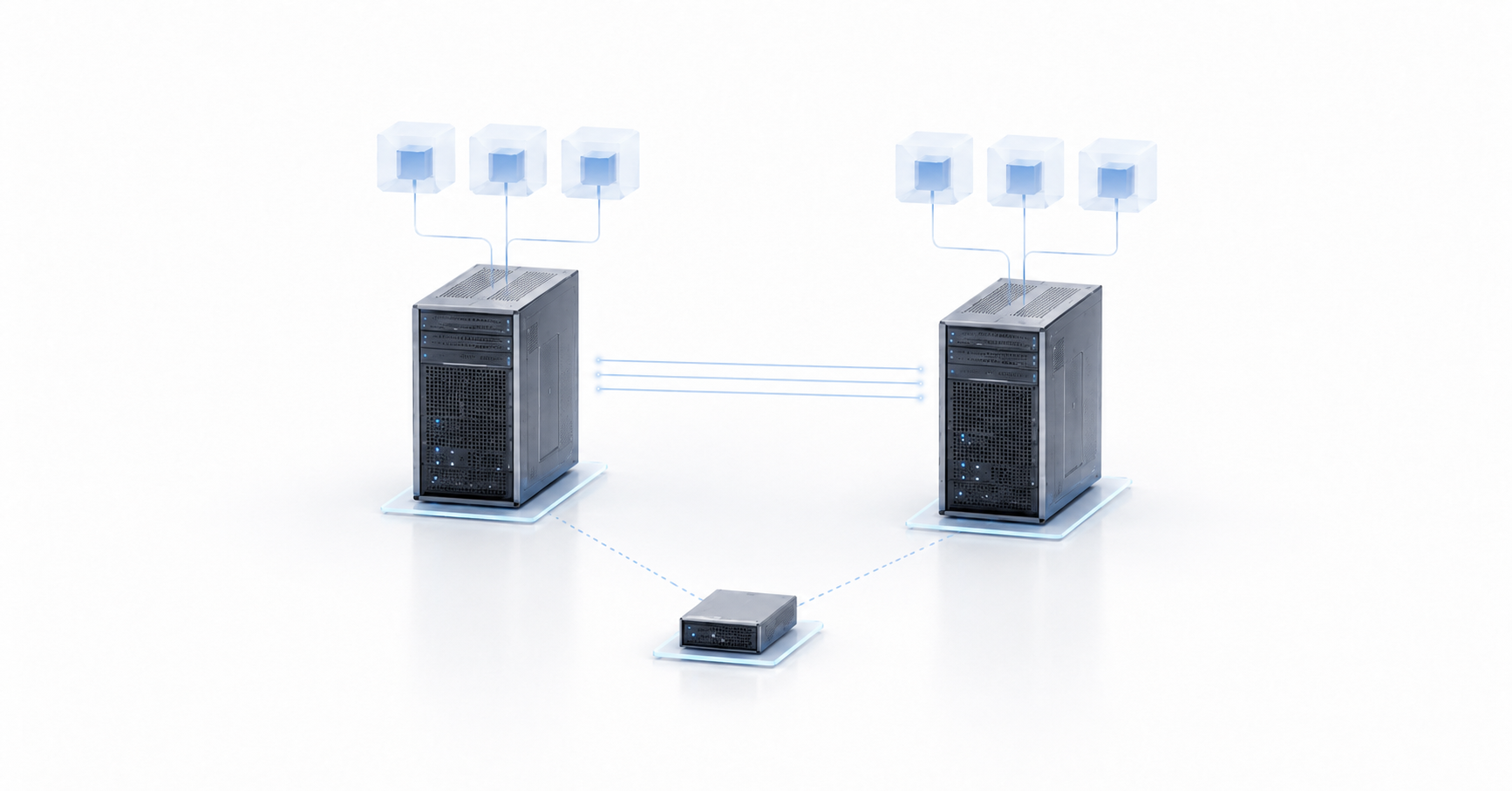
A two-node configuration is the most affordable way to build fault-tolerant virtualization, but it requires discipline. Usually, this means two physical servers combined into a cluster, shared or replicated storage, a separate quorum witness, and network redundancy. On paper, everything looks simple: one server fails, and the virtual machines start on the second one. In reality, a two-node configuration leaves the least room for mistakes.
There are several storage options.
Option one: external shared storage. Both servers see the same disks, so a virtual machine can be started on either of them. The advantage of this approach is clear operating logic. The disadvantage is that the storage itself becomes a critical component. If it is a single array without fault-tolerant controllers, redundant power, and multiple network paths, the entire configuration remains vulnerable.
Option two: local disks with replication. Data is synchronized between two servers. This makes it possible to avoid a separate disk array, but introduces requirements for network speed, latency, and behavior when connectivity is lost. You need to understand how the platform resolves write conflicts and what will happen if one node is temporarily unavailable.
Option three: a hyperconverged configuration, where compute and storage are combined on the same physical servers. In a two-node configuration, this approach almost always requires a witness. For example, in two-host vSAN, the witness function is performed by a separate virtual appliance outside the two main hosts.
The advantages of two nodes are clear: lower entry cost, less equipment, easier placement in a small office or branch, and a budget that is easier to approve. This configuration is suitable for a small workload where a few minutes of downtime are acceptable and all critical data is additionally protected by backups.
But the disadvantages are also significant. If one server fails, the second one must take over the entire workload. This means that under normal conditions, each node cannot be loaded to the limit. A safe guideline is often to keep utilization low enough so that one server can temporarily handle the virtual machines of the other. This does not always mean exactly 50%, but the logic is the same: capacity reserve must exist in advance.
A two-node configuration is acceptable if:
- the infrastructure is small;
- there is a separate quorum witness;
- the workload is moderate;
- a few minutes of downtime are acceptable;
- regular backups are configured;
- the storage and replication network is not built around a single weak switch;
- there is a clear recovery procedure.
It is better not to choose 2 nodes if the infrastructure has many heavy databases, high VM density, no separate storage network, no place for a witness, expected rapid workload growth, or maintenance that must be performed without risk to production services. In such conditions, a two-node cluster quickly stops being a saving and becomes a constant source of limitations.
3-node architecture: the most balanced minimum
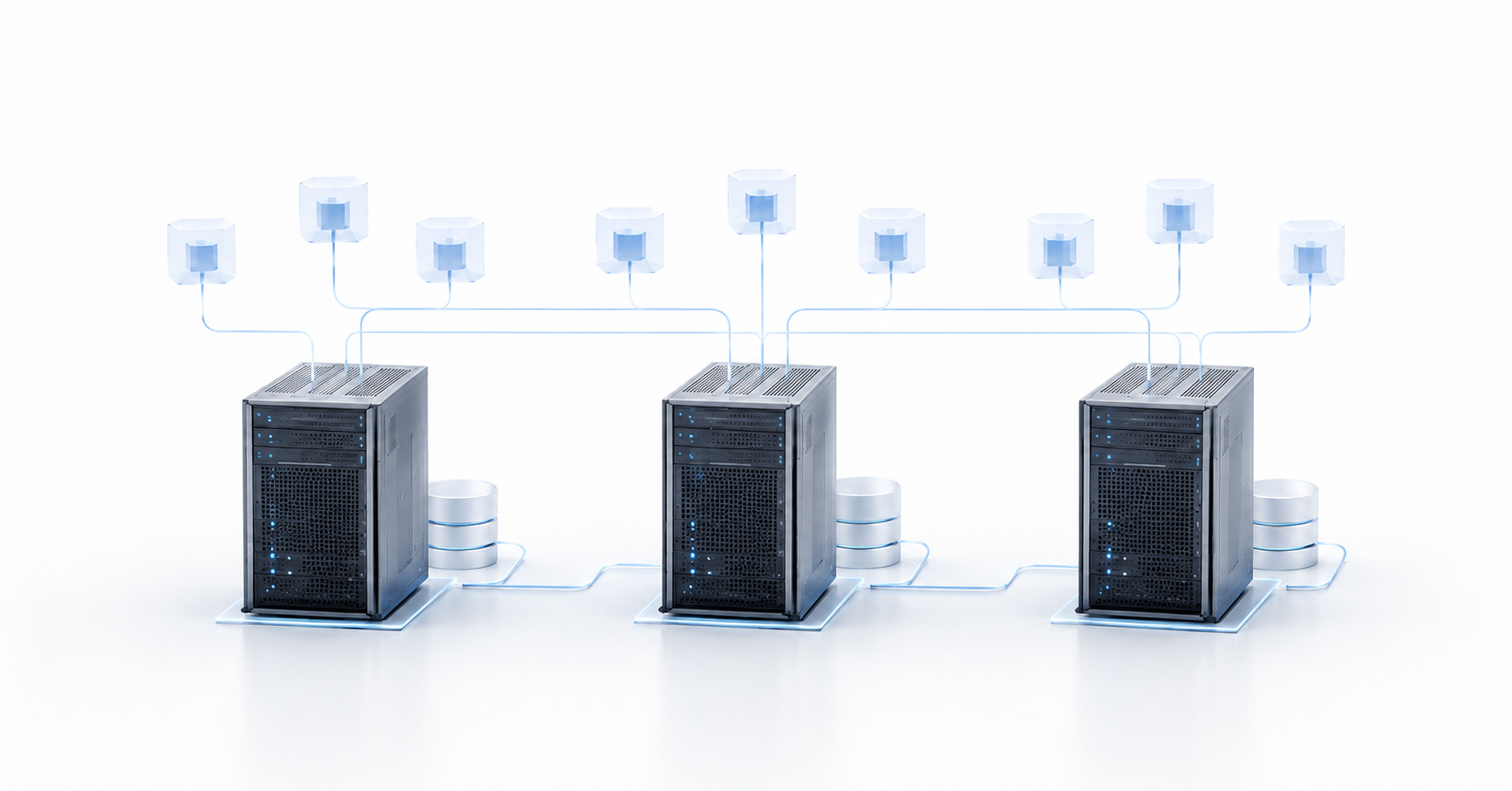
Three nodes are the most successful starting configuration for most production infrastructures. It is more expensive than a two-node cluster, but much calmer to operate. Each server participates in the cluster, and if one node fails, the remaining two keep the majority. This simplifies quorum, reduces dependence on a separate witness, and makes cluster behavior more predictable.
The main advantage of three nodes is normal resistance to the failure of one server. If one node shuts down, the other two continue operating and can take over its virtual machines. Of course, this is possible only if there is enough resource headroom. If all three servers were almost fully loaded, a failure will still cause problems. But with proper sizing, a three-node configuration already provides a workable balance between cost and reliability.
From the storage perspective, three nodes are also more convenient. With an external array, they receive shared access to data, while compute load can be distributed more flexibly. With distributed storage, three nodes often become the natural minimum because several copies of data can be stored while keeping the state consistent. The Ceph documentation, for example, says that one monitor can be used, but at least three monitors in quorum are recommended for a production cluster.
Three nodes are well suited for infrastructure with 10–50 or more virtual machines, several critical services, file servers, domain controllers, 1C, medium-sized databases, internal portals, accounting systems, and monitoring. This configuration makes maintenance easier: one node can be evacuated of VMs, updated, or rebooted, while the other two continue operating.
But a three-node architecture also has limitations. It is more expensive in terms of hardware, licenses, power, network ports, and rack space. After one node fails, the remaining two servers must have enough reserve. If maintenance of the second node starts at that moment, the infrastructure enters a dangerous zone. Therefore, even 3 nodes do not remove the need for planning, monitoring, and utilization limits.
A three-node cluster is especially appropriate when the business needs normal fault tolerance without an excessive budget. It is a good option for companies that have already outgrown a single server but are not yet ready to build a large platform. In most cases, 3 nodes provide the best balance: quorum is simpler, there are more resources, operation is calmer, and the cost remains reasonable.
4-node architecture: more reserve, but more nuance
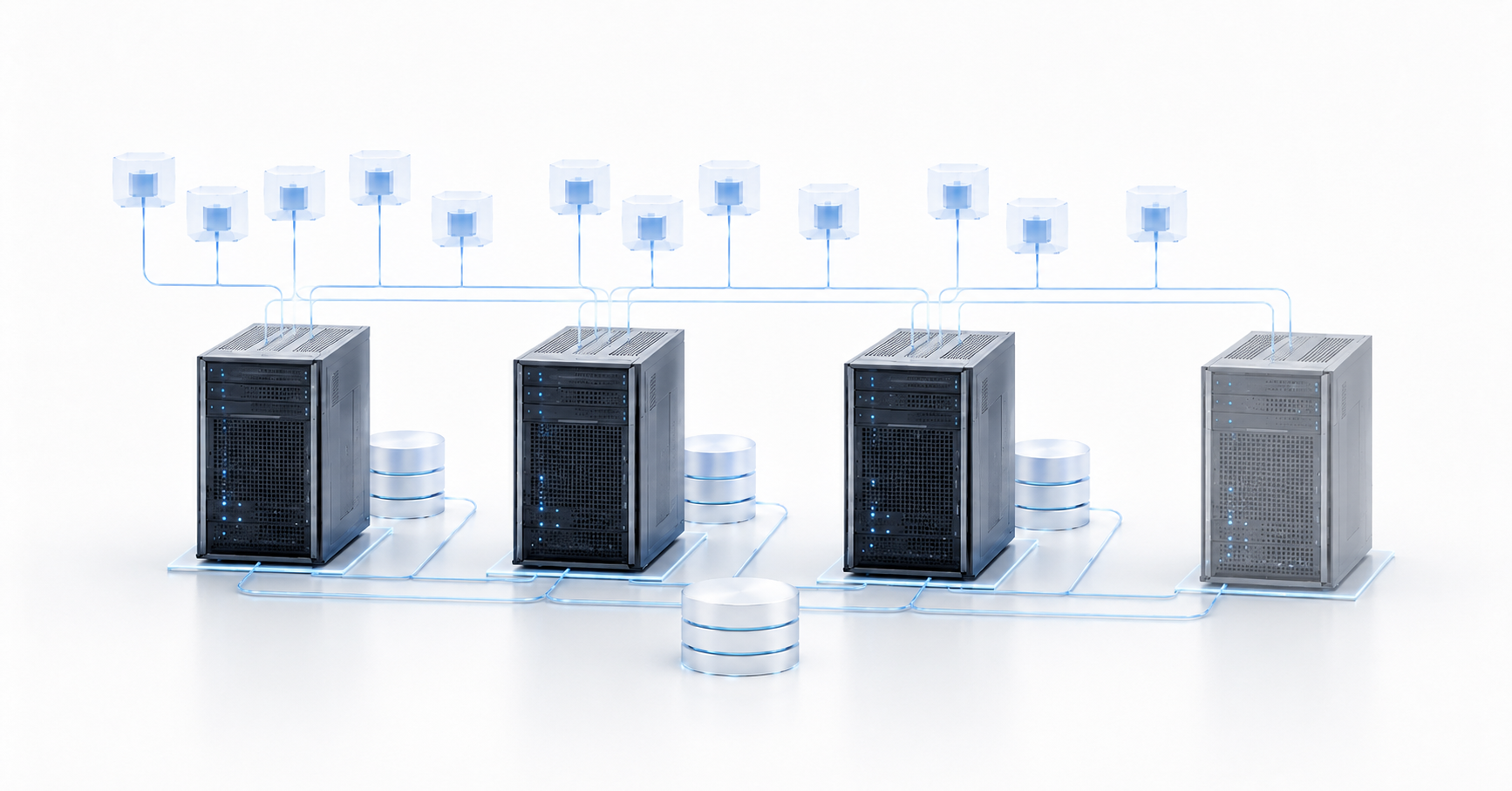
Four nodes are chosen when the infrastructure needs not just a minimum fault-tolerant contour, but reserve. This configuration is more convenient for maintenance, handles workload growth better, and allows virtual machines to be distributed more freely. After one server fails, the workload is spread across three remaining nodes instead of two, so the risk of sharp degradation is lower.
However, 4 nodes should not be treated as an automatic solution to every problem. An even number of servers raises the quorum question again. Some platforms will require a witness, while others will use dynamic voting or another logic. It is important not just to install a fourth server, but to understand how the selected system will behave during a node failure, network loss, storage failure, or loss of the witness. Microsoft separately describes the role of a quorum witness as a component that participates in voting and helps the cluster maintain high availability.
From the resource perspective, four nodes provide a noticeable advantage. If the cluster is designed according to the N+1 principle, one server can be kept as calculated reserve, while the others are used for the production workload. At the same time, after a failure, the infrastructure does not necessarily enter a “everything is at the limit” mode. This is especially important for services where performance degradation is almost as unpleasant as downtime.
The storage situation depends on the architecture. If external shared storage is used, the fourth node adds compute capacity but does not solve the fault tolerance of the array itself. The array, controllers, network paths, and power must still be redundant. If distributed storage is used, four nodes can provide more capacity and performance, but redundancy policies must be calculated separately. Two data copies, three data copies, reserve for recovery, rebuild speed after disk failure — all of this affects real resilience.
Four nodes are justified when there are critical services, high or growing workloads, heavy databases, terminal servers, virtual desktops, analytics, ERP, or other systems where degradation after a failure is undesirable. This configuration is also convenient when maintenance must be performed regularly: updating the hypervisor, replacing components, testing fault tolerance, and moving workloads between servers.
The disadvantage is obvious: cost. You need to buy more hardware, network ports, cables, licenses, drives, and support. Complexity also increases: more components must be monitored, updated, documented, and tested. If the infrastructure is not managed systematically, four nodes can create a false sense of security. There are more servers, but weak points in the network, storage, and backup remain.
Comparison of 2-, 3-, and 4-node configurations
| Criterion | 2 nodes | 3 nodes | 4 nodes |
|---|---|---|---|
| Entry cost | Lowest | Medium | Highest |
| Quorum | Usually requires a witness | Usually simpler due to an odd number of nodes | Often requires a witness or special voting logic |
| Failure of one server | Possible, but resource reserve is minimal | Normal baseline scenario | More comfortable scenario with less degradation |
| Maintenance | Risky, especially after one node fails | Easier, but reserve is still required | The calmest option of the three |
| Storage | Requires especially careful design | Well suited for distributed configurations | More flexibility, but more complex sizing |
| Scaling | Limited | Normal for small and medium-sized businesses | Better suited for growth |
| Typical scenario | Branch office, small office, limited budget | Company production infrastructure | Critical services, growth, higher maintenance requirements |
The table shows that the choice is not a simple ladder of “2 is worse, 4 is better”. Two nodes can be the right decision for a small site if there is a witness, resource reserve, and a clear storage design. Three nodes are the most universal option. Four nodes provide more operational comfort, but require a larger budget and more careful design.
How to choose a configuration by acceptable downtime
| Business requirement | Suitable configuration | Comment |
|---|---|---|
| Downtime of 15–60 minutes is acceptable | 2 nodes + witness + backups | Suitable for small and less critical systems |
| VM restart is needed within a few minutes | 3 nodes | Usually the best balance of cost and resilience |
| Servers need to be maintained without constant risk | 3–4 nodes | The choice depends on workload and resource reserve |
| Performance must not drop sharply after a failure | 4 nodes or more | Capacity reserve must be calculated |
| Distributed storage is used | 3 nodes minimum, 4 is better for growth | Network, latency, and number of data copies matter |
| Services are business-critical | 4 nodes and a separate recovery plan | A cluster does not replace a secondary site and backup |
Choosing the Right Equipment
Our specialists will contact you and answer all your questions
Here it is important to separate three concepts: high availability, backup, and disaster recovery. High availability helps restore operation faster after a node failure. Backup protects against data deletion, ransomware, user errors, and database corruption. Disaster recovery is needed if not one machine fails, but a site, rack, network, power supply, or the entire data center.
If the business says “we cannot afford downtime”, you need to clarify what exactly that means. Cannot be down for an hour? Cannot be down for ten minutes? Cannot lose a single transaction? These are different requirements and different budgets. Sometimes 3 nodes and good backups are enough for the task. Sometimes a 4-node cluster, replication to a second site, and regular recovery tests are required.
Non-obvious mistakes when choosing the number of servers
- Counting the resources of all servers as production capacity. In a fault-tolerant configuration, part of the capacity must be reserved for failure. If a three-node cluster is already loaded at 85–90% on a normal day, it will not survive the loss of one server calmly. Formally, there are three nodes, but there is no practical reserve.
- Building a two-node cluster without a witness. Such a configuration may look economical, but it is exactly where quorum questions appear most often. If the nodes lose connectivity to each other, the cluster must make a safe decision. Without external arbitration, this is harder to do.
- Turning shared storage into a single point of failure. Sometimes a company buys two servers, connects them to one inexpensive array, and considers the task complete. But if the array, controller, disk shelf, switch, or storage path is not redundant, fault tolerance remains incomplete.
- Forgetting about the network. VM migration, disk replication, and distributed storage require a stable and predictable network. One switch, one network path, or mixing all traffic types without sizing can lead to a situation where the servers exist, but the cluster is unstable.
- Ignoring maintenance. Accidents happen rarely, while planned work happens constantly. If every hypervisor update requires stopping half of the services, the architecture is poorly suited for operation. A good cluster should survive not only unexpected failures, but also the everyday life of infrastructure.
- Confusing high availability with backup. If a user deletes a database, ransomware encrypts files, or an application writes incorrect data, the cluster will honestly propagate that state further. In this situation, additional nodes will not save you; backups and tested recovery will.
- Not testing failure scenarios. The cluster must be checked before a real incident: shutting down one node, losing the storage network, losing the witness, restarting a switch, running out of storage space. Without tests, the administrator will learn how the system behaves only during an actual failure.
- Forgetting about licenses and support. Sometimes the fourth node seems inexpensive until hypervisor licenses, support, drives, network cards, switches, backup power, and rack space are counted. The total cost must be calculated as a whole.
Practical selection algorithm
Start not with choosing a server model, but with describing the services. Which virtual machines are critical? Which can wait? Which depend on each other? For example, the database itself, the application server, and the domain controller may form a chain: if one element is not restored, the service is still unavailable.
Then define acceptable downtime. For part of the infrastructure, recovery within an hour may be enough. For accounting during a reporting period, even 10–15 minutes can be critical. For an internet service or production system, requirements will be even stricter. This determines whether a normal VM restart is enough or whether a more complex configuration is needed.
The next step is resource sizing. You need to calculate not only current load, but also reserve after one node fails. If 2 nodes are chosen, each one must be ready to take over the critical VMs of the other. If 3 nodes are chosen, the two remaining nodes must withstand the workload after one node fails. If 4 nodes are chosen, it is worth deciding in advance whether the cluster is designed for the failure of one node or whether a higher reserve is required.
Then the storage configuration is selected. External storage is convenient, but it must be fault-tolerant itself. Local replication requires a good network and clear recovery rules. Distributed storage works well with 3–4 nodes, but requires attention to the number of copies, disk speed, network latency, and free space.
After that, quorum is checked. How many voting components will be in the cluster? Is a witness required? Where is it located? What will happen if connectivity to one server, the witness, or a switch is lost? The answers to these questions must be documented before the system goes into production.
Then maintenance is evaluated. Can one node be taken out of service without stopping services? Will there still be reserve if another component fails during maintenance? Is there a procedure for updating the hypervisor, firmware, drivers, network equipment, and storage?
As a result, a simple rule can be used. 2 nodes are suitable if the budget is limited, the workload is small, there is a witness, backups are in place, and a short downtime is acceptable. 3 nodes are the best baseline option for most companies that need normal fault tolerance without excessive cost. 4 nodes are chosen when capacity reserve, growth, lower-risk maintenance, and less degradation after a failure are important.
Top-selling network switches
Free shipping on orders over 500 € in the EU, £500 in the UK, and $3,000 in the USA

Free shipping on orders over 500 € in the EU, £500 in the UK, and $3,000 in the USA

Free shipping on orders over 500 € in the EU, £500 in the UK, and $3,000 in the USA

Free shipping on orders over 500 € in the EU, £500 in the UK, and $3,000 in the USA
Conclusion: how many servers to choose
Two nodes are the minimum option for fault-tolerant virtualization, but not a universal recommendation. They are suitable for small sites, branch offices, and limited budgets if there is a quorum witness, a well-designed storage configuration, resource reserve, and regular backups. Without these conditions, a two-node configuration easily becomes vulnerable.
Three nodes are the most reasonable starting point for production infrastructure. Such a cluster maintains quorum more easily, is better suited for distributed storage, and handles the failure of one server more calmly. For small and medium-sized businesses, this is often the best balance between cost, reliability, and operational complexity.
Four nodes are needed where not only the fact of recovery matters, but also the quality of operation after a failure. This configuration provides more reserve, is more convenient for maintenance, handles workload growth better, and reduces the risk that one failure will immediately push the infrastructure to its limit. But the fourth server does not remove the need to calculate quorum, storage, network, and backup.
For a minimum budget, 2 nodes can be considered; for most production scenarios, 3 nodes are better; for critical and growing infrastructure, choose 4. The main point is to design not the number of servers by itself, but the entire fault-tolerant contour: quorum, storage, network, power, backups, and a clear recovery procedure.
Choosing the Right Equipment
Our specialists will contact you and answer all your questions

Free shipping on orders over 500 € in the EU, £500 in the UK, and $3,000 in the USA

Free shipping on orders over 500 € in the EU, £500 in the UK, and $3,000 in the USA
Free shipping on orders over 500 € in the EU, £500 in the UK, and $3,000 in the USA

Free shipping on orders over 500 € in the EU, £500 in the UK, and $3,000 in the USA