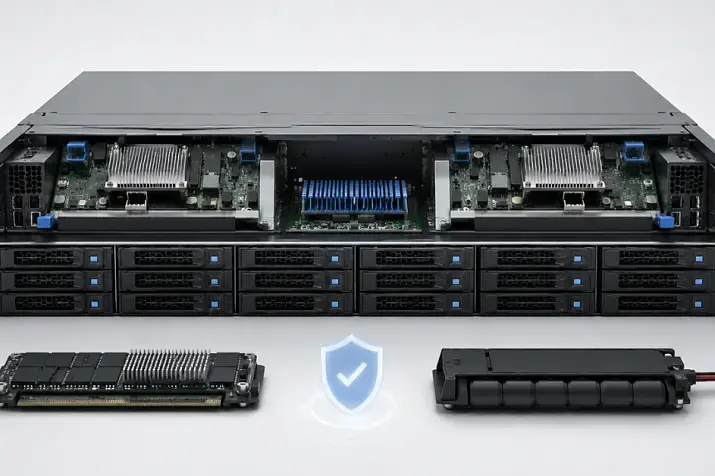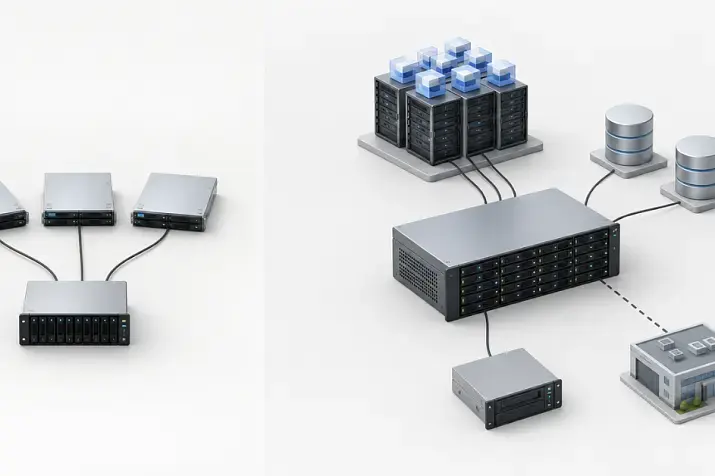
A storage system should be expanded not by choosing the largest disk shelf first, but by calculating usable capacity, performance, fault tolerance, and controller limits. If the priority is terabytes for archives or backups, LFF shelves with high-capacity HDDs are usually the first option to consider. If speed and I/O operations matter, SFF shelves with SSDs or fast SAS drives are usually more logical, and in some cases dedicated all-flash solutions make sense. Shelves with 48 or 84 drives should be considered only after checking power, cooling, rack requirements, connection topology, and array rebuild time after a disk failure.
A disk shelf may look like a simple way to expand storage: buy an enclosure, install drives, connect it to the storage system, and get new terabytes. In practice, it is more complicated. A shelf adds drive slots, but it does not remove the limitations of controllers, firmware, RAID groups, ports, cables, power, and cooling.
The main mistake in storage expansion is counting only “raw” capacity. For example, 24 drives of 20 TB each give 480 TB only on paper. After RAID, spare drives, snapshots, growth reserve, and technical headroom for rebuilds, usable capacity may be closer to 300–330 TB. That is why a storage expansion plan always starts with calculations, not with a price list.
Our most popular storage systems
Free shipping on orders over 500 € in the EU, £500 in the UK, and $3,000 in the USA

Free shipping on orders over 500 € in the EU, £500 in the UK, and $3,000 in the USA

Free shipping on orders over 500 € in the EU, £500 in the UK, and $3,000 in the USA

Free shipping on orders over 500 € in the EU, £500 in the UK, and $3,000 in the USA
What is a JBOD disk shelf?
In this context, JBOD (Just a Bunch of Disks) is an external disk shelf into which drives are installed. This should not be confused with a non-RAID method of accessing disks. A JBOD shelf has drive bays, power supplies, fans, I/O modules, and connection ports. But by itself, such a shelf is not a full-fledged storage system.
It does not manage volumes, create full storage pools, handle snapshots, caching, replication, or distribute load between servers. These tasks are handled by the main storage system or by a server with the appropriate RAID controller.
Simply put:
- the storage system manages data;
- JBOD adds physical drive slots;
- the controller defines how many shelves can be connected and how they can be connected;
- firmware and the compatibility list define which drives and shelves are supported;
- the connection topology defines fault tolerance.
For example, Dell PowerVault ME5 documentation states that the system supports 2U12, 2U24, and 5U84 shelves, but it also has restrictions on mixing formats and on the maximum number of drives. Such details must be checked before purchasing equipment, not after delivery.
When JBOD is the right option
A disk shelf is a good fit if the current storage system is not obsolete yet and still has headroom in controllers, ports, and the supported number of drives. In this case, expansion can be done without buying an expensive new storage system and without a full data migration.
JBOD is usually justified when:
- the shortage is specifically capacity, not the need for a new storage architecture;
- the existing system supports additional shelves;
- controllers are not overloaded in terms of CPU, memory, and cache;
- there are free ports or an allowed SAS chain;
- compatible drives, cables, and modules are available;
- the performance of the current storage system is sufficient for the workloads;
- the platform is not approaching the end of support.
For example, if a company stores archives, backups, or video recordings, and the current storage system handles the workload steadily, an additional LFF shelf may be a reasonable solution. In the Servermall catalog, you can view the storage systems section to compare enclosure types, form factors, and supported configurations.
When it is better not to expand an old storage system
Sometimes buying a new shelf only postpones the real problem. If controllers are already overloaded, latency is increasing, and users complain about slow virtual machines or databases, adding HDDs may increase capacity but will not solve the speed issue.
It is worth considering a new storage system if:
- the problem is not only lack of space, but also lack of I/O operations;
- old controllers are operating at their limit;
- a transition to SSD, NVMe, or faster interfaces is required;
- a new fault-tolerance scheme is needed;
- the current platform does not support the required shelves or drives;
- the expansion cost is almost the same as a more modern system;
- data is expected to grow several times over the next 1–2 years, and the current system will not cope with it.
There is a simple test: if after adding a shelf you immediately have to think about replacing controllers, network, cache, and drives, it is no longer an expansion. It is a temporary patch.
12, 24, 48, and 84 drives: what shelf size means
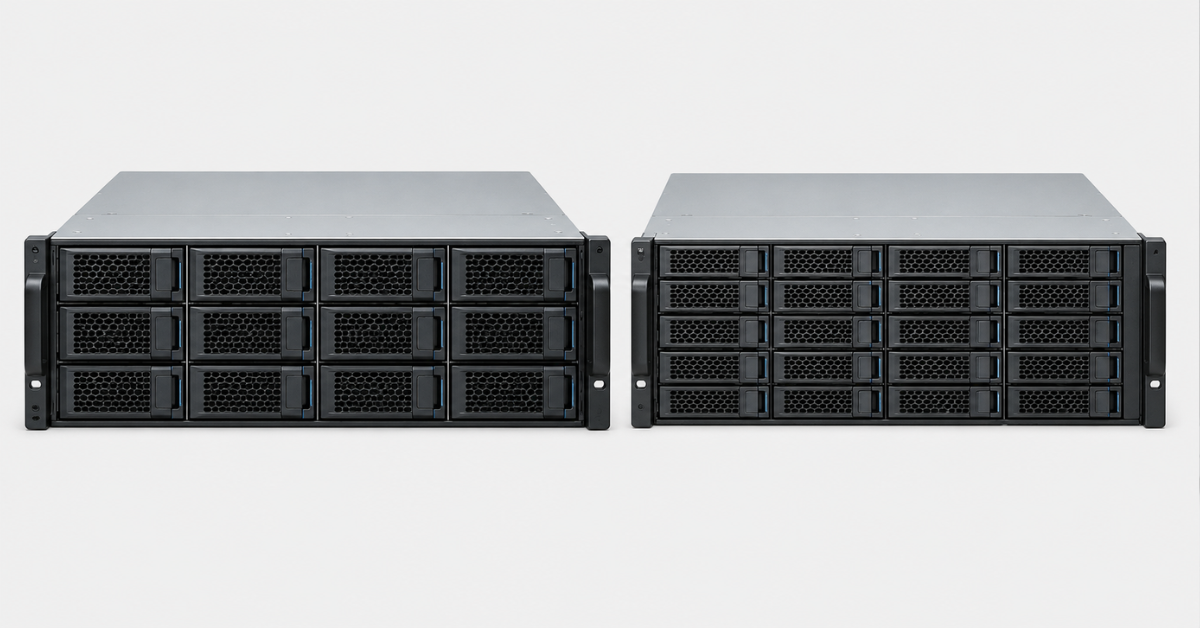
The number of drives in a shelf affects more than capacity. It determines storage density, power requirements, ease of maintenance, rebuild speed after failures, and total cost of ownership.
12 drives
12-drive shelves are most often found in the LFF format, meaning they are designed for large 3.5-inch drives. They are chosen when single-drive capacity and low cost per terabyte matter.
Such a shelf is suitable for:
- file archives;
- backups;
- video surveillance;
- cold data;
- small and medium-sized storage environments with gradual growth.
The advantage of a 12-drive shelf is that it is easier to maintain and plan. The downside is limited I/O density. If the shelf contains large HDDs, capacity will be high, but random-access speed will still be limited by the drives themselves.
An example of this format is the Dell PowerVault MD1400 12LFF.
24 drives
24-drive shelves most often use the SFF format, meaning 2.5-inch drives. These may be SSDs or fast SAS drives. The same 2U chassis can hold more drives than a 12-drive LFF shelf.
The 24-drive format is often chosen for:
- virtualization;
- databases;
- terminal servers;
- mixed workloads;
- production systems where latency and I/O operations matter.
The advantage of SFF is drive and performance density. However, the cost per terabyte of such a configuration may be higher, especially when SSDs are compared with high-capacity LFF HDDs.
For example, you can look at the Dell PowerVault ME4024 SAS 24SFF or the HPE MSA 2050 HD-SAS 24SFF.
48 drives
48-drive solutions are less common and depend heavily on the specific vendor line. This is an intermediate option between standard 2U shelves and dense 5U enclosures with 84 drives.
They are considered when a company needs:
- more capacity in the rack;
- fewer enclosures and cables;
- easier maintenance than with ultra-dense shelves;
- to avoid moving directly to an 84-drive architecture.
Before purchasing, it is important to check not only the number of drive bays, but also the supported connection topology. Not every storage system will allow such a shelf to be added to an existing layout.
84 drives
84-drive shelves are already dense solutions for large data arrays. Usually, this is a 5U chassis with high rack-level capacity. This format is suitable for archives, backup, large file repositories, and other tasks that require hundreds of terabytes or petabyte-scale growth.
But 84 drives are not just “a lot of space”. You need to check in advance:
- the weight of the shelf with drives installed;
- rack depth;
- rail requirements;
- power and PDU requirements;
- heat output;
- airflow;
- ease of drive replacement;
- controller limitations;
- dual-path connection topology.
Seagate Exos E 5U84 documentation describes a 5U shelf with 84 drives, dual power supplies, fans, I/O modules, and dual paths to the drives.
| Shelf format | Typical drives | Strengths | Limitations | Typical tasks |
|---|---|---|---|---|
| 12 LFF | 3.5-inch HDDs | Low cost per TB, simple maintenance | Fewer operations, longer rebuilds when large HDDs are used | Archives, backups, video, file storage |
| 24 SFF | 2.5-inch SSDs or SAS drives | More operations, lower latency, drive density in 2U | Higher cost per TB, lower single-drive capacity | Virtualization, databases, production workloads |
| 48 drives | Depends on the platform | Compromise between density and maintenance | Support must be checked for the specific storage system | Large file repositories, mixed workloads |
| 84 drives | Usually high-capacity HDDs | Very high rack-level capacity | Weight, power, cooling, complex maintenance | Archives, backup, large pools |
Choosing the Right Equipment
Our specialists will contact you and answer all your questions
SFF and LFF: how to choose a form factor
SFF is a small form factor, usually 2.5 inches. LFF is a large form factor, usually 3.5 inches. The difference between them is not only physical size.
LFF
LFF is more often chosen when capacity matters. Large HDDs with tens of terabytes are available in the 3.5-inch format. This is convenient for archives, backups, video surveillance, and file servers.
Advantages of LFF:
- higher capacity per HDD;
- lower cost per terabyte;
- fewer drives for the same raw capacity;
- easier to obtain a large storage volume;
- well suited to sequential write and read operations.
Limitations of LFF:
- lower I/O density;
- arrays built from large HDDs take longer to rebuild after a failure;
- as workload grows, performance may run out earlier than capacity;
- not the best choice for latency-sensitive databases and virtual machines.
SFF
SFF is more often used where speed matters. The 2.5-inch format is convenient for SSDs and fast SAS drives. More drives fit into a single 2U shelf, so I/O density increases.
Advantages of SFF:
- more drives in the same rack space;
- a convenient format for SSDs;
- higher I/O density;
- better suited to virtualization and databases;
- easier to separate workloads across several drive groups.
Limitations of SFF:
- cost per terabyte is often higher;
- single-drive capacity may be lower, unless expensive SSDs are used;
- with a large number of drives, pools become harder to plan;
- not all old storage systems support new SSDs equally well.
It is not correct to say that SFF is always faster and LFF is always cheaper. Everything depends on drive type, interface, controller, RAID scheme, and workload. SFF with slow drives will not magically become fast, while LFF with the right architecture can be an excellent solution for capacity-oriented tasks.
How to calculate storage capacity before expansion
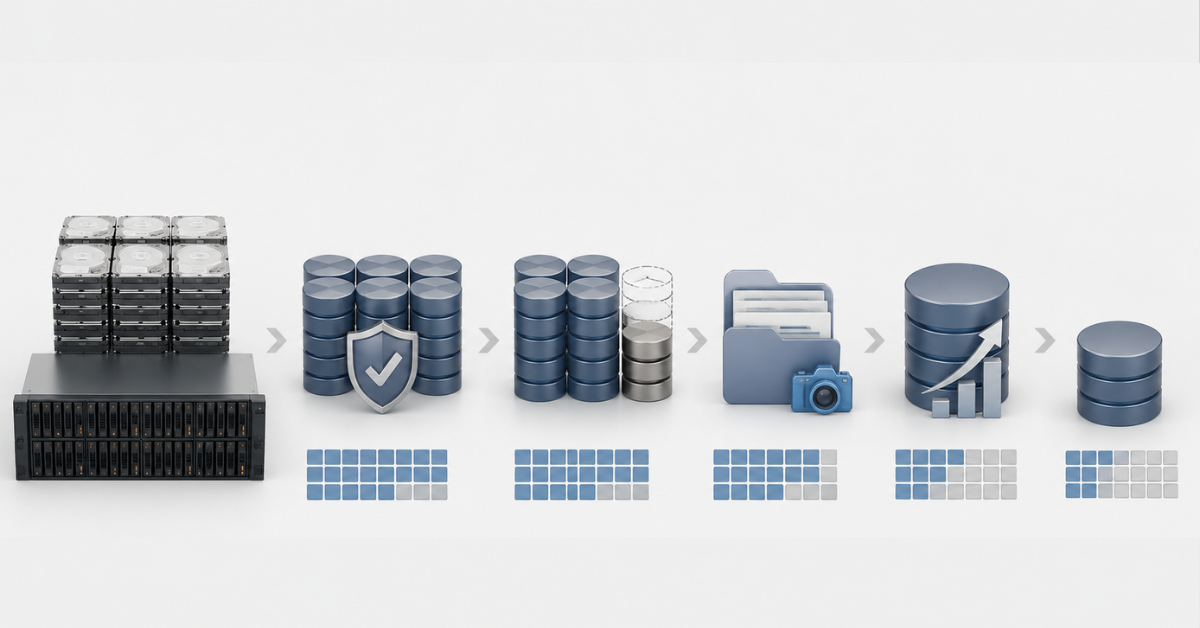
The calculation should not start from the attractive number in the specification. It should start from how much space will actually remain for data.
Raw capacity
Raw capacity is the number of drives multiplied by the capacity of one drive.
Example:
24 drives × 20 TB = 480 TB of raw capacity.
This number is only a starting point. It must not be treated as final usable capacity.
Data protection
After that, you need to subtract the capacity used by RAID or another protection scheme.
In simplified terms:
- RAID 5 consumes the capacity of one drive in a group;
- RAID 6 consumes the capacity of two drives in a group;
- RAID 10 leaves roughly half of the raw capacity;
- RAID 60 divides drives into RAID 6 groups and combines them;
- distributed protection schemes are calculated according to the rules of the specific storage system.
In Dell PowerVault ME5, for example, in addition to classic RAID levels, there is ADAPT, a protection scheme with built-in spare capacity and simplified expansion of large pools.
Spare drive or distributed spare capacity
In a classic scheme, part of the capacity may be reserved for a separate spare drive, or even several spare drives. It does not store production data. It waits for one of the drives to fail.
In more modern schemes, spare capacity can be distributed across all drives. This is more convenient for the administrator, but the calculation principle is the same: this capacity cannot be counted as available for user data.
Snapshots
Snapshots help quickly return data to a previous state, but they consume space. The more often data changes and the longer snapshots are kept, the more capacity must be reserved.
Guidelines:
- 10–20% for moderate use;
- more than 20% if snapshots are frequent and kept for a long time;
- a separate calculation for databases, virtualization, and active file resources.
Growth reserve
A storage system should not constantly operate at 95–100% full. It needs headroom for new data, balancing, maintenance, temporary operations, and rebuilds after failures.
For planning, it is worth defining the working fill threshold in advance. For example, a company may treat 75–80% as the point at which the next expansion stage begins. The exact threshold depends on the platform and workload, but the logic itself should be fixed beforehand.
Technical reserve for rebuilds
When a drive fails, the system rebuilds data. This process loads the remaining drives and may take a long time, especially with large HDDs. If the pool is almost full, rebuild and balancing become even riskier.
The planning formula looks like this:
Planned data capacity = raw capacity − RAID protection − spare drive or distributed spare capacity − snapshot reserve − growth reserve − technical reserve for rebuilds.
Example for 24 drives of 20 TB each:
- raw capacity: 480 TB;
- RAID 6 in one group: about 440 TB before additional reserves;
- separate spare drive: minus 20 TB if it is used;
- 15% snapshot reserve: minus about 63 TB;
- 15% reserve for growth and maintenance: minus about 54 TB;
- planned data capacity: about 300–330 TB.
This is not a universal number, but a calculation model. In a real storage system, the result depends on group size, file system, service data, how terabytes are represented, thin provisioning, and the specifics of the platform.
How usable capacity changes in different schemes
The example below uses identical 20 TB drives. The figures are rounded and are intended to show the logic, not to provide an exact design for a specific storage system.
| Configuration | Raw capacity | Data protection | Capacity before snapshots and reserves | What else to consider | Where it fits |
|---|---|---|---|---|---|
| 12 × 20 TB | 240 TB | RAID 6 | about 200 TB | spare drive, snapshots, growth, rebuilds | archive, backups, files |
| 24 × 20 TB | 480 TB | RAID 6 | about 440 TB | one large group is not always reasonable | large file storage |
| 24 × 20 TB | 480 TB | RAID 10 | about 240 TB | more capacity loss, but higher performance and a simpler structure | virtualization, databases |
| 84 × 20 TB | 1680 TB | several RAID 6/60 groups or a distributed scheme | depends on the layout | must not be treated as one huge group | large archives, backups, large pools |
An 84-drive shelf should not be viewed as one giant RAID group. In practice, such configurations are divided into several groups or pools, or distributed protection schemes are used if the system supports them. This reduces risk and makes rebuilds more manageable.
Storage systems

Free shipping on orders over 500 € in the EU, £500 in the UK, and $3,000 in the USA

Free shipping on orders over 500 € in the EU, £500 in the UK, and $3,000 in the USA
Free shipping on orders over 500 € in the EU, £500 in the UK, and $3,000 in the USA

Free shipping on orders over 500 € in the EU, £500 in the UK, and $3,000 in the USA
Why adding terabytes does not always speed up storage
Capacity and performance grow in different ways. HDDs provide a lot of space, but they are limited in I/O operations. SSDs provide high speed, but they cost more per terabyte. That is why storage expansion must answer two different questions:
- How much data needs to be stored?
- How fast does this data need to be read and written?
If you add an LFF shelf with large HDDs to a system that already lacks I/O speed for virtual machines, users may not notice an improvement. There will be more space, but latency will remain. During a rebuild after a disk failure, performance may even drop.
Before expansion, you need to check:
- what the current bottleneck is: capacity, operations, latency, network, or controller;
- which workloads are growing the fastest;
- how many operations are needed now and in a year;
- whether databases have separate requirements;
- whether archive and performance-sensitive data are mixed in one pool;
- whether port bandwidth is sufficient;
- whether controller cache and CPU resources have headroom;
- how the system will behave during array rebuilds.
If capacity is needed, LFF HDDs may be a good choice. If speed is needed, SFF SSDs or fast SAS drives are better candidates. If both capacity and speed are needed, it is often better to separate storage tiers instead of trying to solve everything with one shelf.
Main storage expansion options
Add drives to the existing shelf
This is the simplest option if there are free slots left in the current shelf.
It is suitable when:
- the storage system supports additional drives;
- compatible drives are available;
- the current pool can be expanded;
- the controller is not overloaded;
- power and cooling headroom are already built into the chassis.
Risks:
- new drives may differ in capacity and speed;
- some capacity may remain unused if drives are added to a group with smaller drives;
- pool expansion may take a long time;
- load during balancing may affect users.
This option is good for moderate growth, but it is not suitable if there are few free slots and the capacity requirement is large.
Add a new disk shelf
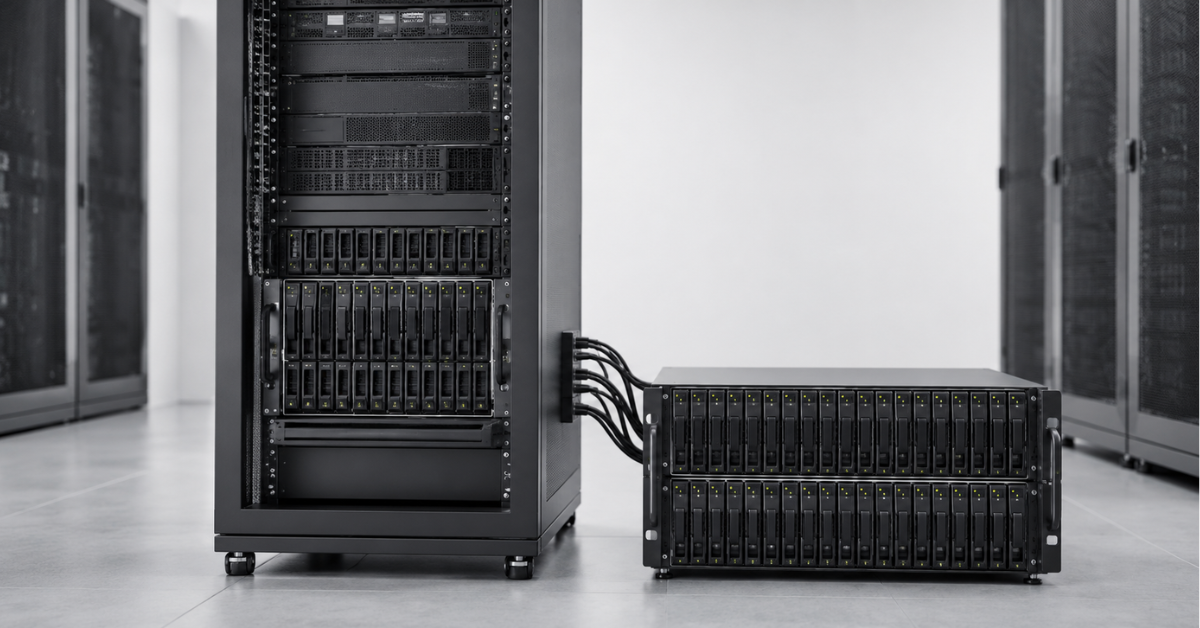
This is the main scenario when the current bays are already full. A new shelf is connected to the existing storage system or server through supported interfaces and adds new drive slots.
Before purchasing, you need to check:
- the maximum number of supported shelves;
- the maximum number of drives;
- SFF and LFF compatibility;
- support for specific HDDs and SSDs;
- required cables;
- free ports;
- dual-path connection rules;
- firmware requirements;
- support from the current software version.
HPE MSA, for example, has separate 12-drive LFF and 24-drive SFF shelves, while exact limits depend on the generation and model of the system: HPE MSA Storage.
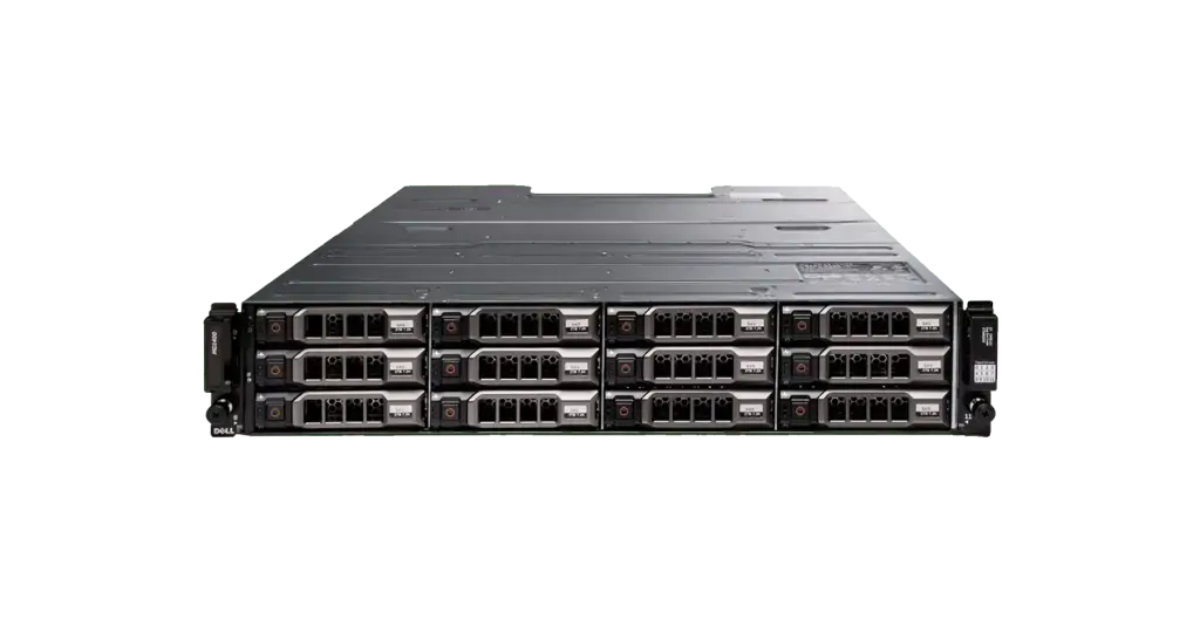
Dell Storage MD1400 is an example of a 12-drive LFF shelf.
Image source: ServerMall
Replace drives with higher-capacity ones
This path is chosen when there are no free slots and adding a shelf is impossible or uneconomical. For example, 8 TB drives can be gradually replaced with 18–20 TB drives.
The problem is that this scenario does not always deliver a quick result. In some systems, additional capacity becomes available only after all drives in a group have been replaced. In addition, each replacement triggers a rebuild or data reconstruction, which creates load and risk.
Drive replacement should be planned if:
- the controller is still up to date;
- the need is specifically terabytes, not speed growth;
- there is a maintenance window;
- an up-to-date backup exists;
- the vendor supports such drives in this system;
- the replacement and expansion sequence is clear in advance.
Install a new storage system and migrate data
Sometimes a new storage system is more cost-effective than expanding an old one. This is especially true when the old platform limits the drives, ports, speed, SSD support, or modern data protection features that can be used.
Migration is appropriate if:
- the current storage system is close to the end of vendor support;
- controllers have become the bottleneck;
- a different performance level is required;
- a new storage architecture is needed;
- the growth plan exceeds the capabilities of the old platform;
- the cost of expansion is too close to the cost of an upgrade.
In this case, a disk shelf will not solve the systemic problem. It will only add capacity to an architecture that no longer matches the workload.
SAS chains, dual paths, and controller limits
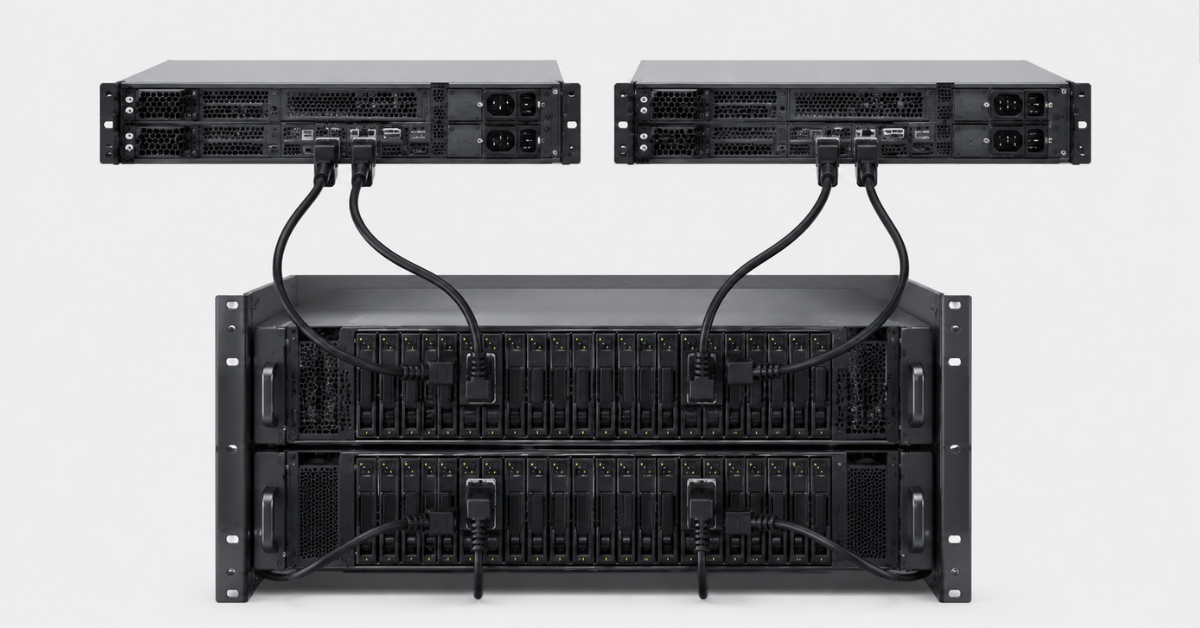
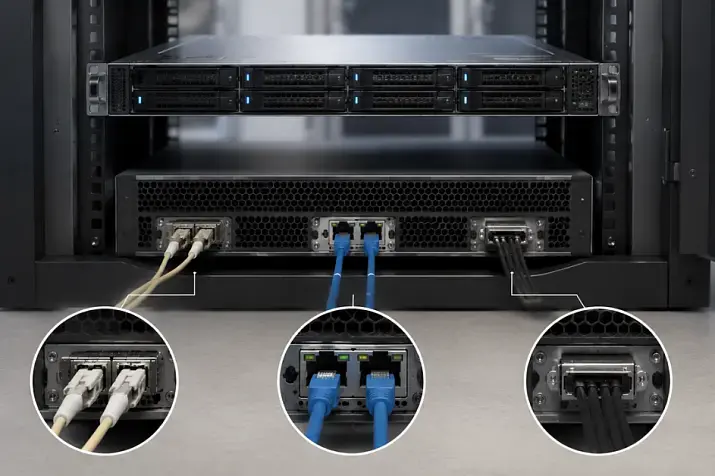
Disk shelves are not connected like a household extension cord. Each storage system has a supported connection topology. Everything matters: shelf order, cables, ports, I/O modules, firmware versions, and the presence of two paths to the drives.
Dual paths are needed so that the system does not lose access to drives if a cable, port, or module fails. If a shelf is connected through only one path, the failure of one component may become critical.
Before purchasing, you need to check:
- the model of the base storage system;
- controller generation;
- firmware version;
- the list of supported shelves;
- the maximum number of drives;
- maximum capacity;
- compatible HDDs and SSDs;
- rules for mixing SFF and LFF;
- required cables;
- free ports;
- multipath support on servers;
- firmware update requirements before expansion.
It is important not to rely on a general phrase such as “this shelf is compatible with this product line”. You need to look at your exact model, your controller version, your firmware, and your connection topology.
Can different drives and shelves be mixed?
Mixing is not always possible and not in every form. Even if the system physically sees the drives, that does not mean the configuration is correct for production use.
Usually, you need to check separately whether the system allows mixing:
- drives of different capacities;
- SSD and HDD;
- fast SAS drives and high-capacity nearline SAS drives;
- SFF and LFF shelves;
- old and new shelf generations;
- different SSD classes;
- different HDD rotation speeds.
What can go wrong:
- a RAID group will be limited by the smallest drive;
- fast SSDs will not show their potential in one pool with slow HDDs;
- the system may prohibit some combinations;
- performance may become unpredictable;
- drive firmware may be unsupported;
- maintenance may become more difficult;
- rebuild after a failure may take longer than expected.
For critical data, it is better to group drives by type, capacity, speed, and generation. Mixing is acceptable if it is allowed by documentation and included in the design, not if it happens accidentally because “we bought what was available”.
Choosing the Right Equipment
Our specialists will contact you and answer all your questions
Risks of storage expansion
Oversized RAID groups
A large RAID group may seem attractive: less capacity loss and a larger total volume. But as the number of drives grows, risk also grows. The larger the group, the higher the chance that another issue will appear during rebuild.
Extra caution is needed with large HDDs. An 18–24 TB drive may take a long time to rebuild, and during this entire period the array works under additional load. If the array tolerates the failure of only one drive, a second drive failure can damage the array and lead to data loss.
Long rebuild after a failure
During rebuild, the system reads the remaining drives and writes reconstructed data. This affects performance and increases hardware load. If a second drive fails at the wrong moment, the consequences depend on the selected protection scheme.
For high-capacity HDDs, RAID 6, RAID 60, or distributed schemes are often more reasonable if the storage system supports them. But the exact decision depends on workload, number of drives, and availability requirements.
Insufficient I/O operations
This is a common mistake: a company buys a shelf with large HDDs, gets many terabytes, and then wonders why virtual machines did not become faster. HDDs are good for capacity, but their number of operations is limited.
If the workload is latency-sensitive, you need to calculate not only terabytes, but also I/O operations, read/write profile, and peak periods.
Pool overfilling
A filled storage system handles maintenance, rebuilds, and data growth worse. Work must not be planned in such a way that usable capacity is almost completely consumed.
Space must be reserved in advance for:
- snapshots;
- temporary operations;
- data growth;
- rebuilds;
- balancing;
- system service data.
Power and cooling
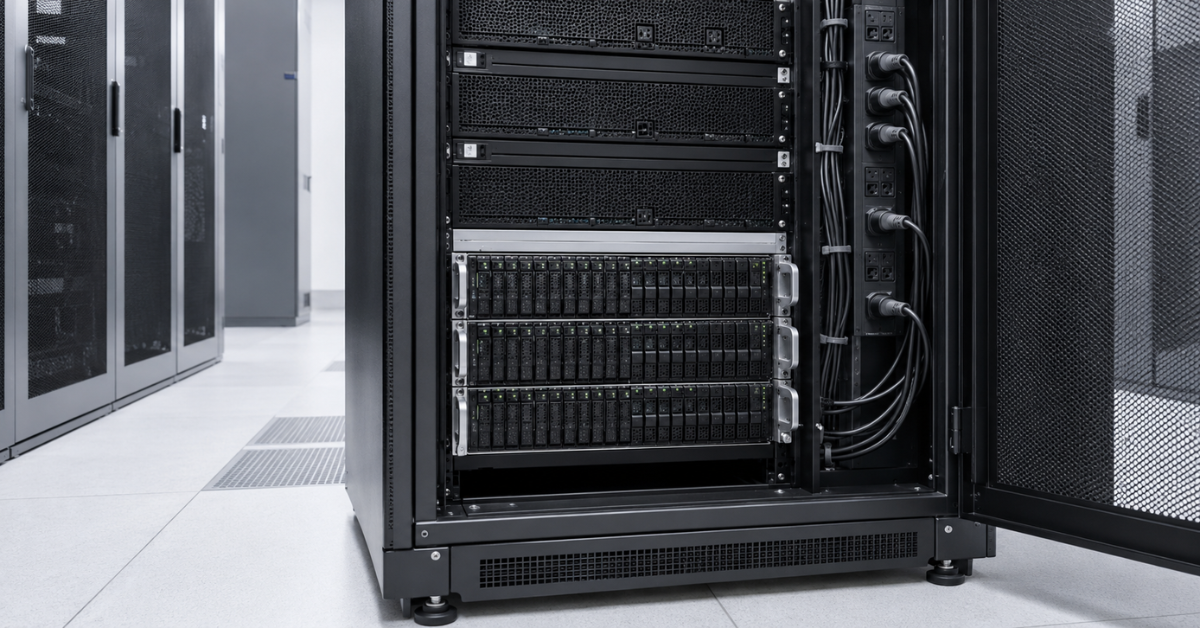
A dense disk shelf can significantly increase rack load. This is especially noticeable with 84-drive enclosures filled with mechanical drives. You need to check not only free rack units, but also power, PDU, heat load, airflow, and the presence of blanks.
If the chassis is designed for a specific airflow pattern, removed blanks or incorrect cable routing can worsen cooling.
Weight and maintenance
Ultra-dense shelves are heavy. They must not be installed in a rack without checking rails, rack depth, permissible load, and service access. Maintaining heavy shelves installed high in a rack can be inconvenient and dangerous.
Before installation, you need to understand:
- how much the enclosure weighs with drives installed;
- whether the rack can support this load;
- whether there is space to pull out trays;
- whether drives can be replaced conveniently;
- whether cables interfere with maintenance.
Compatibility
Unsuitable cables, unsupported drives, different firmware versions, and incorrect connection topology can disrupt the expansion project. That is why a compatibility list must be prepared before purchasing, instead of relying on the external similarity of shelves.
Capacity growth plan for 1–3 years
Storage expansion should be planned not for today’s lack of space, but for forecasted growth. Otherwise, the same problem may return in a few months.
Record the current baseline
You need to collect the initial data:
- current raw capacity;
- usable capacity;
- actually used space;
- average monthly data growth;
- peak growth periods;
- current latency and I/O operations;
- number of free slots;
- current RAID groups and pools;
- drive age;
- hardware support period.
If this data is missing, the expansion project will be based on assumptions.
Calculate growth
Basic formula:
Required capacity after N months = current data + average monthly growth × N + reserve for projects and peaks.
Example: 180 TB of data is currently stored, growth is 6 TB per month, and the planning horizon is 24 months.
180 TB + 6 TB × 24 = 324 TB.
This is only data. RAID, spare drives, snapshots, growth reserve, and technical space must still be added.
Define the working threshold
You should not wait until the storage system is completely full. It is better to define in advance the threshold after which the next expansion stage starts. For one system this may be 75%, for another 80% or a different value, depending on vendor recommendations and workload specifics.
The important thing is that the threshold is clear in advance. Then expansion becomes a planned task, not an emergency purchase.
Match capacity and performance
After calculating the number of terabytes, you need to check whether performance will be sufficient.
Questions to verify:
- which data is growing the fastest;
- how many operations are needed now;
- which workloads will appear in a year;
- whether SSDs are needed for hot data;
- whether the archive can be moved to a separate pool;
- whether the network will become a bottleneck;
- whether controllers will handle new shelves.
Choose the scenario
After calculations, the options are compared:
- buy additional drives;
- add a shelf;
- replace drives with higher-capacity ones;
- separate performance-sensitive and archive data;
- install a new storage system;
- move backups or archives to a separate system.
Sometimes the cheapest purchase becomes the most expensive one in operation. For example, a high-capacity HDD shelf may be cost-effective for an archive, but poor for a database. An SSD shelf may be excessive for cold backups.
Examples of choices for different tasks
File archive
For a file archive, capacity, cost per terabyte, and predictable storage are usually important. LFF HDDs and shelves with 12 or more drives are well suited here.
What matters:
- do not create oversized groups without protection;
- calculate rebuild time;
- reserve space for growth;
- do not mix archives with performance-sensitive databases;
- provide backup.
Backups
For backup, capacity is often more important than latency. But backup windows must be taken into account: if data cannot be written overnight, the problem is no longer only capacity.
You need to check:
- sequential write speed;
- the network between servers and storage;
- deduplication, if it is used;
- growth of daily changes;
- copy retention period;
- space for temporary operations.
Virtualization
For virtualization, terabytes alone are not enough. Virtual machines can generate many random operations, especially in the morning, during updates, backup, and antivirus scans.
For such tasks, SFF with SSDs or fast SAS drives is usually more suitable. If large capacity is needed, it is better to separate it from the performance tier.
Databases
Databases are sensitive to latency. Large HDDs may provide a lot of space, but not the required speed. SSDs, the right RAID scheme, separate pools, and peak I/O calculations are important here.
For databases, it is especially risky to mix slow and fast drives in one pool without understanding the consequences.
Video surveillance
Video surveillance often creates sequential writes and requires large storage volumes. LFF HDDs may be a good option here. But you need to calculate not only the number of cameras, but also bitrate, archive depth, peak writes, and how the system behaves during rebuild after a disk failure.
Large archive on 84 drives
An 84-drive shelf is suitable for very large volumes, but it requires engineering preparation. Rack, power, cooling, weight, connection topology, and protection groups must be calculated in advance.
Such a shelf must not be treated as an ordinary 2U chassis, just larger. It is a dense storage node that affects the entire rack infrastructure.
Checklist before buying a disk shelf
Compatibility
- current storage system model;
- controller generation;
- firmware version;
- supported shelves;
- supported drives;
- rules for mixing SFF and LFF;
- support for specific HDDs and SSDs;
- limits on the number of shelves and drives.
Capacity
- raw capacity;
- usable capacity after RAID;
- spare drive or distributed spare capacity;
- snapshot reserve;
- growth reserve;
- technical space for rebuilds;
- overall system capacity limit.
Performance
- current latency;
- current I/O operations;
- read and write profile;
- peak periods;
- workload types;
- controller headroom;
- port bandwidth;
- impact of rebuilds on users.
Connection
- free ports;
- required cables;
- dual-path support;
- correct SAS chain;
- shelf connection order;
- I/O module compatibility;
- multipath support on servers.
Physical infrastructure
- free rack units;
- rack depth;
- permissible weight;
- rails;
- power;
- PDU;
- cooling;
- space for maintenance;
- cable routing.
Operation
- backup before work begins;
- maintenance window;
- rollback plan;
- firmware update sequence;
- rebuild monitoring;
- event checks after connection;
- infrastructure documentation update.
Common mistakes when expanding storage
- Counting only raw capacity and forgetting about RAID, spare capacity, snapshots, and growth.
- Buying a shelf without checking controller limits.
- Mixing different drives without understanding the impact on capacity and speed.
- Adding high-capacity HDDs to a performance pool and expecting acceleration.
- Creating oversized RAID groups.
- Ignoring rebuild time after a failure.
- Connecting a shelf through one path even though the system supports two.
- Not checking firmware before purchase.
- Forgetting about power, cooling, and weight.
- Expanding an old storage system when it already needs replacement.
Conclusion
Storage expansion is not the purchase of “one more box with disks”. It is a calculation of capacity, performance, fault tolerance, and physical infrastructure. First you need to understand how much usable space will actually be needed over the next 1–3 years, how much will be consumed by RAID, spare drives, snapshots, and rebuilds, and only then choose a shelf with 12, 24, 48, or 84 drives.
For archives, backups, and large file repositories, LFF shelves with high-capacity HDDs are often suitable. For virtualization, databases, and production workloads, SFF shelves with SSDs or fast SAS drives are better candidates. For dense 84-drive solutions, rack, weight, power, cooling, connection topology, and controller limits must be checked separately.
A proper expansion plan answers not only the question “how many terabytes should we buy”, but also the more important question: whether the storage system will be able to handle this data safely, predictably, and without performance loss over the following years.
Choosing the Right Equipment
Our specialists will contact you and answer all your questions
Content:
Free shipping on orders over 500 € in the EU, £500 in the UK, and $3,000 in the USA
Free shipping on orders over 500 € in the EU, £500 in the UK, and $3,000 in the USA
Free shipping on orders over 500 € in the EU, £500 in the UK, and $3,000 in the USA
Free shipping on orders over 500 € in the EU, £500 in the UK, and $3,000 in the USA
Free shipping on orders over 500 € in the EU, £500 in the UK, and $3,000 in the USA
Free shipping on orders over 500 € in the EU, £500 in the UK, and $3,000 in the USA