10GbE is enough if the server’s total working traffic, with headroom, stays at roughly 5–7 Gbit/s and there is no heavy storage traffic, mass virtual machine migrations, short backup windows, active replication, or AI data pipelines. 25GbE should be considered as a more reliable baseline for dense virtualization, servers with fast NVMe drives, large-volume backups, and node-to-node exchange. 40GbE usually makes sense where this infrastructure already exists. 100GbE is needed when the network becomes part of platform performance: for distributed storage, AI workloads, large clusters, fast replication, and high-density virtualization.
A server network cannot be chosen only by the number of users. On a normal day, user traffic may take less than a gigabit, but at night the same server may start sending backups, synchronizing data, migrating virtual machines, or reading data arrays from external storage. At that moment, 10GbE can become a bottleneck, even if the interface looked almost idle during the day.
Another mistake is to look only at average utilization. If a port is 20% busy on average, that does not mean the network is sufficient. Peaks, data transfer windows, latency, packet loss, and competition between different flows for the same channel matter. Users do not feel the average daily speed. They feel the moment when the database starts responding more slowly, a virtual machine migration takes too long, backup does not finish on time, or storage begins to show latency.
What 10/25/40/100GbE means in practice
10GbE, 25GbE, 40GbE, and 100GbE are nominal network link speeds. They are not the guaranteed speed of an application. Part of the bandwidth is spent on protocol headers, acknowledgments, encryption, retransmissions caused by packet loss, the network stack, switch behavior, and operating system settings. That is why calculations should use not the ideal speed, but the useful one: roughly 70–80% of the nominal speed if a cautious estimate is needed.
Under good conditions, 10GbE can provide about 1 GB/s of useful data transfer. 25GbE gives roughly 2.5–3 GB/s. 40GbE gives about 4–5 GB/s. 100GbE gives about 10–12 GB/s. This is not a promise for every task, but a guideline. A single flow may not fill the channel, especially on 40GbE or 100GbE. The result depends on block size, the number of parallel flows, CPU, drivers, network adapters, buffers, queue settings, MTU, the switch, and the application itself.
The opposite situation is also possible: a server may have a 100GbE port but be unable to transfer data steadily at that speed. For example, the disks may not read fast enough, the application may generate too few parallel streams, the CPU may spend too many resources on the network stack, the PCIe slot may limit the network card, or the switch may drop packets when buffers are overloaded.
So port speed is only one layer of the calculation. For user traffic, total throughput is often important. For storage, latency and stability matter. For replication, it is the amount of changes over a period. For backup, it is the transfer window and restore speed. For AI, it is making sure accelerators do not sit idle while waiting for data.
Our most popular servers

Free shipping on orders over 500 € in the EU, £500 in the UK, and $3,000 in the USA

Free shipping on orders over 500 € in the EU, £500 in the UK, and $3,000 in the USA
Free shipping on orders over 500 € in the EU, £500 in the UK, and $3,000 in the USA

Free shipping on orders over 500 € in the EU, £500 in the UK, and $3,000 in the USA
Basic network calculation formula
For a first approximation, you can use a simple formula:
required speed = data volume / available time × headroom factor
The data volume is not always the size of all server contents. For backup, the transferred backup volume or the volume of changes matters. For replication, it is the volume of changes over the calculated period. For virtual machine migration, it is the VM memory size and the data that changes during migration. For storage, the calculation is not only about gigabytes per second, but also about the number of operations, latency, and the block profile.
The headroom factor is usually taken from 1.3 to 2.0. Some minimum headroom is needed even in calm systems because useful speed is lower than nominal speed, and workload rarely moves in a flat line. For infrastructure flows — storage, migrations, backup, replication — it is better to calculate with headroom closer to two, especially if these flows overlap in time.
Example: you need to transfer a 2 TB backup in 4 hours. That is roughly 500 GB per hour, or about 139 MB/s without headroom. Even with headroom, this task usually fits into 10GbE if the channel is not also occupied by storage, migrations, and users at the same time.
Another example: you need to transfer 20 TB in 6 hours. That is already about 925 MB/s without headroom. Taking protocol overhead and parallel workload into account, the task may approach the practical limit of 10GbE. If the window becomes shorter or the volume grows, 25GbE becomes much calmer.
Migrating a virtual machine with 512 GB of active memory in 10 minutes requires about 853 MB/s, excluding changing memory pages and overhead. If there are several such migrations, 10GbE quickly stops being comfortable. Replicating 5 TB of changes in 2 hours requires about 694 MB/s without headroom. If backup or storage traffic runs at the same time, the network must be calculated not by a single flow, but by the sum.
What types of traffic a server has

A server rarely has just one simple network flow. In real infrastructure, several traffic types are usually mixed, and users do not see some of them directly.
User traffic is employee activity: web requests, file access, application calls, and report exports. It often looks moderate, but it can create peaks when many files are opened at once, reports are launched, users log into VDI, or media data is processed.
Administrative traffic includes management, monitoring, updates, log collection, agent operation, and service connections. It is usually small, but it must remain available even when the main channels are overloaded.
Virtual machine traffic is the normal work of VMs with users, applications, databases, and external systems. With dense virtualization, dozens of VMs can create a large combined flow, even if each VM does not look heavy on its own.
Virtual machine migration between nodes creates a separate load. During live migration, VM memory is transferred while the running machine continues to change data. The more RAM the VM has and the more active it is, the more traffic is generated.
Storage traffic appears when working with iSCSI, NFS, SMB, NVMe-oF, Ceph, and other distributed or network storage systems. It is sensitive not only to speed, but also to latency, packet loss, and competition with other flows.
Backup traffic transfers large data volumes to a repository. It may run at night, but night is often exactly when other tasks also start: updates, replication, database maintenance, exports, and checks.
Replication transfers changes between databases, file systems, virtual machines, storage systems, or sites. For synchronous replication, latency is especially important. For asynchronous replication, the key factors are the volume of changes and the acceptable lag.
AI data pipelines transfer datasets, features, logs, intermediate results, models, and processing outputs. If a GPU server waits for data from storage, the problem may be not the accelerator, but the network or the disk subsystem.
Cluster traffic includes service-message exchange, state synchronization, quorum, and heartbeat. It is usually small in volume, but important for cluster stability.
When 10GbE is really enough
10GbE remains a normal choice for many servers. It is suitable for a standalone application server, small virtualization without active storage traffic, an office file server, a web/API server with moderate load, an administrative network, and backup with small volumes and a long window.
10GbE is often enough if useful channel utilization rarely exceeds 50–60%, peaks are short and do not affect users, and heavy background tasks do not overlap. For example, if an application server serves users, but the database is local or on a separate fast channel, and backup runs at night and transfers several hundred gigabytes, moving to 25GbE may not produce a noticeable effect.
For a database, 10GbE may also be enough if the main bottleneck is in disks, CPU, or memory. If the database does not transfer large arrays over the network and replication is moderate, a faster port will not speed up queries by itself.
But it is important not to confuse “enough” with “enough forever.” If the number of VMs is expected to grow, or if NVMe, replication, VDI, distributed storage, or a short backup window is planned, 10GbE may become a limitation earlier than the server becomes outdated in CPU or RAM.
Two 10GbE ports are not always equal to one 20GbE channel. Link aggregation helps distribute multiple flows and provides fault tolerance, but a single flow does not accelerate proportionally. Therefore, for one heavy transfer, 25GbE can be more useful than several 10GbE links, especially if the application cannot effectively use parallel connections.
When it is better to start with 25GbE
25GbE often becomes a reasonable modern minimum for servers that are no longer limited to ordinary user traffic. It is a good option for dense virtualization, servers with NVMe drives, storage over Ethernet, fast backups, replication between nodes, VDI, database servers with active exchange, and small AI pipelines.
The main advantage of 25GbE is not only that it is faster than 10GbE. It provides more headroom with similar architectural complexity. Instead of several 10GbE ports, you can use fewer cables and fewer switch ports. At the same time, a single flow has a better chance of passing faster, if the application and infrastructure allow it.
25GbE is especially useful when the server can already generate more than 10GbE. A modern node with several NVMe drives, many virtual machines, or active replication can hit the 10GbE limit not because the network is poorly configured, but because the other components have become faster. In that situation, the network starts limiting the platform.
For virtualization, 25GbE gives room for migrations, VM traffic, backup, and storage access. For backup servers, it helps shorten backup and restore windows. For databases, it provides headroom for replication and exports. For AI, it reduces the risk that accelerators will sit idle because data access is too slow.
Choosing the Right Equipment
Our specialists will contact you and answer all your questions
When 40GbE makes sense
40GbE should be considered carefully. It is not a universal new standard for every project, but an option often found in already built data centers and legacy networks. If the infrastructure already has 40GbE switches, transceivers, cables, and network cards, using them can be quite rational.
40GbE can suit inter-server exchange, storage, backup, and aggregation of several less fast flows. But in new projects, it should be compared with 25GbE and 100GbE by port price, equipment availability, power consumption, cables, transceivers, and the growth plan.
In many scenarios, 25GbE is a more convenient step after 10GbE, while 100GbE is a clearer target for backbone and high-load connections. So 40GbE should not be chosen only because the number looks “between 25 and 100.” You need to see how well this option fits the existing network and whether it will remain convenient in a few years.
When 100GbE is needed

100GbE is not needed for every server. It is usually justified where the network becomes part of compute or storage performance, not simply a user access channel. This includes high-density virtualization, distributed storage, NVMe-oF, storage clusters, large backup repositories, fast replication, AI data pipelines, large-scale analytics, and nodes that can generate tens of gigabits of traffic.
Often 100GbE is needed not at the user access level, but inside the infrastructure: between servers and storage, between cluster nodes, between switches, between GPU servers and the storage system. A user may work with an application through a relatively small flow, while behind that application there will be replication, dataset reads, synchronization, backup, and node-to-node exchange.
With 100GbE, it is especially important to calculate the entire chain. A network adapter will not help if the switch cannot handle buffers, the uplink is overloaded, cables are chosen incorrectly, the CPU spends too many resources on packet processing, the PCIe slot limits the card, or the storage cannot deliver data at the required speed. A single flow may also fail to fill 100GbE without proper application, protocol, and parallelism settings.
For network file storage and remote data access scenarios, technologies that reduce latency and CPU load are important. For example, Microsoft describes SMB Direct as a mechanism that uses RDMA adapters to provide high throughput, low latency, and lower CPU utilization when transferring data over the network. This clearly shows that in fast networks, channel width is not the only thing that matters. The way data is transferred matters too.
Top-selling network switches
Free shipping on orders over 500 € in the EU, £500 in the UK, and $3,000 in the USA

Free shipping on orders over 500 € in the EU, £500 in the UK, and $3,000 in the USA

Free shipping on orders over 500 € in the EU, £500 in the UK, and $3,000 in the USA

Free shipping on orders over 500 € in the EU, £500 in the UK, and $3,000 in the USA
Calculations for backup
Backup is often underestimated because it is considered a background task. But backup may be the first thing to show that the network is insufficient. It is important to calculate not only data volume, but also the backup window, task parallelism, compression, deduplication, encryption, and restore speed.
If you need to transfer 5 TB in 8 hours, the average speed without headroom is about 174 MB/s. For 10GbE, this is not a problem if the channel is not occupied by other heavy flows. If you need to transfer 15 TB in 6 hours, the result is about 694 MB/s without headroom. This is already a noticeable load on 10GbE, especially if user tasks, replication, or storage traffic run in parallel.
If the volume is 30 TB and the window is only 4 hours, a speed of about 2.1 GB/s is needed without headroom. In this scenario, 10GbE is already insufficient, and 25GbE becomes a reasonable minimum. If you need not only to back up, but also to quickly restore dozens of virtual machines, the network must also be calculated for the restore scenario.
Veeam’s backup proxy documentation separately emphasizes the importance of placing the proxy closer to the data source and having sufficient bandwidth between the proxy and the repository. It also provides mechanisms for network traffic throttling, because backup can consume a significant share of bandwidth.
For the calculation, it is better to separate several values: the full backup volume, the daily change volume, the number of parallel jobs, the available window, repository speed, restore speed, and the traffic that runs at the same time. If you calculate only the average daily volume, you can miss the moment when several jobs converge into one peak.
Calculations for virtual machine migration
Virtual machine migration is not ordinary user traffic. During live migration, VM memory is transferred while the machine continues to run and modify part of its memory pages. The more RAM the VM has and the more active the application inside it is, the more data must be transferred.
If a virtual machine has 128 GB of memory and must be migrated in 10 minutes, about 213 MB/s is needed without headroom. For 10GbE, this is usually manageable. If the VM has 512 GB of memory and must be moved in the same 10 minutes, about 853 MB/s is needed, not counting changing pages. This is close to the practical limit of 10GbE under real infrastructure load.
If four VMs with 512 GB each are migrated at the same time within 15 minutes, the combined speed is about 2.3 GB/s without headroom. Here 10GbE is no longer suitable, and 25GbE becomes a more realistic option. If backups, replication, or active storage traffic are also running, even more headroom or network separation is needed.
Broadcom’s vMotion requirements specify the minimum dedicated bandwidth per simultaneous migration session and separately discuss network requirements for virtual machine migration. This confirms that migration traffic cannot be treated as “ordinary background traffic,” especially when several migrations run in parallel.
Migration traffic is better separated from user and storage traffic. Even if average network utilization is low, migrating several large VMs can create a sharp peak and affect applications that are not involved in the migration at all.
Calculations for storage traffic
Storage traffic is different from ordinary file transfer. Here, not only gigabytes per second matter, but also latency, stability, packet loss, and behavior under overload. For iSCSI, NFS, SMB, NVMe-oF, and distributed storage, the network effectively becomes part of the disk subsystem.
10GbE can be suitable for moderate iSCSI or NFS if the workload is not too dense and latency is stable. But a server with fast NVMe drives can generate a flow above 10GbE. If several virtualization hosts access network storage, start VMs, write logs, and also fall into the backup window, 10GbE can become a bottleneck.
25GbE is better suited to dense virtualization, NVMe servers, and storage systems where headroom matters. 100GbE is needed for high-performance storage clusters, NVMe-oF, large Ceph clusters, and systems where a single node can send or receive tens of gigabits of traffic.
For storage traffic, it is important not to mix everything into one channel without control. VLANs separate traffic logically, but they do not increase physical bandwidth. If backup, users, migrations, and storage all go through one port, they still compete for one resource. Latency-sensitive tasks need separate ports, separate networks, quality of service, or at least strict limits for background tasks.
Calculations for replication

Replication can be synchronous or asynchronous. For synchronous replication, latency is critical because write confirmation depends on the remote side. Even a wide channel will not help if latency is too high. For asynchronous replication, the volume of changes and acceptable lag are more important.
You need to calculate not the total size of the database or storage, but the volume of changes over the calculation period. If a database is 20 TB, but 200 GB changes in an hour, the calculation is built around those 200 GB and the required delivery time for the changes. If the change volume reaches 2 TB during peak hours, calculating by the average daily value is dangerous.
500 GB of changes in 1 hour is about 139 MB/s without headroom. 3 TB in 2 hours is about 417 MB/s. 10 TB in 2 hours is about 1.4 GB/s without headroom. The last scenario already goes beyond the comfortable level of 10GbE, especially if the channel is used not only for replication.
For replication, write peaks must be taken into account. For example, a database may change little data during the day, while at night batch loads, recalculations, indexing, exports, and maintenance run. If replication must catch up with these changes before the start of the workday, the network is calculated not by the calm period, but by the heaviest window.
Calculations for users and applications
Users by themselves do not always require 25GbE or 100GbE. For a normal office application, web service, or accounting system, user traffic is often smaller than internal infrastructure flows. 100 users at 5 Mbit/s of average traffic equals 500 Mbit/s. Even with headroom, 10GbE is more than enough here.
But the average value can mislead. If 50 users simultaneously open 200 MB files, a short-term peak of about 10 GB of data appears. If this happens regularly, the file server and network should be calculated by peak behavior. For media production, CAD files, video, large exports, remote graphics work, and VDI, traffic can be much heavier than in a normal office.
VDI requires separate attention. Not only user sessions matter, but also login peaks, profile loading, updates, antivirus scans, storage access, and simultaneous desktop startup. In such an environment, 10GbE may be enough during the day, but drop in the morning or during updates.
For a web/API server, the network is calculated not only by incoming requests. Responses, database calls, caches, queues, exports, microservice-to-microservice exchange, and log traffic must be considered. Sometimes external traffic is small, but internal exchange between components is many times higher.
Calculations for AI data pipelines
AI workloads and data pipelines often require the transfer of datasets, logs, features, intermediate results, models, and responses between storage, CPU servers, and GPU servers. If accelerators sit idle while waiting for data, buying a more powerful GPU will not solve the problem. The bottleneck may be the network, storage, or data processing before the data reaches the model.
For small inference, 10GbE or 25GbE may be enough if the model is loaded locally, requests are small, and access to external storage is limited. But if the server constantly reads large data, performs batch processing, pulls features from network storage, or sends results to an analytics system, requirements grow.
For dense GPU servers and fast storage, 100GbE often becomes not a luxury, but a way to keep accelerators from being starved of data. This is especially important in tasks where several nodes exchange intermediate results and data is read not once, but repeatedly passes through different processing stages.
NVIDIA publishes materials on network planning for AI and storage workloads, where high-speed networking is treated as part of the overall platform, not as a secondary file-transfer channel. NVIDIA
For such scenarios, it is useful to calculate not only dataset volume, but also how often it is read, the number of parallel tasks, batch size, storage speed, GPU utilization, queues, and accelerator idle time. If the GPU is expensive, a network that prevents it from sitting idle can be economically justified.
Workload growth and headroom
The network should not be calculated too tightly. Even if 10GbE is enough today, new virtual machines, replication, NVMe storage, another backup mode, more users, or an AI service may appear in a year. Data often grows faster than the number of employees, while backup windows do not expand over time — they shrink.
For ordinary servers, it is worth leaving at least 30–50% free bandwidth. For infrastructure tasks, it is often better to calculate headroom up to two times. This is not excessive caution, but protection against overlapping peaks. Backup, VM migration, replication, and database maintenance may coincide in time, even if each task was calculated separately as acceptable.
The service life of servers and switches also matters. A network card can be replaced, but if there are not enough ports, the uplink is overloaded, the cabling infrastructure is not ready, or the switch does not support the required speeds, the upgrade becomes more expensive. That is why the network should be designed several years ahead, especially if the server is purchased for virtualization, storage, or data processing.
When 10GbE is enough, and when 25/40/100GbE is needed
| Speed | Where it is usually enough | Where it is already risky | Typical mistake | Comment |
|---|---|---|---|---|
| 10GbE | Standalone servers, ordinary applications, moderate file services, small virtualization | Dense virtualization, fast backup windows, storage over the network, active replication | Looking only at daytime port utilization | A good baseline option if there is no heavy internal traffic |
| 2×10GbE | Several flows, fault tolerance, traffic separation | One heavy flow, low-latency storage, mass migrations | Assuming this always equals 20GbE | Aggregation does not help in every scenario |
| 25GbE | Dense virtualization, NVMe servers, backup, replication, VDI | Large storage clusters, AI with heavy exchange, tens of Gbit/s from a node | Keeping old uplinks and expecting a performance gain | Often the most rational step after 10GbE |
| 40GbE | Existing data centers with ready infrastructure | New projects with no reason to stay on 40GbE | Choosing it as the “middle option” without calculation | Makes sense if the equipment already exists |
| 100GbE | Storage clusters, NVMe-oF, AI pipelines, large virtualization nodes, backbone links | Simple applications and standalone servers without heavy traffic | Buying a NIC without checking the whole chain | Requires proper switches, cables, PCIe, and settings |
| 2×100GbE | Very dense nodes, fault-tolerant storage and AI networks, traffic aggregation | Infrastructure without tasks of this level | Ignoring heat output, port cost, and uplinks | This is usually cluster-level architecture, not just a single server |
This table does not replace a calculation. It helps quickly understand the direction. 10GbE can be enough for an application server and insufficient for a virtualization host with active storage. 25GbE can be optimal for one node and weak for a backbone link. 100GbE can be excessive for users and necessary for server-to-server exchange.
Choosing the Right Equipment
Our specialists will contact you and answer all your questions
Separate networks or one shared channel
Traffic separation is not only about security, but also about predictability. Management, users, storage, migrations, backup, and replication have different profiles. User traffic is sensitive to latency during working hours. Backup can occupy the channel for a long time and aggressively. Storage does not like packet loss or latency spikes. Virtual machine migrations create short but heavy peaks.
VLANs help logically separate traffic, but they do not add physical speed. If all VLANs go through one 10GbE port, they still share one channel. Therefore, critical flows sometimes need separate physical ports or separate network cards.
LACP is useful for fault tolerance and for distributing several flows. But it does not guarantee that one large flow will become twice as fast. If a task transfers data over one connection, it may remain on one physical link. Therefore, for heavy single flows, a faster port is often better than several slower ones.
Quality of service helps protect important traffic from background traffic, but it does not create new bandwidth. If the channel is objectively too small, priorities only decide who suffers first. For storage and low-latency tasks, it is better to avoid competition with backup and mass migrations.
Switches, cables, optics, and PCIe must also be calculated
A server network card does not solve the task by itself. If the server receives 100GbE but is connected to a switch with an overloaded uplink, the real benefit may be small. If the ToR switch has high oversubscription, several servers may hit the common output at the same time. If switch buffers are small, packet loss and retransmissions may appear during peaks.
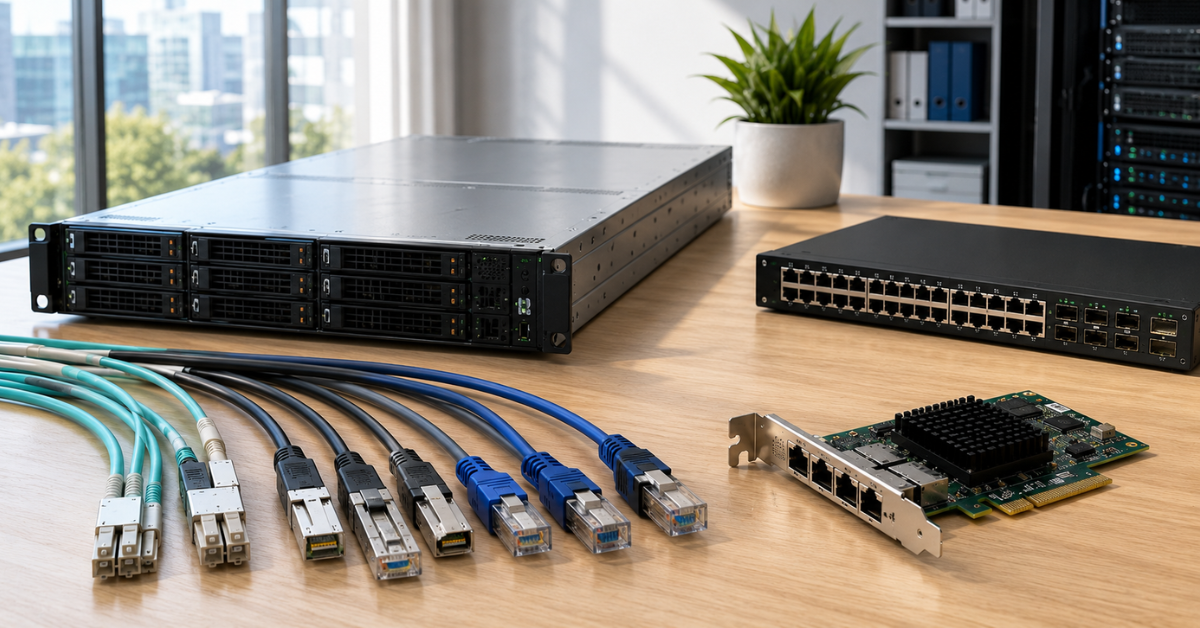
Cables and optics are also important. For 25/40/100GbE, you need to check transceiver types, switch compatibility, line length, power consumption, and heat output in advance. DAC cables are convenient for short distances inside a rack. Optics are needed for longer distances, but they cost more and must be chosen carefully.
PCIe can become a hidden limitation. For 100GbE, the slot must provide suitable throughput, the right PCIe generation, and enough lanes. If the server already has GPUs, NVMe controllers, and other cards, the network adapter may end up in a non-optimal slot or share resources with other devices.
The CPU also participates in network transfer. At high speeds, network offloads, queues, drivers, firmware, TCP settings, buffer size, and interrupt distribution matter. Red Hat’s network performance tuning documentation discusses throughput, latency, packet loss, and TCP parameters, which clearly shows that a fast port requires correct OS and network configuration.
Calculation matrix by traffic type
| Traffic type | What to calculate | What matters more | When 10GbE is enough | When to look at 25/100GbE |
|---|---|---|---|---|
| Users | Number of concurrent users, file size, peaks | Usually speed and stability | Office applications, moderate file access | CAD, video, VDI, mass exports |
| Web/API | Incoming requests, responses, calls to databases and caches | Balance of speed and latency | Moderate backend, horizontal scaling | Large internal exchange, heavy responses, many services |
| Backup | Backup volume, window, parallelism, restore | Speed and predictable window | Small volumes and a long window | Tens of TB, short window, fast restore |
| Restore | How much data must be returned and in what time | Restore speed | Low RTO requirements | Fast restore of VMs, databases, and file arrays |
| VM migration | RAM volume, number of VMs, migration time | Speed and no impact on production traffic | Rare migrations of small VMs | Mass migrations, large VMs, dense clusters |
| Storage | Throughput, latency, packet loss, operations | Latency and stability | Moderate iSCSI/NFS/SMB | NVMe, Ceph, NVMe-oF, dense virtualization |
| Replication | Volume of changes over a period, acceptable lag | For synchronous — latency; for asynchronous — speed | Small change volume | Large write peaks, short window, inter-node replication |
| VDI | Login peaks, profiles, updates, storage IOPS | Latency and peaks | Small desktop pools | Mass logins, graphics, dense environment |
| AI data pipelines | Datasets, read frequency, node-to-node exchange | Speed, latency, no GPU idle time | Small inference, local data | GPU servers, fast storage, distributed processing |
| Cluster traffic | Synchronization, heartbeat, service messages | Latency and reliability | Small clusters | Distributed systems and storage clusters |
How to understand that the current network is no longer enough

- The port is often loaded above 70–80% during business or infrastructure peaks. But you should not look only at the average value. p95 and p99 matter — upper percentiles that show behavior in heavy moments. If average utilization is low, but the channel becomes completely saturated in short windows, users will still see latency.
- Backup does not fit into the window. If backup should finish before the start of the workday but regularly runs into working hours, the network may be one of the causes. The same applies to restore: backups may be created normally, but restoring large VMs or file arrays may take too long.
- Virtual machine migrations take longer than expected or noticeably affect other services. If application performance drops during migration, traffic is competing for the channel or storage.
- Storage shows latency while disks and controllers do not appear overloaded. In this case, the network must be checked: packet loss, retransmissions, queues, switch buffers, interface load, and uplinks.
- The CPU spends a noticeable share of resources on the network stack, while the application still does not reach the expected speed. This is especially important on 25/100GbE, where incorrect drivers, firmware, and settings can limit real transfer speed.
For AI and analytics, an important signal is accelerator or compute-task idle time while waiting for data. If GPU utilization is uneven and the data queue comes from network storage, you need to check not only the model, but also the network, storage, and data preparation.
Typical mistakes in network calculation
- The most common mistake is calculating only user traffic. Internal server tasks are often heavier: backup, restore, migrations, replication, storage, and exchange between nodes.
- Calculating by averages, not peaks. The network may be free for 20 hours a day and overloaded during the 30 minutes when speed is especially important to the business.
- Thinking that 2×10GbE always equals 20GbE. For several flows, this may be close to true, but one flow often does not accelerate the way people expect.
- Mixing storage and backup in one channel without headroom. Backup can consume bandwidth exactly when virtual machines are actively accessing disks.
- Ignoring the switch uplink. Servers may have fast ports, but if several nodes converge into a weak uplink, the bottleneck simply moves higher.
- Buying a 100GbE card without checking the switch, cables, optics, PCIe, drivers, and cooling. At these speeds, the whole chain must match the task.
- Forgetting about latency and packet loss. For storage and synchronous replication, a wide channel with unstable latency can be worse than a more predictable network.
- Not accounting for data growth. Today 10GbE is enough because backup takes 3 hours. In a year, the volume doubles, the window stays the same, and the network becomes a limitation.
- Calculating replication by the full database volume rather than the change volume. Or, conversely, calculating by the average change volume while ignoring peak hours.
- Not checking the real application speed. A synthetic channel test is useful, but it does not always show how a database, storage, VM, or AI pipeline will behave.
Most popular refurbished servers

Free shipping on orders over 500 € in the EU, £500 in the UK, and $3,000 in the USA
Free shipping on orders over 500 € in the EU, £500 in the UK, and $3,000 in the USA

Free shipping on orders over 500 € in the EU, £500 in the UK, and $3,000 in the USA

Free shipping on orders over 500 € in the EU, £500 in the UK, and $3,000 in the USA
How to choose network speed
First, list all types of server traffic: users, applications, virtual machines, storage, backup, restore, migrations, replication, management, monitoring, and node-to-node exchange. If a flow is not counted, it will appear after deployment — as overload.
Then calculate volumes and transfer windows. How much data needs to be copied? In how many hours? How many virtual machines may migrate at the same time? What volume of changes is replicated per hour? How much data does the AI pipeline read? What flow goes to storage during working hours?
After that, add up simultaneous tasks. If backup, replication, and migration do not overlap, they can be calculated separately. If they can run at the same time, the network is calculated by the sum. Headroom must be added to the resulting value: at least 30–50%, and often closer to two times for infrastructure flows.
Next, determine where latency matters. User file transfers can tolerate short fluctuations. Storage, synchronous replication, VDI, and some cluster tasks are much more sensitive. For them, not only speed matters, but also stability.
Then decide which networks to separate. Management, users, storage, migrations, backup, and replication can live in a shared physical network only when there is enough bandwidth, priority control, and predictable peaks. If the traffic is heavy or critical, it is better to allocate separate ports or separate network segments.
Then switches, uplinks, cables, optics, network cards, PCIe, drivers, and firmware are checked. There is no point in installing a fast adapter in a server if the rest of the infrastructure is not ready.
After that, the speed is chosen. 10GbE suits moderate servers and tasks without heavy internal traffic. 25GbE is a good choice for modern virtualization nodes, backup, replication, NVMe, and dense servers. 40GbE is justified if the infrastructure is already built around it. 100GbE is needed for storage clusters, AI pipelines, high-density virtualization, backbones, and nodes that can realistically generate tens of gigabits of traffic.
The final assessment is best verified with tests. You need to look not only at the speed of copying a large file, but also at latency, packet loss, retransmissions, CPU load, application behavior, backup/restore duration, VM migrations, and storage operation under load.
What to choose in the end
10GbE remains a normal option for many servers if there is no heavy internal traffic, short backup windows, active network storage, mass migrations, or AI pipelines. It is a working minimum for standalone servers, moderate virtualization, ordinary applications, and file services without constant transfer of large volumes.
25GbE is often the most rational modern choice for servers that must live for several years and withstand growth. It gives headroom for virtualization, NVMe, replication, backup, and denser loads, but does not require an immediate transition to the complexity of 100GbE.
40GbE makes sense if such infrastructure already exists and fits well into the current network. For new projects, it must be compared with 25GbE and 100GbE rather than chosen automatically.
100GbE is needed where the network directly affects platform performance: in distributed storage, AI/data pipelines, large clusters, fast replication, backbone links, and high-density virtualization. But such a port requires the whole chain to be ready — from the network card and PCIe to the switch, cables, uplinks, drivers, and OS settings.
A server network should be calculated not by the name of the speed, but by working scenarios: how much data is transferred, in what time, how many flows run simultaneously, where latency matters, which tasks compete for the channel, and how the workload will grow. Then the choice between 10GbE, 25GbE, 40GbE, and 100GbE becomes not a guess, but an engineering calculation.
Choosing the Right Equipment
Our specialists will contact you and answer all your questions

Free shipping on orders over 500 € in the EU, £500 in the UK, and $3,000 in the USA

Free shipping on orders over 500 € in the EU, £500 in the UK, and $3,000 in the USA

Free shipping on orders over 500 € in the EU, £500 in the UK, and $3,000 in the USA

Free shipping on orders over 500 € in the EU, £500 in the UK, and $3,000 in the USA

Free shipping on orders over 500 € in the EU, £500 in the UK, and $3,000 in the USA

Free shipping on orders over 500 € in the EU, £500 in the UK, and $3,000 in the USA