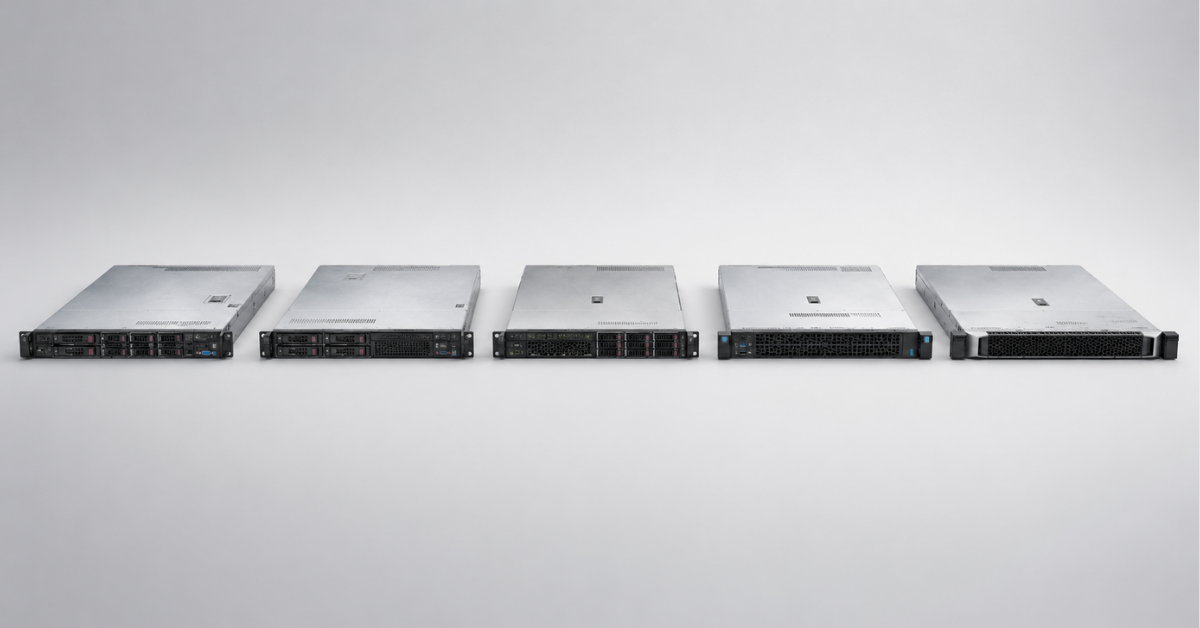
HPE ProLiant DL360 is a dual-socket 1U rack server designed for high compute density. For most new enterprise systems, Gen11 is a sensible starting point; with a limited budget, consider Gen10 Plus or Gen10. Gen12 is justified where Intel Xeon 6, fast I/O and long-term expansion headroom are genuinely required. Today, Gen9 is mainly suitable for expanding an existing fleet, test environments and non-critical workloads.
The generation number alone does not determine whether a purchase will be successful. In the compact DL360 chassis, processors, memory, drive cages, controllers, network adapters, risers and cooling are more tightly interdependent than in larger 2U servers. You should therefore compare fully assembled configurations for the same workload, rather than empty chassis or maximum figures from specifications.
What is the HPE ProLiant DL360?
The DL360 belongs to the HPE ProLiant 300 series of general-purpose enterprise servers. It occupies one rack unit in a standard 19-inch rack. This increases compute-node density but leaves less room for drives, expansion cards and cooling than the 2U DL380.
The model name helps explain its position in the product range:
-
DL denotes a rack-mounted system. HPE tower servers use the ML designation.
-
The 300 series comprises versatile enterprise platforms.
-
DL360 is a dense 1U system, whereas the DL380 occupies 2U and is better suited to expansion.
-
The final digit 0 indicates an Intel platform. The similarly positioned DL365 is based on AMD EPYC.
-
Gen denotes the generation. Gen10 Plus is a distinct architectural update, not an enhanced configuration of the standard Gen10.
The DL360 is used for virtualisation, applications and databases, software-defined clusters, virtual desktops, web services and edge computing. It is particularly suitable when compute density matters more than the number of local drives and expansion cards.
The DL360 can be equipped with NVMe drives and selected accelerators, but it does not replace a general-purpose storage system or a dedicated GPU server. When many drives, controllers or accelerators are required, a larger platform is usually the more practical choice.
HPE ProLiant DL360 Gen9–Gen12 comparison
The table shows the maximum capabilities of each generation. These figures do not describe a single ready-made configuration: SFF, LFF and E3.S options are often mutually exclusive, while available memory, drives and cards depend on the number of processors, system board, cages, controllers, cables, risers and cooling.
| Generation | Processors | Memory | Storage | Interfaces and management |
|---|---|---|---|---|
| DL360 Gen9 | Up to two Intel Xeon E5-2600 v3/v4 processors, up to 22 cores per processor | 24 DDR4 slots, up to 3 TB LRDIMM | Up to 10 SFF or 4 LFF; mixed configuration with up to 6 NVMe and 4 SAS/SATA drives | PCIe 3.0, SAS 12G, FlexibleLOM, iLO 4 |
| DL360 Gen10 | Up to two 1st/2nd Gen Intel Xeon Scalable processors, up to 28 cores | 24 DDR4 slots, up to 3 TB LRDIMM | Up to 10 SFF or 4 LFF; up to 10 NVMe drives in a dedicated chassis | PCIe 3.0, iLO 5 |
| DL360 Gen10 Plus | Up to two 3rd Gen Intel Xeon Scalable processors, up to 40 cores | 32 DDR4 slots, up to 8 TB LRDIMM | Up to 10 SFF or 4 LFF, U.2/U.3 | PCIe 4.0, OCP 3.0, iLO 5 |
| DL360 Gen11 | Up to two 4th/5th Gen Intel Xeon Scalable processors, up to 64 cores | 32 DDR5 slots, up to 8 TB RDIMM | Up to 10 SFF, 4 LFF or 20 E3.S drives | PCIe 5.0, OCP 3.0, iLO 6 |
| DL360 Gen12 | Up to two Intel Xeon 6 processors, up to 144 E-cores or 86 P-cores per processor | 32 DDR5 slots, up to 8 TB and 6400 MT/s | Up to 10 SFF, 4 LFF or 20 E3.S drives | PCIe 5.0, OCP 3.0, iLO 7 |
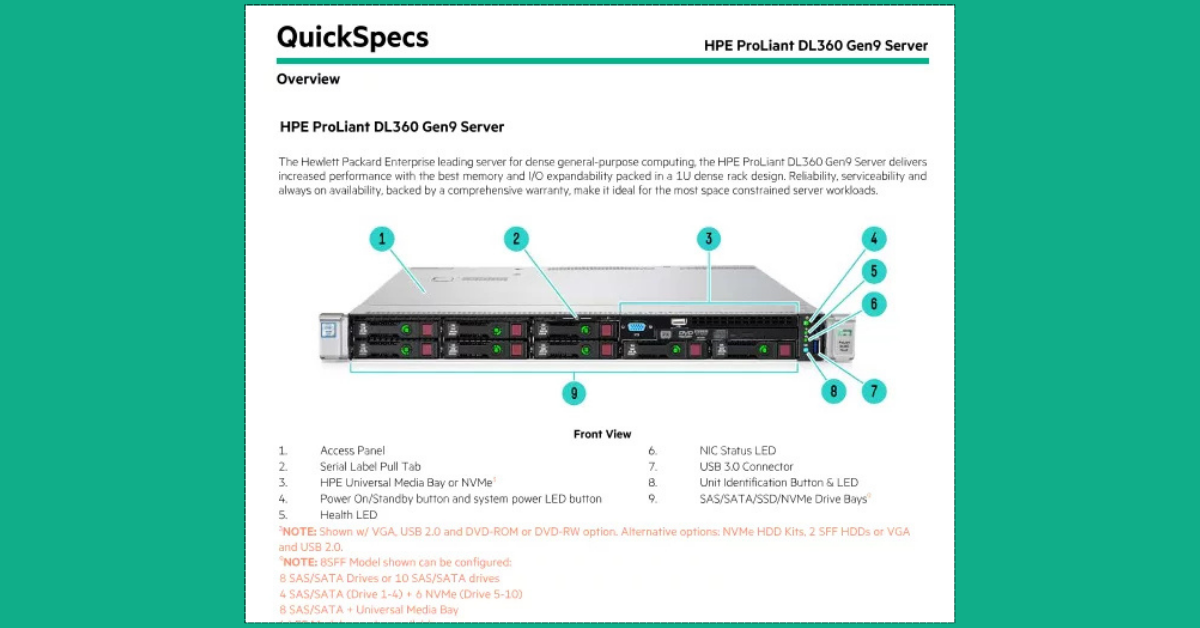
Official product view of the DL360 Gen9. It shows the characteristic front panel of the older generation and provides a visual starting point for the comparison.
Image source: HPE
The stated memory speed is an upper limit, not a guaranteed value for every set of modules. It depends on the processor, DIMM type and number of modules per channel. When only one processor is installed, only the memory channels associated with that processor and some of the I/O lanes are available.
Older descriptions of memory capacity require particular care. For example, 6 TB or 8 TB limits may refer to Intel Optane Persistent Memory, which was installed alongside DDR4 and was not conventional RAM. These figures cannot be compared directly with the maximum RDIMM or LRDIMM capacity.
Choosing the Right Equipment
Our specialists will contact you and answer all your questions
HPE ProLiant DL360 Gen9
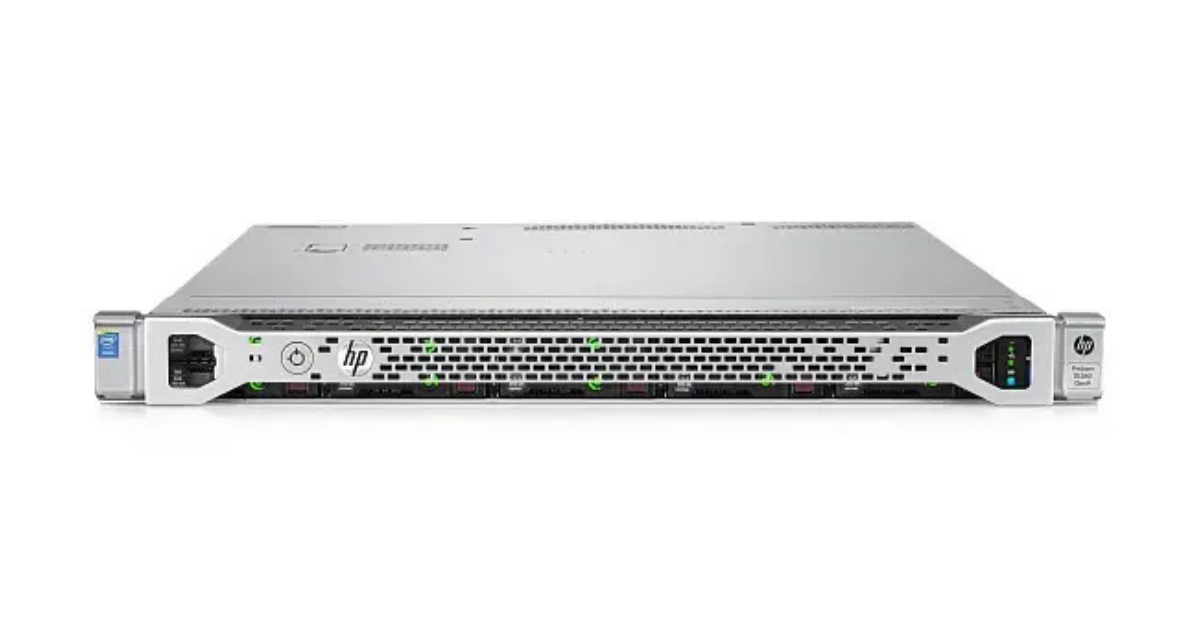
ProLiant DL360 Gen9.
Image source: Servermall
DL360 Gen9 supports one or two Intel Xeon E5-2600 v3/v4 processors with up to 22 cores per processor. Its 24 DDR4 slots can accommodate up to 3 TB with LRDIMMs; the official limit for standard RDIMMs is lower at 768 GB. The number of slots alone therefore does not indicate the available memory capacity.
The server was available with 10 SFF 2.5-inch drives or four LFF 3.5-inch drives. A special configuration with six NVMe and four SAS/SATA drives required a suitable cage, backplane and enhanced cooling. The limitations are listed in the Gen9 specifications.
Today, Gen9 is suitable for expanding a uniform fleet, laboratory environments and predictable non-critical services. It is outdated for a new long-term project because of PCIe 3.0, iLO 4, component age, difficulty sourcing spare parts and possible incompatibility with current operating systems and hypervisors.
HPE ProLiant DL360 Gen10
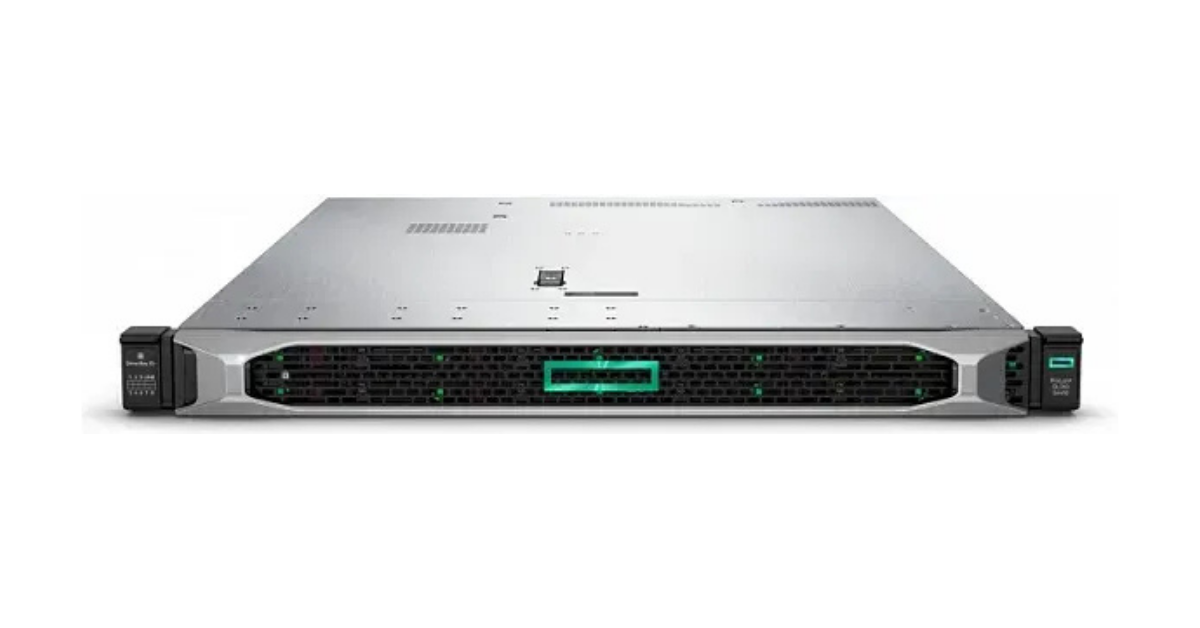
HPE ProLiant DL360 Gen10.
Image source: Servermall
Gen10 moved to 1st and 2nd Gen Intel Xeon Scalable processors with up to 28 cores per processor. Each processor has six memory channels, while 24 DDR4 slots support up to 3 TB with LRDIMMs. The 6 TB figure in the documentation refers to HPE persistent memory rather than standard RAM.
Chassis options support up to 10 SFF or 4 LFF drives. A dedicated SFF version supported up to ten NVMe drives, but the implementation depends on the backplane, cables and controller. The available options are described in the Gen10 specifications.
This generation introduced iLO 5 with a hardware root of trust but retained PCIe 3.0. Gen10 therefore offers less available bandwidth for drives, networking and controllers than Gen10 Plus.
Gen10 remains suitable for applications, 1C systems, moderate virtualisation and databases where PCIe 4.0, high NVMe density or more than 24 memory modules are not required.
HPE ProLiant DL360 Gen10 Plus
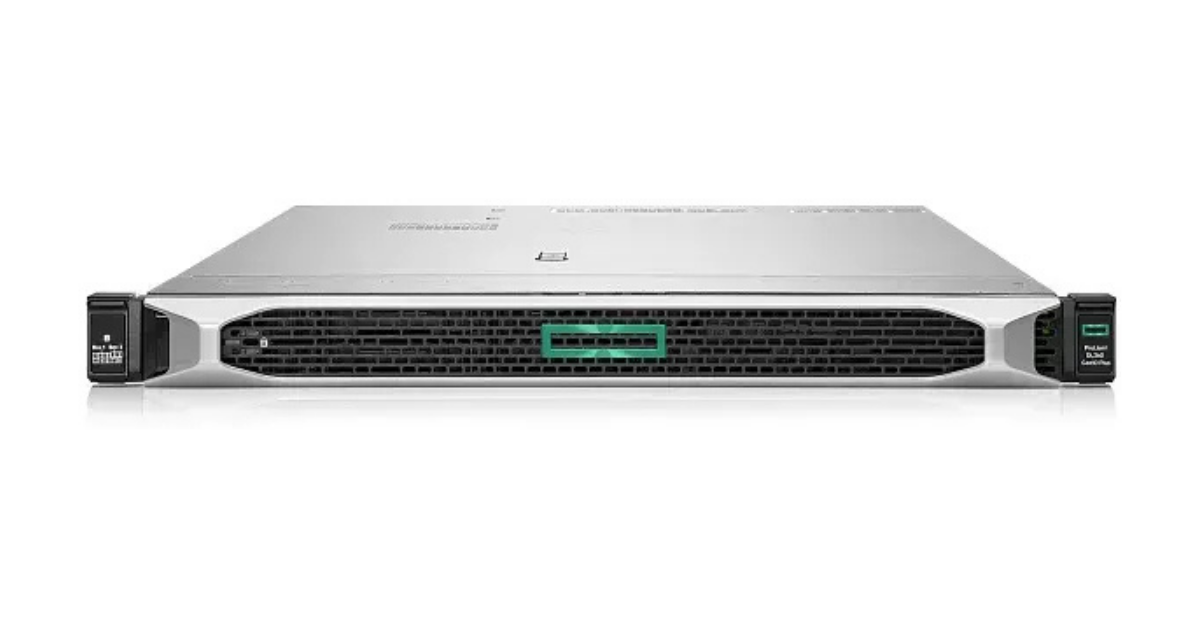
HPE ProLiant DL360 Gen10 Plus.
Image source: Servermall
Gen10 Plus uses a different platform: 3rd Gen Intel Xeon Scalable processors with up to 40 cores, eight DDR4 memory channels per processor and 32 memory slots. Maximum capacity reaches 8 TB with LRDIMMs.
PCIe 4.0 increased bandwidth for NVMe drives, network adapters and other controllers. OCP 3.0 and U.2/U.3 options with tri-mode controllers for compatible SAS, SATA and NVMe drives were introduced. The storage configuration is determined by the drive cage and connection scheme; the available options are listed in the Gen10 Plus specifications.
Gen10 components do not automatically become compatible with Gen10 Plus. Drive carriers, the backplane, cables, drive firmware and the controller all matter.
Gen10 Plus is attractive for virtualisation, databases and clusters that need fast local storage and dense DDR4 memory but do not yet justify a move to DDR5.
HPE ProLiant DL360 Gen11
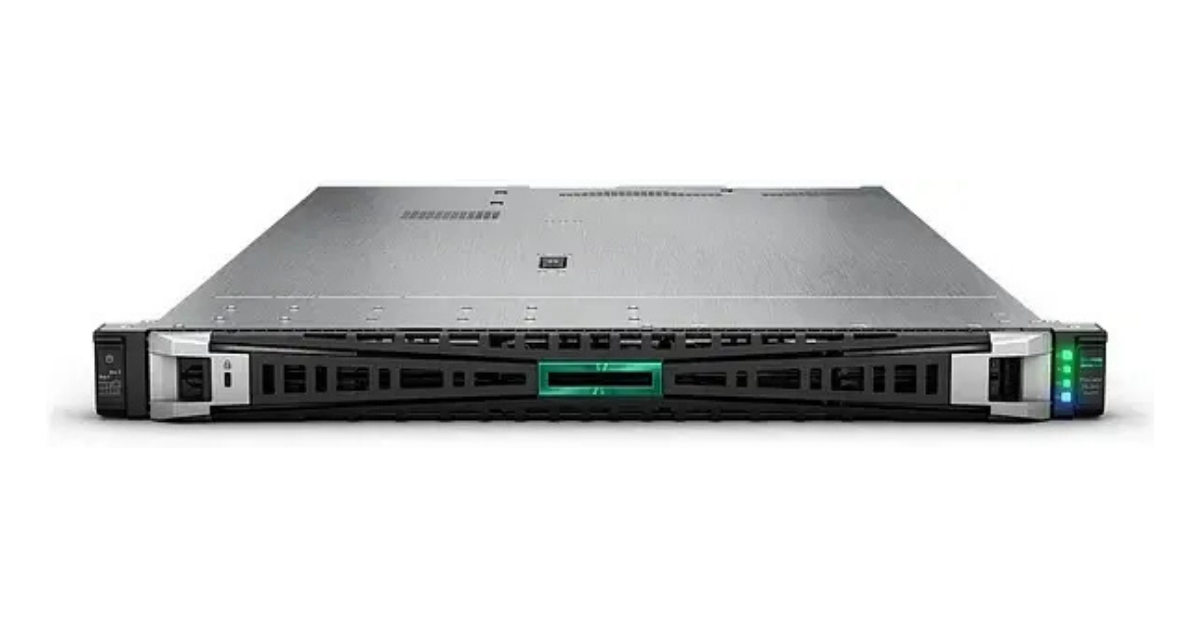
HPE ProLiant DL360 Gen11.
Image source: Servermall
DL360 Gen11 supports 4th and 5th Gen Intel Xeon Scalable processors with up to 64 cores per processor, plus 32 DDR5 slots with a total capacity of up to 8 TB. Speed depends on the CPU model and population scheme, so moving to DDR5 does not guarantee the same performance improvement for every application.
The platform introduced PCIe 5.0, iLO 6 and OCP 3.0. Alternative chassis options support up to 10 SFF, 4 LFF or 20 NVMe E3.S drives. Component combinations are listed in the Gen11 specifications.
Several purchasing considerations are worth noting:
-
support for 5th Gen processors depends on the system board and firmware, so upgrading any early Gen11 simply by replacing the CPU is not guaranteed;
-
a network adapter may not be included in the base configuration and may need to be ordered separately;
-
some powerful dual-processor configurations require high-performance fans or liquid cooling, which affects the possible combination of other components.
Gen11 is suitable for new projects that already require DDR5, PCIe 5.0 and E3.S but do not yet justify moving to Xeon 6.
HPE ProLiant Compute DL360 Gen12
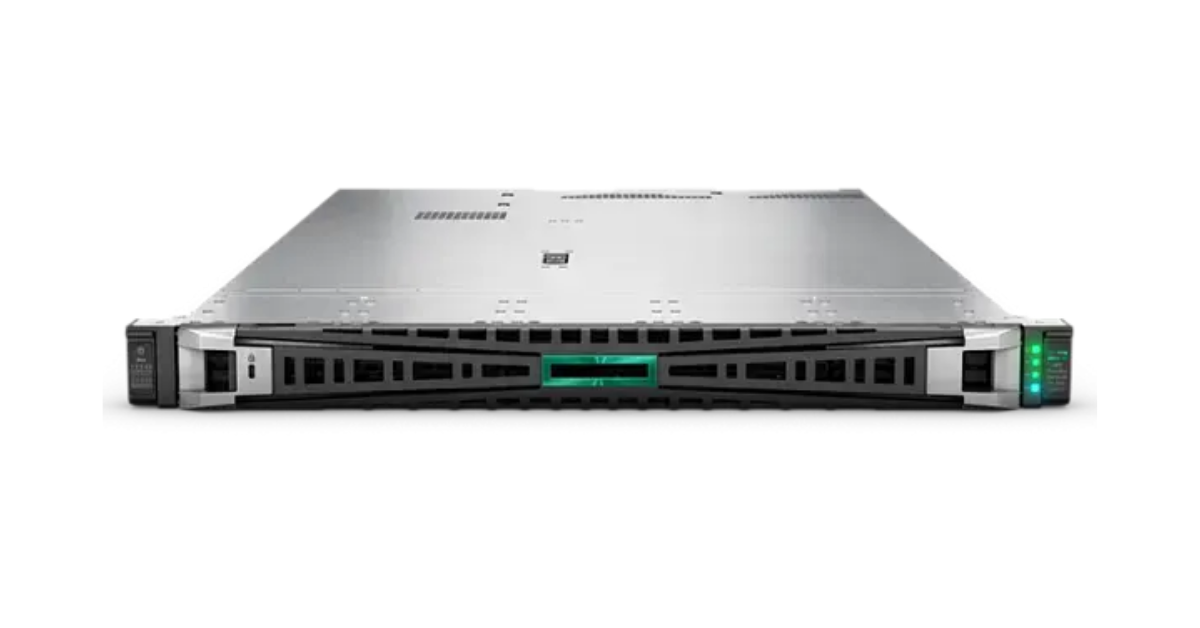
HPE ProLiant DL360 Gen12.
Image source: Servermall
In Gen12, the word Compute became part of the official name. Intel Xeon 6 processors are available with high-performance P-cores or a larger number of less powerful but energy-efficient E-cores. P-cores are better for workloads sensitive to single-thread performance, while E-cores suit dense parallel computing. The limits differ: up to 86 P-cores or 144 E-cores per processor.
The 32 DDR5 slots can accommodate up to 8 TB. Speeds of up to 6400 MT/s require a compatible processor and supported channel population; speed may be lower with two modules per channel.
Storage options include alternative configurations with up to 10 SFF, 4 LFF or 20 E3.S drives. The multi-purpose chassis supports different drive cages, boot devices and network adapters, but the possible combinations depend on the HPE configurator. The platform introduced iLO 7; its limitations are covered in the Gen12 specifications.
Standard and high-performance heatsinks, closed-loop liquid cooling and direct liquid cooling are available. The choice depends on the CPU, memory, drives, high-speed network adapters and accelerators.
Gen12 is appropriate for new clusters with a high density of virtual machines or containers and modern I/O. In other cases, Gen11 or Gen10 Plus may reduce the overall project cost.
What lies behind the maximum specifications?
A specification shows the platform limits but does not replace a compatibility assessment. In the DL360, choosing one component often reduces the range of options available for the others.
One or two processors
A second processor adds cores, associated memory channels, PCIe lanes and an additional riser. With one processor, half of the DIMM slots do not work and some expansion cards are unavailable.
Two processors increase power consumption, cooling requirements and the number of licensed cores. For software licensed per core, one fast processor can sometimes cost less than two many-core processors and perform sequential workloads better.
Memory and NUMA
In a dual-socket server, memory is distributed between the processors. A processor accesses its “local” modules faster than memory attached to the other socket. This is known as NUMA, or non-uniform memory access.
DIMMs should ideally be distributed symmetrically across sockets and channels. Unbalanced population increases latency, while installing the maximum number of modules can reduce frequency. Capacity is therefore not the only consideration; the installation scheme also matters.
Drive cages, drives and controllers
The number of drive bays does not fully describe the storage capabilities. The following elements must match:
-
drive type — SAS, SATA, U.2/U.3 or E3.S;
-
the backplane and number of PCIe lanes;
-
cables and connection method;
-
the controller or direct-access mode;
-
drive carriers and drive firmware;
-
cooling requirements.
NVMe does not automatically mean hardware RAID support. Hardware RAID requires a compatible controller and the correct lane routing; other configurations use software RAID or direct attachment. Separate M.2 boot devices do not occupy the main drive bays, but the module and cable often need to be ordered separately.
Networking, PCIe and risers
In a 1U chassis, a controller, network adapter and accelerator may compete for the same slot. OCP 3.0 in Gen10 Plus and later generations frees a conventional PCIe slot, but the adapter is not always included.
An additional riser may require a second processor. Card height, lane count and connector placement also limit component combinations. A 100 or 200 Gbit/s port is of little value if the drives, processor, switch or application remain the bottleneck.
Cooling, power and noise
A 1U server is cooled by high-speed fans and is designed for a properly prepared equipment room. Noise depends on the components, firmware and temperature, so there is no single figure for the entire product line.
DIMMs, NVMe drives, controllers, accelerators and network adapters also generate heat. Higher-end Gen11 and Gen12 configurations may therefore require high-performance fans or liquid cooling, which can restrict the choice of other components.
Management through iLO
DL360 generations use iLO 4, 5, 6 and 7 to monitor hardware, power and firmware and to provide remote access. However, the presence of an iLO port does not unlock every feature: a remote console and advanced management may require a licence.
For a refurbished server, the iLO licence is part of the configuration, just like the controller or network adapter.
Choosing the Right Equipment
Our specialists will contact you and answer all your questions
Which workloads suit the HPE DL360?
The generation and components should be selected according to the resource that limits the application.
-
Virtualisation and private cloud. Memory, core count, networking, local NVMe and licences all matter. Gen10 Plus and Gen11 provide a good balance, while Gen12 is justified in a new high-density cluster.
-
Databases and 1C. Core frequency, memory latency and storage latency are often more important than core count. Processors, NUMA, the controller, RAID and networking must be calculated together.
-
Web applications and containers. The density of the DL360 suits parallel services. Xeon 6 with E-cores requires workload and licensing analysis: more cores do not always reduce costs.
-
Virtual desktops and analytics. Memory, drives, networking and the accelerator can become bottlenecks. GPU support in a 1U system depends on card dimensions, power and cooling.
-
High-density clusters. Space savings must be balanced against rack power, cooling, networking and resilience requirements.
Redundant power supplies and fans eliminate some single points of failure, but they do not protect against a system board failure, software error, external outage, cyberattack or administrative mistake. Continuity requires multiple nodes, redundant networking and storage, data copies and a tested recovery process.
DL360, DL380 or DL365
These models address similar workloads but differ in their expansion capabilities.
DL360
Suitable where high processor and memory density are required. Its limitations include fewer drives and PCIe slots, plus stricter requirements for risers and cooling.
DL380
The 2U chassis provides more room for drives, controllers, network adapters and accelerators. The DL380 is more convenient as a versatile host, a server with substantial local storage or a platform with expansion headroom. Its generations are covered in the article “HPE ProLiant DL380 Gen12 vs. DL380 Gen11 vs. DL380 Gen10 Plus”.
DL365
The DL365 is a dual-socket 1U platform based on AMD EPYC. It is relevant where AMD architecture, core count and memory bandwidth are important. It should be compared with the DL360 as a complete configuration under the same workload.
Which HPE ProLiant DL360 generation should you choose?
The chassis price does not represent the total server cost. Components, cooling, rails, licences, service and support must also be included, so total ownership should be compared over three to five years.
| Project requirements | Suitable generation | Reasons to choose it | Main limitations |
|---|---|---|---|
| Expanding an existing fleet, test environments | Gen9 | Available components, consistent operational environment | Age, software support, energy efficiency |
| Production infrastructure on a limited budget | Gen10 | Widely available DDR4, iLO 5, broad CPU choice | PCIe 3.0, 24 memory slots |
| Fast NVMe without moving to DDR5 | Gen10 Plus | PCIe 4.0, OCP 3.0, 32 DIMMs | Previous-generation platform |
| New enterprise project | Gen11 | DDR5, PCIe 5.0, E3.S, iLO 6 | Price, cooling for higher-end CPUs |
| Maximum density and a long deployment horizon | Gen12 | Xeon 6, iLO 7, modern I/O | Cost, cooling, per-core licences |
Gen9 is justified when maintaining consistency with an existing fleet. Gen10 suits production systems for which PCIe 3.0 is sufficient. Gen10 Plus is better suited to fast NVMe and dense DDR4 and is often attractive as a refurbished option.
Gen11 is well balanced for new projects, providing DDR5, PCIe 5.0 and E3.S without moving to Xeon 6. Gen12 is appropriate when high density and modern I/O justify the cost of the hardware, cooling and licences.
It is useful to compare the following separately:
-
a fully equipped Gen10 Plus against an entry-level Gen11;
-
a higher-clocked processor with fewer cores against a many-core model with a lower clock speed;
-
the dense DL360 against the more expandable DL380.
Additional cores, memory and slots provide no benefit if the application cannot use them or if licence costs rise faster than performance.
New or refurbished DL360
Gen9, Gen10 and Gen10 Plus are more commonly available as refurbished equipment. This can provide more memory, a faster controller and two processors instead of a new entry-level configuration.
The price depends on the system board version, processors, memory, risers, cages, cables, cache-protected controller, networking, drive carriers, rails, power supplies, fans, warranty and iLO licence. Missing proprietary components can quickly make an inexpensive chassis considerably more expensive.
Diagnostics, component condition, firmware, warranty and spare parts are important for a production system. In critical infrastructure, it must be possible to replace an entire cluster node quickly.
A well-equipped Gen10 Plus may be more practical than an entry-level Gen11 if the application does not use DDR5 or PCIe 5.0. For a long deployment horizon and stricter support requirements, the advantage shifts to Gen11 or Gen12.
How to build the right configuration

Selecting a DL360 starts with the workload profile: per-core speed, thread count, memory, drives, networking and expansion cards. This reveals which capabilities of a generation are genuinely required.
The DL360 is cost-effective when the required configuration fits into 1U without complex cooling. If several controllers, a large local array, substantial accelerators or additional PCIe slots are required, the DL380 is more practical even with the same processors.
Servermall specialists can help select compatible components and compare generations for a specific workload, taking licences, power, upgrades and maintenance into account.
Choosing the Right Equipment
Our specialists will contact you and answer all your questions