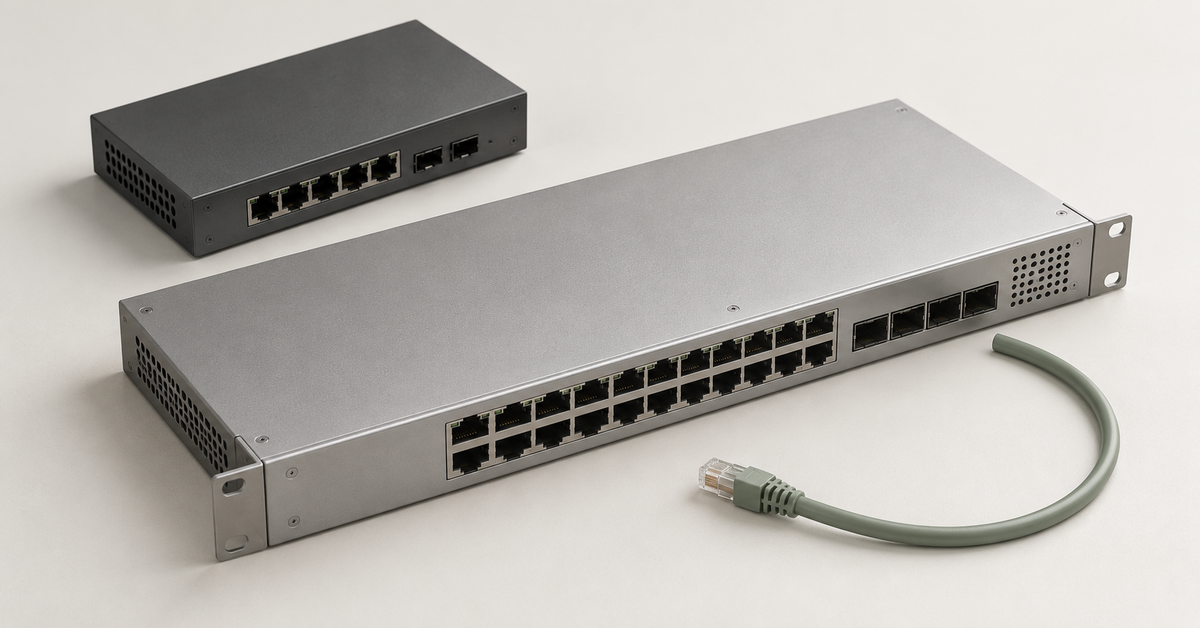
A conventional switch operates at Layer 2 (L2): it connects devices within a local network and forwards frames using MAC addresses. A Layer 3 (L3) switch also routes packets between IP subnets. L2 is usually sufficient for a small network; consider L3 when several VLANs exchange large amounts of traffic. Specialised Layer 1 (L1) switches switch physical signals and are mainly used in ultra-low-latency systems and test environments.
What is a switch, and which layer does it operate at?
A switch connects computers, servers and peripheral devices. When it receives an Ethernet frame with a known destination address, it forwards the frame through the corresponding port.
L3 retains L2 functionality: it switches frames within a VLAN and uses the destination IP address and routing table to forward traffic between subnets.
Where the L1–L7 labels come from
The letter L refers to a layer of the seven-layer OSI model described in ISO/IEC 7498-1. The model separates the tasks involved in data transmission.
| Layer | Name | Function |
|---|---|---|
| L1 | Physical | Transmitting bits as electrical, optical or radio signals |
| L2 | Data link | Transferring frames within a local segment; MAC addressing |
| L3 | Network | Transferring packets between networks; IP addressing and routing |
| L4 | Transport | Communication between processes; TCP and UDP ports |
| L5 | Session | Establishing and maintaining communication sessions |
| L6 | Presentation | Data format and transformation, including encoding and encryption |
| L7 | Application | Network services and protocols used by applications |
A single device can perform functions at several layers.
Layer 1: hubs, repeaters and signal switching
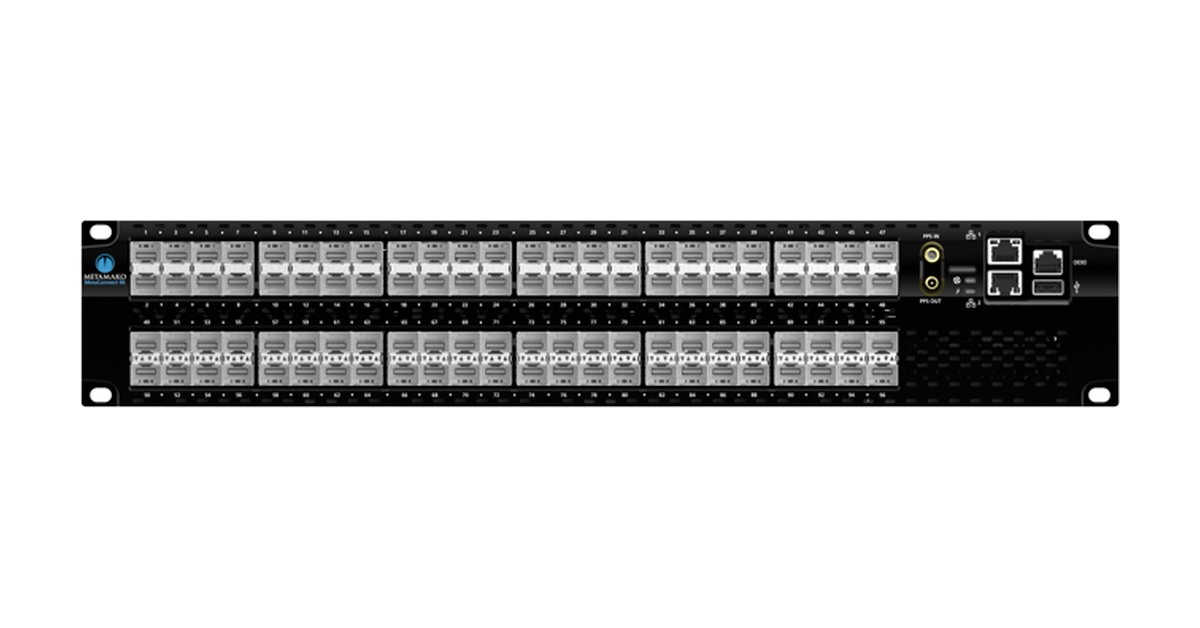
Arista 7130-96 Connect: a specialized Layer 1 switch for signal switching. Product image: Arista Networks, 7130 Connect Series datasheet, page 1.
At L1, signals are transmitted without selecting a recipient by address. Ethernet frame switching starts at L2. L1 devices include:
- repeaters, which regenerate a signal for onward transmission;
- hubs, which repeat an incoming signal on the other ports;
- basic media converters, which convert the transmission medium, for example from copper cable to optical fibre.
Specialised L1 switches connect inputs and outputs through a switching matrix without analysing frames. They allow physical connections to be changed programmatically and signals to be split.
The Arista 7130 Connect datasheet includes examples of a software-controlled patch panel and signal tapping. These devices are used in high-frequency trading and laboratories where latency is critical.
Layer 2 switches: the data link layer
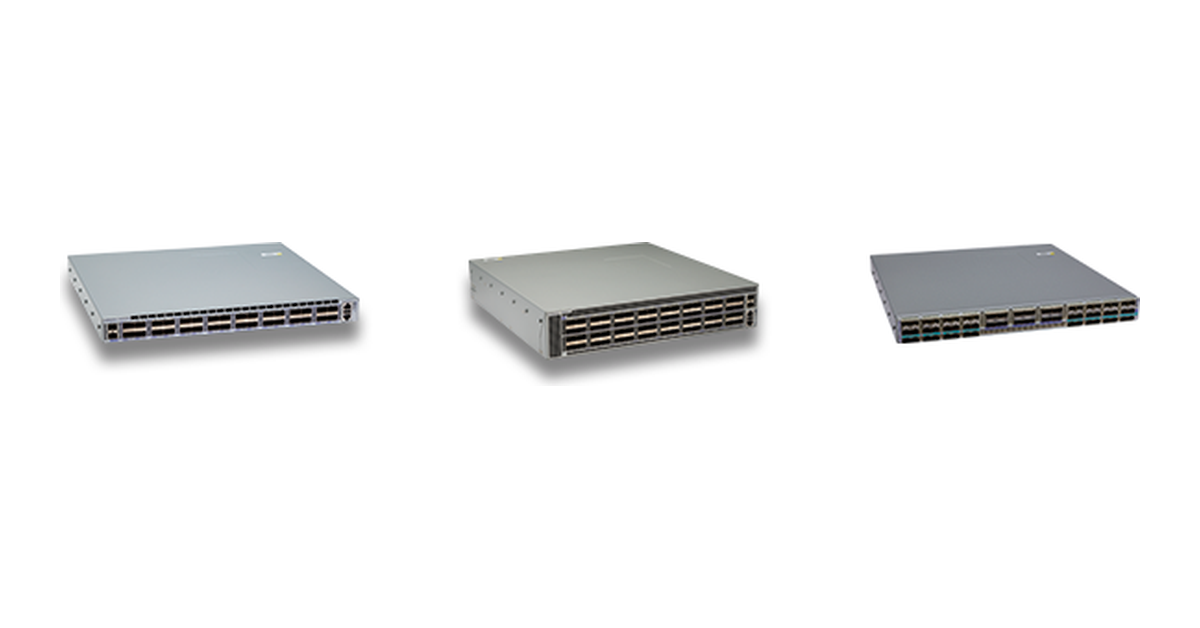
Arista 7050X3 series: data center Ethernet switches with Layer 2 and Layer 3 capabilities. Product image: Arista Networks.
An L2 switch forwards frames within a local segment. If it supports VLANs, it separates connections into virtual networks.
Choosing the Right Equipment
Our specialists will contact you and answer all your questions
How the MAC address table works
A MAC address identifies a network interface. The switch automatically learns the sender’s address, the incoming port and the frame’s VLAN.
Suppose a computer is connected to port 1 and a printer to port 8. Forwarding works as follows:
- The switch receives a frame from the computer and learns that the sender’s address is associated with port 1.
- It looks for the printer’s MAC address in the table for its VLAN. If the entry exists, it sends the frame through port 8.
- If there is no entry, it floods the frame through the ports allowed to forward traffic in that VLAN, excluding the incoming port.
- When it receives a frame from the printer, it learns that the printer’s address is associated with port 8. Subsequent forwarding uses this entry.
Entries are removed after a period of inactivity. Several MAC addresses may be associated with a single port, such as the addresses of a server’s virtual machines.
A switch separates collision domains by port; full-duplex Ethernet has no collisions at all. Broadcast frames are flooded within a VLAN, which forms a separate broadcast domain.
VLANs, loop prevention and link aggregation
A VLAN is a virtual local area network. It divides infrastructure into segments, such as an employee network and guest access. On a shared link between switches, frames belonging to different VLANs are distinguished by tags defined in IEEE 802.1Q. This standard also describes bridging and spanning tree functions.
Redundant connections without loop protection can create a loop: frames circulate and broadcast traffic multiplies. The following protocols are used to prevent loops:
- STP — the Spanning Tree Protocol, which blocks redundant paths;
- RSTP — a variant that restores connectivity more quickly;
- MSTP — a mechanism that allows different spanning trees to be used for groups of VLANs.
Link aggregation combines physical connections into a logical link. LACP negotiates which ports participate in the group; the mechanisms are described in IEEE 802.1AX. Aggregate bandwidth increases for multiple flows, and connectivity is maintained if one link fails.
Two 10 Gbit/s links do not usually give a single flow 20 Gbit/s: flows are distributed across the links. Aggregation must be configured at both ends; adding a second cable does not create it automatically.
A conventional L2 switch does not forward traffic between VLANs on its own. A router, an L3 switch or a firewall with routing functionality is required.
Managed and unmanaged switches
Manageability does not determine the OSI layer: both unmanaged and managed switches can operate at L2.
- An unmanaged switch works once connected, without user configuration of VLANs or port rules.
- A managed switch allows the network to be configured and ports, errors and events to be monitored.
- A smart-managed switch usually provides a subset of settings through a web interface. There is no single standard for this category.
In the Servermall switch catalogue, management capabilities and L2/L3 functionality should be compared separately.
What is L2+?
L2+ is a marketing label, rather than an OSI layer. It often means L2 with selected L3 functions, such as static routing between VLANs. The feature set depends on the manufacturer.
For example, the QTECH QSW-4610-52T-AC is labelled L2+. However, the label does not guarantee the required protocols or route capacity. For each variant, check IPv4/IPv6 support, the number of VLAN interfaces, table capacities and licences.
Layer 3 switches: the network layer
An L3 switch routes IP packets: it selects the next hop using the routing table and forwards data between subnets.
Routing between VLANs
Suppose employees are in VLAN 10, using subnet 192.168.10.0/24, and servers are in VLAN 20, using subnet 192.168.20.0/24. An employee’s computer needs a gateway to reach a server.
Logical VLAN interfaces, often called SVIs, are created on the L3 switch for this purpose. For example, VLAN 10’s interface is assigned 192.168.10.1, and VLAN 20’s interface is assigned 192.168.20.1. These addresses become the gateways for their respective subnets.
With routing enabled, the switch forwards packets between segments without sending them to a separate gateway. This is useful when local traffic volumes are high.
Static and dynamic routing
Administrators configure static routes manually by specifying the destination subnet and next-hop gateway. This is convenient when there are few destinations and the network topology is stable.
Dynamic routing protocols exchange routes and recalculate paths when the topology changes:
- OSPFv2, described in RFC 2328, builds IPv4 routes using link-state information.
- RIPv2, described in RFC 2453, uses hop count and has limited applicability in large networks.
- BGP-4, described in RFC 4271, supports route selection policies. It is used between autonomous systems and in data centre networks.
L3 does not guarantee support for every protocol. Advanced routing may require a higher-end model or a licence. For example, the Cisco guide links the available protocols to the licence package. The conditions also depend on the software version.
How an L3 switch differs from a router
Both devices can forward IP packets between networks, but they are generally designed for different tasks.
An L3 switch is designed for traffic within the infrastructure: it offers a high density of Ethernet ports and hardware forwarding using specialised chips.
A router more often connects a network to a service provider and remote sites. The following capabilities matter here:
- NAT — translating internal addresses when accessing an external network;
- VPN — secure connections between sites and for remote employees;
- interfaces and mechanisms for connecting to wide area networks;
- management of external links and routing over them.
The distinction is not absolute: some switches support network edge functions, and routers also use hardware acceleration. However, for a branch office requiring VPN and NAT, choose a device based on support for these services and its performance with them enabled.
L4–L7: what sits above Layer 3?
At the transport layer, a forwarding decision can take the TCP or UDP protocol and port number into account. For example, a load balancer distributes connections across several application servers.
At the application layer, HTTP requests can be analysed and requests for different sections of a website directed to different servers. These functions are performed by load balancers, firewalls and application delivery controllers (ADCs).
The term “L4–L7 switch” is used for equipment that processes application traffic. Separate “L5 switch” and “L6 switch” categories are not normally used in a conventional local network.
Choosing the Right Equipment
Our specialists will contact you and answer all your questions
Comparing L1, L2 and L3
| Parameter | L1 | L2 | L3 |
|---|---|---|---|
| OSI layer | Physical | Data link | Network, retaining L2 functionality |
| Forwarding basis | Physical input and configured connection | MAC address and VLAN | Destination IP address and routing table |
| Main task | Transmit, convert or switch a signal | Forward frames within a local segment | Forward packets between IP subnets |
| Typical functions | Repeating, media conversion and matrix switching | MAC table; VLANs, spanning tree and aggregation where supported | VLAN interfaces, static and dynamic routes where supported |
| Applications | Communication links, test environments and ultra-low-latency systems | Connecting workstations, servers and peripheral devices | Routing within an office, campus or data centre |
Common misconceptions about switch layers
L3 is always faster than L2. Speed depends on the ports, switching fabric, buffers and workload. For small packets, the forwarding rate in packets per second matters.
L2 is obsolete. It remains the basis of Ethernet connectivity. If another device handles routing, L3 is not required on every access switch.
An IP address means L3 support. The address may be used only for configuration and monitoring. Routing user traffic is a separate function.
L3 automatically protects segments. Routing can enable communication between them. Explicit rules or a firewall are required to restrict access.
Which switch should you choose?
Access, aggregation and the network core
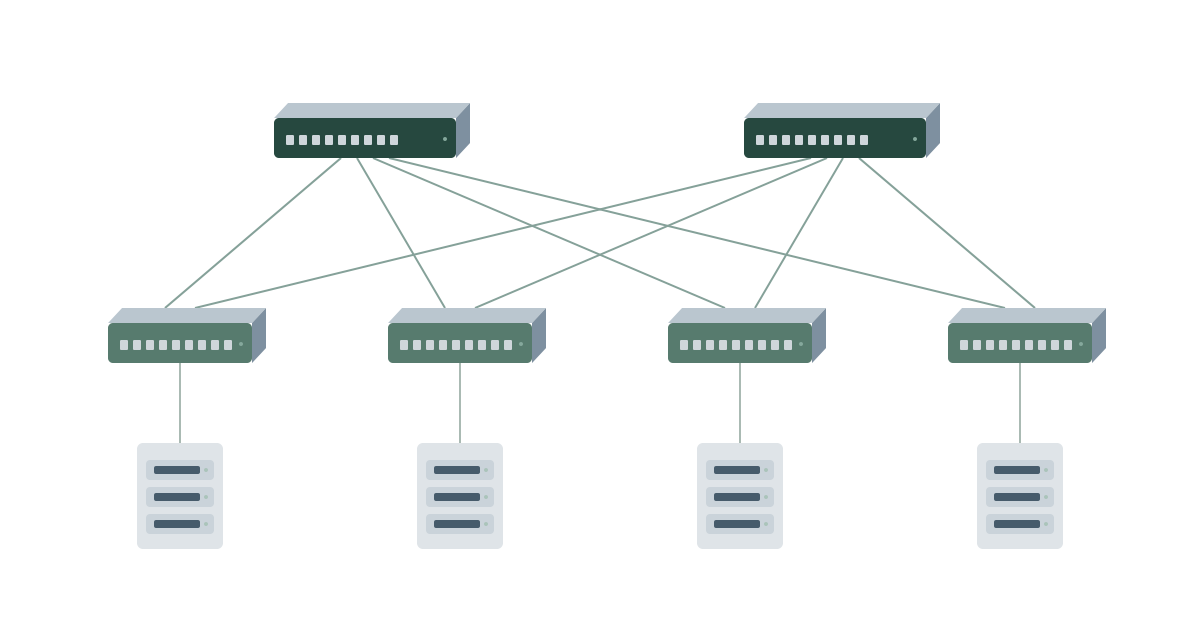
A leaf-spine example with four leaf switches, each connected to both spine switches, and four server racks.
Network architecture layers describe the role of equipment in the overall topology. They do not correspond to OSI layers.
- The access layer connects end devices. L2 is often sufficient, but routing can begin here too.
- The aggregation, or distribution, layer connects access devices. VLAN gateways and access rules are often configured here.
- The core connects major parts of the network. L3 is commonly used; in a small network, the core and aggregation layers are combined.
Leaf-spine architecture is common in data centres: servers connect to leaf switches, and each leaf connects to every spine switch. Links between the layers often operate at L3. Multiple equal-cost routes allow flows to be distributed and connectivity to be maintained if a link fails.
Server connections can remain at L2, while shared segments between racks are carried over L3 using VXLAN. Leaf-spine does not require an “L2 at the bottom, L3 at the top” split.
A small office
L2 is sufficient for computers and a printer on the same network, with a router providing internet access. An unmanaged switch is suitable when segmentation and monitoring are not required. If guest Wi-Fi or telephony is planned, a managed model is preferable.
An office with several VLANs
There are two possible designs: L2 switches with routing on a firewall, or an L3 switch with VLAN gateways. The choice depends on traffic volumes and security requirements.
L3 can reduce the load on the connection to a separate gateway. If all traffic between segments requires deep inspection, it is routed through a firewall. Performance should be assessed for the chosen traffic path.
A branch network
Choose L2 or L3 within a branch according to its segments and workload. Connecting to the head office usually requires a router or VPN gateway: local routing does not replace a secure connection.
Where equipment must be of Russian origin, Russian-made switches, including ELTEX and QTECH ranges, can be compared. Routing capabilities and compliance with procurement requirements must be assessed for the specific model and supply arrangement.
A data centre
For a data centre, server link speeds, bandwidth between racks and network behaviour during failures are important. Server ports at 10 or 25 Gbit/s and inter-switch links at 100 Gbit/s are possible options, but they should be selected according to the workload and development plans.
The Dell, HP and HPE, and Arista ranges include different platforms. Their intended use is determined by the specifications, rather than the brand.
Which specifications affect the choice?
Once the network design has been defined, compare the equipment specifications:
- VLANs and routing. The number of segments and routes, IPv4/IPv6 support, protocols and access rules.
- Ports. Port counts and 1/10/25/100 Gbit/s speeds, RJ-45 or SFP/SFP+/SFP28 and QSFP28 slots. Module and cable compatibility also matters.
- Performance. Switching fabric bandwidth, packets per second, buffers and the ratio of aggregate server port speed to uplink bandwidth.
- PoE. Powering cameras, phones and access points over Ethernet. Per-port power and the total power budget matter: maximum power on all ports simultaneously is not guaranteed.
- Redundancy. Stacking, aggregation, redundant power supplies and connections to two switches. Stacking and LACP serve different purposes.
- Licences and support. Included features and paid add-ons, support and software updates.
When requesting help selecting network equipment, specify the number of workstations and VLANs, server port speeds, traffic between segments and redundancy requirements. This information helps select a device that fits the network design and avoid spending on functions already provided by another node.
Choosing the Right Equipment
Our specialists will contact you and answer all your questions