For most modern servers, the best boot drive option is a separate mirrored M.2 solution, such as BOSS or a similar server-grade module. It does not consume the main drive bays, separates the operating system from production data, and provides protection if one drive fails. A standard M.2 drive is suitable if the server officially supports such drives, has proper cooling, and ideally some form of redundancy. SATA DOM remains a workable option for compact and simple systems, but in new server configurations it is more often a compromise in terms of endurance, capacity, and serviceability.
A server boot drive is not just a “small SSD for the system.” It stores the bootloader, operating system or hypervisor, service partitions, logs, updates, temporary system files, and diagnostic data. At first glance, the load on such a drive seems small: the server boots, and then applications work with the main storage. In practice, however, a failed boot device can stop the entire server even if the data drives are completely healthy.
That is why a boot drive is chosen not only for speed. Compatibility with the server, write endurance, stability, monitoring, ease of replacement, and the ability to survive the failure of one drive without an urgent engineer visit matter more.
Why It Is Better to Separate the Boot Drive from Data
In a server, it is best to separate system storage from production storage. The operating system, hypervisor, and service partitions should live separately from the drives that store databases, virtual machines, file archives, or user data.
This separation makes maintenance easier. If you need to reinstall the hypervisor, update the system, replace the boot module, or restore the configuration, the administrator does not have to interfere with the main array that holds production data. This is especially important for virtualization: virtual machines can reside on a separate array or network storage, while the boot drive is responsible only for the host itself.
A boot drive has several mandatory requirements:
- the server must be able to boot from it;
- the drive must operate correctly in 24/7 mode;
- its condition must be visible in monitoring;
- the capacity must be enough not only for installation, but also for updates;
- it must not overheat;
- ideally, the failure of one device should not stop the server.
A system drive that is too small is a common mistake. The OS or hypervisor may install on a small volume, but then updates, logs, temporary files, and diagnostic dumps begin to accumulate. A year later, the system may run into not a drive failure, but a simple lack of space on service partitions.
There is another extreme as well: buying a fast drive and also using it for images, backups, containers, temporary files, and application logs. In that case, the boot drive turns into production storage, wears out its write endurance faster, and becomes less predictable.
There were also earlier options to install the operating system on an SD card or even a USB flash drive, but today even VMware supports this approach without recommending it.
Our most popular servers

Free shipping on orders over 500 € in the EU, £500 in the UK, and $3,000 in the USA
Free shipping on orders over 500 € in the EU, £500 in the UK, and $3,000 in the USA
Free shipping on orders over 500 € in the EU, £500 in the UK, and $3,000 in the USA

Free shipping on orders over 500 € in the EU, £500 in the UK, and $3,000 in the USA
What M.2, BOSS, and SATA DOM Actually Are
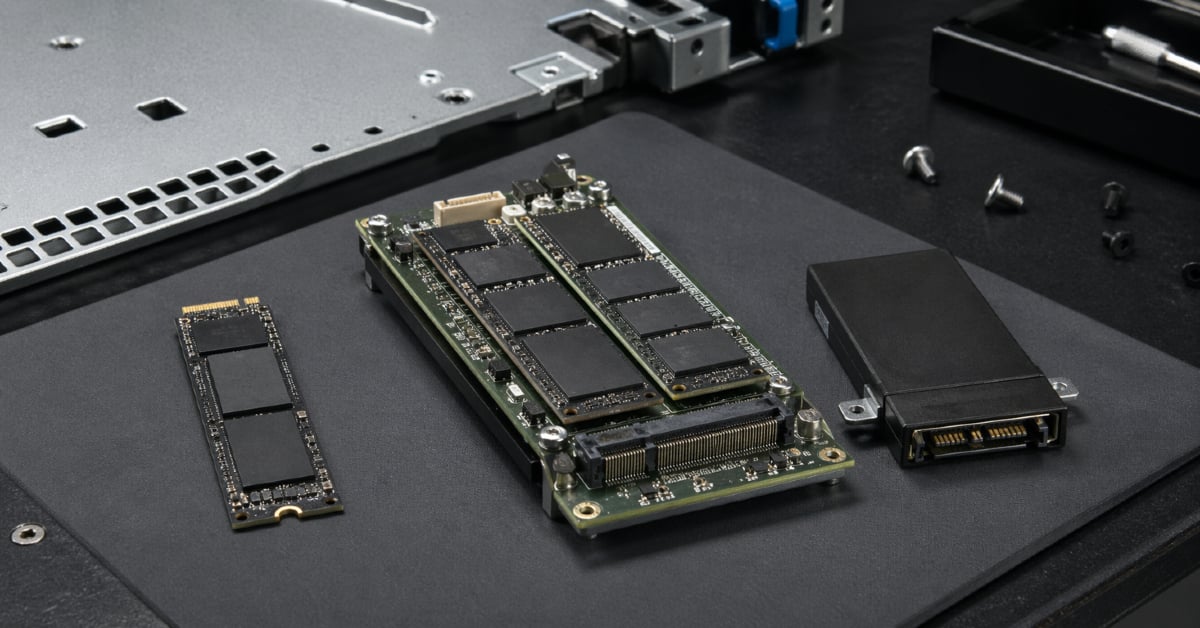
M.2, BOSS, and SATA DOM are often compared as three equal options, but that is not entirely correct. They belong to different layers of the stack.
M.2 is a drive form factor. Such a drive may work over SATA or over the faster NVMe bus. In a server, an M.2 drive may be installed on the motherboard, in a dedicated module, on an adapter card, or inside a boot device such as BOSS.
BOSS (Boot Optimized Server Storage) is not a separate memory type, but a server boot subsystem. It usually uses M.2 drives internally, but the value of the solution is not the form factor itself. Its value is that it creates a separate, manageable boot storage layer. In Dell documentation, BOSS is described specifically as a solution for booting the server operating system rather than as a universal array for production data:Dell BOSS documentation.
SATA DOM (Disk on Module) is a compact solid-state module that connects directly to a SATA port on the server board. It does not occupy a drive bay and can be used for booting, recovery, or service tasks. For example, Supermicro materials describe such modules as devices for booting, recovery, licensing, and OS installation:Supermicro materials.
| Criterion | Standard M.2 | BOSS | SATA DOM |
|---|---|---|---|
| Main role | Boot or production SSD, depending on the server | Dedicated boot module | Compact boot device |
| Redundancy | Only if there are two drives and mirror support | Usually the key advantage, often RAID 1 | Usually limited or inconvenient |
| Speed | High for NVMe, moderate for SATA M.2 | Sufficient for the OS, depends on the generation | Usually lower |
| Reliability | Depends on SSD class, cooling, and installation scheme | Higher due to server integration and mirroring | Depends on the model, write endurance, and workload pattern |
| Ease of service | Depends on slot placement | Usually better within the server ecosystem | Can be physically inconvenient |
| Use of drive bays | Does not consume front bays | Does not consume the main bays | Does not consume bays |
| Risk of choosing the wrong option | High: it is easy to buy an unsuitable SSD | Lower if the official module is chosen | Medium: power and board compatibility matter |
| Best scenario | Server with M.2 support and a clear redundancy scheme | Virtualization, enterprise servers, separate OS boot | Simple servers, compact systems, service boot |
If you need the single safest choice for a modern server, BOSS or a similar official boot module usually wins. If the budget is limited and the server supports M.2, M.2 can be used, but ideally not as a single drive and not as a consumer-grade one. SATA DOM should be considered where compactness and simplicity matter more than maximum flexibility.
Choosing the Right Equipment
Our specialists will contact you and answer all your questions
Why BOSS Is Often Better Than a Standard M.2
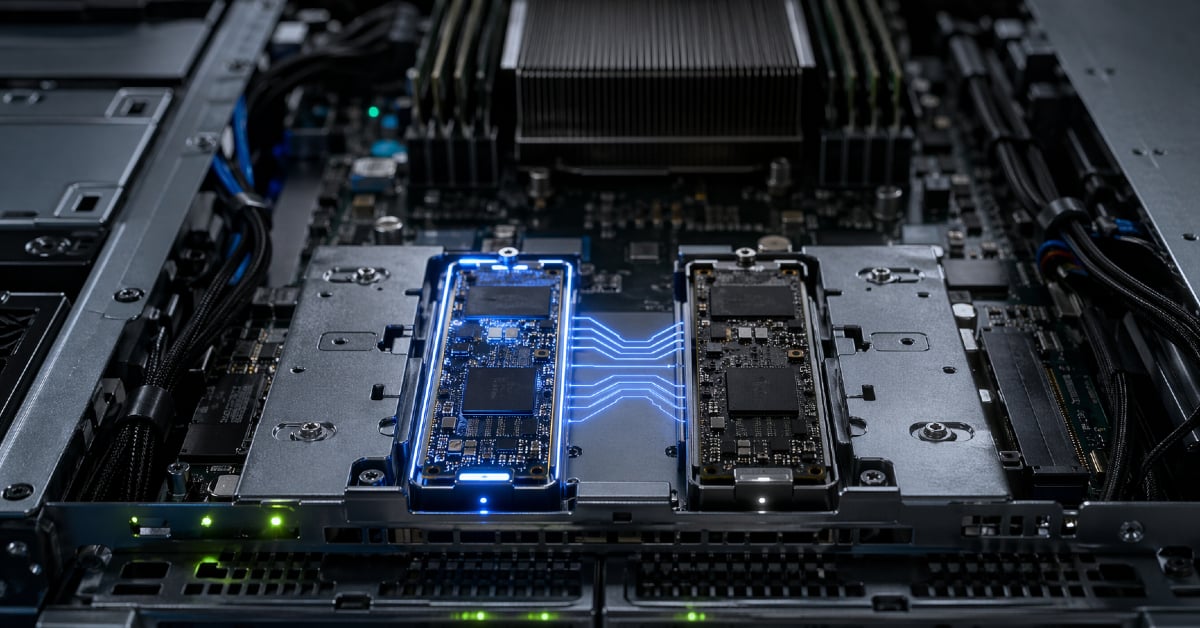
At first glance, BOSS may seem excessive: after all, it also contains M.2 drives inside. But the comparison should not be M.2 as a format versus BOSS. It should be a single or improvised M.2 installation versus an official server boot subsystem.
The main advantage of BOSS is mirroring. Two drives can operate as a single boot volume: data is written to both, and if one fails, the server keeps the ability to boot and continue operating. For a standard office PC this may be excessive, but for a server the failure of a boot device often means downtime, a data center ticket, hardware replacement, and system recovery.
The second advantage is that it frees the main drive bays. If the OS is installed on BOSS, the front bays can be used for production SSDs or HDDs: databases, virtual machines, file storage, backups, and application logs. This makes the architecture cleaner: boot separately, data separately.
The third advantage is integration with the server platform. An official module is easier to account for when ordering a server, is described in the documentation, supported by firmware, and more often displayed correctly in management tools. For an administrator, this matters more than it may seem. There is a big difference between seeing the health of boot drives in server monitoring and dealing with a drive that technically works but does not appear in the usual management panel.
However, BOSS should not be treated as universal storage. Its job is to boot the operating system or hypervisor. It should not store virtual machines, databases, heavy logs, backups, or temporary files. Otherwise, a specialized boot module turns into a small production array it was never meant to be.
When a Standard M.2 Is a Good Choice
A standard M.2 drive can be a good boot device if the server is actually designed for that scenario. This is an important reservation. Not every M.2 slot in a server is intended for booting, not every drive is suitable for 24/7 operation, and not every adapter-based installation will be properly supported by BIOS/UEFI.
M.2 is suitable if the server has official slots for boot drives, supports the required drive type, provides cooling, and allows you to monitor drive health. It is even better if there are two M.2 drives and the option to configure a mirror. In that case, M.2 becomes not just a fast system drive but a proper fault-tolerant solution.
Before buying, several things should be checked. Does the server need SATA M.2 or NVMe M.2? Which sizes are supported: 2242, 2260, 2280, 22110? Is there proper mounting hardware? Does installing M.2 disable other ports or PCI Express lanes? Can the server boot from that particular slot? Will the drive be visible in monitoring? What will happen if it fails?
You should be especially careful with consumer M.2 SSDs. They may be fast and inexpensive, but benchmark speed does not mean they are suitable for a server. In a dense chassis, the drive may overheat, constant writes may consume its endurance faster, and its health may not appear in the server management system. For a lab setup, this is an acceptable compromise. For a production server, it is a risk.
High NVMe speed is not always necessary either. If the boot drive is used only for the OS, the difference between a fast and a very fast drive will rarely be noticeable in application performance. It is much more important that the server can survive a failure and that the administrator can quickly understand the drive’s state and replace it without unnecessary steps.
When SATA DOM Is Still Appropriate
SATA DOM should not simply be dismissed as outdated. It is a compact and understandable boot module that can be convenient in small servers, network devices, older platforms, or systems with no free drive bays.
Its strong side is ease of placement. The module connects directly to a SATA port and does not take up a drive bay. For some server boards, especially in compact configurations, this is a convenient way to get a separate boot device.
But SATA DOM has limitations. Such modules are usually smaller in capacity, more modest in speed, and not always convenient for redundancy. Power also has to be checked: some boards have dedicated ports for such modules, while others may require a separate cable. In addition, you should not automatically assume SATA DOM is more reliable simply because it looks like a “server part.” Reliability depends on the specific model, write endurance, workload profile, and the quality of board support.
There is also the RAID question. Supermicro’s FAQ states that SATA DOM can be used as a boot device, but configuring RAID on SATA DOM is not recommended:Supermicro FAQ. This is a good example of why you need to read the documentation for the specific platform before choosing, rather than applying standard SSD logic to every device.
SATA DOM is appropriate if the server board is explicitly designed for it, write load is low, and the task is simply to boot the system. But if the discussion is about a new virtualization server, an enterprise node, or infrastructure with remote servicing, BOSS or a mirrored pair of M.2/SSDs is usually more practical.
Boot Drive for a Hypervisor
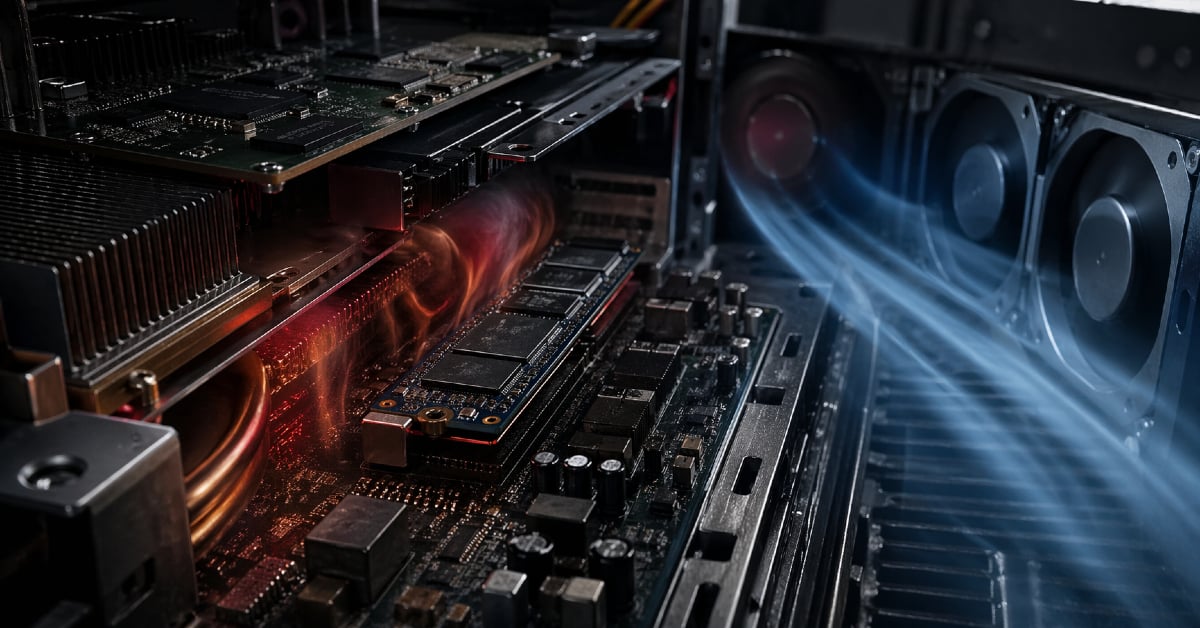
For a hypervisor, the boot drive is especially important. Even if virtual machines reside on a separate array or network storage, the host itself still needs somewhere to boot from and somewhere to store configuration, logs, service partitions, and diagnostic data.
This applies to VMware ESXi, Proxmox VE, Hyper-V, Linux hypervisors, OpenStack nodes, and Kubernetes hosts. A hypervisor is often treated as a small system that “does not need much.” But in real operation, the boot device accumulates updates, logs, service files, and sometimes dumps and temporary data. If the medium is weak or unsuitable, problems may show up not immediately but after months of operation.
USB flash drives and SD cards deserve a separate note. They used to be a common way to boot a hypervisor: cheap, no drive bays consumed, easy to replace. But for new deployments, this approach is becoming less and less appropriate. Broadcom/VMware guidance directly discusses the limitations and risks of SD/USB devices as standalone boot media:Broadcom/VMware guidance.
Today, for a hypervisor it is more sensible to use an SSD-based solution with proper endurance and, if possible, mirroring. For an enterprise server, that means BOSS or a similar module. For a self-built system, it means two M.2 drives or two SSDs in a mirror. For a lab, a single M.2 is acceptable, but only if there is a backup of the configuration and a clear understanding that a drive failure will stop the host.
How Important Boot Drive Speed Really Is
Boot drive speed matters, but it is often overrated. After the server starts, the main load usually goes to other devices: the disk array, network storage, separate SSDs for databases, virtual machine volumes, or an external storage system.
NVMe M.2 is faster than SATA DOM and standard SATA SSDs. Modern NVMe boot modules can also be noticeably faster than older SATA-based solutions. For example, HPE describes the NS204i as a boot device with two M.2 SSDs and mirroring:HPE NS204i description.
But for a server system drive, maximum read numbers are less important than stable operation. If the OS simply boots, updates, and writes moderate logs, the difference between “fast” and “very fast” will not always be noticeable. Fault tolerance, on the other hand, is noticeable immediately: one fast NVMe drive without mirroring may be worse than two more modest drives that allow the server to continue operating if one of them fails.
Speed becomes more important if the boot drive ends up storing system logs, images, temporary files, container layers, local management databases, update caches, or diagnostic dumps. But in that situation, the right question is different: not “which boot drive is faster,” but “why did production workload end up on the boot drive at all?” Often it is better to change the storage layout than to try to solve an architectural mistake with a faster device.
Reliability: Mirroring Matters More Than the Interface
The main question when choosing a boot drive is what happens when the drive fails. If the answer is “the server will not boot until an engineer replaces the drive and restores the system,” then the solution is weak for critical infrastructure.
RAID 1 mirroring solves exactly this problem. Two drives store the same data. If one fails, the server can continue operating from the other. For a boot drive, this is often more important than the difference between SATA and NVMe.
But mirroring is not a replacement for backup. It protects against the failure of one drive, but it does not save you from accidental file deletion, system corruption, a failed update, or a configuration mistake. For a hypervisor, configuration should be backed up separately. For a physical server, there should be a clear OS and service recovery plan.
This is especially important for remote servers. If the machine is in a data center, and the boot drive is single and physically located under the lid in an awkward place, its failure turns into a ticket, waiting time, travel, or work for the duty engineer. Sometimes the cost of downtime and service is much higher than the price difference between a single M.2 and an official mirrored module.
Choosing the Right Equipment
Our specialists will contact you and answer all your questions
Compatibility and Serviceability
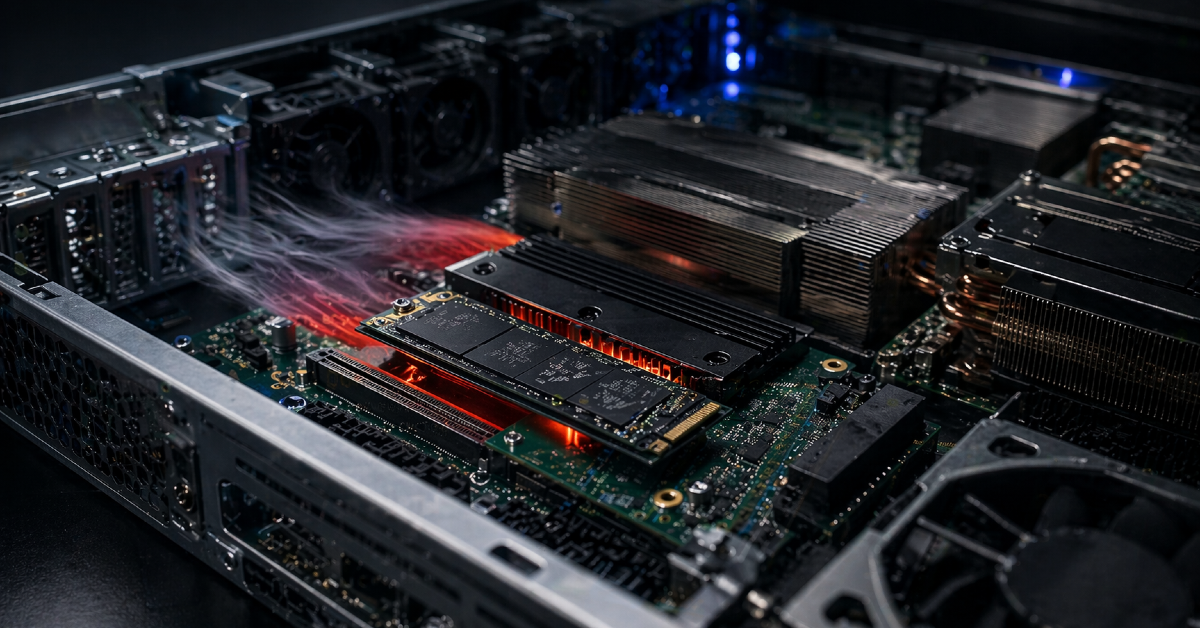
Most problems with boot devices do not happen because M.2, BOSS, or SATA DOM are “bad.” More often, the cause is simpler: the wrong device type was chosen, there is no BIOS/UEFI boot support, no power, no cooling, the drive is not visible in monitoring, or it cannot be replaced without complicated disassembly.
Before choosing, you need to check not only the drive’s characteristics but also the server documentation. Does the specific model support BOSS, M.2, or SATA DOM? Can it boot from that device? Which M.2 sizes are allowed? Is a separate power cable required for SATA DOM? Are other ports disabled when M.2 is installed? Will the drive be visible through the server management tools?
A separate question is physical access. In some servers, the M.2 slots are placed so that replacement requires removing the lid, pulling out a riser, or partially disassembling the node. For a lab bench, this is tolerable. For a rack server, especially in a remote data center, it is already an operational drawback.
| Scenario | Best choice | Why |
|---|---|---|
| New enterprise server | BOSS or a similar module | The OS is separated from data, and there is mirroring plus platform support |
| Virtualization host | BOSS, two M.2 drives, or two SSDs in a mirror | Boot fault tolerance and hypervisor stability matter |
| Server with no free drive bays | BOSS or M.2 | They do not consume front bays |
| Compact Supermicro system | SATA DOM or M.2 | Depends on the board, power, and write-load requirements |
| Budget server | Server-grade M.2 | A good compromise if support and backups are in place |
| Older server | SATA DOM or a 2.5-inch SSD | You need to choose from what the platform actually supports |
| Lab setup | M.2 | Cheap, fast, convenient, but without enterprise fault tolerance |
| Server with remote servicing | BOSS with mirroring | Lower risk of urgent physical intervention |
This table does not replace compatibility checks. In server infrastructure, “officially supported” is usually more important than “should work in theory.”
Typical Boot Drive Selection Mistakes
- Installing the OS on a single consumer M.2 drive. It is fast and cheap, but risky for a server: the drive may overheat, may not have enough write endurance, may be invisible in monitoring, and may not be officially supported by the platform.
- Using the boot drive as production storage. People start storing images, backups, logs, containers, and temporary files on it. As a result, the drive gets a workload it was never selected for.
- Buying SATA DOM without checking power and compatibility. The module may physically fit the SATA port, but that does not mean it will be powered correctly, boot correctly, and be maintainable.
- Treating BOSS as a universal high-speed array. BOSS is for the operating system or hypervisor. It should not be used to store virtual machines, databases, or heavy cache.
- Not checking BIOS/UEFI boot support. The drive may be detected by the server as a storage device but still not be available as a boot device.
- Not keeping a backup of the configuration. Even two mirrored drives will not save you from a failed update, filesystem corruption, or an incorrect configuration.
- Choosing only by speed. For a server boot drive, record-setting read numbers matter less than the ability to operate stably, appear in monitoring, and be recovered quickly after failure.
What to Choose in Practice
For a new enterprise server, the most sensible choice is BOSS or a similar official boot module with two mirrored drives. This is especially relevant for Dell, HPE, and other server platforms where such solutions are provided by the vendor.
For a virtualization server, it is better to choose BOSS, HPE NS204i, or a mirrored pair of M.2 drives or SSDs. A hypervisor should boot from a reliable medium, not from a flash drive or a random single SSD.
For a budget server, M.2 can be used, but ideally it should be server-grade or industrial-grade. You need to check boot support, cooling, write endurance, and monitoring visibility. If it is possible to install two drives and create a mirror, that is better than one fast drive.
For a compact system or an older platform, SATA DOM remains a normal option if the board is designed for such modules, the write load is low, and the capacity is enough. But for new infrastructure with fault-tolerance requirements, SATA DOM will rarely be the first choice.
For a lab, a single M.2 is acceptable. There, simplicity and price matter more. But even in a lab, it is worth keeping a copy of the configuration so that a drive failure does not turn into a full rebuild from scratch.
Most popular refurbished servers

Free shipping on orders over 500 € in the EU, £500 in the UK, and $3,000 in the USA
Free shipping on orders over 500 € in the EU, £500 in the UK, and $3,000 in the USA

Free shipping on orders over 500 € in the EU, £500 in the UK, and $3,000 in the USA

Free shipping on orders over 500 € in the EU, £500 in the UK, and $3,000 in the USA
Checklist Before Buying
Before choosing a boot drive, it is worth answering several questions:
- will the server be a standalone physical machine, a hypervisor, or part of a cluster;
- does the server need to keep working if one boot drive fails;
- does the platform officially support BOSS, M.2, or SATA DOM;
- is RAID 1 possible;
- can the server see drive health in monitoring;
- is there enough capacity for the OS, updates, and service partitions;
- will there be intensive writes to the boot drive;
- is there cooling in the installation area;
- can the drive be replaced without complex disassembly;
- are firmware and documentation available;
- what will happen if the drive fails at night or on a weekend;
- is there a backup of the OS or hypervisor configuration.
If several answers are unclear, it is better to choose not the cheapest medium but an official server boot solution. In server operations, predictability is almost always more important than saving money on a small system drive.
Conclusion
BOSS or a similar boot module is the best choice for most modern servers, especially if fault tolerance, serviceability, and separation of the OS from production data matter. A standard M.2 drive can be a good option if the server officially supports it, the drive is suitable in terms of endurance and cooling, and the installation scheme does not turn it into a single point of failure. SATA DOM remains useful for compact, simple, and some older systems, but today it is more of a niche solution than a universal standard for new server builds.
The main criterion is not boot speed, but what happens when the drive fails. If the server can continue operating, the administrator can see the problem in monitoring, and replacement and recovery are understood in advance, the boot drive has been chosen correctly.
Choosing the Right Equipment
Our specialists will contact you and answer all your questions
Content:
Free shipping on orders over 500 € in the EU, £500 in the UK, and $3,000 in the USA

Free shipping on orders over 500 € in the EU, £500 in the UK, and $3,000 in the USA

Free shipping on orders over 500 € in the EU, £500 in the UK, and $3,000 in the USA

Free shipping on orders over 500 € in the EU, £500 in the UK, and $3,000 in the USA

Free shipping on orders over 500 € in the EU, £500 in the UK, and $3,000 in the USA

Free shipping on orders over 500 € in the EU, £500 in the UK, and $3,000 in the USA