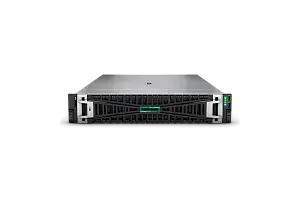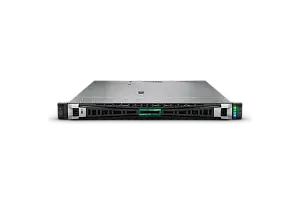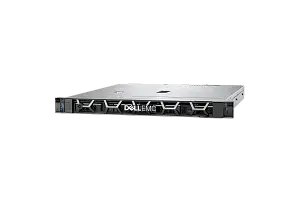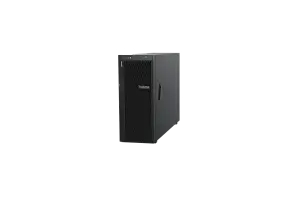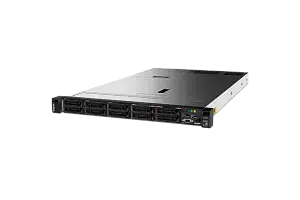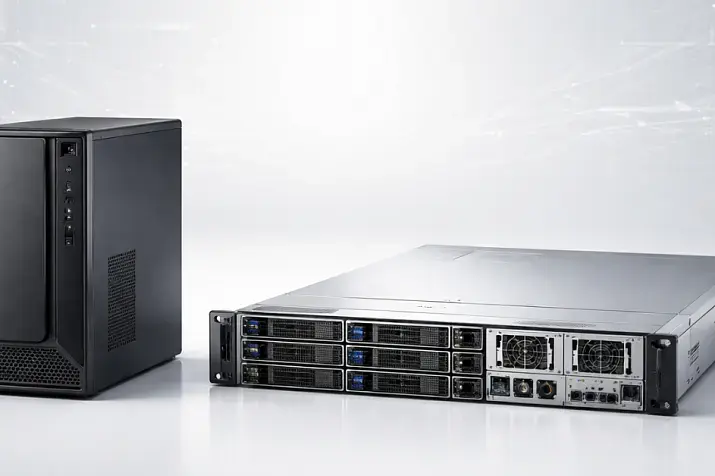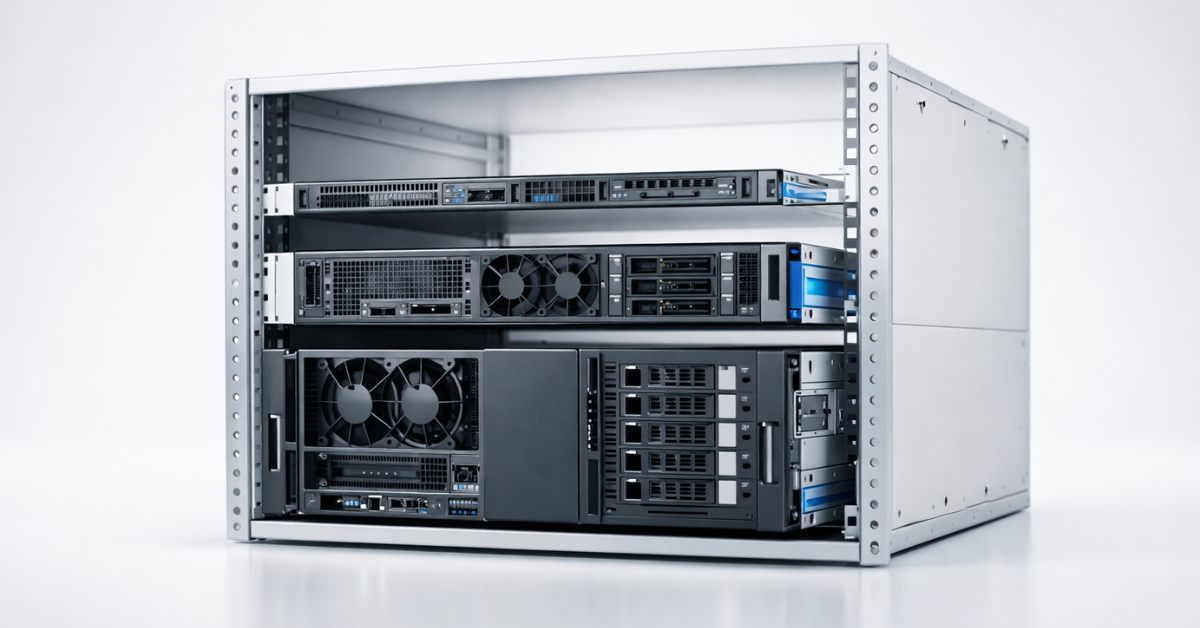
U, or rack unit, is a unit used to measure the height of equipment installed in a standard 19-inch rack. 1U equals 44.45 mm, or 1.75 inches. Accordingly, a 2U server is 88.9 mm high, while a 4U server is 177.8 mm high.
Important: U defines equipment height only. The 19-inch designation refers to the width of the standard rack mounting plane, not to the server's height or depth. U does not specify chassis depth, connector placement, or the clearance required for cables.
On Servermall product pages, the form factor is usually listed as 1U, 2U, or 4U. However, you should not choose a server based on height alone. You also need to check chassis depth, the type and number of drive bays, PCIe and riser-card configurations, power supplies, cooling, and rail compatibility.
What Is U and Where Did the Standard Come From?
The U designation divides the usable height of a 19-inch rack into equal mounting sections. This makes it possible to determine in advance how much space will be occupied by servers, switches, patch panels, cable managers, and other equipment.
Standardised rack-unit markings help you:
- plan equipment placement in the rack;
- check chassis and mounting-hole compatibility;
- calculate the space required for cables, rails, and servicing;
- reserve room for network equipment and future expansion;
- maintain the correct airflow direction.
The EIA-310 family of requirements provides the basis for compatibility between 19-inch racks. Server and rack manufacturers normally reference the applicable version of the standard in their installation documentation.
Practical takeaway: matching U values confirm height compatibility only. Before purchasing equipment, you still need to check depth, rails, permissible weight, and power requirements.
Short Glossary
- U or RU — rack unit, a unit of rack height; 1U equals 44.45 mm.
- Rails — mounting rails that secure a server in a rack and allow it to slide out.
- Blanking panels — panels that cover unused U spaces and prevent hot-air recirculation.
- Front-to-back airflow — the standard direction of airflow through a server, from the front to the rear.
- PDU — a power distribution unit installed inside a rack.
Popular Refurbished Servers
The Servermall catalogue includes refurbished servers in a range of form factors. When comparing models, consider not only the processors and memory capacity, but also the drive cage, available riser cards, power supplies, and compatible rails.
Most popular refurbished servers

Free shipping on orders over £500 in the EU, £500 in the UK, and $3,000 in the USA

Free shipping on orders over £500 in the EU, £500 in the UK, and $3,000 in the USA

Free shipping on orders over £500 in the EU, £500 in the UK, and $3,000 in the USA

Free shipping on orders over £500 in the EU, £500 in the UK, and $3,000 in the USA
1U, 2U, 3U, and 4U Server Dimensions
A server's height determines how much mounting space it occupies, but it does not indicate the actual depth of the chassis, the width of the internal enclosure, or its expansion capabilities. Two servers with the same form factor may differ significantly in their number of drives, PCIe slots, supported GPUs, and cooling requirements.
Practical takeaway: choose server height based on the intended use case. A 1U server provides high density, 2U offers a more versatile balance, and 4U provides more space for drives, PCIe cards, and accelerators.
| Form factor | Height | Drives | PCIe and GPU | Cooling and acoustics | Serviceability and density | Typical use cases |
|---|---|---|---|---|---|---|
| 1U | 44.45 mm / 1.75 in | The number and type of bays are usually limited by the chassis layout | Often uses low-profile cards and a limited number of riser configurations | Compact fans often run at high speeds; cooling is more demanding | Maximum density, but tighter access to components | Web and application nodes, proxies, routers, edge deployments, and colocation billed per U |
| 2U | 88.9 mm / 3.5 in | More SFF, LFF, and NVMe options | Usually more PCIe slots and riser-card options; may support dedicated GPUs | More room for airflow, although noise still depends on the configuration | A balanced combination of density and serviceability | Virtualisation, databases, general-purpose systems, and mixed workloads |
| 3U | 133.35 mm / 5.25 in | Depends on the specialised chassis design | May be used for expanded PCIe configurations and non-standard equipment | More cooling capacity than 1U, but the design remains the deciding factor | Less common; rail compatibility should be checked in advance | Specialised servers, storage systems, and industrial solutions |
| 4U | 177.8 mm / 7 in | Ample space for SFF, LFF, NVMe, and large drive cages | Suitable for multiple PCIe cards and full-height, double-width GPUs | More room for cooling, although GPU configurations can still be hot and noisy | Lower density and greater weight, but usually easier access to components | GPU and AI, rendering, storage, and high-performance I/O configurations |
1U: Maximum Density and Demanding Cooling Requirements

1U servers are suited to infrastructure where many similar nodes must fit into limited space. They are commonly used for web applications, proxy services, software routers, small distributed workloads, and edge deployments.
The main advantages of 1U are:
- high compute density per rack;
- straightforward scaling with identical nodes;
- space savings when colocation is billed per U;
- a wide selection of standard single-socket and dual-socket models.
This compact design also has limitations. Small fans often need to spin faster to move air through a tightly packed chassis. The internal layout is more sensitive to dust, obstructed air intakes, and incorrectly installed blanking panels. Expansion options depend on low-profile cards, riser modules, and drive-cage placement.
When selecting a 1U server, check how many NVMe, SAS, or SATA drives it supports, whether the bays are SFF or LFF, which riser cards are available, and whether two redundant power supplies can be installed.
Who Is 1U Usually Unsuitable For?
A 1U server may be the wrong choice if:
- you plan to install multiple GPUs or double-width accelerators;
- you need a large number of drives, especially 3.5-inch models;
- the server will operate near people and noise is a critical concern;
- maintenance is infrequent and the room is poorly protected from dust—in such situations, consider specialised industrial servers designed to withstand harsh environments;
- you expect to install several NICs, HBAs, or NVMe adapters;
- the rack has limited power and heat-removal capacity.
Practical takeaway: choose 1U when density genuinely matters and the requirements for storage, PCIe, and cooling are known in advance.
Choosing the Right Equipment
Our specialists will contact you and answer all your questions
2U: A Versatile Option for Most Workloads
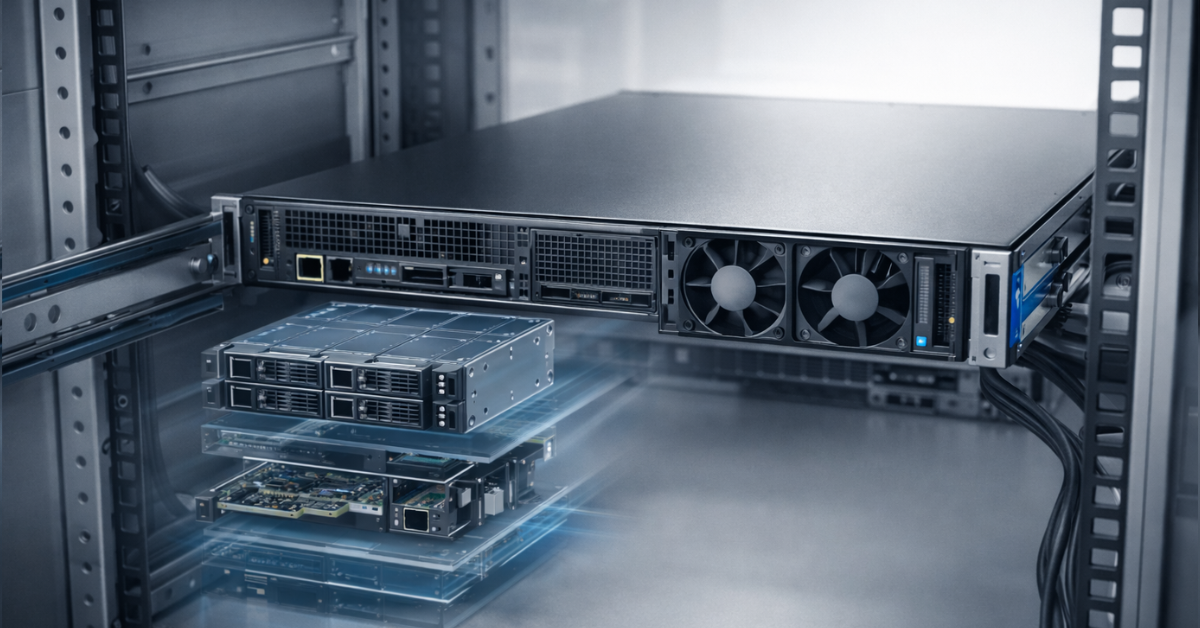
An extra rack unit usually provides more freedom when configuring a server. A 2U chassis can more easily accommodate larger fans, an expanded drive cage, several riser cards, and additional network or storage controllers. This makes 2U the most popular and versatile server form factor.
This size is often suitable for:
- a first server in a rack when future workload growth is difficult to predict;
- virtualisation and mixed workloads;
- databases and applications with intensive storage I/O;
- configurations with several network adapters, HBAs, or NVMe devices;
- projects that need expansion headroom without moving to 4U.
For virtualisation, 2U is often convenient because it combines high RAM capacity, several PCIe slots, and flexible storage configurations. For detailed processor, memory, and storage recommendations, see our guide to choosing a server for virtualisation.
However, a 2U or 4U server is not automatically quieter than a 1U model. Acoustic performance depends on the specific configuration, fan profile, inlet-air temperature, installed processors and GPUs, and actual workload.
Practical takeaway: if you are choosing between 1U and 2U and are unsure about future requirements, a 2U server usually provides more room for expansion.
4U: When Drives, PCIe, GPUs, and Serviceability Matter
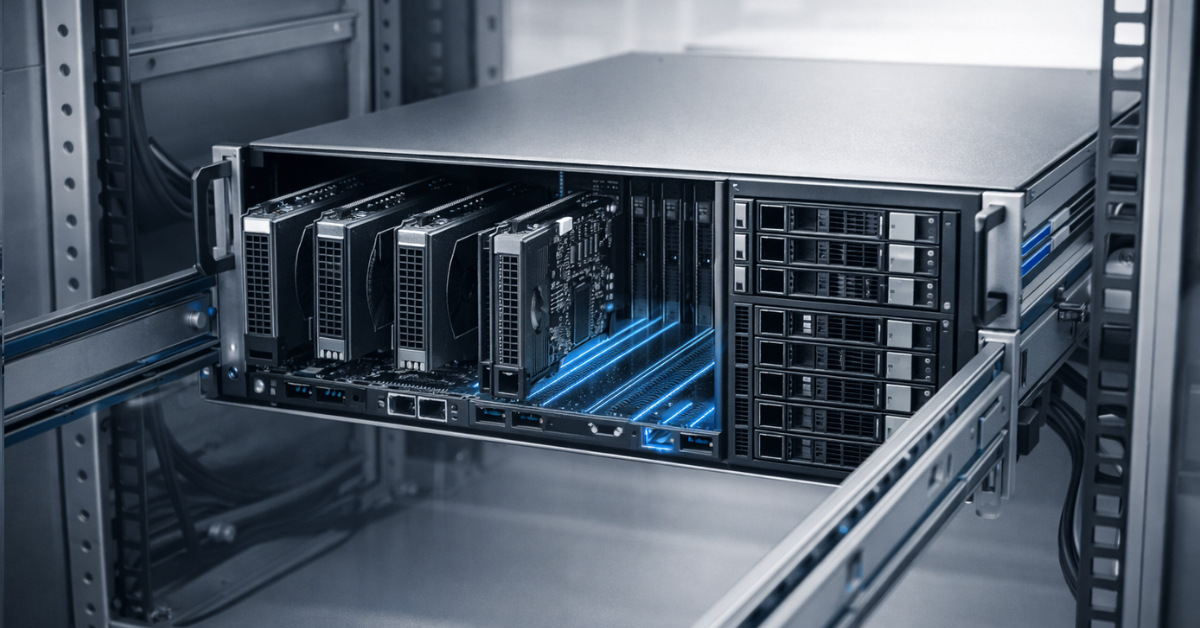
A 4U form factor is chosen not for the height itself, but for the additional component space. This type of chassis can accommodate large drive cages, multiple full-height PCIe cards, GPUs, high-capacity power supplies, and a more complex cooling system.
4U is suitable when you need:
- multiple GPUs or other accelerators;
- full-height and double-width PCIe cards;
- 25/100 GbE network adapters, HBAs, RAID controllers, and NVMe adapters;
- a large number of SFF or LFF drives;
- convenient access to components during servicing.
The main constraints are weight, rail requirements, and lower rack density. Check the maximum load ratings of the rack and rails, and make sure the server can be installed and extended safely for servicing. Heavy systems may require two people to install.
For AI, rendering, and other accelerator-based workloads, it makes sense to begin with the Servers with GPU category and then check each model for the number of supported GPUs, PSU capacity, airflow design, and riser configuration.
Practical takeaway: 4U is justified when expansion capabilities and serviceability matter more than the number of servers in a rack.
1U, 2U, and 4U Capabilities: A Brief Comparison
No single form factor is best for every use case. A 1U chassis imposes fewer limits on rack density, 2U usually provides the most versatile balance, and 4U reduces constraints on drives, PCIe, and GPUs.
With identical processors and memory capacity, 1U and 2U servers do not necessarily differ in performance. The differences are primarily in the available configurations, cooling, number of drives, expansion options, and serviceability. The main distinctions are summarised in the dimensions table above.
Practical takeaway: compare the constraints that each chassis creates for your project, rather than the dimensions alone.
U Is Not the Only Parameter: Seven Factors That Affect Your Choice
Even when you choose the correct height, a server may not fit the rack or support the planned configuration. In practice, problems most often arise from excessive chassis depth, insufficient cable clearance, incompatible rails, excessive weight, incorrect airflow, power limitations, or unavailable PCIe slots.
You also need to consider the installation environment. Acceptable noise levels differ between a data centre, a dedicated server room, and an office. If the equipment operates near people, check the acoustic specifications of the actual configuration instead of drawing conclusions from its height alone.
Practical takeaway: U answers the question “How much vertical space will the server occupy?” It does not answer “Can we install and operate it properly?”
How to Read a Servermall Product Page
Check the following details on the server's product page or in the official datasheet:
- 1U, 2U, 3U, or 4U form factor;
- chassis depth;
- the number and type of SFF or LFF bays;
- SAS, SATA, and NVMe support;
- available PCIe slots and riser configurations;
- the number, capacity, and redundancy of the power supplies;
- OCP and PCIe network adapters;
- compatible rails and the supported rack-depth range;
- power consumption, heat output, and noise figures, if published.
The statement “three PCIe slots” does not necessarily mean that all three will be available in your chosen configuration. Their number and type may depend on the riser card, processor count, drive cage, and installed adapters.
Key Parameters, Why They Matter, and How to Check Them
Chassis depth. A server of the correct height may still be too long for the rack. Compare chassis depth with the usable distance between the mounting posts and the position of the rear door.
Cable clearance. Leave enough space behind the server for power cables, network connectors, DAC cables, and a cable management arm. Excessive bending can damage a cable or connector and prevent the rear door from closing.
Rails. Check whether the rack has two or four mounting posts, the shape of its mounting holes, and the rail adjustment range. Rail compatibility is not determined by rack width alone. For example, two-post racks are designed for lightweight equipment, and installing a server in one may deform the rack.
Weight. Compare the server's weight with the load ratings of the rails, rack, and floor. Heavy systems should be installed in the lower part of the rack to maintain stability.
Airflow. Most servers are designed for front-to-back airflow. Cover unused U spaces with blanking panels to stop hot air returning to equipment air intakes.
Power. Check continuous and peak load, the number of independent circuits, power-supply redundancy, circuit-breaker ratings, the number of outlets, and PDU limitations.
Expansion. Confirm which PCIe slots remain available with the selected processors, riser cards, network adapters, and drive cage.
Rack Planning: 42U Does Not Mean 42 Servers
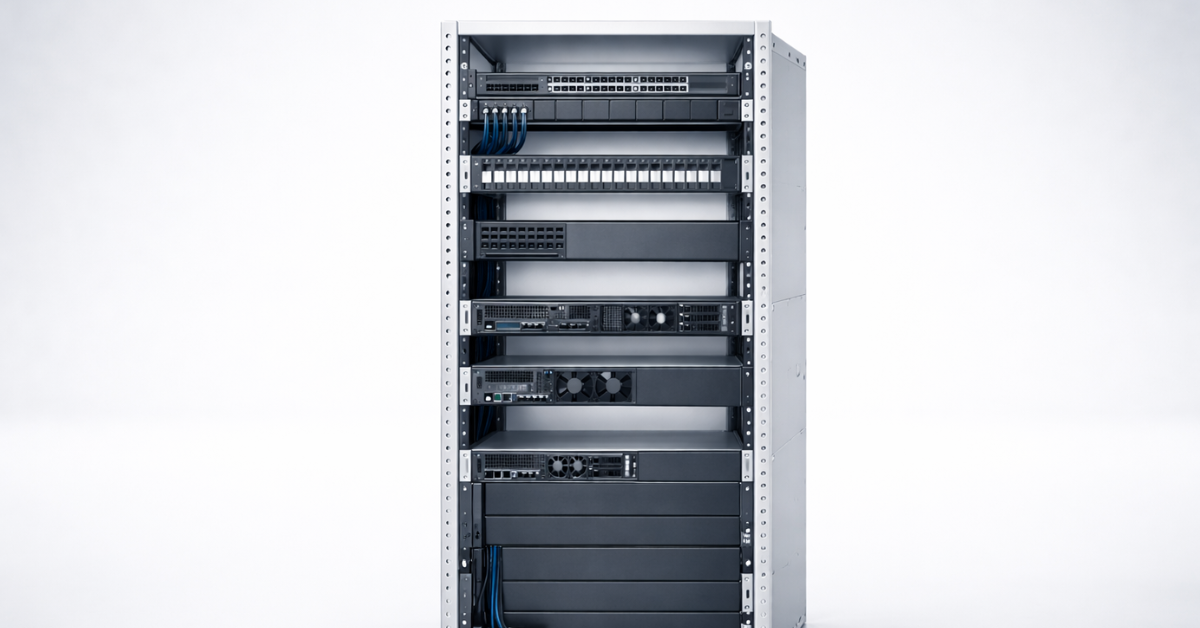
A nominal rack height of 42U does not mean that all 42U can be occupied by servers. Some of the space is usually reserved for:
- top-of-rack switches;
- patch panels;
- horizontal cable managers;
- KVM consoles, shelves, or drawers;
- blanking panels and operational reserve;
- future expansion.
Vertical PDUs are often installed in the side or rear 0U zone and do not consume usable mounting height. Horizontal PDUs, UPS systems, and other devices may require dedicated rack units.
Consider a simple example: subtract 2U for network equipment, 2U for patch panels and cable managers, and 2U for reserve or blanking panels from a 42U rack. About 36U remains. In theory, this is enough for 36 1U servers, 18 2U servers, or nine 4U servers, but the actual number is also limited by power, cooling, weight, and cabling infrastructure.
Available power depends on the colocation agreement and rack design. Before installation, check continuous and peak load, electrical-circuit redundancy, circuit ratings, and PDU limitations. Two 1 kW power supplies do not mean that a server continuously consumes 2 kW, but calculations must account for the actual configuration and potential peaks.
Practical takeaway: create an infrastructure layout and verify power limits before determining the number of servers.
Example of Equipment Allocation by U
One possible layout for a 42U rack is:
- top section, approximately 2U: top-of-rack switches;
- below the network equipment, 1–2U: patch panels and cable managers;
- middle section, 24–30U: primary servers;
- unused and hot spots, 2–4U: blanking panels and expansion reserve;
- lower section, 2–4U: heavy equipment, an additional cable manager, or operational reserve.
This is not a universal template. Heavy servers and UPS systems are usually installed lower down, while the exact position of switches depends on the cabling design. The key is not to fill the rack with servers before power, network, and airflow routes have been planned.
Practical takeaway: plan the infrastructure first and the servers second. Otherwise, you may have free rack units but still be unable to install or service the equipment properly.
Checklist for Choosing 1U, 2U, or 4U
Workload and Growth
- What role will the server perform: web or application hosting, virtualisation, database, storage, GPU computing, or edge?
- Will you need to increase the processor count, RAM capacity, or number of adapters?
- How important is server density within the rack?
Drives and I/O
- How many drives are required now and in the future?
- Do you need SFF, LFF, or NVMe drives?
- Will you need an HBA, a RAID controller, or external disk shelves?
PCIe and GPU
- How many PCIe cards must be installed at the same time?
- Do you need full-height or double-width cards?
- Does the chassis support the required GPU in terms of dimensions, power, and cooling?
- Which slots are available with the selected riser configuration?
Cooling, Noise, and Maintenance
- Where will the server be installed: in an office, a dedicated server room, or a colocation facility?
- Are there limits on noise and heat output?
- Can the equipment be serviced without removing adjacent devices?
- Is regular dust removal possible?
Rack Compatibility
- Does the chassis depth fit within the usable rack depth?
- Is there sufficient clearance for connectors and safe cable bends?
- Are the rails compatible with the rack type and depth?
- Will the configuration remain within the permitted weight limit?
Power
- What are the continuous and peak power requirements of the configuration?
- Are two independent power circuits available?
- Is a 1+1 PSU configuration required?
- Does the PDU provide enough outlets and power capacity?
If a project requires many drives, several PCIe cards, and convenient servicing at the same time, 2U or 4U usually creates fewer constraints. If the workload is uniform and density is critical, 1U may be the more rational choice.
Storage systems

Free shipping on orders over £500 in the EU, £500 in the UK, and $3,000 in the USA

Free shipping on orders over £500 in the EU, £500 in the UK, and $3,000 in the USA

Free shipping on orders over £500 in the EU, £500 in the UK, and $3,000 in the USA

Free shipping on orders over £500 in the EU, £500 in the UK, and $3,000 in the USA
Storage Systems
For storage systems, choose the form factor together with the drive type and quantity. A 2U chassis may provide high SFF drive density, while 4U can offer more LFF options and easier access. The U designation alone does not indicate the number of drives or the controller architecture.
Choosing the Right Equipment
Our specialists will contact you and answer all your questions
A Short Algorithm for Choosing the Right Height
For a large number of identical web or application nodes, start with 1U. Begin with the 1U Servers catalogue, then filter the models by drive type, riser cards, and redundant power-supply support.
For virtualisation and general-purpose workloads, 2U is usually the better fit. In the 2U Servers catalogue, compare maximum RAM capacity, drive cages, PCIe slots, and 10/25 GbE network-adapter options.
For a storage node, choose between 2U and 4U. The decision depends on the number of SFF or LFF bays, NVMe support, HBA or RAID-controller type, and serviceability requirements.
For GPU, AI, and rendering workloads, 4U or a specialised chassis is often required. Compare servers with GPU by accelerator quantity and format, riser configuration, PSU capacity, and cooling design.
For a branch office or small server room, either 1U or 2U may be suitable. Base the decision on actual requirements for noise, rack depth, workload, and maintenance rather than chassis dimensions alone. In some cases, a tower form factor may be the best option.
If the workload has not yet been fully defined, begin with the Rack Servers category and progressively exclude models that do not meet your depth, drive, PCIe, power, or rail requirements.
Practical takeaway: define the workload and site constraints first, then choose the form factor.
Common Mistakes and How to Avoid Them

- Failing to check chassis depth. Compare it with the usable rack depth, not just the cabinet's external dimensions.
- Leaving no room for cables. Account for connectors, the cable management arm, and the permitted bend radius of power and DAC cables.
- Buying incompatible rails. Check the rack type, mounting holes, and the rails' adjustment range.
- Leaving unused U spaces uncovered. This can cause hot-air recirculation and impair cooling.
- Choosing a 1U server with plans to add a GPU later. Check the card's physical dimensions, riser, power connectors, and permitted thermal load first.
- Failing to calculate PDU capacity and peak consumption. Add up the load of the actual configurations and account for electrical-circuit redundancy.
- Ignoring acoustics. For office deployments, use noise data for the specific configuration and operating conditions.
- Confusing SFF and LFF. Drive form factor affects the number of bays, available capacity, and chassis options.
- Assuming all PCIe slots are available. Check the limitations imposed by riser cards, processors, OCP adapters, and the drive cage.
- Filling the rack without an operational reserve. Leave space for networking, cables, blanking panels, and future expansion.
Practical takeaway: most problems are caused not by the U designation, but by depth, mounting, cabling, power, and the server's actual configuration.
Frequently Asked Questions
1. Does 1U Refer to Height or Width?
1U refers only to height and equals 44.45 mm, or 1.75 inches. The standard mounting plane for rack equipment is 19 inches wide. The internal chassis may be narrower, and U does not define server depth.
2. How High Is a 2U Server?
The nominal height of a 2U server is 88.9 mm, or 3.5 inches.
3. How High Is a 4U Server?
The nominal height of a 4U server is 177.8 mm, or 7 inches.
4. Why Are 1U Servers Often Noisier?
A compact chassis normally uses smaller fans that must spin faster to move the required volume of air. Actual noise levels still depend on the configuration and workload.
5. Is 2U Always Better Than 1U?
No. If density is important and you use identical nodes with a predefined configuration, 1U may be the more rational choice. A 2U server is more commonly selected when additional drive, PCIe, and serviceability headroom is required.
6. Can a 4U Server Be Installed in Any Rack?
In terms of height, yes—provided the rack has four consecutive free rack units. In practice, you must also check depth, permissible weight, rail compatibility, and clearance for cables and airflow.
7. Why Can Two 2U Servers Have Different Depths?
Because U defines height only. Depth depends on the design of the drive cage, system board, power supplies, fans, and internal layout.
8. How Many Servers Fit in a 42U Rack?
In theory, a 42U rack can hold up to 42 1U servers, 21 2U servers, or ten 4U servers with two rack units left unused. In a real rack, network and cabling infrastructure occupies some of the space, while power, cooling, and weight impose further limits.
9. Which Matters More for Compatibility: U or Depth?
Both are essential. U indicates whether there is enough vertical space, while depth, cable clearance, and rails determine whether the server can be physically installed and serviced.
10. What Are Rails Used For?
Rails support the server inside the rack and allow it to slide out for servicing. Compatibility depends on the server model, rack type, mounting holes, and the distance between the front and rear mounting posts.
Conclusion
U is a unit of equipment height in a 19-inch rack. 1U equals 44.45 mm, 2U equals 88.9 mm, 3U equals 133.35 mm, and 4U equals 177.8 mm.
1U servers provide high density, 2U servers offer a versatile balance, and 4U systems provide more space for drives, PCIe cards, and GPUs. The final choice, however, depends on more than height. You also need to consider chassis depth, rails, weight, cables, airflow, power, acoustics, and expansion options.
Before purchasing, compare the project's requirements with the documentation for the specific model. This is more reliable than choosing a server based only on its 1U, 2U, or 4U designation.
In Brief
- 1U — maximum density, with stricter cooling and expansion constraints.
- 2U — a versatile format for virtualisation and mixed workloads.
- 4U — more options for drives, PCIe, and GPUs.
- Always check depth, rails, weight, power, cable clearance, and airflow.
Sources
- Schneider Electric: 1U equipment is 44.45 mm / 1.75 inches high
- APC NetShelter: installing equipment in a 19-inch rack and U markings
- Dell: EIA-310 rail and rack compatibility
- Dell: the purpose of blanking panels and airflow management
Servermall Catalogue
The catalogue includes Rack Servers, 1U Servers, 2U Servers, 4U Servers, and Servers with GPU. Use catalogue filters for the initial selection, then verify final compatibility in the chosen model's datasheet.
Updated 27 August 2026. The article now includes a unified table comparing the dimensions and capabilities of 1U, 2U, 3U, and 4U servers. Repetitive comparisons and checklists have been reduced, and the distinction between U height, the 19-inch mounting plane, and chassis depth has been clarified. The guidance on cooling, acoustics, rails, power, equipment placement in a 42U rack, and choosing servers for virtualisation and GPU workloads has also been updated.