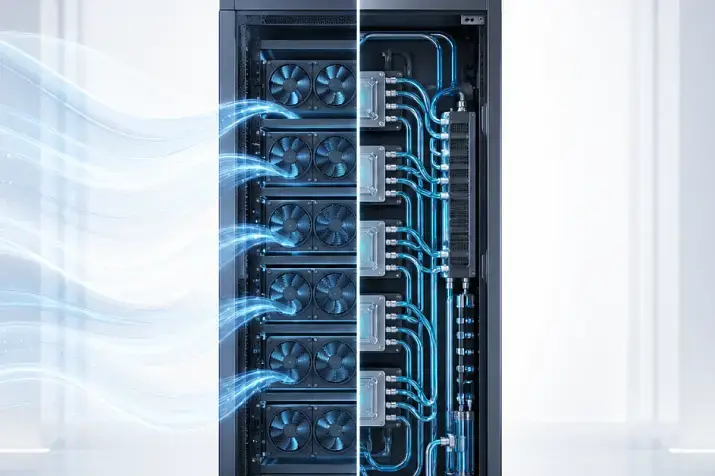
ARM servers are worth choosing for modern Linux workloads, containers, microservices, web services, cloud applications, software builds, and tasks where energy efficiency and the cost of processing each request matter. x86 servers are better suited for universal corporate infrastructure, Windows environments, legacy software, complex virtualization, specialized expansion cards, and scenarios where maximum compatibility is important. The right choice depends not on which architecture is “more modern,” but on the application, operating system, licenses, drivers, workload, and the team’s readiness to support the platform.
ARM and x86 are often compared as two competing ideologies, but this is too simplified for business infrastructure. It is not correct to say that ARM is always more economical, or that x86 is always faster. It is also wrong to assume that x86 is outdated, or that ARM is only suitable for experiments. In real infrastructure, the specific task decides everything: how the application uses the processor, how strongly it depends on libraries and drivers, whether it can be rebuilt, how it scales, and whether the vendor provides official support.
In 2026, this question has become especially important. Server ARM platforms have become much stronger in clouds and data centers, while x86 servers continue to develop toward higher core density, performance, and support for a wide range of enterprise workloads. As a result, the optimal approach is increasingly not “either ARM or x86,” but a hybrid model: new scalable services can be tested on ARM, while critical, legacy, and mixed workloads can remain on x86.
Most popular refurbished servers

Free shipping on orders over 500 € in the EU, £500 in the UK, and $3,000 in the USA

Free shipping on orders over 500 € in the EU, £500 in the UK, and $3,000 in the USA

Free shipping on orders over 500 € in the EU, £500 in the UK, and $3,000 in the USA

Free shipping on orders over 500 € in the EU, £500 in the UK, and $3,000 in the USA
What ARM and x86 mean in a server context
ARM and x86 are different processor architectures. Put simply, they execute machine instructions differently, which means that a program must be compatible with the architecture on which it runs. For users, this is not a theoretical issue, but a set of practical questions: will the application start, is the required operating system version available, and are the necessary libraries, drivers, monitoring agents, and backup tools supported?
x86 was the main architecture of the server market for a long time. Enterprise applications, hypervisors, drivers, expansion cards, management tools, and documentation were historically built around it. This is why x86 is seen as a more universal and predictable platform. Modern Intel Xeon and AMD EPYC servers cover a very wide range of tasks: from standard virtualization to high-load databases, analytics, engineering calculations, and AI infrastructure. Intel describes Xeon as a platform for data center, network, edge, workstation, and entry-level server tasks, while AMD positions EPYC as a server line with high core density and extensive resources for modern data centers.
ARM was long associated with energy-efficient compact devices such as smartphones and routers, but in the server context it is no longer a “mobile architecture placed into a server.” Modern ARM platforms for infrastructure are designed for clouds, network services, edge computing, AI-adjacent tasks, and dense server environments. Arm Neoverse, for example, is directly positioned as a platform for clouds, data centers, AI, network infrastructure, and 5G workloads.
The main thing is not to confuse an architecture with a specific processor. A weak x86 server may lose to a good ARM server, while an unsuitable ARM processor may be worse than x86 for a particular task. What matters is not the label, but the full combination: processor, memory, storage, network, operating system, application, and the way the platform is operated.
Why the comparison has become relevant now
Interest in ARM servers has grown not because companies suddenly needed a new architecture for its own sake. The reasons are practical: electricity is becoming more expensive, rack density is increasing, the number of similar web services is growing, container infrastructure is developing, and mature ARM instances are appearing in clouds, where they can be tested quickly without buying hardware.
For classic corporate infrastructure, it used to be enough in many cases to choose a familiar x86 server with some headroom in CPU, memory, and storage. But modern workloads have become more diverse. One company needs Windows services and old business applications, another needs hundreds of containers, a third needs analytics, and a fourth needs a cloud service with variable demand. In these conditions, architecture can no longer be chosen “out of habit.”
ARM is especially interesting where the workload can be scaled horizontally. In other words, instead of placing one large server “for everything,” you run many identical application instances that can be distributed across nodes. This is convenient for web services, queue workers, microservices, APIs, some databases, and auxiliary systems.
x86 remains strong where the infrastructure is mixed: some services run on Windows, some on Linux, there are old virtual machines, commercial and legacy software, complex drivers, hardware controllers, and strict vendor requirements. In such environments, compatibility is often more important than potential savings.
The main difference: x86 universality and ARM efficiency
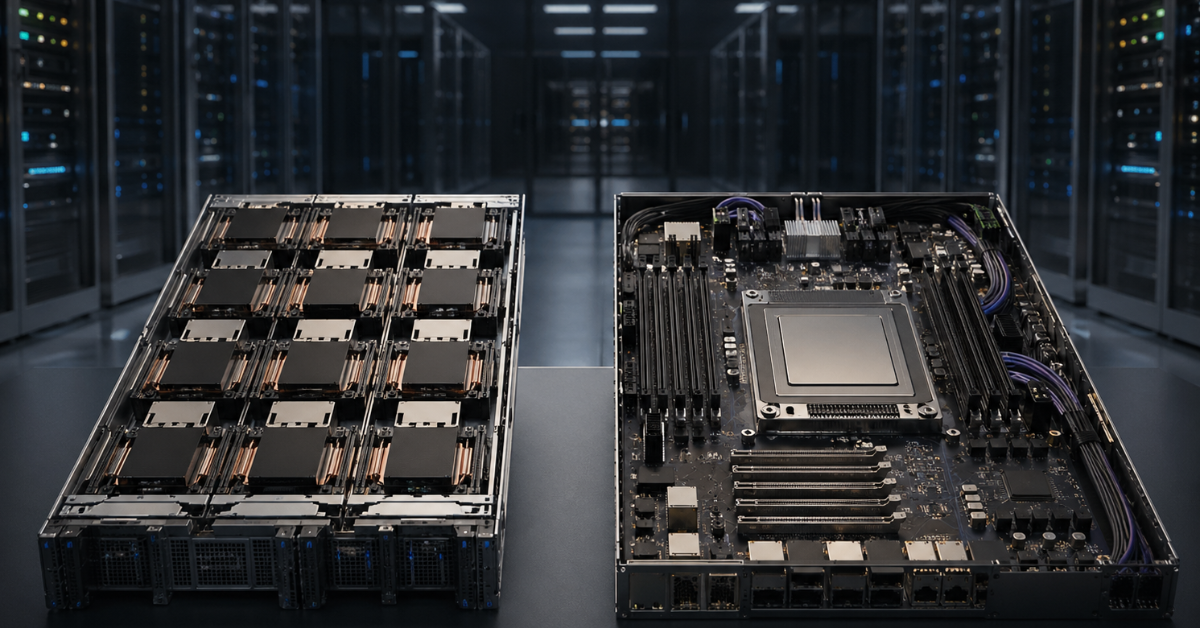
In very simple terms, x86 is more often chosen for universality, while ARM is chosen for efficiency in correctly selected tasks.
x86 is convenient when you need to reduce the risk of incompatibility. It is easier to find servers, expansion cards, hypervisors, documentation, specialists, and ready-made solutions for it. This is especially important for companies where a server does not perform one narrow function, but becomes part of a larger infrastructure: virtualization, backup, databases, directory services, file resources, monitoring, and business applications. The processor architecture itself carries many legacy functions and compatibility features for applications and peripherals, so incompatibility is usually less of an issue.
ARM is interesting when the infrastructure is built around modern Linux services, containers, cloud applications, and scalable components. It can deliver a good balance of performance and power consumption, but only if the application really works well on ARM and does not require complex adaptation. Here, there is no legacy layer, which is one of the reasons ARM can be much more energy-efficient and still perform well. A rough analogy can be made with Apple Silicon M-series processors, which are also based on the ARM architecture, but the key condition is compatibility.
A mistake is to think that ARM is automatically cheaper. If the application must be rewritten, rebuilt, moved to different libraries, monitored in a new way, and supported by a newly trained team, the savings may disappear. Another mistake is to treat x86 as an old architecture. Modern x86 processors still offer a wide choice of configurations, high performance, and mature support for enterprise software.
ARM and x86 compared
| Criterion | ARM servers | x86 servers | What this means in practice |
|---|---|---|---|
| Software compatibility | Good for the modern Linux stack, but not universal | As broad as possible | Older and closed applications are often easier to keep on x86 |
| Energy efficiency | Often a strong point | Depends on the processor model and workload | ARM is interesting when there are many similar services |
| Virtualization | Possible, but requires careful validation | Very mature ecosystem | For mixed VMs, x86 is usually safer |
| Containers | Well suited if images are built correctly | Well suited | Containers do not remove the processor architecture factor |
| Windows workloads | Limited choice of scenarios | Strong area | Classic Windows services are usually easier to run on x86 |
| Databases | Possible if the version and extensions are supported | More universal | You need to check not only the DBMS, but the whole surrounding stack |
| Legacy software | Risk of incompatibility | Usually easier | Especially important for ERP, billing, and industry-specific systems |
| Scaling | Well suited for horizontal growth | Suitable for any model | ARM is especially interesting for cloud and web services |
| Hardware choice | Narrower, especially for on-premises deployment | Very broad | For an in-house server room, x86 is often more accessible |
| Migration | Requires testing | Usually simpler | You cannot move a system “as is” without validation |
This table does not mean that ARM is a niche option and x86 is the only safe choice. It shows something else: ARM reveals its strengths better in modern, portable, and scalable environments, while x86 remains stronger where universality, compatibility, and predictable support matter.
Choosing the Right Equipment
Our specialists will contact you and answer all your questions
Where ARM servers are especially appropriate

ARM is well suited for web services, APIs, load balancers, queue workers, and other tasks where many identical application instances can be launched. If a service does not store state inside a single node and can scale easily, it is easier to move or test it on ARM. In these scenarios, the benefit may not be record speed for one request, but the cost of processing a large flow of requests.
A good example is cloud workloads. AWS develops the Graviton family as processors for cloud tasks in Amazon EC2 and emphasizes price-performance. For companies, this is convenient because ARM can be tested without buying physical hardware: you can launch a test instance, move part of the workload, and compare latency, resource consumption, and cost.
ARM is also appropriate in container infrastructure. But there is an important detail: a container does not make the architecture invisible. If an image was built only for x86, it will not run on ARM as a normal compatible image. You need to prepare builds for both architectures and check base images, libraries, extensions, monitoring agents, and security tools.
In Kubernetes, mixed clusters can be built where some nodes run on ARM and others on x86. But workloads must be directed correctly. Otherwise, you can end up in a situation where an application is built for one architecture, while the scheduler tries to start it on another. Accurate operation requires node labels, placement rules, and a clear image build process.
ARM can also be useful in build farms. If a company releases software for different platforms, it needs builds not only for x86, but also for ARM. In this case, ARM nodes allow applications to be built and tested closer to the real target environment. This is especially important for infrastructure software, container images, agent applications, and services that must work across different clouds.
Another suitable scenario is edge computing. These are remote sites, telecom nodes, industrial facilities, and local data processing near the source. Energy efficiency, compactness, moderate heat output, and remote management are often important there. But even in such projects, you need to check not only the processor, but the whole platform: power, storage, network interfaces, management, spare parts, and OS support.
Where x86 servers remain the preferred choice
x86 remains the safest option for mixed corporate infrastructure. In a typical company, virtual machines, file services, databases, Windows Server, backup, monitoring, old applications, and specialized agents all run at the same time. All of this has developed around x86 for years, so moving it to another architecture may be more difficult than it looks.
For Windows workloads, x86 usually remains the practical choice. This applies to directory services, terminal scenarios, old enterprise applications, management systems, accounting systems, and industry-specific solutions. It is not worth framing this as “Windows on ARM is impossible.” It is more accurate to say this: for classic Windows Server scenarios, x86 more often provides fewer risks, more documentation, and clearer support.
Old and closed software is another strong argument in favor of x86. An application may depend on a specific library version, a hardware key driver, an outdated runtime environment, a backup agent, or a proprietary extension. Even if it can technically be launched on ARM, the vendor may not support that configuration. For a critical system, this is a serious risk: in the event of failure, the company may be left without official assistance.
Complex virtualization also more often remains on x86. If an infrastructure has dozens or hundreds of different virtual machines, there will almost certainly be old operating systems, closed images, and systems without source code among them. They cannot simply be copied to an ARM server as ordinary files and expected to work in the same way. A virtual machine is usually tied to the processor architecture. Emulation is possible in some cases, but in production it rarely becomes a normal solution because there are too many losses, restrictions, and risks.
x86 is also more convenient if the server uses many specialized cards: RAID controllers, network adapters, HBAs, accelerators, capture cards, FPGAs, or non-standard devices. All of this can also work on ARM, but compatibility must be checked in advance. With x86, the chance of finding a ready driver, firmware, and instructions is usually higher.
Performance: why you cannot compare only cores and frequency
One common mistake is to compare ARM and x86 by core count and frequency. This almost never gives the correct answer. Frequency across different architectures cannot be compared directly, and the number of cores does not show how fast a specific application will run.
Performance depends on single-core performance, memory bandwidth, cache size, latency, storage subsystem, network, compiler, operating system settings, and how the application parallelizes work. One service scales well across dozens of cores, another is limited by a single core, a third depends more on memory, and a fourth depends on fast input/output.
ARM can be beneficial where there are many parallel, similar processes: web requests, queue processing, microservices, background tasks, and some analytical pipelines. x86 may be stronger where high single-thread performance, specific instruction support, mature libraries, or commercial optimization for a particular platform are important.
For databases, the comparison is especially complex. The processor is only part of the picture. Memory, storage latency, network speed, replication, backup, extensions, locks, behavior under peaks, and OS kernel settings all matter. This is why you cannot say: “this database works on ARM, so the migration is safe.” The whole environment must be checked.
Energy efficiency and density: where ARM can provide gains

ARM is often considered because of energy efficiency. In large infrastructures, this really matters: the less energy a server consumes for the same useful work, the lower the load on power and cooling. With hundreds or thousands of similar nodes, even a small difference becomes noticeable.
But energy efficiency must be calculated against the real workload. If an application is poorly optimized for ARM, uses unsupported libraries, or requires workarounds, the expected savings may not appear. Moreover, migration may require developer time, changes to build processes, testing, monitoring, and support.
For an in-house server room, you need to calculate more than the processor alone. Total consumption includes memory, drives, network cards, power supplies, fans, and room cooling. An ARM processor may be economical, but if the rest of the server platform is selected poorly, the overall benefit will shrink.
So the correct question is: how much does it cost to process a real unit of workload, considering hardware purchase, electricity, cooling, licenses, maintenance, downtime risks, and team effort. Sometimes ARM wins clearly. Sometimes the difference is too small to justify migration. And sometimes x86 remains cheaper precisely because it does not require infrastructure changes.
Software compatibility: the main filter before choosing ARM
Before choosing ARM, you should start not with the processor, but with the application. If the software stack is ready, ARM can be an excellent option. If not, the architecture quickly becomes a source of problems.
Several levels must be checked. First, the operating system: whether the required version exists for ARM, whether it is supported by the vendor, and whether security updates are available. Then the application itself: whether there is a ready build, whether it can be rebuilt, and whether there are closed components. After that come libraries, extensions, drivers, monitoring agents, backup tools, antivirus products, logging systems, and access management tools.
Container images must be checked separately. For modern applications, this is often the main route to ARM, but only if the images are built for the required architecture. Google Cloud documentation on ARM virtual machines separately shows that ARM instances have their own requirements and compatible OS images, which means the migration must be planned as a separate engineering task, not as a simple server type replacement.
Before moving to ARM, it is useful to go through a short checklist:
- check the operating system and its version;
- check the application and all dependencies;
- check the database, extensions, and drivers;
- check container images;
- check monitoring, backup, and security;
- check support from the software vendor;
- check licensing terms;
- run a load test;
- compare the cost with x86;
- prepare a rollback plan.
The most dangerous scenario is to move a system into an ARM environment, see that it starts, and consider the test complete. Starting is only the first level of validation. You need to look at behavior under load, updates, failures, backup, recovery, and supportability six months later.
Our most popular storage systems
Free shipping on orders over 500 € in the EU, £500 in the UK, and $3,000 in the USA

Free shipping on orders over 500 € in the EU, £500 in the UK, and $3,000 in the USA

Free shipping on orders over 500 € in the EU, £500 in the UK, and $3,000 in the USA

Free shipping on orders over 500 € in the EU, £500 in the UK, and $3,000 in the USA
Databases on ARM and x86
Databases can run on ARM, but the decision depends on the specific DBMS, version, extensions, and workload criticality. Modern open databases often have ARM builds, but that is not enough. Around a database, there are almost always additional elements: application drivers, extensions, backup tools, replication, monitoring, proxies, analytical plugins, and migration tools.
If the database is used for moderate load and is well covered by tests, ARM can be considered. This is especially true if it is part of cloud or container infrastructure, where it is easier to deploy a copy, run a load test, and compare behavior. For caches, queues, auxiliary stores, and scalable services, ARM can often be appropriate.
For critical databases, x86 often remains safer. The reason is not only performance, but support. If a vendor officially supports a specific x86 configuration, while ARM is unsupported or supported only with limitations, this affects risk. When a production database fails, it is important not only to be able to technically start the process, but also to receive support, updates, fixes, and clear recommendations.
Special attention should be paid to high-load databases. In such cases, processor architecture may be less important than memory, storage, network latency, replication settings, and query design. Therefore, the choice between ARM and x86 for a DBMS should be based on testing with real data, not on general performance claims.
Virtualization and containers: where the boundary lies
Virtualization and containers are often discussed together, but in the context of ARM and x86 they are different stories.
Virtual machines are more strongly tied to the architecture. If a company has a fleet of x86 VMs, they cannot simply be moved to an ARM server as ordinary files and expected to work in the same way. The operating system inside the VM, drivers, and applications are designed for a particular processor type. This is why, for infrastructure with a large number of old virtual machines, x86 usually remains the more practical choice.
Containers are easier to move, but not automatically. A container includes the application and environment, but inside it there are still executable files for a specific architecture. If an image was built for x86, ARM needs a separate build or a multi-architecture image. In addition, the base image, system libraries, extensions, utilities, and agents must be checked.
If a company wants to try ARM, it is better to start not by moving old virtual machines, but with modern Linux services in containers. Such a pilot is easier to limit, measure, and roll back. For example, you can take one non-critical microservice, build its image for ARM, launch it in a test environment, and compare it with x86 in terms of speed, cost, and stability.
In a mixed Kubernetes cluster, it is important to separate ARM and x86 nodes. You cannot rely on random placement. Rules are needed to define which applications may run on ARM, which must remain on x86, and which have images for both architectures.
AI, analytics, and high-performance computing

In AI workloads, processor architecture cannot be considered separately from accelerators, memory, network, and the software stack. Often, the main compute work is done by GPUs or specialized accelerators, while the CPU handles data preparation, task launch, network exchange, storage servicing, and auxiliary processes.
x86 remains the familiar option for many GPU servers and ready-made AI platforms. This is related to drivers, libraries, documentation, vendor support, and infrastructure maturity. If a company buys a ready server with several accelerators, the simplest approach is to follow the configuration recommended by the manufacturer.
ARM can be interesting for inference, edge processing, cloud AI services, and auxiliary nodes where energy efficiency and scaling matter. But before choosing it, you need to check the entire stack: accelerators, drivers, libraries, frameworks, containers, monitoring tools, and updates.
The situation is similar for high-performance computing. What matters is not only CPU cores, but also compilers, mathematical libraries, inter-server communication, network latency, memory bandwidth, and stability under long-running load. Sometimes ARM can be a successful option, especially in a specially designed environment. But moving old compute code without validation can be difficult.
Choosing the Right Equipment
Our specialists will contact you and answer all your questions
Licensing: a hidden factor in the choice
Licensing often changes the economics more strongly than it seems. Many enterprise products are licensed by cores, sockets, virtual machines, instances, or users. If an ARM server has many cores, it is not always beneficial for software licensed per core. Formally, the server may be energy-efficient, but the license can make the project more expensive.
There is another risk as well: official support. A vendor may allow the application to run on Linux, but support only x86. Or the application may work on ARM, but without a certified configuration. This may be acceptable for a test environment, but not for a critical system.
Before choosing ARM for commercial software, you need to check license terms, supported platform lists, and support rules. This is especially important for databases, ERP, billing, security systems, backup, and industry-specific applications. You cannot rely only on the phrase “it technically runs.” For the business, what matters is who will be responsible if the system stops working.
What to choose for different tasks
| Scenario | What to choose | Why | What to check |
|---|---|---|---|
| Linux web services | ARM or x86 | ARM can be beneficial at scale | Images, dependencies, load tests |
| Containers and microservices | ARM is often appropriate | Well suited for portable services | Builds for both architectures, placement rules |
| Old corporate system | Usually x86 | Higher chance of compatibility | OS, drivers, vendor support |
| Windows Server | Usually x86 | More practical for classic Windows scenarios | OS version and application |
| Databases | Depends on the DBMS | Extensions and support matter | Plugins, backup, replication |
| Virtualization with different VMs | More often x86 | Easier migration and support | Hypervisor, OS, VM images |
| Software builds for different platforms | ARM and x86 | Builds are needed for both architectures | Caches, dependencies, build speed |
| Cloud services | ARM is worth testing | May be more beneficial in price and consumption | Real cost, SLA, monitoring |
| AI inference | Depends on the stack | CPU is not always the main component | Accelerators, drivers, libraries |
| Universal server “for everything” | x86 | Fewer compatibility risks | Resource headroom and support |
If the task is new, Linux-oriented, and scales well, ARM is worth serious consideration. If the infrastructure is old, mixed, and critical, x86 is usually safer. If there are both new and old services, it is better not to try to unify everything at any cost, but to separate workloads by meaning.
How to test correctly before choosing
Choosing an architecture based on one internet benchmark is a bad idea. Even an honest test may not reflect your workload. One application is limited by the processor, another by memory, a third by the network, and a fourth by the database. That is why you need to test not abstract performance, but a real scenario.
First, choose one clear workload. It may be a web service, a queue worker, part of analytics, a test database, or a build process. Then prepare identical conditions: OS version, application settings, memory capacity, disk type, network parameters, database version, cache parameters, and monitoring.
You should compare not only speed. It is important to measure latency, stability under peaks, resource consumption, behavior during updates, backup operation, recovery after failure, and team effort. If ARM provides savings but requires complex support and non-standard workarounds, the final result may be worse than expected.
A good pilot should end not with the phrase “it started,” but with answers to these questions:
- does the application work stably under real load;
- is there a performance gain or saving compared with x86;
- are all dependencies supported;
- do updates and builds remain stable;
- do monitoring and backup work;
- is the rollback plan clear;
- is the team ready to support this environment.
Only after this can the architecture be chosen for production operation.
Typical mistakes when choosing ARM or x86

The most common mistake is choosing an architecture only by the price of the server or cloud instance. This is the visible part of the cost, but not the whole economics. There are also migration, testing, licenses, support, training, downtime risk, and further operation.
The second mistake is comparing only core count. Cores behave differently across architectures, and an application may not use them efficiently at all. For some tasks, single-thread performance matters more; for others, memory matters more; for others still, disks and network are the key factors.
The third mistake is assuming that containers solve everything. A container simplifies application portability, but it does not eliminate processor architecture. If an image, library, or extension was built for x86, it must be replaced or rebuilt for ARM.
There is also the opposite mistake: treating ARM as too risky for any server task. This is no longer true. For modern Linux services, cloud applications, containers, and scalable workloads, ARM can be a fully workable and economically reasonable option.
The most common mistakes are:
- looking only at the price of hardware;
- comparing only cores and frequency;
- assuming ARM is always more economical;
- assuming x86 is always faster;
- moving containers without rebuilding them;
- forgetting about libraries and drivers;
- not checking software vendor support;
- not calculating licenses;
- not considering the team’s qualifications;
- moving critical systems immediately;
- not running load tests;
- forgetting about monitoring and backup;
- evaluating only the processor, not the whole platform;
- not considering the infrastructure lifecycle.
A practical selection algorithm
You should start with the workload type. If it is a web service, microservice, queue worker, or container application on Linux, ARM can be included in the shortlist and tested. If it is Windows Server, an old virtual machine, a closed corporate system, or an application with strict vendor support requirements, x86 will usually be safer.
Next, you need to check compatibility: operating system, application, dependencies, drivers, agents, backup, monitoring, and licenses. After that, assess how well the workload scales horizontally. The easier it is to add another service instance, the easier it is to use ARM. The more strongly the system is tied to one large server or an old VM, the more carefully migration should be approached.
Then it is worth running a pilot. The best choice is a non-critical workload that can be rolled back quickly. For cloud projects, this is especially convenient: you can launch an ARM instance, run a test, compare the cost, and make a decision without buying hardware. For an in-house server room, the pilot is more difficult, but still necessary.
After the test, you need to calculate the total cost of ownership. It includes servers, electricity, cooling, licenses, support, engineer time, updates, migration risks, and possible downtime. Only after that can you honestly say which architecture is more beneficial.
In practice, the algorithm looks like this:
- define the workload type;
- check the OS and application;
- check dependencies, drivers, agents, and licenses;
- understand how well the workload scales;
- compare ARM and x86 in a test;
- calculate the total cost of ownership;
- assess support risks;
- start with non-critical services;
- keep old and closed systems on x86 if migration provides no clear benefit;
- make the decision based on test results, not the architecture name.
Conclusion
ARM servers are worth choosing for modern Linux workloads, containers, microservices, web services, cloud applications, software builds, horizontally scalable systems, and scenarios where energy efficiency and the cost of processing workload matter. They are especially effective where the infrastructure is being designed from scratch and the application can be checked, rebuilt, and supported without dependence on an old software stack.
x86 servers remain the best choice for universal corporate infrastructure, Windows Server, legacy software, complex virtualization, commercial systems with strict support requirements, specialized hardware, and scenarios where maximum compatibility matters. In such tasks, predictability is often more important than potential savings.
For new projects, ARM should definitely be tested, especially if the workload is large-scale, portable, and runs on Linux. For critical existing systems, x86 often remains the safest option. The best solution for many companies will be hybrid: ARM for new scalable services, and x86 for the core of corporate infrastructure, old applications, and tasks where compatibility matters more than experimentation.
Choosing the Right Equipment
Our specialists will contact you and answer all your questions

Free shipping on orders over 500 € in the EU, £500 in the UK, and $3,000 in the USA

Free shipping on orders over 500 € in the EU, £500 in the UK, and $3,000 in the USA

Free shipping on orders over 500 € in the EU, £500 in the UK, and $3,000 in the USA

Free shipping on orders over 500 € in the EU, £500 in the UK, and $3,000 in the USA

Free shipping on orders over 500 € in the EU, £500 in the UK, and $3,000 in the USA

Free shipping on orders over 500 € in the EU, £500 in the UK, and $3,000 in the USA