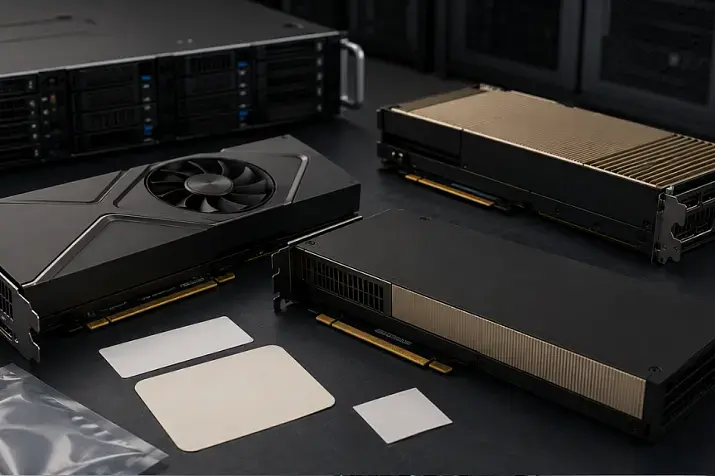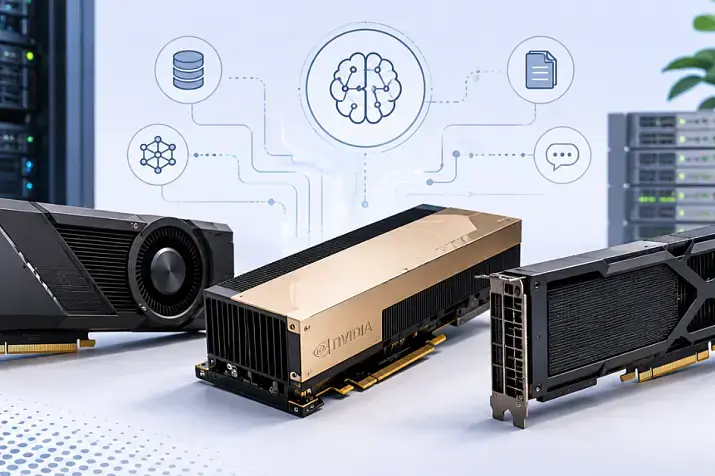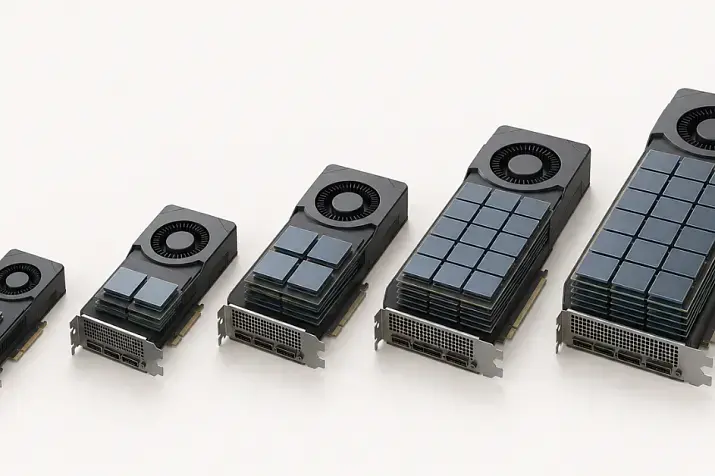
GPUs such as NVIDIA A100 and H100 use HBM memory because these accelerators are designed for AI training, large language models, scientific computing and other workloads where the graphics processor must constantly receive huge volumes of data from memory. L40S and RTX PRO use more conventional GDDR because these cards are more often chosen for inference, rendering, VDI, video processing, engineering graphics and mixed server workloads, where not only maximum bandwidth matters, but also price, availability, form factor, drivers and versatility.
The difference between HBM and GDDR is not that one memory type is “professional” while the other is “ordinary”. They are two different approaches to graphics card design. HBM is used where memory needs to be as close as possible to the graphics processor and transfer data at extremely high speed. GDDR is used where a good balance is needed between performance, capacity, cost and ease of integration into servers or workstations.
That is why NVIDIA server GPUs should not be chosen by memory type alone. For one workload, an H100 with HBM will be a justified investment; for another, an L40S or RTX PRO with GDDR will deliver a more reasonable total cost of ownership and lose almost nothing in real-world work.
Why GPU memory is so important
Video memory is not just “how many gigabytes a card has”. It determines how much data can be kept close to the graphics processor and how quickly that data can be transferred to the compute units.
In server workloads, GPU memory can hold:
- parameters of a neural network model;
- intermediate calculation results;
- training data;
- request batches for inference;
- textures and geometry for 3D graphics;
- frames and buffers for video processing;
- virtual workstation data;
- engineering models and scenes.
If there is little data but it is constantly transferred back and forth, data exchange speed matters. If there is a lot of data but it is not all used at the same time, capacity becomes more important. If the card runs in a server around the clock, power, cooling, reliability and software support also become important.
GPU memory has several key characteristics:
- capacity — how much data can be stored on the card;
- bandwidth — how much data the memory can transfer per second;
- latency — how quickly the memory responds to a request;
- energy efficiency — how much energy is spent on data transfer;
- reliability — whether error correction mechanisms are available;
- cost — how expensive the card itself becomes;
- availability — how easy it is to buy the required model and scale the fleet.
This is why cards with the same memory capacity can behave very differently. 80 GB of HBM and 96 GB of GDDR are not just “80 versus 96”. What matters is how the memory is connected, how fast it works and which workloads the card was designed for.
What HBM is
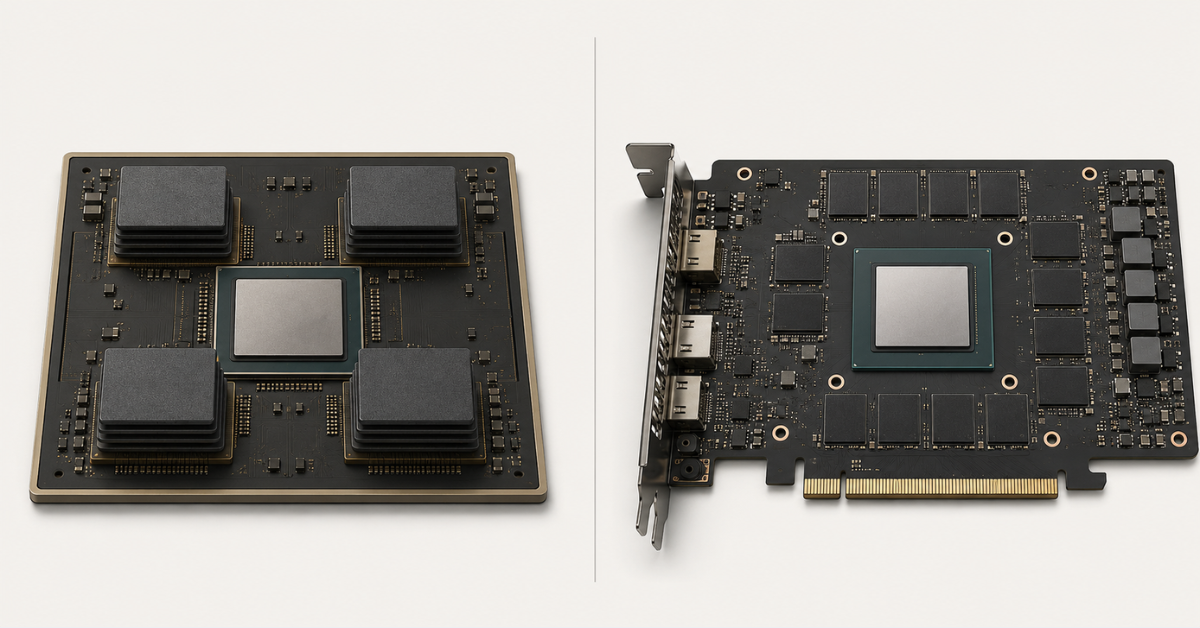
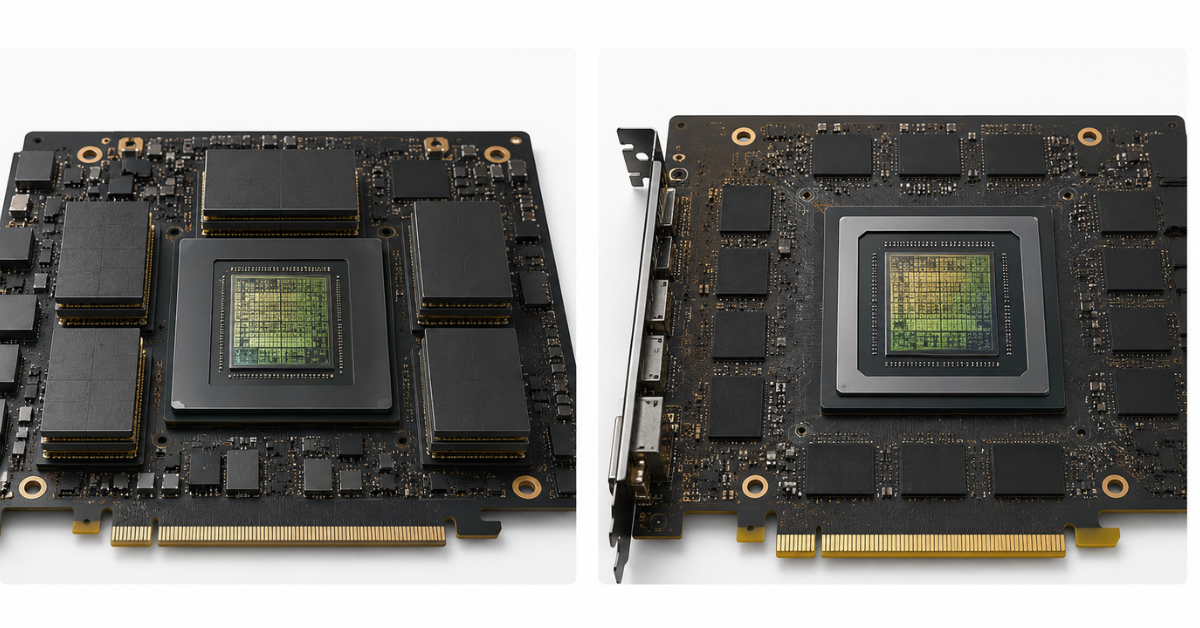
HBM (High Bandwidth Memory) is memory with very high bandwidth. Its main difference is that it is placed very close to the graphics processor and connected to it through a wide and complex data exchange system.
To put it simply, HBM is not like conventional memory chips arranged around the GPU on the board, but rather like compact “stacks” of memory next to the compute die. This allows data to move through a very wide channel and reduces losses along a long path across the board.
This comes at the cost of complexity:
- manufacturing is more expensive;
- GPU packaging is more complex;
- the choice of suppliers is more limited;
- repairability is lower;
- the final card price is higher;
- as a result, such GPUs are harder to buy in large quantities.
However, HBM performs very well where the graphics processor constantly reads and writes large data arrays. This is especially important for training large models, scientific calculations, simulation, heavy matrix operations and workloads where conventional memory would become a bottleneck.
In practice, HBM is needed not because it sounds and costs “top-tier”, but because without such memory an expensive compute core may sit idle. The GPU can compute faster than memory can feed it with data, and part of its potential is then lost.
GPU servers
Free shipping on orders over 500 € in the EU, £500 in the UK, and $3,000 in the USA
Free shipping on orders over 500 € in the EU, £500 in the UK, and $3,000 in the USA
Free shipping on orders over 500 € in the EU, £500 in the UK, and $3,000 in the USA
Free shipping on orders over 500 € in the EU, £500 in the UK, and $3,000 in the USA
What GDDR is
GDDR (Graphics Double Data Rate) is specialized graphics memory used in video cards. It is also designed for high speed, but it is built differently: memory chips are usually placed on the board around the graphics processor.
GDDR should not be seen as “simple” or “gaming” memory. It is used in professional and server-grade NVIDIA L40S, RTX PRO and other cards because it suits a wide range of workloads:
- 3D graphics;
- rendering;
- VDI;
- video processing;
- engineering applications;
- inference;
- visualization;
- mixed AI workloads.
GDDR has clear strengths:
- lower cost compared with HBM;
- better mass availability;
- simpler board design;
- easier production of different form factors;
- easier integration into different servers and workstations;
- the ability to get a large amount of memory at a more reasonable price.
There is also a limitation: in the heaviest compute workloads, GDDR usually falls behind HBM in bandwidth. But this is not always critical. If the workload is limited by a codec, driver, CPU, disks or network, switching to HBM will not provide a magic speedup.
HBM and GDDR: comparison by key parameters
| Criterion | HBM | GDDR | What this means in practice |
|---|---|---|---|
| Bandwidth | Very high | High, but usually lower than HBM in top AI accelerators | HBM is better for workloads where the GPU constantly exchanges large data arrays |
| Capacity | Large, but expensive | Can be large and more affordable | GDDR is often more cost-effective if maximum memory capacity is needed on a limited budget |
| Latency | Usually lower because the memory is close to the GPU | Usually higher | Important for some compute workloads, but not always the key factor |
| Cost | Higher | Lower | GDDR helps reduce the price of the card and the server |
| Availability | More limited | Usually better | GDDR cards are easier to find and scale in procurement |
| Typical workloads | AI training, HPC, large models | Rendering, VDI, video, CAD/CAE, some inference | The choice depends not on the memory name, but on the workload |
This table does not mean that HBM is always better, or that GDDR is always cheaper and weaker. It is more accurate to look at the workload. For training a large model, HBM can be decisive. For virtual workstations or rendering, a card with GDDR may be more practical.
Choosing the Right Equipment
Our specialists will contact you and answer all your questions
How this looks using NVIDIA A100, H100, L40S and RTX PRO as examples
NVIDIA A100 80GB uses HBM2e, and the official NVIDIA specifications state bandwidth of 1,935 GB/s for the PCIe version and 2,039 GB/s for the SXM version. For H100, NVIDIA specifications list 80/94 GB of memory and bandwidth of 3.35–3.9 TB/s depending on the version. By comparison, NVIDIA L40S uses 48 GB of GDDR6 with ECC and 864 GB/s, while NVIDIA RTX PRO 6000 Blackwell Server Edition uses 96 GB of GDDR7 and 1,597 GB/s.
| GPU | Memory type | Capacity | Bandwidth | Where the memory choice is most understandable |
|---|---|---|---|---|
| NVIDIA A100 80GB | HBM2e | 80 GB | up to ~2 TB/s | training, HPC, large-scale computing |
| NVIDIA H100 | HBM-class, depending on the version | 80/94 GB | 3.35–3.9 TB/s | large language models, HPC, multi-GPU |
| NVIDIA L40S | GDDR6 ECC | 48 GB | 864 GB/s | inference, graphics, rendering, VDI, video |
| NVIDIA RTX PRO 6000 Blackwell Server Edition | GDDR7 | 96 GB | 1,597 GB/s | mixed AI and graphics workloads |
The table shows why comparing GPUs “by gigabytes” does not work. RTX PRO 6000 Blackwell Server Edition may have more memory than A100, but that does not make it a direct replacement for A100 in training large models. And conversely: A100 or H100 may be more powerful in compute, but they are not always more rational for graphics, VDI or video.
Why A100 and H100 use HBM
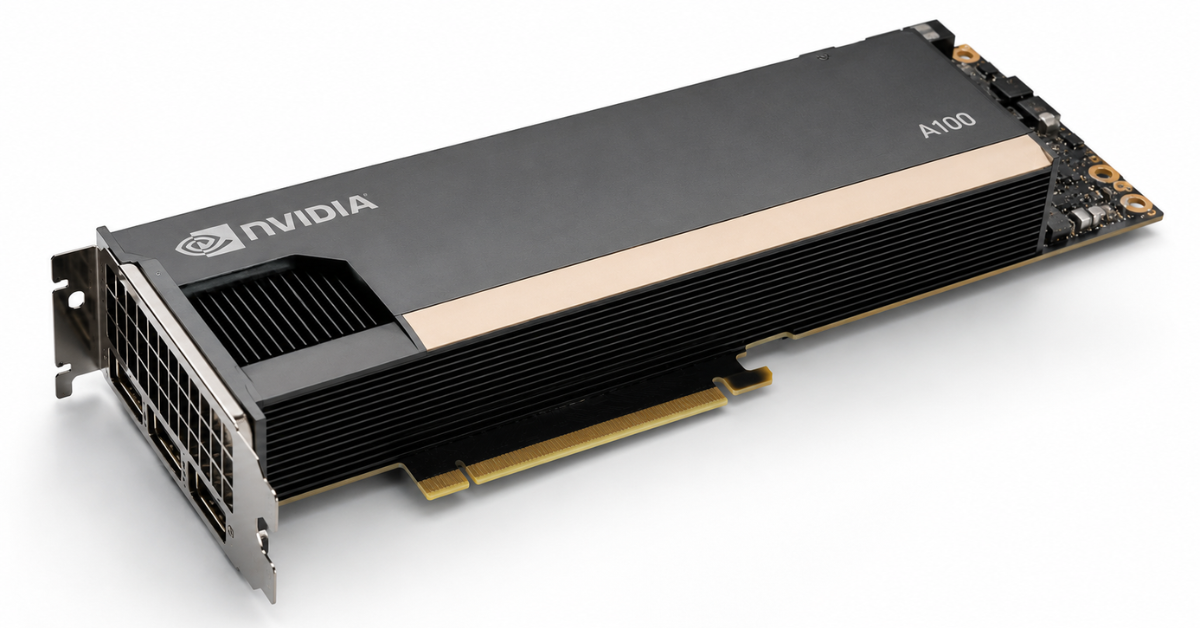
A100 and H100 were designed as accelerators for data centers, AI training, scientific calculations and heavy compute workloads. In such tasks, memory speed and latency often become some of the main limitations.
During the training of a large model, the GPU constantly works with huge data arrays:
- model parameters;
- gradients;
- activations;
- data batches;
- intermediate results;
- data distributed across several GPUs.
If memory cannot transfer data fast enough, compute units sit idle. From the outside, this may look strange: the card is expensive, powerful and not fully loaded, while the speedup is lower than expected. The reason may not be the number of cores, but the fact that memory is not feeding data fast enough.
HBM helps in such scenarios because it provides:
- very high bandwidth;
- close placement of memory to the GPU;
- efficient work with large arrays;
- better utilization of compute units;
- an advantage in workloads where data exchange is constant.
That is why NVIDIA A100 80Gb and NVIDIA H100 80Gb are more often considered not as universal “video cards for everything”, but as accelerators for workloads where compute, memory bandwidth and server infrastructure matter.
HBM is especially useful for:
- training large language models;
- training computer vision models;
- scientific simulation;
- molecular dynamics;
- matrix calculations;
- financial modeling;
- tasks where data is constantly read and updated.
But even here, HBM does not solve everything by itself. Large configurations also require GPU interconnects, network speed, CPU, system memory, storage, drivers and framework settings.
Why L40S and RTX PRO use GDDR
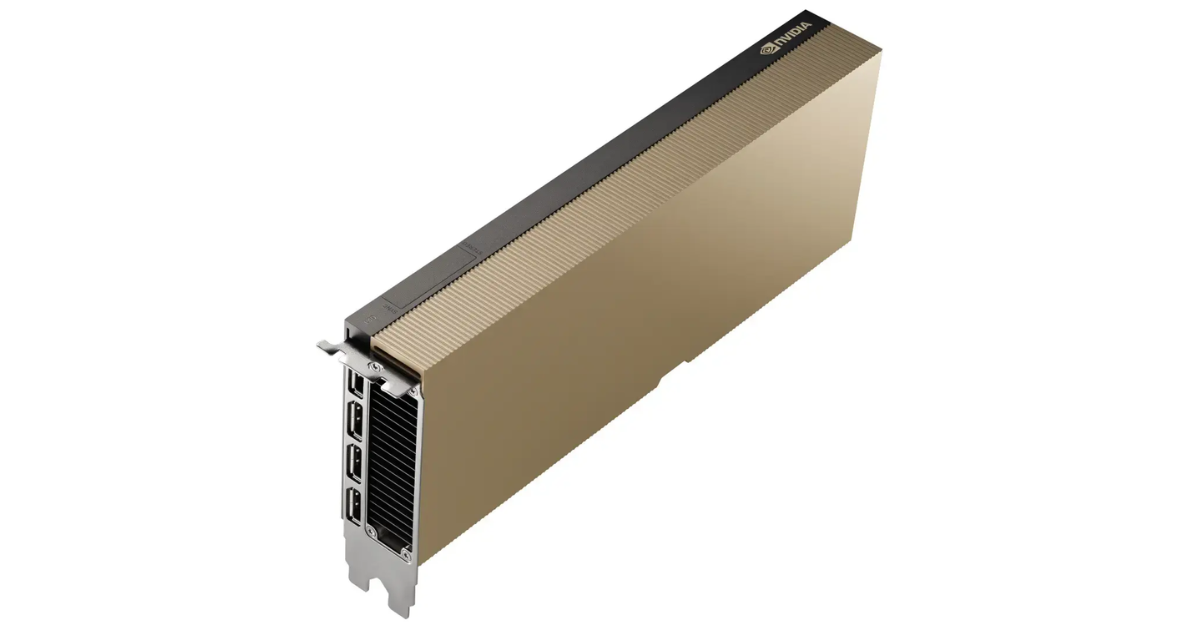
Image source: ServerMall
L40S and RTX PRO address a different class of workloads. They are not “cheap alternatives to H100”. Their logic is to provide strong performance across a broader set of scenarios.
For example, NVIDIA L40S 48Gb is often chosen for inference, graphics, rendering, video and virtual workstations. RTX PRO 6000 Blackwell can be interesting where large memory capacity, modern graphics capabilities, professional applications and mixed AI workloads are needed.
GDDR is justified in these cards for several reasons.
- Not every workload is limited by maximum memory bandwidth. In rendering, VDI, video and engineering graphics, other GPU blocks also matter: graphics cores, ray tracing, video encoding and decoding, drivers and professional application support.
- GDDR makes the card more affordable and flexible. This matters when several GPUs need to be installed in a server, or when building a fleet of workstations without an H100-cluster-level budget.
- GDDR can provide a large amount of memory. For example, RTX PRO 6000 Blackwell Server Edition uses 96 GB of GDDR7. Micron positions GDDR7 itself as modern graphics memory for high-performance GPUs, including AI, graphics and compute workloads.
- For some inference workloads, the final cost per request matters more than maximum bandwidth. If the model fits into memory, the load is moderate and latency is acceptable for the business, a GDDR card can make more economic sense.
What matters most for different workloads
| Workload | Most important factors | When HBM is better | When GDDR is enough |
|---|---|---|---|
| Training large models | bandwidth, capacity, scaling | large models, heavy training, HPC | small experiments and limited budget |
| Inference | memory capacity, latency, cost per request | large models, high parallel load | medium-sized models, quantization, moderate request flow |
| Rendering | graphics blocks, drivers, capacity, price | rarely, if there are specific compute requirements | often RTX PRO or L40S is more rational |
| VDI | vGPU, drivers, user profiles | usually not the main criterion | often the optimal choice |
| Video processing | codecs, disks, CPU, video engines | not always justified | often sufficient and more cost-effective |
| CAD/CAE | driver stability, CPU/GPU balance | for heavy calculations | for visualization and workstations |
| Scientific computing | bandwidth, precision, scaling | often the best choice | only if the workload is not memory-bound |
This table shows the main point: memory type cannot be chosen separately from the scenario. If a company needs to train a large model, HBM may be essential. If the task is to render scenes, run virtual workstations and process video, GDDR may be not a compromise, but the right choice.
Training large models
When training neural networks, the GPU does not simply load the model into memory once and then compute. It constantly processes data, recalculates weights, stores intermediate states and passes results onward.
For large language models, the following matter:
- video memory capacity;
- bandwidth;
- data exchange speed between GPUs;
- support for the required compute formats;
- stability under long-term load;
- cooling;
- scaling across several cards.
Here, HBM often provides a noticeable advantage. If the model is large and training runs on several GPUs, high memory bandwidth helps avoid losing performance on constant data exchange.
But there is a nuance: HBM does not turn several video cards into one shared memory pool. If a server has several GPUs, model distribution depends on the software, the type of parallelism, interconnects, drivers and settings. Fast memory on each card helps, but it does not remove the requirements for the architecture of the whole system.
Inference
Inference is no longer training, but execution of a ready model. The situation is more complex here. Sometimes H100 really is better: for example, if the model is large, there are many requests, minimal latency is important, or a large user flow must be served.
But for some workloads, GDDR cards can be more cost-effective:
- the model fits into the memory of one GPU;
- quantization is used;
- there are not too many parallel requests;
- the cost of one answer matters;
- the workload is mixed: AI + graphics + video;
- the server must be universal.
For example, for an internal service, prototype, corporate assistant or medium-sized model inference, L40S may be more rational than H100. Not because it is faster, but because it can deliver sufficient performance for less money.
For a large LLM service where high request density and maximum bandwidth matter, H100/H200 with HBM will look more convincing.
Rendering and 3D graphics
In rendering, memory matters, but it is not the only factor. The following are also very important:
- graphics architecture;
- ray tracing cores;
- drivers;
- support for professional software;
- video memory capacity;
- stability under long-term load;
- compatibility with a server or workstation.
For such workloads, RTX PRO 6000 Blackwell Workstation Edition or server RTX PRO cards may be a more logical choice than A100/H100. H100 has enormous compute power, but it was not created as a universal card for professional graphics.
If the task is a render farm, visualization, 3D scenes, digital content or Omniverse-like scenarios, you need to look beyond HBM/GDDR. What often matters more is how the card works with a specific application, which drivers are supported and how many such cards can be placed stably in the server.
VDI and virtual workstations
VDI is a good example where memory type should not be the first criterion. For virtual workstations, the following matter:
- vGPU support;
- user profiles;
- driver stability;
- the number of users per card;
- support for graphics applications;
- video encoding;
- predictable work under long-term load.
HBM by itself does not guarantee higher user density. If users need CAD applications, 3D graphics, video streams and stable virtual workplaces, professional-class GDDR cards often look more practical.
Here, the important question is not “HBM or GDDR”, but the answers to other questions:
- which applications users run;
- how much memory one profile requires;
- which licenses are required;
- what latency is acceptable;
- how many users will run on one server;
- how cooling is organized;
- whether the required hypervisor and specialized drivers are supported.
Choosing the Right Equipment
Our specialists will contact you and answer all your questions
Video processing
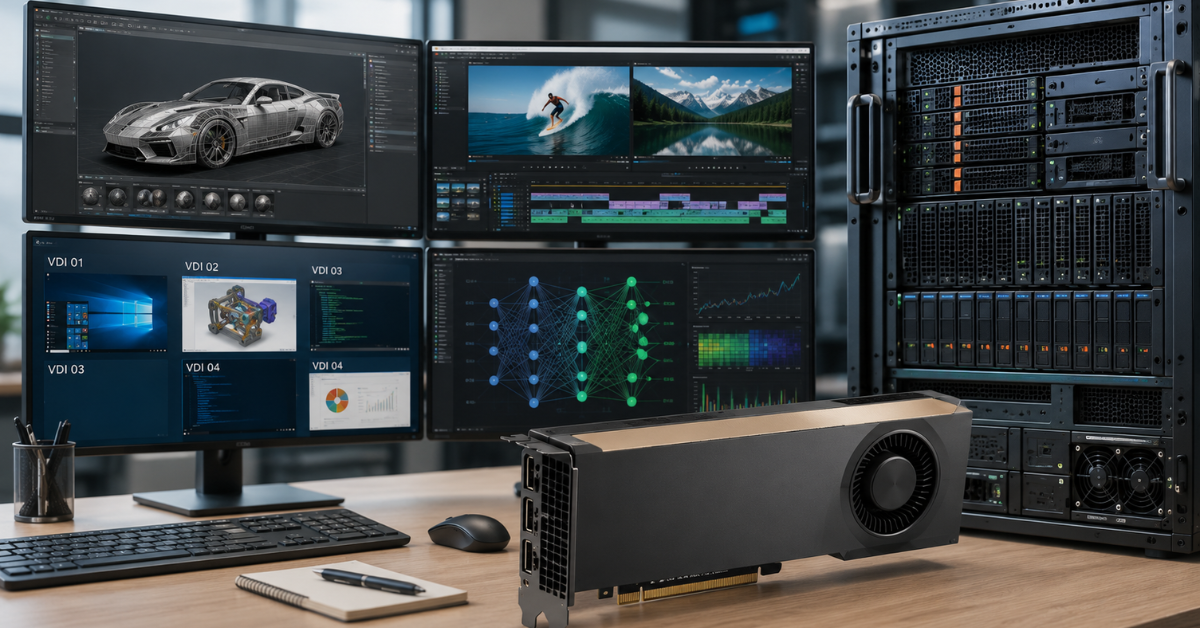
In video processing, much depends on things other than GPU memory. The bottleneck may be:
- read speed from source disks;
- the codec;
- encoding and decoding blocks;
- CPU;
- RAM;
- network;
- pipeline settings.
If a server reads many heavy video files from slow storage, HBM will not solve the problem. The card will wait for data. If the bottleneck is encoding, specialized video engines matter. If streaming analytics is involved, the balance between GPU, CPU and network may be more important.
That is why for video, it is often more reasonable to look at L40S or RTX PRO rather than automatically choosing H100. HBM is justified where video processing is part of a heavy compute pipeline, but not in every case.
CAD, CAE and engineering workloads
Engineering workloads vary widely. Visualizing a complex model, interactive work in CAD and heavy numerical simulation are not the same thing.
For CAD and visualization, the following usually matter:
- professional drivers;
- application stability;
- graphics performance;
- video memory capacity;
- workstation compatibility;
- support for specific software.
For heavy calculations and simulation, the compute side, memory bandwidth and scaling may become important. In that case, HBM can provide an advantage.
This is why it is impossible to say that engineering workloads always need H100 or that RTX PRO is always enough. The workload must be separated:
- interactive visualization — more often RTX PRO;
- rendering — often RTX PRO or L40S;
- compute simulation — possibly A100/H100;
- mixed engineering work — depends on software and budget.
When the problem is not GPU memory at all
The most common mistake is expecting a more expensive video card to automatically accelerate the whole server. In practice, performance may be limited not by GPU memory, but by other components.
PCIe
If data is constantly transferred between CPU and GPU, the PCIe bus can become the bottleneck. Even very fast HBM will not help if the GPU is always waiting for data from the system.
This is especially noticeable in poorly optimized pipelines where data is moved back and forth in small chunks instead of being processed in large batches.
CPU
The processor can slow down data preparation:
- reading and decompression;
- preprocessing;
- serialization;
- dataset handling;
- task launching;
- servicing user streams.
If the CPU cannot prepare data fast enough, the GPU will be underutilized. In such a situation, moving from GDDR to HBM may change almost nothing.
RAM
For training and inference, the balance between video memory and system memory is important. If RAM is insufficient, delays, offloading and unnecessary disk access begin.
A server with an expensive GPU and too little RAM can perform worse than a more balanced configuration.
Disks and storage
For training, video and analytics, storage can be critical. If data is read slowly, the GPU sits idle.
This is especially important for:
- large datasets;
- video archives;
- render farms;
- workloads with constant file loading;
- distributed pipelines.
Network between GPUs and servers
In multi-GPU and multi-node configurations, the memory of each GPU is not the only thing that matters. You need to account for:
- exchange between cards inside the server;
- network between servers;
- latency;
- topology;
- distributed training settings;
- storage speed;
- framework behavior.
If the network is weak, expensive cards with HBM will not reveal their potential. Performance will be lost in data exchange between nodes.
How to choose between HBM and GDDR
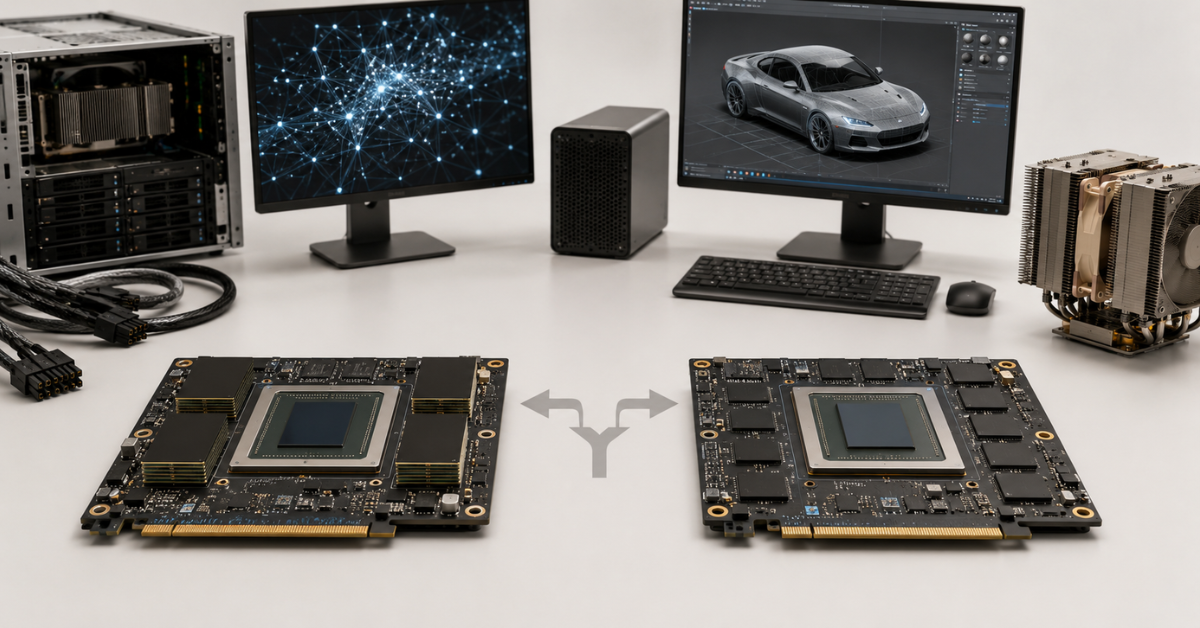
It is better to start not with the question “which memory is better”, but with a description of the workload.
HBM cards such as A100/H100 make sense if:
- you train large models;
- the workload is memory-intensive;
- maximum bandwidth is important;
- the load is long-term and compute-heavy;
- several GPUs are used;
- the infrastructure is ready for high power and heat;
- the budget allows you to buy not only the GPU, but also a suitable server.
GDDR cards such as L40S and RTX PRO make sense if:
- inference of medium-sized models is needed;
- there is graphics, rendering or video;
- VDI infrastructure is required;
- professional drivers are important;
- large memory capacity is needed for reasonable money;
- the server will run mixed workloads;
- the best price-to-result ratio is needed.
Compatibility should also be checked separately. Even a correctly chosen card may not fit the server in terms of power, cooling, form factor or BIOS support. For powerful GPUs, this is especially critical: a card may physically fit into the slot, but not run stably under long-term load.
Several typical scenarios
Training a large model from scratch
For this task, H100/H200 with HBM usually look preferable. Bandwidth, memory capacity, scaling and multi-GPU work are important here. GDDR cards can be used for experiments, but not as the main choice for heavy training.
Fine-tuning a smaller model
Here, everything depends on the model size and budget. If the model fits into memory and training is not too heavy, GDDR cards can also be considered. If the dataset is large, batch size is high and there are speed requirements, A100/H100 will be more reliable.
Inference for a corporate service
If the model is medium-sized, request volume is not too high and total cost of ownership matters, L40S or RTX PRO may be more rational. If the service must handle a large request flow with low latency, H100 becomes a more convincing option.
Render farm
For rendering, it is usually better to look at RTX PRO or L40S. Graphics blocks, drivers, memory capacity, stability and the number of cards per server matter here. HBM will not always provide an advantage that justifies the price.
VDI for engineers
For virtual workstations, the key factor is not HBM, but vGPU support, drivers, user profiles and application compatibility. Professional-class GDDR cards often fit this economy better.
Video analytics and video processing
If the task is limited by codecs, disks or CPU, HBM will not solve the problem. For many video scenarios, it is more important to choose a card with the right video engines and balance the whole server.
Our most popular servers

Free shipping on orders over 500 € in the EU, £500 in the UK, and $3,000 in the USA
Free shipping on orders over 500 € in the EU, £500 in the UK, and $3,000 in the USA
Free shipping on orders over 500 € in the EU, £500 in the UK, and $3,000 in the USA

Free shipping on orders over 500 € in the EU, £500 in the UK, and $3,000 in the USA
Common mistakes when comparing HBM and GDDR
Assuming HBM is universally better
HBM is indeed strong in heavy computing, but that does not make it the best choice for every workload. For graphics, VDI, rendering and some inference, a card with GDDR may be more cost-effective.
Assuming GDDR is unsuitable for servers
GDDR is used not only in consumer video cards. In L40S and RTX PRO, it is professional memory inside professional GPUs. It is entirely appropriate for many server scenarios.
Looking only at memory capacity
96 GB of GDDR is not the same as 80 GB of HBM, but 80 GB of HBM is not always better than 96 GB of GDDR either. It all depends on what the server does.
Ignoring total cost of ownership
The GPU price is only part of the cost. You also need to account for the server, power, cooling, licenses, support, availability of spare cards and downtime.
Not checking the bottleneck
If the workload is limited by CPU, PCIe, RAM, disks or network, replacing the card with a more expensive one may provide only a small gain. First, you need to understand exactly where performance is being lost.
What to remember before buying
HBM is needed where a video card constantly works with huge data arrays and must transfer them at maximum speed. This includes training large models, HPC, heavy computing and large multi-GPU systems.
GDDR is suitable where balance matters: good memory capacity, high performance, availability, price and versatility. That is why L40S and RTX PRO are often more logical for rendering, VDI, video processing, engineering graphics and some inference workloads.
A100/H100 use HBM not because it is “premium memory”, but because their target workloads require enormous bandwidth. L40S and RTX PRO use GDDR not because they are weak, but because their workloads are broader and do not always depend on memory.
Before choosing a GPU, it is worth answering several questions:
- What will the server do: training, inference, rendering, VDI, video, CAD/CAE?
- What model or data volume must be kept in video memory?
- How much does the workload depend on memory bandwidth?
- How many GPUs will be in the server?
- Are there power and cooling limits?
- Does the server support the required card?
- Which drivers and licenses are required?
- Where is the real bottleneck: GPU, CPU, RAM, disks, PCIe or network?
If the goal is to train large models and build a compute cluster, HBM will almost always be an important argument. If the goal is to get a strong and versatile GPU for graphics, inference, VDI, rendering and video, GDDR cards may be the more reasonable choice.
Choosing the Right Equipment
Our specialists will contact you and answer all your questions
Free shipping on orders over 500 € in the EU, £500 in the UK, and $3,000 in the USA
Free shipping on orders over 500 € in the EU, £500 in the UK, and $3,000 in the USA
Free shipping on orders over 500 € in the EU, £500 in the UK, and $3,000 in the USA
Free shipping on orders over 500 € in the EU, £500 in the UK, and $3,000 in the USA
Free shipping on orders over 500 € in the EU, £500 in the UK, and $3,000 in the USA
Free shipping on orders over 500 € in the EU, £500 in the UK, and $3,000 in the USA