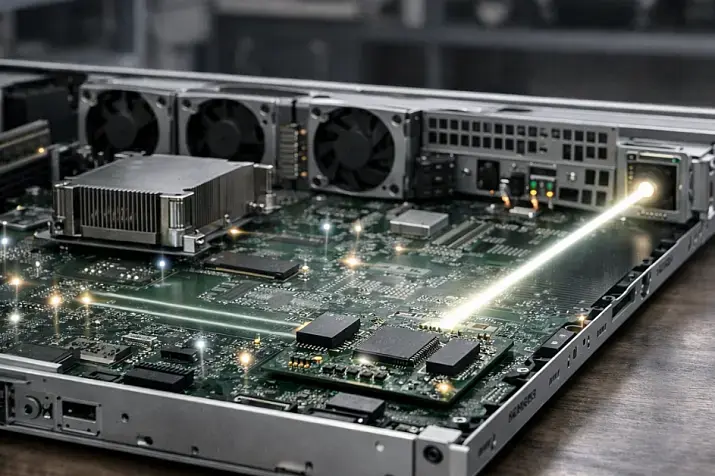
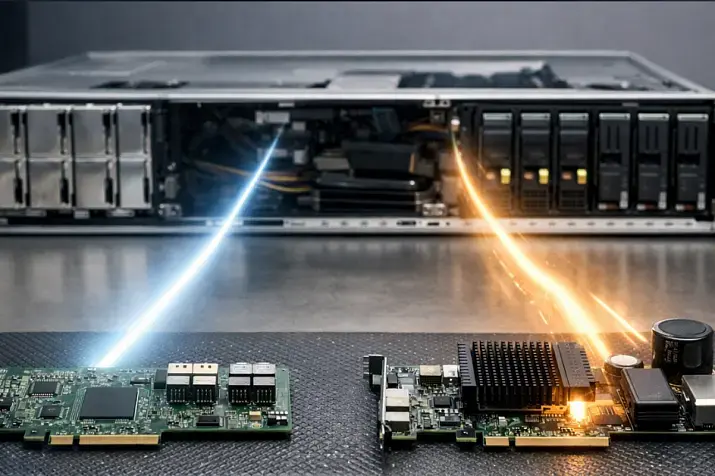
A network card for a server is often chosen as an afterthought: people look at a number in the specification, buy something “faster,” or, on the contrary, save money because they see the NIC as a secondary component. In practice, this is exactly where it is easy to create a hidden bottleneck: hit PCIe limits, overload the CPU with packet processing, lose flexibility in virtualization, run into transceiver incompatibility, or overpay for features that will never be used. Choosing the right server NIC is not about chasing the highest speed; it is about aligning the network interface with the server’s role, traffic type, platform, hypervisor, and physical connection medium.
A server NIC differs from a regular “network card” by far more than speed alone. In server scenarios, what matters is stable operation under long-term heavy load, mature drivers, support for multiqueue processing, hypervisor compatibility, hardware offload features, predictable latency, and compatibility with the rest of the infrastructure. That is why you should start not with an adapter catalog, but with a clear understanding of what role the server plays and what traffic will pass through it.
What you are actually choosing: not just a card, but a network interface for a specific server role
In a server, networking can be implemented in different ways. The most basic option is an onboard LOM or OCP NIC already installed on the motherboard or in a dedicated OCP slot. This is perfectly fine for many standard tasks: management, ordinary services, moderate east-west traffic, a backup uplink, or test environments. If the server is not network-bound, is not acting as a hypervisor, does not carry storage traffic, and does not require special features, the integrated interface is often enough.
A PCIe adapter is needed when the onboard ports are not sufficient in terms of speed, quantity, connection type, or functionality. This is a typical case for virtualization, SDS, backup servers, clusters, systems with a high VM density, servers with many SSDs, or environments with specific latency and PPS requirements. A separate NIC is also required when you need to separate traffic types, build fault-tolerant connectivity to two switches, or use interfaces that the base platform simply does not offer.
SmartNICs and DPUs are no longer just network cards, but specialized devices capable of offloading part of the networking, storage, and security logic. They make sense where there is multitenancy, complex overlay networking, strict isolation requirements, and a high cost of CPU cycles. For a typical enterprise server, they are most often excessive: the price is higher, operations are more complex, and there is greater dependence on the surrounding ecosystem. If the task does not specifically require offloading infrastructure functions, a conventional server NIC remains the more rational choice.
Sometimes the right answer is not to replace the card, but to rethink the network design. If a server is chronically short on bandwidth because of poor traffic separation, bad ToR oversubscription, incorrect NUMA placement, or because storage and production traffic share the same uplink, a new NIC alone will not solve the problem.
Most popular refurbished servers

Free shipping on orders over 500 € in the EU, £500 in the UK, and $3,000 in the USA

Free shipping on orders over 500 € in the EU, £500 in the UK, and $3,000 in the USA

Free shipping on orders over 500 € in the EU, £500 in the UK, and $3,000 in the USA

Free shipping on orders over 500 € in the EU, £500 in the UK, and $3,000 in the USA
Start with the workload profile, and only then look at speed and form factor
The main mistake when choosing a NIC is to assume that all server workloads “love gigabits” in the same way. In practice, different scenarios impose completely different requirements.
For a standard application server, web services, and many databases without extreme east-west traffic, the key factors are not record speeds, but stability, compatibility, a solid driver, and predictable behavior under peak load. In these cases, 1GbE or 10GbE is often sufficient, while in new deployments it is increasingly more logical to look at 10/25GbE depending on scale.
For virtualization hosts, what matters is not just bandwidth, but also multiqueue support, driver maturity, SR-IOV support, correct interaction with vSwitch/OVS, and proper integration with the hypervisor. If one host runs many VMs and carries dense east-west traffic, the network quickly becomes just as critical a resource as CPU and RAM.
For storage workloads, protocols need to be treated separately. iSCSI and NFS can work perfectly well without RDMA if the network is designed properly and there are no strict requirements for minimal CPU overhead. SMB Direct, HPC, and some SDS scenarios, on the other hand, can benefit significantly from RDMA. For Ceph and other distributed systems, it is not only gigabits that matter, but also latency, packet size, and predictability under simultaneous load on the network, CPU, and disks.
Backup, replication, and other large sequential transfer workloads are usually throughput-oriented. Here, a wide pipe and a reasonable cost per port often matter more than the absolute minimum latency. For such tasks, 10GbE or 25GbE often provides a better balance than chasing a single-port 100GbE setup.
HPC, AI clusters, and low-latency inter-node communication are a different class entirely. Here, NIC selection is influenced by latency, tail latency, driver quality, RDMA support, NUMA locality, and sometimes even PCIe topology relative to GPUs. In packet-processing scenarios such as firewalls, IDS/IPS, edge routers, and telecom workloads, what often matters more than raw gigabits is packets per second, queues, steering, and support for the required datapath.
That is exactly why, before choosing a card, you need to answer three basic questions: is the server limited by bandwidth, by latency, or by packet rate? The entire selection logic changes depending on the answer.
Port speed: why more is not always better

On paper, everything looks simple: 1, 10, 25, 40, 50, 100, 200GbE. In practice, these numbers are only the upper limit of the line rate, not guaranteed useful application performance. Real throughput is always lower because of protocol overhead, packet size effects, workload characteristics, queue behavior, interrupts, and the software stack itself.
25GbE has become especially important as a server speed class in recent years. It is not just “a little faster than 10G,” but a more rational step for new server deployments: it offers a better balance of density, scalability, and modern network design than 10GbE, especially where the server already works with SSD/NVMe, virtualization, and active east-west traffic. The Ethernet Alliance explicitly shows 25GbE as one of the key and durable server speed classes, while higher speeds evolve along the same density-and-scale logic.
Today, 40GbE is more often encountered as a legacy or transitional option. For new builds, it is frequently less practical than 25GbE and 100GbE: it is either too “old” in terms of ecosystem, or it does not provide the balance that can be more easily achieved with 2×25GbE or with 100GbE where that is genuinely required.
100GbE is justified where the server truly has enough to fill the pipe: several fast NVMe drives, dense virtualization, a storage node, high-performance backup, AI/HPC, or significant aggregated east-west traffic. But if the real workload is moderate, the switch uplink is still the limiting factor, and the server’s PCIe resources are modest, 100GbE easily turns into an expensive checkmark without practical return.
Finally, there is an important nuance: for many tasks, 2×25GbE is more practical than 1×100GbE. Two ports let you separate traffic, build fault tolerance, connect to two switches, and get a more flexible scaling model. One very fast port is good when you truly need a single wide flow. In all other cases, it is more useful to look at the architecture, not the maximum number.
Choosing the Right Equipment
Our specialists will contact you and answer all your questions
Which speed class usually fits different scenarios
| Scenario | Typical priority | Recommended speed class | Connection type | Is RDMA needed? | Comment |
|---|---|---|---|---|---|
| Application / web server | Stability, compatibility | 1/10GbE | RJ45 or SFP+ | Usually no | For most standard services, mature drivers matter more |
| Virtualization host | Balance of bandwidth and CPU overhead | 10/25GbE | SFP+ / SFP28 | Not always | Two ports are often more useful than one fast port |
| Storage node | Bandwidth and latency | 25/100GbE | SFP28 / QSFP28 | Sometimes yes | Depends on the protocol and I/O pattern |
| Backup server | Throughput | 10/25/100GbE | SFP+ / SFP28 / QSFP28 | No | You need a wide pipe, not minimal latency |
| AI / HPC | Latency, RDMA, NUMA | 100/200GbE | QSFP28 / QSFP56 | Yes, often | The NIC is chosen together with the cluster network design |
| Firewall / IDS / packet processing | PPS, queues, datapath | 10/25GbE | SFP+ / SFP28 | No | Marketing speed is secondary to queue and driver quality |
| Edge / branch | Power efficiency, simplicity | 1/10GbE | Usually RJ45 | No | The real limit is often thermal/power, not the network |
If you need a quick rule of thumb: 10GbE is still a perfectly valid minimum for many enterprise server tasks; 25GbE is the most rational modern choice for new general-purpose servers; 100GbE is a tool for genuinely heavy, dense, and demanding workloads, not a universal “future-proof” answer.
How many ports do you need: one, two, or four?

The number of ports is not a matter of convenience, but a matter of design. One port is appropriate where the server is not critical, the network is not a bottleneck, and fault tolerance is provided by other layers. This may be a test node, a standalone service, a management host, or a server with an outwardly simple role.
Two ports are the most practical server-side compromise. This setup lets you build active-backup, LACP, a dual-switch uplink, or separate production and storage traffic, or management and workload traffic. For most serious deployments, two ports provide the best balance of reliability, flexibility, and cost.
Four ports are needed only when the architecture truly justifies them: several independent networks, a legacy environment, a large number of isolated planes, or specific traffic-separation requirements. But a multiport adapter is not always a benefit. The higher the port density, the greater the demands on PCIe, cooling, and cable planning. Sometimes it is smarter to take two faster ports and use VLANs than four slower ones, especially if the server is already constrained by slots and thermal budget.
RJ45, SFP, DAC, AOC, optics: where mistakes are made most often
Choosing the connection type often matters no less than choosing the card itself. RJ45 is convenient because it is compatible with familiar copper cabling infrastructure and understandable to almost any administrator. But you pay for that with higher latency, higher power consumption, and noticeable heat output, especially at higher speeds. For 1GbE and some 10GbE scenarios, RJ45 may be fully justified, but as density and efficiency requirements grow, its advantages quickly run out.
SFP+ and SFP28 are often the more server-oriented choice. They are better suited to 10/25GbE, provide more flexibility in the physical medium, and usually fit better into modern racks. DAC is logical for short distances within a rack or between adjacent racks: cheap, simple, and low-latency. AOC and optics are needed where distances are longer, EMI resilience matters more, or the cabling architecture is already optical.
At 100G and above, you typically move into QSFP classes. Here, mistakes become especially expensive: you may buy a card with the right speed, but lose money on unsuitable modules, run into switch-compatibility restrictions, or hit vendor lock-in in optics and firmware. That is why you should never choose a NIC in isolation from the full physical scheme: the card, transceiver, cable, switch port, and compatibility policy should be treated as a single kit.
PCIe: the bottleneck that breaks beautiful specifications
Even a perfect network will not help if the adapter cannot deliver its performance through PCI Express. For a server NIC, this is critical: PCIe generation, lane count, the actual slot wiring, and what resources that slot shares on the platform all matter. PCI-SIG explicitly states that PCIe specifications define compatibility and the interaction parameters between peripheral devices and the platform, which means that for network adapters, the bandwidth and capabilities of a specific slot are not a formality, but part of the final performance.
That is why a 100GbE card may fail to “open up” in the wrong slot. Formally, it will install and work, but in practice it will be limited by available bandwidth, slot wiring, or shared lanes with NVMe, GPUs, or an HBA. The denser the server is with accelerators and storage, the more often the network competes for the same PCIe resources.
NUMA is a separate topic. If the NIC is connected to the socket that is not running the main network stack and is not hosting the relevant VMs, containers, or applications, you get extra cross-socket hops. This increases latency, adds CPU overhead, and worsens predictability under load. In real server operation, this often matters more than the difference between nearby speed classes.
Before buying a card, you need to verify: which PCIe generation and how many lanes are actually available in the target slot, what that slot shares resources with, which socket it is attached to, whether installing the adapter disables part of the other slots or drives, and whether the platform can physically and logically support the chosen NIC without compromise.
Hardware features: which offloads actually matter

Offload is not magic and not a marketing bonus; it is the transfer of part of the networking work from the CPU to the adapter itself. In the right scenario, this helps reduce processor load and lower stack overhead. But offload is not equally useful everywhere, and not every workload benefits from it in the same way.
Basic features such as checksum offload have long been considered standard. Beyond that come more important server-side mechanisms: TSO, GRO, GSO, multiqueue, interrupt moderation, and steering. One of the most useful mechanisms is RSS: it distributes incoming traffic across several hardware queues and makes it possible to process traffic on multiple CPUs instead of bottlenecking on one core. Red Hat directly describes RSS as a way to relieve a bottleneck on the receive path and reduce network latency when a single CPU is overloaded.
But offload should not be seen as an absolute good. In some latency-sensitive scenarios, certain mechanisms can worsen predictability or make diagnostics harder. Sometimes, to control tail latency, maintain transparent troubleshooting, or support a highly specialized datapath, some functions are deliberately disabled. So the question should not be “does the card support the maximum number of offloads,” but rather “which of them are actually useful for my stack and workload profile?”
Virtualization: where stability matters more than a feature checklist
For virtualization, the NIC is part of the platform, not a disposable component. Here, mature drivers, a good reputation in the specific OS or hypervisor, correct queue handling, stability under dense multi-tenant load, and support for the required features without surprises after updates matter especially. In particular, when building a hyperconverged virtual infrastructure on VMware, you must check whether the NIC is in the HCL so there are no surprises in VSAN operation.
SR-IOV is often presented as a mandatory feature for the “right” server NIC, but that is not true. Microsoft describes SR-IOV as a mechanism in which part of the network traffic can bypass the software switching layer in Hyper-V, reducing I/O overhead and bringing performance closer to non-virtualized operation. This is genuinely useful where you need a direct and fast path to virtual functions. But SR-IOV comes with a price: less flexibility, limitations in some migration and operations scenarios, and stricter requirements for BIOS, IOMMU, the hypervisor, and the overall architecture.
That is why, for a typical virtualization host, what matters more than “SR-IOV support on the checkbox list” is compatibility and predictability. If the hypervisor lives in an environment where operational simplicity, VM portability, standard network policies, and painless updates matter, an excessive emphasis on SR-IOV can become not an advantage, but a source of unnecessary constraints.
RDMA, RoCEv2, and SMB Direct: when you need a different class of requirements
RDMA only makes sense when you understand why you need it. It is not a universal “network accelerator,” but a specialized mechanism that reduces CPU involvement and lowers data-transfer overhead in certain types of workloads. It is genuinely useful for HPC, AI, SMB Direct, specific storage scenarios, and environments where inter-node exchange is critical in terms of latency and efficiency.
RoCEv2 is especially important because it works in an L3/IP environment: NVIDIA describes it as an extension of RoCE with IP and UDP encapsulation, allowing traffic to pass through routable IP networks. This makes it more practical in a range of real Ethernet infrastructures than earlier, more limited variants.
But RDMA should never be chosen “just in case.” If the network is not prepared, QoS and prioritization are not thought through, the stack and applications cannot use it, and the operations team does not plan to support such an environment, enabling RDMA brings complexity rather than benefit. For many standard servers running iSCSI, NFS, or virtualization without special low-latency requirements, a good traditional Ethernet NIC is more rational than an expensive adapter with RDMA features that will never be used.
If, however, you are dealing with GPU-heavy clusters, RDMA may already be part of the overall compute-path architecture, and in that case the network card cannot be chosen separately from PCIe topology, GPUs, and inter-node design.
Latency and CPU overhead: what is often more important than “speed on the box”
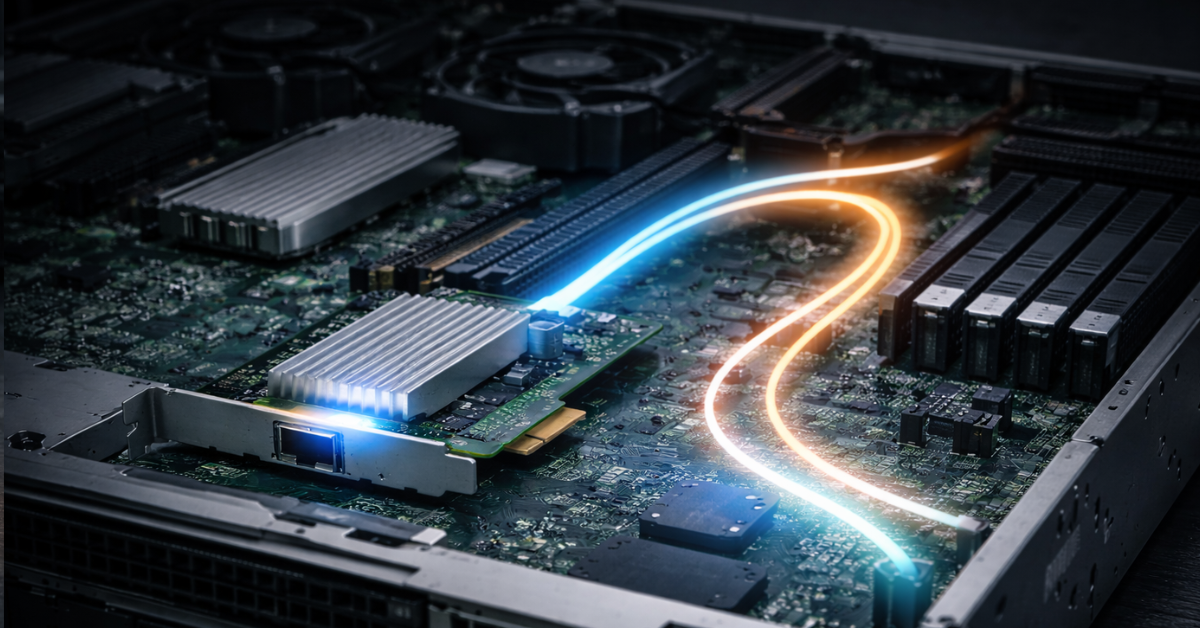
Two cards with the same advertised speed can behave very differently in a real system. One will show stable operation under mixed load; the other will produce beautiful benchmark numbers on large sequential blocks and poor behavior on small packets, bursty traffic, and interrupt spikes.
Latency depends not only on the line itself, but also on the driver, queues, interrupt coalescing, NUMA, packet size, selected offloads, and overall PCIe topology. For web, file services, and backups, this is not always the key factor. But for trading, distributed databases, RPC, replication, real-time analytics, and some storage scenarios, not only average latency matters, but also the tails: p99 and p99.9. That is where “seemingly identical” cards begin to differ for real.
If the workload is latency-sensitive, you do not look at peak throughput, but at predictability: how the adapter behaves as PPS increases, how queue distribution works, which socket it is attached to, how stable the driver is in the real OS, and whether the chosen configuration creates hidden cross-socket hops.
PTP and hardware timestamping: a niche feature you cannot add later
For most servers, PTP and hardware timestamps are not mandatory. But if you are dealing with telecom workloads, industrial automation, high-precision synchronization, financial systems, or high-precision logging, this is no longer an “extra option,” but part of the baseline requirements.
Hardware timestamping and PTP support depend on the capabilities of the network device itself and its driver, while the presence of a hardware PTP clock is a separate important characteristic for precise synchronization. In other words, if you need this feature, you must verify it at the card and stack selection stage, rather than hope it will somehow “turn on later.”
Choosing the Right Equipment
Our specialists will contact you and answer all your questions
DPDK, XDP, and AF_XDP: when gigabits matter less than packets per second
A server acting as a virtual router, firewall, IDS/IPS, edge gateway, or telecom node evaluates a NIC differently. Here, the main question is how many packets per second can be processed without collapsing on CPU and latency, not what maximum speed the specification advertises.
In such tasks, queues, steering, driver quality, support for the required datapath, and proper integration with DPDK, XDP, or AF_XDP are critical. A card with attractive marketing speed but a weak ecosystem or poor predictability under small-packet load can lose to a more “modest” adapter that fits your stack better. That is why packet processing is always a software-and-architecture choice, not just an Ethernet-class choice.
Storage systems

Free shipping on orders over 500 € in the EU, £500 in the UK, and $3,000 in the USA

Free shipping on orders over 500 € in the EU, £500 in the UK, and $3,000 in the USA

Free shipping on orders over 500 € in the EU, £500 in the UK, and $3,000 in the USA

Free shipping on orders over 500 € in the EU, £500 in the UK, and $3,000 in the USA
Compatibility matters more than an attractive specification
One of the most expensive mistakes is to buy a technically “suitable” card that performs poorly in your actual environment. For a server, it is not enough that the NIC is simply detected by the system. What matters is whether there is a mature driver for the required Linux or Windows Server version, whether the adapter is properly supported in Hyper-V, VMware, KVM, or Proxmox, how often firmware updates are released, whether there are decent diagnostic utilities, and how predictably the device behaves after updates.
“It works” and “it works stably under real multi-month production load” are not the same thing. Ecosystem maturity is often what separates a good server NIC from hardware that is merely compatible. So before buying, you need to check supported OS versions, driver availability, known issues, platform-vendor recommendations, and whether the firmware has a proper lifecycle.
Fault tolerance: it is created by the design, not by the card itself
The presence of two ports does not automatically mean high availability. Fault tolerance appears only when the entire design has been thought through: active-backup or LACP is configured correctly, uplinks are split across different switches, traffic roles are separated logically, and the failure of one component does not leave the server without access.
A very common mistake is to assume that a dual-port NIC automatically solves HA. If both ports go to one switch, one module, or one critical point, that is not fault tolerance, but an illusion of redundancy. For production, storage, and management, it is better to understand in advance what the actual purpose of multiple ports is: redundancy, aggregation, or flow isolation. That affects the card class, the cabling medium, and the entire selection logic.
Another common mistake is to take two 10GbE adapters for iSCSI, aggregate them with LACP, and assume performance will become 20GbE, which is not true. To increase iSCSI performance, it is better to use MPIO, so at the design stage you also need to consider not only the network layer, but the application layer.
Power consumption, heat, and density: especially important in 1U and dense chassis
The faster the NIC, the more often it also becomes a noticeable heat source. This applies not only to the card itself, but also to transceivers, especially optics and some Base-T variants. In dense 1U/2U servers, even an extra 10–20 W for a card and modules can be the difference between “this configuration is production-safe” and “the chassis runs at unpleasantly high fan speeds, with worse acoustics and thermal margin, and starts throttling disks and CPU.”
That is why, when upgrading network connectivity, you check not only whether a slot exists, but also the chassis thermal budget, airflow specifically in the area of that slot, card length/type restrictions, and platform behavior under simultaneous full load on CPU, storage, and networking. From an engineering perspective, it is sometimes better to choose a more efficient 25GbE class with the right cabling design than to try to “cram in” a faster adapter into a server that was not designed for it.
SmartNICs and DPUs: where they are truly justified

SmartNICs and DPUs are justified where there is a real need to offload overlay networking, filtering, storage paths, multi-tenant isolation, or cloud-grade infrastructure functions. In such an environment, CPU cycles are expensive, the network stack is complex, and the workload density makes it rational to move part of the logic to a separate device.
For a typical enterprise server, a mid-scale virtualization host, a file node, or a standard application, this is usually excessive. You get a more complex architecture, more dependencies on a specific ecosystem, and a higher operational barrier. If the task does not require that exact level of offload, a conventional server NIC is almost always simpler, cheaper, and more practical.
How to choose a NIC for typical scenarios
If you need a general-purpose application server, web server, or internal service without extreme traffic, 1/10GbE is usually enough, and in a new infrastructure it often makes sense to standardize on 10GbE with room for normal multi-year operation. Here, compatibility, driver quality, stability, and the absence of unpleasant surprises matter most.
For a mid-scale virtualization host, the optimal choice is most often a dual-port 10/25GbE adapter. If the environment is standard and does not have strict low-latency requirements, a mature ecosystem and correct hypervisor integration matter more than the maximum possible list of “accelerating” features. SR-IOV is worth considering only where you truly understand why you need it and which limitations you are willing to accept.
For a storage node, the logic depends on the I/O profile. If there are many parallel streams, fast SSD/NVMe drives, and active network exchange, 25GbE already looks like a serious baseline, while 100GbE is justified where the server can actually load it. RDMA makes sense only with the right protocol and a network that is ready for it.
For a backup server, the priority is throughput and a reasonable cost per unit of bandwidth. Here, a wide but pragmatic pipe without excessive “special features” is often the better choice. Overpaying for latency-oriented capabilities usually brings no benefit.
For an AI/HPC node, the card is dictated not only by the network, but by the architecture of the whole server: GPUs, PCIe, NUMA, inter-node protocol, and RDMA requirements. A NIC selection mistake is especially painful here because it affects not just the network, but the efficiency of the entire compute system.
For a firewall, packet-processing server, or IDS/IPS, you need a card with strong queues, a predictable driver, correct support for the required datapath, and proper behavior with small packets. In such a server, it is easy to overpay for “big gigabits” and still run into a PPS ceiling.
For a small edge server or branch infrastructure, the choice is often constrained not by the network, but by power/thermal limits, operational simplicity, and cost. Here, copper 1GbE or 10GbE is often a better fit than chasing server-industry “fashion.”
For a high-availability infrastructure node, what almost always matters more than speed itself is a properly designed redundancy scheme, at least two logically independent uplinks, and careful separation of traffic roles.
Typical mistakes when choosing a server NIC
Most mistakes are very similar. People look only at speed and ignore the workload profile. They buy 100GbE where the server cannot saturate the link, and they try to save money with 10GbE where the platform has long since outgrown that class.
They do not verify the PCIe slot, lane count, or socket attachment, and later end up with a card that is formally installed but works in a constrained mode. They buy RJ45 out of habit, even though SFP28 and DAC “hydras” would be more logical in that specific rack. They take RDMA “for the future,” even though the network, applications, and team are not ready for it. They ignore transceiver compatibility and suddenly overpay not for the NIC, but for a poor optical design.
Another common mistake is to assume that any offload feature is automatically useful. In real operation, what matters is not a checkbox in the specification, but the effect inside your own stack. And finally, one of the costliest mistakes is buying the cheapest adapter with no proper driver lifecycle, especially if the server lives in virtualization, storage, or production workloads.
What to check before buying
| Parameter | Why it matters | What happens if you ignore it | What to verify |
|---|---|---|---|
| Traffic profile | Determines the entire selection class | Overpaying or a hidden bottleneck | Throughput, latency, PPS, workload type |
| Speed and number of ports | Affect bandwidth and HA | Either not enough bandwidth or unnecessary cost | Real utilization, growth plan, redundancy scheme |
| Connection type | Determines compatibility and TCO | A mistake in cables/transceivers can cost more than the NIC | RJ45/SFP/QSFP, DAC/AOC/optics, switch compatibility |
| PCIe and NUMA | Affect real adapter performance | The card will not fully perform or latency will rise | Gen, x4/x8/x16, slot wiring, socket affinity |
| Drivers and hypervisor | Critical for stability | “It works,” but unstably under load | OS, HCL, known issues, firmware lifecycle |
| Offload / SR-IOV / RDMA / PTP | Useful only in the right scenarios | Overpaying and unnecessary complexity | Whether your stack actually needs these features |
| Power / thermal budget | Important for dense servers | Overheating, more noise, lower reliability | Chassis limits, airflow, module power draw |
Pre-purchase checklist
Before ordering a card, it is worth going through a short list:
- What is the server’s traffic profile: bandwidth, latency, or PPS?
- What real, not theoretical, speed does this node require?
- How many ports are actually needed, and what is each one for?
- Which physical connection type will be used: RJ45, DAC, AOC, or optics?
- Is the card compatible with the existing switch and transceivers?
- Are there enough PCIe lanes, and is the specific slot suitable in generation and width?
- Which socket is the slot attached to, if latency and NUMA matter to you?
- Do you actually need SR-IOV, RDMA, or PTP in practice, or are these extra features?
- Is there full support in your OS and hypervisor?
- Does the adapter have mature drivers, firmware, and diagnostic tools?
- Does the card, together with the modules, fit within the server’s thermal/power budget?
- Are you paying for features your environment will never use?
Conclusion
Choosing a server network card is always a balance between the task, traffic type, platform capabilities, compatibility, physical connection medium, and requirements for latency, virtualization, and storage. A good NIC does not have to be the fastest, the most expensive, or the most feature-rich one. It has to be aligned with the entire system.
If a server needs a stable and predictable network path, the winner is not the one who buys the card with the biggest number in the specification, but the one who correctly matches the workload, ports, connection type, PCIe layout, driver ecosystem, and fault-tolerance design. That is how you choose a NIC that works not only in a catalog, but in real infrastructure.
Choosing the Right Equipment
Our specialists will contact you and answer all your questions
Content:
What you are actually choosing: not just a card, but a network interface for a specific server role
Start with the workload profile, and only then look at speed and form factor
RJ45, SFP, DAC, AOC, optics: where mistakes are made most often
Virtualization: where stability matters more than a feature checklist
RDMA, RoCEv2, and SMB Direct: when you need a different class of requirements
Latency and CPU overhead: what is often more important than “speed on the box”
PTP and hardware timestamping: a niche feature you cannot add later
DPDK, XDP, and AF_XDP: when gigabits matter less than packets per second
Fault tolerance: it is created by the design, not by the card itself
Power consumption, heat, and density: especially important in 1U and dense chassis

Free shipping on orders over 500 € in the EU, £500 in the UK, and $3,000 in the USA

Free shipping on orders over 500 € in the EU, £500 in the UK, and $3,000 in the USA

Free shipping on orders over 500 € in the EU, £500 in the UK, and $3,000 in the USA

Free shipping on orders over 500 € in the EU, £500 in the UK, and $3,000 in the USA

Free shipping on orders over 500 € in the EU, £500 in the UK, and $3,000 in the USA

Free shipping on orders over 500 € in the EU, £500 in the UK, and $3,000 in the USA