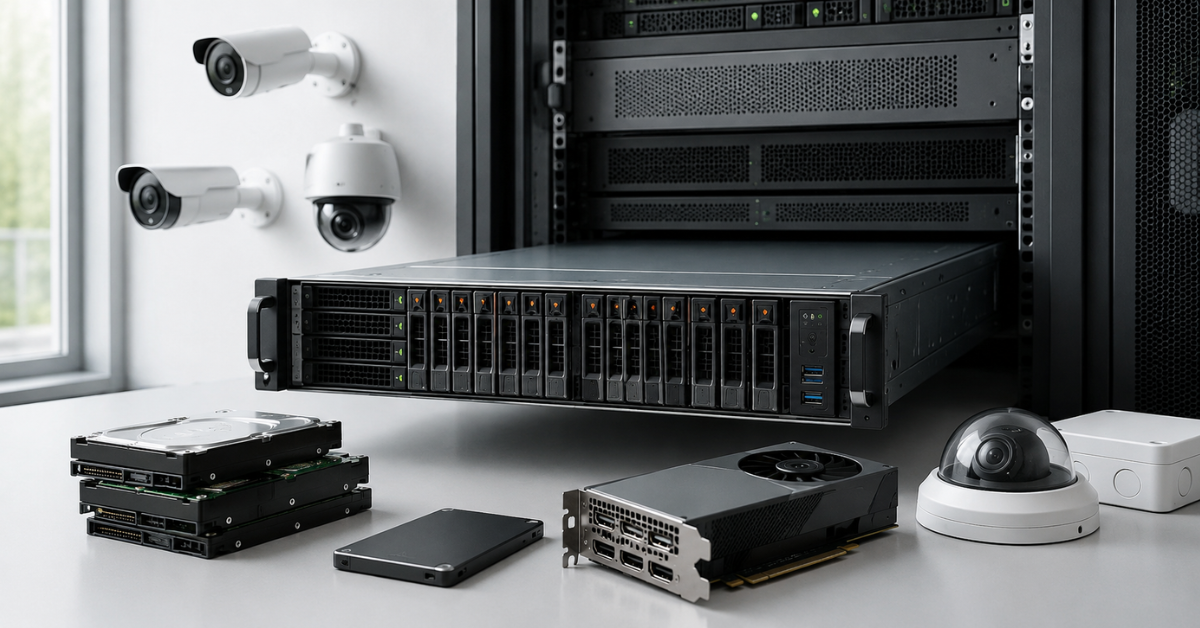
A server for video surveillance with AI analytics should not be chosen by the number of cameras alone, but by the full workload: resolution, frame rate, bitrate, archive retention period, recording mode, RAID, disk speed, network, video decoding, and the number of streams actually analyzed by the neural network. For a small site, one server with a disk array and a moderate CPU reserve may be enough. For a medium-sized site, 10 Gbit/s networking, RAID 6, separate disks for the system and archive, and a GPU already become important. For a large system, recording, storage, and video analytics are better separated across different servers.
Why you should not choose a server only by the number of cameras
The phrase “we need a server for 50 cameras” says almost nothing about the real configuration. Fifty cameras may be simple 2 MP devices in office corridors recording at 10 frames per second. Or they may be 8 MP cameras in a parking lot where high FPS, night recording, and recognition of license plates, people, and vehicles are required. In the first case, the workload will be moderate. In the second, the server will need fast network ports, a large disk array, and a dedicated graphics card for analytics.
The number of cameras is only the starting point of the calculation. After that, you need to understand what stream each camera produces, how many days the archive is stored, whether recording is continuous or event-based, how many operators watch video at the same time, and what tasks the AI analytics performs. If this is not done, the server may look “suitable” on paper, but in practice it may start dropping frames, opening the archive slowly, or delaying events.
Another common mistake is to calculate storage and the neural network separately. In a real system, they work together. A camera sends a stream to the server, the server receives it over the network, writes it to disks, sometimes decodes it, passes it to the analytics module, saves events, and serves operators. So the bottleneck may appear not only in the GPU, but also in the network, RAID controller, processor, memory, or disks.
What a video surveillance server does
A video surveillance server is not just a place where video files are stored. Depending on the project, it can perform several roles at once: receive streams from IP cameras, record the archive, display live video, serve archive recordings, store events, process alarms, and transfer data to an access control system, POS system, security alarm system, or internal business services.
If a VMS or NVR platform is used, meaning a video management software system or network video recorder, the server also serves users, licenses, the event database, camera settings, logs, site maps, access rules, and integrations. Such platforms have their own requirements for the operating system, processor, memory, network, and storage, so before buying a server, you need to check not only camera parameters, but also the requirements of the specific software. For example, Milestone separately publishes system requirements for XProtect, which is a good example of why hardware should not be selected without considering the VMS platform.
The workload strongly depends on the scenario. One system only records the archive and is rarely opened by an operator. Another constantly displays dozens of cameras on a video wall. A third analyzes the stream in real time: counts people, searches for cars, checks helmets, detects line crossing, or recognizes license plates. Formally, all of this is video surveillance, but the servers for these tasks will be different.
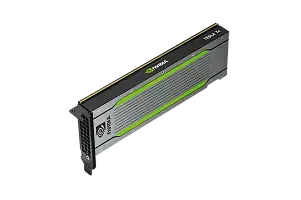
Most popular GPU
Free shipping on orders over 500 € in the EU, £500 in the UK, and $3,000 in the USA
Free shipping on orders over 500 € in the EU, £500 in the UK, and $3,000 in the USA
Free shipping on orders over 500 € in the EU, £500 in the UK, and $3,000 in the USA
Free shipping on orders over 500 € in the EU, £500 in the UK, and $3,000 in the USA
Cameras, resolution, FPS, codec, and bitrate
The basic calculation starts with the cameras. For each camera group, you need to know the resolution, frame rate, codec, and bitrate. Resolution shows frame detail: 2 MP, 4 MP, 8 MP, and higher. FPS is the number of frames per second. The codec, for example H.264 or H.265, is responsible for video compression. Bitrate shows how much data the camera transmits per second.
Bitrate is usually the main number for starting the calculation of network capacity and storage volume for the archive. Two cameras with the same resolution can produce different streams. A camera in an empty corridor with moderate lighting will create less data than a camera on a busy street where cars, people, leaves, rain, or snow are constantly moving. At night, the stream can also increase: image noise is harder to compress, especially when the camera works in low light.
FPS should not be chosen according to the principle “the more, the better”. For general monitoring of a warehouse or corridor, 10–15 frames per second is often enough. For a checkout area, entrance, barrier gate, production zone control, or license plate recognition, more may be required. The higher the FPS, the larger the stream, archive, and decoding workload. If AI analytics works on every frame, the GPU workload also increases.
H.265 usually allows the archive volume to be reduced compared with H.264, but it can also be heavier to decode. This is important for projects where the server not only records the stream, but also analyzes it. Saving on disks may turn into a higher load on the processor or graphics card.
How to calculate the archive
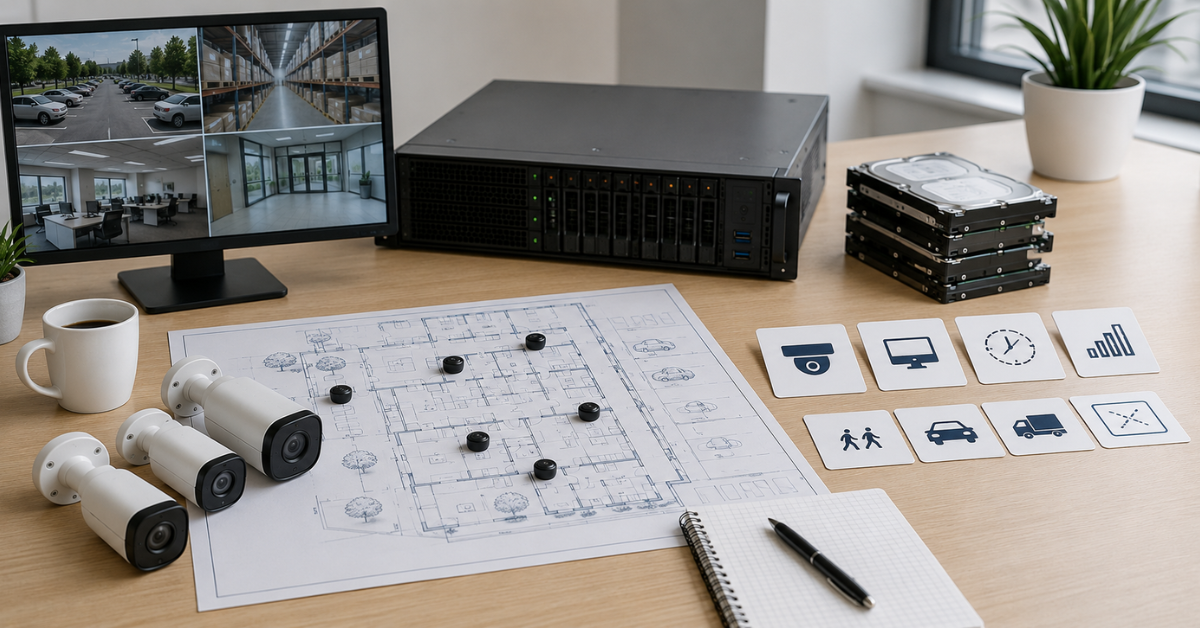
The archive is calculated from bitrate, the number of cameras, and the retention period. In simple form, the formula looks like this:
Archive volume = bitrate of one camera × number of cameras × recording time per day × retention period
In a real project, reserve capacity is added for the file system, service data, RAID, bitrate growth, future cameras, and errors in the initial estimate. Manufacturers of video surveillance design tools use the same basic logic: the calculation is built around camera parameters, bandwidth, and retention period. For example, Axis Site Designer allows storage and bandwidth to be estimated when designing a system, and Seagate offers an archive calculator based on video surveillance parameters.
Take an example: 40 cameras, an average stream of 4 Mbit/s per camera, recording 24 hours a day, and 30-day retention. The total incoming stream will be 160 Mbit/s. In one day, such a system will create about 1.7 TB of “raw” video. Over 30 days, it will be about 52 TB before RAID and reserve capacity are taken into account.
But buying exactly 52 TB is not enough. If RAID 6 is used, part of the capacity will be used for fault tolerance. Another part will be used by the file system and service data. In addition, the stream may be higher at night, in bad weather, or when there is a lot of movement in the frame. Therefore, the useful capacity of the array for such a project should be noticeably higher than the calculated minimum. It is often reasonable to add a 20–30% reserve, and even more for growing sites.
| Scenario | Camera type and mode | FPS | Approximate stream | What is loaded more heavily | Comment |
|---|---|---|---|---|---|
| Office, corridor, entrance area | 2 MP, moderate movement | 10–15 | Low or medium | Archive and network moderately | A good scenario for a basic server without heavy analytics |
| Store, checkout, pickup area | 4 MP, detail is important | 15–25 | Medium | Archive, viewing, fast search | Requires disk reserve and convenient archive access |
| Parking lot | 4–8 MP, vehicle movement | 15–25 | Medium or high | Network, archive, GPU | Load increases because of movement and possible analytics |
| License plate recognition | 2–4 MP, clear frame is important | 25 | Medium | FPS, decoding, GPU | The server is not the only important factor: camera, angle, light, and shutter speed also matter |
| Perimeter, outdoor area | 4–8 MP, day/night | 15–25 | High | Archive, network, disks | At night, the stream can increase because of noise |
| Production and occupational safety | 4 MP and higher, real-time events | 15–25 | Medium or high | GPU, latency, reliability | Often requires continuous analytics and fast alarms |
Choosing the Right Equipment
Our specialists will contact you and answer all your questions
This table does not replace a calculation, but it shows why the same number of cameras does not create the same workload. A server for an office and a server for a factory perimeter can differ even when the number of video streams is the same.
How AI analytics changes server requirements
Regular archive recording and AI analytics load the server in different ways. During recording, the main load falls on the network and disks. During analytics, the server must receive the stream, decode it, prepare frames, pass them to the neural network, process the result, and save the event. NVIDIA in the DeepStream documentation describes video analytics performance as a chain of stream capture, decoding, preprocessing, neural network processing, and post-processing of the result.
This means that the question “which graphics card is needed” cannot be answered separately from the cameras. You need to know how many streams are analyzed simultaneously, at what resolution, with what FPS, and what type of analytics is used. Person detection in the frame, visitor counting, vehicle search, helmet control, face recognition, and license plate recognition are different tasks. They may use different models and create different workloads.
AI analytics does not have to run on all cameras. It is often enough to analyze entrances, checkout areas, vehicle gates, perimeters, hazardous zones, and high-risk areas. General overview cameras can simply be recorded. This greatly reduces GPU requirements.
It is also not always necessary to analyze the full 25 frames per second stream. For counting people at an entrance, a lower frequency may be enough. For line crossing control, every frame is also often unnecessary. But license plate recognition at an entrance or fast-motion analysis may require a higher frame rate and a better image.
When a GPU is needed
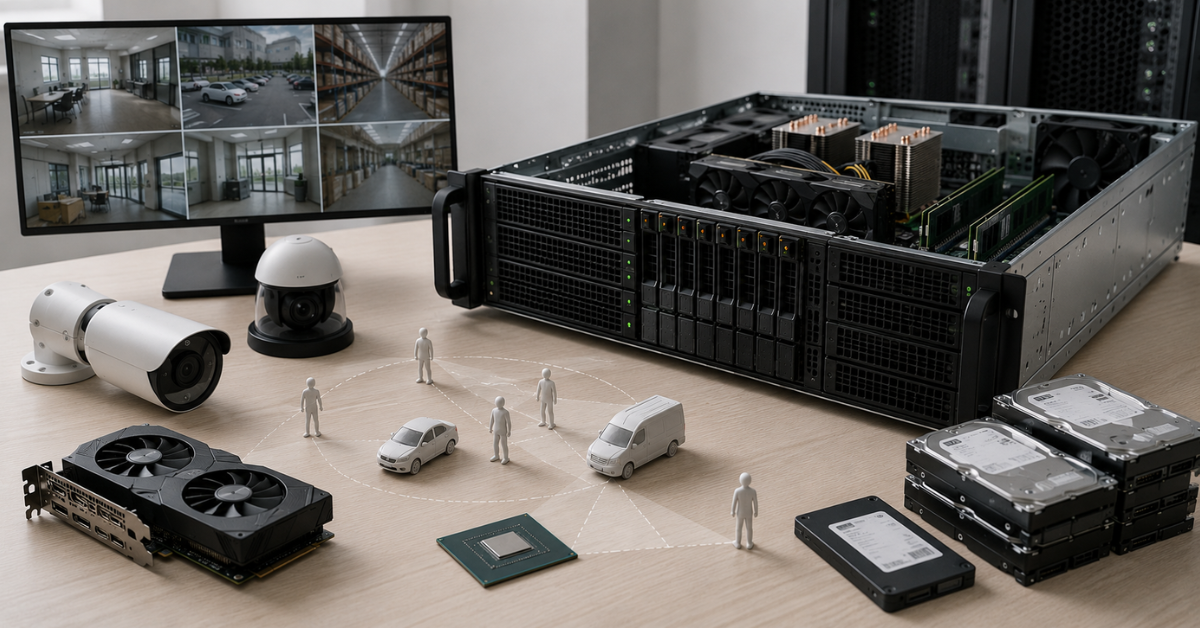
A GPU, or graphics accelerator, is needed when the server performs neural-network video analytics at a noticeable scale. If the system only records the archive and occasionally shows video to an operator, a dedicated graphics card may not be needed, or the platform’s built-in capabilities may be enough. But if dozens of streams are constantly analyzed by a neural network, the processor will quickly become a bottleneck.
Choosing a GPU only by video memory capacity is wrong. Performance in the required analytics model, decoding support, power consumption, cooling, card length, the number of available PCIe lanes, and server compatibility are important. Not every powerful graphics card can be installed in a standard rack server: it may not fit physically, exceed the thermal envelope, or require power that the selected configuration does not provide.
For a small site with 10–20 cameras, a GPU may not be required, especially if analytics runs on the cameras themselves or is enabled only by events. For a medium-sized site with 30–80 cameras and analysis of some streams, a separate GPU is usually already worth considering. For a large site, scaling should be designed in advance: several GPUs, a separate analytics server, or separation into recording servers and processing servers.
It is important to check whether the selected VMS or analytics platform supports the specific graphics card. Sometimes the hardware is powerful, but the software cannot use it fully. In that case, part of the budget will be wasted.
Video decoding is a hidden workload
Before a neural network can process video, the stream has to be decoded. This can be done by the central processor or by hardware blocks on the graphics card. In a simple archive server, the decoding load may be insignificant because the stream is recorded as is. But if the server shows many cameras to operators, builds a video wall, exports fragments, or sends frames to analytics, decoding becomes a noticeable workload.
H.265 helps save disk space, but it may require more resources during processing. Therefore, choosing a codec is not only a question of archive volume. It is also a question of where and how decoding will be performed. NVIDIA Video Codec SDK describes hardware video decoding and encoding capabilities on GPUs, including work with H.264 and H.265, so projects with a large number of streams should check not only the “neural-network” part of the GPU, but also the video codec capabilities.
A typical mistake looks like this: a company buys a GPU for AI analytics, but does not check how many streams it can decode at the required resolution and codec. As a result, the neural network still has reserve capacity, while the whole system is already limited by frame preparation. Therefore, the calculation must include the entire video path, not only the moment when the neural network processes it.
How to choose the disk subsystem
Video surveillance creates constant sequential recording. This is not like a regular office server, where the load may come in short bursts. Cameras record for hours and days, the archive grows continuously, and operators may simultaneously view recordings, export fragments, and search for events. Therefore, the disk subsystem must handle both writing and reading.
A good practice is to separate system disks and the archive. The operating system, VMS, event database, and service data can be placed on separate SSDs. The video archive is better placed on a separate HDD array if the main task is large capacity. SSD or NVMe drives are useful for the system, database, cache, metadata, and fast operations, but they are not always needed for the archive itself. If a server writes hundreds of terabytes of video, the bottleneck is often not latency, but capacity and reliability.
For the archive, it is better to use drives designed for continuous recording. Ordinary office drives are a poor choice for this task. They may work, but their endurance, firmware, and behavior under 24/7 workload are not designed for long-term video stream recording.
The number of drive bays should be calculated in advance. If 80 TB of useful capacity is required today, and new cameras are added and the retention period increases in a year, a 4-bay server will quickly become a dead end. It is better to choose a chassis with spare bays from the start or design external storage.
The array should not be filled to the limit. When there is almost no free space left, the risk of failures increases, maintenance becomes less convenient, and scheduled work becomes harder to perform. For video surveillance, it is better to calculate not only the minimum required archive, but also a comfortable reserve.
RAID and useful capacity
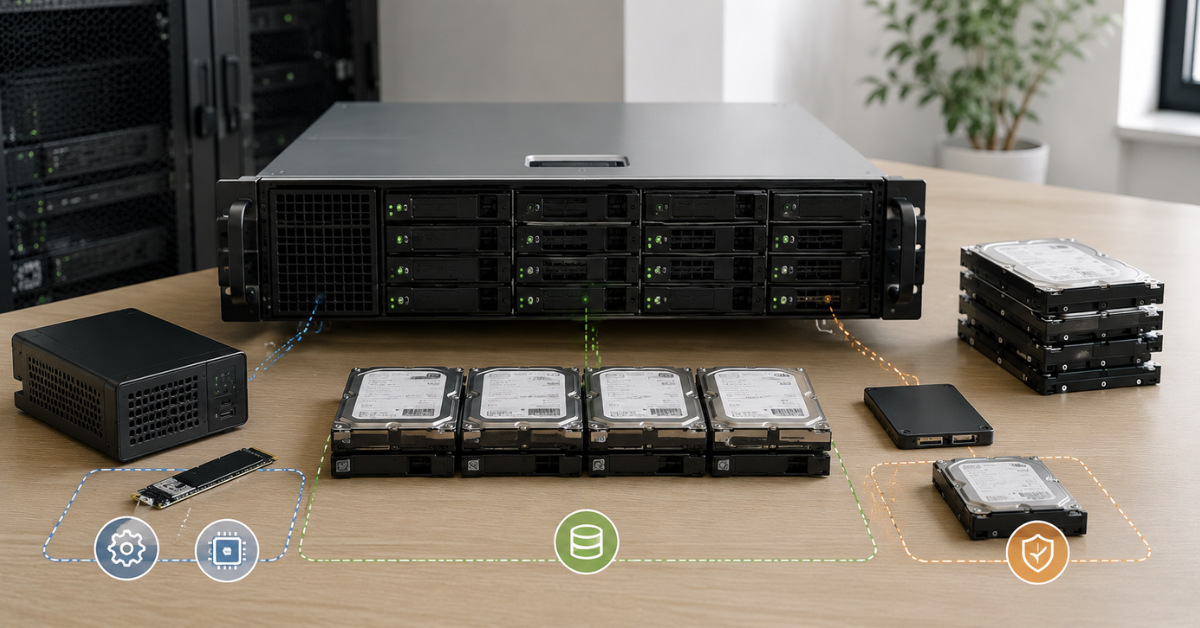
RAID is needed not to “make a backup copy”, but to keep the server running when one or more disks fail. This is an important difference. RAID does not protect against data deletion, administrator error, archive corruption, viruses, fire, or server theft. For especially important events, backup or export of fragments to external storage should be planned separately.
RAID 5 protects against the failure of one disk, but it can be risky for large arrays: rebuild takes a long time, and during rebuild the array works under increased load. RAID 6 protects against the failure of two disks and is often better suited for large video archives. RAID 10 provides good performance and fast recovery, but it requires more disks because half of the capacity is used for mirroring.
When calculating the archive, it is important to account for useful capacity, not nominal capacity. For example, eight 16 TB drives give 128 TB “on paper”. In RAID 6, the useful volume will be smaller because the capacity of two disks is used for fault tolerance. After that, the file system, service data, and reserve capacity must also be taken into account. Therefore, a server with “128 TB of disks” is not the same as a server with 128 TB of available archive.
If the archive is critical, it is useful to provide a hot spare: a disk that will automatically enter the rebuild after a failure. But this also does not eliminate the need to monitor disk health. Video surveillance often works unnoticed, and without proper monitoring, an administrator may learn about a problem too late.
Network: where the bottleneck appears
A video surveillance server constantly receives streams from cameras. If 100 cameras each produce an average of 6 Mbit/s, the incoming stream is already about 600 Mbit/s. At first glance, this is less than 1 Gbit/s, but for a real system the reserve is too small. Peaks, service traffic, operator viewing, archive export, backups, updates, and remote access must be considered.
One gigabit port can quickly become a limitation. For medium-sized systems, it is better to consider 10 Gbit/s or several network ports with proper traffic separation. For large sites, 10/25 Gbit/s and a separate camera network may be required.
Cameras do not always need to be in the same network as office computers. A separate video surveillance network improves workload predictability and security. If cameras are available from the general user network, the risk of accidental conflicts, overloads, and improper access increases.
The outgoing stream also has to be considered. Operators watch live video, open the archive, export fragments, and sometimes connect remotely. If several workstations simultaneously display many cameras in high quality, the server is loaded not only on receiving, but also on sending traffic.
Processor and memory
The processor is responsible for the operating system, VMS, network stack, event database, users, rules, archive export, and part of video processing. Even if AI analytics runs on a GPU, a weak processor can limit the entire system. It will manage streams, prepare data, and serve disks and the network.
Memory is needed for stable operation of the VMS, database, cache, operator requests, metadata, and analytics. A minimal configuration may start, but work unstably as the number of cameras and simultaneous archive requests grows. For server operation, it is better to use ECC memory, which helps reduce the risk of memory errors.
For a small server, you can start with a moderate amount of memory, but for medium-sized and large systems, reserve capacity should be planned. If the server writes the archive, serves operators, and runs analytics at the same time, saving on memory quickly becomes noticeable.
How to size a server by site type
For a small site with 8–20 cameras, 2–4 MP resolution, 10–15 frames per second, and archive retention of 7–14 days, one server is often enough. A reasonable configuration is an SSD for the system and VMS, a separate HDD array for the archive, RAID 5 or RAID 6 depending on volume and criticality, memory reserve, and proper cooling. A GPU may not be needed if analytics is performed on the cameras or enabled only for simple events.
For a medium-sized site with 30–80 cameras, the calculation becomes stricter. Here it is already important to calculate the total stream, useful RAID capacity, and operator workload. If some cameras are analyzed by a neural network, a mid-range GPU should be considered. 10 Gbit/s networking, RAID 6, separate system SSDs, a sufficient number of drive bays, and memory reserve are desirable. In such projects, a server “in the minimum configuration” often becomes a mistake.
For a large site with 100+ cameras, it is better not to try to fit everything into one server. Recording, storage, management, and AI analytics are often better separated. One or several servers receive and record streams, a separate node performs analytics, and storage scales independently. This approach is more expensive at the start, but it is easier to maintain and more reliable as the system grows.
| Project parameter | What it affects | What to check when choosing a server | Typical mistake |
|---|---|---|---|
| Number of cameras | Network, VMS licenses, server load | Current number of cameras and growth over 1–3 years | Counting only cameras without bitrate |
| Resolution | Archive, detail, decoding | 2 MP, 4 MP, 8 MP, and real stream settings | Assuming all 4 MP cameras create the same workload |
| FPS | Archive volume, smoothness, AI load | Where 25 fps is needed, and where 10–15 is enough | Setting the maximum on all cameras |
| Bitrate | Network and disks | Average and peak stream by camera groups | Ignoring night and weather peaks |
| Retention period | Array capacity | 7, 14, 30, 60, 90 days and security requirements | Buying disks without reserve capacity |
| H.265 | Archive size and decoding | Codec support by cameras, VMS, and GPU | Saving archive space but forgetting about decoding load |
| Continuous AI analytics | GPU, memory, latency | Number of streams, resolution, and FPS for analytics | Analyzing all cameras without need |
| Operator viewing | CPU, network, sometimes GPU | Number of workstations and video walls | Counting only incoming streams from cameras |
| RAID | Useful capacity and fault tolerance | RAID 6 or RAID 10 for important archives | Counting nominal disk capacity as useful capacity |
| Scaling | Chassis, power, PCIe, network | Bays, power supplies, cooling, space for GPU | Buying a server without room to grow |
Choosing the Right Equipment
Our specialists will contact you and answer all your questions
What is often forgotten when choosing
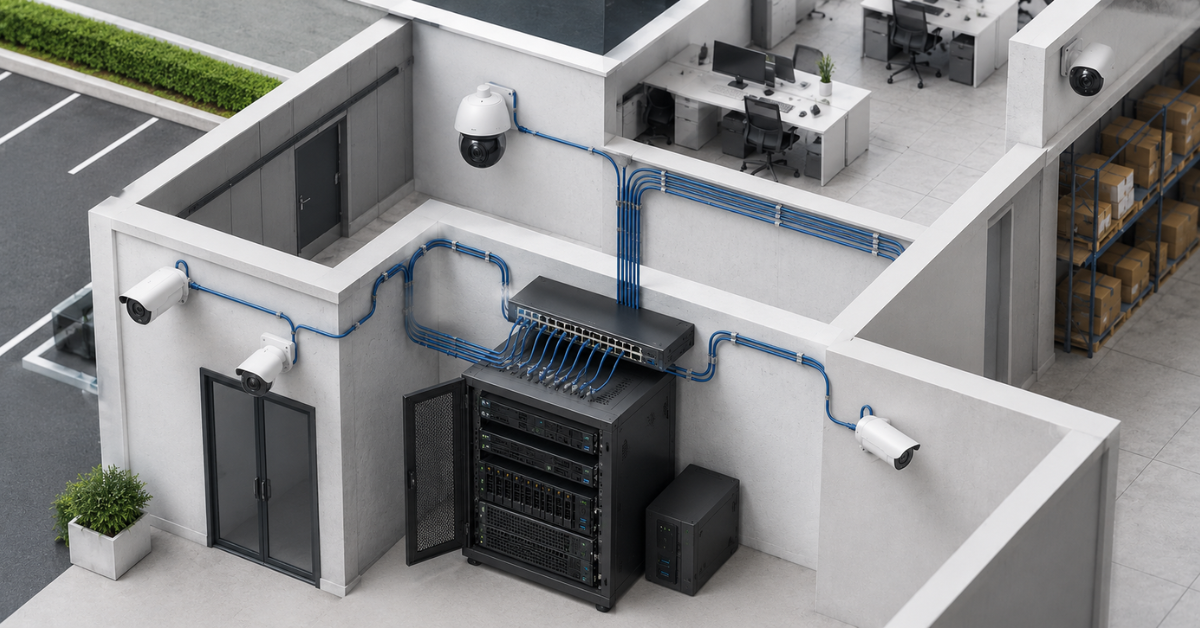
AI analytics does not have to work on every camera. In most projects, there are zones where recording is enough and zones where analysis is truly needed. If cameras are divided by importance, GPU requirements may become more reasonable.
Sometimes it is more efficient to record the main stream in good quality and use a lower-resolution secondary stream for analytics. This reduces the load, but it is not suitable for all tasks. For license plate recognition or small details, the secondary stream may be insufficient.
For license plate recognition, the server is not the only important factor. The right camera, installation angle, lighting, shutter speed, frame area, and sufficient FPS are required. A server will not fix a poor image, a blurred plate, or glare from headlights.
The archive retention period must be calculated with reserve capacity. If 30 days are required, the array should not become full exactly on the thirtieth day with no free space left. Any bitrate increase, camera addition, or recording mode change will immediately break the calculation.
The GPU must physically fit the server. You need to check height, length, number of slots, power, cooling, and support in the selected platform. This is especially important for rack servers, where space and airflow are limited.
Redundant power supplies, proper cooling, and disk health monitoring are not a luxury for a 24/7 system. Video surveillance is usually remembered exactly when something has happened. If the archive is unavailable at that moment because of a disk failure or server overheating, the savings on infrastructure lose their meaning.
Questions to ask before buying a server
Before choosing a configuration, you need to collect the initial data. Without it, the supplier or integrator will select a server based on a rough estimate, not the real workload.
The list of questions should be as follows:
- how many cameras are used now;
- how many cameras may be added over the next 1–3 years;
- what resolution the cameras have;
- what FPS is needed for each zone;
- which codec is used: H.264 or H.265;
- what the average and peak bitrate of the cameras is;
- whether recording is continuous or event-based;
- how many days the archive must be stored;
- how many operators watch video simultaneously;
- whether there is a video wall;
- which cameras require AI analytics;
- which analytics tasks are needed: people, faces, license plates, vehicles, helmets, perimeter, queues;
- whether real-time processing is needed;
- where analytics will be performed: on the camera, on the server, or on a separate node;
- which VMS or NVR platform is used;
- what the system requirements of this software are;
- which RAID level is needed;
- which events must be additionally copied or saved separately;
- how long the system may be unavailable in an emergency.
If there are no answers to these questions, it is better not to buy the server yet. First, a survey should be performed, parameters should be taken from the cameras, or at least several scenarios should be modeled.
Storage systems

Free shipping on orders over 500 € in the EU, £500 in the UK, and $3,000 in the USA

Free shipping on orders over 500 € in the EU, £500 in the UK, and $3,000 in the USA

Free shipping on orders over 500 € in the EU, £500 in the UK, and $3,000 in the USA

Free shipping on orders over 500 € in the EU, £500 in the UK, and $3,000 in the USA
Typical mistakes
- Counting only the number of cameras. This is the fastest way to choose the wrong configuration. Cameras differ in resolution, frame rate, codec, bitrate, and scene.
- Choosing disks only by capacity. For video surveillance, continuous recording, endurance, array rebuild speed, the number of bays, and useful capacity after RAID are important.
- Forgetting about decoding. A server may easily record the stream, but start slowing down during viewing, export, or analytics.
- Buying a GPU without checking compatibility. The graphics card must be supported by the software, fit into the server, receive enough power, and be cooled properly.
- Storing the operating system, VMS database, and archive on the same array. Under high load, this complicates maintenance and may reduce stability.
- Ignoring system growth. Cameras are almost always added: a new warehouse, a new parking lot, additional checkout areas, perimeter, production zone. A server without reserve capacity quickly becomes a limitation.
- Saving on the network. One gigabit port looks sufficient only until peak streams, several operators, and remote archive export appear.
- Not testing the real stream. Table calculations are useful, but it is better to check the system on real cameras, with real settings and scenes.
How to choose the final configuration
First, you need to make a list of cameras and divide them into groups: office, warehouse, street, parking lot, checkout, perimeter, production, entrance. For each group, specify resolution, FPS, codec, average bitrate, and recording mode. After that, the total incoming stream is calculated.
Then the archive is calculated. You need to define the retention period, convert bitrate into data volume, add reserve capacity, and recalculate capacity with RAID taken into account. At this stage, it often turns out that more disks are needed than expected.
After that, the disk scheme is selected. System SSDs separately, video archive separately. For small arrays, simple schemes can be considered; for important archives, RAID 6 is more often suitable; for high speed and fast recovery, RAID 10 is used. It is important to calculate useful capacity, not the sum of all disks.
Next, AI analytics is calculated. You need to determine which cameras are analyzed, at what resolution, with what FPS, and what type of neural-network processing is used. If analytics is needed only on some cameras, the GPU should not be sized as if the whole site were analyzed.
Then decoding is checked. If the server must process H.265, display many streams, and perform analytics, you need to make sure that the processor and GPU can handle not only recording, but also frame preparation.
After that, the processor, memory, and network are selected. The processor must have reserve capacity for the VMS, users, event database, export, and service processes. Memory is better taken with reserve capacity and support for error correction. Network ports are selected by incoming and outgoing traffic, not by the minimum figure.
The last step is checking software requirements and running a pilot. If the system is important, it should be tested on real cameras before the final purchase. A pilot shows what is not visible in a table: night bitrate, delays, load during archive viewing, analytics operation, and system behavior when operators perform several actions at the same time.
What to choose in the end
For small video surveillance with several dozen cameras, one server with a separate system SSD, an HDD array for the archive, a reasonable RAID level, and memory reserve is usually enough. A GPU is needed only if analytics runs on the server and is not limited to simple events.
For a medium-sized site, the server should already be chosen as a full-fledged platform: drive bays with reserve capacity, RAID 6, 10 Gbit/s networking, a separate GPU for analytics, enough memory, and verified compatibility with the VMS. Here, buying a minimum configuration is dangerous because the reserve will quickly be consumed by new cameras, operators, and additional analytics scenarios.
For a large system, roles are better separated. Recording, storage, management, and AI analytics can live on different nodes. This simplifies scaling and reduces the risk that one overloaded subsystem will stop the entire project.
The right server for video surveillance with AI analytics is chosen not by the task name and not by the number of cameras in a commercial offer. It is calculated from the data stream, archive, disks, network, decoding, and real analytics scenarios. This approach makes it possible not to overpay for unnecessary hardware, but also not to end up with a system that was formally bought “for AI” yet cannot handle the working load in practice.
Choosing the Right Equipment
Our specialists will contact you and answer all your questions

Free shipping on orders over 500 € in the EU, £500 in the UK, and $3,000 in the USA

Free shipping on orders over 500 € in the EU, £500 in the UK, and $3,000 in the USA

Free shipping on orders over 500 € in the EU, £500 in the UK, and $3,000 in the USA

Free shipping on orders over 500 € in the EU, £500 in the UK, and $3,000 in the USA

Free shipping on orders over 500 € in the EU, £500 in the UK, and $3,000 in the USA

Free shipping on orders over 500 € in the EU, £500 in the UK, and $3,000 in the USA