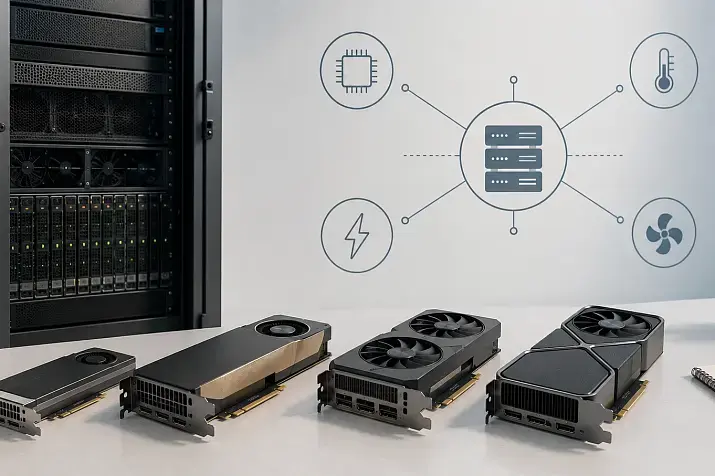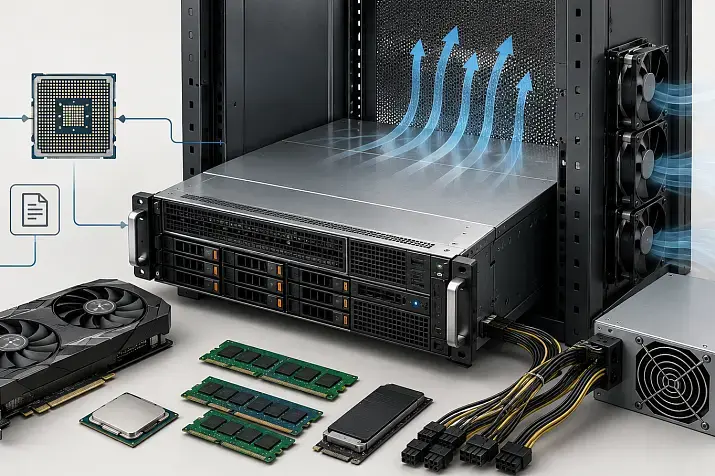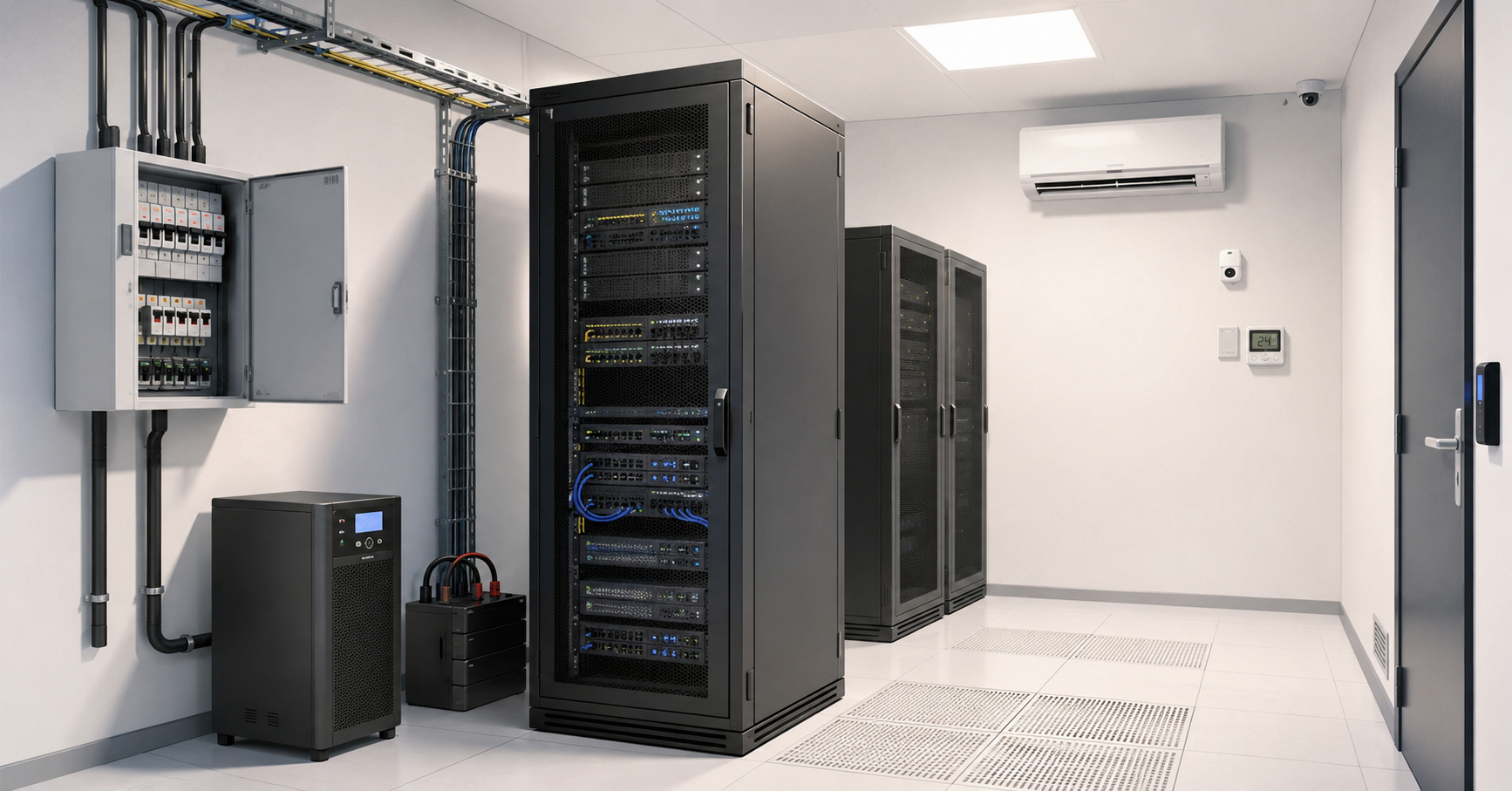
To design a small server room for 1–3 racks, you should first assess not the number of racks, but the real IT load in kilowatts, room for future growth, acceptable downtime, and requirements for cooling, power, access, and fire safety. Even one rack with servers, storage, and network equipment can quickly overheat a small room or overload an unprepared electrical line. The right approach is therefore not to “put a rack in a spare room”, but to calculate power, UPS capacity, cooling, cable routes, noise, monitoring, physical protection, and maintenance procedures in advance.
A small server room often looks like a simple task: choose a room, install a rack, connect the equipment, and mount an air conditioner. In practice, these are exactly the server rooms that most often become a source of problems. Equipment may run for years without failures, and then one overheated air conditioner, one accidentally switched-off breaker, or one unlabeled cable can stop the entire office.
A small server room does not have to copy a large data center. But it must be designed as an engineering room, not as a storage closet with power sockets. For 1–3 racks, the basics are especially important: dedicated power, heat calculation, a proper UPS, organized cabling, restricted access, fire alarm, and a clear emergency response plan.
Where small server room design starts
Design starts with an inventory of the equipment and an understanding of which services will run in the server room. The number of racks alone says little about complexity. One fully loaded rack with dense servers, storage, switches, and a UPS can consume more power and produce more heat than three racks with moderately loaded equipment.
First, you need to collect the initial data:
| What to assess | What you need to know | Why it matters |
|---|---|---|
| IT load | Total power draw of servers, storage systems, and network equipment | Power, UPS sizing, and cooling depend on it |
| Growth reserve | What will be added in 2–3 years | So the server room does not need to be rebuilt almost immediately after launch |
| Availability | How much downtime the business can tolerate | Affects redundancy for power, cooling, and connectivity |
| Room | Area, doors, floor, walls, ventilation | Determines whether racks can be installed and serviced safely |
| Noise | Whether workplaces, meeting rooms, or client areas are nearby | Servers and UPS systems can create constant discomfort |
| Security | Who will enter the room and how access will be recorded | Reduces the risk of mistakes, theft, and unauthorized actions |
You need to calculate not only the current load, but also the future one. If one rack is planned now, but additional servers, a backup system, and extra storage will appear in a year, power and cooling should be planned for that in advance. Reworking a server room after launch is usually more expensive and more difficult than adding a reasonable reserve from the start.
It is also worth defining what counts as an incident. For one company, one hour of file server downtime is unpleasant but acceptable. For another, stopping a local accounting system, video surveillance, or an industrial controller means direct losses. This determines how serious the redundancy for power, cooling, and network connectivity should be.
Our most popular servers

Free shipping on orders over 500 € in the EU, £500 in the UK, and $3,000 in the USA
Free shipping on orders over 500 € in the EU, £500 in the UK, and $3,000 in the USA
Free shipping on orders over 500 € in the EU, £500 in the UK, and $3,000 in the USA

Free shipping on orders over 500 € in the EU, £500 in the UK, and $3,000 in the USA
Choosing the room: not every room is suitable for a server room
The room should be chosen based on engineering conditions, not on the principle of “where there is space left”. It is undesirable to place a server room in a damp basement, next to restrooms, a kitchen, heating pipes, water supply pipes, packaging storage, or household chemicals. Moisture, dust, high temperature, and combustible materials are dangerous for the equipment and for the building itself. Other neighboring areas also matter — for example, a server room that takes ventilation air from a smoking area would be a very bad idea.
A good room for a small server room must have enough space for racks and maintenance. It is important to check the door width, opening height, and whether a rack, UPS, battery modules, and air conditioner can be brought inside. A common mistake is choosing a room where the rack only fits when disassembled, or no longer fits after installing a door, threshold, furniture, or partition. You can live with this, but it is far from convenient.
There must be working space in front of and behind the rack. If the rear rack door rests against a wall, servicing cables, power supplies, and network ports quickly becomes a problem. If the rack is placed in a passage area, there is a risk of accidental impacts, disconnections, and access by unauthorized people.
Rooms with windows should preferably be avoided. A window adds solar heat, complicates physical security, and can become a weak point for fire safety requirements. If there is no other option, protection against heat, access restrictions, no direct sunlight, and compliance with building requirements must be provided.
The floor must support the weight of racks, servers, storage systems, UPS units, and batteries. One fully populated rack can weigh much more than ordinary office furniture. Load capacity should be assessed especially carefully if the server room is not on the ground floor or if the room has a raised floor.
Walls, ceiling, doors, and cable penetrations must meet fire safety requirements. Cable openings through walls must not be left open: smoke, fire, and hot air can spread through them. Penetrations should be neatly sealed with suitable fire-resistant materials.
Rack placement: aisles, airflow, maintenance
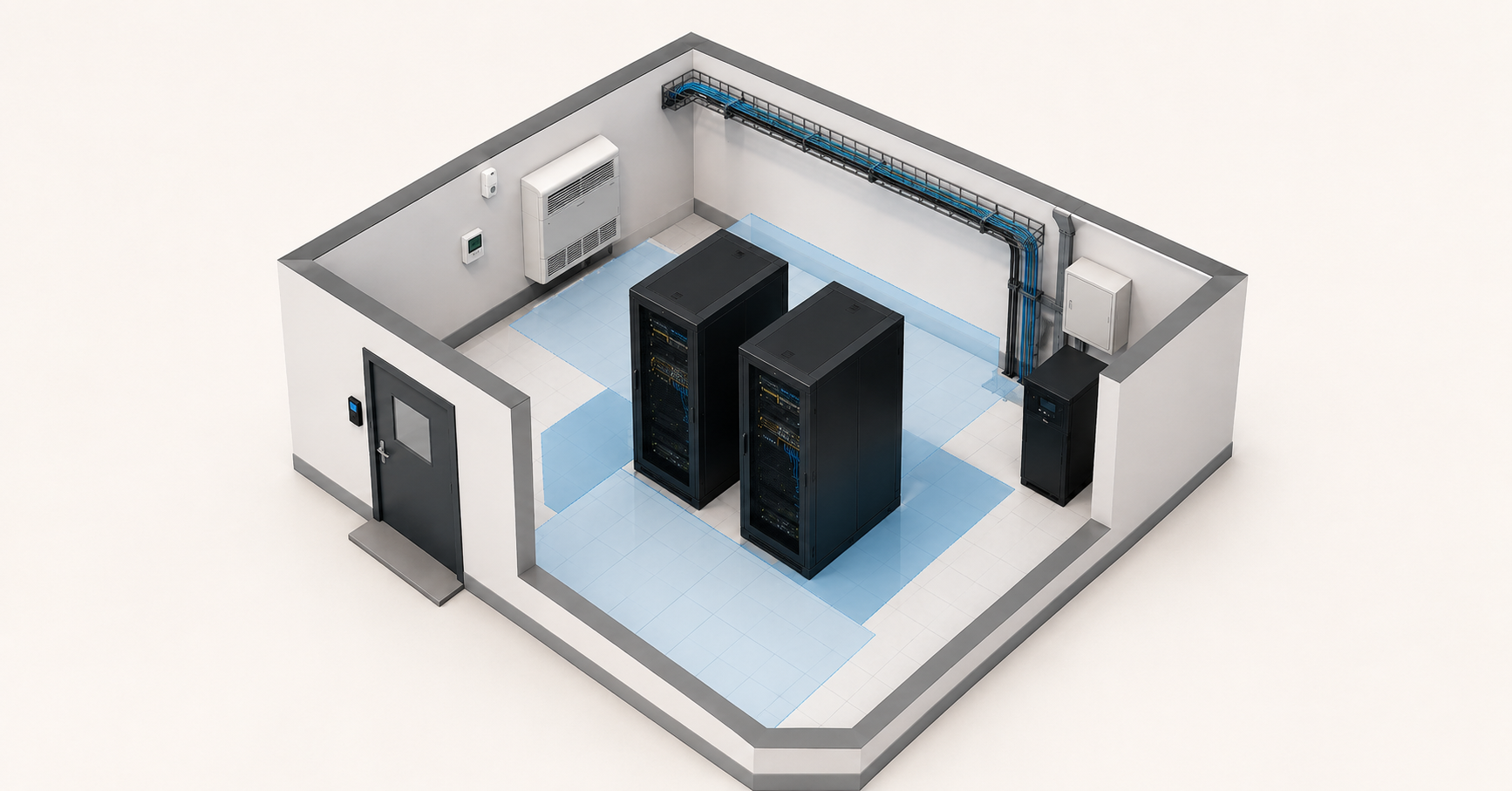
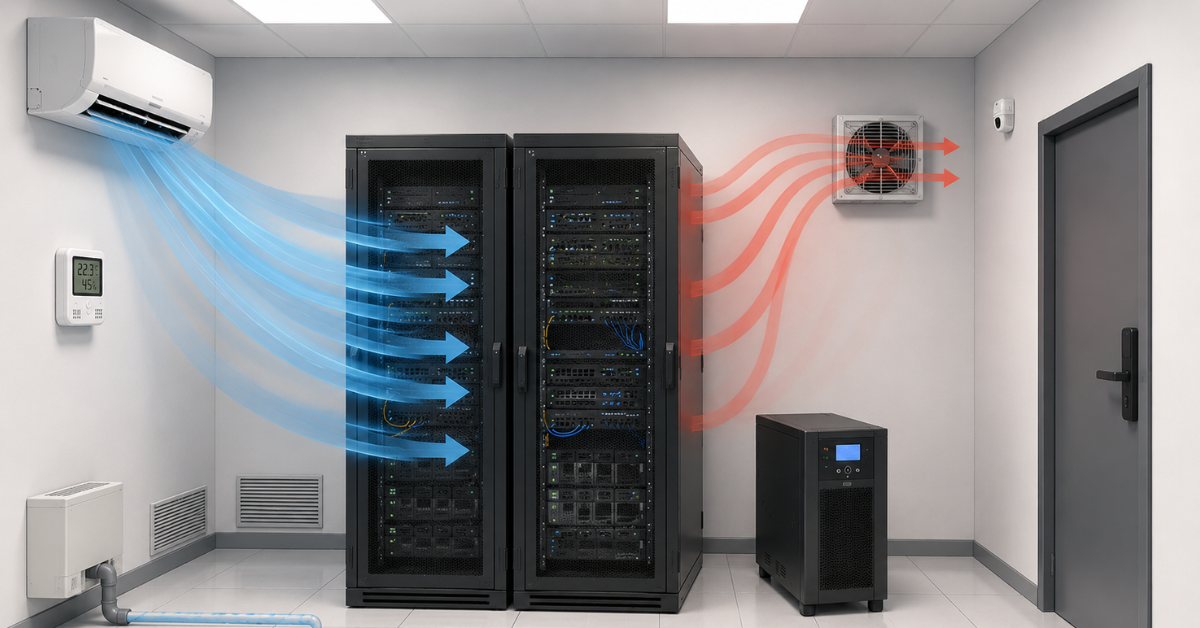
Racks should be positioned so that equipment receives cold air from the front and exhausts hot air to the rear. This simple rule is often violated in small server rooms: the rack is turned “the convenient way”, the air conditioner blows from the side, cables block the rear area, and hot air returns to the front panels of the servers.
For one rack, it is important to leave space at the front and rear, not push it against the wall, and not block ventilation areas. For two or three racks, it already makes sense to think about separating cold and hot zones: the front sides of the racks face the supply of cooled air, and the rear sides face the hot-air exhaust area.
Heavy equipment should be installed lower in the rack. This applies to UPS units, battery modules, storage systems, and large servers. This makes the rack more stable and maintenance safer. Network equipment, patch panels, and cable managers should be arranged so that cabling remains clear and does not interfere with airflow.
Empty rack units should preferably be closed with blanking panels. They are not for appearance, but for airflow control: without blanking panels, hot air can return to the front through empty units and enter the servers again.
One rack must not be overloaded in terms of power, heat, or weight. Even if many servers physically fit into it, this does not mean that the room, electrical line, and air conditioner can handle such density. For a small server room, it is better to distribute the load evenly and leave space for maintenance than to try to fill every rack unit.
Choosing the Right Equipment
Our specialists will contact you and answer all your questions
Power supply: dedicated lines, reserve, and protection from a single point of failure
Power supply is the foundation of a server room. If power is arranged casually, all other decisions lose their value. Servers, storage systems, switches, routers, UPS units, sensors, and air conditioners must be included in the load calculation. You cannot count only servers and forget that cooling also consumes electricity.
A server room needs dedicated lines from the electrical panel. Ordinary office sockets, household extension cords, and overloaded power strips are not suitable. Cable cross-section, circuit breakers, protection, grounding, and load distribution should be calculated by a specialist. An electrical mistake can lead not only to downtime, but also to a fire.
If equipment has two power supplies, they should preferably be connected to different power distribution units. In a more carefully designed scheme, they should be connected to different lines. If both server power supplies are plugged into one extension cord or one power distribution unit, there is no real fault tolerance: if that point fails, the server will still go down.
A dangerous scheme is common in small server rooms: all equipment is connected through one UPS, one breaker, and one line. It is simple, but any problem in this chain will stop the whole rack. It is better to divide the load in advance: critical servers, network equipment, storage systems, and auxiliary devices should not all depend on the same point.
All lines, breakers, sockets, UPS units, and power distribution units must be labeled. In an emergency, a person should not have to guess where a cable leads. Good labeling reduces the risk of accidental disconnection and speeds up maintenance.
Emergency power-off should also be thought through. It must be accessible in a real danger situation, but protected from accidental pressing. This is especially important if the server room is close to office areas or if contractors sometimes enter it.
Grounding should not be forgotten either. A little dust, spinning fans — and a rack can accumulate static electricity, which may give technicians unpleasant shocks and, in the worst case, even damage equipment.
UPS: how to choose one and avoid mistakes with runtime
A UPS is not needed so that the server room can run “as long as necessary” without external power. Its purpose is to survive a short outage, smooth out power grid problems, provide time for a graceful shutdown, or wait for backup power to start if such a source exists.
When choosing a UPS, you need to consider the active power of the load, not only the large number in volt-amperes. It is important to check how much real power the UPS can deliver to the equipment, how many minutes it can support this load, and what reserve remains for growth.
For a small server room, it is often more reasonable to plan for 10–30 minutes of runtime instead of trying to power all equipment for hours. This is enough to survive a short outage, shut down non-critical systems correctly, or wait for an external backup source such as a diesel generator to start. Long runtime requires more batteries, space, maintenance, cooling, and budget.
Batteries age. A UPS that supported the load for 20 minutes in its first year may last noticeably less after several years. Therefore, runtime must not be designed “too tightly”. A battery replacement plan and regular checks are required; the same applies to a generator if one is used, so that it does not turn out to be faulty or simply out of fuel at the critical moment.
The UPS should be connected to monitoring. It is important to know not only that power has failed, but also the battery condition, load level, errors, and remaining runtime. For critical servers, automatic graceful shutdown should be configured for a prolonged incident.
A bypass is useful for servicing the UPS without shutting down the entire server room. In small projects it is often forgotten, and then any UPS replacement or repair becomes a complex operation with a risk of downtime.
One UPS for the entire server room is a simple scheme, but it is also a single point of failure. Several UPS units or load separation increase resilience, but require more careful design. The main point is not to create an illusion of redundancy where one critical point still remains.
Cooling: calculate heat output, not room area
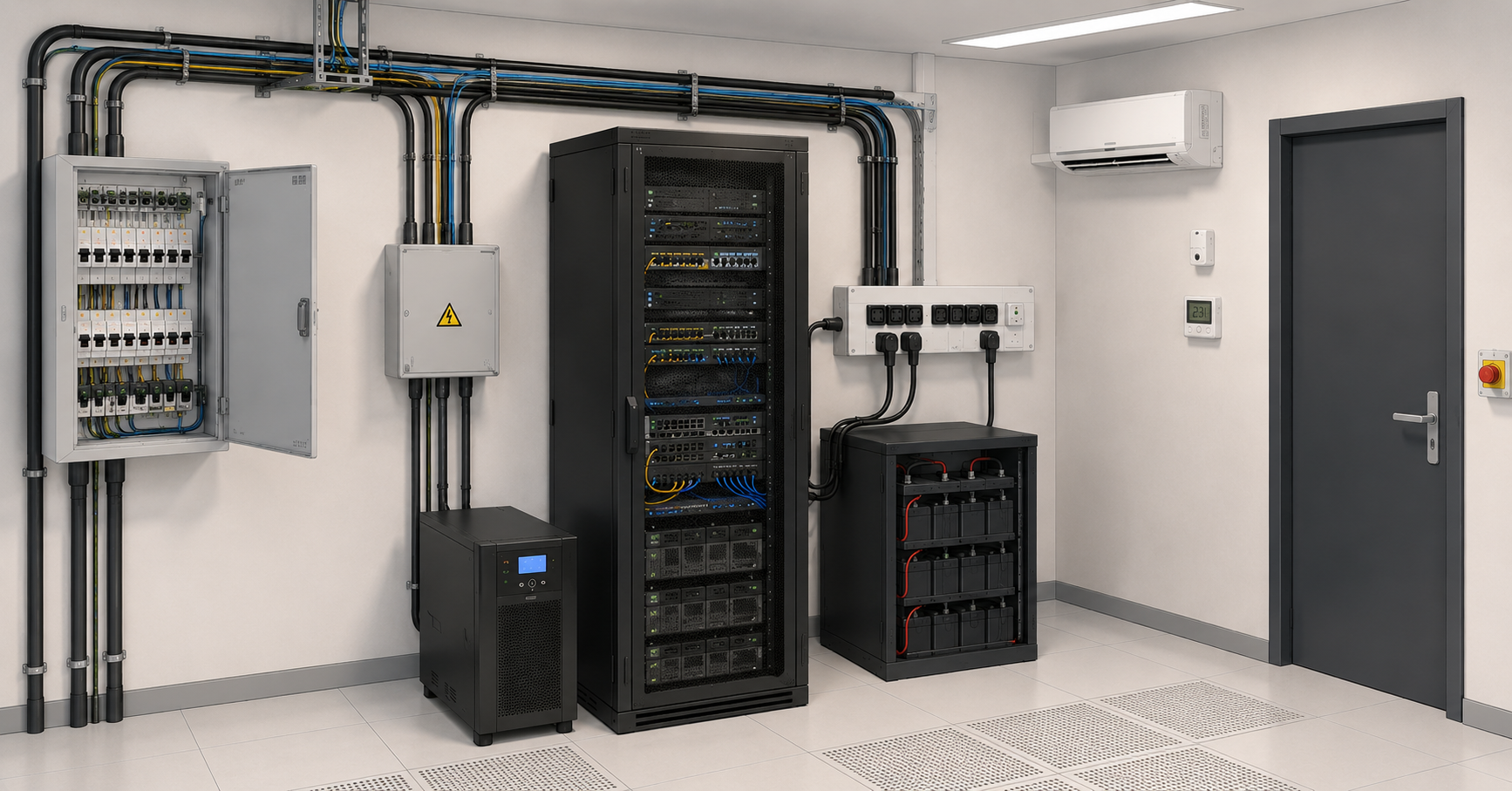
Almost all the electricity consumed by server equipment turns into heat. Therefore, server room cooling is calculated not by floor area, but by heat load. If equipment consumes several kilowatts, roughly the same amount of heat must be continuously removed from the room.
Temperature and humidity guidelines for IT equipment are published by ASHRAE: for many equipment classes, the recommended inlet air temperature range is 18–27 °C, but the exact conditions depend on the equipment type and manufacturer requirements.
The main mistake is installing a household air conditioner without calculation and considering the problem solved. An ordinary office air conditioner may not be designed for round-the-clock operation all year round, especially in winter, when it is cold outside but the server room still needs cooling. A server room needs a solution that can steadily remove heat in the required operating mode.
Temperature should be measured not only on the wall, but at the air intake of the servers. A wall sensor may show acceptable values while the upper part of the rack is already receiving overheated air. It is especially important to monitor temperature in the upper front area of the rack, where the warmest incoming airflow often accumulates.
You cannot simply “blow cold air” in any direction. Cold air must reach the front panels of the equipment, while hot air must move to the rear and be removed from the room. If cold and hot airflows mix, the air conditioner works harder, and servers can overheat even when the room temperature formally looks normal.
Humidity is also important. Air that is too dry increases the risk of static electricity; air that is too humid increases the risk of corrosion and condensation. A small server room should not be turned into a refrigerator: excessively low temperature increases costs and can create additional problems.
Condensate from the air conditioner must be drained safely. A drain tube installed “somehow” can become a source of leakage. Water above racks, UPS units, or electrical lines is one of the most unpleasant scenarios for a server room.
If downtime is critical, one air conditioner becomes the same kind of single point of failure as one power breaker. If it fails, a small room can overheat quickly. For important systems, backup cooling should be considered, or at least an emergency scenario: notification, remote shutdown of part of the load, and a quick visit by the responsible employee.
Practical recommendations for small server rooms and micro data centers are also covered by Schneider Electric, including power, cooling, racks, monitoring, and security for small rooms.
Noise: why a server room should not simply be placed near workplaces
Servers, storage systems, UPS units, and network equipment can be very noisy. This is especially noticeable with rack servers: their fans are designed for dense installation and strong airflow, not for human comfort in the neighboring office.
Noise increases as temperature rises. When servers heat up, fans speed up, and the server room becomes noticeably louder. If the air conditioner is poorly selected, the noise will come not only from it, but also from the equipment constantly trying to cool itself.
A small room can make the problem worse: hard walls, door, ceiling, and floor reflect sound. If the server room is next to a meeting room, workplaces, or a client area, the constant hum quickly becomes an irritating factor.
Noise must not be solved by fully sealing the room if that worsens cooling. Soundproofing must not block ventilation, violate fire safety requirements, or interfere with hot-air removal. If the server room is adjacent to an office, it is better to plan a separate room, a tight door, vibration isolation for equipment, and proper engineering cooling in advance rather than trying to fix the problem after the racks are installed.
Noisy racks should not be placed in corridors, open offices, or shared technical areas. Even if the equipment is physically protected, its noise can disturb people and provoke dangerous decisions: someone may open the door “for ventilation”, turn off a noisy UPS, or try to move equipment without approval.
Cable management: order is needed for reliability, not appearance
Good cable management is not needed for a neat rack photo. It affects cooling, maintainability, safety, and recovery speed after an incident.
Power and network cables should be separated. They must not be chaotically intertwined behind the rack. Power cables are better routed on one side, and network cables on the other, if the rack and room design allow it. All cables must be labeled at both ends: on the equipment side and at the opposite end.
Cables that are too short prevent servers from being pulled out for maintenance. Cables that are too long turn into loops, block airflow, and make it harder to find the right connection. Some reserve is needed, but it must be controlled: through cable managers, cable trays, hook-and-loop ties, and a clear scheme.
Patch panels, horizontal and vertical cable managers help keep cabling organized. Color coding can be useful, but it does not replace labels. One year after launch, nobody should have to remember that “blue cables were probably for servers, and yellow ones for cameras”.
Cables must not block the ventilation grilles of servers, power supplies, switches, or UPS units. The problem often occurs behind the rack, where cable chaos prevents hot air from escaping.
The cabling scheme must be documented. It should show which switch port goes where, which power lines feed which equipment, where backup connections are located, and which cables must not be disconnected without approval.
A raised floor and/or ceiling may be a good idea if you want the server room to look neater, but they can also become an additional source of problems and make maintenance more complex. It is better to design them together with a specialist.
Monitoring: what to control in a small server room
A small server room needs monitoring no less than a large one. The difference is only in scale. If equipment is located in a separate room, a problem can develop unnoticed: the air conditioner stops, temperature rises, the UPS switches to battery, the door is left open, and the responsible employee learns about it only after services fail.
The minimum monitoring set includes:
- temperature at the rack air intake;
- humidity;
- UPS and battery status;
- power availability on key lines;
- air conditioner status;
- door opening;
- leaks;
- fire or smoke alarm;
- access events;
- notifications to responsible people.
Monitoring without response is useless. You need to define in advance who receives notifications and what to do at night, on weekends, or while the administrator is on vacation. If an overheating alert goes to an email inbox that nobody reads after 18:00, it is not monitoring, but a formality.
A good practice is to configure different alert levels. For example, a warning when the temperature rises above the operating threshold and an emergency notification when it reaches a dangerous value. This allows action before servers begin shutting down or throttling performance.
Physical security: access, keys, cameras, activity records
Physical security in a small server room does not have to be complicated, but it must be deliberate. Only those who really need access should enter the server room. If every employee has a key “just in case”, access is effectively uncontrolled.
Keys, cards, and access codes must be accounted for. When an employee leaves, a contractor changes, or a key is lost, access must be reviewed. Contractors should work by agreement, and for critical operations, under the supervision of a responsible employee.
The server room door must close. In practice, there are cases where the door is kept open for convenience or better cooling. This is a sign of poor design: if the server room overheats when the door is closed, the cooling must be fixed, not the room left accessible.
A camera or another method of recording events helps investigate incidents. It is not needed for total employee control, but to understand who entered, when the rack was opened, what was changed, and why a problem appeared afterwards.
Racks can be locked, especially if the server room is not located in a fully isolated area. Protection is needed not only for servers, but also for UPS units, power input, network lines, patch panels, air conditioners, and sensors. Physical access to equipment often means access to data or the ability to stop services.
General principles for protecting infrastructure, access, perimeter, and engineering areas are described in the OCP physical security document. A small server room does not need to copy it literally, but the logic of access control and protection of critical areas applies at a small scale as well.
Choosing the Right Equipment
Our specialists will contact you and answer all your questions
Fire safety: walls, materials, sensors, suppression
Server room fire safety should be discussed with building, electrical, and fire safety specialists. It should not be treated as a set of household tips. A server room contains fairly powerful electrical lines, cables, batteries, power supplies, air conditioners, and equipment that runs continuously.
The room must not contain combustible waste, boxes, packaging, paper, household chemicals, or unnecessary furniture. A server room is not a storage area. Dust and packaging worsen cooling, increase the fire load, and interfere with maintenance.
Walls, ceiling, door, and finishing materials must meet the requirements of the specific building and local regulations. Cable penetrations should be sealed with fire-resistant materials. Open holes in walls and partitions weaken fire protection and allow smoke to spread faster.
Electrical wiring must be rated for the load. Overloaded lines, random extension cords, poor contacts, and unlabeled breakers are common causes of dangerous situations. Electrical work for a server room should be designed and accepted by a specialist.
Smoke detectors or a fire alarm are required. For critical rooms, early smoke detection may be useful. The fire suppression system should be selected based on people, equipment, room tightness, local regulations, and budget. Powder suppression can damage equipment, gas suppression requires calculation and room tightness, and water-based solutions have their own limitations. There is no universal answer without a project.
The NFPA 75 standard is dedicated to protecting IT equipment rooms and areas from fire damage. It can be used as a reference for the general logic of protection, but specific solutions must comply with the requirements of the country, building, and approved project.
Basic fault tolerance: where the reasonable boundary lies for 1–3 racks
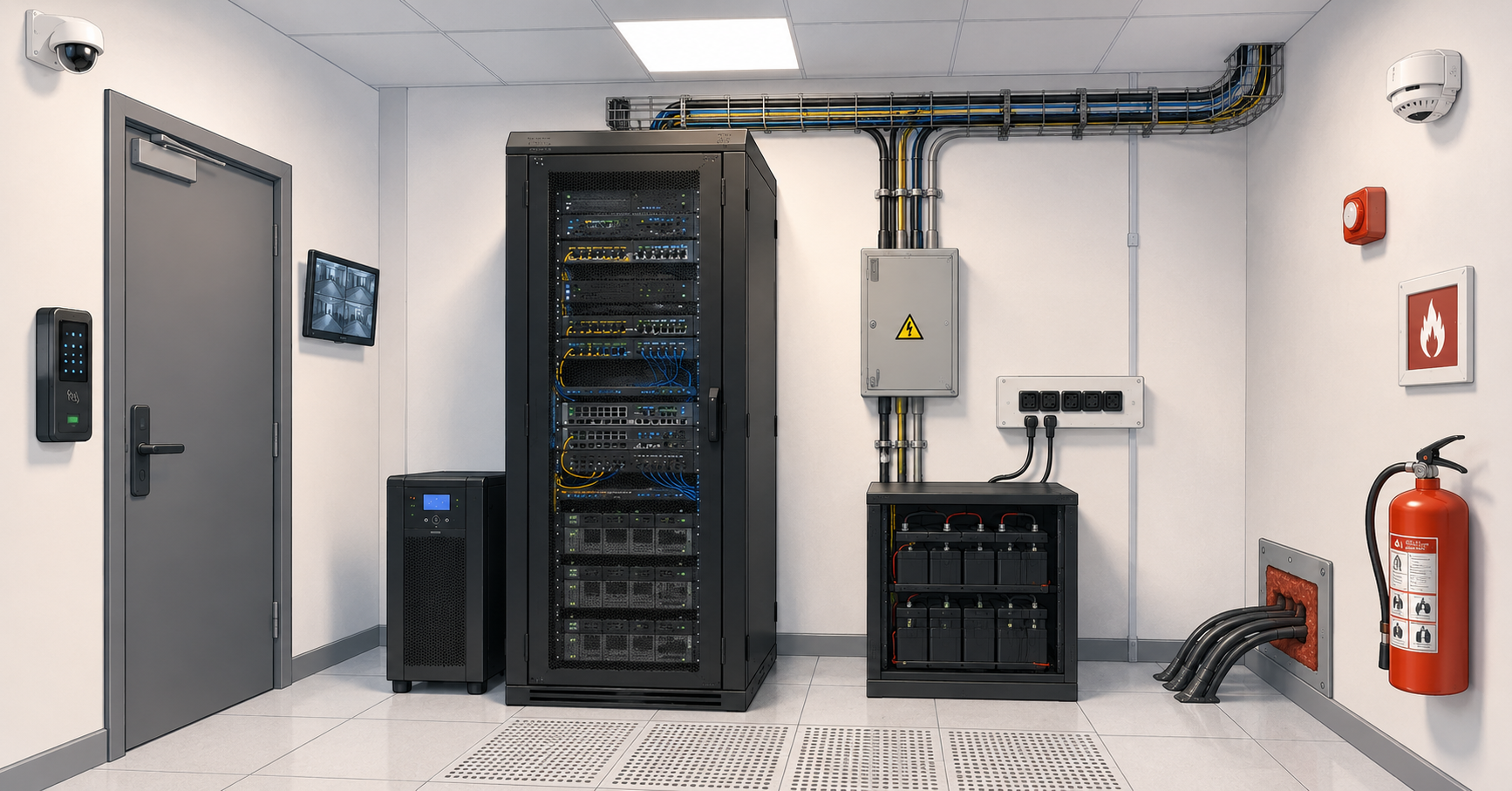
A small server room should not become an expensive mini data center without a real need. But it must avoid the most obvious single points of failure. If the entire business depends on one rack, one breaker, one UPS, one air conditioner, and one person who knows the scheme, the risks are too high.
Single points of failure can include:
- one power line;
- one UPS without a bypass and maintenance plan;
- one air conditioner without an emergency scenario;
- one network uplink;
- one switch without redundancy for critical systems;
- one person who knows how everything is connected;
- one unlabeled rack with chaotic cabling.
Redundancy should match the value of the systems. Not everything always needs to be duplicated. Sometimes it is enough to separate power, add monitoring, keep a spare switch, and configure graceful server shutdown. In other cases, cooling, connectivity, and part of the infrastructure must be backed up at another site.
Critical services can be separated: some can remain local, while others can be moved to the cloud or to a rented rack in a data center. Locally, companies often keep what needs to be close to the office or production site: file services, video surveillance, controllers, local accounting systems, and communication equipment.
The Uptime Institute reliability classification shows that infrastructure resilience is not about an attractive label, but about power, cooling, maintenance, and the absence of critical single points of failure. A small server room does not need to claim a Tier level if it was not designed and certified according to that methodology, but the logic of fault tolerance itself is useful.
Practical checklist for designing a small server room
Before launching a server room, it is worth going through a checklist. It helps identify weak points before the equipment starts operating under load.
Power
- current and future load has been calculated;
- dedicated lines from the electrical panel are available;
- breakers, cables, and protection have been calculated by a specialist;
- grounding is available;
- equipment with two power supplies is not connected to one point;
- power distribution units are labeled;
- household extension cords are not used;
- the emergency power-off scheme is clear;
- documentation for lines and breakers is available.
UPS
- power capacity has been selected with reserve;
- runtime has been calculated;
- battery aging has been taken into account;
- UPS monitoring is configured;
- a battery replacement plan is available;
- graceful shutdown for critical servers is configured;
- a bypass or clear maintenance plan is provided;
- the UPS is not located in an overheating zone.
Cooling
- heat load has been calculated in kilowatts;
- cooling has been selected for continuous operation;
- winter operation has been considered;
- sensors are placed at the rack air intake;
- hot air does not return to the front panels of the servers;
- condensate is drained safely;
- overheating alerts are available;
- there is a plan for air conditioner failure.
Racks and placement
- racks can be brought into the room;
- there is space in front of and behind the racks;
- heavy equipment is installed lower;
- empty rack units are closed with blanking panels;
- cables do not interfere with airflow;
- equipment is labeled;
- there is room for growth;
- racks are not placed in a passage area.
Cables
- power and network cables are routed neatly;
- cables are labeled at both ends;
- patch panels and cable managers are used;
- there is a reserve of ports;
- there are no chaotic cable loops behind the rack;
- cables do not block ventilation;
- wall penetrations are sealed correctly;
- the cabling scheme is documented.
Noise
- the server room does not disturb workplaces;
- noise from servers, UPS units, storage systems, and air conditioners has been considered;
- the door and walls do not create an acoustic problem;
- soundproofing does not worsen cooling;
- equipment is not placed in an open office or corridor.
Physical security
- access is restricted;
- keys or cards are accounted for;
- contractors work by agreement;
- there is a visitor log or electronic access history;
- the door closes;
- racks are locked if necessary;
- there is a camera or another way to investigate incidents;
- power, network, UPS, and cooling are protected.
Fire safety
- there is no packaging, paper, or unnecessary items in the server room;
- room materials comply with requirements;
- electrical wiring is rated for the load;
- a fire alarm is available;
- a suitable fire suppression type has been selected;
- cable penetrations are sealed;
- fire safety solutions are approved by specialists;
- boxes, furniture, and temporary items do not interfere with maintenance.
Documentation
- a power scheme is available;
- a network scheme is available;
- an equipment placement scheme is available;
- a list of responsible people is available;
- emergency instructions are available;
- a maintenance schedule for UPS units, air conditioners, and sensors is available;
- a list of critical services and their shutdown order is available.
Storage systems

Free shipping on orders over 500 € in the EU, £500 in the UK, and $3,000 in the USA

Free shipping on orders over 500 € in the EU, £500 in the UK, and $3,000 in the USA

Free shipping on orders over 500 € in the EU, £500 in the UK, and $3,000 in the USA

Free shipping on orders over 500 € in the EU, £500 in the UK, and $3,000 in the USA
Typical mistakes when designing a small server room
| Mistake | Why it is dangerous | How to do it correctly |
|---|---|---|
| Putting a rack in a storage closet without calculating heat | Overheating, emergency shutdowns, faster equipment wear | Calculate the heat load and select cooling by kW, not by room area |
| Connecting everything through one breaker | One incident will power down the entire server room | Separate lines, label power, remove random extension cords |
| Using an ordinary air conditioner without checking its operating mode | Failure under 24/7 load or during winter operation | Select cooling for continuous operation and plan an emergency scenario |
| Not labeling cables | Long repairs and the risk of disconnecting the wrong equipment | Label cables at both ends and maintain a cabling scheme |
| Storing boxes and consumables in the server room | Dust, higher fire load, difficult maintenance | Use the room only for equipment and engineering systems |
| Leaving access unrestricted | Risk of accidental disconnection, theft, or unauthorized changes | Restrict access, keep a visitor log, and lock racks if necessary |
When a small server room is no longer enough
A small server room is justified if it can be powered, cooled, maintained, and protected safely. But sometimes business requirements outgrow the capabilities of an office room.
It is time to consider another site if the load grows faster than it can be cooled, round-the-clock availability is required, redundancy for power and connectivity is needed, and the room cannot meet fire safety and engineering requirements. Another warning sign is when the server room is already critical for the business, but is still maintained “as an afterthought”: without documentation, monitoring, procedures, or responsible people.
If the cost of reworking the room, electrical system, cooling, fire protection, and redundancy becomes too high, renting a rack in a data center or moving part of the services to an external site may be more reasonable. It is not always cheaper in monthly payments, but it is often more reliable and more transparent in terms of risk.
Conclusion
A small server room for 1–3 racks requires the same careful attention to basic engineering issues as a larger infrastructure. Design starts with load, heat, risks, and availability requirements. Then power, UPS, cooling, racks, cable routes, monitoring, physical protection, and fire safety are selected.
The main mistakes are lack of dedicated power, weak cooling, one UPS for everything without a maintenance plan, chaotic cabling, unrestricted access, and ignoring fire safety requirements. A small server room does not need excessive redundancy for its own sake, but it does need calculation, order, reserve, and a clear emergency response plan. It is better to design the server room once as an engineering room than to later deal with overheating, downtime, accidental disconnections, and the consequences of decisions made “temporarily”.
Choosing the Right Equipment
Our specialists will contact you and answer all your questions
Content:
Choosing the room: not every room is suitable for a server room
Power supply: dedicated lines, reserve, and protection from a single point of failure
Noise: why a server room should not simply be placed near workplaces
Cable management: order is needed for reliability, not appearance
Basic fault tolerance: where the reasonable boundary lies for 1–3 racks

Free shipping on orders over 500 € in the EU, £500 in the UK, and $3,000 in the USA

Free shipping on orders over 500 € in the EU, £500 in the UK, and $3,000 in the USA

Free shipping on orders over 500 € in the EU, £500 in the UK, and $3,000 in the USA

Free shipping on orders over 500 € in the EU, £500 in the UK, and $3,000 in the USA

Free shipping on orders over 500 € in the EU, £500 in the UK, and $3,000 in the USA

Free shipping on orders over 500 € in the EU, £500 in the UK, and $3,000 in the USA