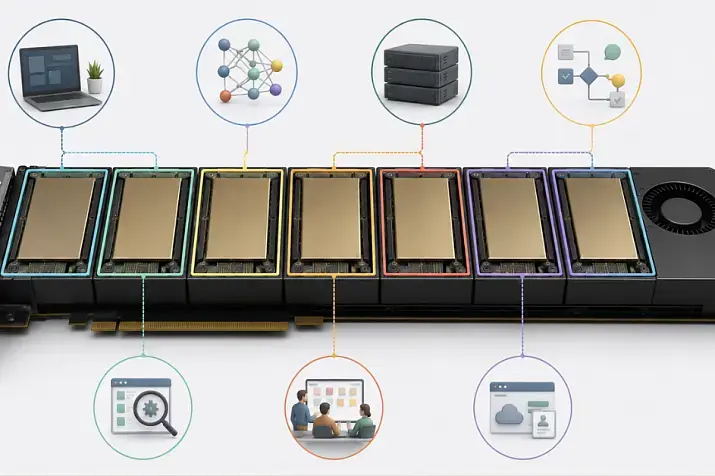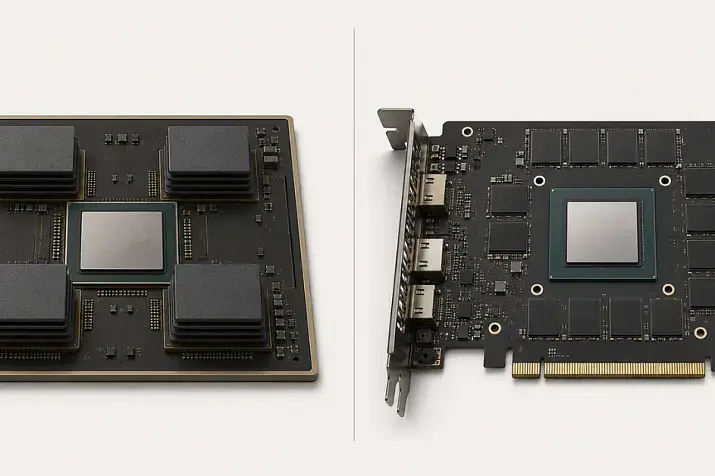
You should not choose an NVIDIA server GPU by one number alone, whether it is the number of CUDA cores, the amount of GPU memory, or the maximum TFLOPS figure. LLMs, neural network training, VDI, rendering, and scientific computing rely on different parameters, so the first step is to understand the workload and only then compare CUDA, Tensor Cores, compute precision, GPU memory capacity and speed, PCIe/NVLink, TDP, and server compatibility.
It is easy to get lost in GPU specification sheets: one card has more TFLOPS, another has more GPU memory, and a third has lower power consumption. But a server GPU does not work on its own. It is installed in a specific server, depends on power and cooling, connects through PCIe or NVLink, and uses specific drivers and libraries. That is why the “most powerful” card on paper is not always the best purchase.
If you are choosing NVIDIA GPUs for AI and neural networks, it is more useful to read specifications not as a list of terms, but as answers to practical questions:
- will the model or working scene fit into GPU memory;
- can the memory feed data to the compute units fast enough;
- does the GPU support the required compute precision;
- can the server cool the card under sustained load;
- does it make sense to overpay for a top-tier model in your specific workload.
Mini glossary
CUDA — NVIDIA’s platform for parallel computing on GPUs.
CUDA cores — general-purpose compute units.
Tensor Cores — units for fast matrix calculations that are important for neural networks.
TFLOPS — trillions of floating-point operations per second.
TOPS — trillions of operations per second, often used for low-precision modes.
FP32 — single precision.
FP16 — half precision.
BF16 — a format often convenient for neural network training.
FP8 — a compact format for modern AI workloads.
INT8 — an integer format often used for inference.
FP64 — double precision for scientific and engineering calculations.
VRAM — GPU memory.
HBM — high-speed memory for top-tier accelerators.
GDDR — common graphics memory.
Bandwidth — memory throughput.
PCIe — the interface used to connect a GPU to a server.
NVLink — a high-speed connection between GPUs.
TDP — thermal design power, which affects power and cooling.
vGPU — GPU virtualization for virtual workstations.
MIG — splitting one supported GPU into several isolated instances.
Why GPU specifications are often read incorrectly
A server GPU description usually shows impressive numbers: tens of thousands of cores, hundreds or thousands of TFLOPS, large memory capacity, and high memory bandwidth. The problem is that these numbers describe different parts of GPU operation.
For example, TFLOPS show theoretical compute performance. But if the workload is limited by GPU memory, high peak performance will not be fully used. If the model does not fit into VRAM, the GPU will constantly have to exchange data with system memory or split the model across several cards. If the server is not designed for the required thermal design power, the card will overheat or fail to run at full performance.
The most common mistakes are:
- comparing TFLOPS across different precision modes;
- choosing a GPU by the number of CUDA cores;
- looking only at memory capacity and not at memory speed;
- forgetting about PCIe lanes, NVLink, and server topology;
- not checking TDP, form factor, and cooling;
- buying a card for VDI without checking vGPU support;
- using an AI accelerator for scientific computing where double precision is required.
There is no universal “best to worst” ranking for server GPUs. There is only a match between the GPU and the workload.
GPU servers
Free shipping on orders over 500 € in the EU, £500 in the UK, and $3,000 in the USA
Free shipping on orders over 500 € in the EU, £500 in the UK, and $3,000 in the USA

Free shipping on orders over 500 € in the EU, £500 in the UK, and $3,000 in the USA
Free shipping on orders over 500 € in the EU, £500 in the UK, and $3,000 in the USA
Start by defining the workload
The same GPU can be a good choice for inference, questionable for VDI, and cost-inefficient for scientific computing. That is why you need to understand what exactly will run on the server before comparing specifications.
LLM inference
For running large language models, the most important factors are:
- GPU memory capacity;
- memory bandwidth;
- support for BF16, FP16, FP8, or INT8;
- Tensor Cores;
- data exchange speed between GPUs if the model is split across several cards;
- power consumption per request.
If the model does not fit into memory, the number of CUDA cores will not help. If it fits but the memory is slow, data delivery can become the bottleneck. That is why LLM workloads are often evaluated not only by compute performance, but by the “VRAM + bandwidth + Tensor Cores” combination.
For example, NVIDIA H200 is interesting precisely because it combines a large amount of HBM3e memory with high bandwidth. This matters for large models and long context windows.
Neural network training
For training, the important factors are:
- Tensor Cores;
- support for BF16, FP16, and FP8;
- memory capacity for the model, batch, activations, and optimizer;
- memory bandwidth;
- NVLink or another high-speed connection between GPUs;
- stable cooling under long sustained load.
During training, a GPU can run at high utilization for hours or days. That is why you cannot look only at peak TFLOPS. You need the whole platform: server, power, cooling, GPU topology, drivers, and libraries.
Rendering and 3D graphics
For rendering, the important factors are:
- CUDA cores;
- RT cores if ray tracing is used;
- memory capacity for scenes, textures, and geometry;
- compatibility with specific software;
- drivers;
- thermal behavior.
These workloads do not always require the most expensive AI accelerator. Sometimes a more versatile card such as NVIDIA L40S is more logical because it is designed not only for AI, but also for graphics, rendering, and multimedia workloads.
VDI and virtual workstations
For VDI, raw GPU specifications are not enough. You need to look at:
- vGPU support;
- GPU memory per user;
- available virtualization profiles;
- licensing;
- video encoding and decoding;
- hypervisor compatibility;
- power consumption and deployment density.
The NVIDIA vGPU documentation is useful because virtual workstations depend not only on hardware, but also on the software model: driver versions, licenses, hypervisors, and supported GPUs.
Scientific and engineering computing
For HPC and engineering workloads, the important factors are:
- FP64 if double precision is required;
- memory bandwidth;
- ECC memory;
- stability under long load;
- scaling across GPUs;
- support for the required libraries.
Here you cannot focus only on FP8 or INT8. These modes are useful for AI, but they do not replace FP64 when a calculation requires high numerical precision.
Choosing the Right Equipment
Our specialists will contact you and answer all your questions
Which parameter to check first
| Workload | What to check first | What to check second | What is often forgotten |
|---|---|---|---|
| LLM inference | GPU memory capacity | Memory bandwidth, Tensor Cores, FP8/BF16/INT8 | The model may not fit into memory; multiple GPUs require high-speed interconnects |
| Model training | Tensor Cores and support for the required precision | VRAM, bandwidth, NVLink | Peak TFLOPS do not show the full training performance |
| Rendering | CUDA/RT cores | VRAM, drivers, software compatibility | An AI card is not always optimal for a specific render engine |
| VDI | vGPU and VRAM per user | NVENC/NVDEC, TDP, form factor | Licenses and virtualization profiles |
| Scientific computing | FP64 and bandwidth | ECC, NVLink, stability | Not every AI GPU is suitable for double precision |
| Video analytics | NVENC/NVDEC | TDP, memory, number of streams | TFLOPS may be secondary |
| Mixed-use server | Balance of VRAM, bandwidth, and TDP | Server compatibility | The server may not handle the power or cooling load |
CUDA cores: when they matter and when they are misleading
CUDA cores are the general-purpose compute units of a GPU. They perform many parallel operations and are important for workloads that parallelize well: rendering, simulations, image processing, and some machine learning computations.
But the number of CUDA cores cannot be read as a direct answer to the question “which card is faster?” Real performance depends on:
- GPU architecture;
- clock speeds;
- memory type and speed;
- Tensor Cores;
- supported precision modes;
- drivers and libraries;
- optimization of the specific application.
A common mistake is choosing a GPU for LLMs only because it has more CUDA cores. For language models, it is often more important whether the model fits into memory, how quickly the GPU can read weights from VRAM, and whether it supports the required compute mode.
For rendering, CUDA cores can be much more important. But even there, they should be considered together with memory, RT cores, and the requirements of the specific rendering engine.
Tensor Cores: why they matter for AI
Tensor Cores are specialized units for matrix calculations. Matrix operations are the foundation of neural networks, so Tensor Cores are especially important for training and inference.
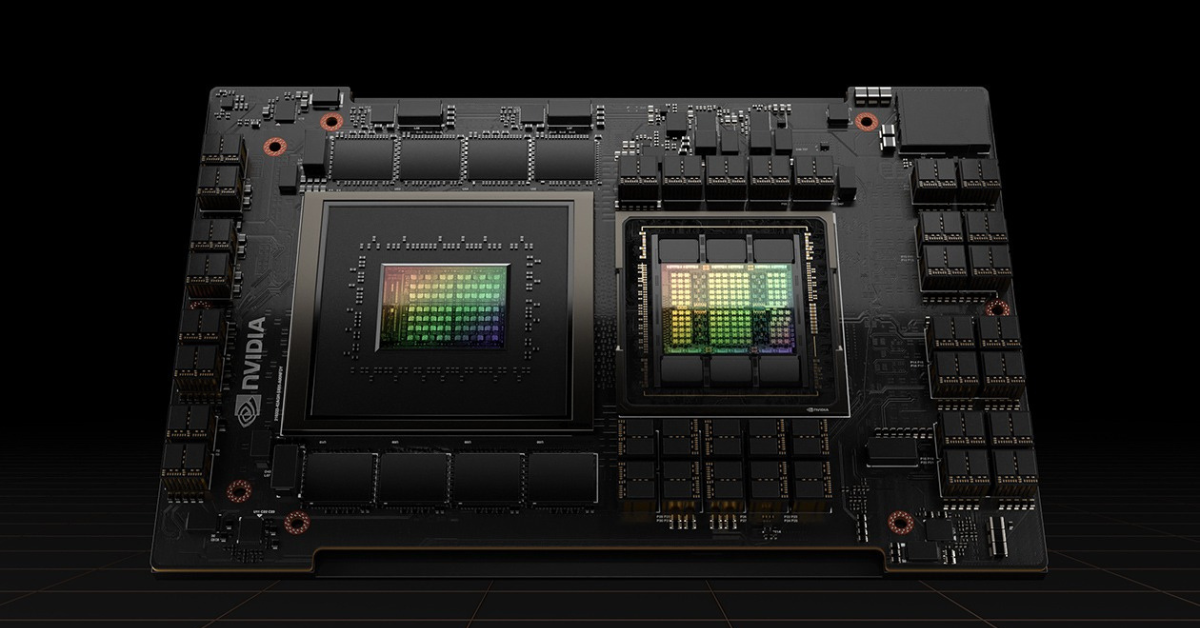
H100 GPU.
Image source: NVIDIA
Their role is easy to see across NVIDIA A100, H100, and H200 generations. For example, NVIDIA H100 supports high performance in FP16, BF16, FP8, and INT8, and uses the Hopper architecture designed for modern AI workloads.
When reading a specification, it is important to look not only at the number of Tensor Cores, but also at which modes they support:
- FP16 — a common format for neural networks;
- BF16 — often convenient for training because it handles a wide range of values better;
- FP8 — a more compact format for modern AI workloads;
- INT8 — often used for inference after quantization.
Large Tensor TFLOPS numbers do not automatically mean that any model will accelerate. You need to check whether the chosen framework, inference engine, and model itself support the required mode.
FP32, FP16, BF16, FP8, INT8, and FP64 in simple terms
Server GPU specifications often list different precision types. These are not just technical abbreviations. They show how the GPU stores and processes numbers.
FP32
Single precision. It is used in general-purpose computing, graphics, some ML code, and workloads where precision cannot be reduced too aggressively.
FP16
Half precision. Numbers take up less space, calculations run faster, and memory usage is lower. It is widely used in neural networks.
BF16
A format convenient for neural network training. It is similar to FP16 in size, but often behaves better when training large models.
FP8
An even more compact format. It can accelerate training and inference, but requires support from the GPU, libraries, and model. You cannot simply take any model and expect FP8 to give the same result without tuning.
INT8
An integer format. It is often used for inference when the model is already trained and can be quantized. It helps reduce memory requirements and increase speed, but quality must be checked.
FP64
Double precision. It is important for some scientific, engineering, and financial calculations. For most LLMs, it is not the key parameter, but for HPC it can be decisive.
The main mistake is comparing numbers across different modes. FP32 on one card cannot be directly compared with FP8 on another. These are different types of computation, different precision levels, and different scenarios.
TFLOPS and TOPS: why peak performance is not application speed
TFLOPS show how many trillions of floating-point operations a GPU can theoretically perform per second. TOPS are more often used for low-precision or integer operations.
But peak values do not guarantee speed in a real workload. The result depends on:
- compute precision;
- batch size;
- model architecture;
- memory speed;
- data transfer between CPU and GPU;
- communication between multiple GPUs;
- driver version;
- framework optimization;
- temperature and power limits.
If a specification lists a very high TFLOPS value, ask three questions:
- Which precision mode is it measured in?
- Is this dense compute or a sparsity mode?
- Can my software actually use this mode?
For LLM inference, operations per second are not the only important metric. Response latency, tokens per second, context size, memory utilization, and cost per request are often more important.
GPU memory: capacity, type, bus, and bandwidth
GPU memory is one of the key parameters of a server GPU. But it also cannot be evaluated by capacity alone.
VRAM capacity
GPU memory capacity shows how much data can reside directly on the GPU without constant exchange with system memory.
It is important for:
- LLMs — so the model and context fit into memory;
- training — so there is enough space for the model, batch, activations, and optimizer;
- rendering — so the scene and textures are not evicted from memory;
- VDI — so each user has enough memory for their profile;
- scientific computing — so data does not have to be split too aggressively.
If a model needs more memory than the GPU has, you will have to use several cards, offload part of the data to system memory, or reduce the model or precision. All of these options affect speed and cost.
Memory type
HBM and GDDR are the most common types in server GPUs.
HBM is expensive and very fast memory used in top-tier accelerators for AI and HPC. It provides high bandwidth and is well suited for workloads where the GPU constantly reads large amounts of data.
GDDR is more common graphics memory. It is often found in universal GPUs for graphics, rendering, VDI, video, and some AI workloads.
For example, NVIDIA A100 uses HBM2e, while H100/H200 moved to newer HBM generations. That is why two cards with similar memory capacity can differ significantly in real data access speed.
Memory bus
The memory bus is the “width of the road” between the GPU and GPU memory. The wider it is, the more data can be transferred per clock cycle. But bus width alone does not give the full picture.
The final bandwidth is affected by:
- memory type;
- memory frequency;
- GPU architecture;
- memory controllers;
- cache;
- features of the specific workload.
Bandwidth
Bandwidth shows how fast the GPU can read and write data in VRAM. For LLMs and HPC, this parameter is often critical.
If the compute units are ready to work faster than the memory can feed them data, part of the GPU’s power remains idle. That is why a card with lower peak TFLOPS but faster memory can be better for a memory-bound workload.
PCIe, NVLink, and PCIe lanes
A GPU connects to a server through an interface. Most often, this is PCIe. In multi-GPU systems, NVLink and server topology also matter.
PCIe affects data exchange between the CPU, system memory, storage, and GPU. For a single card in a simple workload, it may not be the main bottleneck. But for large models, distributed training, and active data transfer between multiple GPUs, the interface becomes more important.
When choosing a server, you need to check:
- how many PCIe lanes are available for each GPU;
- which PCIe generation is supported;
- how many cards physically fit in the server;
- whether GPUs share lanes with other devices;
- whether NVLink or NVSwitch is available;
- whether the server supports the required topology;
- whether power and cooling are sufficient.
The fact that a powerful GPU appears in a price list does not mean it can be installed in any server without problems. This is especially true for several high-TDP cards.
Our most popular servers

Free shipping on orders over 500 € in the EU, £500 in the UK, and $3,000 in the USA
Free shipping on orders over 500 € in the EU, £500 in the UK, and $3,000 in the USA
Free shipping on orders over 500 € in the EU, £500 in the UK, and $3,000 in the USA

Free shipping on orders over 500 € in the EU, £500 in the UK, and $3,000 in the USA
TDP, power, and cooling
TDP shows the thermal design power of a GPU. In server infrastructure, this is not simply “how much electricity the GPU consumes.” It is a parameter that affects the entire operation.
TDP is related to:
- heat output;
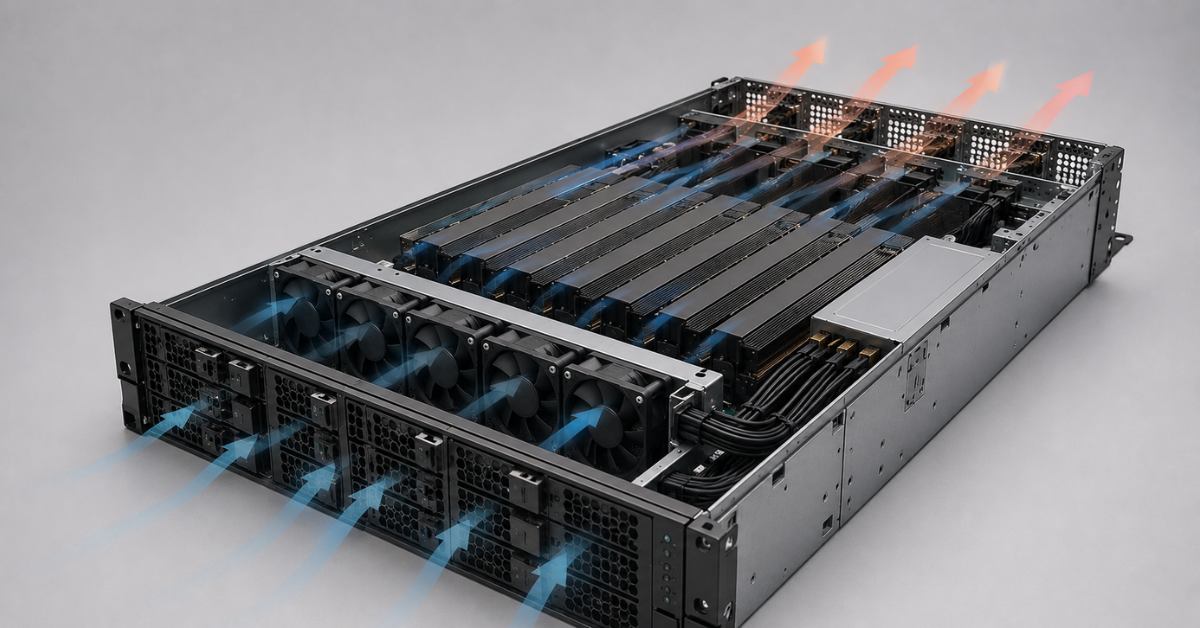
- airflow requirements;
- power supply units;
- GPU deployment density;
- noise level;
- rack temperature;
- electricity costs;
- the ability to install several cards in one server.
Many server GPUs have passive cooling and rely on airflow inside the server. Such a card is not designed for a regular case without proper airflow. If the cooling system is not designed for the required thermal load, the GPU will reduce clock speeds, overheat, or become unstable.
High TDP does not make a card bad. For top-tier AI and HPC accelerators, it is the normal price of high performance. The real question is whether the server and data center are ready for such a card, and whether its performance pays off in your workload.
Choosing the Right Equipment
Our specialists will contact you and answer all your questions
How to translate GPU specifications into engineering meaning
| Specification | What it means in simple terms | What it affects | When it is critical |
|---|---|---|---|
| CUDA cores | General-purpose parallel compute units | Rendering, simulations, some calculations | Rendering, some HPC, image processing |
| Tensor Cores | Units for matrix calculations | Neural network training and inference | LLM, ML, DL |
| TFLOPS | Theoretical speed of floating-point operations | Potential compute performance | Only when comparing the same precision |
| TOPS | Operations per second in low-precision modes | Inference, quantization | INT8/FP8 inference |
| FP16/BF16/FP8 | Compact compute formats | Speed and memory usage | Modern neural networks |
| FP64 | Double precision | Calculation accuracy | HPC, engineering, and scientific workloads |
| VRAM | GPU memory capacity | Model, scene, or user profile size | LLM, VDI, rendering, training |
| Bandwidth | Data exchange speed with GPU memory | Compute unit utilization | LLM, HPC, large datasets |
| PCIe/NVLink | Connection between the GPU, server, and other GPUs | Scaling and data exchange | Multi-GPU, training, large models |
| TDP | Thermal design power | Power, cooling, operating cost | Dense GPU servers |
| Form factor | Physical card design | Server compatibility | Any GPU purchase |
How to read an NVIDIA GPU product page step by step
Before buying, it is useful to go through the specification in one sequence.
- Define the workload.
LLM, training, VDI, rendering, and HPC require different parameters. - Check GPU memory capacity.
First you need to understand whether the model, scene, dataset, or user profile fits into memory. - Look at memory bandwidth.
This is especially important for LLMs, large datasets, and scientific computing. - Check Tensor Cores and precision.
For AI, FP16, BF16, FP8, and INT8 matter, but only if your stack can use them. - Compare TFLOPS only in the same mode.
Compare FP32 with FP32, FP16 with FP16, and FP8 with FP8. - Evaluate the interface.
PCIe, NVLink, and server topology are especially important for multiple GPUs. - Check TDP.
The server must be able to handle power and cooling under sustained load. - Clarify the form factor.
PCIe and SXM are different designs. They are not interchangeable without the right platform. - Check software support.
Drivers, CUDA, vGPU, frameworks, and libraries must match the workload. - Calculate the cost of the solution, not just the card price.
The final cost includes the server, power, cooling, licenses, support, downtime, and scaling.
Common mistakes when choosing an NVIDIA server GPU
Comparing TFLOPS without checking precision
One card may show high values in FP8, while another shows them in FP32 or FP64. These are different modes. You cannot conclude that “this GPU is faster” without checking which precision your workload uses.
Choosing by CUDA cores
The number of CUDA cores matters, but it does not replace memory, Tensor Cores, bandwidth, and architecture. For LLMs, this mistake is especially common.
Looking only at VRAM capacity
80 GB of memory is not the whole specification. You need to look at memory type, bandwidth, interface, and form factor. For large models, high memory speed can be just as important as capacity.
Ignoring the server
The GPU must physically and electrically fit the server. You need to check power, airflow, PCIe lanes, card height and width, BIOS compatibility, and vendor support.
Ignoring VDI licenses
For virtual workstations, not only the GPU matters, but the whole vGPU ecosystem. Without the required licenses and profiles, the card may not solve the task.
Buying a top-tier card for a light workload
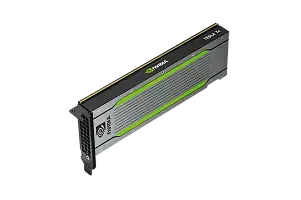
Not every workload needs an H100 or H200. For light inference, video analytics, or VDI, it can sometimes be more rational to look at cards with lower TDP and a more suitable total cost of ownership, such as NVIDIA T4 16 GB or more versatile PCIe GPUs.
Selection examples for different scenarios
Server for LLM inference
First, you need to understand:
- how many parameters the model has;
- which precision it will use;
- what context size is required;
- whether the model fits into one GPU;
- whether multiple GPUs are needed;
- whether latency or overall throughput is more important;
- whether the stack supports FP8, BF16, or INT8.
For large models, it is logical to look at GPUs with large and fast HBM memory, such as NVIDIA H100 80 GB or NVIDIA H200. But if the model is small or already quantized, a top-tier card may be excessive.
Server for training
In training, the whole platform matters, not just one GPU. You need to evaluate:
- how much memory the model and batch need;
- whether BF16/FP16/FP8 is supported;
- whether NVLink is required;
- how many GPUs will be installed in the server;
- whether the server can withstand long full-load operation;
- which CUDA and library versions are required.
For these tasks, NVIDIA A100 80 GB, H100, or H200 are often considered, but the choice depends on the training scale and budget.
Server for VDI
For virtual workstations, first count users and profiles:
- office workloads;
- CAD;
- 3D;
- video;
- work with multiple monitors;
- light AI tools.
Then calculate GPU memory per user and check vGPU, licenses, and hypervisor compatibility. In VDI, the most expensive AI card is not always more cost-effective. Stability, user density, and predictable cost matter more.
Server for rendering
For rendering, you need to look at how the specific engine uses the GPU. Some workloads depend more on CUDA, others on RT acceleration, and others quickly run into VRAM limits.
If scenes are heavy, memory becomes critical. If scenes are small but rendering runs continuously, overall performance and cooling become more important. For mixed rendering, graphics, and inference workloads, you can consider NVIDIA L40 48 GB.
Server for scientific computing
Here you need to clarify immediately whether double precision is required. If the workload requires FP64, FP8 or INT8 figures say almost nothing about GPU suitability.
Also important:
- ECC;
- bandwidth;
- scaling;
- libraries;
- result reproducibility;
- stability under long sustained load.
For HPC, you cannot choose a card only by AI marketing. You need to read exactly the specifications that are relevant to the scientific workload.
What to conclude before buying
An NVIDIA server GPU should be chosen not by the largest number in the specification, but by a combination of parameters for a specific workload. For LLMs, GPU memory, bandwidth, Tensor Cores, and precision come first. For training, memory, Tensor Cores, NVLink, and the server platform matter. For VDI, vGPU, memory per user, licenses, and energy efficiency matter. For rendering, CUDA/RT cores, VRAM, and software compatibility matter. For HPC, FP64, bandwidth, ECC, and stability matter.
Before buying, you should check not only the GPU, but also the server: power, cooling, PCIe lanes, form factor, driver support, and scaling options. This makes it easier to avoid a situation where a card looks powerful in the specification, but does not perform well in the real workload or does not fit the chosen platform at all.
Choosing the Right Equipment
Our specialists will contact you and answer all your questions
Content:
Free shipping on orders over 500 € in the EU, £500 in the UK, and $3,000 in the USA
Free shipping on orders over 500 € in the EU, £500 in the UK, and $3,000 in the USA
Free shipping on orders over 500 € in the EU, £500 in the UK, and $3,000 in the USA
Free shipping on orders over 500 € in the EU, £500 in the UK, and $3,000 in the USA
Free shipping on orders over 500 € in the EU, £500 in the UK, and $3,000 in the USA
Free shipping on orders over 500 € in the EU, £500 in the UK, and $3,000 in the USA