HPE ProLiant DL385 is a 2U, dual-socket rack server based on AMD EPYC. For an inexpensive upgrade to an existing infrastructure, consider Gen10. If you need more performance while retaining DDR4, consider Gen10 Plus v2. For a new project that calls for DDR5 and PCIe 5.0, consider Gen11. The final choice depends on the installed processors, memory, drive cage and expansion cards: two servers of the same generation can differ considerably in capability.
What workloads is the DL385 designed for?
The DL385 belongs to a line of versatile dual-socket servers. Its 2U chassis provides room for multiple drive groups, network adapters and other expansion cards. The platform suits workloads that need compute resources and configuration flexibility, including:
Virtualization. Numerous cores and a large memory capacity make it possible to run several workloads on one host. Drive speed, networking and the high-availability design also matter.
Databases and business applications. Core count matters, but so do single-thread performance, memory capacity and storage latency.
Local data storage. The 2U chassis accommodates different drive layouts. Choose a cage for the required drive size and interface before purchasing the server.
Accelerated computing. GPU compatibility depends on the particular chassis, risers, power supply and cooling. The name “DL385 Gen11” alone does not guarantee compatibility with every graphics card.
If the workload fits within the capabilities of one processor, it is useful to compare the DL385 with single-socket AMD models: an unused second socket does not make a light workload run faster. If you need a dual-socket 2U Intel server, the DL380 has a similar role. Its generations are covered in “HPE ProLiant DL380: a comparison of generations”.
Which DL385 generations are available?
HPE generation names refer to the server platform, not directly to AMD processor generations. Gen10 and an EPYC 7002-series processor can therefore coexist. Nor is Gen10 Plus v2 simply another name for Gen11: they use different processor platforms and memory types.
| DL385 version | Processor platform | Memory and expansion | When to consider it |
| Gen10 | AMD EPYC 7001 series and, in applicable configurations, the 7002 series | DDR4; capabilities depend on the configuration | Budget-conscious upgrade |
| Gen10 Plus | AMD EPYC 7002 series | DDR4, PCIe 4.0 | When an available configuration of this version fits the workload |
| Gen10 Plus v2 | AMD EPYC 7003 series | DDR4, PCIe 4.0 | Higher performance without moving to DDR5 |
| Gen11 | AMD EPYC 9004 and 9005 series | DDR5, PCIe 5.0 | New project with room for modern drives and expansion cards |
The table outlines the platform's development. Determine supported processors, memory capacity and device combinations for a specific server from its specification and the supplied configuration. HPE describes the DL385 Gen11 as a dual-socket system with AMD EPYC 9004- and 9005-series processors, DDR5 memory and PCIe 5.0.
Choosing the Right Equipment
Our specialists will contact you and answer all your questions
DL385 Gen10: an affordable entry into AMD EPYC
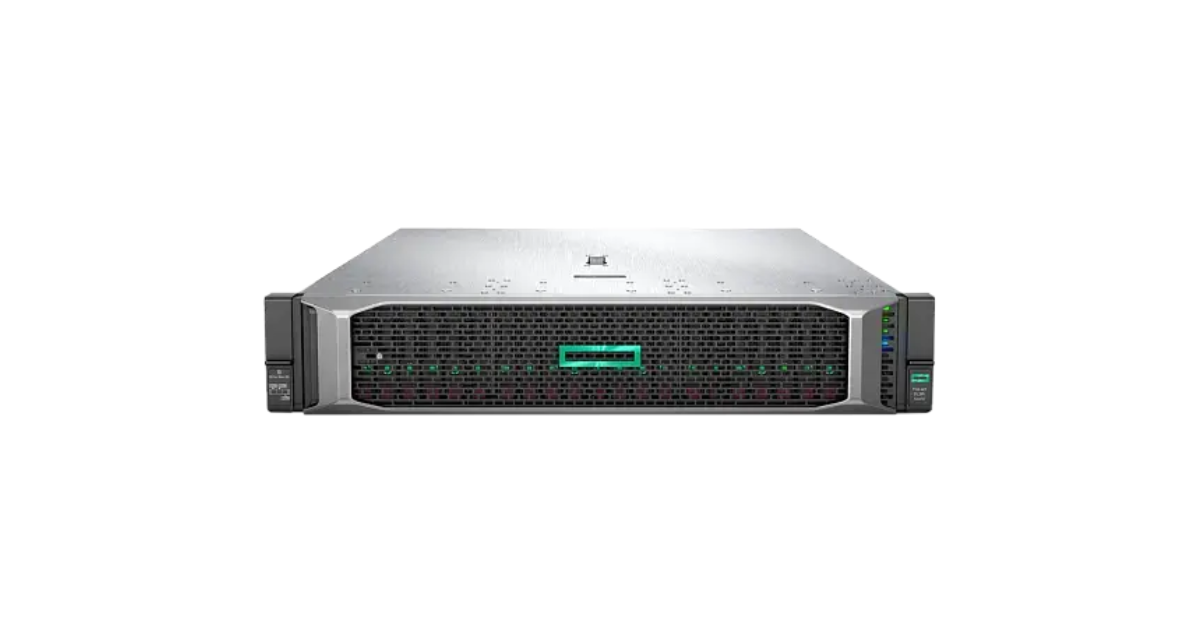
Image source: Servermall
Gen10 is worth considering if you already operate DDR4 servers and need more compute capacity without replacing the whole infrastructure. It can serve as an additional virtualization host, application server or separate system for less demanding workloads.
When choosing Gen10, pay particular attention to the exact configuration: the same model name covers different processors and component sets. DL385 Gen10 documentation includes both AMD EPYC 7001-series variants and 7002-series processor kits. The server generation alone does not identify the installed processor.
- Key questions for a Gen10 project:
- Will the selected processors provide enough performance throughout the planned service life?
- How much memory is already installed, and what will an upgrade cost?
- Which drive cages, controllers and network cards are included in the proposed configuration?
- Does this specific configuration support the required drives and cards?
The price of a basic Gen10 chassis can look attractive. To compare it with a newer system, however, calculate the server's cost after adding the necessary memory, networking and drives.
DL385 Gen10 Plus: faster expansion options
Gen10 Plus is based on AMD EPYC 7002-series processors, DDR4 memory and PCIe 4.0. Compared with earlier configurations, it offers more options for connecting fast drives and expansion cards. For virtualization and data workloads, this improvement may be more useful than simply adding processor cores.
“Supported by the platform” and “installed in the server” mean different things. The drive cage, wiring, controller and risers determine which options are available in a particular chassis. Do not judge Gen10 Plus solely by the maximum bay count in a marketing description.
DL385 Gen10 Plus v2: EPYC 7003 without a move to DDR5
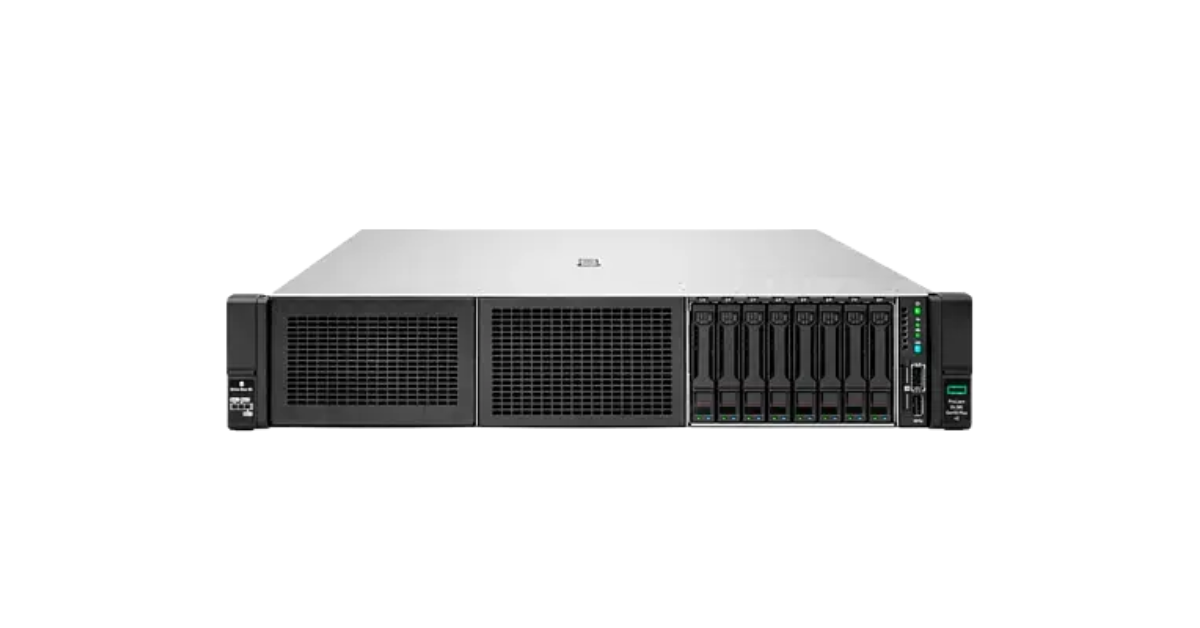
Image source: Servermall
The v2 version matters to buyers who want the performance of AMD EPYC 7003-series processors while continuing to use DDR4 infrastructure. HPE lists this version separately in its specifications. The DL385 Gen10 Plus v2 page provides its characteristics and a link to the technical data sheet. The platform supports two EPYC 7003-series processors and 32 DDR4 slots.
The v2 designation has practical implications when buying refurbished equipment. If a seller lists only “DL385 Gen10 Plus”, establish the exact chassis version and supported processor list. A shared series name does not confirm that a processor from another platform version can be installed.
Drive layout is another important consideration. The model page lists various SFF, LFF and NVMe options, including additional bays. These configurations require the appropriate parts and may compete with other devices for internal space. Do not assume that every DL385 Gen10 Plus v2 unit supports the maximum bay count mentioned in a product description.
DL385 Gen11: new memory and expansion lanes
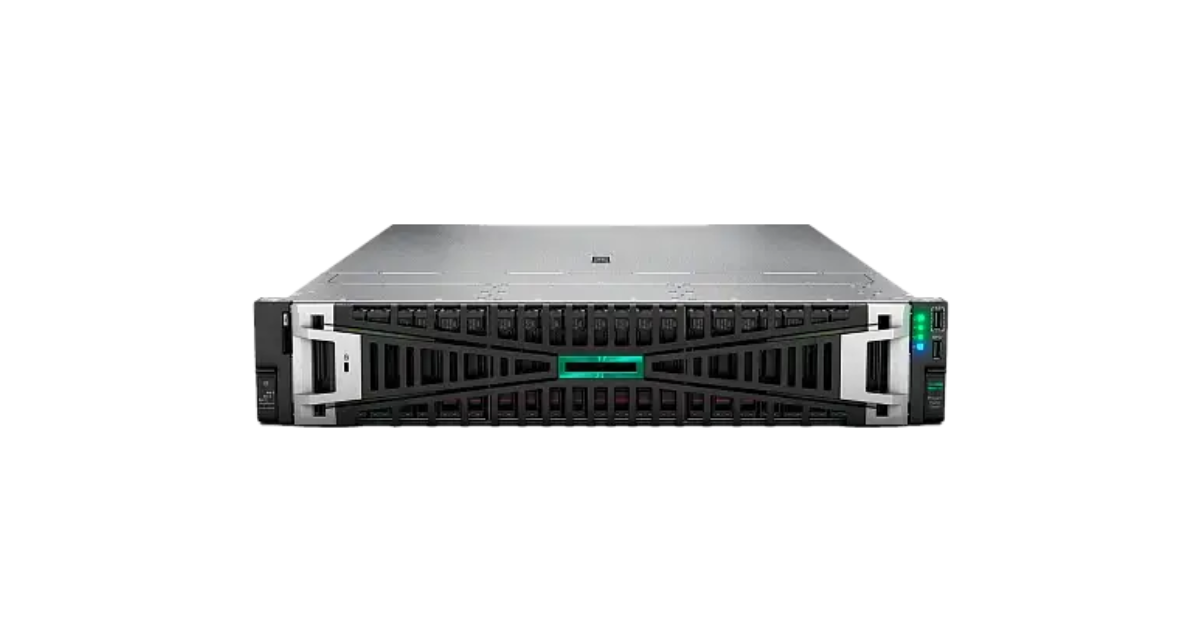
Image source: Servermall
DL385 Gen11 moves the line to AMD EPYC 9004- and 9005-series processors, DDR5 memory and PCIe 5.0. HPE positions it as a dual-socket 2U server for computing, data storage and accelerator configurations. It is an option for projects expected to grow over several cycles, where memory speed and connectivity matter alongside core count.
Moving to a newer generation does not mean every Gen10 Plus v2 owner will see a substantial gain from replacing their server. Drives, networking or software licensing may constrain a moderate workload. Compare complete configurations for the same task, with equivalent required memory, drive class, network bandwidth and acceptable downtime.
The DL385 Gen11 catalogue includes systems with different processors, drive cages and supplied components. Consider each configuration as a whole rather than treating the platform's maximum capabilities as specifications for every product.
What has the greatest effect on server capability?
One processor or two
The DL385 is designed for two processors but can be supplied with one. This is a normal starting configuration for workloads that do not need a second processor. Before purchase, however, determine which memory slots and expansion connections are available with only one processor installed.
Workload structure also matters. Many virtual machines can generally use a large number of cores. An application dependent on a few fast threads will not necessarily run faster with a second multicore processor. Extra cores can also raise software costs when licensing is based on core count.
Memory: capacity, speed and population
The maximum memory capacity in a specification is a platform limit under particular module and configuration conditions, not a promise for every delivered server. Compare three figures:
- Installed capacity: the amount available to run the server now.
- Required capacity: the amount applications and virtual machines need, with room for growth.
- Upgrade capacity: the number of free slots and the modules compatible with those already installed.
Module population affects memory-channel utilization. A few large modules may perform differently from the same total capacity spread across the channels. With Gen11, account for the switch to DDR5: DDR4 modules from an older server cannot be transferred.
Drives: bay size does not determine the interface
DL385 specifications refer to SFF bays for 2.5-inch drives and LFF bays for 3.5-inch drives. These terms describe physical size. SATA, SAS and NVMe describe connection interfaces; compatibility depends on the cage, backplane, cabling and controller.
This has several practical consequences:
- A server with eight SFF bays does not necessarily support eight NVMe drives;
- Adding rear or internal bays may require an additional kit;
- The storage controller and drives must be evaluated together;
- Adding drives can reduce the space available for other components.
For a database server, specify storage performance and resilience requirements rather than saying only “we need SSDs”. If capacity is the priority, a different cage and drive layout may be appropriate.
Expansion cards, networking, power and cooling
PCIe 4.0 or 5.0 indicates the generation's capabilities, but not the number of free slots in a chosen build. Network adapters, controllers or installed accelerators may already occupy some positions. An accelerator also needs compatible power and cooling.
The same principle applies to networking: the model name does not specify the number or speed of network ports supplied. For virtualization, fast storage and large data transfers, select networking alongside the storage subsystem.
Power supplies must match the server's components and planned expansion. This is especially important with powerful processors and GPUs: physical space for a device does not mean that existing power supplies and fans can support it.
Which generation fits your workload?
| Workload | Reasonable starting point | What matters more than the generation name |
| Expand an existing fleet of DDR4 servers | Gen10 or Gen10 Plus v2 | Infrastructure compatibility and the total cost of memory and required cards |
| Run many virtual machines | Gen10 Plus v2 or Gen11 | Required cores and memory, licence costs, drives and networking |
| Build high-capacity local storage | A version with a suitable drive layout | Cage type, number of connected drives and controller |
| Build a new compute node with accelerators | Gen11 in a compatible configuration | Support for specific GPUs, power, cooling and available connections |
These are starting points, not guarantees that all servers in a row offer the same performance. A Gen11 with minimal memory and slow drives, for example, may be less suitable for virtualization than a Gen10 Plus v2 configured for that workload.
Choosing the Right Equipment
Our specialists will contact you and answer all your questions
Virtualization and databases
For virtualization, first establish the memory capacity and number of cores the workloads will actually use. Then select drives and networking for several simultaneous workloads. For a large database, fast access to data and memory may take priority; the highest-core-count processor will not remove a slow-storage bottleneck.
Consider the applicable software licensing model before comparing prices. If licensing is per core, a server with more cores can cost more to operate even if the hardware price is attractive.
Local storage and accelerators
For high-capacity storage, start with drive count and bay size. For data-intensive workloads, start with the supported drive interface and required speed. Different tasks can call for different configurations even within the same DL385 chassis.
For GPU workloads, start with the accelerator model and number of cards. Then determine the suitable server configuration, power, cooling and space left for networking and drives. The DL385 Gen11 supports accelerator configurations, but check the permitted card types and quantities for the specific build.
Why the base server price does not show the total project cost
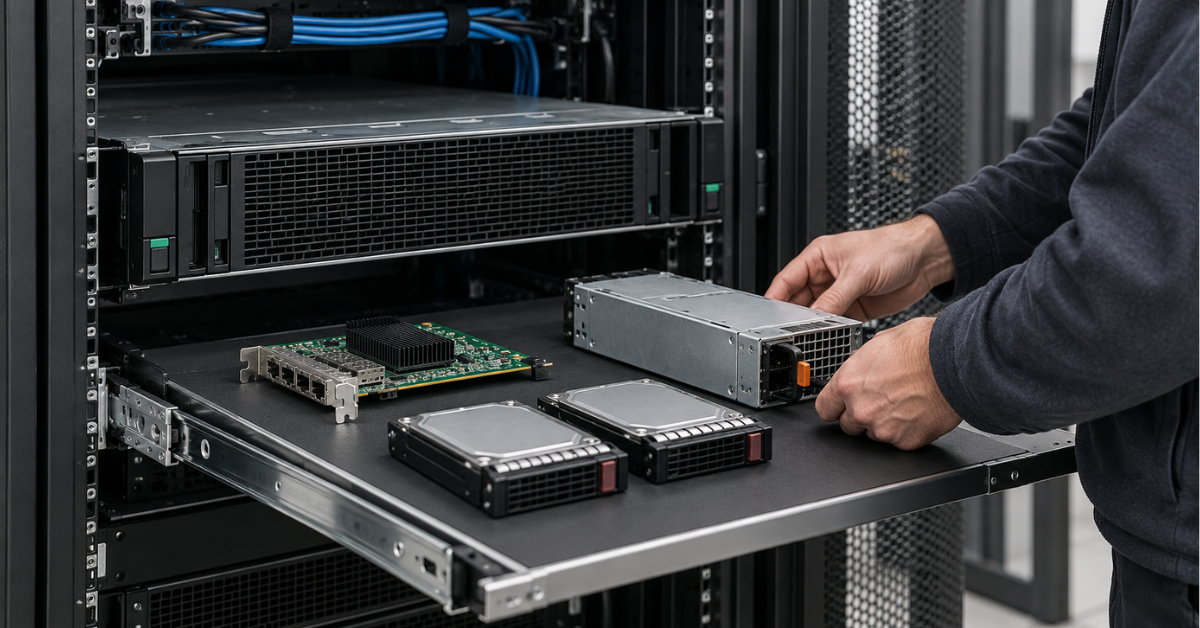
When comparing generations, assess proposals against the same outcome: the server must host the specified workload, connect to the existing network and provide the required room for growth. Only then can you calculate the full cost.
That cost depends on:
- Adding a second processor and more memory;
- The required drive cage, drives and controller;
- Network adapters and other expansion devices;
- Software licences;
- Power, rack placement and service terms.
For a refurbished DL385, the exact components supplied are particularly important. A server with a suitable processor may need further investment because it has too little memory or the wrong drive cage. Conversely, a more expensive ready-to-use configuration may meet the requirement without upgrades.
Read the warranty terms for the specific offer. A seller's warranty and manufacturer support are different arrangements; neither the service period nor its scope can be inferred from the model name alone.
DL385 Gen12 and other common questions
Does the DL385 Gen12 exist? When this article was prepared in September 2026, the current DL385 model in the HPE catalogue was Gen11, while other models appeared in the Gen12 range. If you encounter an offer for a “DL385 Gen12”, request the exact manufacturer designation and specification before comparing it with Gen11.
Are Gen10 Plus and Gen10 Plus v2 the same model? Not when selecting components. Check the v2 version separately, particularly its processor platform.
Are two processors always better than one? No. A second processor makes sense when the workload needs the extra compute resources and memory, and the hardware and licence costs justify the benefit.
What should I choose instead of the DL385 if I need Intel? Compare a suitable DL380 configuration. Compare entire configurations, not just processor brands.
Conclusion
DL385 Gen10 may be sufficient for economical infrastructure expansion. Gen10 Plus v2 suits projects needing EPYC 7003 capabilities and DDR4 memory. Consider Gen11 for a new project that can benefit from DDR5, PCIe 5.0 and further expansion. The general DL385 page lists available configurations; compare the exact components in each build with your workload before choosing. If you need help choosing, contact our specialists!
Choosing the Right Equipment
Our specialists will contact you and answer all your questions