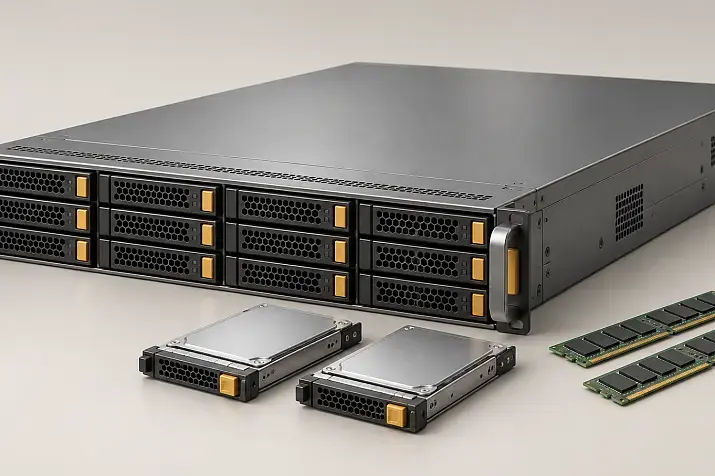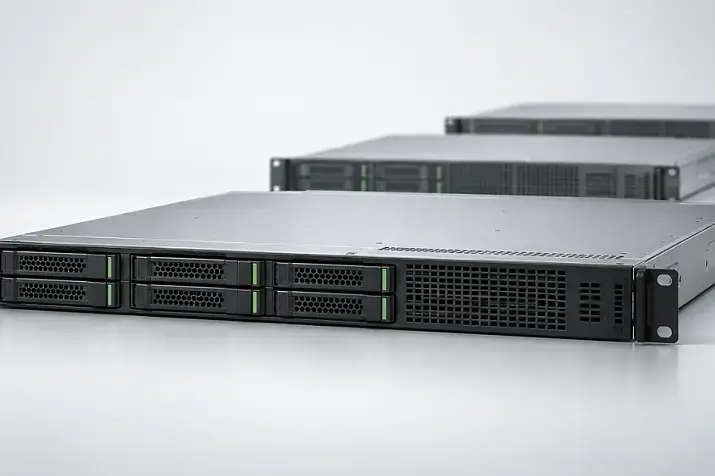
For most enterprise AI solutions, the HPE ProLiant DL385 Gen11 is a sensible starting point: it combines modern accelerators with high-performance AMD EPYC processors, a large memory capacity and a flexible storage subsystem. Choose the HPE ProLiant Compute DL380a Gen12 when high GPU density is required from the outset, several models will run simultaneously, or additional capacity is needed for large-scale inference. For full training of large models, where fast communication between eight accelerators is critical, a specialised platform such as the HPE ProLiant Compute XD685 is a better fit.
HPE DL380a Gen12 and DL385 Gen11 configurations
Free shipping on orders over 500 € in the EU, £500 in the UK, and $3,000 in the USA
Free shipping on orders over 500 € in the EU, £500 in the UK, and $3,000 in the USA
Free shipping on orders over 500 € in the EU, £500 in the UK, and $3,000 in the USA
Free shipping on orders over 500 € in the EU, £500 in the UK, and $3,000 in the USA
How a general-purpose server differs from a specialised GPU platform
Having free PCIe slots does not automatically make a server a complete AI platform. In a general-purpose system, accelerators share internal resources with network adapters, storage controllers and NVMe drives. This type of server is convenient when a small model, a vector database, containers, virtual machines and application services run on the same node, but it may not be suitable for demanding AI workloads.
To simplify server selection, first determine which product class is required. HPE systems can be divided into three main categories according to their GPU capabilities.
General-purpose servers with GPU support
This category includes the DL380 Gen12, DL340 Gen12, DL325 Gen11 and other models for which GPUs are one of several possible configuration options.
Their main advantages are:
- easier integration into an existing rack and management environment;
- more space can be retained for drives and network cards;
- it is convenient to start with one or two GPUs;
- the server remains suitable for virtualisation, databases and conventional applications;
- power and cooling requirements are lower than those of the densest AI systems.
The main limitation is the relatively small number of powerful double-wide accelerators. The number of available GPUs may also depend on the drive cage, risers, network configuration and selected processors.
Servers designed for accelerators from the outset
The DL380a Gen12 is not a standard DL380 with an additional cable kit. It is a 4U platform whose chassis, airflow channels, power delivery and slot layout are designed for dense GPU installation.
The accelerators are installed according to defined layouts and distributed between two processor sockets. This architecture is suitable for:
- consolidating several AI services;
- large-scale inference;
- model fine-tuning;
- processing a large number of video streams;
- supporting several teams working in parallel.
High density comes with increased rack, power and cooling requirements.
Specialised systems for training
Platforms such as the XD685 use eight accelerators as a single compute complex. The GPUs themselves are only part of the design: high-speed interconnects, specialised switching, power delivery and cooling are equally important.
A large number of separate PCIe cards does not make a server equivalent to an HGX system. If a model constantly transfers tensors between accelerators, interconnect bandwidth may affect training time more than the nominal GPU count.
Comparison of HPE ProLiant platforms for AI workloads
| Platform | Form factor and CPU | GPU support | Suitable workloads | Main limitation |
|---|---|---|---|---|
| HPE ProLiant Compute DL380a Gen12 | 4U, two Intel Xeon 6 processors | Up to 10 double-wide or 16 single-wide GPUs in supported configurations | Dense inference, multiple models, fine-tuning, multimodal services | High power, cooling and topology requirements |
| HPE ProLiant DL385 Gen11 | 2U, two AMD EPYC 9004/9005 processors | Up to 4 double-wide or 8 single-wide GPUs | RAG, inference, computer vision, mixed workloads | Limited headroom for further GPU expansion |
| HPE ProLiant Compute DL380 Gen12 | 2U, two Intel Xeon 6 processors | Several GPUs; the maximum depends on the configuration | General-purpose infrastructure with AI as one of the workloads | Slots are shared with networking, storage and controllers |
| HPE ProLiant Compute DL340 Gen12 | 2U, one Intel Xeon 6 processor | Up to 4 double-wide or 6 single-wide GPUs in the GPU chassis | Inference, computer vision, cost-effective single-socket system | Less CPU and memory headroom |
| HPE ProLiant DL325 Gen11 | 1U, one AMD EPYC 9004/9005 processor | Up to 2 double-wide or 4 single-wide GPUs | Small AI nodes, VDI, edge inference | Dense layout and limited expansion |
| HPE ProLiant Compute XD685 | 5U with liquid cooling or 6U with air cooling | 8 NVIDIA or AMD accelerators | Large-model training, full fine-tuning, high-performance computing | Cost and data-centre infrastructure requirements |
The stated maximums are not available in every configuration. The exact number of accelerators depends on the GPU model, power rating, form factor, selected risers, cooling system and other expansion cards.
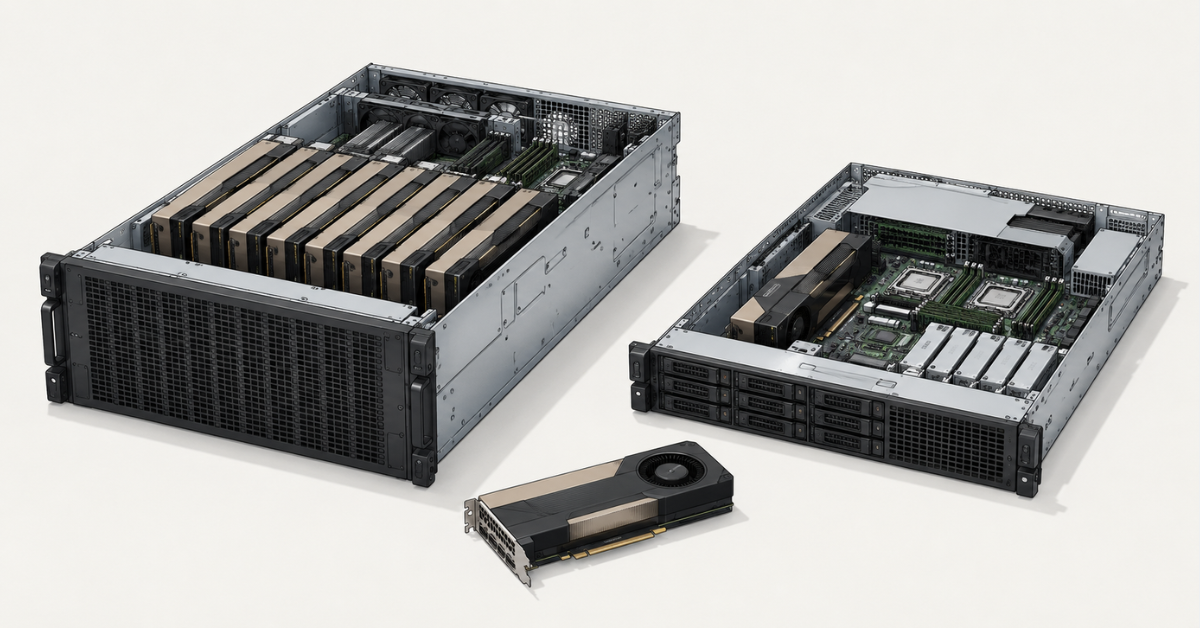
HPE ProLiant Compute DL380a Gen12: when high GPU density is required
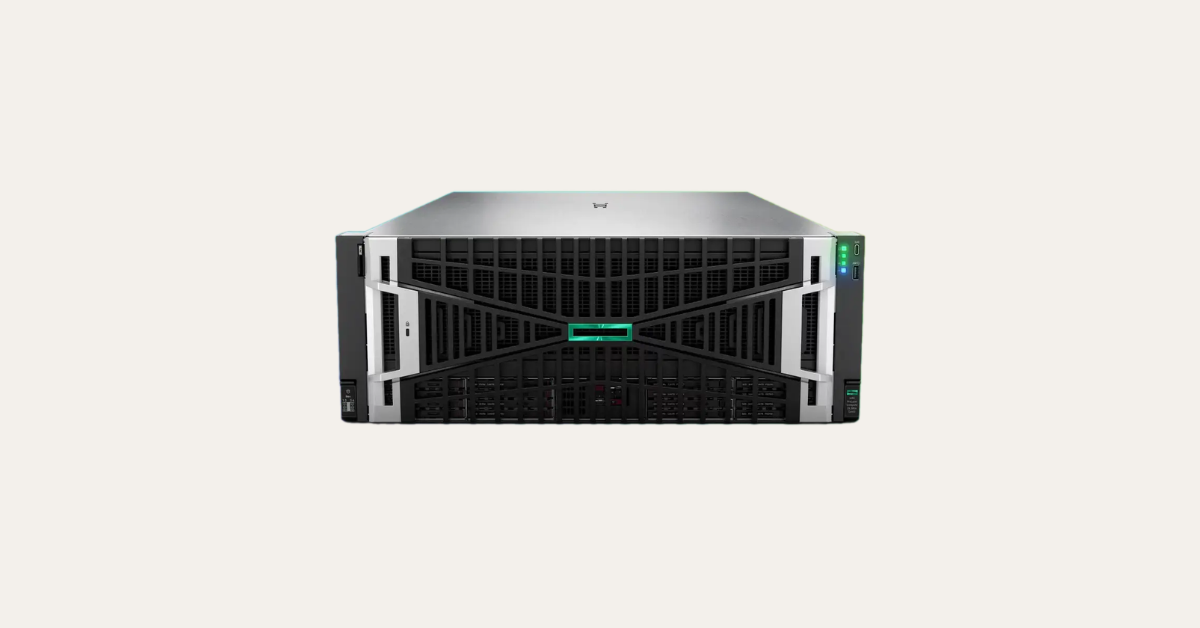
Image source: Servermall
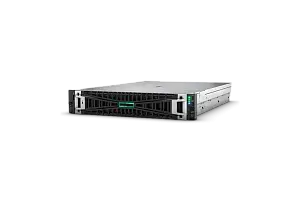
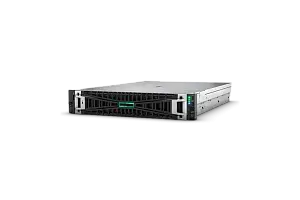
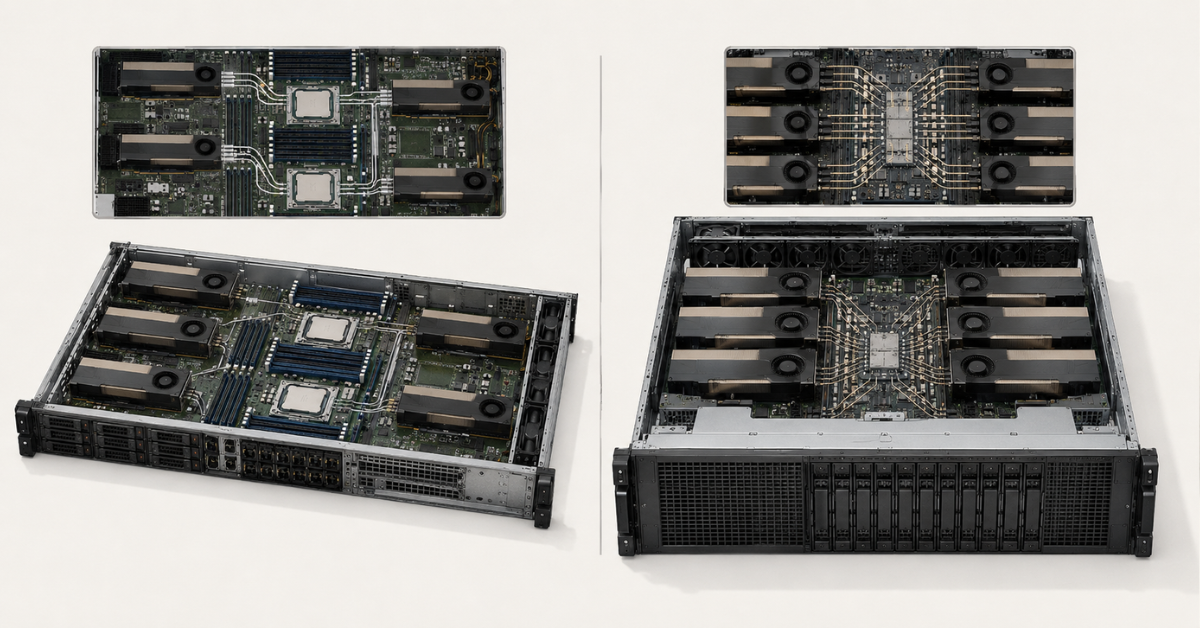
The DL380a Gen12 occupies 4U and uses two Intel Xeon 6 processors. The platform supports PCIe 5.0 and is designed for configurations with 2, 4, 8 or 10 double-wide accelerators, as well as 8 or 16 single-wide accelerators. GPUs are installed in pairs and distributed evenly between the processor sockets.
The maximum of ten double-wide cards is not important by itself. It makes it possible to:
- assign individual models to dedicated accelerators;
- increase the number of concurrent LLM requests;
- host different versions of a model for several departments;
- run fine-tuning and production inference in parallel;
- separate computer vision, speech recognition and text generation;
- run several experiments without constantly reallocating hardware.
Choosing the Right Equipment
Our specialists will contact you and answer all your questions
Which workloads suit the DL380a Gen12
The platform performs particularly well when the GPUs can be used independently. For example, four accelerators may serve the primary language model, two cards may be assigned to an embedding model, another two to computer vision, and the remaining cards to testing.
The DL380a is also well suited to batch inference, where aggregate throughput matters more than the minimum latency of a single request. In this mode, the server processes large groups of jobs simultaneously and distributes them among the accelerators.
Another scenario involves several teams or internal customers. High density allows each group to receive its own GPUs without deploying a separate physical server for every project.
Why ten GPUs are not always better than eight
If one large model is distributed across all accelerators, communication speed between them matters. PCIe connects GPUs to processors, memory and other devices, but it does not always provide the same accelerator-to-accelerator bandwidth as NVLink and NVSwitch in specialised platforms.
Final performance is affected by:
- the location of GPUs relative to the processor sockets;
- the video-memory capacity of each card;
- the ability of accelerators to communicate directly;
- software-platform support for the selected topology;
- data-transfer speed from system memory and NVMe storage;
- network bandwidth when several nodes are combined.
Ten PCIe cards can be highly effective for several independent models. For synchronous training of one large model, an eight-accelerator system with a fast interconnect is often preferable.
Limitations of a dense configuration
A high-density node concentrates power consumption and heat in a single chassis. The design must account for:
- the combined consumption of GPUs, CPUs, memory and network adapters;
- the number and type of PDU connections;
- power-supply redundancy;
- the permitted power per rack;
- inlet-air temperature;
- the availability of direct liquid cooling;
- the cost of downtime for a node hosting many services.
Sometimes two less densely populated servers are more practical than one fully populated system: they are easier to cool, maintain and provide redundancy for.
HPE ProLiant Gen12 and Gen11 servers
Free shipping on orders over 500 € in the EU, £500 in the UK, and $3,000 in the USA
Free shipping on orders over 500 € in the EU, £500 in the UK, and $3,000 in the USA
Free shipping on orders over 500 € in the EU, £500 in the UK, and $3,000 in the USA
Free shipping on orders over 500 € in the EU, £500 in the UK, and $3,000 in the USA
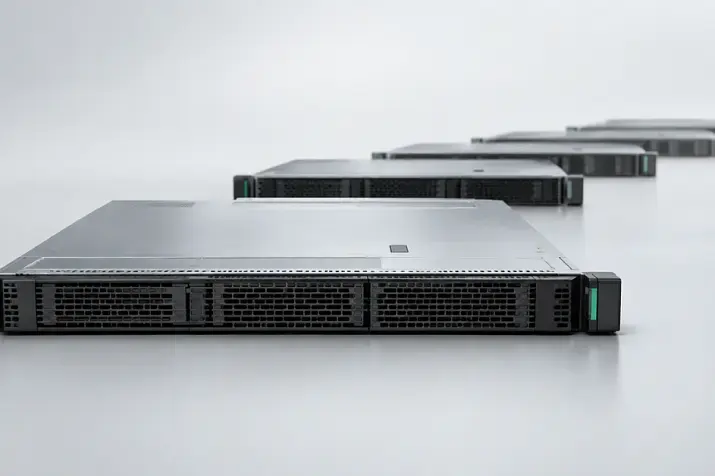
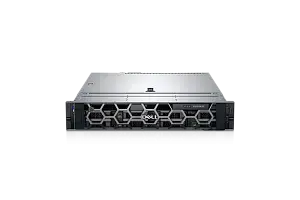
HPE ProLiant DL385 Gen11: a balanced AMD platform
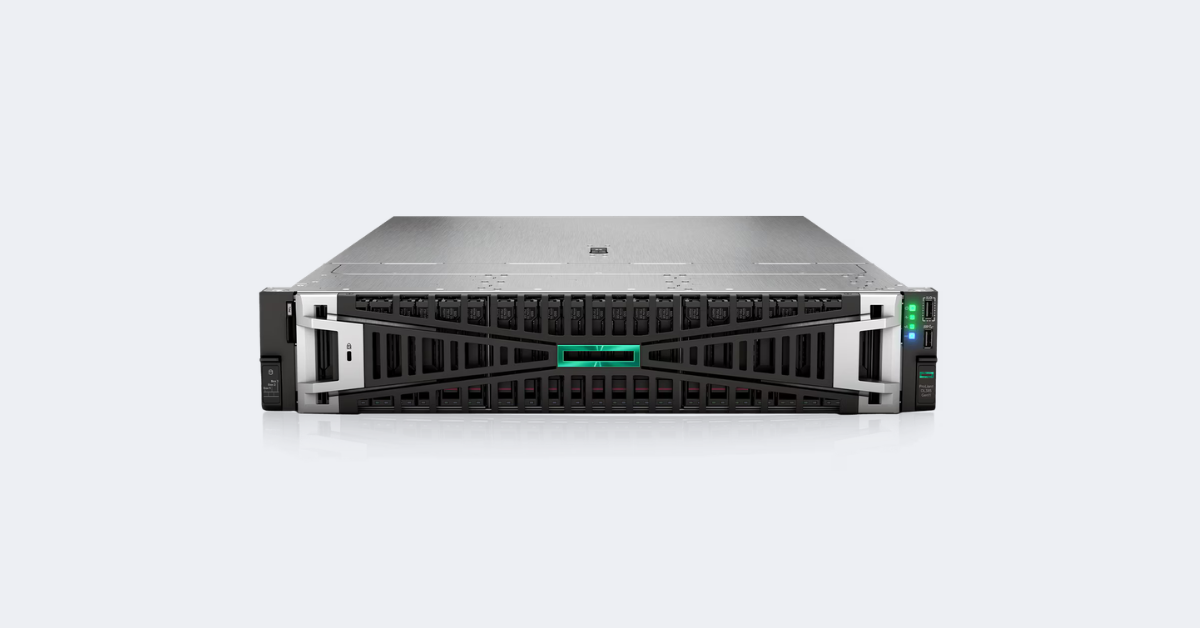
Image source: HPE
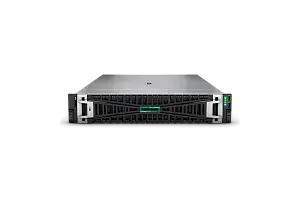
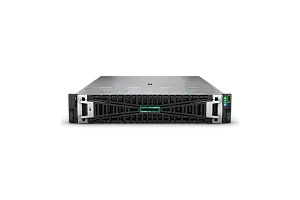
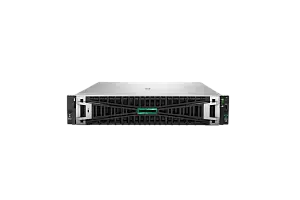
The DL385 Gen11 is a dual-socket 2U server based on AMD EPYC 9004 and 9005 processors. It supports up to four double-wide or eight single-wide GPUs, PCIe 5.0 and up to 6 TB of DDR5 memory.
This makes the DL385 useful not only as a GPU node, but also as a server that runs retrieval, data preparation, storage and application logic alongside the model.
The platform is suitable for:
- RAG with a local vector database;
- inference for one large or several medium-sized models;
- LoRA and QLoRA fine-tuning;
- conventional machine learning;
- image and video-stream processing;
- GPU-enabled virtual workstations;
- a container environment with mixed services.
Why processors still matter
Even when the primary model runs on GPUs, the processors handle a substantial part of the pipeline:
- cleaning and transforming input data;
- tokenising text;
- searching and filtering documents;
- unpacking datasets;
- decoding images, audio and video;
- handling network connections;
- running the vector database, containers and virtual machines.
For this reason, AMD EPYC servers should not be compared solely by core count. Clock speed, memory bandwidth, channel population, available PCIe lanes and device distribution between sockets are also important.
Where the advantages of versatility end
Four powerful double-wide GPUs are sufficient for many enterprise projects, but they may not be enough for a large model that cannot be efficiently quantised or partitioned.
Installing accelerators also affects the other components:
- some expansion slots become unavailable;
- the number of drives may depend on the GPU kit;
- thermal limits reduce the list of permitted CPUs and GPUs;
- moving from two to four cards may require different risers, fans and power supplies.
If growth to eight or ten powerful GPUs in one node is already anticipated during the design stage, the DL380a provides a more direct scaling path.
Intel Xeon or AMD EPYC for an AI server
The choice between Intel and AMD cannot be separated from the specific server platform. The DL380a Gen12 is built around Intel Xeon 6 and high accelerator density. The DL385 Gen11 uses AMD EPYC and focuses on a balance of CPU, memory, GPU and storage resources.
Which parameters to consider
Core count matters for parallel data preparation, virtualisation and servicing many processes. For sequential stages, some tokenisation operations and network logic, single-core performance may be more important.
The following also matter in an AI system:
- memory bandwidth;
- the number of populated channels;
- the number of PCIe lanes;
- GPU connection topology;
- processor power consumption;
- the cost of licences calculated per core or socket.
NUMA and device placement
In a dual-socket system, each GPU is physically connected to a specific processor. If an application accesses memory attached to the other socket or sends data to a device on the opposite side, the transfer must make an additional hop across the inter-processor link.
NUMA architecture must be considered when:
- pinning processes to cores;
- allocating system memory;
- assigning GPUs to containers;
- installing network cards and NVMe drives;
- configuring virtual machines with direct device passthrough.
When selecting Intel Xeon servers for AI, the CPU model is not the only consideration. The effect of the processors on permitted GPU configurations, cooling and total system power also matters.
For inference that is almost entirely GPU-bound, differences between accelerators and their topology usually matter more than the processor brand. For RAG, data preparation and multimodal processing, the CPU can have a noticeable effect on end-to-end service latency.
Which server is required for different AI workloads
| Scenario | Primary bottleneck | GPU requirements | Suitable server | What is often underestimated |
|---|---|---|---|---|
| LLM inference | Video memory, KV cache, request concurrency | From one GPU to several cards with sufficient VRAM | DL385 for moderate scale, DL380a for high density | Context length and the number of concurrent sessions |
| RAG | Balance of GPU, CPU, RAM, NVMe and networking | Usually 1–4 GPUs | DL385, DL380 or DL325; DL380a for multiple models | Retrieval and context preparation |
| LoRA and QLoRA | VRAM, dataset reading and communication between GPUs | Often 1–4 powerful GPUs | DL385 or DL380a | Intensive checkpoint writes |
| Full training | VRAM capacity and GPU interconnect | 8 tightly interconnected accelerators or several nodes | XD685 and other specialised systems | Networking and the file system |
| Conventional machine learning | CPU, RAM and data reading | One GPU is sometimes sufficient | General-purpose DL380, DL385 or DL325 | Not every algorithm scales across multiple GPUs |
| Computer vision | Decoding, stream count and VRAM | Depends on resolution and model | DL340, DL385 or DL380a | Incoming traffic and video decoding |
| Multimodal models | VRAM, data processing and object storage | Several GPUs under high load | DL385 or DL380a; XD685 for training | Load on the CPU, RAM and NVMe storage |
LLM inference
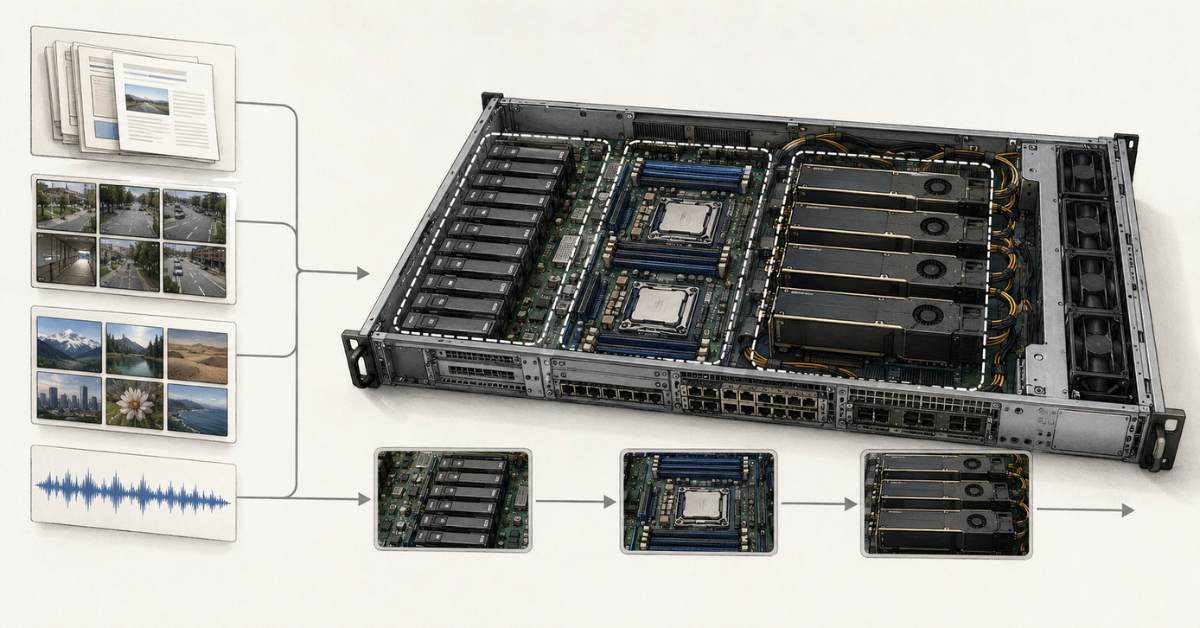
To run a language model, first determine whether its weights fit into video memory in the selected format. However, this alone is not enough. The KV cache—data retained by the model for context that has already been processed—uses additional VRAM.
Memory consumption increases with:
- context length;
- the number of concurrent users;
- batch size;
- the number of parallel sequences;
- calculation precision.
A model may fit comfortably on a GPU in a single-request test but exhaust the available memory under real load. The server should therefore be selected according to target concurrency and latency, not solely by parameter count.
The DL385 is suitable when one to four powerful cards are sufficient. The DL380a is better suited to hosting several models, high concurrency or assigning separate GPUs to different services.
RAG
In retrieval-augmented generation, the GPU handles only part of the pipeline. Before the language model is called, the system must retrieve documents, filter the results, assemble the context and pass it to the generation stage.
Latency is affected by:
- vector-database speed;
- the size of the index in RAM;
- CPU performance;
- NVMe performance;
- the network between components;
- the embedding model;
- the length of the assembled context.
If the vector database and model run on the same server, the DL385 is attractive because of its large memory capacity and strong CPU subsystem. If one node serves several generative models and many users, the denser DL380a may be more economical.
LoRA and QLoRA fine-tuning
These methods modify only a limited subset of parameters and require less memory than full fine-tuning. One to four GPUs are sufficient for many enterprise models, so the DL385 Gen11 can meet the requirement without moving to a specialised eight-accelerator platform.
The DL380a makes sense when:
- several teams train models simultaneously;
- hyperparameters must be tested in parallel;
- model sizes are expected to increase;
- some GPUs must remain available for inference.
Storage sizing must include the original dataset, prepared versions, checkpoints, experiment logs and temporary files.
Full training of large models
During full training, weights, gradients and optimiser states are synchronised at every step. If data is constantly transferred through a conventional PCIe topology, each additional accelerator may provide a progressively smaller performance gain.
For this class of workload, the following are important:
- NVLink or NVSwitch within the node;
- a 200/400 Gb/s network between nodes;
- remote direct memory access;
- a parallel file system;
- a stable data pipeline that prevents GPU idle time;
- cooling for the entire rack.
A specialised platform such as the XD685 should not be treated as merely a more expensive DL380a. It belongs to a different class, designed for eight tightly interconnected accelerators and large training workloads, and may therefore be the optimal choice instead of conventional servers.
Computer vision and multimodal models
Video analytics must be sized for more than neural-network speed. Before inference, streams are received over the network, decoded, scaled and transformed. The CPU or hardware decoding blocks may become a bottleneck before the GPU compute cores do.
Multimodal models also require:
- loading images, audio and video;
- temporary file storage;
- format conversion;
- operation of several encoders;
- a larger context;
- increased RAM and VRAM consumption.
The DL340 suits a compact single-socket computer-vision node. The DL385 provides a balance of processing and storage. The DL380a is appropriate when many streams, models or independent services must be consolidated in one server.
Most popular GPU
Free shipping on orders over 500 € in the EU, £500 in the UK, and $3,000 in the USA
Free shipping on orders over 500 € in the EU, £500 in the UK, and $3,000 in the USA
Free shipping on orders over 500 € in the EU, £500 in the UK, and $3,000 in the USA
Free shipping on orders over 500 € in the EU, £500 in the UK, and $3,000 in the USA
Choosing the Right Equipment
Our specialists will contact you and answer all your questions
How to select GPUs
Video-memory capacity
Maximum compute performance is of no value if the model does not fit into VRAM.
The required capacity depends on:
- the number of parameters;
- the weight format;
- context length;
- the size of the KV cache;
- batch processing;
- the fine-tuning method;
- the need to store gradients and optimiser state.
Quantisation reduces memory consumption but may affect accuracy, the speed of individual operations and software requirements. The calculation must be validated with the selected model, inference engine and real request profile.
Single-wide and double-wide accelerators
Single-wide cards allow more independent devices to be installed. They are convenient for several small models, inference, VDI and video streams.
Double-wide GPUs generally have a higher thermal design power, greater memory capacity and higher performance, but occupy more space and require stronger cooling.
The comparison should not be framed as “16 versus 10”; it should consider the specific supported cards, their VRAM, power rating and connection method.
PCIe, NVLink and NVSwitch
PCIe connects the accelerator to the processor, memory, network and storage. NVLink provides faster links between compatible GPUs. NVSwitch connects several accelerators through a specialised switching fabric.
PCIe 5.0 increases bus bandwidth, but it does not turn separate cards into a unified HGX module. This may not be critical for independent inference. For training and partitioning one model across many GPUs, the difference becomes significant.
Compatibility depends on the entire configuration
A GPU cannot be installed in a ProLiant system solely because the card physically fits into a slot.
Support depends on:
- the chassis and system-board revision;
- risers;
- power cables;
- power supplies;
- the fan kit;
- CPU and GPU thermal design power;
- the BIOS and iLO versions;
- drivers and the operating system.
Different GPU models also cannot be mixed arbitrarily in one DL380a Gen12 system. Permitted accelerators and restrictions must be checked against the current QuickSpecs.
What else limits AI-server performance
System memory
RAM is used for loading models, preparing data, caching documents, running the vector database and maintaining input/output buffers.
When part of the weights or KV cache is offloaded from VRAM, the demands on system memory and PCIe increase, and latency may deteriorate noticeably.
Capacity in gigabytes is not the only consideration; the following also matter:
- the number of populated channels;
- module frequency;
- symmetry between sockets;
- memory locality relative to the GPUs;
- headroom for containers and the operating system.
NVMe
For an AI node, it is useful to separate storage roles:
- boot array;
- model storage;
- working datasets;
- vector-database index;
- temporary space;
- training checkpoints.
Sequential performance matters when loading large files, while latency and input/output operations per second matter when working with many small objects.
Training also requires consideration of write endurance because checkpoints and intermediate data generate intensive writes. Local drives should not be the only location where models and results are stored.
PCIe and topology
The number of physical slots is not the same as the number of full-speed connections. GPUs, NVMe drives, network cards and controllers share PCIe resources.
A poor layout can result in:
- data travelling through the other processor socket;
- a network card being topologically distant from the GPU it serves;
- several devices sharing bandwidth;
- a container receiving memory from the wrong NUMA node;
- accelerators remaining idle while waiting for data.
Networking
For a standalone node and a small RAG system, 10 or 25 Gb/s is often sufficient. A 100 Gb/s network is useful when models and data are stored separately, several servers jointly handle inference, or large datasets must be loaded quickly.
Distributed training commonly uses 200/400 Gb/s networking, RoCE or InfiniBand.
Ethernet remains the most universal transport. RoCE adds remote direct memory access over compatible Ethernet infrastructure but requires correct network configuration. InfiniBand provides low latency, but increases the cost and operational complexity of the system.
Power, cooling and rack requirements
A GPU server cannot be selected independently of the data centre. Power-supply ratings do not show actual consumption: the requirements of the accelerators, processors, memory, drives, network cards and fans must be added together, and redundancy must then be taken into account.
For dense configurations, check:
- PDU capacity and type;
- the number of available connections;
- the redundant power scheme;
- the permitted power per rack;
- heat output from neighbouring servers;
- inlet-air temperature;
- airflow direction;
- the availability of liquid cooling;
- the permitted load on the rack and raised floor.
A powerful GPU server is not suitable for an ordinary server room next to an office merely because the chassis physically fits into the rack. High temperatures and insufficient heat removal can cause frequency throttling or make the maximum configuration unusable.
Alternatives to the DL380a Gen12 and DL385 Gen11
HPE ProLiant Compute DL380 Gen12
This general-purpose dual-socket Intel Xeon 6 server is suitable when GPU computing is only one of the workloads. It provides more flexibility for drives, network adapters and conventional applications, but has lower accelerator density than the DL380a.
HPE ProLiant Compute DL340 Gen12
The DL340 Gen12 is a 2U system with one Intel Xeon 6 processor. In its GPU chassis, it supports up to four double-wide or six single-wide accelerators.
This option is attractive when a second CPU is unnecessary but more GPUs are required than normally fit into a compact 1U server.
HPE ProLiant DL325 Gen11 and DL325 Gen12
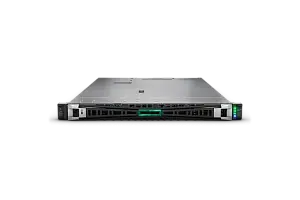
The DL325 Gen11 is a single-socket 1U AMD EPYC server supporting up to two double-wide or four single-wide GPUs. It is suitable for edge inference, virtual workstations, small models and distributed computer-vision nodes.
The DL325 Gen12 is a newer compute server, but HPE positions it primarily as a dense single-socket general-purpose platform. If the workload requires several GPUs, the exact Gen12 configuration should be checked particularly carefully against the current QuickSpecs.
HPE ProLiant DL380a Gen11
The previous generation supports up to four double-wide or eight single-wide accelerators. On the secondary market, it can be cost-effective for inference and fine-tuning if it is compatible with the required GPUs.
Compare the cost of a complete configuration rather than the price of an empty chassis, including:
- GPU kits;
- risers;
- power cables;
- high-performance fans;
- power supplies;
- licences and drivers;
- current firmware.
HPE ProLiant Compute XD685
The XD685 is designed for eight NVIDIA or AMD accelerators and is available with direct liquid cooling or air cooling.
Moving to this type of platform is justified when the workload requires:
- eight tightly interconnected GPUs;
- a high-speed fabric within the node;
- a 200/400 Gb/s network between servers;
- specialised cooling;
- parallel storage;
- a distributed-training software environment.
The DL380a may be more flexible for several independent models. For one large workload, the XD685 is better aligned with the required architecture.
Example configurations by workload type
Small enterprise RAG system
One or two GPUs with suitable VRAM capacity, ample RAM, fast NVMe storage and a 25–100 Gb/s network are usually sufficient.
The DL385 is convenient when the vector database and model reside on the same node. The DL325 Gen11 or a general-purpose DL380 suits a more compact system.
Several LLMs for different departments
If the models operate independently, it is more useful to assign them to separate GPUs than to combine all accelerators into one compute domain.
The DL380a can host more services in one chassis, but requires resource limits and a fallback plan in case the node fails.
LoRA or QLoRA fine-tuning
Two to four GPUs, fast local NVMe storage and sufficient RAM often meet enterprise fine-tuning requirements.
The DL385 suits moderate scale. The DL380a is preferable for parallel experiments and expected growth.
Training a large model
Eight interconnected accelerators, a high-speed network, a parallel file system and specialised cooling point to the XD685 class.
The maximum DL380a configuration does not eliminate the communication limitations between separate PCIe cards.
Frequently asked questions
Can any server GPU be installed in a ProLiant?
No. An officially supported card, compatible risers, power delivery, fans, firmware and an appropriate chassis configuration are required. An unsupported GPU may work in theory, but stable operation cannot be guaranteed when the card is not included in the hardware compatibility list.
Is the DL380a Gen12 suitable for model training?
Yes, particularly for fine-tuning and parallel experiments. For full training of a large model on eight GPUs, a specialised HGX platform may be more efficient because of faster communication between accelerators.
Does a higher GPU count always mean greater speed?
No. Performance may be limited by VRAM capacity, topology, GPU-to-GPU communication, the CPU, RAM, NVMe storage, networking and software.
Are two processors required?
Not always. A second CPU is useful with many accelerators, intensive data preparation and a need for additional PCIe lanes. For one or two GPUs, a single-socket system may be cheaper and simpler.
Which is more important for RAG: the GPU or NVMe storage?
The components serve different purposes. The GPU performs generation and often embedding calculations, while NVMe storage, RAM and the CPU handle retrieval, the index, documents and context preparation. System speed is determined by the slowest stage.
Which platform should you choose?
- HPE ProLiant Compute DL380a Gen12 — for high GPU density, several AI services, large-scale inference and substantial expansion headroom.
- HPE ProLiant DL385 Gen11 — for one to four powerful GPUs, RAG and mixed workloads where the CPU, system memory and NVMe storage matter.
- DL380 Gen12, DL340 Gen12 and DL325 Gen11 — when a small or moderate number of accelerators is sufficient and a more versatile or compact system is required.
- HPE ProLiant Compute XD685 — for full training and fine-tuning of large models that are sensitive to communication speed between eight GPUs.
The final choice begins not with the server name, but with calculations for video memory, concurrent requests, accelerator topology, data volume and data-centre capabilities. Only then can you determine whether the workload requires a general-purpose ProLiant, a dense DL380a or a specialised eight-accelerator platform.
Choosing the Right Equipment
Our specialists will contact you and answer all your questions
Content:
Free shipping on orders over 500 € in the EU, £500 in the UK, and $3,000 in the USA
Free shipping on orders over 500 € in the EU, £500 in the UK, and $3,000 in the USA

Free shipping on orders over 500 € in the EU, £500 in the UK, and $3,000 in the USA

Free shipping on orders over 500 € in the EU, £500 in the UK, and $3,000 in the USA

Free shipping on orders over 500 € in the EU, £500 in the UK, and $3,000 in the USA
Free shipping on orders over 500 € in the EU, £500 in the UK, and $3,000 in the USA