Intel VROC is software RAID for NVMe drives that uses an Intel Xeon processor and integrated VMD technology instead of a separate RAID card. A Standard key is usually sufficient for RAID 0, 1 and 10; Premium is required for RAID 5 and encryption key management on compatible SSDs. Choose the licence together with the server: the available features depend on the platform, drive connectivity, VROC version and operating system.
What is Intel VROC?
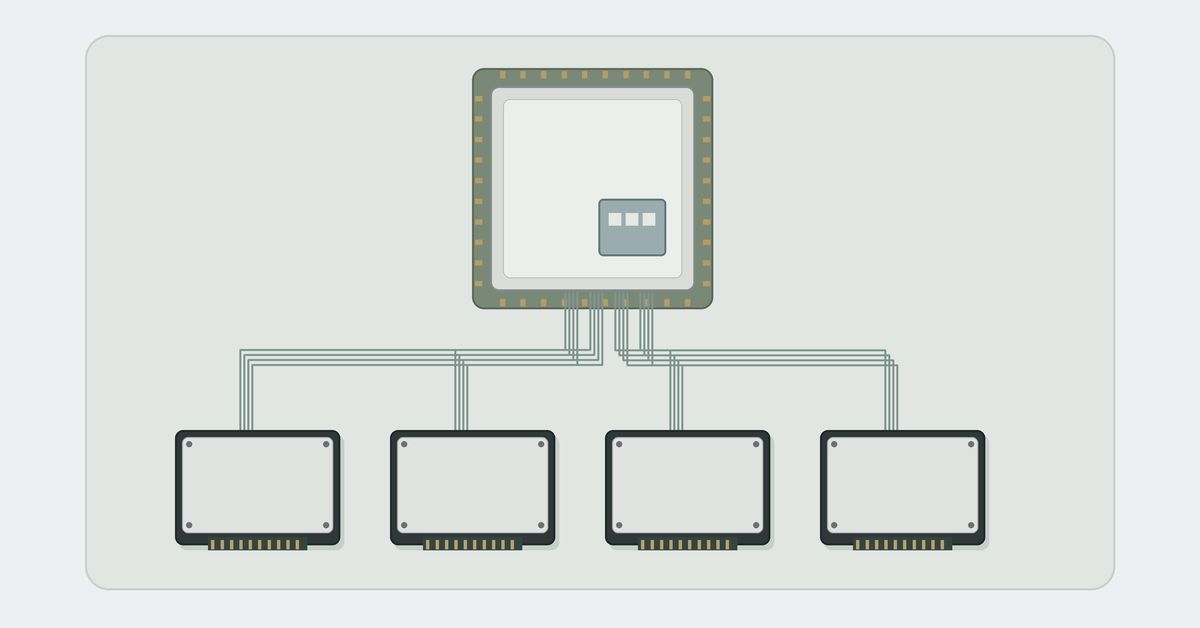
VROC stands for Virtual RAID on CPU and combines NVMe SSDs into a logical drive.
The SSDs connect to the processor’s PCIe lanes either directly or through supported switches. RAID operations run in software on the CPU.
VROC is used for boot arrays, databases and application servers. RAID does not replace a backup: deleting files can affect the entire array.
VMD: the foundation of VROC
Intel VMD is a controller integrated into the processor’s PCIe complex. It manages connected NVMe devices and helps handle errors, drive replacement and drive status indicators. VMD manages the devices, while VROC provides RAID. Enabling the former does not mean an array has already been created.
For NVMe RAID, VMD must be enabled in BIOS/UEFI for the ports used by the selected SSDs. Otherwise, VROC will not manage those drives: the OS may see them individually, but the array creation menu will not offer them as members.
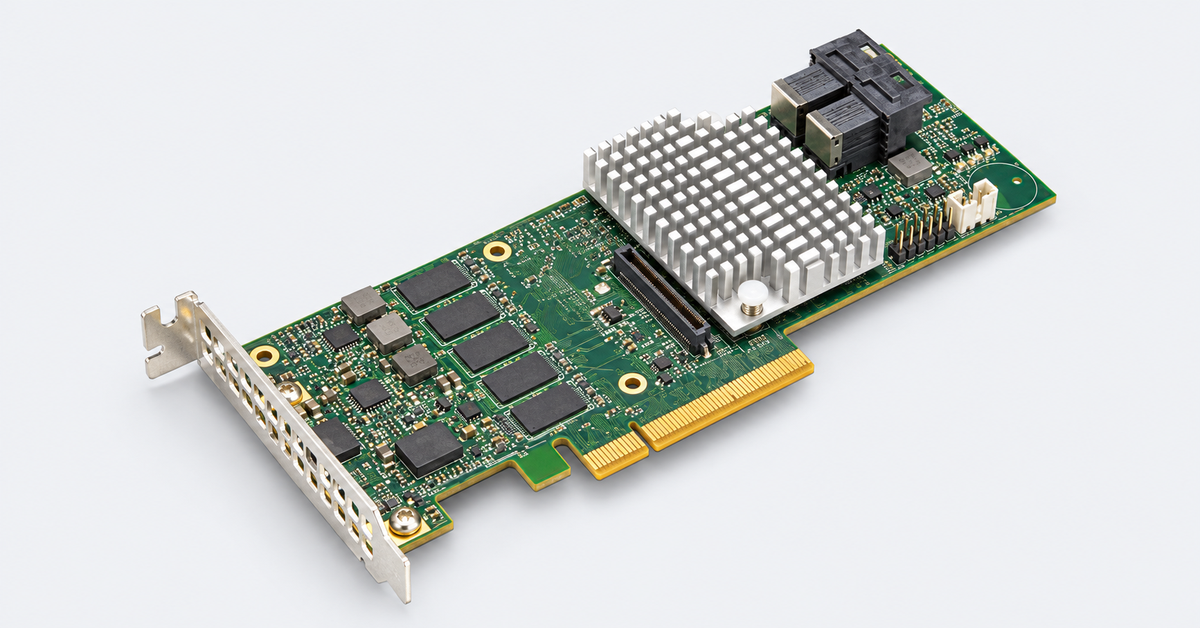
Compatible slots, cables and a drive backplane are required. The presence of U.2 or U.3 bays does not confirm that the connectivity is correct. Hot swapping also depends on the drives and the server’s design.
Which processors and platforms support VROC?
The VROC supported configurations documentation lists 1st–5th Gen Xeon Scalable, Xeon 6 and the relevant Xeon W and D families with VMD. Processor compatibility does not guarantee support in a particular server. The following are required:
- VMD and VROC implementation in the platform firmware;
- supported NVMe SSD connectivity;
- an appropriate licence and, for hardware activation, a key header on the system board.
This support does not extend to every Xeon processor. For example, the matrix lists VROC SATA RAID for Xeon E, rather than NVMe RAID through VMD.
One example of a modern platform is the HPE ProLiant DL380 Gen11 with 4th or 5th Gen Xeon Scalable processors. When ordering, confirm the NVMe drive cage configuration, cables, licence and OS. A SAS/SATA cage does not become compatible with VROC NVMe simply by enabling one BIOS setting. The chassis capabilities are covered in the article “HPE ProLiant DL380 Gen12 vs Gen11 vs Gen10 Plus: which server should you buy in 2026?”.
The server catalogue includes both Intel- and AMD-based systems. For VROC NVMe RAID, choose a compatible Intel platform and confirm support for the model in its documentation.
Intel VROC keys: VROCSTANMOD, VROCPREMMOD and VROCINTMOD
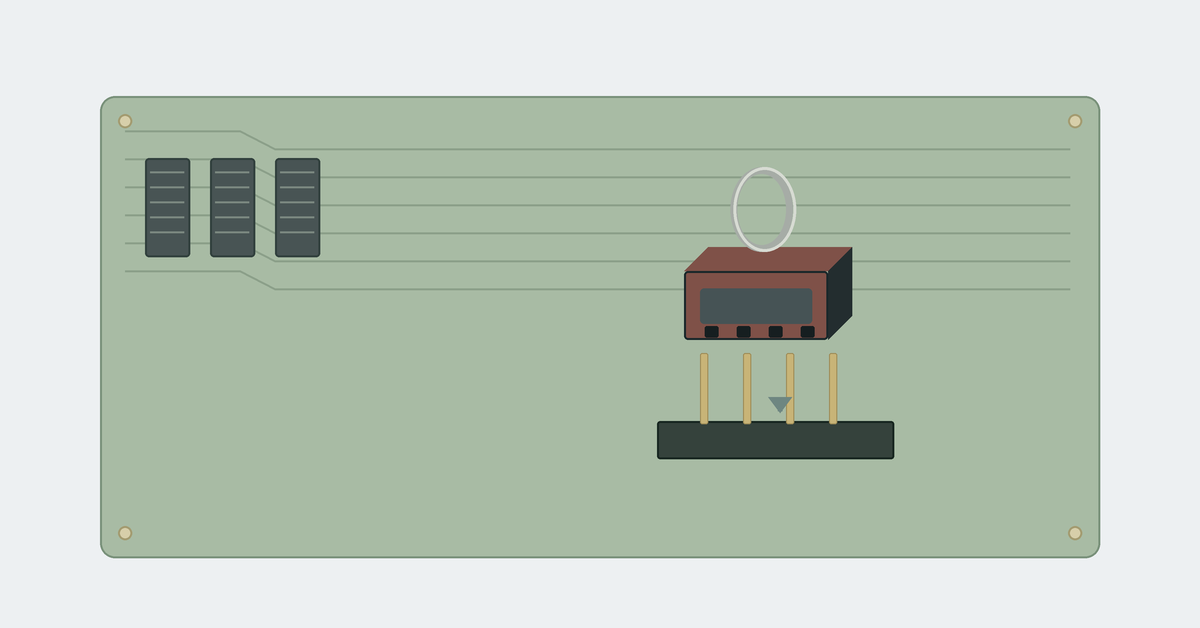
A VROC hardware key is a small physical module that fits the designated header on the system board. It is neither a code entered in software nor a controller through which data passes. Typically, one key is installed per system, rather than one per processor or drive.
Install the module with the server disconnected from power, using the board manual to identify the header and the correct key orientation.
| Key | NVMe RAID levels | Compatible SSDs |
|---|---|---|
| VROCSTANMOD — Standard | 0, 1, 10 | Intel and approved third-party SSDs |
| VROCPREMMOD — Premium | 0, 1, 5, 10 | Intel and approved third-party SSDs |
| VROCINTMOD — Intel SSD Only, as designated by server manufacturers | 0, 1, 5, 10 | Intel NVMe SSDs only; compatible platforms up to and including 3rd Gen Xeon Scalable |
Intel’s part number for Intel SSD Only is VROCISSDMOD. Supermicro, for example, uses AOC-VROCINTMOD. When purchasing, check the full part number and compatibility with the board.
The OS imposes further limits on the available RAID levels: Premium does not enable RAID 5 in ESXi. Without an activated licence, VROC usually operates with individual drives managed by VMD.
The differences between RAID levels are explained in “RAID in servers: what types are there and which one to choose”. Choose the licence according to the RAID level you need.
Choosing the Right Equipment
Our specialists will contact you and answer all your questions
How does Premium differ from Standard?
The main difference offered by Intel VROC Premium is RAID 5. The current VROC licensing matrix also lists key management for self-encrypting NVMe SSDs under Premium. Both the drives and the platform must support the relevant mechanism.
For RAID 5, protection against inconsistent data and parity writes during a power failure is important: RAID Write Hole Closure. VROC uses journaling on array members or on a dedicated drive. The dedicated journaling drive option is not supported in Linux.
Journaling requires configuration and may reduce write performance. It does not provide the protected cache of a RAID card or remove the need for enterprise SSDs with power-loss protection.
- Standard is suitable when RAID 0, 1 or 10 is sufficient and SSD encryption key management through VROC is not required.
- Premium is needed for RAID 5 or supported management of self-encrypting drives.
- Intel SSD Only is an option for maintaining an existing compatible system.
The Intel SSD Only discontinuation notice specifies 6 November 2023. Support remains available on 3rd Gen Xeon Scalable and earlier platforms; this key is not supported on 4th Gen and newer platforms. Premium is the recommended replacement.
Does Intel SSD Only support Solidigm drives?
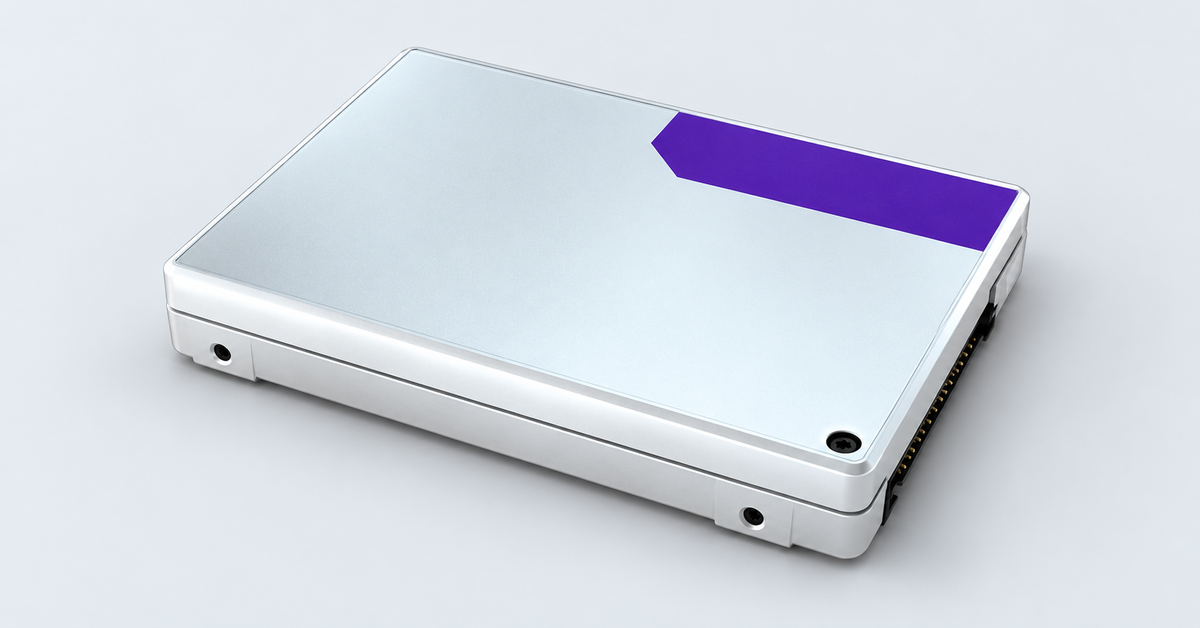
Not all Solidigm SSDs can be treated as Intel drives. Following the transfer of the NAND business, Solidigm-branded drives are listed separately in the supported NVMe SSD list. Intel SSD Only support does not automatically extend to them because of the drive family’s origins.
For an array using Solidigm drives, choose Standard or Premium and check the model against both the VROC matrix and the server manufacturer’s SSD list. The VROC version, OS and SSD firmware also matter.
Third-party SSD support means approved models. A drive working outside the list is not equivalent to official support.
Intel VROC SATA and RSTe
VROC SATA combines SATA SSDs and HDDs connected to the chipset’s SATA controllers. Describing this as chipset-level RAID is correct; that description does not apply to NVMe RAID through VMD.
The SATA component was previously called Intel RSTe. With the release of VROC 6.0 in 2019, Intel unified the names under the VROC brand. The older name therefore still appears in manuals and drivers.
A separate hardware key is not required for SATA RAID: licensing is included with a compatible platform. A supported RAID mode for the SATA controller and an OS driver are required. VMD usually does not need to be enabled for SATA.
Intel VROC driver: when you need it and where to get it
The key enables RAID features, while the driver provides OS access to the array. A volume can therefore appear in BIOS but be missing from the Windows installer.
For Windows, the driver is required when installing the OS on a VROC array and when using it after installation. The preferred source is the support section for the specific server or board: the manufacturer validates the package together with the BIOS and supported OS releases. If no package is available, refer to Graid’s official documentation and support.
Extract the package to accessible installation media. In Windows Setup, select “Load driver”. The OS installation files and management application may be supplied separately.
If the volume does not appear, possible causes include a disabled VMD port, incorrect SSD connectivity or an unrecognised licence.
Intel VROC SATA Controller in Windows
Intel VROC SATA Controller in Device Manager refers to the SATA component. The name does not prove that NVMe RAID or a Premium key is present.
Use the corresponding package component for SATA and the VMD NVMe RAID driver for NVMe.
VROC in Linux and VMware ESXi
In supported modern Linux server distributions, the necessary components are usually included in the OS. A separate VROC driver, as used for Windows, is generally not required. The VMD and NVMe drivers provide access, while arrays are managed through mdadm.
Compatible kernel, mdadm and BIOS versions are required. Conventional software RAID using mdadm and a VROC array are different solutions; the licensing requirements still apply.
According to the VROC OS support matrix, VMware ESXi supports NVMe RAID 1 boot and data volumes. RAID 0, 5 and 10, as well as VROC SATA RAID, are not supported.
Both inbox and separately supplied VROC drivers are available for ESXi 7.x and 8.x; ESXi 9.0 and later use inbox drivers only. A separate installation is therefore not always necessary: it depends on the hypervisor version and the server manufacturer’s image.
How to create a RAID array with VROC
Use the Servermall server configurator to select the system’s base platform. Confirm VROC support, the NVMe drive cage and licensing for the final configuration.
For a new array, the usual sequence is:
- Install the key and connect the SSDs. For hardware activation, fit the module to the designated header with the board disconnected from power. Connect the drives according to the manufacturer’s diagram.
- Enable VMD for the required ports in BIOS/UEFI and save the settings.
- Open the VROC menu. For example, the Supermicro X13 manual shows the path Advanced → Intel Virtual RAID on CPU → All Intel VMD Controllers. Other manufacturers use different paths.
- Select Create RAID Volume. Specify the RAID level, drives, stripe size and capacity; for RAID 5, configure the available write protection.
- Create the volume and install the OS. For Windows, load the appropriate driver, then use the array management tools for the selected OS.
At least two drives are required for RAID 0 or 1, three for RAID 5 and four for RAID 10. RAID level availability depends on the licence and OS. Create the array only on drives whose data can be erased.
Use drives within a single VMD domain for a boot array. Spanning multiple domains may be supported for a data volume, but that does not make it a supported boot configuration.
The number of drives is limited: the general hardware matrix specifies two members for RAID 1, four for RAID 10 and up to 24 for RAID 0 or 5. The server’s limit may be lower; the number of drives in the system is not the same as the number in an array.
Choosing the Right Equipment
Our specialists will contact you and answer all your questions
VROC or a hardware RAID controller?
VROC saves an expansion slot and removes a separate RAID card from the data path. A direct connection to the processor may reduce latency, although the result depends on the SSDs, RAID level and workload.
This approach makes sense when the server supports the required NVMe connectivity, the available RAID levels are sufficient and a compatible OS is available. VROC has the following limitations:
- No dedicated protected RAID card cache. Other mechanisms provide write protection, including journaling and SSD power-loss protection.
- CPU resources are used, particularly for parity calculations and array rebuilds.
- No RAID 6, 50 or 60. A Premium key does not add these levels.
- Dependency on an Intel platform and OS-specific feature restrictions.
Hardware RAID is more useful when a controller with protected cache, other RAID levels or a particular SAS/SATA topology is required. However, check the features of the specific card: not every model has cache or full NVMe support.
Compare the solutions for your workload. Write latency and performance during an array rebuild matter for a database; usable capacity and the protection scheme matter for storage.
Who develops VROC today?
In 2025, Intel entered into an agreement with Graid Technology to license VROC intellectual property and transfer operational responsibilities. Graid has handled user support since 17 November 2025; for key purchases and warranty replacements, contact its support channel or the platform supplier. In June 2026, the company announced VROC by Graid with Xeon 6 support and a 24-month roadmap that includes a transition from physical keys to UEFI-based licensing. When selecting an HPE ProLiant Gen12 system with Xeon 6, do not automatically apply the requirements of older boards. Choose the licence for the required array and a confirmed server configuration.
Choosing the Right Equipment
Our specialists will contact you and answer all your questions