For heavy virtualization, databases, ERP, AI inference and low-latency applications, Intel Xeon 6 P-core servers are usually the safer choice. For containers, web services, microservices, cloud platforms and large-scale server consolidation, Xeon 6 E-core platforms often make more sense. The difference is not that one option is “better” and the other is “worse”: P-core provides higher per-core performance, while E-core offers more cores, higher placement density and better energy efficiency for parallel tasks.
Intel Xeon 6 has divided the server line into two approaches. Previously, when choosing a processor, teams usually compared generation, core count, frequency, cache, TDP and product families such as E3/E5, Bronze, Silver and others. Now there is one more question: which cores does your workload actually need — performance cores or efficient cores?
For an infrastructure architect, this matters more than it may seem. A wrong choice can lead to different consequences:
- a server with many E-cores will not accelerate a database if the bottleneck is single-thread speed;
- a powerful P-core server may be excessive for hundreds of lightweight web services;
- high core density can hurt the economics if software is licensed per physical core;
- mixing P-core and E-core servers in the same virtualization cluster without placement rules can lead to unpredictable performance.
That is why it is better to choose not “the newest Xeon”, but a server for a specific workload profile. In the catalogue of Intel Xeon servers, this is especially important: two configurations can look similar in generation and memory capacity, yet behave very differently in a database, a Kubernetes cluster or a virtualization environment.
Our most popular servers

Free shipping on orders over 500 € in the EU, £500 in the UK, and $3,000 in the USA
Free shipping on orders over 500 € in the EU, £500 in the UK, and $3,000 in the USA
Free shipping on orders over 500 € in the EU, £500 in the UK, and $3,000 in the USA

Free shipping on orders over 500 € in the EU, £500 in the UK, and $3,000 in the USA
What P-core and E-core mean in server Intel Xeon 6 processors
In the context of Intel Xeon 6 servers, P-core means performance cores. They are designed for tasks where single-core speed, high compute performance, low latency and stable behaviour under heavy load are important.
P-cores are stronger in scenarios that include:
- complex database queries;
- ERP, CRM and financial systems;
- heavy virtual machines;
- AI inference on CPU;
- data preparation for AI;
- scientific and engineering calculations;
- latency-sensitive applications;
- servers where the CPU feeds GPUs, fast networking and NVMe storage.
E-core means efficient cores. They are designed for high density, a large number of parallel tasks and good performance per watt. Their purpose is not maximum single-thread speed, but efficient execution of many independent operations at the same time.
E-cores are well suited for:
- web servers;
- API services;
- microservices;
- containers;
- lightweight virtual machines;
- edge workloads;
- logging and telemetry services;
- message queues;
- cloud platforms;
- mass consolidation of older servers.
It is important not to confuse the server approach with consumer processors, where performance and efficient cores may be mixed in one CPU. In the Xeon 6 server line, the choice usually looks different: you select a platform with P-cores or E-cores for a specific type of workload.
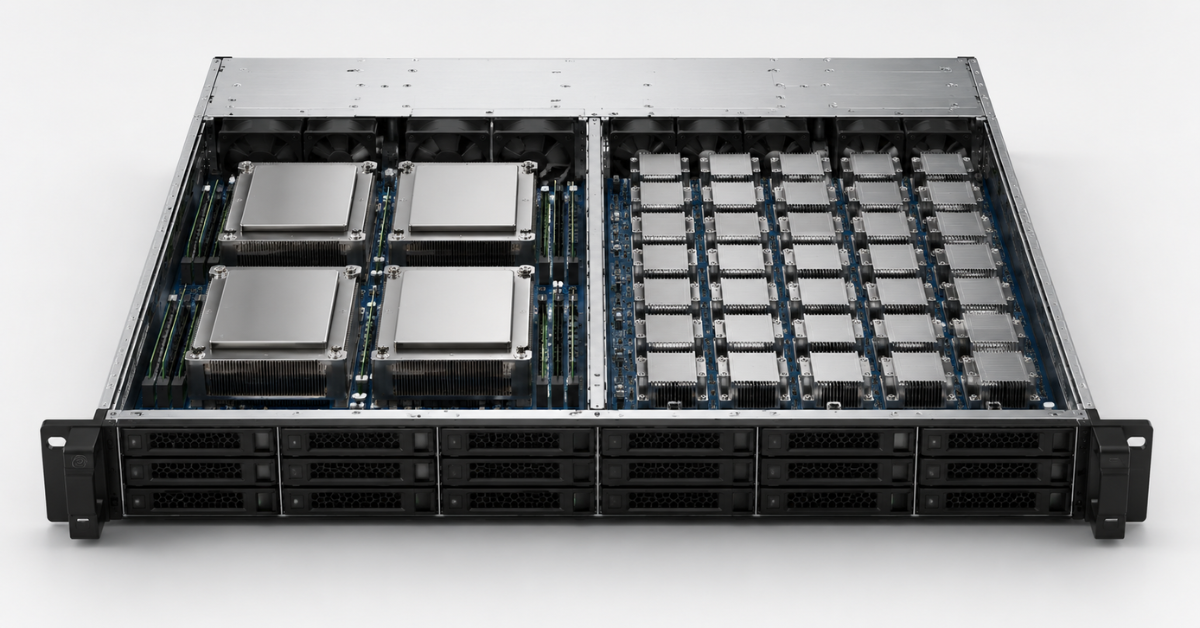
According to Intel, Xeon 6 processors with P-cores are aimed at high per-core performance, AI, high-performance computing and transactional databases; P-cores support AMX and AVX-512, and the line can include up to 128 cores per socket. Xeon 6 processors with E-cores are aimed at density, performance per watt and parallel workloads, with a maximum core count of up to 288 cores per socket. This is described in more detail in the official Intel Xeon 6 Product Brief.
Why core count is not everything
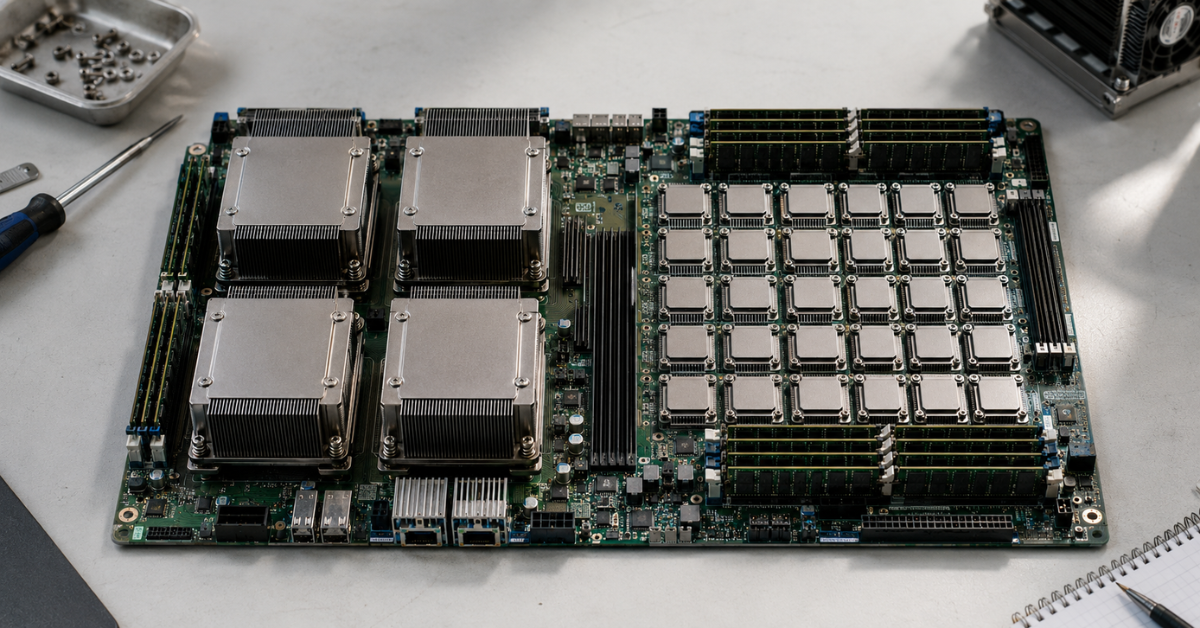
At first glance, E-core can look obviously more attractive: more cores, higher density and lower consumption per operation. But server workloads are rarely evaluated by core count alone.
There are tasks where total parallel capacity really matters. For example, if you have hundreds of independent web requests, dozens of microservices, queues, stateless applications and containers, E-core can provide excellent density.
But there are also tasks where the bottleneck is not the total number of cores, but the speed of a single thread:
- one heavy SQL query;
- an ERP transaction;
- report processing;
- a Java monolith;
- a virtual machine with a large vCPU profile;
- an application with high p95/p99 latency;
- a service where the user waits for a response in real time.
In these cases, additional cores do not always help. If an application cannot parallelize efficiently, it will not become faster simply because the server has more physical cores.
| Criterion | Xeon 6 P-core | Xeon 6 E-core |
|---|---|---|
| Main idea | Maximum single-core performance | High density and efficiency |
| Where it is stronger | Databases, ERP, heavy VMs, AI, HCI | Web, API, containers, microservices, lightweight VMs |
| What matters more | Frequency, cache, instructions, latency | Core count, density, watts per task |
| Virtualization | Better for heavy and mixed environments | Better for a large number of similar lightweight VMs |
| AI | Better for CPU inference and data preparation | Suitable for services around AI and lightweight parallel tasks |
| Main risk | Overpaying where only density is needed | Not having enough core speed in heavy applications |
| Typical question | “Will it run fast under load?” | “How many services will fit in the rack?” |
Choosing the Right Equipment
Our specialists will contact you and answer all your questions
Choosing between P-core and E-core is similar to choosing between a smaller number of strong performers and a large team for a stream of similar tasks. For a database or ERP system, the first option matters. For web/API, queues and microservices, the second option is often more cost-effective.
Virtualization: where P-core is safer and where E-core is more cost-effective
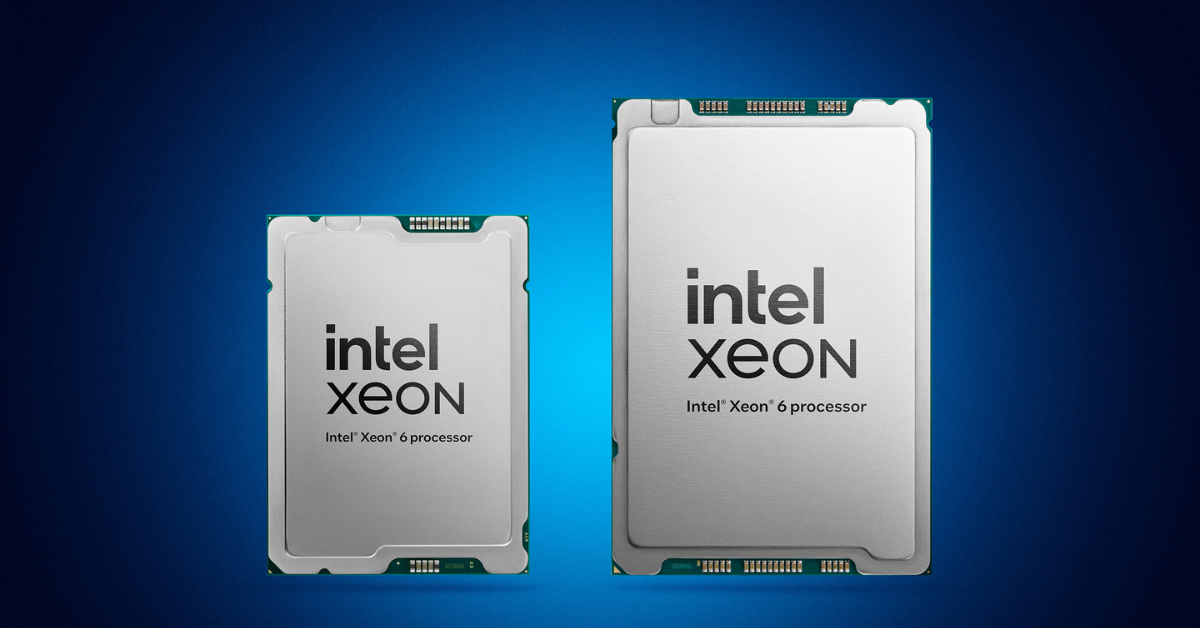
Intel Xeon 6 with P-cores.
Image source: newsroom.intel.com
Virtualization is one of the most difficult scenarios for processor selection. One cluster can run databases, terminal servers, domain controllers, web services, test environments, file services and internal applications at the same time. That is why CPU choice here cannot be based only on the number of cores.
When to choose P-core
P-core is usually safer for a general-purpose virtualization cluster where it is not yet clear what workloads will appear in a year. Such servers are better suited for virtual machines that do not simply “occupy vCPU”, but actually load the processor.
P-cores are especially appropriate if the virtualized environment includes:
- databases inside VMs;
- ERP, CRM, accounting and warehouse systems;
- heavy Windows and Linux servers;
- analytics and reporting;
- virtual machines with large vCPU profiles;
- applications with noticeable latency dependency;
- HCI clusters (Hyper-Converged Infrastructure), where the CPU participates not only in compute, but also in storage, networking, compression and encryption;
- other HPC (high-performance computing) tasks that require high performance.
For these scenarios, the total density of virtual machines is not the only important factor. Predictability matters as well. If one critical VM slows down because there is not enough per-core performance, the savings from density no longer matter.
Host migration should also be considered separately. If P-core and E-core servers are mixed in one cluster without placement rules, the same virtual machine may receive a different performance profile after migration. For test environments, this may be acceptable. For ERP, databases and critical services, it is a risk.
In Dell Technologies tests on PowerEdge R770, Xeon 6 P-core processors showed higher per-core performance, while Xeon 6 E-core processors demonstrated their strength in energy efficiency and density. These results reflect the practical difference between the two approaches well: P-core is better for heavy tasks, while E-core is better for a large number of parallel services. Details are available in Dell’s Intel Xeon 6 E-Core vs P-Core Benchmarks on Dell PowerEdge Servers.
When E-core works well for virtualization

E-core can be a strong option if the virtual environment consists of many lightweight, similar or horizontally scalable machines.
For example:
- web hosting;
- small service VMs;
- test labs;
- dev/test environments;
- CI/CD runners;
- VDI without heavy graphics and databases;
- infrastructure services;
- small backend applications;
- a cloud platform with a large number of small instances.
In these scenarios, each individual VM does not require high single-core speed. It is more important to place more machines in the rack, reduce consumption per task and decrease the number of physical servers.
What to check before purchase
Before choosing a server for virtualization, it is worth going through a short checklist:
- Are there databases, ERP systems or heavy monoliths in the cluster?
- How many virtual machines actually load the CPU, and how many are only reserved?
- What is the average and peak memory consumption per VM?
- Are there licenses calculated by physical core count?
- Do migrations need to work between all hosts without restrictions?
- Are there latency requirements for specific services?
- How important are rack density, power and cooling?
If at least some answers point to heavy business applications, it is better to plan a P-core segment. If the main task is dense placement of many lightweight services, E-core may be stronger economically.
AI inference and AI infrastructure
In AI workloads, the choice between P-core and E-core depends on what the server actually does. The phrase “AI server” can hide very different tasks:
- running a ready-made model on CPU;
- data preparation and cleaning;
- document search and ranking;
- a RAG system for an enterprise chatbot;
- APIs around the model;
- task queues;
- embedding storage;
- a GPU server where the CPU serves accelerators;
- training large models.
P-core is more often needed where the CPU participates in the compute work itself or supports a heavy AI platform. Performance cores are important for CPU inference, data preparation, classical machine learning, analytics, vector operations and scenarios where response latency is critical.
P-core is also important in GPU servers. Even if accelerators perform the main work, the central processor does not become a secondary component. It is responsible for feeding data, networking, storage, request processing, task scheduling and communication with GPUs. If the CPU is weak, expensive accelerators can sit idle.
E-core is appropriate in another part of the AI infrastructure. Around the model, there are usually many supporting services:
- web interface;
- API gateway;
- authorization;
- queues;
- logging;
- monitoring;
- feedback collection;
- lightweight preprocessing;
- request routing services.
These tasks often scale well horizontally. They do not always require maximum single-core performance, but density, energy efficiency and cost per service are important.
However, Xeon 6 should not be described as a replacement for GPUs in all AI tasks. Training large models, heavy generative AI and high-load inference of large models usually require GPU servers. The CPU remains an important part of the architecture, but it is not always the main accelerator.
Databases, ERP and enterprise applications
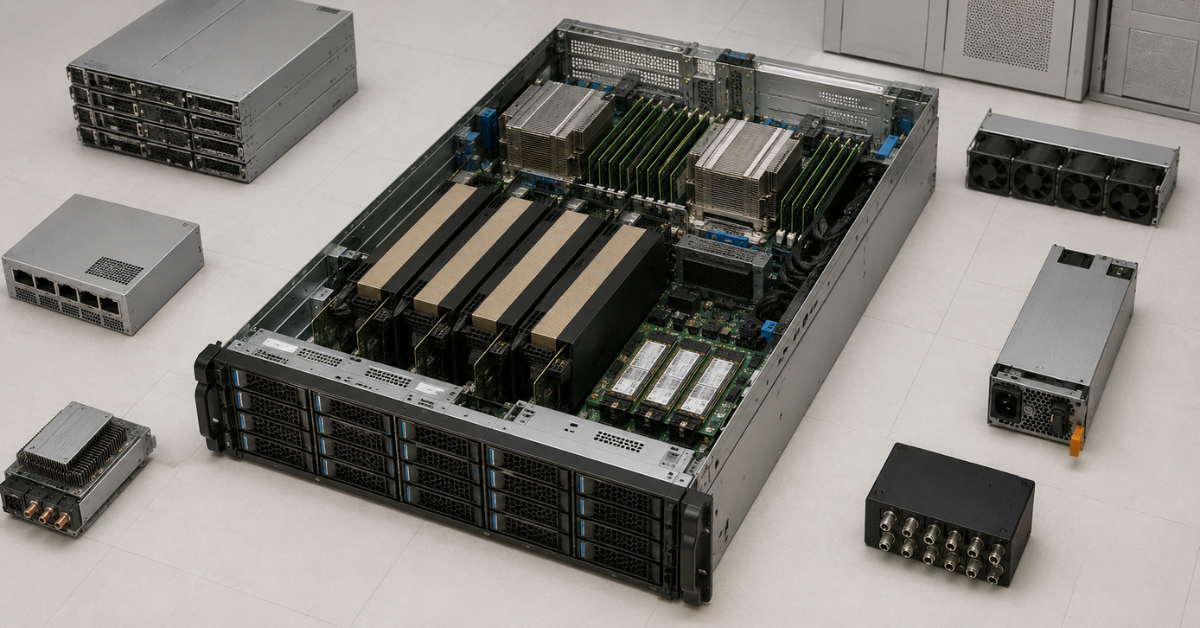
For enterprise systems, P-core is more often the more reliable choice. The reason is simple: such applications often depend on individual thread performance, latency, memory speed and behaviour under mixed load.
P-core should be considered first if the server will run:
- PostgreSQL, MySQL, Microsoft SQL Server or Oracle-like systems;
- ERP;
- CRM;
- accounting and financial applications;
- warehouse systems;
- reporting;
- analytical queries;
- transactional services;
- applications with many locks and complex relationships between data.
A database rarely loads the CPU the same way as a web server. One complex query, a poor execution plan, heavy aggregation or locking can create latency for users. In this situation, the server needs not just “more cores”, but fast cores, sufficient cache, fast memory and stable operation at peak load.
E-core can be appropriate for another type of enterprise service:
- key-value stores;
- caching;
- queues;
- log collection;
- telemetry;
- self-service portals;
- backend services that scale easily;
- internal web applications without heavy business logic.
That is why “enterprise workload” should not automatically mean P-core. If it is the core ERP system, a database or reporting, P-core is usually preferred. If it is a set of lightweight services around the main system, E-core may be more rational.
Containers, microservices and web workloads
For containers and microservices, E-core often looks like the most logical option. Such workloads usually consist of many small processes that run independently from one another and scale well horizontally.
E-core fits infrastructure built around:
- Kubernetes;
- stateless services;
- web applications;
- APIs;
- queues;
- microservices;
- service mesh;
- edge components;
- CI/CD;
- a large number of small containers.
In such environments, single-core performance is not always the main limitation. Other parameters are often more important:
- how many containers can be placed on a node;
- how many requests a rack can serve within a given power limit;
- how many physical servers can be retired;
- how to reduce the cost of one instance;
- how evenly the load is distributed.
But there are exceptions. A container by itself does not make an application lightweight. A container may run a heavy Java monolith, a database, an analytics engine or a service with strict latency requirements. In that case, E-core may not provide the expected effect even if everything is formally running in Kubernetes.
A good approach is to separate nodes by purpose:
- E-core — for mass stateless services, queues, web/API and supporting tasks;
- P-core — for databases, heavy services, stateful workloads and low-latency applications.
This approach is especially convenient if a company updates its server fleet gradually: some older nodes can be replaced with dense E-core servers, while critical applications can be moved to performance-oriented P-core platforms.
Economics of the choice: server price is only part of the calculation
A mistake in choosing between P-core and E-core often comes from an overly simple comparison: how much the server costs and how many cores it has. For real infrastructure, this is not enough.
The total cost of ownership should include:
- server cost;
- power consumption;
- cooling;
- rack space;
- licenses;
- network ports;
- support;
- redundancy;
- downtime cost;
- growth headroom for 3–5 years.
P-core may cost more and consume more under peak load, but it can be more cost-effective for business-critical systems. If one P-core server replaces several older machines, accelerates reports, reduces latency in ERP and lowers downtime risk, the savings are measured not only in watts.
E-core can be more cost-effective when the task is mass consolidation. For example, if the infrastructure has many older servers with lightweight services, efficient cores make it possible to increase density, reduce power consumption and free up racks. This is especially noticeable in data centres where the limiting factor is no longer rack space, but power and cooling.
Licensing is a separate question. If software is licensed by physical cores, a high number of E-cores can unexpectedly worsen the economics. This is especially important for databases, commercial hypervisors, analytics platforms and enterprise software. In such cases, a server with fewer but more powerful P-cores can sometimes be cheaper to operate.
How to choose for a specific scenario
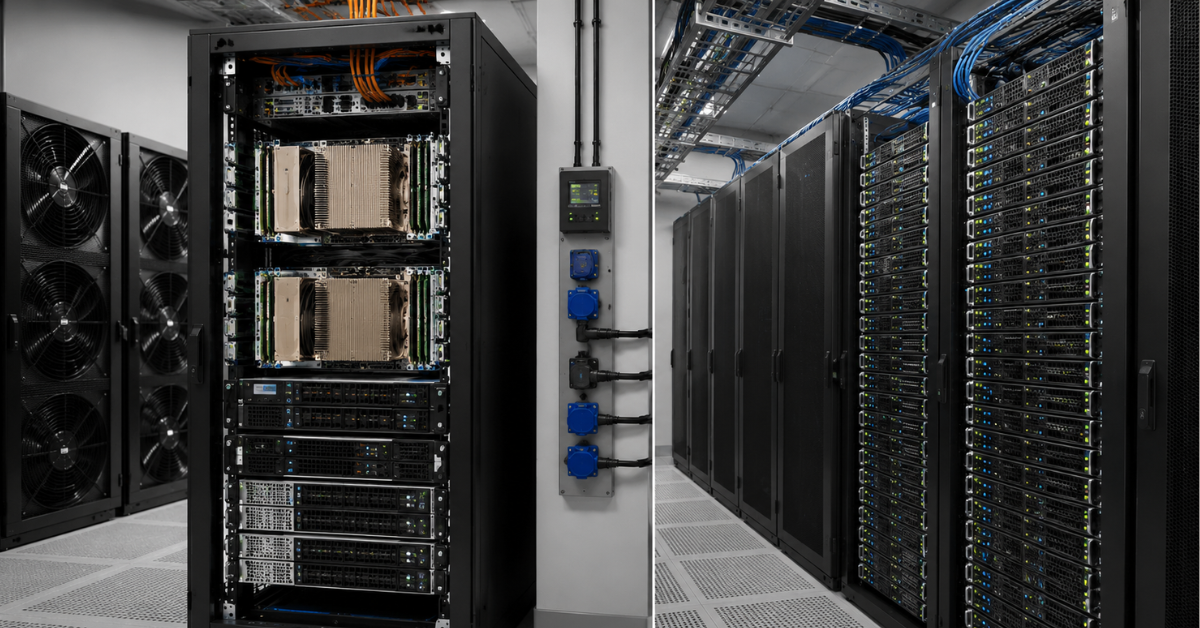
| Scenario | What to choose | Why |
|---|---|---|
| Heavy virtualization with databases and ERP | P-core | Fast cores, low latency and stability for large VMs are needed |
| Many lightweight virtual machines | E-core | Density and the number of independent tasks matter more |
| ERP, CRM and SQL databases | P-core | There is often a dependency on core speed and latency |
| Kubernetes and microservices | E-core | The workload scales well across many cores |
| AI inference on CPU | Usually P-core | Compute instructions, memory and core speed matter |
| GPU server for AI | P-core | The CPU serves GPUs, networking, storage and data preparation |
| Web/API/edge | E-core | Many lightweight parallel requests |
| HCI and software-defined storage | Usually P-core | Latency, networking, I/O, compression and encryption matter |
| Dev/test and CI/CD | E-core | Good density with moderate criticality |
| Mixed enterprise environment | P-core or two clusters | One E-core cluster may not fit heavy VMs |
Choosing the Right Equipment
Our specialists will contact you and answer all your questions
This table does not replace testing, but it helps quickly rule out unsuitable options. If the workload is heterogeneous, it is better not to look for one universal server. Often, the right architecture is two pools: P-core for critical and heavy systems, E-core for scalable and supporting services.
For a modern Xeon 6 platform, it is worth looking at Dell PowerEdge 17G. If you need a specific new-generation 2U platform, Dell PowerEdge R770 is worth considering separately. For comparison with the previous generation, it is also useful to keep Dell PowerEdge R760 in focus, especially if the company is planning an upgrade of an existing cluster rather than a completely new infrastructure.
Most popular servers
Free shipping on orders over 500 € in the EU, £500 in the UK, and $3,000 in the USA
Free shipping on orders over 500 € in the EU, £500 in the UK, and $3,000 in the USA
Free shipping on orders over 500 € in the EU, £500 in the UK, and $3,000 in the USA
Free shipping on orders over 500 € in the EU, £500 in the UK, and $3,000 in the USA
Typical mistakes when choosing
Looking only at core count
A large number of cores does not guarantee high speed for a business application. If a database or ERP system is limited by single-thread performance, E-core will not solve the problem simply by increasing the number of cores.
Not calculating memory per core
High CPU density is pointless if the server does not have enough RAM. This is especially important for virtualization and containers. It is possible to buy a server with many cores and hit a RAM limit earlier than a CPU limit.
Ignoring licenses
Some products are licensed by core count. In such cases, an E-core server with many physical cores may become more expensive than expected. Before purchase, check the licensing terms for the hypervisor, database, ERP and analytics software.
Mixing P-core and E-core without rules
In a mixed cluster, it is necessary to define in advance where critical VMs and containers will run. Otherwise, an application may end up on a node with a different performance profile after migration or restart.
Choosing E-core for a monolith
A monolithic application, a heavy Java service or an older enterprise system may scale poorly across many cores. In such cases, E-core provides density, but not necessarily speed.
Choosing P-core for thousands of lightweight services
If the workload consists of many independent web/API services, P-core may be excessive. Money will be spent on per-core performance that the application barely uses.
Thinking of E-cores as slow cores
Of course, per-core performance is higher on P-core, but if we talk about specific figures, E-core in turbo mode can deliver around 2.6–3.2 GHz, which may be sufficient for typical tasks that do not require maximum speeds.
Ignoring power and cooling
P-core servers may require more serious cooling under high load. E-core servers provide density, but a dense rack must also be designed for power, airflow and heat output.
Confusing AI inference with training large models
CPU can be good for some AI inference, data preprocessing, search, ranking and enterprise AI services. But training large models and heavy generative AI usually require GPUs. Choosing P-core instead of GPU should not be an automatic way to “save money”.
Which server to choose in practice
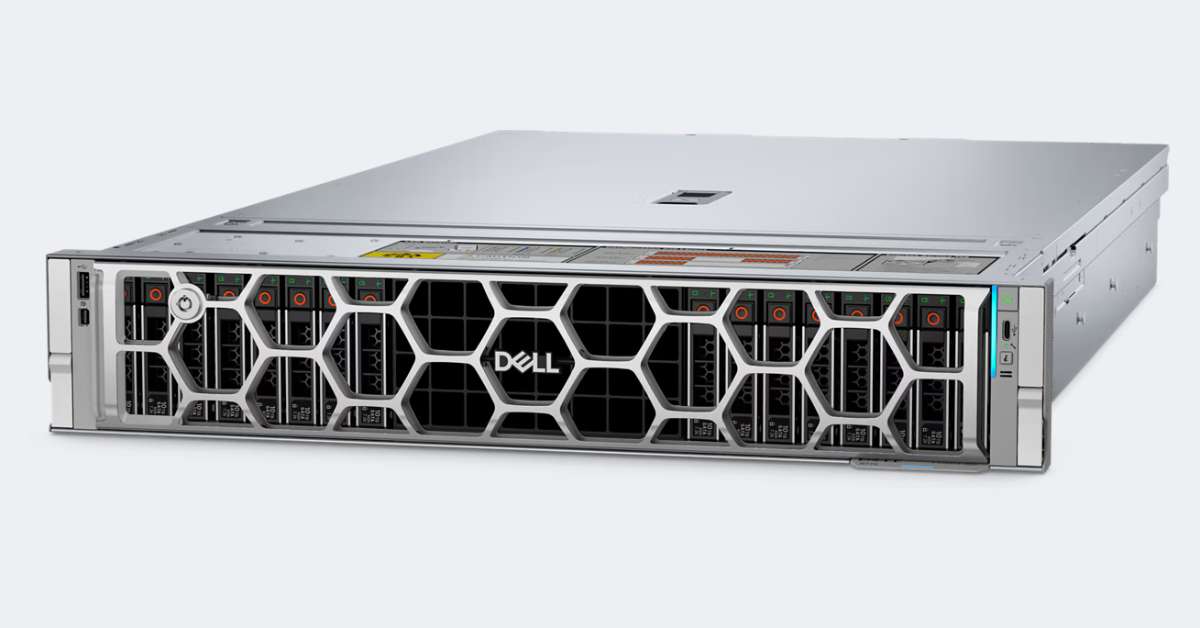
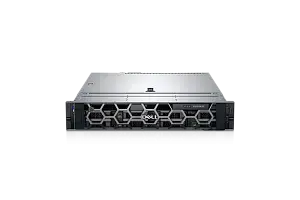
DELL PowerEdge R770.
Image source: dell.com
For P-core scenarios, it is better to look at servers with a strong memory subsystem, fast NVMe, good networking and cooling headroom. This is especially important if the server will be used for virtualization, databases, HPC, HCI, AI infrastructure or GPUs.
Good P-core configurations usually include:
- sufficient RAM for each critical VM;
- fast NVMe drives;
- 25/100/200G networking if required;
- PCIe headroom for GPUs, network cards and controllers;
- well-planned cooling;
- support for the required hypervisor and operating system.
For E-core scenarios, the logic is different. The main question is how many similar tasks can be placed on the server without overheating, memory shortage or network issues.
For E-core, the following are important:
- high core density;
- sufficient RAM per container or VM;
- network interfaces for heavy east-west traffic inside the cluster;
- power management;
- even load distribution;
- monitoring of CPU, memory and latency.
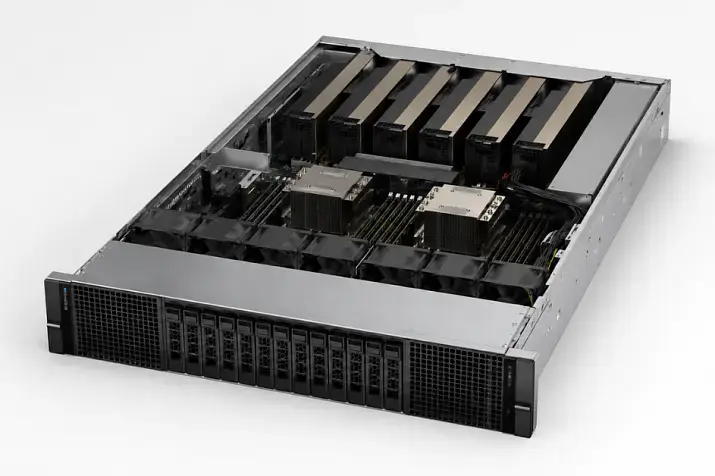
Dell PowerEdge R770 can be considered an example of a modern 2U platform for Xeon 6: Dell states support for two Intel Xeon 6 processors, 32 DIMM slots, two power supplies and up to 16 EDSFF E3.S NVMe drives. This is described in more detail on the official Dell PowerEdge R770 page.
When it is better to separate the infrastructure
For mature infrastructure, the wrong question is often: “Should we choose P-core or E-core for everything?” A better question is: “Which workloads should be separated?”
Separation is especially useful if the company has several of the following at the same time:
- ERP;
- databases;
- a container platform;
- web/API;
- analytics;
- AI services;
- dev/test;
- file and infrastructure services.
In this situation, two different pools can be built:
- A P-core cluster for critical systems, databases, heavy virtualization, AI inference and GPU servers.
- An E-core cluster for containers, microservices, web/API, dev/test and mass lightweight VMs.
This reduces the risk of overpaying while protecting critical services from performance drops. P-core handles tasks where speed and predictability matter. E-core covers density, energy savings and mass placement of services.
Summary
Intel Xeon 6 P-core is worth choosing if the server must run heavy tasks quickly and consistently: virtualization with large VMs, databases, ERP, AI inference, HPC, HCI, analytics and low-latency applications. Here, single-core performance, memory, cache, I/O and predictability under load are important.
Intel Xeon 6 E-core is better suited where many parallel services need to be placed efficiently: containers, microservices, web/API, lightweight virtual machines, dev/test, edge and cloud platforms. Here, density, performance per watt and cost per instance matter most.
If the infrastructure is mixed, it is better not to try to cover everything with one processor type. A more reliable approach is to separate servers by workload profile: P-core for heavy and critical systems, E-core for dense and horizontally scalable services. This approach usually gives the best balance of performance, cost, power consumption and growth headroom.
Choosing the Right Equipment
Our specialists will contact you and answer all your questions
Content:
Free shipping on orders over 500 € in the EU, £500 in the UK, and $3,000 in the USA
Free shipping on orders over 500 € in the EU, £500 in the UK, and $3,000 in the USA

Free shipping on orders over 500 € in the EU, £500 in the UK, and $3,000 in the USA

Free shipping on orders over 500 € in the EU, £500 in the UK, and $3,000 in the USA

Free shipping on orders over 500 € in the EU, £500 in the UK, and $3,000 in the USA
Free shipping on orders over 500 € in the EU, £500 in the UK, and $3,000 in the USA