An Intel Xeon server can be entirely sufficient for AI inference if the workload is related to classification, embeddings, document search, data extraction, smaller language models, or batch processing without strict latency requirements. A GPU is not required for every AI project. It becomes necessary when the model is large, there are many users, the context is long, responses must be generated quickly, and downtime or request queues cost the business more than buying an accelerator.
Inference is the execution of an already trained model to obtain a result: a chatbot answer, a document category, a short summary, a forecast, detected entities, or a vector representation of text. Roughly speaking, inference can be treated as the “use” of a model. In practice, companies often call any machine for this kind of workload an “AI server”, but that is too broad a simplification. One project may be fully covered by a standard 2-socket server, while another may require scaling even an expensive GPU server.
The choice depends not on the word “AI” in the task, but on five factors:
- which model is used;
- how much data the model receives as input;
- how many users access the service at the same time;
- how fast the response needs to be;
- whether requests can be processed in batches rather than strictly in real time.
That is why, before purchasing hardware, it is worth considering not only GPU servers but also classic Intel Xeon servers. For some corporate scenarios, they provide a more reasonable starting point: they are cheaper, easier to operate, more flexible in terms of memory, and sufficiently productive when properly optimized.
Our most popular servers

Free shipping on orders over 500 € in the EU, £500 in the UK, and $3,000 in the USA
Free shipping on orders over 500 € in the EU, £500 in the UK, and $3,000 in the USA
Free shipping on orders over 500 € in the EU, £500 in the UK, and $3,000 in the USA

Free shipping on orders over 500 € in the EU, £500 in the UK, and $3,000 in the USA
Why not all AI tasks require a GPU
GPU is well suited for massive parallel computing. That is why it has become the standard choice for training large models, generating images, heavy video analytics, and serving large language models under high load. But inference is not always the same kind of workload.
There are tasks where the model makes a short prediction:
- determine the type of support request;
- detect the sentiment of a review;
- extract an amount and contract number from a document;
- classify an email;
- build an embedding for search;
- transcribe a small amount of audio or process audio without strict deadlines;
- select relevant fragments from a knowledge base.
In these scenarios, there is no long text generation. The model receives a relatively small input and quickly returns a label, number, set of entities, or vector. The workload can be distributed well across CPU cores, especially if requests are processed through a queue.
A different case is an enterprise assistant based on a large language model. It receives a long question, instructions, document fragments, conversation history, and must generate a detailed answer. If dozens or hundreds of users access it at the same time, the CPU quickly runs into generation speed and memory bandwidth limits.
There are also mixed architectures. For example, a system for searching internal documents may work like this:
- The CPU receives the request and cleans the text.
- The CPU builds or searches embeddings.
- The vector database finds similar documents.
- A large model generates the final answer.
- The CPU performs post-processing, filtering, and logging.
In such a scheme, a GPU may be needed only at the heavy generation stage. The other stages can run perfectly well on Xeon. Intel also notes that, in real AI scenarios, different stages of data processing may require different types of computing: part of the workload runs well on CPUs, while some parts are more efficient on specialized accelerators. This approach is discussed in more detail in Intel’s material on CPU inference acceleration.
What helps Intel Xeon with inference
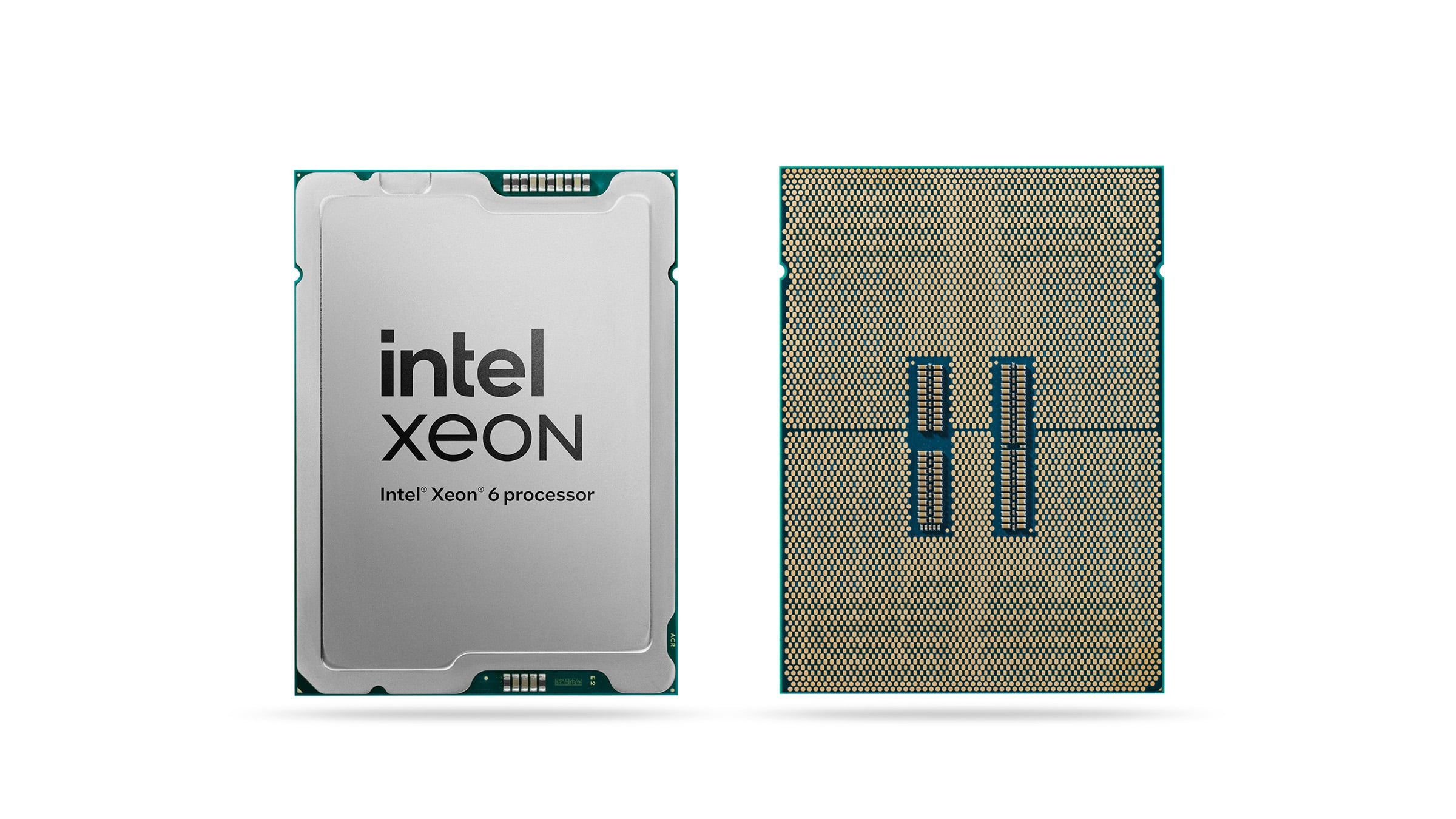
Intel Xeon 6.
Image source: newsroom.intel.com
A modern server CPU is not just a “general-purpose processor”. For inference workloads, it has several strong advantages.
Many cores for parallel small requests
If a service processes hundreds of short operations, the CPU can distribute them across cores. This is useful for classification, embeddings, filtering, search, preprocessing, and API serving.
For example, if a stream of CRM tickets needs to be processed, the CPU does not have to respond like a chatbot in real time. It can take tasks from a queue and process them at an acceptable speed.
Large amount of RAM
AI is not only about computing power. The following are often critical:
- the size of the model in memory;
- search indexes;
- documents and context fragments;
- caches;
- task queues;
- intermediate data.
Two-socket Xeon servers usually offer more RAM capacity options than workstations or compact GPU configurations. Of course, system memory speed cannot match HBM, but it is much cheaper per gigabyte. This matters for document AI, RAG systems, and enterprise knowledge bases, where a lot of supporting data lives alongside the model.
Built-in acceleration for matrix operations
Neural network models actively use matrix computations. New generations of Intel Xeon include built-in acceleration for such tasks, including Intel AMX. This mechanism is designed to accelerate matrix operations used in deep learning and inference workloads.
This does not turn the CPU into a full replacement for the GPU in every scenario. But for some models and moderate workloads, these capabilities help run inference on CPU faster and more cost-effectively than on older server generations.
A good role in mixed workloads
Many enterprise AI services are not “one model on one server”. The surrounding environment also includes:
- a web application;
- a database;
- a task queue;
- document storage;
- vector search;
- monitoring;
- authorization;
- logging;
- integrations with CRM, ERP, or Service Desk systems.
A CPU server is convenient precisely because it can serve this entire contour. Even if the system includes a GPU, Xeon remains the central element: it prepares data, manages requests, runs service logic, and prevents the accelerator from sitting idle.
Which tasks can usually start with CPU
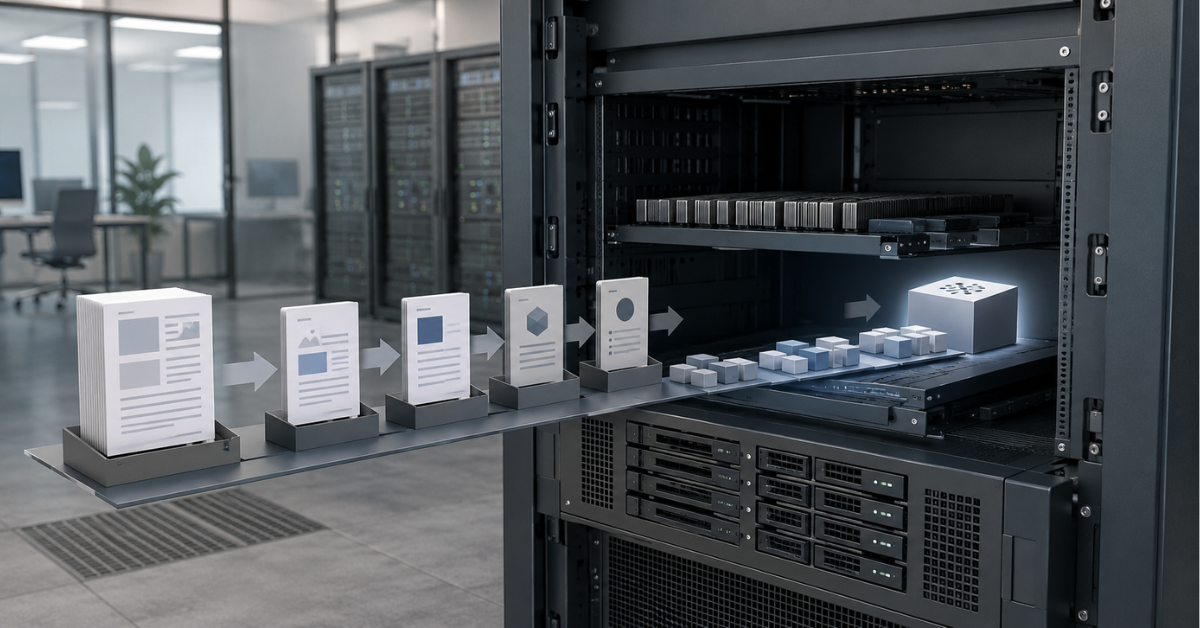
Classification and routing
This is one of the best scenarios for CPU inference. The model receives text and returns a category, probability, label, or short set of attributes.
Examples:
- routing support requests to departments;
- detecting the topic of an email;
- finding urgent tickets;
- classifying reviews;
- moderating user-generated text;
- identifying the document type.
A large generative model is rarely needed here. A compact model, rules, classic machine learning, or a combination of these is often enough. CPU works well because the response is short and requests can be processed in parallel.
Embeddings and semantic search
An embedding is a numerical representation of text that can be used to search for similar documents, products, tickets, or instructions. Such models are often lighter than large generative models.
CPU may be sufficient if:
- the knowledge base is not huge;
- documents are added gradually;
- there are not too many queries;
- indexing can run on a schedule;
- there is no strict requirement to answer in fractions of a second.
GPU starts to make sense when embeddings need to be recalculated in bulk for millions of documents, when the service must handle a high request flow, or when several services need to be served at the same time.
Choosing the Right Equipment
Our specialists will contact you and answer all your questions
Document AI
For document processing tasks, CPU is often a rational choice, especially for invoices, contracts, acceptance certificates, requests, and internal forms.
Typical operations include:
- extracting a contract number;
- finding a date, amount, tax ID, or address;
- identifying the document type;
- comparing fields with data in an accounting system;
- sending the document to the right approval route.
A non-obvious point: the bottleneck here is often not the model but the quality of scans, OCR, document structure, field validation, and integration with business systems. Buying a GPU will not fix poor templates, messy PDFs, or an unstable approval process.
Small language models
Small and medium-sized language models can run on CPU if they are optimized and the speed requirements are moderate. This is especially relevant for internal tools where the user can wait a few seconds.
CPU may be suitable for:
- an internal assistant for regulations and policies;
- generating short drafts;
- summarizing small documents;
- classifying dialogues;
- preparing suggested responses for support operators;
- local prototypes without sending data to external services.
However, it is important not to confuse “running a model” with “running a convenient service”. Getting an answer in a test console is one thing. Serving users in a production interface, where stability, queues, security, and predictable latency matter, is another.
Batch processing
If the result is not needed immediately, CPU is often cost-effective enough.
Examples:
- overnight processing of a document archive;
- reindexing a knowledge base;
- bulk classification of old tickets;
- preparing embeddings;
- extracting data from accumulated PDFs;
- generating internal reports.
In these tasks, processing can be stretched over several hours, run at night, and limited by resource quotas. There is no need to buy a GPU only for rare peaks.
Where CPU quickly becomes a limitation
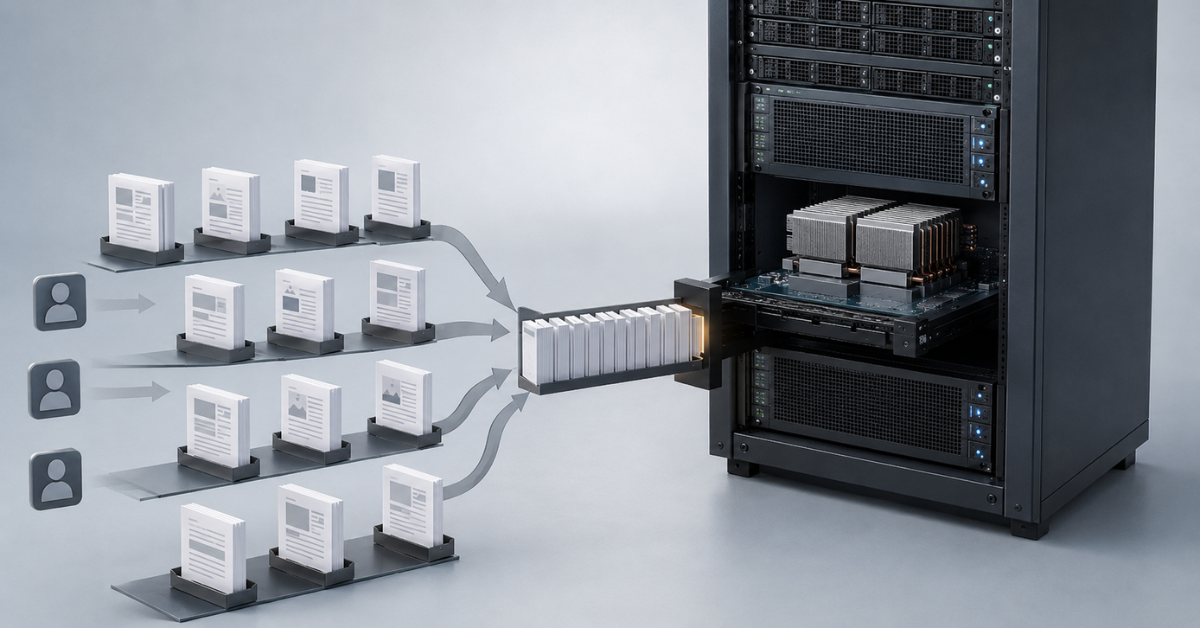
Large language models
The larger the model, the higher the requirements for compute and memory. CPU can run some large models in quantized form, but that does not mean the speed will be sufficient for business use.
Problems appear when you need to:
- generate long answers;
- serve many users;
- keep a large context;
- return the first part of the response quickly;
- scale the service without long queues.
NVIDIA’s materials on optimizing inference for large language models specifically note that long inputs and scenarios with retrieval from external knowledge sources increase computational load. That is why a RAG system with long documents can quickly become heavy, even when the idea itself sounds simple: “just answer a question using the knowledge base”.
High concurrency
One internal user and 200 simultaneous users are two different infrastructure tasks.
CPU can handle a pilot:
- 5–10 employees;
- short questions;
- small documents;
- low request frequency;
- acceptable waiting time.
But a public or large internal service requires a different assessment. If users arrive in waves, the CPU may start accumulating a queue. The average response time may still look acceptable, while some users are already seeing delays that are too long.
Long context
Context is everything the model receives as input: the question, instructions, conversation history, and retrieved document fragments. In RAG systems, context can grow quickly.
Long context increases:
- memory consumption;
- request processing time;
- cost per answer;
- load under concurrent users;
- the probability of unstable latency.
Sometimes the problem is solved not by buying a GPU, but by shortening the context: improving document search, cutting fragments more accurately, removing unnecessary instructions, and avoiding sending the entire document to the model.
Real-time video, images, and speech
GPU is almost always more rational if the system must, in real time:
- analyze a video stream;
- recognize speech;
- process images;
- work with multimodal models;
- generate images;
- perform complex computer vision processing on a stream.
CPU can be used for individual stages and relatively simple tasks such as transcription, but the heavy mathematics of these models is usually more cost-effective on GPU.
Scenario comparison: CPU or GPU
| Scenario | CPU on Intel Xeon | GPU server | Comment |
|---|---|---|---|
| Text classification | Yes | Usually not needed | If the model is small and the response is short |
| Embeddings for a small knowledge base | Yes | Depends on the load | GPU is needed for bulk indexing and a high request flow |
| Document AI | Often yes | Sometimes | Depends on OCR, document volume, and speed requirements |
| Small internal chatbot | Possible | Depends on the load | CPU suits pilots or low concurrency |
| RAG with long context | Limited | Often yes | Long context sharply increases the load |
| Large language model for many users | No or borderline | Yes | Throughput and low latency are required |
| Real-time video analytics | Usually no | Yes | GPU is almost always more rational |
| Overnight batch processing | Yes | Sometimes | If deadlines are not strict, CPU may be more cost-effective |
How to estimate the workload before buying a server
Model size
Model size affects memory, speed, and compute requirements. But a server should not be selected only by the number of parameters. The model format, quantization, input length, output length, and number of simultaneous requests also matter.
A small model under a large request flow may become heavier for the infrastructure than a larger model used by only a few people.
Input length
A short request such as “what category does this email belong to?” and a request with a 20-page contract are different workloads. Even if the same model is used, long input changes the processing time.
For enterprise systems, this is especially important because users often want to “upload the whole document”. But the model rarely needs to see everything at once. It is usually better to:
- split the document into fragments in advance;
- find only the relevant parts;
- remove duplicates;
- limit conversation history;
- send the model less unnecessary text.
Number of simultaneous users
It is not enough to count the total number of employees in the company. It is more important to understand how many people actually access the system at the same time.
Useful questions for estimation:
- how many requests per minute will there be on a normal day;
- whether there are morning or evening peaks;
- how many users may work simultaneously;
- whether the service will be public;
- what happens if the queue grows;
- whether it is acceptable for a user to wait 5–10 seconds or more.
If the service is internal and not critical, CPU can be a good starting point. If it is part of a customer-facing product, latency becomes a business metric.
Batch processing
Batch processing means requests can be collected and executed in groups. This helps use hardware more efficiently.
It works well for:
- processing archives;
- overnight indexing;
- bulk classification;
- building embeddings;
- preparing data for analytics.
It works worse for:
- online chat;
- voice assistants;
- operator suggestions during a live conversation;
- interactive search;
- a user interface where the response is needed immediately.
Latency and throughput
When choosing a server, it is important to measure not only whether the system “works”. For a user-facing service, latency, throughput, and request serving cost are important. NVIDIA’s guide to LLM inference benchmarking treats these parameters as core metrics for evaluating model serving quality and economics.
For evaluation, you need to look at:
- time to first visible response;
- total request duration;
- generation speed;
- number of requests per second;
- behavior under peak loads;
- share of slow requests;
- cost per answer.
Averages can be misleading. If 90% of requests answer quickly and 10% hang, users will remember those 10%.
CPU or GPU decision matrix
| Parameter | You can start with Xeon | Better to consider GPU |
|---|---|---|
| Task type | classification, embeddings, data extraction | generation, multimodal models, video |
| Model response | label, number, short text | long detailed answer |
| Number of users | low or moderate concurrency | many simultaneous requests |
| Operating mode | queue, batch processing, overnight tasks | interactive service |
| Context | short fragments | long documents and large RAG context |
| Latency | several seconds are acceptable | fast response is needed almost immediately |
| Budget | low starting cost is important | speed and scaling matter more |
| Infrastructure | standard rack and standard power | space, power, and cooling for GPU are available |
Why total cost of ownership matters more than server price
The purchase price is only part of the decision. In AI infrastructure, the full cost of ownership must be calculated.
It includes:
- the server;
- GPU, if needed;
- RAM;
- storage drives;
- networking;
- power consumption;
- cooling;
- rack space;
- administration;
- spare components;
- cost of downtime;
- future scaling.
A CPU server may be cheaper at the start, but under high load several such machines may be needed. A GPU server is more expensive, but under a constant heavy load it may be cheaper per processed request.
Scenarios where GPU often pays off:
- CPU cannot meet the required latency;
- the request queue grows faster than it is processed;
- the service is used by many employees or customers;
- answer generation is part of a commercial product;
- the load is high and stable;
- the cost of user waiting time is higher than the cost of the accelerator.
Scenarios where GPU may be excessive:
- the project is at the pilot stage;
- the service is used by a few employees;
- responses are not needed immediately;
- tasks run on a schedule;
- the model is small;
- the GPU will sit idle most of the time.
Sometimes the most cost-effective path is to start with Xeon, measure the real workload, optimize the model, and only then buy a GPU. This reduces the risk of overpaying for hardware that will not be fully utilized.
Choosing the Right Equipment
Our specialists will contact you and answer all your questions
How to optimize inference on CPU
Before moving to GPU, it is worth checking how well the CPU is being used. Sometimes the problem is not the hardware, but an unoptimized model, incorrect thread settings, or an excessively long input context.
Optimized libraries
For CPU inference, teams use OpenVINO, ONNX Runtime, oneDNN, llama.cpp, and other tools. The OpenVINO CPU device documentation states that the CPU plugin is designed for high-performance inference on Intel x86-64 and Arm processors, while newer CPU generations provide additional gains, especially for INT8 models.
This matters because “running a model on CPU” can be done in different ways. A native, unoptimized build may show weak results, while a properly prepared model may already deliver acceptable speed.
Quantization
Quantization reduces the precision of numbers inside the model. For example, lighter formats such as INT8 or INT4 can be used instead of heavier ones. The model takes less memory, loads faster, and may run faster.
Advantages:
- lower memory consumption;
- lower server requirements;
- higher speed;
- easier CPU deployment.
Disadvantages:
- quality may decrease slightly;
- testing on real data is required;
- not all models tolerate strong quantization equally well.
Quantization is especially useful for pilots, internal assistants, classifiers, and smaller generative models.
Reasonable context
Many AI services work slowly not because the server is weak, but because too much text is sent to the model.
Instead of sending the whole document to the model, it is better to:
- split documents into fragments;
- search only for relevant parts;
- limit conversation history;
- remove repeated instructions;
- store facts and metadata separately;
- avoid mixing different tasks in one prompt.
This is especially important for RAG systems. The more unnecessary text gets into the request, the more expensive each answer becomes.
Thread and memory tuning
CPU inference is sensitive to settings:
- number of threads;
- load distribution between sockets;
- NUMA;
- memory speed;
- competition with the database;
- disk load;
- network exchange with storage.
If the model, database, search, and web application run on one server at the same time, they can interfere with each other. That is why, for production systems, it is often better to separate roles: one server for API and queues, another for search, and a third for heavy generation.
Hybrid architecture: when CPU and GPU work together
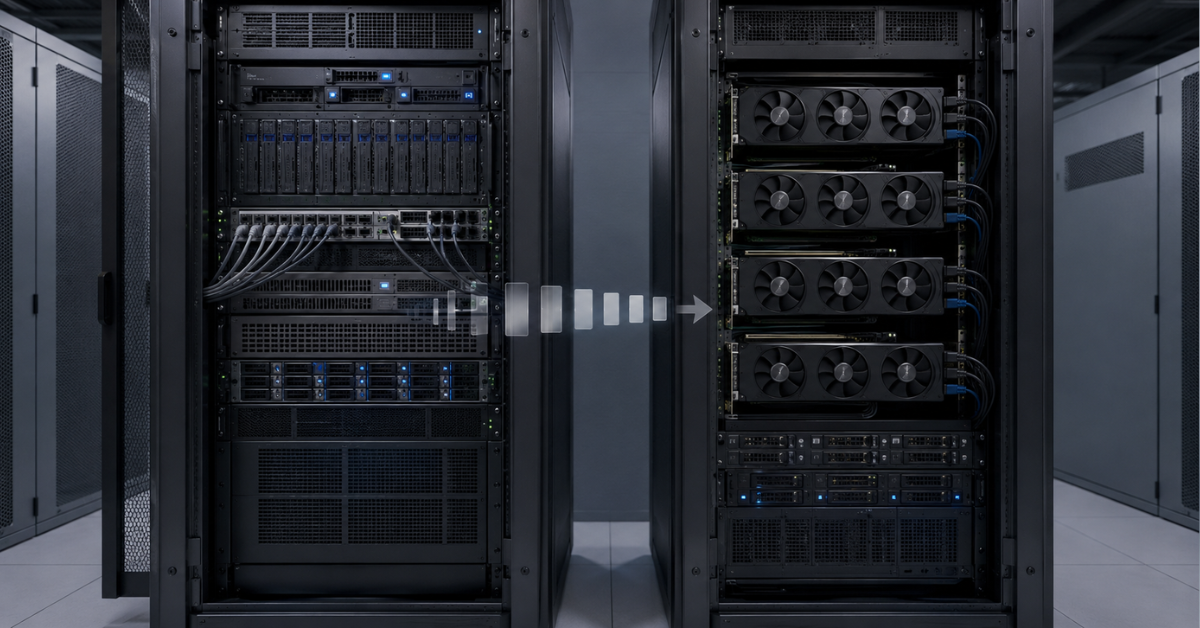
In mature AI infrastructure, the question is rarely “CPU or GPU”. More often, the right answer is “both CPU and GPU, but each for its own part”.
CPU is well suited for:
- receiving requests;
- authorization;
- API operation;
- text preparation;
- OCR and primary document processing;
- knowledge base search;
- queue operation;
- logging;
- integrations;
- response post-processing.
GPU is better used where heavy parallel mathematics is truly needed:
- generating long answers;
- running large language models;
- multimodal models;
- video analytics;
- bulk embedding generation;
- high concurrency.
This approach helps avoid wasting GPU time on service operations. The accelerator is busy with generation or model processing, while Xeon supports everything around it.
Example of an enterprise RAG service:
- The user asks a question.
- The CPU receives the request, checks permissions, and cleans the text.
- The CPU or a separate service searches for relevant documents.
- The GPU generates the final answer based on the retrieved fragments.
- The CPU checks the format, saves the log, and returns the result to the user.
If the load is moderate, step 4 can also remain on CPU. If latency becomes unacceptable, this is the stage that is moved to GPU first.
Most popular servers
Free shipping on orders over 500 € in the EU, £500 in the UK, and $3,000 in the USA
Free shipping on orders over 500 € in the EU, £500 in the UK, and $3,000 in the USA

Free shipping on orders over 500 € in the EU, £500 in the UK, and $3,000 in the USA
Free shipping on orders over 500 € in the EU, £500 in the UK, and $3,000 in the USA
Which servers to consider
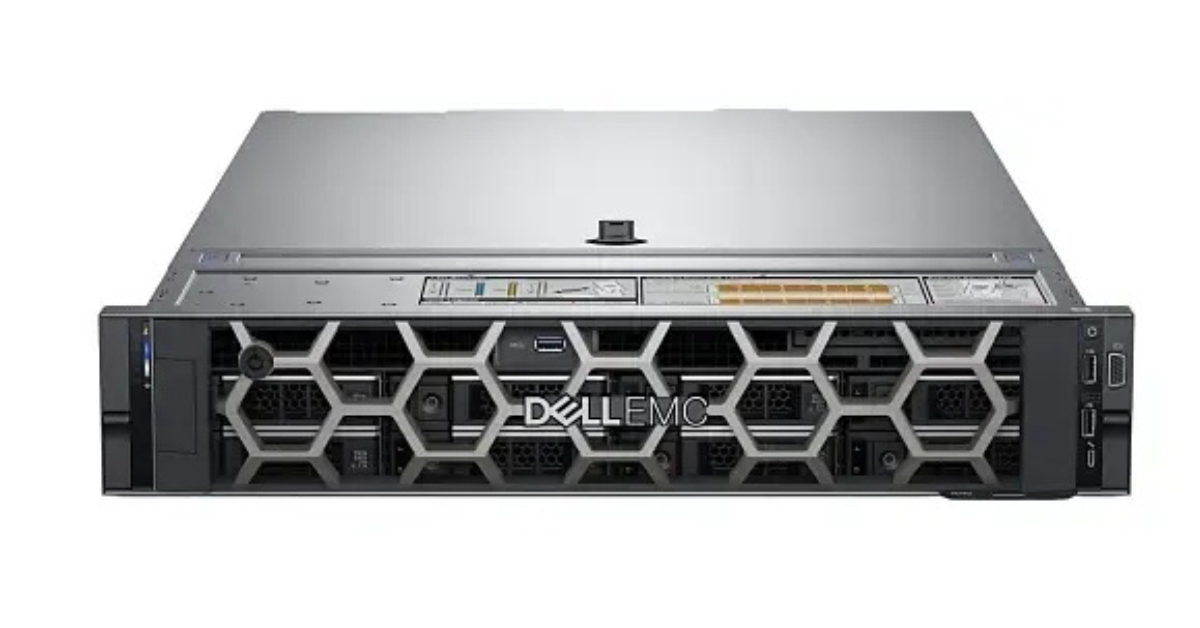
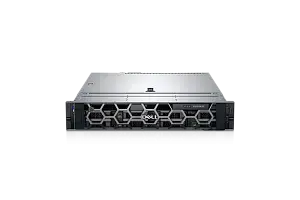
Dell PowerEdge R760.
Image source: Servermall
For CPU inference, the balance of characteristics usually matters more than any single maximum parameter. The server should have enough cores, memory, fast storage, and sufficient cooling headroom.
For entry-level and mid-range scenarios, it is worth looking at 2-socket Intel Xeon platforms:
- classification;
- embeddings;
- document AI;
- internal assistants;
- moderate-load RAG;
- batch processing;
- services with low concurrency.
Universal 2U servers are suitable for such tasks, for example Dell PowerEdge R760 or Dell PowerEdge R770, if you need headroom for new CPU generations, memory, NVMe, and future service development.
When choosing a CPU server, pay attention to:
- CPU generation;
- number of cores;
- supported RAM capacity;
- number of memory slots;
- NVMe configuration;
- network interfaces;
- future expansion options;
- power consumption;
- cooling requirements.
If the task is immediately related to large models, high concurrency, multimodality, or video, it is better to consider GPU platforms. In the English version, you can also look at the Dell AI Servers section.
For companies that plan to develop their AI infrastructure gradually, it is reasonable to look not only at a specific server model but also at the platform generation. For example, Dell 17th Generation servers can be interesting if you need headroom for new processors, memory, network cards, and a longer lifecycle.
How to make a decision without overpaying
The choice of server should start not with a hardware catalog, but with a workload description.
The sequence can be as follows:
- Define the task type: classification, search, embeddings, RAG, generation, video, speech.
- Fix the model or at least the model class.
- Understand how much text the model receives as input.
- Estimate the length of the answer.
- Calculate the number of simultaneous users.
- Separate normal and peak load.
- Define acceptable latency.
- Check whether batch processing can be used.
- Test the task on CPU.
- Compare CPU-only, GPU-only, and hybrid options by total cost of ownership.
It is important to test not an abstract example from the documentation, but your own task. If, in reality, a user sends a 30-page contract, a test with a short question will not show the real load. If, in reality, 50 people use the service at the same time, a single-request test is also useless.
You should measure not only whether “an answer appeared”, but specific parameters:
- time to first response;
- total request duration;
- generation speed;
- number of requests per second;
- CPU load;
- memory usage;
- queues;
- power consumption;
- cost per request.
Such a test often shows that part of the system can remain on Xeon, while GPU is needed only for one heavy stage. Or the opposite: CPU is suitable for a pilot, but not for production load.
When Intel Xeon is a reasonable choice
Xeon should be considered first if the project is at the pilot stage or under a moderate production workload. This is especially true if the company does not yet know the real number of requests and does not want to buy an expensive GPU server immediately.
A CPU platform is suitable when:
- the model is small or medium-sized;
- data can be processed through a queue;
- latency is not critical;
- users are internal;
- operational simplicity is important;
- a large amount of RAM is needed;
- the database, search, API, and integrations run alongside the model;
- the GPU would sit idle most of the time.
This approach helps launch the project faster, get real metrics, and avoid overpaying for an accelerator at a stage when the load has not yet been confirmed.
When GPU is needed from the start
GPU should be included in the architecture from the beginning if the task is already clear and obviously heavy.
This applies when:
- a large language model is used;
- the answer must be generated quickly;
- there are many simultaneous users;
- the context is long;
- the service is part of a customer-facing product;
- latency affects revenue or service quality;
- there is video, images, speech, or multimodal data;
- a CPU test shows an unacceptable queue.
In such projects, trying to “save on GPU” can have the opposite effect: more CPU servers will need to be purchased, the system will be harder to scale, and users will have to be told why the assistant responds too slowly.
Conclusion
Intel Xeon is suitable for many AI inference tasks if the model is not too large, the load is moderate, the context is controlled, and latency is not a strict business requirement. CPU can be used to start classification, embeddings, document AI, internal assistants, batch processing, and some RAG scenarios.
GPU is needed not because the project involves AI, but because there are specific requirements: a large model, long context, many users, low latency, multimodality, or a high cost of waiting. The most reliable path is to describe the workload first, then test the real scenario on Xeon, calculate total cost of ownership, and only after that choose CPU, GPU, or a hybrid architecture.
Choosing the Right Equipment
Our specialists will contact you and answer all your questions
Content:
Free shipping on orders over 500 € in the EU, £500 in the UK, and $3,000 in the USA
Free shipping on orders over 500 € in the EU, £500 in the UK, and $3,000 in the USA

Free shipping on orders over 500 € in the EU, £500 in the UK, and $3,000 in the USA

Free shipping on orders over 500 € in the EU, £500 in the UK, and $3,000 in the USA

Free shipping on orders over 500 € in the EU, £500 in the UK, and $3,000 in the USA
Free shipping on orders over 500 € in the EU, £500 in the UK, and $3,000 in the USA