Linux can be more cost-effective than Windows Server, especially when the roles being migrated naturally belong in a Linux environment: web services, APIs, containers, open-source databases, proxies, monitoring, backup services, and some file storage workloads. Migration often does not pay off if the server depends on Active Directory, Exchange, terminal connections, complex access permissions, legacy Windows applications, specific SQL Server features, or vendor support that officially works only with Windows Server.
There may also be unexpected "hidden" costs, for example if the team does not have the required skills and the company has to strengthen it through additional hiring and/or training. That is why the calculation should include not only the license price, but the full cost of the transition: applications, data, permissions, downtime, vendor or third-party support, team training, and rollback risks.
Why the question is not just about the license price
At first glance, the choice looks simple: Windows Server requires licenses, while most Linux distributions can be installed without purchasing an operating system license. But in a working infrastructure, a server is not just the OS itself. It runs applications, databases, directory services, file shares, backups, monitoring agents, antivirus tools, scripts, integrations with accounting systems, and familiar administrative processes.
Windows Server is often purchased not as a “bare operating system,” but as part of an ecosystem. A company gets Active Directory, Group Policy, a familiar permissions model, integration with Entra and Microsoft 365 services, support for legacy applications, terminal scenarios, and compatibility with a large amount of enterprise software. If all of this is actively used, replacing Windows Server with Linux stops being a simple source of savings.
Linux is not free to operate either. The distribution itself may be free, but a production server needs security updates, backups, monitoring, documentation, administrators, procedures, and support. In a small project, this may be the work of one experienced specialist. In a company with requirements for fault tolerance and auditing, it is already a full operating model.
So the right question is not: “Can we replace Windows Server with Linux?” A much more useful question is: which specific roles can be migrated without losing compatibility, manageability, and support?
What migration from Windows Server can actually mean
Migration from Windows Server does not necessarily mean abandoning Microsoft infrastructure completely. In practice, intermediate options are more common.
A company may keep Active Directory on Windows Server while moving web applications to Linux. It may keep SQL Server on Windows, but deploy new services on Linux. It may stop using local Exchange and move to cloud mail or open-source solutions, but keep the file server on Windows. It may gradually migrate internal applications, starting with those that already run on Java, PHP, Python, Node.js, Go, or modern .NET.
Sometimes migration does not mean replacing one server with another, but changing the architecture. For example, an old Windows server with several roles can be split into separate services: database, application, file storage, monitoring, and backups. Some roles move to Linux, some remain on Windows, and some move to the cloud or are replaced by a ready-made service.
This approach is safer than trying to replace everything at once. The more roles a single Windows Server performs, the higher the risk that unexpected dependencies will appear during migration: service accounts, old scripts, paths to network folders, file-level permissions, scheduled tasks, database connections, mail integrations, or outdated application components.
Our most popular servers

Free shipping on orders over 500 € in the EU, £500 in the UK, and $3,000 in the USA
Free shipping on orders over 500 € in the EU, £500 in the UK, and $3,000 in the USA
Free shipping on orders over 500 € in the EU, £500 in the UK, and $3,000 in the USA

Free shipping on orders over 500 € in the EU, £500 in the UK, and $3,000 in the USA
Where savings appear and where they disappear
Savings from Linux appear where it is possible to remove or reduce spending on Windows Server licenses, client access licenses, terminal licenses, some commercial components, and the maintenance of similar Windows servers. The effect is especially noticeable when there are many servers, in horizontally scaled environments, and in infrastructures where new applications no longer require Windows.
Windows Server Standard and Datacenter are licensed according to a “cores plus client access” model, and users or devices usually need client access licenses. This matters in calculations because the cost depends not only on the number of servers, but also on the number of users, devices, virtual machines, and access scenarios.
But the savings shrink if the transition requires rewriting an application, changing the database, migrating complex access permissions, training the entire team from scratch, buying commercial Linux support, changing the backup system, and running two infrastructures in parallel for a long time.
| Cost item | On Windows Server | On Linux | What is often forgotten | How it affects the decision |
|---|---|---|---|---|
| Operating system | Licenses by edition and cores | Often no OS fee | Distribution support and lifecycle | Linux is more cost-effective with many similar servers |
| User access | Client access licenses may be required | Usually no such model | Application access may be licensed separately | Savings depend on the access model |
| Terminal connections | Separate licenses are required | There may be no direct equivalent | Replacing RDS often changes the workflow | Migration may not pay off |
| Databases | SQL Server may be an expensive part of the project | Open-source DBMS options exist, but migration is complex | SQL code, reports, procedures, drivers | Savings are possible, but not always quick |
| Support | Often familiar to the team | A subscription may be required | A free OS is not the same as free operation | Specialists and SLA must be included in the calculation |
| Applications | Often already certified | Compatibility must be checked | The vendor may not support Linux | The most important ROI factor |
| Files and permissions | NTFS, groups, audit, inheritance | Operation through Samba is possible | Complex permissions do not always migrate smoothly | The risk is higher than it seems |
| Migration | May not be required | Testing, transfer, and rollback are needed | Parallel operation of two environments | Can consume years of savings |
If you compare only the license cost, Linux almost always looks cheaper. If you count all the work around migration, the picture becomes more complicated. Sometimes the transition pays off within a few months. Sometimes savings appear only in the third or fourth year. And sometimes the project makes no financial sense at all because the migration costs are higher than the cost of continuing to run Windows Server.
What to check before calculating costs

Before migration, an inventory is needed. Without it, a company often migrates not a server, but a set of unknown dependencies that become visible only after launch.
First, it is necessary to understand which roles the server performs. It may be a domain, file server, database, web server, terminal server, application server, mail server, backup system, monitoring system, or several roles at once. The more roles there are on one server, the more carefully the migration should be planned.
Then the applications must be checked. It is important to find out whether the application has a Linux version, whether the vendor supports it, which components are used, and whether there is a dependency on IIS, the old .NET Framework, Windows Task Scheduler, PowerShell scripts, COM components, local drivers, protection keys, or office libraries on the server.
Databases should be checked separately. If SQL Server is used, it is necessary to understand the version, edition, features, jobs, reports, linked servers, backups, drivers, and authentication method. If PostgreSQL, MySQL, MariaDB, Redis, or other open systems are used, migration is usually easier, but it still requires tests, including performance and recovery tests.
File servers are checked by folder structure, groups, permissions, inheritance, audits, quotas, shadow copies, paths in applications, and user habits. A simple “Exchange” folder is relatively easy to migrate. A complex file structure with dozens of groups, nested permissions, and application integrations can become a separate project.
Backups, monitoring, antivirus tools, logs, audit requirements, acceptable downtime, recovery plans, and the availability of a test environment must also be checked. If there is no test environment, migration turns into an experiment on a production system.
When Linux is really more cost-effective
Linux is often more cost-effective for new or well-separated services. If an application does not depend on Windows-specific components and the team knows how to work with Linux, the transition may provide not only savings but also simpler operation.
Good migration candidates include web applications, APIs, proxy servers, monitoring services, log collection, message queues, backup services, container platforms, and development and testing servers. In these scenarios, Linux has long been a familiar environment, with many automation tools, documentation, and established practices.
Linux is well suited for applications written in Java, PHP, Python, Go, Node.js, and modern .NET if they do not use Windows-specific capabilities. It is convenient for PostgreSQL, MySQL, MariaDB, Redis, ClickHouse, and other systems that are often originally deployed in a Linux environment. It is also well suited for containers, where services can be moved between servers and deployment can be automated.
The transition is especially cost-effective when there are many servers. Migrating one web server may provide only modest savings. Dozens of similar application servers that can be deployed from a template already make a visible difference to the budget and simplify maintenance.
Another strong scenario is moving away from the “one universal server with everything on it” model. If an old Windows Server simultaneously serves an application, files, scheduled tasks, and auxiliary services, the migration can be used as a reason to split the roles. Then Linux becomes part of a more manageable architecture, not just a different logo on the login screen.
When migration will not pay off
Migration will not pay off if the main value of the server is tied to Windows functions, not simply to the ability to run an application. This often happens in companies with old internal systems, terminal workstations, a complex domain, and many dependencies on Microsoft infrastructure.
A weak migration candidate is a server with an old application that is officially supported only on Windows Server. Even if it can be launched through a workaround, the company may lose vendor support. For the business, this is a serious risk: in the event of a failure or update error, the vendor may refuse to investigate the problem in an unsupported environment.
Migration has poor ROI if users work through RDS, if Exchange on-premises is used, if the file server has a complex NTFS permissions model, if applications use Windows authentication, or if there are many Group Policy objects and service accounts. In such cases, the transition affects not one server, but the workflows of users and administrators.
A separate risk is a lack of skills. If the team has administered only Windows Server for years, Linux will require training, new procedures, new monitoring tools, a different update logic, and different diagnostic approaches. This is not a reason to reject Linux, but it must be included in the calculation.
Active Directory, LDAP, and accounts

Active Directory often becomes the main migration constraint. In a small setup, it may be perceived as a “list of users,” but in practice it is much more: domain computers, groups, policies, DNS, Kerberos, service accounts, access permissions, audit, workstation joining, and application integrations.
Linux servers can be joined to an existing domain and use domain accounts. In many cases, this is the most reasonable path: the domain remains on Windows Server, while individual applications and services move to Linux. This way, the company gets some savings and flexibility without breaking the main identity layer.
Full replacement of Active Directory requires a separate analysis. Samba can operate as an Active Directory domain controller, and the project has documentation for that scenario. But this does not mean that a mature Microsoft domain can be painlessly replaced in one evening. Client compatibility, Group Policy, DNS, replication, fault tolerance, administration, and support must all be considered.
OpenLDAP or similar solutions are also not a full replacement for Active Directory. They can solve directory and authentication tasks for individual systems, but they do not automatically transfer the entire logic of a Windows domain. Group Policy, the familiar workstation management model, and some enterprise integrations will require other solutions.
That is why starting migration with domain replacement is usually risky. It is more often safer to leave Active Directory on Windows Server and use Linux for server roles where dependency on the domain is minimal or well managed.
SQL Server on Linux: a real option, but not a universal replacement
Modern Microsoft SQL Server can be run on Linux, and for some projects this really reduces dependence on Windows Server. If the application mainly uses the database engine, standard connections, and supported features, this option may work. Microsoft separately describes the editions and supported components of SQL Server on Linux, so before migration it is necessary to check not only the fact that the system can start, but also the specific features it uses.
The main mistake is assuming that “SQL Server exists on Linux” means a fully transparent migration. Jobs, backups, high availability, reports, integrations, drivers, linked servers, authentication, monitoring, and maintenance must be checked. Sometimes a database migrates without serious problems. Sometimes it turns out that an entire set of Windows-dependent processes has been built around the database.
There is also an intermediate option: leave SQL Server on Windows while moving the application to Linux. This can be reasonable if the database is stable, well configured, and not the main cost item. In another case, migration from SQL Server to PostgreSQL or another open-source DBMS can be considered, but that is no longer just an operating system replacement; it is a full database change project.
Such a project requires analysis of SQL code, procedures, data types, indexes, reports, performance, and application behavior. License savings can be significant, but the risk of error is also higher.
Exchange and mail infrastructure
Exchange cannot be treated as an ordinary application that can simply be taken and moved to Linux. It is tightly connected to Windows Server, Active Directory, server role requirements, client access, mailboxes, calendars, mobile devices, and administration. Microsoft publishes separate system requirements for Exchange Server, and they describe a supported server environment rather than an arbitrary Linux platform.
If a company wants to reduce Exchange costs, it should calculate not “migration from Windows Server to Linux,” but a separate mail system project. There are several options: keep Exchange, move to Microsoft 365 or other SaaS solutions, implement another mail platform, move some functions to an external service, or separate mail from the other server roles.
Replacing mail almost always affects users. Mailboxes, archives, calendars, contacts, rules, mobile devices, anti-spam, signatures, and integrations with CRM, document management, and backups must be migrated. If the company actively uses shared calendars, delegation, rooms, mobile policies, and familiar Outlook workflows, savings on the server OS may be insignificant compared with organizational costs.
That is why Exchange rarely becomes the first migration candidate. It is usually left as it is, upgraded, moved to the cloud, or considered separately from the general Linux migration project.
File shares and access permissions
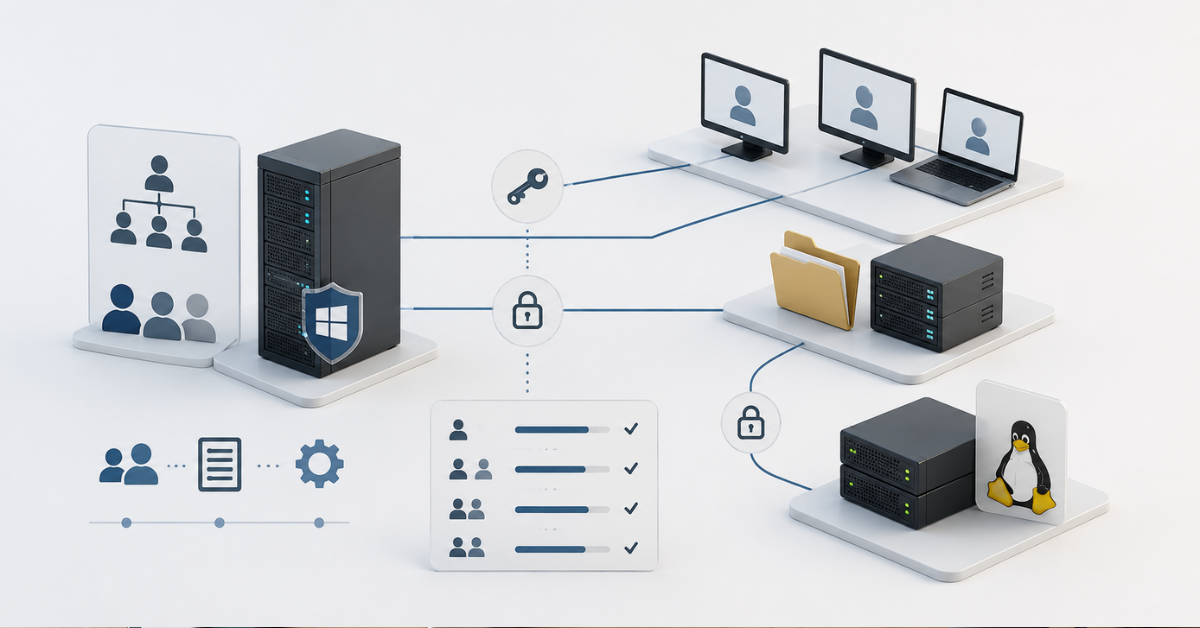
A file server may look like a simple migration candidate. In practice, much depends on access permissions and application behavior. If there are several shared folders for file exchange, Linux with Samba may be a suitable solution. But if the file server stores years of accumulated permissions, nested groups, inheritance, audits, department work directories, and application data, the migration must be prepared very carefully.
The difficulty is usually not the file transfer itself. The difficulty is making sure that after migration users see exactly the folders they should see, do not receive excessive permissions, do not lose access to the data they need, and do not encounter application errors. Accounting databases, CAD files, large archives, office documents, file locks, and paths configured inside applications require especially careful checking.
User habits also matter. Some users have network drives connected through Group Policy, while others have paths saved in shortcuts, macros, document templates, or old instructions. If the folder path changes after migration, this can create more support requests than expected.
A file server should be migrated through a pilot. First, one department or one less critical folder is selected, then permissions, speed, file locks, recovery from backup, and the behavior of work applications are checked. Only after that should the main data be migrated.
Applications matter more than the operating system
The main ROI factor is not Windows Server or Linux, but the applications. If an application officially supports Linux, uses standard protocols, and does not depend on Windows components, migration may be relatively simple. If the application is old, closed, and supported only in a Windows environment, savings on the OS become secondary.
Before migration, several questions must be answered. Is there a Linux version of the application? Does the vendor support such an installation? Can the application be moved into a container? Does it use IIS, the old .NET Framework, COM components, Windows services, local drivers, office libraries, or hardware dongles? How does it connect to the database? Which service accounts does it use? Where are the settings stored?
Sometimes an application looks simple, but has old dependencies inside. For example, the web interface can be moved to Linux, but report generation uses a library that works only on Windows. Or the main application starts without problems, but exchange with an external system is handled through an old script in Task Scheduler. Such details should be found before migration, not after it.
If the software vendor does not officially support Linux, migration becomes risky even if the application can technically run. This may be acceptable for a test environment. For accounting, production, document management, or customer service, such a risk may cost more than a Windows Server license.
Linux support and security also cost money
Linux is often chosen for its openness and absence of a fee for the operating system itself. But a production server requires not only installation, but continuous operation. Security updates, vulnerability control, monitoring, backups, access management, logs, documentation, and a recovery plan are needed.
For small projects, standard community support and a competent administrator are enough. For critical systems, a commercial subscription, extended security updates, 24/7 support, and compliance with internal security requirements may be required. For example, Ubuntu Pro is positioned as a subscription for extended security maintenance, support, and compliance, which means that even in the Linux world production support may be a separate cost item.
The choice of distribution also affects the calculation. The support lifecycle of the version, availability of specialists, application compatibility, software vendor requirements, and update policy must be considered. Ubuntu LTS is convenient for some companies; Debian, AlmaLinux, Rocky Linux, Red Hat Enterprise Linux, or SUSE are convenient for others. What matters is not which option is “better in general,” but which one can be supported in the specific infrastructure.
Another point is administrative security. In a Windows environment, the team may be used to graphical tools, Group Policy, and a particular access model. Linux more often uses another approach: access keys, SELinux\AppArmor, sudo, configuration files, system logs, package managers, and automation. This is neither better nor worse, but it requires discipline and experience.
What a migration project should look like
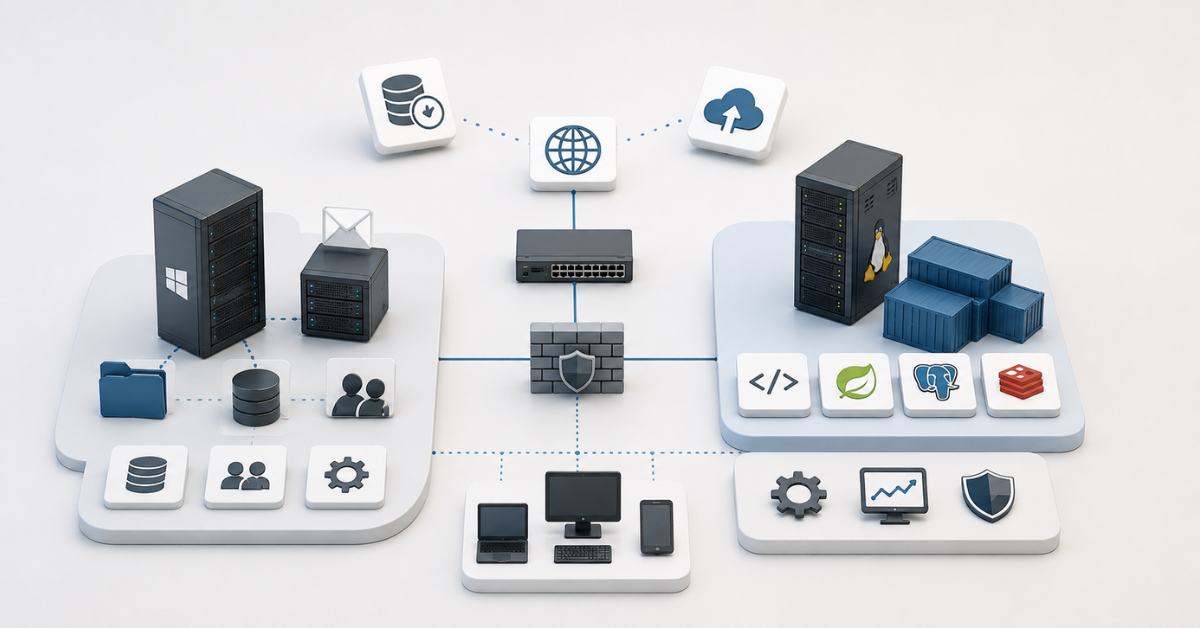
A good migration starts not with installing Linux, but with classifying servers. All roles should be divided into three groups: easy to migrate, disputed, and not worth migrating. The first group usually includes new web services, proxies, monitoring, test environments, open-source databases, and containerized applications. The second group includes file servers, individual databases, and internal applications. The third includes Exchange, RDS, old Windows applications, and complex domain roles.
After that, a test environment is created. The application, database, permissions, backups, monitoring, performance, and rollback are checked there. If the server is critical, the test should include not only startup, but also recovery after a failure. A migration cannot be considered successful if the service starts but cannot be quickly restored.
Next, a pilot project is selected. It is better to start with a service that is useful for testing the approach, but will not stop the business if something goes wrong. After the pilot, instructions, standard settings, a monitoring scheme, access rules, and a rollback plan are documented. Only then should more important roles be migrated.
A period of parallel operation is almost always needed. The old server should not be switched off immediately after migration. It is necessary to make sure that users can work normally, backups are created and restored, monitoring detects errors, permissions are configured correctly, and performance is no worse than expected.
A rollback plan is mandatory. Without it, migration becomes risky even with a good technical calculation. Rollback must answer simple questions: how much time is needed to return, what data may change while the new system is running, how to synchronize changes, and who makes the decision to roll back.
Which roles should be migrated and which are better left alone
| Role | Can it be migrated to Linux? | When it is cost-effective | When it is better not to touch it | Comment |
|---|---|---|---|---|
| Web server | Yes | The application does not depend on IIS or old Windows components | There is a hard dependency on IIS, COM, or old .NET | Often a good first candidate |
| API and application server | Yes | The code is cross-platform, with tests and support | The vendor supports only Windows | The deciding factor is not the OS, but application compatibility; an application alternative may need to be found |
| File server | Partially | Simple shares, clear groups, pilot migration | Complex NTFS permissions and application data | Requires checking permissions and file locks |
| SQL Server | Sometimes | Supported Linux features are used | Many Windows-dependent services and integrations | Specific features must be checked |
| PostgreSQL or MySQL | Yes | The database already runs on Linux or is easy to migrate | There are no skills and no backup process | Usually a natural environment for Linux |
| Exchange | No direct migration | Only as a separate mail replacement project | All Exchange on-premises features are required | Not a simple OS migration |
| Active Directory | Usually better left in place | Linux servers can be integrated with the domain | The domain is complex and critical | Full replacement requires a separate project |
| DNS and DHCP | Yes, but with nuances | Simple infrastructure, clear zones and networks | Everything is tied to AD and Group Policy | Can be migrated gradually, but remember that DNS is part of AD |
| Terminal server | Usually no | There is a ready alternative for the workflow | Users work through RDS every day | Migration often does not pay off |
| Monitoring and logs | Yes | Open-source tools are used | The team is not ready to maintain the stack | A good candidate for Linux |
| Backup services | Yes, but carefully | The software supports Linux and a recovery test exists | The agent or repository is tied to Windows | Recovery testing is more important |
| Container platform | Yes | New services are ready for containers | Applications are old monoliths | Often a strong area for Linux |
Choosing the Right Equipment
Our specialists will contact you and answer all your questions
This table does not replace an assessment, but it helps choose the order of work. It is usually more cost-effective to start with new and loosely connected services, not with the domain, mail, or terminal workplaces.
How to calculate payback
Migration payback can be calculated using simple logic:
savings over the period = current Windows infrastructure costs − future Linux infrastructure costs − migration cost − risk cost
Current costs include Windows Server licenses, client access licenses, terminal licenses, SQL Server and Exchange licenses, support, administration, updates, hardware, and virtualization. Future costs include Linux subscriptions, support, training, maintenance, application modifications, new monitoring tools, backup migration, test environments, and audit.
The cost of migration is not only administrator hours. It includes assessment, design, testing, data transfer, permission configuration, documentation, pilot, parallel operation of two environments, and possible application modifications. If the migration requires the involvement of the software vendor, developers, or external integrators, this must also be included.
The cost of risks is harder to calculate, but it cannot be ignored. It includes downtime, access errors, loss of performance, vendor refusal to provide support, project delays, the need for urgent rollback, and user dissatisfaction. If the system is critical for the business, one day of downtime may cost more than several years of licenses.
Payback looks convincing if savings repeat across many servers and migration is standardized. For example, dozens of similar web services can be migrated according to a template. Unique servers with an old application, complex permissions, and unclear dependencies have a much worse payback profile.
When a hybrid scheme is the better choice
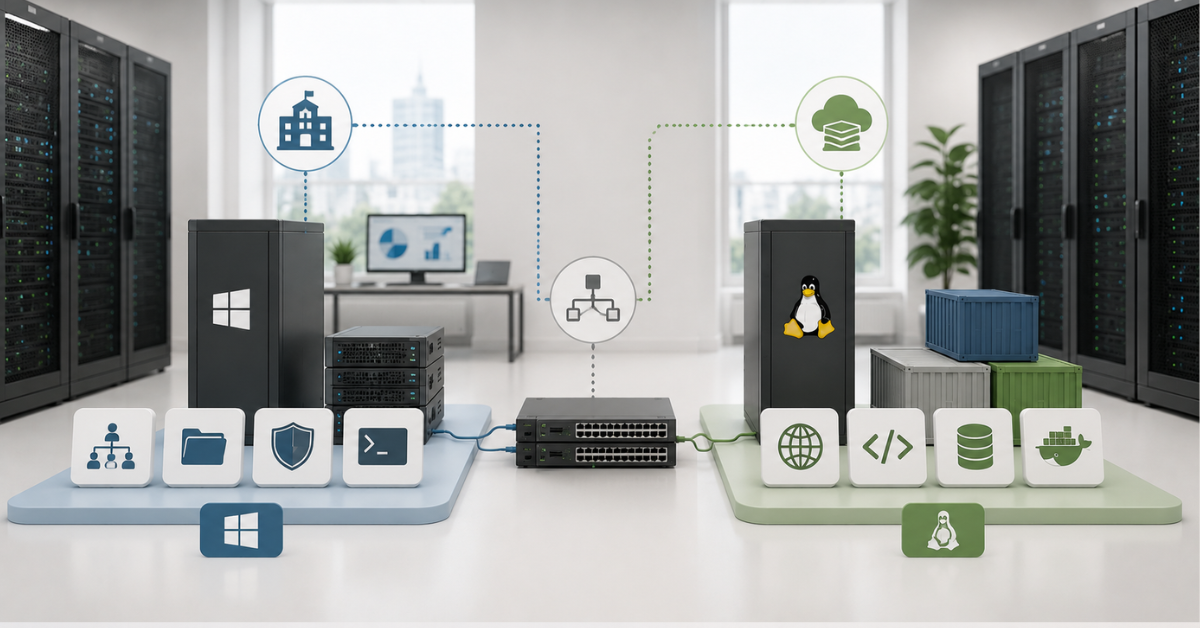
For most companies, the most realistic path is not a complete rejection of Windows Server, but a reduction of its scope. Windows remains where it is truly needed: the domain, specific applications, terminal scenarios, Exchange, or individual databases. Linux is used where it provides technical and economic value: web services, containers, monitoring, proxies, open-source databases, and new internal applications.
A hybrid scheme reduces risk. There is no need to break everything at once. Active Directory can remain the central account system, while Linux servers are joined to it. An old application can remain on Windows, while new modules are developed for Linux. SQL Server can be kept where it is needed, and PostgreSQL can be used for new tasks.
This approach is especially useful if the company is gradually modernizing its infrastructure. Old services live until planned replacement, while new ones are already created without a hard dependency on Windows Server. In a few years, the share of Windows can shrink noticeably without a painful one-time migration.
Signs that Linux will be more cost-effective
Linux is likely worth serious consideration if most applications are already cross-platform, the team knows how to work with Linux, new services are deployed through automation, databases are not tied to specific SQL Server features, file permissions are simple, and there are enough servers for savings to repeat.
Another good sign is the possibility of phased migration. If it is possible to first migrate a test environment, then an internal service, then some web applications, and only after that more important roles, the project becomes manageable. In this scenario, each next migration relies on templates that have already been tested.
Linux is also cost-effective if the company wants to develop containers, automation, infrastructure as code, microservices, open-source databases, and more flexible scaling. In such conditions, Linux often turns out to be not just cheaper, but more convenient as a platform foundation.
Signs that migration will not pay off
Migration is unlikely to pay off if the server runs an old Windows application, the vendor supports only Windows Server, users work through RDS, Exchange on-premises is used, and file server permissions have been accumulating for years without up-to-date documentation.
Caution is also needed if the company has no Linux administrators. Specialists can be hired or the team can be trained, but this takes time and money. If the migration is needed only to save on one license, training and process changes may cost more.
A bad sign is the absence of a test environment and rollback plan. If the service cannot be tested in advance, cannot be restored from backup, and cannot be quickly returned to the old platform, migration becomes an unjustified risk.
Another warning signal is when the project is calculated only by the OS cost. If the calculation does not include applications, access permissions, downtime, support, backups, training, and risks, the final figure is almost certainly underestimated.
Common migration mistakes
- Starting with the conclusion that “Linux is free, so it will be cheaper.” In reality, only a system that can be reliably maintained will be cheaper.
- Migrating everything at once. Even if the final goal is to reduce the Windows infrastructure, it is safer to move role by role. First simple services, then disputed ones, then critical ones. Domains, mail, and terminal scenarios should be considered separately.
- Ignoring access permissions. Files can be copied quickly, but incorrectly migrated permissions create either downtime or excessive access. Both options are dangerous.
- Not checking vendor support. If an application works on Linux only “more or less,” but the vendor does not confirm it, the company takes the risk on itself.
- Not testing recovery. A backup is considered working only after successful restoration. This rule is especially important when changing platforms.
- Not taking users into account. For administrators, migration may look like changing a server; for employees, it means changes in access to files, mail, reports, and familiar applications. If this layer is not thought through, a technically correct project will be perceived as a failure.
Our most popular storage systems
Free shipping on orders over 500 € in the EU, £500 in the UK, and $3,000 in the USA

Free shipping on orders over 500 € in the EU, £500 in the UK, and $3,000 in the USA

Free shipping on orders over 500 € in the EU, £500 in the UK, and $3,000 in the USA

Free shipping on orders over 500 € in the EU, £500 in the UK, and $3,000 in the USA
What to choose in the end
Linux should be chosen where it fits the server role, applications, and team skills. It can noticeably reduce costs and simplify infrastructure development when the topic is web services, containers, open-source databases, monitoring, proxies, new internal applications, and some file services.
Windows Server is better left where it is not just an OS, but the foundation of the working environment: Active Directory, Exchange, RDS, old enterprise applications, complex access permissions, specific SQL Server features, and systems for which the vendor officially supports only Windows.
In many cases, the best option is hybrid. Windows Server remains for roles where replacement is risky or economically pointless. Linux takes over new and portable services where it genuinely provides value. This way, the company reduces license load, does not break critical processes, and gradually gains a more flexible infrastructure.
The migration decision should be based not on ideology and not on price tag comparison, but on an inventory of roles, application compatibility, support cost, downtime risks, and payback calculation over several years. Then migration from Windows Server to Linux becomes not an experiment, but a managed engineering project.
Choosing the Right Equipment
Our specialists will contact you and answer all your questions
Content:

Free shipping on orders over 500 € in the EU, £500 in the UK, and $3,000 in the USA

Free shipping on orders over 500 € in the EU, £500 in the UK, and $3,000 in the USA

Free shipping on orders over 500 € in the EU, £500 in the UK, and $3,000 in the USA

Free shipping on orders over 500 € in the EU, £500 in the UK, and $3,000 in the USA

Free shipping on orders over 500 € in the EU, £500 in the UK, and $3,000 in the USA

Free shipping on orders over 500 € in the EU, £500 in the UK, and $3,000 in the USA