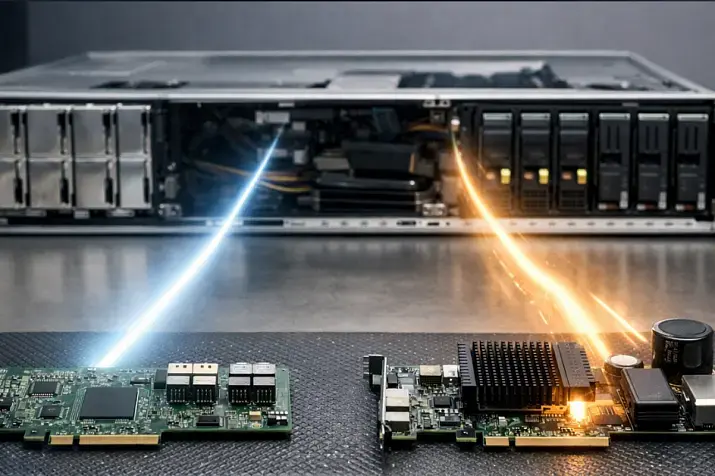
NVMe started as a way to squeeze the most out of local PCIe SSDs, but in real infrastructure you quickly hit server physics: the drives are “tied” to nodes, while you want to share a fast pool across hosts, migrate workloads without re-cabling hardware, and avoid sliding into a slow or unpredictable storage layer.
NVMe over Fabrics (NVMe-oF) solves exactly this problem: it transports NVMe commands over a network fabric, letting you access NVMe drives and subsystems remotely. At the end of this article you’ll find a transport selection matrix and a readiness checklist so you can make the call without guesswork or “blind tuning.” Good baseline definitions and a list of transports are collected by SNIA in What is NVMe-oF and in the NVMe-oF 1.1a specification.
NVMe-oF in plain terms: what it is and how it works
NVMe-oF is an extension of NVMe that lets you run the same read/write operations and queue management, but not over PCIe — over a network (Ethernet/InfiniBand/FC). This dedicated network is often called a fabric. Architecturally you get the same “block” interface, just remote: the host sees NVMe controllers and namespaces, while the physical drives/pools live on the target side. A close analogy is the more familiar iSCSI, which essentially does the same thing, but for SCSI devices.
Key entities:
- Host (initiator) — the server consuming block devices. Key items here are the driver, the NVMe-oF stack, and path policy (multipath/ANA).
- Target — the side exporting block devices over the network. This can be a storage appliance, a Linux target, or a user-space target.
- Subsystem — a logical export unit: a set of controllers and namespaces visible to the host.
- Namespace — what you ultimately perceive as a disk/volume.
- Controller and queues — the parallelism mechanics: many queues, many commands, high queue depth when configured correctly.
A separate topic is discovery. Instead of maintaining a manual target list, the host queries a discovery controller, gets discovery records, and establishes connections to the required subsystems. On Linux this is easy to see in nvme-cli: the idea behind connect-all is described in the relevant man-page — it issues discovery requests and brings up controllers from the returned records.
Set expectations up front: NVMe-oF is not a “magic accelerator.” It is remote NVMe with its own latency budget, network dependencies, path tuning, and day-2 operations. Its strength is architectural flexibility and an NVMe-like command/queue model — not a guarantee of “local-like” behavior.
Most popular refurbished servers

Free shipping on orders over 500 € in the EU, £500 in the UK, and $3,000 in the USA

Free shipping on orders over 500 € in the EU, £500 in the UK, and $3,000 in the USA

Free shipping on orders over 500 € in the EU, £500 in the UK, and $3,000 in the USA

Free shipping on orders over 500 € in the EU, £500 in the UK, and $3,000 in the USA
When NVMe-oF is truly needed

You need NVMe-oF if…
- You need to share a fast NVMe pool across many hosts while keeping the added latency low compared to classic network protocols.
- You need high NVMe density (JBOF/JBOD approach) but want centralized management instead of “disks in every host.”
- You have strict latency predictability requirements and care about tails (p99/p99.9) and QoS within the storage fabric.
- Your virtualization or container platform (VMware/KVM/OpenStack/Kubernetes) needs fast block volumes without being tied to local disks on compute nodes.
- You need fast “re-wiring” of storage: move resources between clusters/zones without physical access or downtime-heavy manual steps.
- You want to reduce maintenance downtime: replace compute nodes without touching the storage pool, and vice versa.
- You have disciplined network operations: a dedicated storage segment, measurements, monitoring, clear SLOs, and trained staff.
Probably not needed if…
- You only have 10GbE with no headroom, the network is shared and congested, and you cannot isolate a fabric.
- The team isn’t ready for RDMA/FC and complex troubleshooting, and there’s no time for training and a proper pilot.
- You need file semantics (NFS/SMB), not block: NVMe-oF solves block storage; the file layer must be built separately.
- The data is “cold” and latency is not important: SAS/SATA, a regular SAN/NAS, or object storage is simpler.
- You expect distributed data resiliency (replication/erasure coding) to come “for free” from the transport protocol.
- Your bottleneck is not storage: app CPU, DB locks, east-west network, disk cache — NVMe-oF won’t fix architectural causes.
- You cannot ensure a predictable fabric: periodic microbursts, unstable MTU, no baseline metrics for loss/latency.
NVMe-oF ≠ Ceph
NVMe-oF is a transport and an access model for block devices: how to deliver NVMe commands to a remote medium. Ceph/RBD (and other SDS) is distributed storage, where resiliency is provided at the data layer via replication/EC protocols. They can be combined, but their roles differ: NVMe-oF answers “how to connect,” SDS answers “how to store and survive failures.”
NVMe-oF transports: TCP, RDMA, Fibre Channel — what to choose and why
NVMe-oF defines transport bindings at least for TCP and RDMA; NVMe/FC evolves within the FC ecosystem. This is also reflected in NVMe-oF 1.1a: the spec describes NVMe extensions for fabric operation and references transport bindings.
NVMe-oF transport comparison
| Transport | Where it fits | Pros | Cons / risks | Network / hardware requirements | Typical latency profile / CPU load |
|---|---|---|---|---|---|
| NVMe/TCP | Universal choice for Ethernet; fast to start, easy to scale | Simple integration into IP networks; familiar tools; lower entry barrier | CPU/network stack overhead may be more visible; sensitive to IRQ/NUMA/tuning; tails grow under congestion | 25/50/100GbE preferred; dedicated VLAN/VRF; consistent MTU and QoS discipline | Higher latency than RDMA all else equal; CPU load often higher, especially at high IOPS |
| NVMe/RDMA (RoCE/IB/iWARP) | OLTP and latency-sensitive workloads; lowest added latency | Low latency and strong tails on a properly designed fabric; less CPU for data transfer | More complex network and operations; lossless/ECN and deeper diagnostics; higher cost of mistakes | RDMA-capable NICs, tuned fabric, congestion control; skilled team | Potentially best p99/p99.9; CPU load typically lower than TCP when configured correctly |
| NVMe/FC | Where a mature FC-SAN and processes already exist | Predictable SAN operating model; established zoning/ops practices | Different ecosystem and cost; rarely rational “from scratch” without existing FC | FC infrastructure, HBAs, SAN operational processes | Good predictability in a mature FC-SAN, but depends on design |
Choosing the Right Equipment
Our specialists will contact you and answer all your questions
NVMe/TCP is often the “sane default” for Ethernet infrastructures: easier to pilot, easier to scale, and easier to operate. The practical side of NVMe/TCP on Linux is described in Red Hat documentation — useful at least as a reference for steps and support limitations: Configuring NVMe/TCP.
RDMA is the path to minimal latency, but the price is fabric complexity and the need to manage congestion. Without experience and operational investment, RDMA can easily become a “project for numbers,” where gains are eaten by tails caused by microbursts and configuration mistakes.
NVMe/FC makes sense when you already have a well-run FC-SAN. If you don’t, starting from zero for NVMe/FC is often hard to justify unless it’s a corporate environment with established SAN processes.
A typical selection mistake
- Pick RDMA for minimal latency, then discover the fabric isn’t isolated, congestion isn’t measured, losses are “fixed” with jumbo frames and hope, and production p99 is worse than a well-designed TCP segment.
- Pick TCP because it’s simpler, then hit CPU, IRQ, and NUMA: the network is fast, but hosts are not prepared, and you end up optimizing softirq instead of storage.
What an NVMe-oF solution consists of
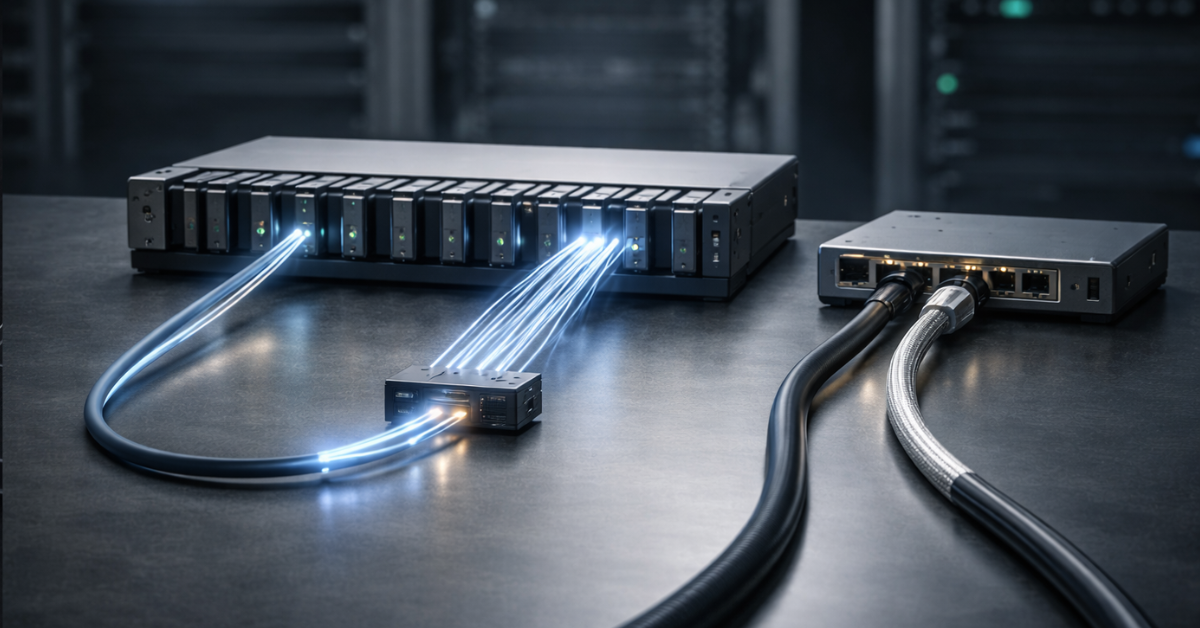
NVMe-oF almost always follows the same base pattern; the differences are in target implementation and fabric requirements.
- Hosts (initiators)
OS (most often Linux), NVMe-oF stack, nvme-cli, path configuration and failover policy. Critical here: NUMA locality, IRQ affinity, NIC queueing, and a correct multipath model. - Target (target/subsystem)
Options: - storage platform (hardware or software);
- Linux target (kernel-based);
- user-space target based on SPDK, often chosen for performance and datapath control. SPDK explicitly states its NVMe-oF target is a user space application supporting RDMA and TCP.
- Fabric
Switches, a dedicated segment (VLAN/VRF), L2/L3 boundaries, routing rules, QoS/ECN (where applicable). Don’t confuse “a separate VLAN” with “a separate fabric”: sometimes traffic still meets on shared uplinks and lives by oversubscription rules. - Discovery and connection lifecycle
The discovery controller lets hosts automatically learn endpoints and connect by policy. On Linux, this is reflected in nvme-cli workflows: discovery first, then controller and namespace connections — exactly as described by connect-all.
A minimal set of terms worth aligning on before implementation:
- NQN (NVMe Qualified Name) — an identifier for a subsystem/host.
- Namespace — what you attach as a block device.
- ANA / path mechanisms — how the system knows which paths are active/preferred and how to switch on failures. Don’t call it “magic multipath”: behavior depends on implementation and tuning, so a failover test is mandatory in a pilot.
How to think in latency budgets and bottlenecks
To avoid “it’s fast, but sometimes it’s bad and we don’t know why,” treat latency as a budget from day one and focus on tails.
What latency consists of
- NVMe media and controller: NAND/medium and FTL, internal queues, background processes.
- Target stack: kernel vs user-space datapath, CPU scheduling, locks.
- NIC/PCIe/NUMA: socket locality, bus bandwidth, queue distribution.
- Network: packet serialization, buffering, microbursts, congestion, loss/retransmits.
- Host stack: interrupts, softirq, drivers, scheduler, and app interference.
Latency budget: quick signs of common bottlenecks
| Component | How to check / symptom / typical cause |
|---|---|
| Host CPU | p99 grows with IOPS, CPU spent in softirq: IRQ affinity not tuned, NIC queues not balanced, poor NUMA locality |
| NUMA / PCIe | “Fast on one node, slow on another”: NIC and CPU are on different sockets, data crosses the inter-socket link |
| Network | Bandwidth looks sufficient, but tails jump: microbursts, shared uplink, hidden oversubscription, loss and retransmits |
| MTU | Intermittent issues and odd timeouts: MTU mismatch end-to-end, fragmentation or drops somewhere |
| Target | p99/p99.9 degrade with load: not enough cores, thread contention, suboptimal datapath |
| Queues / queue depth | Low link utilization despite “fast disks”: QD too small, wrong I/O parameters, app doesn’t parallelize |
In most production incidents, tails matter more than “average” latency. p99 and p99.9 show how predictable the system is under load. Averages can look fine even when every second there are “bad” requests that break application SLOs.
A practical approach: establish a local-NVMe baseline (if comparing), then measure NVMe-oF on a clean fabric, then add the application’s real I/O profile. If tails grow, look for the cause in CPU/NUMA/network first — and only then reconsider transport.
How to choose in practice

- Define the workload
Block vs file, read/write ratio, sync writes, I/O sizes, burst patterns, required queue depth. Understand what’s sensitive: latency or throughput. - Set goals
SLO for p99 (and p99.9 if critical), IOPS/MBps, resiliency requirements, budget constraints. - Check constraints
What network you truly have (25/50/100GbE), whether you can isolate a fabric, team skills, and how important day-2 simplicity is. - Pick the transport
- Minimize risk and operate comfortably in IP networks — NVMe/TCP.
- Lowest latency and you can run an RDMA fabric — NVMe/RDMA.
- You already have a mature FC-SAN and processes — NVMe/FC.
- Pick the target implementation
Storage platform, Linux target, or user-space. If datapath control and performance matter, SPDK is often considered. - Design HA and multipath
How many paths, how failover works, what counts as a failure, and what timeouts are acceptable for apps. - Run a pilot with clear pass/fail criteria
Not “we tried — seems fast,” but: p99 on the real I/O profile, behavior on path failure, degradation under network congestion, and observability coverage.
Requirements that are most often underestimated
A dedicated storage fabric is the #1 factor for predictability. This doesn’t always mean separate switches, but at least a segment with clear routing and no “random” neighbors on shared uplinks. At scale, VRF/segmented L3 domains often win to prevent unexpected mutual degradation.
MTU and jumbo frames only help when they are consistent end-to-end. If MTU is smaller anywhere along the path, you may get fragmentation, drops, and strange timeouts. Jumbo frames do not fix congestion and are not a substitute for correct uplink design.
NUMA and IRQ affinity are a classic source of “suddenly slow” on dual-socket servers. If the NIC sits on one socket but interrupts and processing run on the other, tails increase for no obvious reason. In NVMe-oF this is especially visible because the datapath is sensitive to CPU/queue placement.
Oversubscription is when you “have 100GbE on paper,” but the fabric shares an uplink among many flows. NVMe-oF can look great in the lab and sharply worse in production if storage traffic meets east-west or backup traffic.
Mini checklist before the pilot:
- Validate MTU across the entire path, not only on hosts and switches.
- Check loss, retransmits, and congestion indicators on the storage segment.
- Separate traffic: storage vs management vs east-west (at least logically).
- Establish a local-NVMe baseline and define target p99/p99.9 under load.
NVMe-oF security: isolation, authentication, risk minimization
The core principle is simple: the storage fabric must not be publicly reachable. NVMe-oF is access to block devices; segmentation mistakes become the worst kind of incident.
Practical measures:
- Isolation: dedicated VLAN/VRF/subnet, avoid “route everywhere,” restrict sources.
- Identity-based access control: hosts and subsystems are identified by NQNs, and access is enforced on the target. This is not “just an IP filter” — it’s “who can see which namespaces.”
- Authentication for NVMe/TCP: use mechanisms supported by your stack and tooling, and enforce rotation procedures. For step-by-step orientation, see NVMe/TCP on Linux, but your policy must match your environment.
- Logging and audit: connections, config changes, failover events, path errors.
- Limit blast radius: zoning/segmentation, separate subsystems per workload class, and “deny by default.”
Day-2 operations: monitoring, alerts, failure testing

NVMe-oF lives or dies in operations. Without tail and network monitoring, it’s easy to label it “unstable,” even when the problem is in the fabric or hosts.
What to monitor on hosts:
- p99/p99.9 latency at the block device and application levels;
- queue depth and I/O wait share;
- CPU softirq, IRQ distribution, NUMA utilization;
- network drops, retransmits, interface errors.
What to monitor on the target:
- CPU and processing queues, NIC saturation;
- latency growth and correlation with load;
- path errors, disconnect/reconnect events.
Regular checks:
- discovery and connection correctness (automation via nvme-cli and configs);
- failover testing: disable a port/link, restart a service, degrade an uplink;
- “noisy neighbor” testing: behavior under network micro-congestion.
Upgrade plan:
- Kernel, nvme-cli, NIC firmware, and target components should be updated only with compatibility checks and mandatory p99/p99.9 regression tests on a reference I/O profile.
Most common breakpoints: MTU mismatch, congestion, NUMA/IRQ issues, storage traffic accidentally going over a shared network, a wrong path map, and untested failover.
Choosing the Right Equipment
Our specialists will contact you and answer all your questions
Quick start on Linux
On Linux, the workflow is usually the same: you have a discovery endpoint or a specific target, a subsystem (NQN), you connect, and you verify a block device appears.
Step logic:
- Get the discovery/target address and transport parameters.
- Run discovery, obtain the list of available subsystems and endpoints.
- Connect the required subsystem/namespace.
- Verify the device appears and measure baseline latency.
- Enable and validate multipath/path policy, then run failure tests.
If you want to see how this looks at the tooling level, nvme-cli is a good reference: the difference between manual connect and discovery-driven workflows is clear in connect-all. For NVMe/TCP, the practical steps in RHEL documentation are helpful even if you’re not on RHEL, because the action sequence and common constraints map well to Linux in general.
Typical scenarios and recommendations
1) Hypervisor cluster (virtualization)
Requirements: predictability, fast block volumes, simple operations, mandatory failover.
Recommendation: NVMe/TCP as the baseline choice for Ethernet.
Risks / checks: multipath and link-failure tests; congestion control on uplinks; NUMA/IRQ on hosts — otherwise CPU becomes the bottleneck.
2) OLTP and latency-sensitive databases
Requirements: low p99/p99.9, stability under load, disciplined network operations.
Recommendation: NVMe/RDMA if you can operate an RDMA fabric.
Risks / checks: congestion control tuning and diagnostics; pilot with a real I/O profile; burst and micro-congestion tests.
3) You already have an FC-SAN and mature operations
Requirements: manageability, predictability, compliance with enterprise practices.
Recommendation: NVMe/FC as an evolution of your existing SAN model.
Risks / checks: correct zoning and path design; failover tests; tail SLO validation.
4) Kubernetes platform with block PVs
Requirements: scalability, clear volume model, observability, stability in multi-tenant environments.
Recommendation: NVMe/TCP as the pragmatic choice, especially when you need production-ready operations quickly.
Risks / checks: noisy neighbors and oversubscription; p99 alerting; correct network segmentation.
5) AI/ETL and streaming workloads
Requirements: throughput often matters more than micro-latency; large sequential reads/writes.
Recommendation: NVMe/TCP is often enough if the network and hosts are ready.
Risks / checks: model CPU and NUMA, otherwise “bandwidth exists but doesn’t move”; verify uplinks aren’t shared with heavy east-west traffic.
Storage systems

Free shipping on orders over 500 € in the EU, £500 in the UK, and $3,000 in the USA

Free shipping on orders over 500 € in the EU, £500 in the UK, and $3,000 in the USA

Free shipping on orders over 500 € in the EU, £500 in the UK, and $3,000 in the USA

Free shipping on orders over 500 € in the EU, £500 in the UK, and $3,000 in the USA
Implementation mistakes and how to avoid them
- Latency jumps → congestion/oversubscription → isolate the fabric, measure loss and tails, remove shared uplink bottlenecks.
- Fast in tests, bad in production → different I/O pattern, sync writes, bursts → test with the real profile, track p99/p99.9.
- Host CPU suddenly hits 100% → IRQ/softirq/NUMA, NIC queueing → tune affinity, ensure NUMA locality, balance queues.
- Low network utilization → queue depth too small, app doesn’t parallelize → tune QD, validate I/O parameters and concurrency.
- Paths drop intermittently → MTU mismatch, ACL, routing → verify end-to-end MTU, simplify the path, enforce clear access rules.
- Hard to diagnose degradations → no tail and network metrics → monitor p99/p99.9, drops, retransmits, path events.
- Multipath “exists” but doesn’t work → failover never tested → mandatory port/link failure tests and recovery time validation.
- RDMA doesn’t deliver promised tails → fabric is configured “like regular Ethernet” → measure congestion and operate RDMA networking properly.
- The target becomes the bottleneck → insufficient CPU/queues → capacity plan cores, load-test, optimize datapath.
- Storage and management traffic got mixed → unpredictable spikes → segmentation, separate QoS policies, restrict routing.
- Unclear volume access model → no NQN/ACL discipline → explicit access rules, connection audits, least privilege.
- Updates break performance → no regression suite → fixed p99/p99.9 and throughput tests before rollout.
Conclusion
Transport selection matrix
- NVMe/TCP — the best starting point and the most common choice for Ethernet when you need a balance of simplicity and performance.
- NVMe/RDMA — when latency tails are critical and the team can operate an RDMA fabric as a product.
- NVMe/FC — when you already have a mature FC-SAN and want to preserve its operating model rather than rebuilding everything on IP fabrics.
Choose NVMe-oF if…
- you need flexibility: a shared NVMe pool for many hosts and fast resource migration;
- you want to reduce data affinity to specific compute nodes;
- you have latency SLOs and are ready to measure p99/p99.9, not just averages;
- you can isolate a storage fabric and enforce network discipline;
- you’re ready to test failover and treat observability as a hard requirement.
Don’t choose it if…
- the network is shared and congested and you can’t isolate a segment;
- there’s no skill/time for a pilot and day-2 operations;
- you need file semantics rather than block;
- you require built-in distributed data resiliency mechanisms;
- storage is not the bottleneck today and NVMe-oF won’t change the picture.
Checklist
- You have an I/O profile and clear success criteria (p99/p99.9, IOPS/MBps).
- Storage traffic is isolated logically and validated against shared-uplink bottlenecks.
- MTU is verified end-to-end, and network parameters are fixed.
- Baseline metrics are in place: tail latency, drops, retransmits, CPU softirq.
- Hosts are validated for NUMA/IRQ locality and NIC queue distribution.
- Path design is defined: how many paths, how they fail over; multipath/policies are set.
- Failure scenarios are documented and will be tested (link/port/target/switch).
- Access rules are defined: who connects to what, which NQN/ACL applies.
- A rollback plan and performance regression tests are prepared.
- Responsibilities are mapped: who owns the network, hosts, target, and the final pilot decision.
If you treat NVMe-oF as a system product — with an isolated fabric, tail measurements, failure tests, and disciplined host tuning — it delivers exactly what people choose it for: flexible, fast access to NVMe resources without tying data to specific servers.
Choosing the Right Equipment
Our specialists will contact you and answer all your questions
Content:
Free shipping on orders over 500 € in the EU, £500 in the UK, and $3,000 in the USA
Free shipping on orders over 500 € in the EU, £500 in the UK, and $3,000 in the USA

Free shipping on orders over 500 € in the EU, £500 in the UK, and $3,000 in the USA
Free shipping on orders over 500 € in the EU, £500 in the UK, and $3,000 in the USA
Free shipping on orders over 500 € in the EU, £500 in the UK, and $3,000 in the USA
Free shipping on orders over 500 € in the EU, £500 in the UK, and $3,000 in the USA