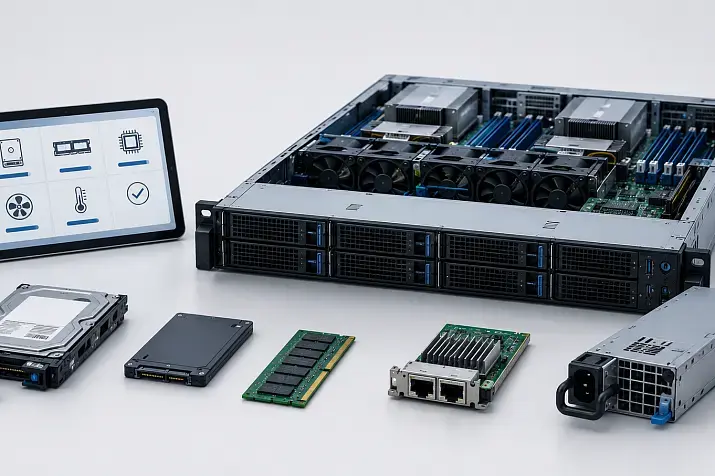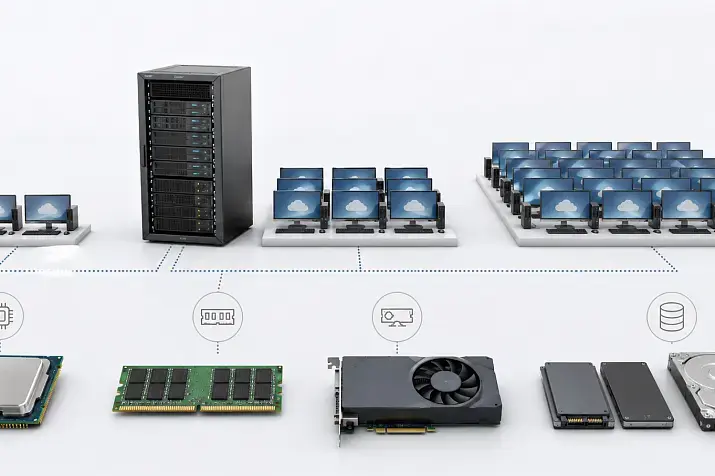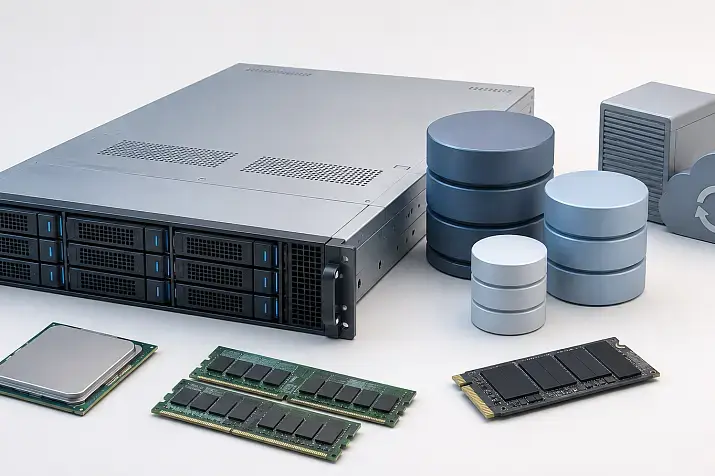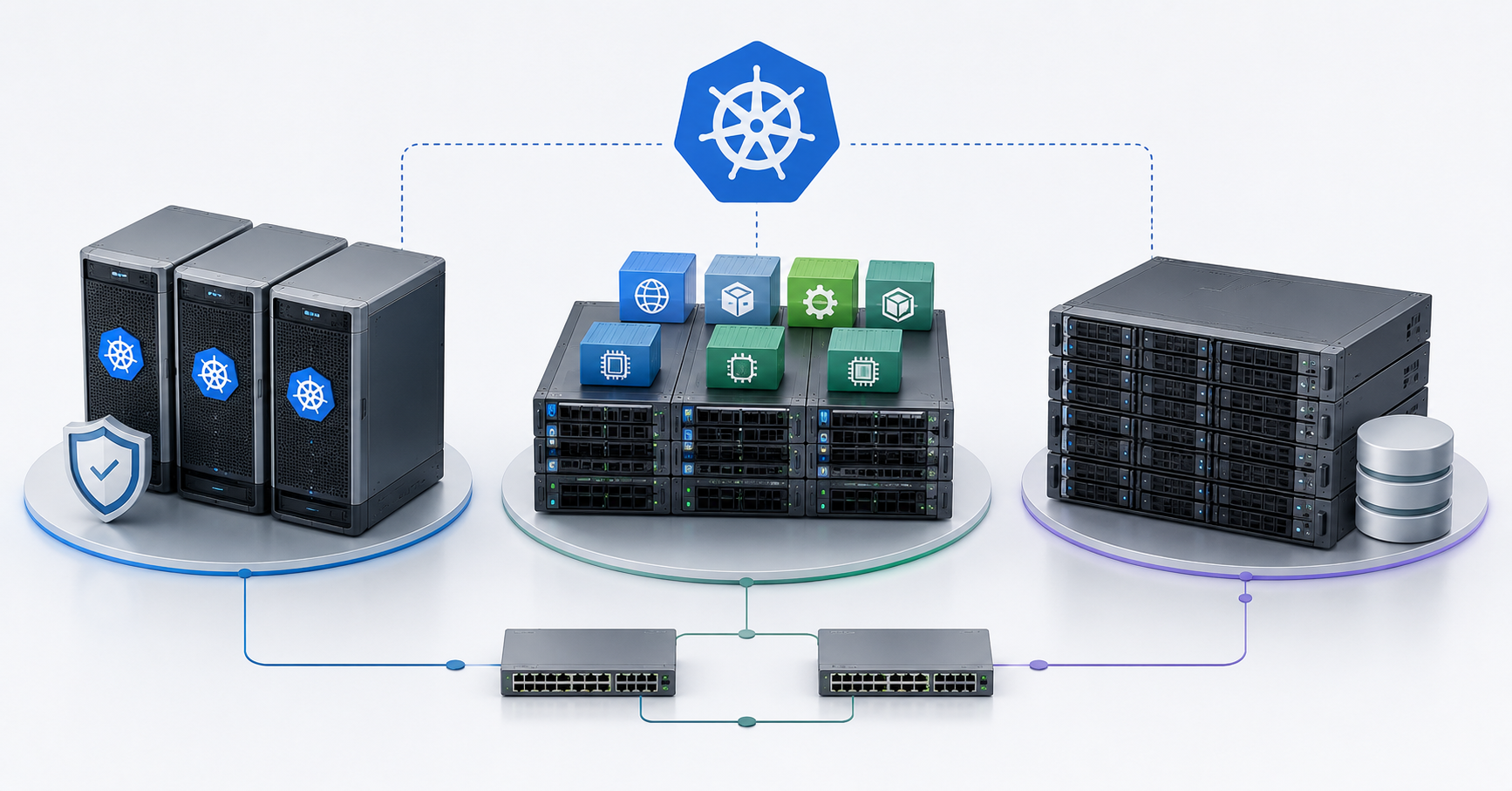
Kubernetes on-premise requires at least three logical groups of servers: control plane nodes for cluster management, worker nodes for applications, and a well-designed storage subsystem for data. In a test environment, these roles can be combined, but in a production cluster the control plane should be redundant, worker nodes should be sized according to the real application workload, and storage should be designed separately by capacity, latency, input/output operations, replication, and recovery requirements. If networking, monitoring, backups, and updates are not considered from the start, the cluster may be able to run containers, but it will not become a reliable platform for business services.
Kubernetes on-premise differs from cloud Kubernetes because the responsibility for the infrastructure remains inside the company. In the cloud, the provider often takes over part of the work: managed control plane, network load balancers, block disks, updates, and fault tolerance of individual components. In your own infrastructure, all of this has to be designed independently: servers, disks, network, power, racks, switches, backups, monitoring, and maintenance procedures.
That is why choosing servers for Kubernetes cannot be reduced to the question of how many cores and how much memory to buy. It is important to understand node roles, application profiles, data requirements, network traffic patterns, and failure scenarios. An architectural mistake may not appear immediately: the cluster will install, the first pods will start, but problems will emerge during updates, node failure, service growth, or database migration.
What Kubernetes on-premise is and why hardware matters
Kubernetes is a platform for running containerized applications. It distributes applications across nodes, monitors their state, restarts failed containers, and manages access to services, configurations, secrets, and data volumes. Inside Kubernetes, an application usually runs not simply “on a server,” but in a pod — the smallest deployable unit, which may contain one or more containers.
On-premise means that the cluster runs on company servers, in an internal server room, in a corporate data center, or on rented dedicated hardware. This approach gives control over hardware, network, data placement, and security policies. But control also brings responsibility. Kubernetes will not fix a weak network, slow storage, missing redundancy, or a chaotic update process.
If the cluster is only needed for learning, a simplified setup can be used. If it is needed for internal services, production applications, databases, queues, analytics, or CI/CD, the approach must be different. The task is not to design individual servers, but a platform: the control layer, the worker layer, storage, network, observability, backups, and maintenance plans.
Top-selling network switches
Free shipping on orders over 500 € in the EU, £500 in the UK, and $3,000 in the USA

Free shipping on orders over 500 € in the EU, £500 in the UK, and $3,000 in the USA

Free shipping on orders over 500 € in the EU, £500 in the UK, and $3,000 in the USA

Free shipping on orders over 500 € in the EU, £500 in the UK, and $3,000 in the USA
Main node roles in a Kubernetes cluster
Kubernetes has a control layer and worker nodes. The control layer makes decisions and stores the state of the cluster. Worker nodes are responsible for actually running applications. The storage system stores persistent data if applications are not fully stateless, meaning temporary and without saved state.
Kubernetes officially describes a cluster as a set of worker nodes and a control plane that manages those nodes and pods. For production environments, the documentation notes that the control plane usually runs across multiple computers, and the cluster uses multiple nodes for fault tolerance and high availability.
Control plane
The control plane is the management part of the cluster. It receives commands from administrators and automation systems, stores the cluster state, schedules pod placement, and ensures that the actual state matches the desired state.
The control plane includes several key components:
- the API server receives requests and is the main management entry point;
- etcd stores the cluster state;
- the scheduler chooses which node should run a pod;
- controllers monitor Kubernetes objects and try to bring the system to the desired state, for example by restarting an application if it disappears.
The control plane does not have to be the most powerful part of the cluster in terms of processors. Stability, predictable disks, low network latency between control nodes, and protected access matter more. If the control layer is unstable, the whole cluster suffers: new applications are not scheduled, changes are not applied, and maintenance operations become risky.
Worker nodes
Worker nodes are the servers where applications actually run. They run pods with containers, network components, monitoring agents, logging, ingress controllers, service operators, and sometimes storage system agents.
Worker nodes are sized according to workload: how much CPU and RAM applications need, what network traffic flows between services, whether local disks are required, whether GPU resources are needed, and how many resources system components consume. Mistakes in worker node sizing lead to pod eviction, latency, memory shortage, network overload, and an inability to safely survive server failure.
Storage nodes and the storage subsystem
Storage is not just “disks in a server.” For Kubernetes, it is a separate architectural layer that must provide applications with persistent data volumes. This may be an external storage array, distributed storage on servers, local disks of worker nodes, network file storage, or a combination of several options.
Kubernetes itself does not make data fault-tolerant. It can attach volumes, manage storage requests, and work with different systems through drivers. But reliability, replication, latency, recovery after failure, and data protection depend on the chosen storage system and its configuration.
When roles can be combined
In a lab or test environment, control plane and worker workloads can run on the same servers. This is convenient for learning, CI/CD testing, demos, development, and small experiments. It saves hardware and simplifies the start.
However, moving a lab design into a production environment without changes is dangerous. If the same node manages the cluster, runs applications, and stores data, any maintenance affects several layers at once. You need to update the server — the control plane, applications, and storage are affected. The node fails — not only compute capacity is lost, but also part of the management or disk subsystem.
For a small production cluster, teams sometimes start with three servers where roles are partially combined. This is acceptable if the load is low, the risks are understood, backups exist, and there is a growth plan. But once critical applications appear, roles should be separated at least logically: control components should not compete with heavy user workloads, and storage should not depend on random pod placement.
In medium and large clusters, the control plane is better separated from worker nodes. Storage also needs to be sized separately, especially if the cluster runs databases, queues, file services, analytics, or applications with persistent data.
Control plane requirements
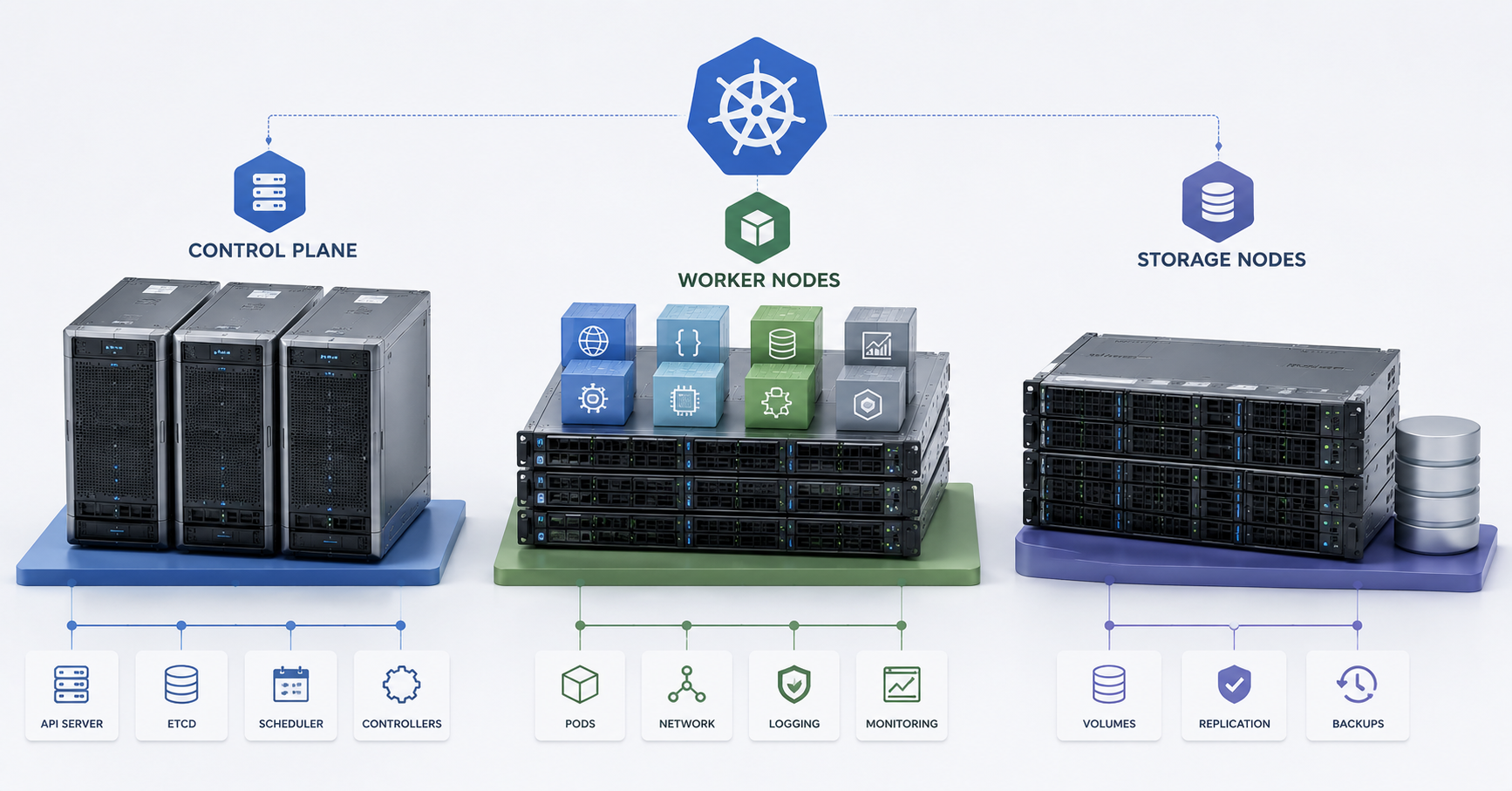
For a production environment, a single control node is a weak design. It may be enough for a test setup, but in a working cluster it becomes a single point of failure. If that node is unavailable, already running applications may continue to work, but cluster management, changes, new deployments, and part of automatic recovery will be disrupted.
Three control nodes are usually used for fault tolerance. This is related to quorum: the management layer needs a majority of participants to continue consistent operation. Two nodes look better than one, but they do not provide a normal reserve if one participant is lost; a split-brain situation is also possible if connectivity between nodes is broken while both continue to operate. Three nodes allow the cluster to survive the failure of one control server without unnecessary complications and split-brain risks.
The minimum requirements from kubeadm documentation should be treated as the lower installation boundary, not as a recommendation for serious operation. Kubernetes documentation for kubeadm states a minimum of 2 GB of RAM per machine and at least 2 CPUs for control plane nodes, but these values leave little room for applications and are more suitable for small or educational scenarios.
In a production cluster, control plane nodes need fast and reliable system disks, preferably SSD or NVMe. It is especially important not to place etcd on slow HDDs or overloaded shared storage. Memory and processors should have headroom for API activity, operators, CI/CD, monitoring, frequent object changes, and growth in the number of pods.
Heavy user applications should not run on control nodes unless there is a clear reason. Even if Kubernetes allows restrictions to be removed and workloads to be placed on the control plane, this should be a conscious decision in production. The control layer must remain stable during application peaks.
Choosing the Right Equipment
Our specialists will contact you and answer all your questions
Why etcd needs special attention
etcd is one of the most sensitive Kubernetes components. It stores the cluster state: information about deployments, services, secrets, configmaps, namespaces, pods, and other objects. If etcd is lost without a working backup, the description of the entire cluster can be lost.
etcd is sensitive to disk and network latency. It needs fast and predictable storage. It is not recommended to place it on slow storage that also serves heavy user applications. Low latency between etcd members is also important when there are several of them.
etcd backups must be regular. But the mere fact that a snapshot exists is not enough. Recovery must be tested: in an emergency, it is important not only to have the file, but also to understand how to restore a working control plane from it. Kubernetes directly states that all Kubernetes objects are stored in etcd, and that regular etcd backups are needed for cluster recovery after disasters, including the loss of all control nodes.
An etcd backup may contain sensitive data, including secrets. It therefore needs to be stored securely: with access control, encryption, and a clear retention period. It should not be treated as an ordinary technical copy without restrictions.
How to size worker nodes
Worker nodes should be sized by real applications, not by the number of containers. One container may be a small service, while another may be a heavy Java system, database, analytics task, or video processing service. The number of pods alone does not describe the workload.
Each worker node spends part of its resources on system components: kubelet, the container runtime, the network plugin, kube-proxy or an alternative, monitoring agents, logging agents, security tools, and sometimes storage agents. That is why 100% of CPU and RAM cannot be allocated to applications. A reserve is needed for system services and peaks.
Applications should have requests and limits — resource requests and resource limits. Without them, the scheduler has a poorer understanding of how many resources pods actually need. As a result, applications whose combined memory or CPU demand exceeds what the server can provide stably may end up on the same node.
Worker nodes can be divided by profile.
Universal worker nodes are suitable for web services, APIs, background jobs, queues, lightweight microservices, and most stateless applications. They need a good balance of CPU and RAM, a fast system disk, and reliable networking.
Nodes with a large amount of memory are needed for applications that consume a lot of RAM: Java services, caches, analytics, and backend systems with aggressive in-memory caching. Here, counting only cores is not enough. If memory is insufficient, pods will be evicted, restarted, or run unstably.
Nodes with fast CPUs are needed for computations, builds, data processing, encoding, intensive APIs, and services sensitive to response latency. For such workloads, not only the number of cores matters, but also frequency, thermal behavior, power reserve, and cooling.
GPU nodes are needed for machine learning, inference, video processing, or graphics tasks. They are sized separately: by power, cooling, PCIe slots, drivers, compatibility, and GPU resource allocation rules.
Stateful nodes are used for applications with persistent data: databases, message brokers, queues, and storage services. Disks, latency, backups, pod placement rules, and the expected behavior during server failure are especially important here.
Storage in Kubernetes: what to decide before buying servers
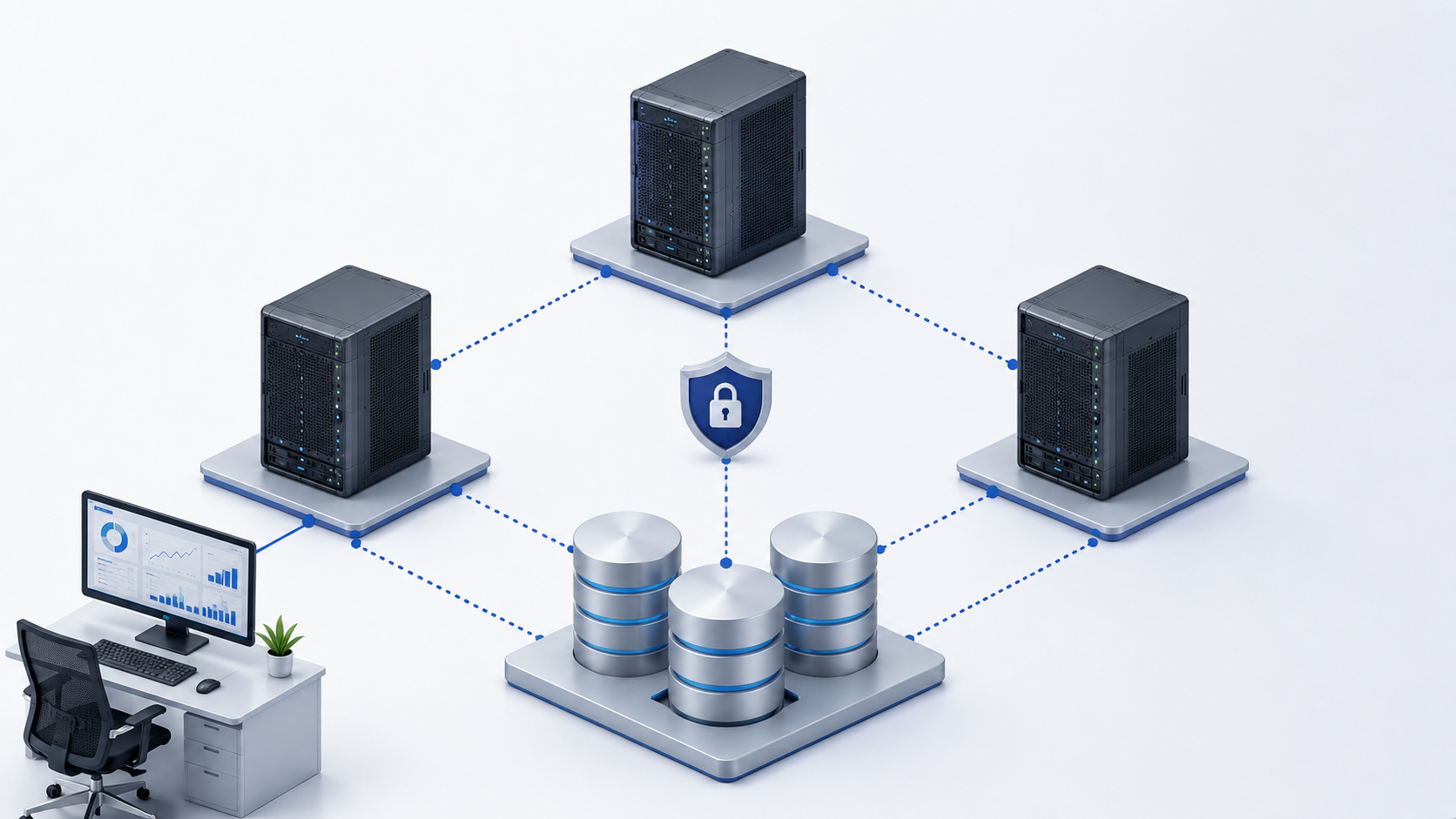
In Kubernetes, persistent data usually works through PersistentVolume and PersistentVolumeClaim. A PersistentVolume is a storage volume available to the cluster, while a PersistentVolumeClaim is an application’s request for such a volume. StorageClass describes a class of storage, such as fast NVMe, regular SSD, file storage, replicated storage, or volumes with a specific backup policy. Kubernetes describes Persistent Volumes as a persistent storage mechanism, and StorageClass as a way for administrators to describe available storage classes.
Before buying servers, you need to decide where data will live. An external storage array provides mature centralized management, clear levels of fault tolerance, and familiar maintenance procedures. But it costs more, requires the right network, and becomes a separate part of the architecture.
Distributed storage on servers allows you to use local disks of nodes and scale horizontally. But it requires a fast network, proper replica placement, monitoring, disk headroom, and an understanding of how recovery will happen after failure.
Local disks of worker nodes provide good speed and low latency. But if a node fails, data may become unavailable unless replication is configured at the application level or storage system level. This option is not suitable for every application.
File storage is convenient for shared files, but it is not always suitable for databases and high input/output workloads. Latency, locking, access rights, and behavior under load need to be tested.
What storage nodes are needed
Storage nodes should not be turned into ordinary worker servers that can receive any application. If storage competes with user pods for CPU, RAM, disks, and network, predictability drops. For production, the storage role is better made explicit: through separate servers, separate disks, separate placement rules, or an external storage system.
Disks must be server-class. For active databases, queues, journals, and services with low latency requirements, NVMe is better. SSDs may be suitable for less critical data. HDDs are acceptable for cold data, archives, and backups, but not as the basis for active production storage with low latency.
When sizing storage, useful capacity alone is not enough. Replication increases disk consumption. For example, three replicas mean that one nominal terabyte of useful data requires three times more real physical space. In addition, snapshots, growth reserve, recovery space, and headroom against overfilling are needed. Full storage is dangerous not only because space runs out. At high utilization, latency often grows, background operations slow down, and recovery becomes more difficult.
Storage consumes not only disks, but also CPU, RAM, and network. A distributed storage system may actively use processors for replication, compression, checksums, recovery, and data balancing. When a disk or node fails, rebuild begins — replicas are restored. At this moment, disk and network load grows, so the storage segment must have headroom.
Node roles and server requirements
| Node role | What it does | CPU | RAM | Disks | Network | What not to forget |
|---|---|---|---|---|---|---|
| Control plane | Manages the cluster, API, scheduling, state | Moderate CPU with headroom | Enough for API, etcd, and operators | Fast SSD/NVMe for the system and etcd | Stable network between control nodes | 3 nodes for production, etcd backup, API protection |
| Universal worker | Runs web services, APIs, background jobs | Balance of cores and frequency | Based on application profile | SSD/NVMe for system and temporary data | 10GbE as a reasonable baseline | Requests/limits, reserve for system agents |
| Memory-heavy worker | Runs heavy backend services, caches, Java, analytics | Medium or high | Large RAM capacity with reserve | SSD/NVMe | 10GbE and higher | Avoid memory overcommit, account for pod eviction |
| GPU worker | ML, inference, video, graphics | CPU with reserve for feeding data | Based on the task | Fast local disks | 10/25GbE depending on load | Power, cooling, PCIe, drivers, GPU scheduling |
| Storage node | Stores data, replicas, application volumes | CPU for the storage system | RAM for cache and service processes | NVMe/SSD, HDD only for cold data | 25GbE is desirable for active storage | Replication, disk monitoring, rebuild, free space |
| Infrastructure node | Ingress, registry, monitoring, logging | Moderate or high depending on services | Based on metrics and log volume | Fast disks for logs and registry | Reliable external and internal traffic | Do not mix chaotically with business workloads |
This table does not replace sizing for specific applications. It shows that a Kubernetes cluster consists of different types of workload. One universal server profile rarely fits API services, storage, GPU tasks, and the control layer equally well.
Kubernetes on-premise networking
Networking is one of the most underestimated parts of an on-premise Kubernetes cluster. It consists of several layers: communication between nodes, the pod network, the service network, external access through ingress or a load balancer, the network to storage, the management network, monitoring, and logging.
Kubernetes uses a network model where each pod receives its own IP address inside the cluster, and the pod network provides connectivity between pods. The implementation of this model depends on the network plugin and the chosen addressing scheme.
For a production cluster, 1GbE usually becomes a weak point quickly. 10GbE can be considered a baseline for production clusters. If there is active storage, intensive service-to-service communication, or large volumes of logs and metrics, 25GbE and higher should be considered. This is especially important for distributed storage, where replication and recovery traffic flows through the network.
The network to storage must not compete with user traffic without proper sizing. If the same channel is used for ingress, data replication, logs, metrics, and service-to-service communication, peak load can create latency across the entire cluster.
Before buying servers and switches, the VLAN structure, MTU, routing, DNS, load balancers, pod address ranges, and service address ranges need to be planned. The network plugin should be selected before the hardware purchase, not after it. If network policies and application segmentation are required, the chosen network layer must support them.
Ingress nodes can also become a bottleneck. If all external traffic passes through them, they must be redundant and placed correctly. The API server needs stable and protected access: losing network access to the control layer makes diagnostics and maintenance more difficult.
Infrastructure services inside the cluster

Kubernetes runs not only business applications. The cluster needs ingress controllers, an internal registry for images, monitoring, logging, event collection, service operators, certificate management, secrets, and policies.
These components also consume resources. Monitoring stores metrics. Logging can quickly accumulate a large amount of data. A registry requires disk space and stable access. Ingress receives external traffic and must handle peaks. Operators monitor applications and create load on the API server.
Infrastructure components should not be mixed chaotically with user applications. Separate nodes can be allocated for them, or at least placement rules can be used so that monitoring, ingress, and logging do not all end up on one server. Otherwise, the failure of one worker node may simultaneously affect external access, observability, and part of the business services.
Monitoring and alerts
For Kubernetes on-premise, it is not enough to check that servers are powered on and respond over the network. The state of the cluster must be visible: API server, etcd, control components, worker nodes, pods, storage, ingress, network, certificates, backups, and updates.
For the control plane, API server availability, etcd state, etcd latency, control component errors, and request frequency are important. For worker nodes, CPU, RAM, disks, network, memory and disk pressure, frequent container restarts, and pod evictions matter. For storage, volume utilization, disk latency, replication errors, replica state, recovery speed, and proximity to limits must be monitored.
PersistentVolume objects and storage claims also need separate monitoring. If a volume fills up, the application may stop working or corrupt data, which may be even worse. If storage latency grows, the problem may look like a “slow application,” although the real cause is one layer below.
Monitoring should be designed so that it is not the first thing to disappear during an incident. If observability depends entirely on the same storage or the same worker nodes that failed, diagnostics become more difficult. For critical clusters, external metric collection, separate log storage, or at least resilient placement of monitoring components should be considered.
Choosing the Right Equipment
Our specialists will contact you and answer all your questions
Redundancy and fault tolerance
A Kubernetes cluster must be sized not only for normal operation, but also for failure or maintenance. The minimum practical rule is that the cluster should survive an N-1 mode, when one server is unavailable. This may be a failure, planned update, disk replacement, power issue, or rack maintenance.
The control plane must survive the failure of one control node. Worker nodes must have enough free resources for applications to move after a failure. Storage must have replication or external fault tolerance. Ingress and load balancers must not exist as a single instance. Network switches, uplinks, and power are also part of fault tolerance, not “external details.”
If a three-node cluster is 90% loaded during normal operation, it will not safely survive a node failure. During the first incident, pods will have nowhere to move, updates will become risky, and the storage system may start recovery on overloaded disks and networks. Resource headroom is therefore not a luxury, but part of the architecture.
etcd backups and application data backups are different tasks. An etcd backup helps restore the cluster state. A database or file storage backup helps restore application data. One does not replace the other.
Cluster updates
Kubernetes needs regular updates. But Kubernetes itself is not the only thing being updated. An on-premise cluster also includes the operating system, container runtime, network plugin, storage drivers, ingress, monitoring, logging, server firmware, network card drivers, and sometimes GPU drivers.
If the cluster has been sized without reserve, every update becomes a risk. To update a worker node, it needs to be drained, pods need to move to other nodes, and the server needs to be returned to service. If there is no spare capacity, the update will either stop part of the applications or be postponed until an emergency.
The control plane is updated step by step. Worker nodes are also better updated in batches, not all at once. Storage components require a separate maintenance window and replication checks. Before an update, backups and a rollback plan are needed. After an update, pod state, ingress, persistent volumes, network policies, and monitoring must be checked.
A good architecture allows the cluster to be maintained without full downtime. A bad architecture works only until the first update.
Example of a small cluster
For a lab or a small production cluster, three servers can be a starting point. In this design, roles are sometimes combined: each node can be part of the control plane and also be a worker node. This saves hardware, but requires an understanding of the limitations.
Each server should preferably have fast SSDs or NVMe, sufficient RAM, two network ports or more, 10GbE for a production scenario, and separate backups outside the cluster. If local disks are used for storage, it must be clear how data will survive node failure.
This design is suitable for small services, development, internal tools, CI/CD, and moderate workloads. But it is poorly suited for heavy databases, strict availability requirements, active analytics, or fast growth. Most importantly, three servers should not be treated as a universal answer to every task.
Example of a medium production cluster
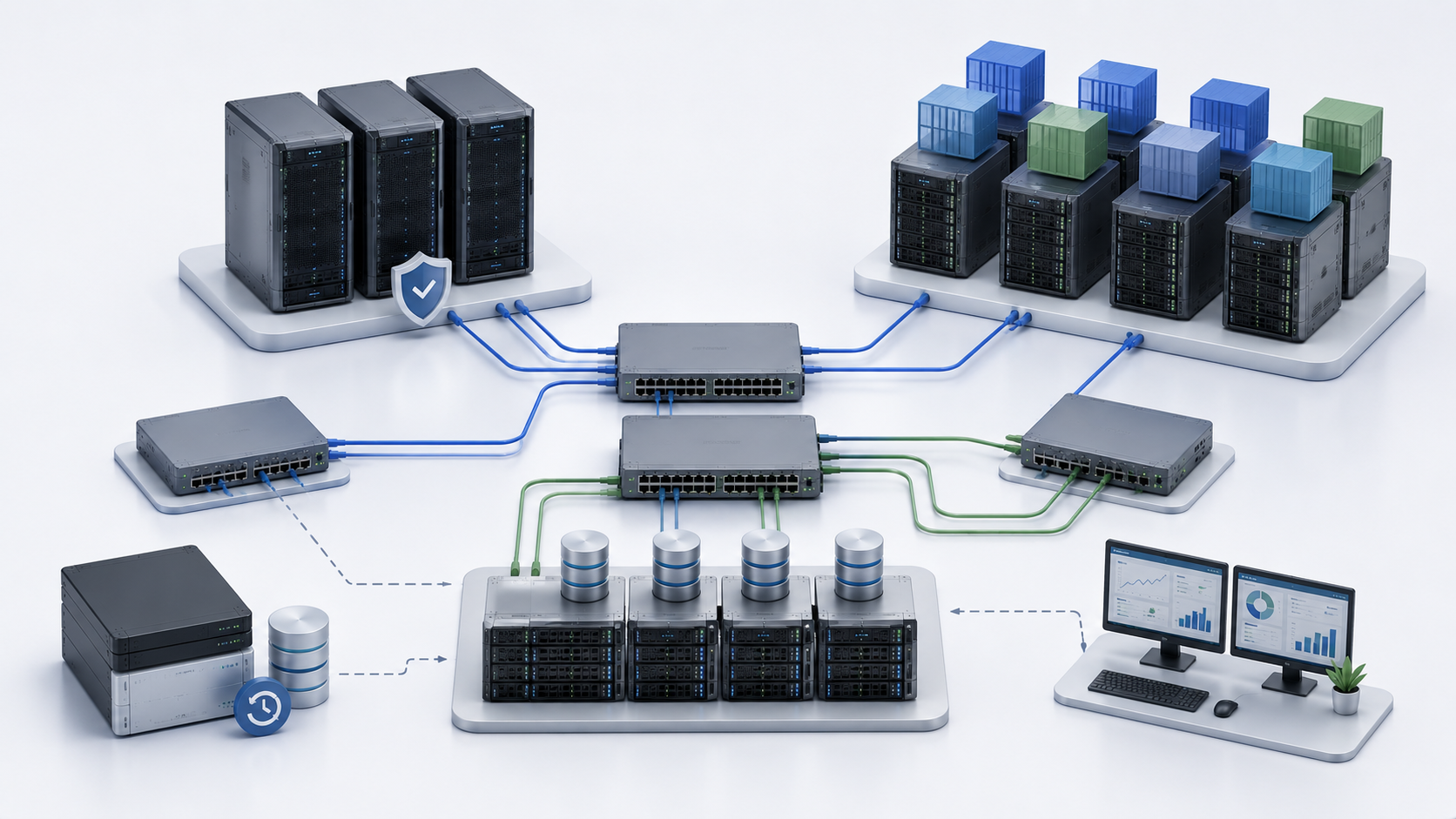
For a medium production cluster, roles should be separated. A typical design may include three dedicated control plane nodes, several worker nodes for applications, and a separate storage system or dedicated storage nodes. There may be three, six, or more worker nodes, depending on workload and reserve requirements.
Ingress can be placed on separate infrastructure nodes or on worker nodes with anti-affinity rules so that multiple instances do not end up on the same server. Monitoring and logging also need resilient placement. The network should be at least 10GbE, and with active storage or high internal traffic, 25GbE is better.
This kind of cluster can no longer be built as “three identical servers and we will configure it later.” It is necessary to know in advance where the control plane will be, where applications will run, where data will live, how updates will be performed, and what will happen if one node is lost.
Example of a high-load cluster
A high-load cluster is designed around specific applications. It usually has a dedicated control plane, several groups of worker nodes for different workload types, separate storage nodes or an external storage array, redundant load balancers, and separate networks for management, applications, and storage.
If there is machine learning or inference, GPU nodes are added. If there are databases and queues, fast storage and placement rules are allocated, or these systems are even moved outside the cluster. If services actively communicate with each other, not only external traffic but also internal traffic must be counted. If there are strict availability requirements, failures of nodes, storage, and network components are tested.
There is no universal specification for such clusters. Two projects with the same number of pods may require completely different hardware: one will be limited by RAM, another by disks, a third by network, and a fourth by GPU.
Typical Kubernetes on-premise configurations
| Scenario | Control plane | Worker | Storage | Network | Comment |
|---|---|---|---|---|---|
| Lab | 1–3 nodes, roles can be combined | On the same servers | Local disks or simple external storage | 1/10GbE | Suitable for learning, not for critical services |
| Small production | 3 nodes, partial role combination is possible | 3 nodes with reserve | External or distributed storage with backup | 10GbE | Monitoring, backup, and a growth plan are needed |
| Medium production | 3 dedicated control plane nodes | 3–6 or more worker nodes | Separate storage array or storage nodes | 10/25GbE | Roles should be separated physically or logically |
| Stateful workloads | Dedicated control plane | Worker nodes with placement rules | Fast replicated storage | 25GbE desirable | Latency, backup, and recovery testing matter |
| High load | Dedicated and redundant control plane | Several groups of worker nodes | Separate storage subsystem | 25GbE and higher | Failure tests and update procedures are needed |
| GPU cluster | Separate control plane | Separate GPU nodes | Fast disks for data and models | 25GbE depending on the task | PCIe, power, cooling, and drivers must be counted |
Common mistakes when choosing servers
- Putting all roles on one server and treating it as a Kubernetes cluster. This is acceptable for learning, but it does not provide fault tolerance for production.
- Using two control plane nodes and considering the management layer reliable. A normal quorum usually requires an odd-numbered design, most often three nodes.
- Using slow disks for etcd. The control layer may start slowing down not because of CPU, but because of storage latency.
- Forgetting storage during sizing. Applications start quickly, but problems begin when databases, queues, persistent volumes, and failure recovery appear.
- Counting only CPU and RAM while ignoring the network. Kubernetes has a lot of internal traffic: services communicate with each other, storage replicates, and logs and metrics are constantly transferred.
- Using 1GbE for active storage. It may work for a small test, but in production it quickly becomes a limitation.
- Not leaving reserve for node failure. If all resources are occupied in normal operation, applications have nowhere to move during an incident.
- Ignoring ingress, monitoring, logging, and registry. These components are not business applications, but without them the cluster will not be a full platform.
- Not setting requests and limits. Without them, the scheduler does not understand the real resource demand of applications.
- Not backing up etcd and not testing recovery. A backup that has never been restored cannot be considered working.
- Buying servers without accounting for growth. Kubernetes often starts with several services and then becomes the main platform. If expansion is not planned, the architecture may need to be rebuilt in a year.
Most popular servers
Free shipping on orders over 500 € in the EU, £500 in the UK, and $3,000 in the USA
Free shipping on orders over 500 € in the EU, £500 in the UK, and $3,000 in the USA
Free shipping on orders over 500 € in the EU, £500 in the UK, and $3,000 in the USA
Free shipping on orders over 500 € in the EU, £500 in the UK, and $3,000 in the USA
How to choose servers before purchase
First, describe the applications. Which services will run in the cluster, how much CPU and RAM they need, whether there are databases, queues, files, analytics, ML, GPU, or large log volumes. Then divide workloads into stateless and stateful. Stateless workloads are easier to move between nodes. Stateful workloads require careful storage and backups.
Next, choose the control plane design. For production, it is better to plan three control nodes. Then size worker nodes with system components, requests/limits, peaks, and N-1 mode in mind. After that, design storage separately: external, distributed, local, or mixed.
The network must be selected before buying servers and switches. For production, 10GbE is a reasonable baseline; for active storage and high internal traffic, 25GbE is better to plan for. The number of ports, redundancy, support for required modules, VLAN, MTU, and connection scheme need to be checked.
Ingress, load balancers, monitoring, logging, registry, backup, and updates are planned separately. Rack space, power, cooling, and free switch ports also need to be checked. Servers may fit the specifications but still be unsuitable for the site if power, space, or network capacity is insufficient.
Buying hardware before architectural sizing is risky. As a result, CPU may be sufficient while storage is weak; memory may be abundant while the network is narrow; servers may be powerful while updating them without downtime is impossible.
What needs to be planned in the end
Kubernetes on-premise requires not just servers for containers, but a well-designed platform. The control plane is responsible for management and must be stable, redundant, and protected. Worker nodes must match the application profile: universal services, memory-heavy workloads, CPU-heavy workloads, GPU tasks, and stateful applications require different configurations. Storage must be designed separately because data, recovery, and performance depend on it.
Networking, monitoring, backups, and updates are as essential to the architecture as processors and memory. A good cluster should not only start on the first day, but also survive node failure, updates, load growth, and disaster recovery. The earlier these questions are addressed, the lower the risk of getting a system that formally works but poorly handles real workloads and maintenance.
Choosing the Right Equipment
Our specialists will contact you and answer all your questions
Content:

Free shipping on orders over 500 € in the EU, £500 in the UK, and $3,000 in the USA

Free shipping on orders over 500 € in the EU, £500 in the UK, and $3,000 in the USA

Free shipping on orders over 500 € in the EU, £500 in the UK, and $3,000 in the USA

Free shipping on orders over 500 € in the EU, £500 in the UK, and $3,000 in the USA

Free shipping on orders over 500 € in the EU, £500 in the UK, and $3,000 in the USA

Free shipping on orders over 500 € in the EU, £500 in the UK, and $3,000 in the USA