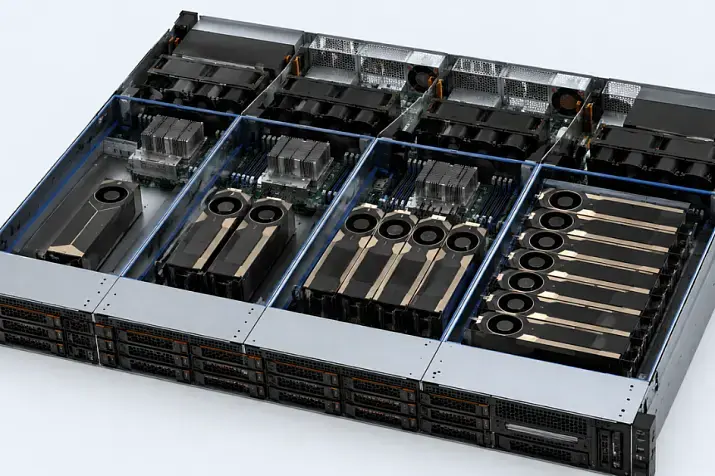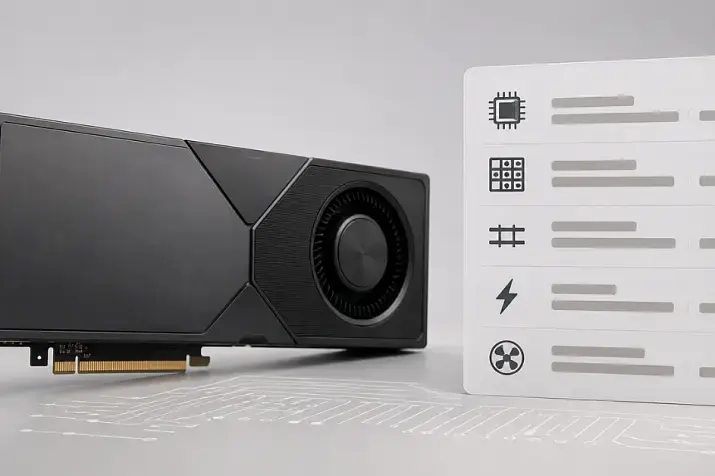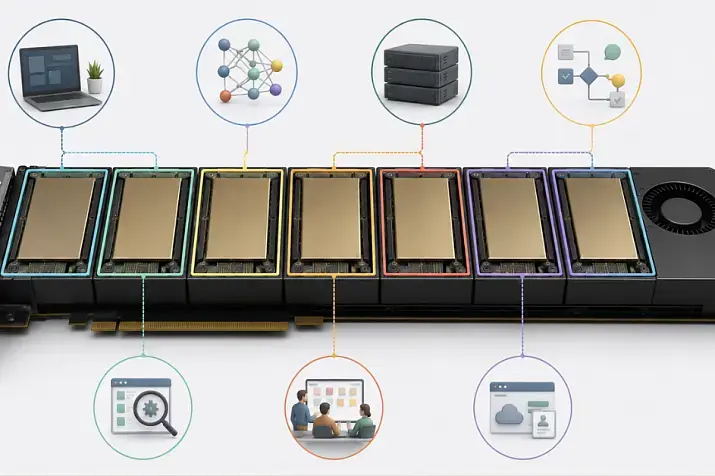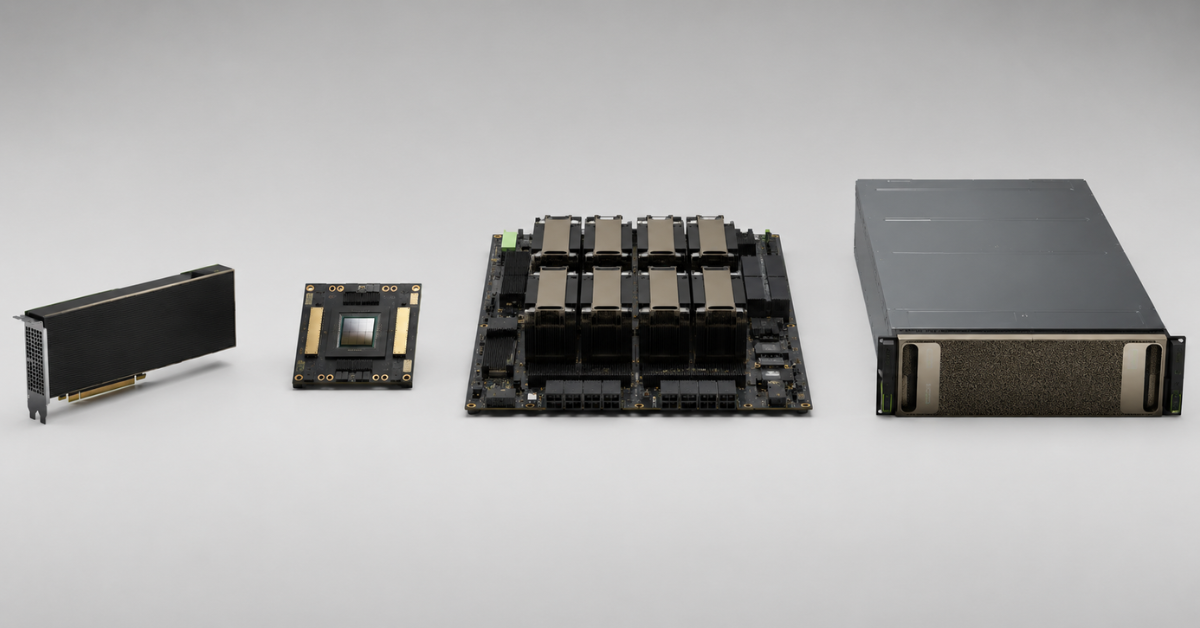
PCIe, SXM, HGX and DGX are not four equivalent types of GPU servers, but different levels of the same infrastructure chain. PCIe and SXM describe how the GPU is installed, HGX is NVIDIA’s platform for powerful servers from hardware vendors, and DGX is a turnkey NVIDIA system. If you need an affordable and flexible server for inference, testing, RAG or several applied models, PCIe is usually enough. If the workload requires 4–8 GPUs with fast communication between them, it is worth looking at SXM/HGX. DGX makes sense when the company needs not only graphics cards, but also a ready-made hardware and software system with support, a predictable configuration and minimal integration risks.
Choosing a GPU server is not just a matter of comparing the GPU generation or the amount of video memory. Two systems with the same H100 or H200 GPUs can behave differently: one may be built as a universal PCIe server, another as a dense HGX platform with NVLink and NVSwitch, and a third as a complete DGX system. The difference will show up in price, cooling, power consumption, GPU-to-GPU communication speed, maintenance complexity and data center requirements.
That is why the right question is not “which is better — PCIe, SXM, HGX or DGX,” but “which platform fits a specific workload, budget and infrastructure.” For a company that runs several models on separate GPUs, paying extra for a complex topology may not pay off. For a team training a large model and constantly moving data between several GPUs, weak communication between the cards will quickly become a bottleneck.
Why PCIe, SXM, HGX and DGX cannot be compared directly
The main confusion comes from the fact that these names refer to different levels.
PCIe here means not just the interface or bus, but the familiar form factor for connecting an expansion card to a server. A GPU in this format is installed in a PCIe slot like other server cards: network adapters, controllers or accelerators. In GPU servers, PCIe remains the most flexible option: you can build a configuration with one, two, four or more graphics cards if the chassis, power supply and cooling allow it.
SXM is NVIDIA’s modular GPU form factor for dense server platforms. This GPU is not inserted into a regular slot like a PCIe card. It is mounted on a special board and is designed for systems where high density, powerful cooling and fast data exchange between GPUs are important.
HGX is no longer a separate graphics card. It is an NVIDIA platform for server manufacturers. OEM vendors use it to build their own GPU servers: they add CPUs, memory, drives, networking, chassis, power supplies, cooling and service options. HGX is usually associated with 4- or 8-GPU systems that use SXM modules and fast internal interconnects between them.
DGX is a ready-made NVIDIA system. It is purchased not as a set of components, but as a complete complex: server, GPUs, NVSwitch, networking, storage, software and support are delivered as a single platform. It is closer to an enterprise appliance system, where the customer pays for predictability, support and fast deployment.
The hierarchy is easier to understand this way:
- At the lowest level is the GPU itself: a PCIe card or an SXM module.
- Above that is the server platform: for example, HGX as a base for an OEM server.
- Above that is the ready-made system: DGX as a finished NVIDIA product.
That is why the phrase “choosing between PCIe and DGX” is not entirely accurate. PCIe is the GPU format inside a server, while DGX is an entire system. It is more correct to compare scenarios: whether you need a flexible server with PCIe GPUs, a dense HGX node or a ready-made DGX complex.
GPU servers
Free shipping on orders over 500 € in the EU, £500 in the UK, and $3,000 in the USA
Free shipping on orders over 500 € in the EU, £500 in the UK, and $3,000 in the USA

Free shipping on orders over 500 € in the EU, £500 in the UK, and $3,000 in the USA
Free shipping on orders over 500 € in the EU, £500 in the UK, and $3,000 in the USA
What a PCIe GPU server is
A PCIe GPU server is the clearest and most common option for most companies. In such a system, graphics cards are installed as expansion cards. The server can be relatively compact and inexpensive, or it can be a powerful 4U system with several GPUs, a large power reserve and carefully designed airflow.
PCIe is chosen when flexibility and a reasonable entry cost matter. This type of server is convenient for workloads where each GPU can work relatively independently:
- language model inference;
- RAG systems and vector search;
- image and video processing;
- model testing;
- analytics and batch data processing;
- VDI, rendering and graphics workloads;
- development and staging environments for ML teams.
For such scenarios, the maximum link speed between GPUs is often less important than video memory capacity, the price of one card, market availability, server compatibility and maintenance cost. For example, for applied inference, you can consider NVIDIA server GPUs in PCIe format: from more affordable models to higher-end accelerators such as A100, H100 or H200.
PCIe has several strong advantages:
- a wide choice of servers and graphics cards;
- it is easier to select a refurbished configuration;
- lower entry cost compared with dense SXM/HGX systems;
- it is easier to replace a separate card;
- it is easier to build a mixed configuration for different workloads;
- more options for chassis, CPUs, memory, drives and network cards.
But PCIe should not be treated as a universal solution for any AI workload. This approach has limitations:
- GPU density is usually lower than in SXM/HGX;
- communication between GPUs more often goes through the PCIe bus rather than through a full NVSwitch topology;
- training large models efficiently on several GPUs is more difficult;
- you need to carefully check the number of PCIe lanes and how they are distributed between devices, including NVMe drives, as well as risers, power supplies and cooling;
- not every server that physically fits several GPUs can unlock their performance under heavy load.
One common miscalculation is buying a server where “according to the description” four GPUs fit, without checking thermal conditions, power and compatibility with specific cards. As a result, accelerators may throttle, overheat or require configuration changes.
What SXM is and how it differs from PCIe
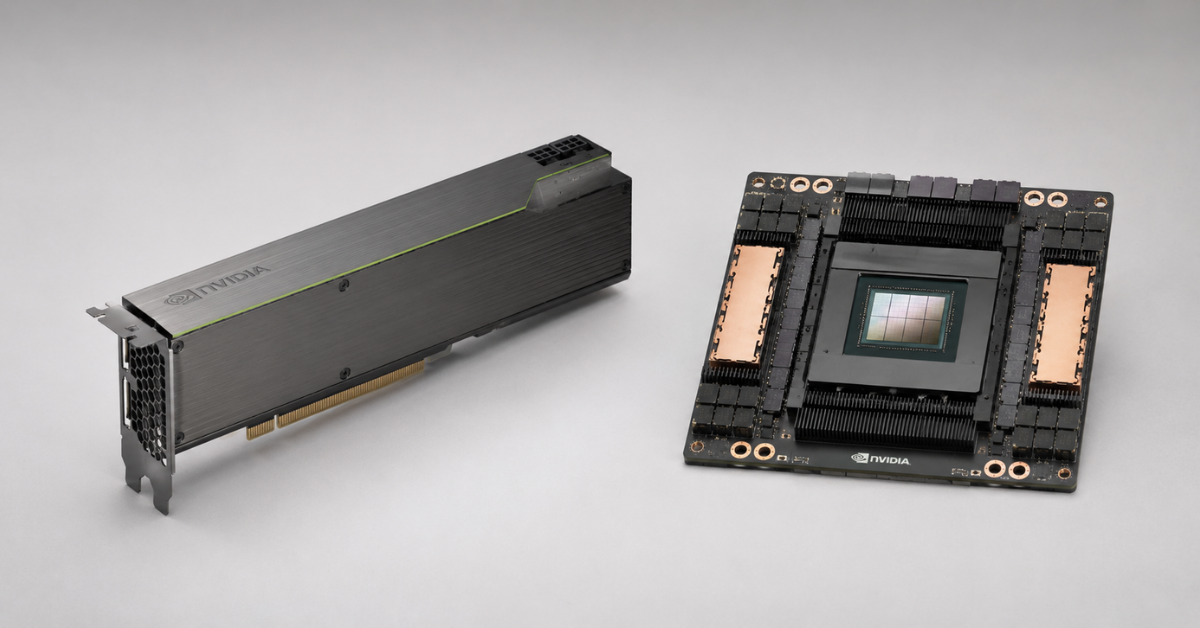
SXM is NVIDIA’s modular server GPU format. Unlike a PCIe card, an SXM module is not designed to be installed in a regular slot. It is used in specialized platforms where GPUs are placed more densely, receive more power and connect to a high-speed internal topology.
SXM is most often found in systems where many GPUs are needed in one node and communication between them must be fast. For example, NVIDIA lists SXM and PCIe versions for H100, while the SXM version is designed for a higher thermal design power and denser server configurations. NVIDIA provides detailed H100 specifications in its official NVIDIA H100 Tensor Core GPU description.
SXM is chosen not because it is “just a more expensive GPU,” but because the workload itself requires a different server architecture. This form factor is needed when the following matter:
- 4–8 GPUs in one node;
- fast communication between GPUs;
- training large models;
- LLM fine-tuning;
- high-performance computing;
- compute density per rack;
- predictable performance under long-running load.
SXM has clear advantages:
- higher GPU density;
- better fit for systems with NVLink and NVSwitch;
- more efficient for workloads where several GPUs work as a single compute pool;
- more common in high-end AI and HPC servers;
- enables powerful nodes for training and distributed computing.
But SXM also requires more serious infrastructure:
- a compatible server platform;
- powerful cooling;
- sufficient power capacity;
- a well-planned service model;
- qualified maintenance;
- checking spare-part availability;
- an understanding of future scalability.
In a PCIe server, replacing a card is usually simpler: open the server, remove the accelerator and install another compatible one. In SXM/HGX systems, everything depends on the platform design, access to modules, cooling system and vendor policy. For refurbished equipment, this is especially important: you need to check not only the GPUs themselves, but also the condition of cooling, boards, cables, fans and firmware.
Choosing the Right Equipment
Our specialists will contact you and answer all your questions
NVLink and NVSwitch: why communication between GPUs can matter more than their number
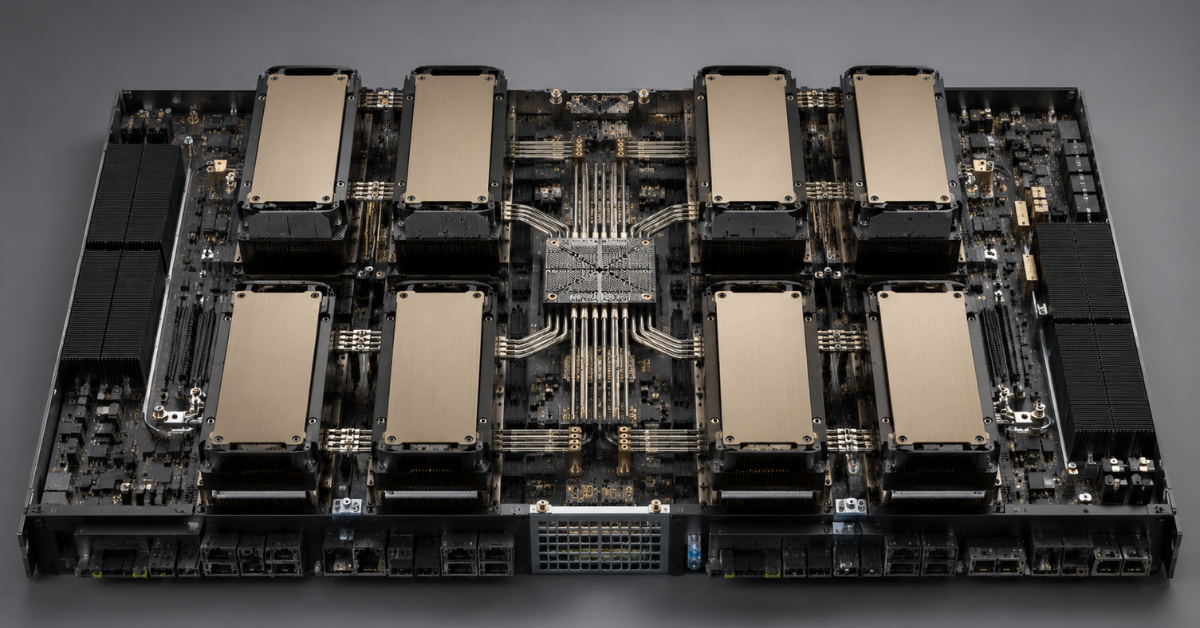
In AI infrastructure, GPUs are often counted one by one: one, two, four, eight. But the number of cards does not always show real performance. If a workload uses each GPU independently, the communication topology between them may be secondary. If one model is distributed across several GPUs, data exchange speed becomes critical.
NVLink is a high-speed interconnect between GPUs. It allows graphics cards to exchange data faster than through regular PCIe communication. NVSwitch is a switch that helps several GPUs communicate with each other more evenly and with high bandwidth. In dense systems, this is especially important: GPUs are not simply installed next to each other, but work as a connected compute group.
For smaller inference workloads, NVLink/NVSwitch may have almost no effect on the final result. If the model fits into one GPU and requests are distributed between several independent instances, other parameters matter more:
- video memory capacity;
- the cost of one GPU;
- power consumption;
- cooling;
- the number of concurrent requests;
- ease of service scaling;
- card availability on the market.
But with large-model training, the situation changes. Data, model weights, gradients and intermediate results are constantly transferred between GPUs. If the interconnect is weak, accelerators will spend part of their time waiting for data exchange instead of computing. In such a scenario, 8 GPUs in a dense HGX system and 8 PCIe GPUs in a less connected configuration can produce different results.
NVLink and NVSwitch are especially important for:
- training large language models;
- fine-tuning models on several GPUs;
- HPC workloads;
- distributed computing;
- scenarios where one workload actively uses 4–8 GPUs;
- dense GPU nodes that must work as a single system.
You can do without a complex topology if the workload is divided into independent parts:
- several models handle different requests;
- each GPU runs a separate inference service;
- the server is used for batch processing;
- the team runs tests and experiments;
- the main workload is rendering, VDI or visualization.
Therefore, before buying, you need to understand not only “how many GPUs are needed,” but also “how exactly the application will use several GPUs.” This influences the choice more than it may seem at the procurement stage.
What HGX is and when it is needed
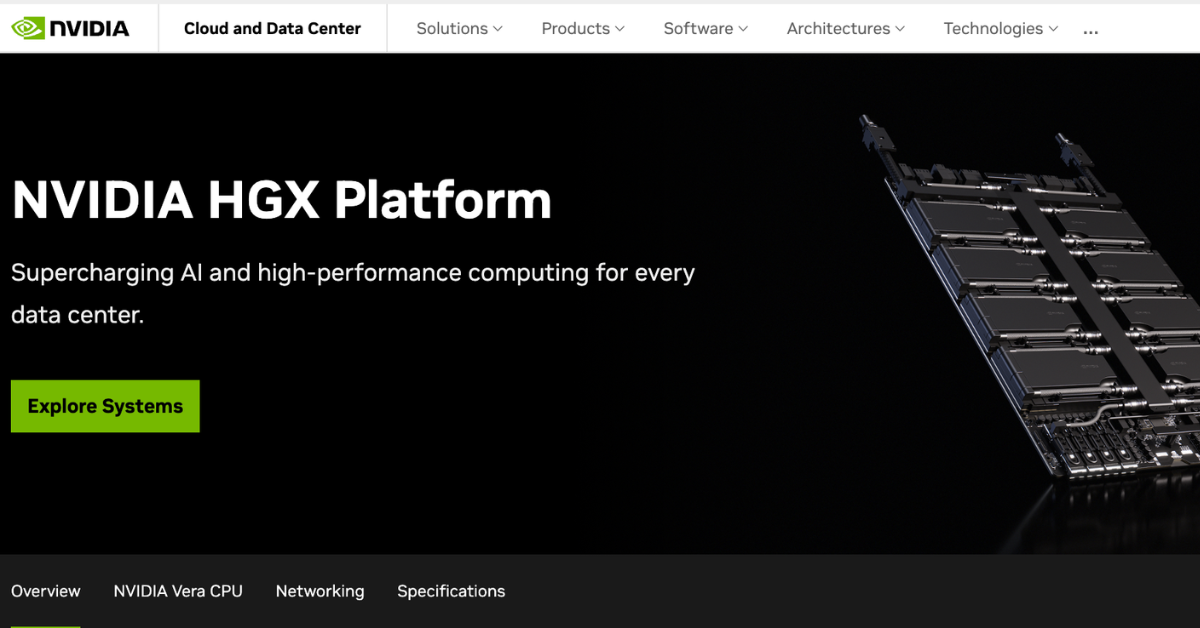
Image source: the official NVIDIA HGX Platform page.
HGX is NVIDIA’s platform for server manufacturers. You can think of it as the foundation on which a powerful OEM GPU server is built. NVIDIA describes HGX as a platform that combines GPUs, NVLink, networking technologies and a software stack for AI and HPC workloads: NVIDIA HGX Platform.
In a real procurement process, this means the customer does not buy “HGX itself,” but a Dell, HPE, Lenovo, Supermicro or other vendor server built on HGX. Inside such a system there may be several SXM GPUs, NVSwitch, processors, memory, drives, network adapters and cooling selected by the specific OEM.
HGX is needed where PCIe already limits the workload. Usually, this means scenarios that require 4 or 8 powerful GPUs in one node and high-speed communication between them. For example:
- training large models;
- LLM fine-tuning;
- HPC;
- large RAG platforms with heavy models;
- research clusters;
- enterprise AI platforms;
- workloads where high GPU density per rack is important.
HGX has an important advantage over DGX: more vendor and configuration options. You can choose an OEM server for specific requirements: CPUs, RAM capacity, local storage, network adapters, warranty, service model and budget. For companies that want a powerful GPU platform but do not necessarily need a turnkey NVIDIA system, this is often the more flexible path.
For example, for training and fine-tuning workloads, you can consider servers with GPUs such as NVIDIA H100 80 GB or NVIDIA H200, but the final efficiency will depend not only on the cards themselves. Topology, cooling, networking, CPUs, memory and how well the software stack uses several GPUs all matter.
The disadvantages of HGX also need to be considered in advance:
- high entry cost;
- serious rack and power requirements;
- high thermal density;
- dependency on a specific OEM configuration;
- more complex maintenance;
- the need to design networking and software separately;
- less freedom for “gradual” expansion compared with simple PCIe servers.
HGX is a good fit when a company already understands its workloads and is ready to design the infrastructure. If the workload is still experimental, the budget is limited and the team is only selecting models, starting with HGX may be premature.
What DGX is and how it differs from an HGX server
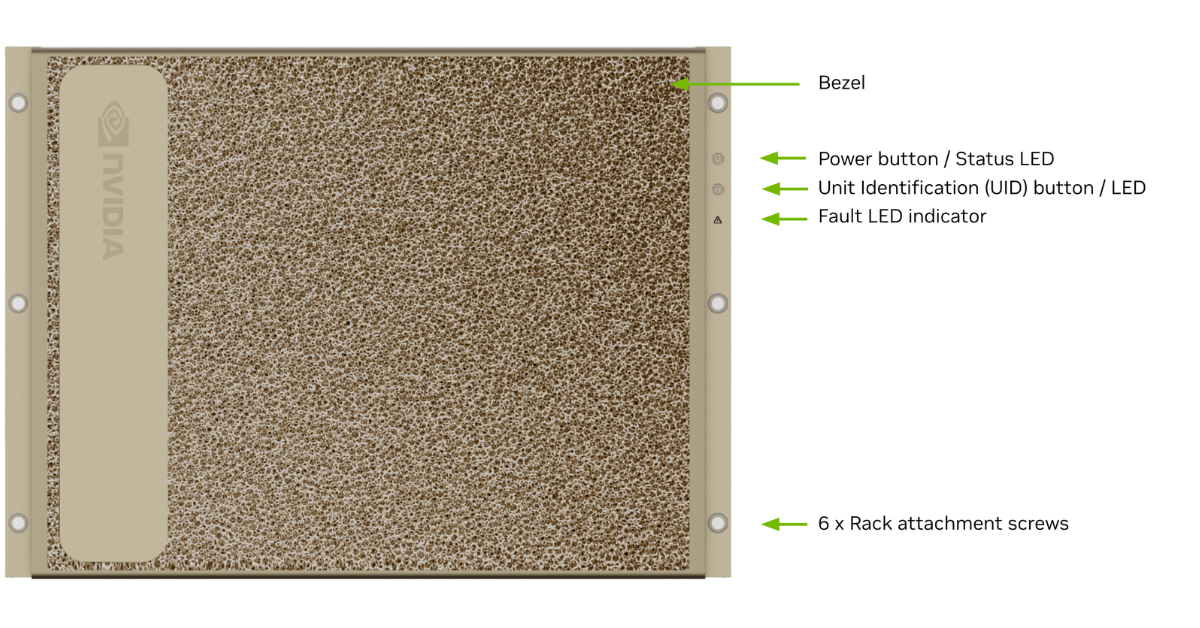
Image of a DGX H100/H200 system with a front panel.
Image source: the official NVIDIA DGX H100/H200 System User Guide.
DGX is a ready-made NVIDIA system for AI infrastructure. Unlike HGX, which serves as a platform for OEM servers, DGX is delivered as a finished product. The system already includes GPUs, CPUs, NVSwitch, memory, drives, networking, cooling, a software environment and support.
For example, NVIDIA’s DGX H100/H200 guide describes configurations with 8 H100 GPUs or 8 H200 GPUs, NVSwitch and a predefined set of components: NVIDIA DGX H100/H200 User Guide. This is not just “a server with eight graphics cards,” but a standardized platform for enterprise AI.
DGX is chosen when the following matter:
- fast launch of large AI infrastructure;
- single-vendor support;
- a predictable configuration;
- a ready-made software stack;
- reduced integration risks;
- a clear operating model;
- scaling within the NVIDIA ecosystem.
For a large company, DGX can be justified if downtime, project delays and compatibility risks cost more than the savings from building the system independently. This approach is especially attractive for teams that need not just compute power, but a ready platform for model development, training and operation.
But DGX is not always rational. It may be excessive if:
- you need one server for inference;
- models fit into one or two GPUs;
- the team is ready to maintain drivers, containers and monitoring itself;
- there is already experience operating OEM servers;
- the budget is limited;
- the data center infrastructure is not ready for this density.
It is important not to confuse “the most powerful” with “the most suitable.” DGX can be the best choice for an enterprise AI platform, but an overly expensive and inflexible solution for applied inference, tests or a small ML team.
PCIe, SXM, HGX and DGX comparison
| Criterion | PCIe GPU server | SXM GPU | HGX server | DGX system |
|---|---|---|---|---|
| What it is | A server with PCIe GPU cards | A GPU module form factor | NVIDIA platform for OEM servers | A ready-made NVIDIA system |
| Level | Card and server configuration | GPU module | Platform inside the server | Finished product |
| Typical density | From 1 to several GPUs, depending on the server | Usually 4–8 GPUs in dense systems | Usually 4–8 GPUs in OEM systems | Standardized high-density configuration |
| GPU-to-GPU communication | PCIe, sometimes NVLink bridges | Usually NVLink/NVSwitch | NVLink/NVSwitch | NVLink/NVSwitch and ready-made system architecture |
| Flexibility | High | Lower | Medium | Lower, but with higher standardization |
| Entry cost | Usually lower | Higher | High | Very high |
| Maintenance | Easier to replace separate cards | Depends on the platform | Depends on the OEM | Through the NVIDIA ecosystem and partners |
| When to choose | Inference, RAG, tests, universal workloads | Dense computing | Training, HPC, 4–8 GPUs | Turnkey enterprise AI |
PCIe is not a “weaker version of HGX,” but a different class of solution. It is better suited to flexible and moderate-budget workloads. SXM/HGX are needed when density and GPU-to-GPU communication matter. DGX is needed when the company buys not only a server, but a ready platform with support.
Most popular refurbished servers

Free shipping on orders over 500 € in the EU, £500 in the UK, and $3,000 in the USA

Free shipping on orders over 500 € in the EU, £500 in the UK, and $3,000 in the USA

Free shipping on orders over 500 € in the EU, £500 in the UK, and $3,000 in the USA

Free shipping on orders over 500 € in the EU, £500 in the UK, and $3,000 in the USA
How to choose a platform for the workload
Budget inference
For inference, a PCIe server is usually enough. This is especially true if models fit into one GPU and the workload can be distributed between independent instances.
A suitable configuration may include:
- 1–2 GPUs for the initial launch;
- 2–4 GPUs for several services;
- sufficient RAM;
- fast NVMe drives for models and indexes;
- a network interface that matches the number of requests;
- a proper power and cooling reserve.
For such workloads, top accelerators such as H100 or H200 are not always necessary. Sometimes it is more rational to take more affordable GPUs, for example NVIDIA L40S 48 GB for universal AI and graphics scenarios, or other PCIe cards with a suitable amount of video memory.
A universal GPU server for a company
If the server is not needed for one model but as a shared compute platform, PCIe remains the most flexible option. Such a server can be used for:
- inference;
- RAG;
- testing new models;
- analytics;
- image processing;
- ML experiments;
- internal services for several teams.
In this scenario, balance matters more than maximum density. It is better to check in advance whether you can start with one or two GPUs and expand the server later. But this expansion must be real, not just declared in the specification: you need free slots, suitable risers, sufficient power-supply capacity and correct airflow.
Training large models
For training large models, PCIe can quickly run into limitations. If a model is distributed across several GPUs and data is constantly exchanged between them, NVLink, NVSwitch and a dense topology matter.
This is where SXM+HGX is usually considered. Such systems are better suited to:
- training models from scratch;
- fine-tuning LLMs;
- workloads with a large number of parameters;
- HPC;
- scenarios where one process actively uses 4–8 GPUs.
In this area, the choice can no longer be based only on the price of one GPU. You need to consider how the entire system behaves under load: CPUs, memory, networking, local storage, cooling, drivers, containers, job scheduler and monitoring.
Turnkey enterprise system
DGX is worth considering if a company wants not just a server, but a standardized AI platform. This option is suitable when the following are important:
- single-vendor support;
- fast launch;
- a predictable architecture;
- reduced integration risks;
- a clear scaling path;
- readiness for large enterprise AI projects.
DGX is rarely the optimal first step for a small team. But for a large organization where delays and integration mistakes cost more than the hardware, such a system can be justified.
Platform choice by scenario
| Scenario | What to choose | Why | What to check |
|---|---|---|---|
| 1–2 models for inference | PCIe | Cheaper and more flexible | Video memory, cooling, power consumption |
| Several internal AI services | PCIe 2–4 GPUs | Workloads can be separated | Job planning, monitoring, power reserve |
| RAG and enterprise AI services | PCIe or HGX | Depends on model size | RAM, NVMe, networking, GPU memory capacity |
| LLM fine-tuning | SXM/HGX | GPU-to-GPU communication matters | NVLink/NVSwitch, network between nodes |
| Training large models | HGX or DGX | Density and scaling are needed | Data center, power, cooling |
| Turnkey enterprise AI | DGX | Fewer integration risks | Budget, support, delivery times |
| Rendering, VDI, visualization | PCIe | NVSwitch is not always needed | Drivers, vGPU, licenses, compatibility |
This table does not replace a configuration calculation, but it helps quickly filter out unsuitable options. If the workload does not require constant communication between GPUs, PCIe is the right starting point. If several GPUs must work as a single compute node, look at SXM/HGX. If a ready-made enterprise platform is needed, evaluate DGX.
Choosing the Right Equipment
Our specialists will contact you and answer all your questions
What to check before buying a GPU server
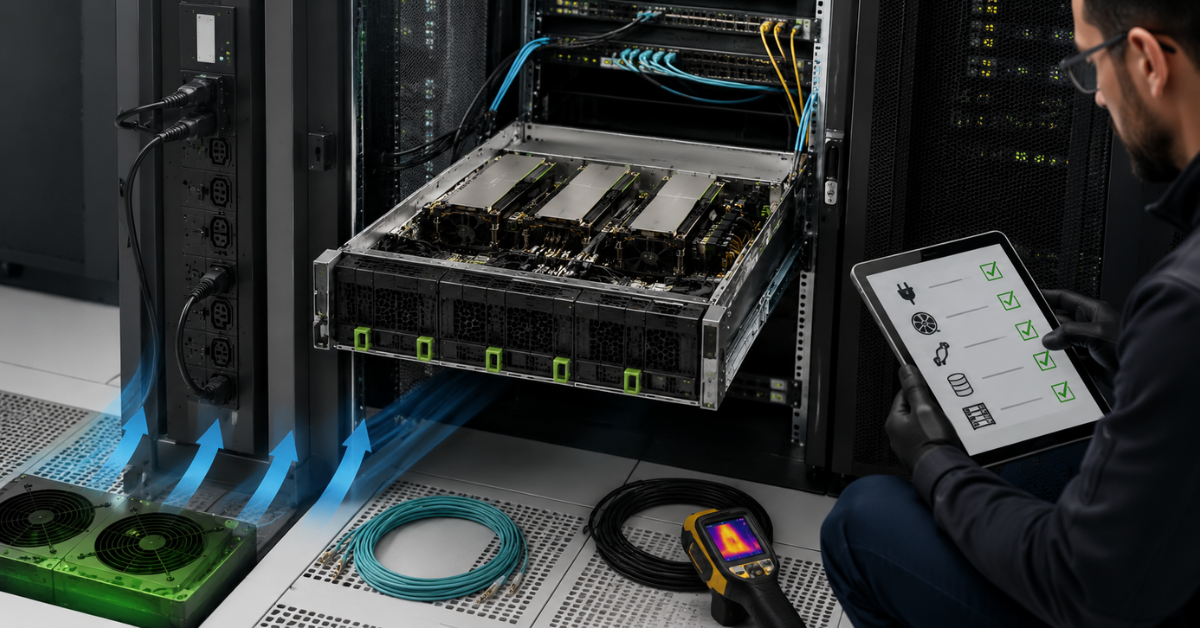
A GPU server cannot be chosen only by the name of the graphics card. This is especially true for H100, H200, A100 or dense multi-GPU systems. A mistake at the rack, power or cooling level can cancel out the advantages of expensive accelerators.
Rack and physical installation
Before buying, check:
- server height;
- rack depth;
- equipment weight;
- front and rear access;
- space for cables;
- the ability to safely slide out and service the server;
- rail compatibility;
- rack load limits.
Powerful GPU servers are often heavier and deeper than ordinary compute nodes. If the server does not physically fit into the rack or is inconvenient to service, this quickly becomes an operational problem.
Power
You need to calculate not only GPU consumption in advance, but the whole system:
- CPU;
- memory;
- drives;
- network cards;
- fans;
- controllers;
- reserve for peak load.
Separately, check:
- power-supply capacity;
- redundancy scheme;
- cable types;
- PDU;
- available power per rack;
- data center requirements;
- the possibility of future expansion.
A server with several powerful GPUs can consume so much power that an ordinary office server room or an unprepared rack will not be suitable. This is especially important for SXM/HGX and DGX.
Cooling
GPUs generate a lot of heat under sustained load. Insufficient cooling not only increases the risk of failure, but also reduces performance: accelerators may limit their frequencies to avoid overheating.
You need to check:
- whether air or liquid cooling is used;
- airflow direction;
- allowed inlet temperature;
- thermal density per rack;
- fan condition;
- the presence of correct blanks and air ducts;
- the condition of heatsinks and thermal pads;
- manufacturer placement requirements.
For refurbished servers, the cooling system condition should be checked separately. A good GPU in a poor thermal circuit will not deliver the expected performance.
Networking
If the server is used only for local inference, the network can be relatively simple. But for training, RAG, large datasets and scaling across several nodes, networking becomes critical.
Before buying, you need to understand:
- whether the server will run alone or in a cluster;
- whether 100/200/400 GbE or InfiniBand is needed;
- where datasets are stored;
- how quickly models and data must be loaded into the server;
- how many users or services will access the GPUs;
- whether suitable switches are available;
- whether the network will become the main bottleneck.
An idle GPU is just as expensive as a busy one. If data cannot reach the server fast enough, buying powerful accelerators will not deliver the expected effect.
Software, drivers and management
Hardware is only half of the project. The software environment must be checked in advance:
- NVIDIA driver versions;
- CUDA compatibility;
- container support;
- Kubernetes, if it is used;
- GPU monitoring;
- job management;
- MIG or vGPU support if resources need to be shared;
- firmware updates;
- framework compatibility.
For example, a universal server used by several teams may need to divide GPU resources between workloads. In that case, it is important to understand in advance whether the selected card supports MIG, how job scheduling will work and who is responsible for monitoring.
For such scenarios, NVIDIA A100 80 GB PCIe is often considered because it can be useful both for inference and for heavier AI workloads. But final suitability depends on the platform, not only on the GPU name.
Warranty, delivery and expansion
GPU servers are not bought for one month. That is why it is important to check:
- warranty period;
- who performs repairs;
- whether component replacement is available;
- whether compatible GPUs are available;
- whether the server can be expanded later;
- whether power and cooling will be enough for expansion;
- whether there is spare PCIe-slot capacity;
- delivery times for the required cards;
- how quickly a failed component can be replaced.
In the refurbished segment, this is especially important. Purchase savings must be combined with a clear warranty, equipment testing and real maintainability.
Common mistakes when choosing PCIe, SXM, HGX and DGX
- Comparing PCIe, SXM, HGX and DGX as if they were the same kind of category. This leads to wrong conclusions: for example, “DGX is better than PCIe,” although in reality a ready-made system is being compared with a GPU connection format.
- Buying the maximum number of GPUs without understanding the workload. If tasks are independent, several GPUs can be used efficiently even without a complex topology. If the workload is single and distributed, weak GPU-to-GPU communication will become a limitation.
- Assuming that NVLink and NVSwitch are always needed. They can be critical for training large models. For separate inference services, their importance may be much lower.
- Treating PCIe as a “weak” option. A PCIe server can be an excellent choice for inference, RAG, testing, VDI, rendering and mixed enterprise workloads.
- Buying SXM/HGX without checking the data center. Such systems require power, cooling, space, a proper rack and service access. If the infrastructure is not ready, the server may be more difficult to operate than expected.
- Forgetting about networking. For several GPUs inside one server, the internal topology matters. For several servers, the network between nodes matters. Without it, the cluster may not unlock its performance.
- Looking only at the GPU price. Total cost of ownership includes the server, power, cooling, networking, support, repairs, downtime, licenses and team labor.
- Buying DGX where an OEM PCIe server would be enough. DGX is strong as a ready enterprise platform, but it may be too expensive for small workloads.
- Buying PCIe where a dense GPU topology is needed. If a model actively uses 4–8 GPUs as a single pool, SXM/HGX or DGX should be considered in advance.
- Ignoring future requirements. Today one GPU may be enough, but in a year you may need more memory, more network bandwidth or a different topology. It is better to understand the growth limits of the selected platform in advance.
How to choose a GPU platform without overpaying
Start not with the GPU name, but with the workload. The sequence can be as follows:
- Define the workload type: inference, training, RAG, HPC, graphics, VDI or mixed workloads.
- Check whether the model fits into one GPU.
- Evaluate whether the GPUs need to constantly exchange data.
- Calculate the required amount of video memory.
- Determine how many users, services or teams will use the server.
- Check network and storage requirements.
- Assess rack, power and cooling limitations.
- Decide whether flexibility or a ready standardized system is more important.
- Compare purchase cost and total cost of ownership.
- Check warranty, delivery times and expansion options.
After that, the choice usually becomes clearer:
- PCIe — if you need flexibility, a moderate budget and a universal server;
- SXM/HGX — if you need dense computing and fast communication between several GPUs;
- DGX — if you need a ready enterprise platform with support and minimal integration risks.
For universal workloads in the PCIe segment, you can also consider newer server cards such as NVIDIA RTX PRO 6000 Blackwell Server Edition if large video memory, modern AI capabilities and compatibility with server scenarios are important. But even here, the final choice depends on the workload, chassis, power and cooling.
What to choose in most cases
For most companies, the first candidate will be a PCIe GPU server. It is more flexible, more accessible, easier to maintain and better suited to inference, RAG, testing, analytics, graphics and mixed workloads. This option is especially strong if the workload can be distributed between independent GPUs and does not require constant data exchange between all accelerators.
SXM/HGX should be chosen when the workload has already outgrown a universal PCIe server. These are scenarios with 4–8 GPUs, large-model training, HPC and high compute density. Here, not only the GPUs themselves matter, but also NVLink, NVSwitch, cooling, power, networking and data center readiness.
DGX is justified when a company wants to buy not just a server, but a ready AI platform. This is a choice for enterprise scenarios where standardization, support, fast launch and lower integration risks matter. But for small teams and applied inference, DGX will often be excessive.
There is no “best platform in general.” There is a platform that fits a specific workload, budget, timeline and infrastructure. Before buying a GPU server, it is therefore worth first describing the use case, video memory requirements, number of GPUs, networking, power and cooling. This helps avoid overpaying for an excessive system and avoid buying a server that cannot unlock the potential of the installed GPUs.
Choosing the Right Equipment
Our specialists will contact you and answer all your questions

Free shipping on orders over 500 € in the EU, £500 in the UK, and $3,000 in the USA
Free shipping on orders over 500 € in the EU, £500 in the UK, and $3,000 in the USA
Free shipping on orders over 500 € in the EU, £500 in the UK, and $3,000 in the USA
Free shipping on orders over 500 € in the EU, £500 in the UK, and $3,000 in the USA

Free shipping on orders over 500 € in the EU, £500 in the UK, and $3,000 in the USA
Free shipping on orders over 500 € in the EU, £500 in the UK, and $3,000 in the USA