A server does not always need RDMA. It is useful only in workloads where low latency, high bandwidth, and lower CPU load are critical when data moves between servers, storage systems, or cluster nodes. RoCE is a way to use RDMA over Ethernet, but it does not automatically make any network fast: it requires compatible network adapters, suitable switches, correct configuration, and applications that can actually use this data transfer method.
What RDMA means in simple terms
RDMA (Remote Direct Memory Access) is a remote direct memory access technology. Its purpose is to let one server transfer data directly into the memory of another server with minimal involvement fr om the CPU and the operating system. In a conventional network, data passes through the network card, driver, operating system kernel, memory buffers, CPU, and only then reaches the application. With large data volumes, this chain starts to noticeably load the server.
RDMA shortens this path. The network adapter takes over part of the work and moves data closer to application memory. This reduces unnecessary copying, lowers latency, and frees CPU resources. That is why RDMA is used not as an impressive line in a specification, but for a specific result: faster data exchange between nodes, more stable handling of intensive I/O, and less CPU time spent on network processing.
It is important to understand that RDMA is not a type of cable and not simply a “very fast network card”. A 25, 100, or 200 Gbit/s port does not by itself mean that RDMA is available. Conversely, the presence of RDMA does not guarantee acceleration for every application. The technology works only when the whole chain supports this mode: the network adapter, driver, operating system, switch, application, and the service architecture itself.
To put it simply, RDMA is useful wh ere servers constantly “talk” to each other using large volumes of data. For example, cluster nodes synchronize storage, virtual machines actively access distributed disks, a database exchanges state between nodes, or a compute cluster transfers data between servers during calculations.
RDMA usually provides:
- lower latency between nodes;
- lower CPU load;
- more efficient use of high-speed network ports;
- stable operation during intensive data exchange;
- benefits for clusters, storage systems, virtualization, and compute workloads.
But if a server performs a simple role, for example serving a small website, storing archive files, or operating in a network without heavy load, RDMA may not provide any noticeable benefit.
Our most popular servers

Free shipping on orders over 500 € in the EU, £500 in the UK, and $3,000 in the USA
Free shipping on orders over 500 € in the EU, £500 in the UK, and $3,000 in the USA
Free shipping on orders over 500 € in the EU, £500 in the UK, and $3,000 in the USA

Free shipping on orders over 500 € in the EU, £500 in the UK, and $3,000 in the USA
What RoCE is and why it is related to Ethernet
RoCE (RDMA over Converged Ethernet) is an implementation of RDMA over Ethernet. The main idea behind RoCE is to get the advantages of direct memory access without building a separate specialized network. Instead, it uses the familiar Ethernet infrastructure already present in many server rooms and data centers.
In NVIDIA’s RoCE documentation, RDMA is described as data transfer between application memory on different servers without CPU involvement, while RoCE is described as a mechanism for such transfer over low-latency Ethernet networks. This captures the essence of the technology well: RoCE does not replace Ethernet, but uses it as a transport for more efficient data exchange.
There are two main RoCE versions. RoCE v1 works at the Ethernet data link layer and is usually limited to a single local network domain. RoCE v2 works over IP and UDP, which makes it better suited to more flexible network designs and more common in modern server infrastructures. For most practical tasks today, RoCE v2 is usually the version considered.
At the same time, RoCE should not be treated as ordinary Ethernet with a more expensive network card. Regular TCP traffic can operate in networks with packet loss: it retransmits data, adjusts speed, and tolerates congestion reasonably well. RoCE is much more sensitive to network quality. If the network has packet loss, incorrect priorities, or congestion, the result may be instability, latency spikes, and difficult diagnostics instead of acceleration.
How RDMA differs fr om regular network data transfer
With regular TCP/IP transfer, the operating system actively participates in data processing. Packets are received by the network card, pass through drivers and the network stack, enter system buffers, are copied between memory areas, and are then delivered to the application. At low speeds and moderate loads, this is almost unnoticeable. But on high-speed networks and with a large number of I/O operations, the CPU starts spending a noticeable share of resources not on useful application work, but on network processing.
RDMA changes this model. The network adapter can transfer data through more “direct” paths. The CPU does not disappear fr om the system completely, but its involvement in the data transfer itself becomes much smaller. As a result, the server can handle more useful workload: virtual machines, databases, containers, compute jobs, or storage operations.
The difference is especially visible wh ere the network becomes part of the storage or compute subsystem. For example, in a hyperconverged infrastructure, servers run virtual machines and exchange distributed storage data at the same time. If every network exchange heavily loads the CPU, the whole cluster suffers. RDMA helps reduce this overhead.
But for a typical application server connected to a 1 or 10 Gbit/s network and not limited by network latency, RDMA is usually not the main performance factor. In such cases, the bottleneck may be the database, disk, application code, memory, CPU, or external network. So the right question is not: “Does a modern server need RDMA?” It is better to ask: “Does this architecture contain a workload wh ere RDMA can actually reduce latency and CPU load?”
What types of RDMA are available
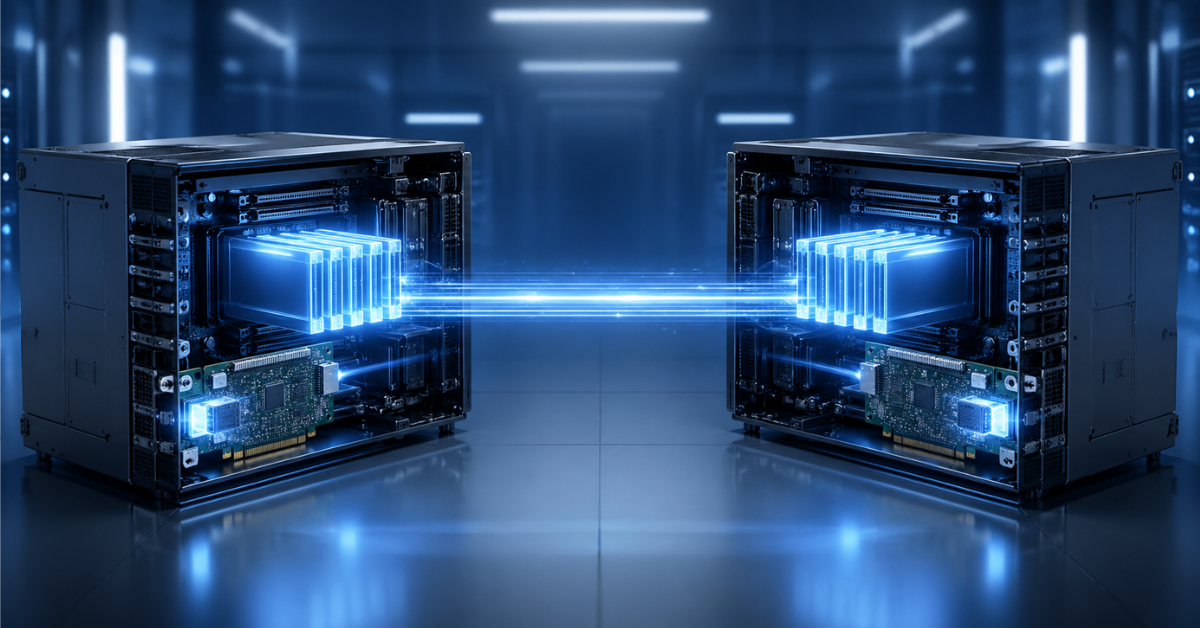
RDMA can work over different network technologies. In server practice, InfiniBand, RoCE, and iWARP are discussed most often.
InfiniBand is a specialized high-performance network. It is often used in scientific computing, high-performance computing clusters, artificial intelligence workloads, and other environments where minimal latency and very high bandwidth are important. It is a powerful option, but it requires separate infrastructure, specialized adapters, and switches.
RoCE uses Ethernet. This makes it attractive for data centers where an Ethernet network is already in place and there is no desire to build a separate infrastructure solely for RDMA. RoCE is often found in hyperconverged clusters, storage systems, virtualization, and modern server platforms.
iWARP works over TCP/IP. Its advantage is that it tolerates a regular IP network better and is not as dependent on a fully “lossless” Ethernet configuration. However, it is less common in new infrastructures than RoCE, especially when discussing large-scale server networks at 25, 100, and 200 Gbit/s.
| Technology | What it runs over | Where it is most often used | Advantages | Limitations |
|---|---|---|---|---|
| InfiniBand | Separate specialized network | Compute clusters, scientific computing, AI infrastructure | Very low latency, high performance | Requires separate infrastructure and specialized equipment |
| RoCE | Ethernet | HCI, storage systems, virtualization, clusters, NVMe-oF | Can use an Ethernet environment, high speed, low latency | Requires correct network configuration and compatible components |
| iWARP | TCP/IP | Specific enterprise scenarios | Tolerates regular IP networks better | Less common in new deployments |
Choosing the Right Equipment
Our specialists will contact you and answer all your questions
This table does not mean that one option is always better than another. The choice depends on the task. InfiniBand may be justified for a standalone high-performance compute cluster. RoCE is more often considered for Ethernet-based server infrastructure. iWARP may be appropriate in some scenarios where there is less readiness for complex network configuration.
Where a server really needs RoCE
RoCE is needed where the network participates in critical data exchange between nodes. It is not a “just in case” feature, but a tool for architectures where latency and network stack overhead really affect performance.
Hyperconverged infrastructure
In a hyperconverged infrastructure, servers simultaneously perform compute work and participate in distributed storage. Nodes exchange virtual machine data, block copies, metadata, service information, and recovery operation results. In this architecture, the network becomes part of the storage subsystem.
If the network is slow or unstable, not only network operations suffer, but also virtual machines, databases, and applications. RDMA helps reduce latency and lower CPU load because part of the data transfer work is handled by the network adapter. This is especially important in clusters running at 25, 100 Gbit/s, and above.
In Windows Server environments, distributed storage is usually associated with SMB Direct. Microsoft’s documentation on SMB Direct in Windows Server states that RDMA-capable network adapters can operate at high speed, with low latency and lower CPU usage. This is important for file servers, Hyper-V, SQL Server, and scenarios where storage is actively used over the network.
Virtualization
Virtualization benefits fr om RDMA not by itself, but when virtual machines actively work with networked or distributed storage. If a server uses only local disks and the load is moderate, a regular network may be enough. But if there is a cluster, a shared file resource, virtual machine migration, dense workload placement, and active I/O, network latency becomes much more important.
RDMA can help the hypervisor and storage system exchange data faster. It does not remove requirements for disks, processors, and memory, but it reduces network overhead. As a result, part of the CPU resources remains available for virtual machines instead of being spent on network exchange.
Storage systems and NVMe-oF
NVMe-oF is a way to use fast NVMe drives over a network. In the conventional view, NVMe is associated with a local drive inside a server. But in modern storage systems, it is often necessary to provide fast remote access to such drives for multiple servers. Here, latency and network stability are especially important.
RoCE is often considered as a transport for NVMe-oF because it can bring network access latency closer to a level acceptable for high-performance storage. But it is important to understand that RoCE alone is not enough. Compatible network adapters, switches, storage, drivers, an operating system, and correct configuration are required.
If everything is built correctly, the server can work with remote NVMe storage much more efficiently than through a conventional network stack. If the architecture is assembled incorrectly, expensive network cards and fast drives will not deliver the expected result.
Databases and clusters
Databases are sensitive not only to disk speed, but also to latency between nodes when a clustered or distributed architecture is involved. Nodes may exchange logs, locks, state, transactional data, or service messages. In such scenarios, RoCE can be useful because it reduces latency and lowers CPU load.
For example, IBM describes RoCE network configuration for IBM Db2 pureScale with RoCE. This is a good example showing that RoCE is used not only in abstract benchmarks, but also in enterprise clustered database systems.
At the same time, it would be wrong to promise that RDMA will accelerate any database. If the database runs on one server, stores data on local disks, and is not limited by network exchange, the effect may be minimal. RDMA is useful wh ere the network is truly part of the critical path of operations.
High-performance computing and AI
In compute clusters, servers often exchange large volumes of data during calculations. In artificial intelligence workloads, this may include communication between GPU nodes, model parameter synchronization, training data transfer, or interaction between compute processes. The denser the exchange between nodes, the more important latency and bandwidth become.
RDMA helps where the network becomes part of the compute process. But here it is especially important to look at the entire architecture: processors, GPUs, PCIe, network adapters, switches, drivers, libraries, and the software platform. Complex design cannot be replaced with a single expensive network card.
When a server does not need RDMA and RoCE
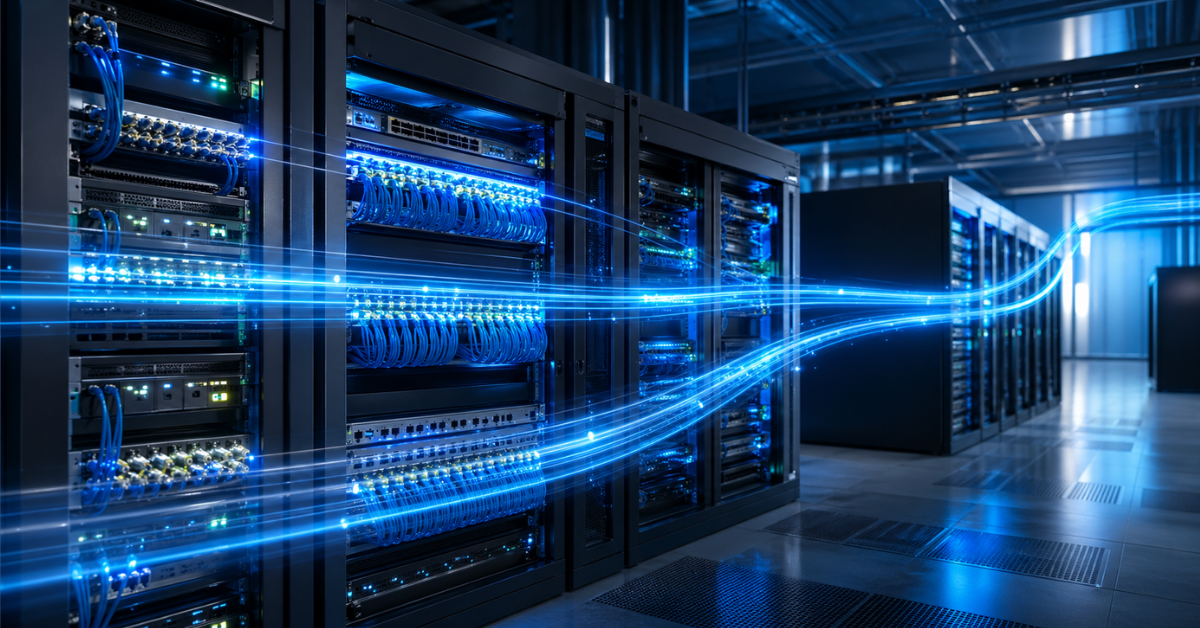
Not every server needs RDMA. This is worth saying directly because the technology is often perceived as a mandatory attribute of a “serious” infrastructure. In practice, it is useful only when there is a workload capable of using its advantages.
RDMA is usually unnecessary for simple web servers, small office file servers, servers with low network load, and infrastructures where the main limitation is not the network. If the bottleneck is slow disks, an unoptimized database, insufficient memory, a weak processor, or the external internet channel, RDMA will not solve the problem.
RoCE may also be excessive for companies that do not have managed switches of the required class or experience configuring network priorities. A poorly configured RoCE network can create more problems than benefits. Sometimes it is cheaper and more reliable to install a faster conventional network card, separate traffic by VLAN, add local NVMe drives, or optimize the application.
The main idea is simple: RDMA is not a server accelerator, but a tool for a specific architecture. If the application does not use direct data transfer between nodes, an RDMA adapter will remain just an expensive network card.
What is required for RoCE to work
Buying a network adapter with the right label in the specification is not enough for RoCE to work. The technology requires the entire chain to be compatible. If one element is unsuitable, the system may operate as a regular network or behave unpredictably.
RoCE usually requires:
- network adapters with RDMA and RoCE support;
- drivers and firmware of suitable versions;
- an operating system that supports the selected mode;
- an application or service that can use RDMA;
- switches that support the required traffic management functions;
- correctly configured priorities and congestion management;
- cables or transceivers matching the port speeds;
- consistent configuration logic across all nodes;
- monitoring of errors, losses, latency, and pauses.
It is also necessary to check which RoCE version is required. Modern infrastructures usually focus on RoCE v2 because it is better suited to routable network designs. But the specific requirements should always be checked against the documentation for the server, network card, switch, storage system, or software platform.
If RoCE is used in hyperconverged (HCI) scenarios, it is worth reviewing not only general technology descriptions, but also reference configurations. For example, a Dell Technologies guide discusses network configuration for modern Windows Server and HCI scenarios, where network parameters are part of the overall cluster architecture.
Why RoCE is sensitive to network configuration
RoCE runs over Ethernet, but it requires a much more carefully configured network than ordinary office or server traffic. The reason is that RDMA traffic does not tolerate packet loss and sudden congestion well. For regular TCP, packet loss is unpleasant, but the protocol can retransmit data and adjust speed. In RoCE, loss or incorrect prioritization can lead to latency spikes, lower performance, and difficult errors.
Traffic management mechanisms are often used for stable operation. PFC can temporarily pause traffic of a particular class to avoid losses. ECN helps signal congestion in advance. DCB combines a set of functions for traffic management in a data center network.
These mechanisms are useful, but they require competent configuration. If they are enabled without understanding the topology, the opposite effect is possible: traffic blocking, unexpected pauses, uneven performance, and difficult diagnostics. Therefore, a RoCE network must be designed in advance. It is necessary to understand what traffic will pass through these ports, which priorities it needs, which switches are involved in the path, and how network health will be monitored.
An ordinary managed switch with 25 or 100 Gbit/s ports does not automatically mean a good RoCE infrastructure. Port speed is not the only thing that matters. Buffers, congestion management support, firmware quality, stability under load, and compatibility with the solution vendor’s recommendations are also important.
How RDMA affects CPU, latency, and bandwidth
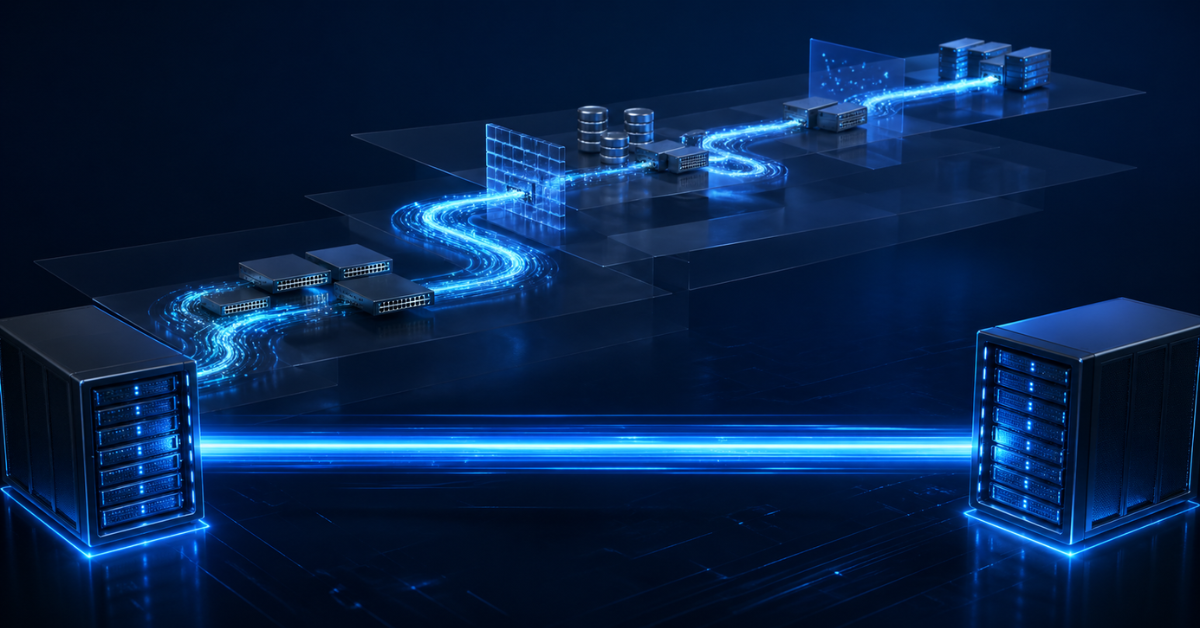
RDMA affects several metrics at once, but not in the same way for every workload.
The CPU receives less network work. With regular data transfer, the CPU participates in packet processing, data copying, and network stack handling. With RDMA, some of these operations are performed by the network adapter. This is especially important on virtualization servers, database servers, and compute nodes where the CPU is needed for the primary workload.
Latency between nodes decreases because the data path is shorter. This is important in clusters where nodes constantly synchronize with each other. Even when bandwidth is high, extra latency can degrade the performance of storage, a database, or a distributed application.
Bandwidth is used more efficiently. At 25, 100, and 200 Gbit/s, conventional network traffic processing can create noticeable overhead. RDMA helps use the capabilities of the adapter and network more effectively. But the final speed still depends on the whole chain: the PCIe slot, network card, switch, cable, CPU, memory, drivers, and application.
Therefore, RDMA should not be evaluated only by maximum speed. It is more important to look at the combined effect: whether latency decreased, CPU load was reduced, application performance improved, and the system became more stable under load.
Common mistakes when implementing RDMA and RoCE
| Mistake | Why it happens | What it can lead to | How to avoid it |
|---|---|---|---|
| Buying an RDMA card without checking the application | It seems that the card will accelerate everything by itself | No acceleration, wasted budget | Check whether the service can use RDMA |
| Looking only at port speed | 100 Gbit/s is confused with low latency | Expectations do not match reality | Evaluate latency, CPU, IOPS, and application behavior |
| Using an unsuitable switch | Only the presence of fast ports is checked | Losses, pauses, instability | Check support for required functions and vendor recommendations |
| Mixing RDMA traffic with regular traffic without priorities | No network planning | Congestion and difficult diagnostics | Separate traffic classes or use a separate network |
| Not updating drivers and firmware | Compatibility is treated as secondary | Errors and performance degradation | Use validated software versions |
| Not configuring monitoring | The network is assumed to “just work” | Problems become visible only during an incident | Track errors, pauses, losses, and latency |
Most mistakes are related not to the technology itself, but to attempts to deploy it as a standalone component. RDMA and RoCE work well when they are designed into the architecture fr om the start. If equipment is purchased first and the operating model is figured out later, the risk of error rises sharply.
Choosing the Right Equipment
Our specialists will contact you and answer all your questions
How to choose a network card for RDMA and RoCE
A network card should not be chosen only by port speed. It is important to check RoCE v2 support, compatibility with the server, operating system, hypervisor, and application. The PCIe generation must also be considered. A fast card may not reach its potential if it is installed in an unsuitable slot or if the server limits available bandwidth.
The number of ports also matters. In some scenarios, one or two 25 Gbit/s ports are enough. In others, 100 or 200 Gbit/s ports are needed, along with redundancy and separation between storage traffic and client traffic. For HCI and storage systems, not only speed matters, but also predictable behavior under load.
You should check:
- whether the adapter supports RoCE v2;
- whether drivers are available for the required operating system;
- whether the card is supported by the hypervisor or storage system;
- whether the card is on the server vendor’s compatibility list;
- whether there are enough PCIe lanes;
- whether cooling is suitable for dense server installation;
- whether cables and transceivers are suitable;
- whether firmware can be updated without risk to the entire platform;
- whether the solution vendor provides practical recommendations.
In enterprise practice, adapters fr om NVIDIA/Mellanox, Broadcom, Intel, Marvell, and other manufacturers are often used. But the brand itself does not solve the task. Compatibility of the specific model with the server, switch, operating system, and service is more important.
How to choose a switch for RoCE
A switch for RoCE should be chosen more carefully than a regular switch for a server network. Port speed is only the first parameter. In addition, traffic management mechanisms, buffers, latency, firmware stability, and predictable behavior under load are important.
For RoCE, PFC, ECN, and DCB support is usually checked. But it is not enough to simply find these abbreviations in the specifications. It is necessary to understand how they are implemented, what limitations exist, how they are configured, and whether they are supported in the reference architecture of the chosen solution.
Consistency is especially important for clusters. If one port is configured differently from the others, the problem may not appear immediately, but only under load. Therefore, switch, network card, and operating system settings must be aligned. In large environments, redundancy, traffic separation, and monitoring should also be planned in advance.
Sometimes it is better to use a validated configuration from the server, storage, or HCI solution vendor than to assemble a network from unrelated components. This may look more expensive at the start, but it reduces the risk of long diagnostics and incompatibility.
RDMA, RoCE, and security
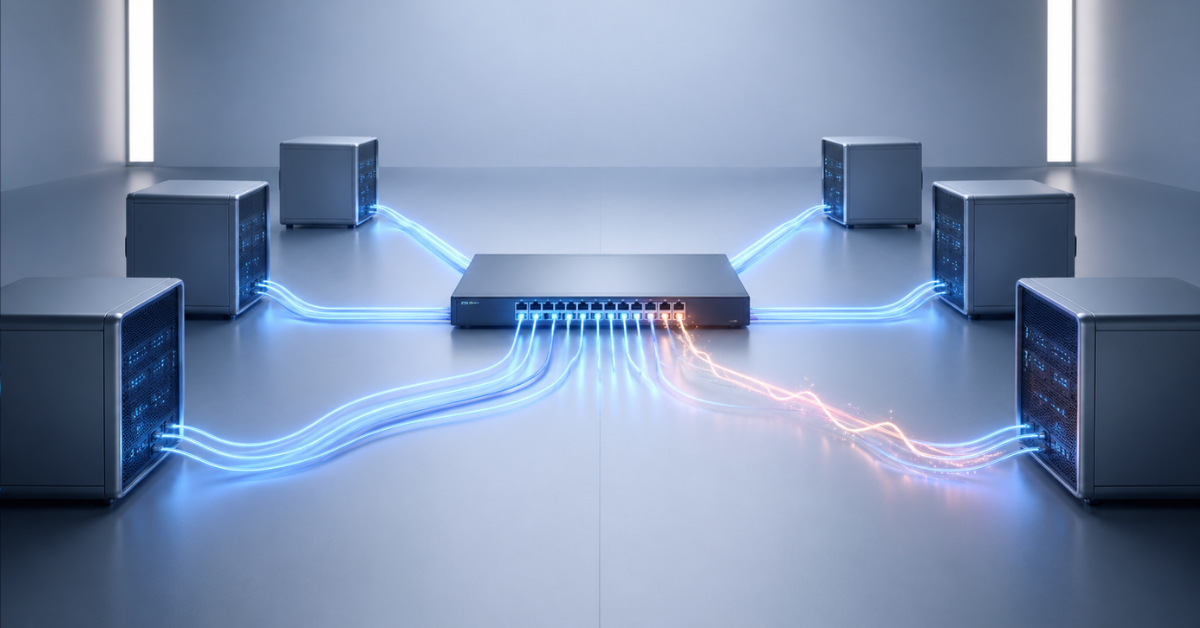
RDMA provides direct access to memory within permitted operations, so security and isolation are especially important here. This network should not be treated like an ordinary public service. RDMA traffic is usually designed as an internal server segment available only to trusted nodes.
Segmentation, separate VLANs or even a separate physical network, port access control, restricting unnecessary connections, and isolating storage traffic are important. If RDMA is used for storage or a cluster, external devices should not be able to connect to this network.
Firmware and driver updates are also important. In an RDMA scenario, the network adapter performs more work than a regular card, so firmware issues can affect not only speed, but also stability and security. In production infrastructure, updates must be planned carefully, but they cannot be completely ignored.
How to understand whether a specific server needs RDMA
Before buying equipment, it is worth answering several questions.
Is there constant intensive data exchange between servers? Is distributed storage used? Is there an HCI cluster? Is there a service that explicitly supports RDMA, such as SMB Direct, NVMe-oF, or a clustered database? Is there a 25 Gbit/s or faster network? Are there switches that can be configured correctly? Are there specialists who can support such a network? Can the effect be measured before and after deployment?
If the answer to most questions is no, RDMA is most likely unnecessary. In that case, it is better to first check simpler causes of low performance: disks, memory, CPU, application, regular network settings, backups, antivirus scans, the database, or virtualization.
If the infrastructure is built around distributed storage, intensive virtualization, HCI, NVMe-oF, a clustered database, or a compute cluster, RDMA should be considered seriously. But even then, the starting point should not be buying network cards, but designing the architecture and checking compatibility.
Practical selection scenarios
Small office server
A small office server usually does not need RDMA. Reliable disks, backups, a clear maintenance plan, and sufficient conventional networking are more important. If the server stores documents, runs several applications, and does not experience network latency issues, RoCE will add unnecessary complexity.
File server
A file server may benefit from RDMA if it serves intensive workloads, virtualization, or SMB Direct scenarios. But for a simple archive or shared file resource in a small company, a regular network is usually sufficient. Here it is necessary to look at real metrics: latency, CPU usage, disk speed, and the nature of access patterns.
Virtualization server
For a virtualization server, RDMA makes sense if virtual machines actively use networked or distributed storage. If all VMs run on local disks and the workload is moderate, the effect may be small. But if there is a cluster, VM migration, a shared resource, HCI, or dense VM placement, RDMA can reduce latency and free CPU resources.
HCI cluster
For an HCI cluster, RDMA and RoCE are often justified because the network becomes part of the storage subsystem. In this architecture, a poorly configured network directly affects virtual machines and storage. Therefore, RoCE must be designed before equipment is purchased: compatible network cards, switches, cables, and a validated configuration scheme should be selected in advance.
Database server
For a standalone database server, RDMA may not provide a noticeable effect if the database runs on local disks and is not limited by network exchange. But for a clustered database wh ere nodes constantly synchronize state, latency between servers can be critical. In such cases, RoCE can become part of a high-performance architecture.
AI and compute cluster
In compute clusters, RDMA is often important because nodes actively exchange data during calculations. But here the network cannot be considered separately fr om the whole platform. GPUs, PCIe, memory, libraries, distributed frameworks, and the requirements of the specific task must all be taken into account.
Most popular refurbished servers

Free shipping on orders over 500 € in the EU, £500 in the UK, and $3,000 in the USA
Free shipping on orders over 500 € in the EU, £500 in the UK, and $3,000 in the USA

Free shipping on orders over 500 € in the EU, £500 in the UK, and $3,000 in the USA

Free shipping on orders over 500 € in the EU, £500 in the UK, and $3,000 in the USA
How to test the effect of RDMA
RDMA deployment must be confirmed with measurements. A result should not be considered successful just because the adapter is detected by the system and a command shows RoCE support. The behavior of the infrastructure before and after deployment should be compared.
It is worth evaluating more than file copy speed. Latency, CPU load, bandwidth, I/O operations, storage latency, application performance, and stability under load are more important. For Windows scenarios, SMB Direct metrics, CPU load, and network counters are useful. For Linux, network errors, latency, CPU load, application metrics, and RDMA diagnostic tools should be reviewed.
It is especially important to test the real workload, not only the synthetic maximum. If the goal is to accelerate virtual machines, storage latency and VM behavior must be examined. If the task is a database, transactions, query latency, and synchronization between nodes should be measured. If the task is a compute cluster, a real distributed workload should be tested.
Checklist before buying a server with RDMA and RoCE
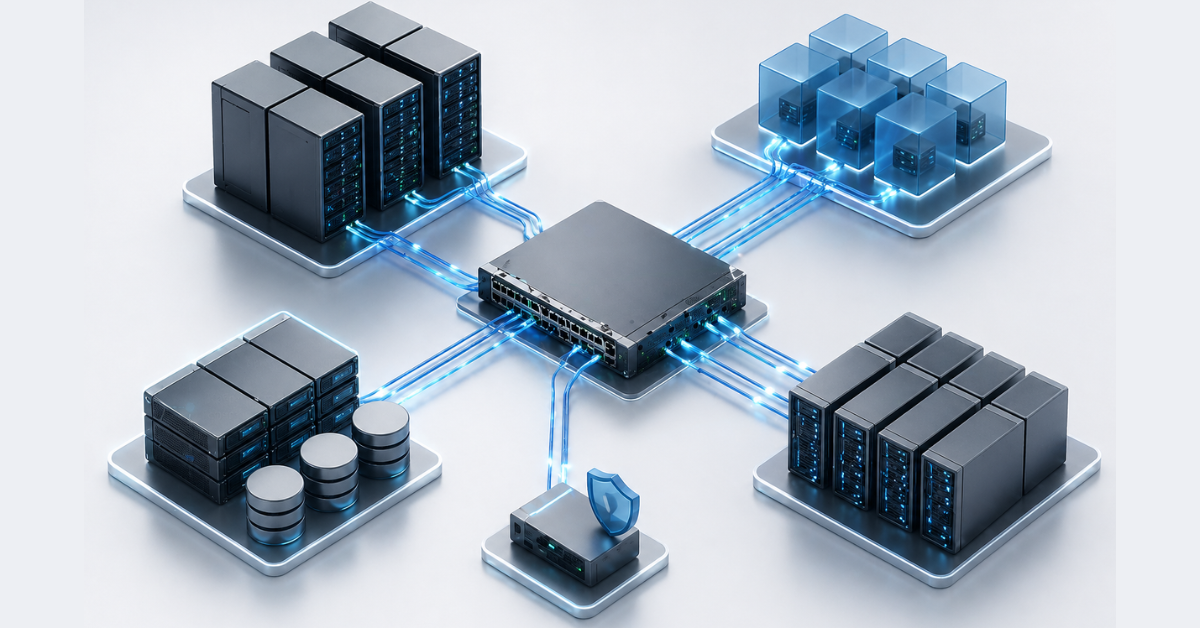
Before buying a server, network cards, or switches, it is worth checking:
- which task RDMA should accelerate;
- whether the application supports this mode;
- whether RoCE is really needed, or regular Ethernet is sufficient;
- what network speed is required;
- whether the server has suitable PCIe slots;
- whether the network card supports RoCE v2;
- whether the card is compatible with the operating system and hypervisor;
- whether drivers and firmware are available for the required system version;
- whether the switch supports PFC, ECN, and DCB;
- whether separate VLANs or a separate network are needed;
- whether the storage, HCI, or software vendor provides recommendations;
- who will configure and support the network;
- how the effect will be measured;
- whether the service will continue to work if RDMA is disabled;
- whether the task could be solved more simply with a conventional network, local NVMe, or application optimization.
This checklist helps avoid the main mistake: buying equipment without understanding wh ere exactly the benefit should appear. RDMA makes sense only when it is supported not by one component, but by the whole working design.
Conclusion
Servers need RDMA and RoCE not for the sake of being “modern”, but for specific tasks: hyperconverged infrastructure, distributed storage systems, NVMe-oF, intensive virtualization, clustered databases, and compute clusters. Their purpose is to reduce latency, lower CPU load, and use high-speed networks more efficiently.
RoCE makes it possible to use RDMA over Ethernet, but it requires compatible network adapters, suitable switches, correct drivers, firmware, and configuration. Simply installing an RDMA card in a server is not enough. If the application cannot use this type of transfer or the network is configured incorrectly, there will be no acceleration.
In simple servers, RDMA is often excessive. For a small file server, a regular web server, or an infrastructure without intensive exchange between nodes, reliable disks, a clear network design, backups, and correct application configuration are more important. But wh ere the network becomes part of the storage or compute layer, RDMA and RoCE may be not an optional feature, but an important element of the entire architecture.
Choosing the Right Equipment
Our specialists will contact you and answer all your questions
Content:
Free shipping on orders over 500 € in the EU, £500 in the UK, and $3,000 in the USA
Free shipping on orders over 500 € in the EU, £500 in the UK, and $3,000 in the USA

Free shipping on orders over 500 € in the EU, £500 in the UK, and $3,000 in the USA
Free shipping on orders over 500 € in the EU, £500 in the UK, and $3,000 in the USA
Free shipping on orders over 500 € in the EU, £500 in the UK, and $3,000 in the USA
Free shipping on orders over 500 € in the EU, £500 in the UK, and $3,000 in the USA