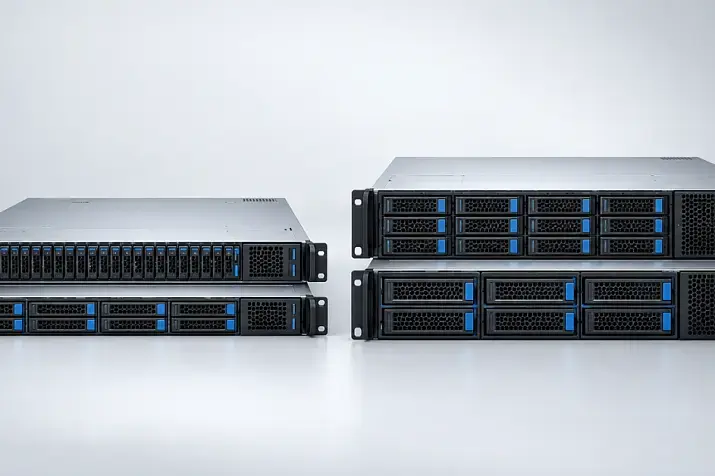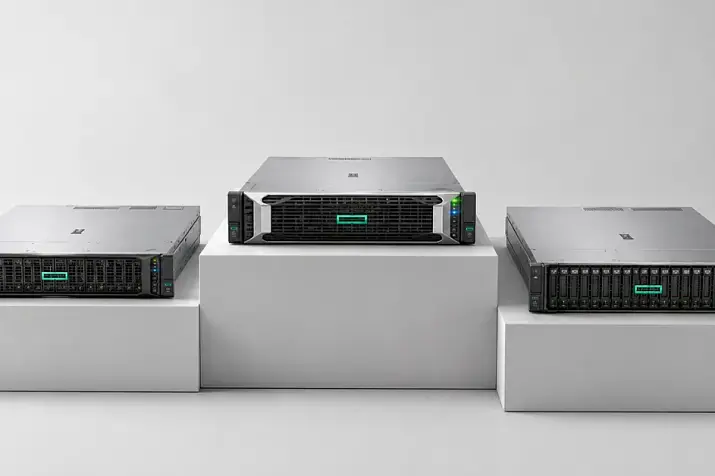
A server for RAG and AI agents cannot be selected only by the number and power of its GPUs. Performance depends on the entire chain: reading documents, building the index, retrieval, CPU and memory operation, network data transfer, long-context processing and KV-cache placement. For a pilot project, the components can be combined on one node, but a production configuration should be sized according to the knowledge-base volume, the number of concurrent requests and the acceptable latency.
RAG (Retrieval-Augmented Generation) is answer generation supported by retrieval from a knowledge base external to the model, whether that is a company’s internal wiki, internet sources or a folder of documents. Before calling the large language model, the system finds relevant document fragments and adds them to the prompt. An AI agent performs more actions: it clarifies the task, accesses databases and APIs, runs additional searches, checks intermediate results and then produces the answer.
Therefore, a high token-generation rate does not necessarily mean that the user will see the result quickly. The GPU may remain idle while the server reads the index from storage, filters documents by access rights or waits for a response from an external system.
GPU servers
Free shipping on orders over 500 € in the EU, £500 in the UK, and $3,000 in the USA
Free shipping on orders over 500 € in the EU, £500 in the UK, and $3,000 in the USA

Free shipping on orders over 500 € in the EU, £500 in the UK, and $3,000 in the USA
Free shipping on orders over 500 € in the EU, £500 in the UK, and $3,000 in the USA
What stages make up a RAG system
RAG has two operating modes: knowledge-base preparation and request processing. They place different loads on the hardware.
Knowledge-base preparation
Before retrieval can begin, the system must:
- Collect documents from files, portals, email or databases.
- Extract text from PDFs, office documents, HTML pages, images and tables.
- Recognise scanned documents, clean the data and remove duplicates.
- Split the material into chunks.
- Create a vector representation for each chunk.
- Store the text, vectors, metadata and access permissions.
- Build the search index.
- Prepare a backup of the source data and configuration.
The CPU, RAM and NVMe write performance are particularly important at this stage. Bulk ingestion can occupy all cores, create an I/O queue and evict the active index from the system cache.
Request processing
After receiving a question, the system:
- Verifies the user and their permissions.
- Creates a vector for the question.
- Searches for candidates in the vector database.
- Filters them by language, date, document type and access level.
- Reranks the retrieved chunks.
- Builds the context for the language model.
- Generates the answer and saves service data.
In an agentic scenario, this sequence is repeated. The NVIDIA documentation on agentic RAG describes an architecture in which a task is divided into stages, while separate mini-agents perform retrieval, produce a partial answer and launch a new query when the available data is insufficient. One user question can therefore trigger dozens of calls to retrieval, the model and external systems.
| Stage | Main work | Key resources | Possible bottleneck |
|---|---|---|---|
| Document ingestion | Reading, recognition and cleaning | CPU, RAM, NVMe | Slow file parsing |
| Vector creation | Embedding-model inference | GPU or CPU, RAM | Low batch throughput |
| Index building | Writing the search structure | RAM, NVMe, CPU | Insufficient memory |
| Retrieval | Reading the index and filtering | RAM, NVMe, CPU | System-cache misses |
| Reranking | Scoring the retrieved chunks | GPU or CPU | Request queue |
| Context processing | Reading a long input with the model | GPU, KV cache | Long time to first token |
| Generation | Sequential answer generation | GPU, KV cache | Low output speed |
| Agent actions | API calls and repeated loops | CPU, network | Accumulated latency |
What the GPU is responsible for
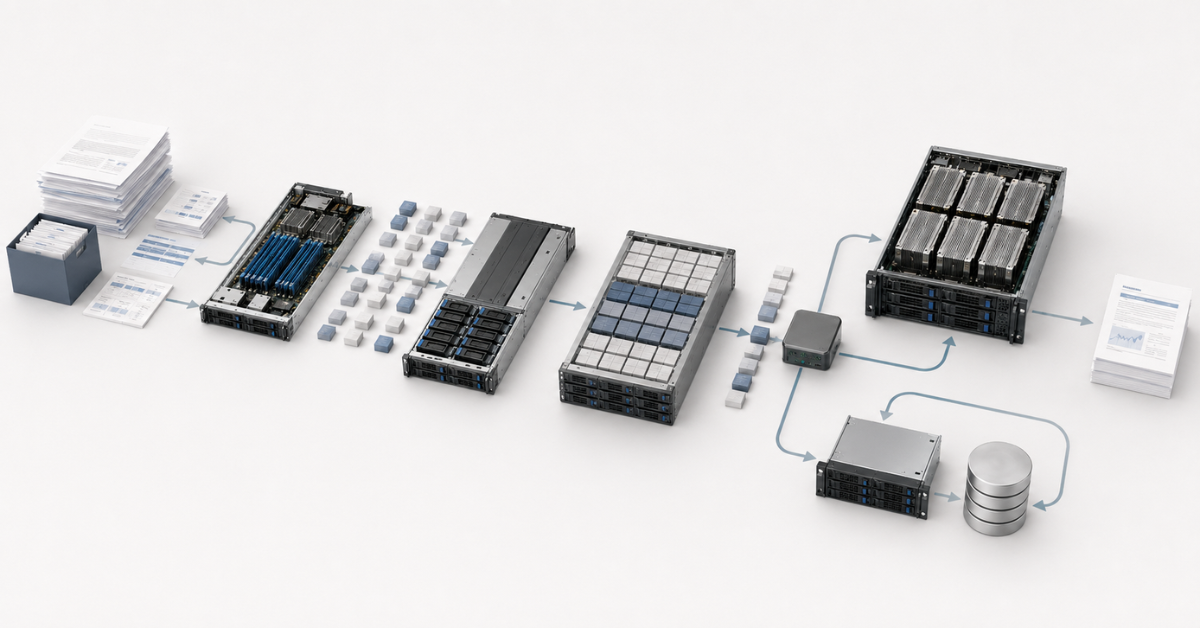
The GPU performs computations for the language model, the embedding model and the reranking model. These tasks do not necessarily have to run on the same accelerator.
Video memory is used for more than model weights. It also holds:
- engine working buffers;
- the KV cache of active requests;
- temporary context-processing data;
- additional models;
- headroom for peaks and fragmentation.
A model that fits during a single-request test may therefore fail when concurrency increases. The opposite situation is also common: GPU utilisation is low, but responses are slow. In that case, the accelerator is probably waiting for retrieval, tokenisation, disk reads or a network call. Buying a more powerful GPU will not eliminate latency in another layer.
Choosing the Right Equipment
Our specialists will contact you and answer all your questions
Why the CPU matters
The CPU handles operations around the language model:
- text extraction and cleaning;
- document recognition;
- chunking and tokenisation;
- metadata filtering;
- vector-database operation;
- containers, queues and APIs;
- traffic encryption;
- AI-agent tools.
Core count matters for background indexing, but single-core performance, the number of memory channels, available PCIe lanes and device connectivity must also be considered.
If the GPU is connected to one processor while the storage device or network adapter is served by another NUMA node, data must travel between sockets. Under heavy load, this increases latency and creates contention on the inter-processor link.
Single-socket AMD EPYC servers are convenient when many PCIe lanes and memory channels are required without splitting resources between sockets, provided NUMA is configured correctly and the processor architecture is taken into account. Intel Xeon servers are available in a wide range of single- and dual-socket configurations. The platform should be selected by its actual PCIe topology, number of accelerators, memory capacity and available drive bays, not only by the processor family.
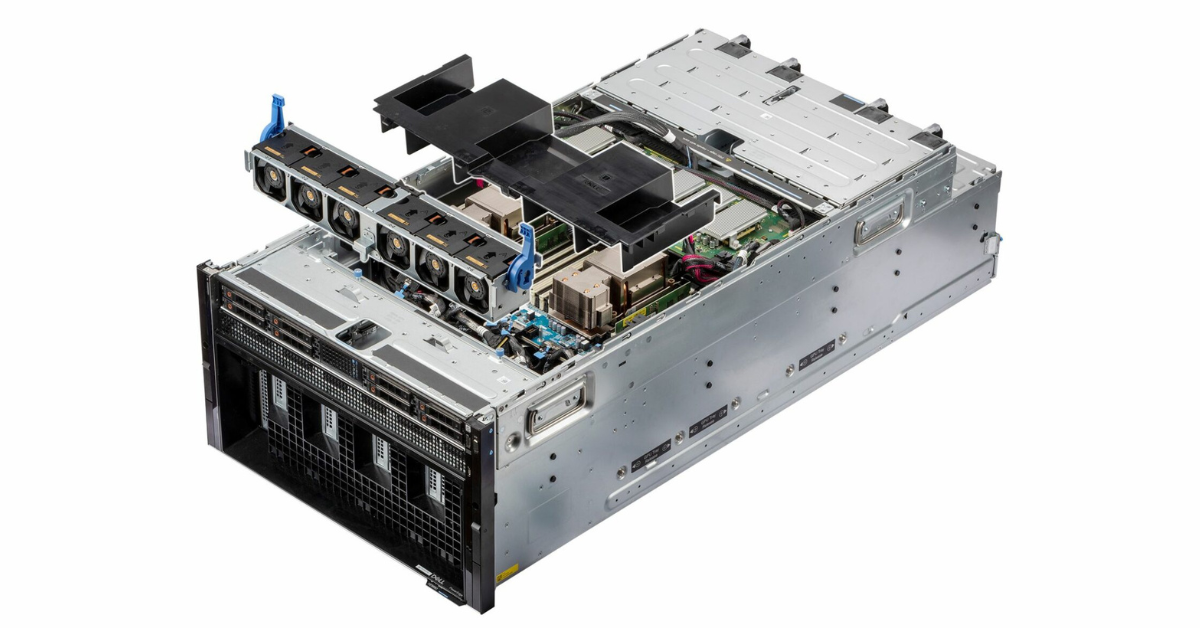
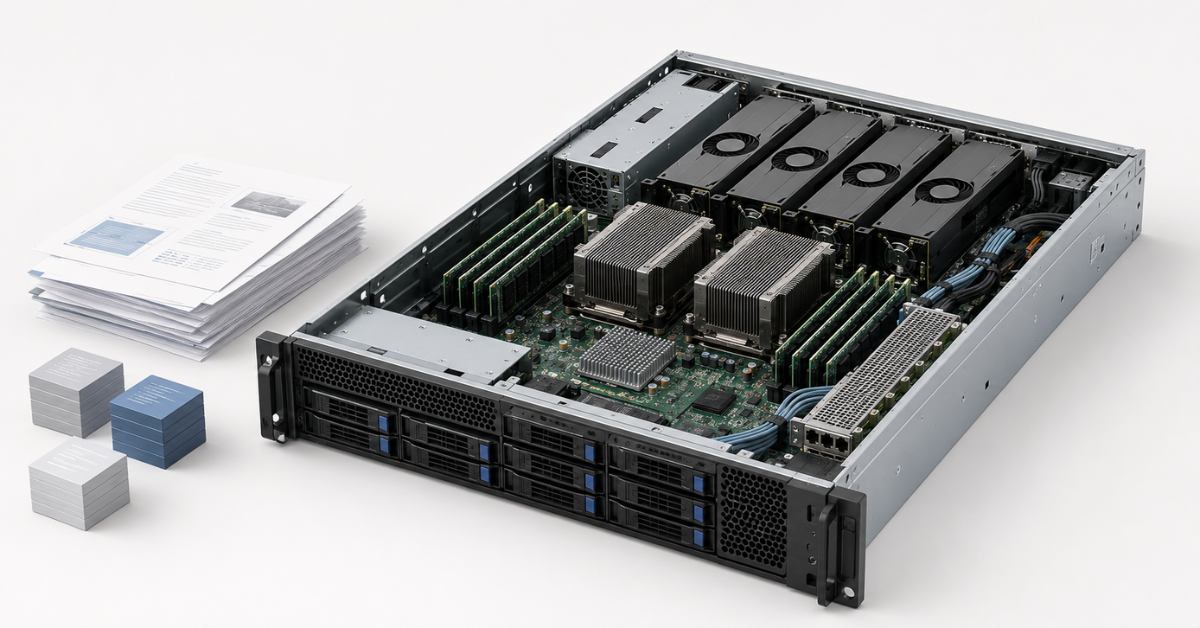
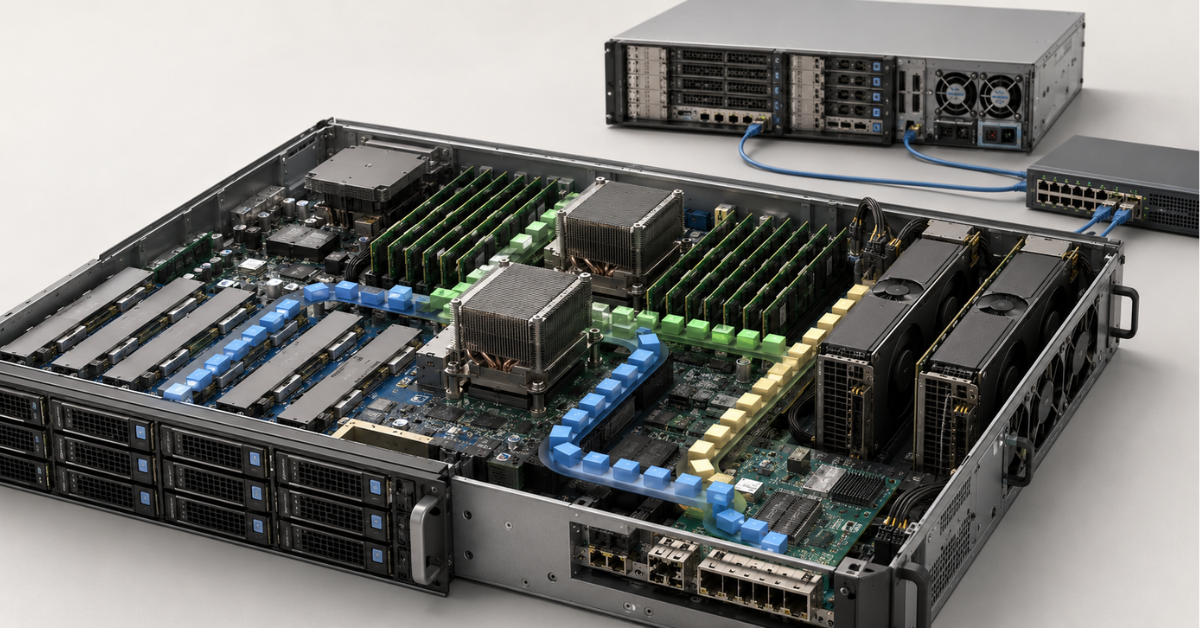
Internal layout of a multi-accelerator AI server: GPUs, processor area, power and cooling system.
Image source: Dell Technologies
RAM: the index and system cache
The size of the source documents does not show how much RAM the system will need. After chunking, one document becomes many fragments. A vector, text, identifier, metadata and part of the search structure are stored for each one.
RAM may simultaneously contain:
- active vectors and the search graph;
- field indexes used for filtering;
- frequently accessed chunks;
- the system file cache;
- database processes and request queues;
- a new index version during rebuilding;
- a part of the model or KV cache offloaded from video memory.
A vector database can keep part of its data on disk. For example, Qdrant recommends calculating vectors, metadata, indexes, replication and storage mode separately. With disk-based placement, performance depends more heavily on the size of the system cache and storage latency.
If the working set does not fit in RAM, the server reads pages from NVMe more often. Average latency may appear acceptable while some individual requests take noticeably longer. A swap file does not solve the problem because it resides on the same NVMe storage. Memory headroom is also required for updates: for some time, the old index version continues serving requests while the new version already occupies RAM and disk space.
Why RAG needs fast NVMe storage
Storage holds the source documents, cleaned text, chunks, vectors, index, database logs, model files, temporary rebuild data and backups.
The workload combines different operations:
- sequential reading of large model files;
- random reading of small index blocks;
- sustained writes during document ingestion;
- synchronous database-log writes;
- reading the old index version while writing the new one;
- background backups.
Peak speed from the specification is therefore not the only important metric. Operation latency, input/output operations per second, sustained write performance, write endurance and power-loss protection must also be evaluated. A consumer SSD may perform well in a short test but slow down after its internal cache is filled.
The database, logs, models and backups should not be placed on one array without proper sizing. Otherwise, index rebuilding or snapshot copying competes with user retrieval. It is also important to remember that RAID helps the system survive a disk failure and/or gain additional performance, but it does not replace a backup.
Local NVMe storage usually provides the lowest latency. Shared storage simplifies operation across several nodes but adds a network path. In a compatible architecture, NVIDIA GPUDirect Storage reduces unnecessary copies through system memory when transferring data between storage and the GPU. The benefit depends on the software, file system, PCIe topology and workload pattern.
Network: bandwidth is not the only consideration
On a single server with a local database, most data exchange remains inside the system. Once the components are separated, the network becomes part of every request.
It carries:
- user requests and responses;
- queries to the vector database;
- retrieved chunks and metadata;
- corporate API calls;
- access to shared storage;
- index replication;
- logs and backups;
- communication between distributed-inference nodes.
Response time is affected by latency, jitter, packet loss and queue congestion. A small packet containing a retrieval result can delay generation even when average link utilisation is low.
For a single server with local NVMe storage, even a 1 GbE data-centre network may be sufficient, although 10 GbE is a better target. Links of 25 or 100 Gb/s and remote direct memory access are justified for remote storage, a distributed model, replication of a large index or transfer of the KV cache between nodes. Backups and index rebuilding should not be allowed to consume the same link used by production requests without control.
KV cache: the hidden consumer of video memory
While processing text, the model stores intermediate attention data for the tokens it has already read. This prevents the model from recalculating them when generating each subsequent token. This data is called the KV cache.
The KV cache is not a vector database, a copy of the documents or the model weights. It is working memory for active sequences. The longer the context and the greater the number of concurrent requests, the more space it occupies.
A simplified estimate is:
number of layers × 2 × number of KV heads × head size × number of tokens × number of sequences × size of one element.
The factor of 2 accounts for keys and values. The element size depends on the data format, while the number of KV heads depends on the model architecture.
For a hypothetical model with 80 layers, 8 KV heads, a head size of 128, two bytes per value and a context of 32,768 tokens, the cache would require about 10 GB for one fully populated sequence. Eight independent sequences would require about 80 GB, and sixteen about 160 GB. This estimate does not include service overhead, distribution across GPUs or reuse of shared prefixes, but it shows why a model can fit with one request and stop fitting under load.
How to reduce KV-cache consumption
Several methods are usually combined:
- limit typical and maximum context length;
- manage the number of active sequences;
- allocate the cache in blocks and release unused pages;
- reuse shared system instructions;
- reduce storage precision;
- offload part of the cache to RAM;
- use NVMe or external storage for repeated prefixes;
- separate input processing and generation between nodes.
According to the vLLM documentation, storing the KV cache in FP8 reduces its size and allows more tokens to fit. This mode must be tested with the selected model and accelerator: memory savings may be accompanied by additional computation and requirements for value scaling.
Why long context delays the first token
The model must first read the instructions, history and retrieved documents. Generation starts only after that. The first token may be delayed by an excessively large context, a GPU queue, insufficient video memory or an inability to reuse a previously calculated prefix.
A large context window should therefore not be treated as a free way to improve quality. Retrieval should first be improved, duplicates removed and chunks reranked more accurately instead of sending every retrieved document to the model.
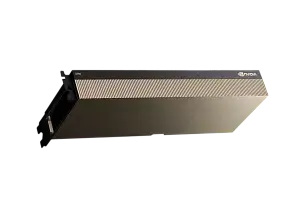
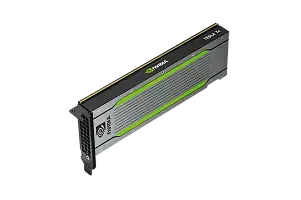
Most popular GPU
Free shipping on orders over 500 € in the EU, £500 in the UK, and $3,000 in the USA
Free shipping on orders over 500 € in the EU, £500 in the UK, and $3,000 in the USA

Free shipping on orders over 500 € in the EU, £500 in the UK, and $3,000 in the USA
Free shipping on orders over 500 € in the EU, £500 in the UK, and $3,000 in the USA
Typical bottlenecks
| Symptom | Likely cause | What to measure | What to change |
|---|---|---|---|
| The GPU is idle and responses are slow | Retrieval, CPU or network | Stage latency and core utilisation | Optimise retrieval and data transfer |
| The first token takes a long time to appear | Large context or queue | Input length, queue time and context processing | Reduce the context and configure caching |
| Generation is slow | GPU or memory limitation | Tokens per second and GPU utilisation | Tune the model and parallelism |
| Retrieval slows as the database grows | The index does not fit in RAM | NVMe reads and cache misses | Add RAM or change the storage mode |
| Indexing degrades response performance | Contention for CPU and NVMe | Disk queue and core utilisation | Separate the processes or set limits |
| Video memory is exhausted | The KV cache is growing | Number of sequences and tokens | Reduce concurrency or offload the cache |
| Filters are slow | Inappropriate metadata indexes | Retrieval with and without filters | Create indexes for the required fields |
| Copying increases latency | Shared disk or network link | Disk and network traffic | Allocate a maintenance window or a separate path |
Choosing the Right Equipment
Our specialists will contact you and answer all your questions
The entire request path must be optimised, not one isolated number from a GPU benchmark. Reducing retrieval time by a fraction of a second may have a greater effect than increasing generation speed, especially when an agent performs retrieval several times.
Which metrics to measure
At the user level, the important metrics are total response time, time to first token, the median, the 95th and 99th percentiles, the number of agent steps and the error rate.
For the model, measure:
- the number of input and output tokens;
- queue time;
- context-processing time;
- generation speed;
- video-memory usage;
- the number of active sequences;
- KV-cache occupancy and reuse.
For retrieval and the server, measure vectorisation, retrieval, filtering and reranking time, utilisation of individual cores, RAM and system-cache usage, NVMe latency, network latency and retransmissions.
An average hides rare slowdowns. If one request in a hundred takes 20 seconds, users will notice the problem even when the average remains acceptable.
One server or several nodes
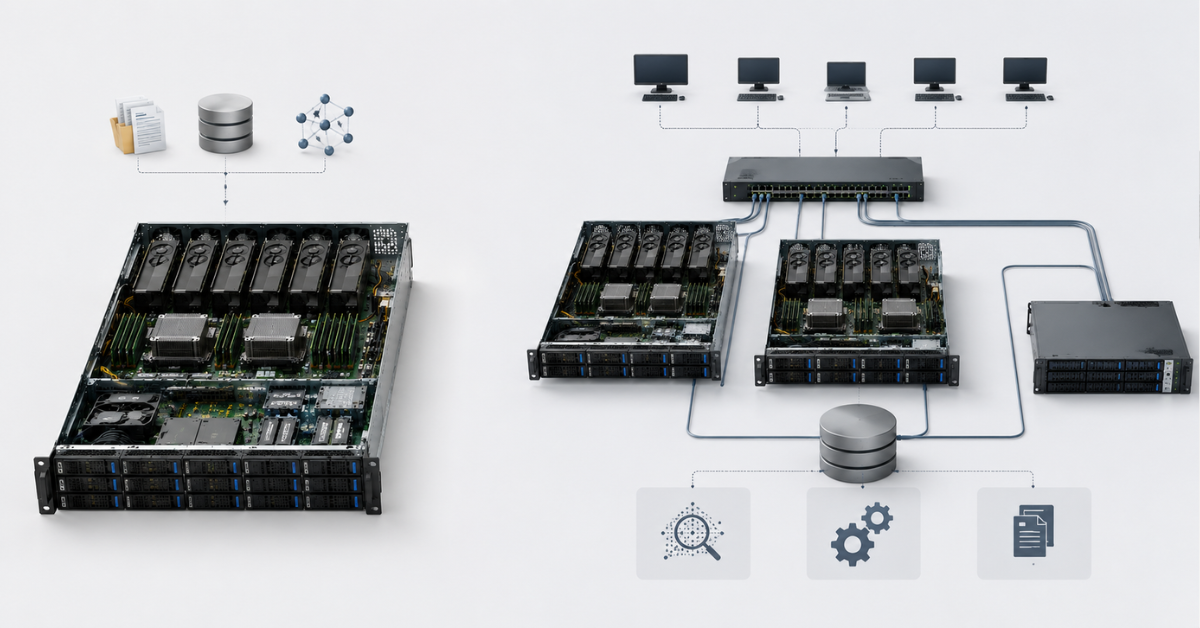
All components can be placed on one server when the database is small, the number of users is limited and updates are infrequent. This design is simpler, less expensive and creates fewer network hops.
As the system grows, limitations appear:
- indexing competes with model inference;
- the vector database runs out of RAM;
- disk operations interfere with retrieval;
- retrieval and generation cannot be scaled independently;
- a node failure stops the entire system.
A platform such as the Dell PowerEdge R760 can be used as a compute or retrieval node, but the configuration must be checked for the number of supported GPUs, risers, power, cooling and drive-bay options. The same server model name does not mean that every build has the same capabilities.
Separating the model from the vector database is justified when the index grows faster than the model workload, documents are updated continuously or several services use the same knowledge base. Retrieval nodes can then be scaled by adding RAM and NVMe storage, while inference nodes are scaled by adding GPUs.
For large systems, a separate data-ingestion pipeline is useful. It parses documents, creates vectors, builds a new index version and validates it before publication. The production database continues serving requests without competing with bulk indexing.
Offloading the KV cache to fast storage is not necessary for every system. It can be useful for long repeated prefixes and multi-step conversations, but it increases network and storage requirements. A Dell Technologies test used vLLM, LMCache, external storage and a remote-direct-memory-access network. The results apply to that specific test environment and do not replace testing with your own workload.
How to size the configuration
Sizing begins with the workload profile, not the chassis model.
Model layer
Define the main model, weight format, number of GPUs, typical and maximum context, answer length, number of concurrent requests and acceptable time to first token. Embedding and reranking models must also be included.
Video memory
Add working buffers, the KV cache, additional models and headroom for peaks to the model weights. The calculation must use the actual number of concurrent sequences.
Retrieval layer
Account for the number of documents, average number of chunks, vector dimensionality, numeric format, index structure, metadata, replicas, update frequency and database growth.
RAM
Add together the active index, vectors, metadata indexes, system cache, database processes, rebuilding memory and possible offloading from the GPU. Headroom is required so that peak load does not force the system into continuous disk reads.
Storage
NVMe storage must have enough capacity for documents, chunks, vectors, the index, logs, the temporary copy created during rebuilding, models, snapshots and local backups. Check write endurance and performance under simultaneous reads and updates.
Server topology
The platform must support the selected GPUs, NVMe drives, network adapters and controllers without critical lane-sharing constraints. Device placement relative to the processors, power, cooling and expansion options must also be checked. For workloads of this type, Dell AI servers can be considered, but the specific build must be compatible with the required accelerators and storage devices.
End-to-end test
The test must reproduce the production chain:
question → vector creation → retrieval → filtering → reranking → context assembly → model processing → agent actions → answer.
Background updates and logging should run at the same time. Testing only one language model with a prepared prompt shows only part of the system’s performance.
Backup and recovery
Recovery requires more than model weights and documents. The cleaned data, chunking rules, embedding-model version, index parameters, metadata, access permissions, database snapshots, system instructions and agent-tool configuration should also be saved. Secrets and keys must be stored separately.
The index can be rebuilt, but for a large database the process takes a long time and again loads the CPU, GPU and NVMe storage. A replica protects against node failure, but not against accidental deletion. Backups should therefore be stored separately from the production array, and acceptable data loss and recovery time should be defined in advance.
Conclusion
The performance of RAG and AI agents is determined by the balance of the entire infrastructure. The GPU runs the models, RAM holds the active index and cache, NVMe provides access to data, the CPU handles preparation and retrieval, and the network connects separated services. The KV cache additionally links context length and concurrency to video-memory consumption. A reliable configuration is selected only after calculating the complete data path and running an end-to-end load test that resembles production conditions, including possible peak loads.
Choosing the Right Equipment
Our specialists will contact you and answer all your questions
Content:
Free shipping on orders over 500 € in the EU, £500 in the UK, and $3,000 in the USA
Free shipping on orders over 500 € in the EU, £500 in the UK, and $3,000 in the USA
Free shipping on orders over 500 € in the EU, £500 in the UK, and $3,000 in the USA
Free shipping on orders over 500 € in the EU, £500 in the UK, and $3,000 in the USA

Free shipping on orders over 500 € in the EU, £500 in the UK, and $3,000 in the USA
Free shipping on orders over 500 € in the EU, £500 in the UK, and $3,000 in the USA