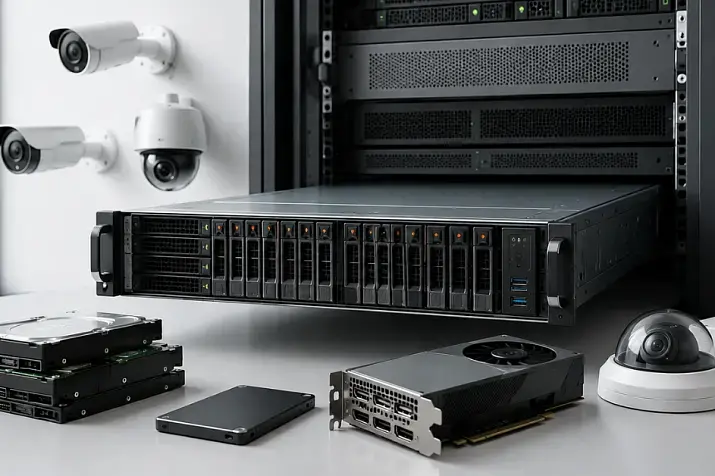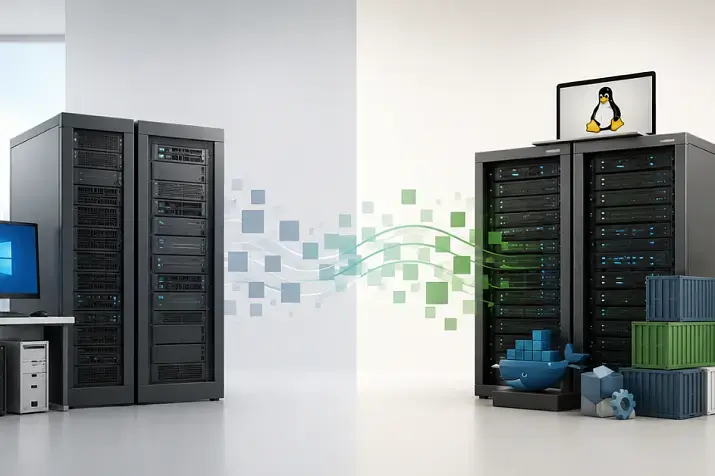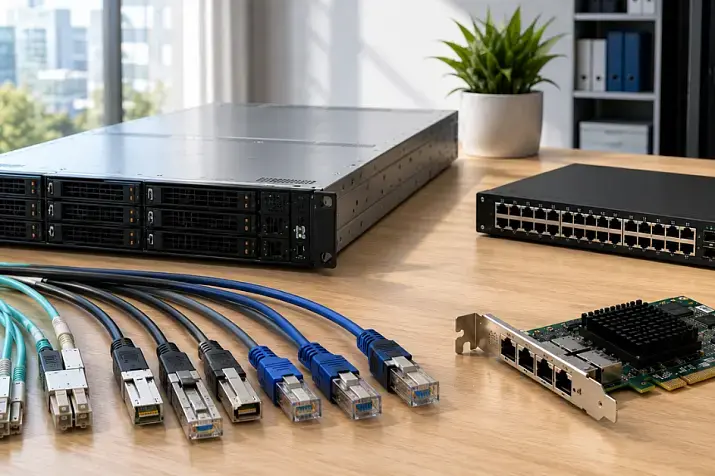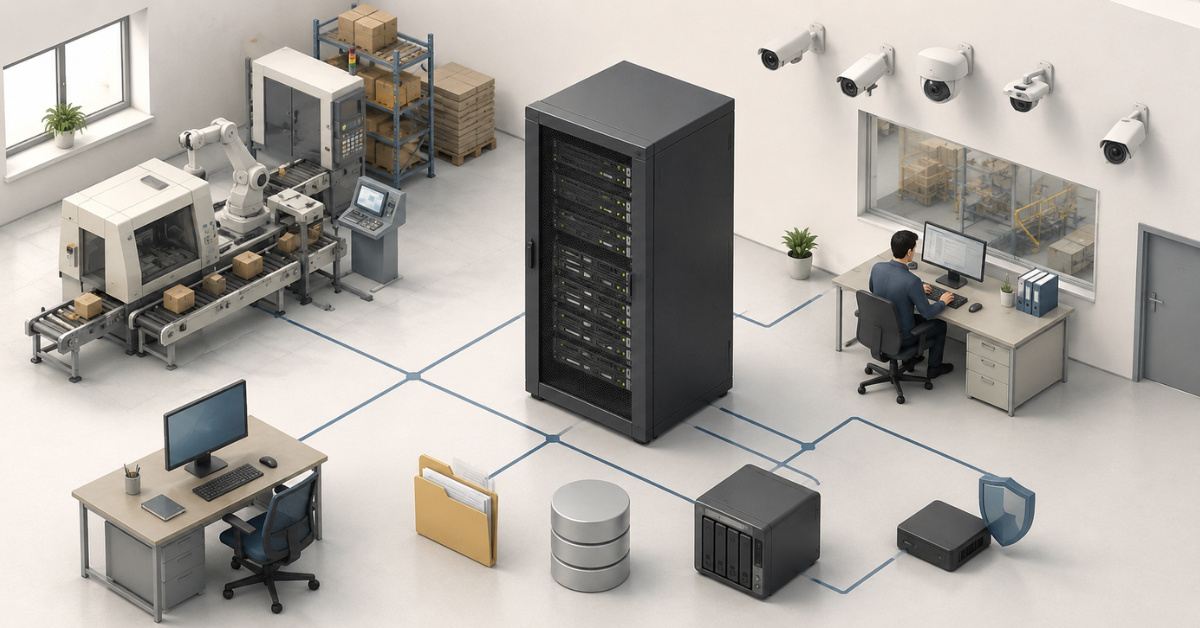
Server infrastructure for a small manufacturing business should not be designed as one abstract server “for the accounting system,” but as a connected architecture for ERP/MES, files, backups, video surveillance, networking, and local tasks on the shop floor. In the simplest version, everything can run on one reliable server with virtualization, but the roles still need to be separated: the database separately, files separately, the camera archive separately, and backups separately. If production runs in several shifts, depends on ERP, stores a large file archive, or uses cameras and equipment in the workshop, the infrastructure should be planned from the start with headroom for disks, memory, network capacity, power, and disaster recovery.
Why a small manufacturing business needs more than just a server
In an office, a server failure usually means problems with documents, email, or access to a shared folder. In manufacturing, the consequences are usually broader. Shipping, warehouse accounting, shift task release, access to drawings, label printing, data exchange with equipment, quality control, or camera review after an incident may stop. That is why the server here does not support an abstract “IT system,” but real production processes.
A typical mistake is choosing equipment only by the number of employees. For example, two companies with 25 workstations may need completely different configurations. One may have only an accounting program, shared documents, and a few cameras at the entrance. The other may have ERP, a production module, warehouse terminals, files for machines, cameras in the workshop, and regular data exchange with external systems. Formally, the business size is similar, but the load on servers, the network, and storage will be different.
Another mistake is putting everything into one shared environment without separation. The ERP database, file share, camera archive, and backups all end up on one disk array. While the load is low, this may work. But as production grows, the video surveillance archive starts filling disks quickly, users complain that the database is slow, and backups become vulnerable: if the server is damaged or encrypted, both the primary data and the copies may be affected.
Physically, there may be only one server. This is normal for a small manufacturing business, although backups are still better stored separately, and even better — in another room. But internally, the infrastructure must be arranged so that different tasks do not interfere with each other. For this, companies use virtual machines, separate disk arrays, different access policies, separate backups, network segmentation, and monitoring.
Most popular GPU

Free shipping on orders over 500 € in the EU, £500 in the UK, and $3,000 in the USA
Free shipping on orders over 500 € in the EU, £500 in the UK, and $3,000 in the USA
Free shipping on orders over 500 € in the EU, £500 in the UK, and $3,000 in the USA
Free shipping on orders over 500 € in the EU, £500 in the UK, and $3,000 in the USA
What tasks usually fall on the infrastructure
A small manufacturing business rarely has only one server role. Even if the company does not have a large IT department, the infrastructure gradually accumulates tasks.
ERP or an accounting system is responsible for orders, purchasing, warehouse operations, production, shipments, finance, and reports. In Russian companies, this role is often handled by 1C or another accounting platform. At first glance, it is “just a program,” but in reality it stores a database, serves users, runs background jobs, generates reports, and exchanges data with other systems.
MES or a production module is needed where it is important to see the execution of operations on the shop floor: shift tasks, order statuses, downtime, output, defects, and execution control. For a small manufacturing business, this is not always a separate large system. Sometimes ERP partially covers MES functions, sometimes a separate module is used, and sometimes it is a simple internal system. But the load still appears: shop-floor terminals, status updates, equipment data exchange, and shift reports.
File storage keeps drawings, specifications, process sheets, photos of defects, instructions, contracts, quality department documents, exports from programs, and files for machines. It is not “just a shared folder in case someone needs it,” but the working archive of production. If employees cannot open the required drawing or accidentally delete the current version of a file, the problem quickly becomes a production issue, not just an office issue.
Backup protects not from one specific accident, but from a whole set of risks: disk failure, employee error, database corruption, a failed update, a virus, ransomware, fire, equipment theft, or incorrect configuration. RAID does not replace backup. RAID helps survive the failure of one or more disks, but it does not bring back a deleted folder and does not protect against an encrypted database.
Video surveillance creates a constant load on the network and disks. Cameras may be used for security, quality control, occupational safety, conflict review, shipment control, and incident investigation. Therefore, they cannot simply be “added” to the ERP server without calculating the stream, retention period, and archive load.
Edge tasks are local processing near equipment. In simple terms, part of the computing or data exchange is performed not in the central server room and not in the cloud, but closer to the workshop: on an industrial PC, a small server, a gateway, or a local node. This may include collecting data from machines, exchanging data with sensors, operating terminals, buffering data when the connection is lost, local image processing from a camera, or sending events to ERP/MES.
What layers a proper architecture consists of
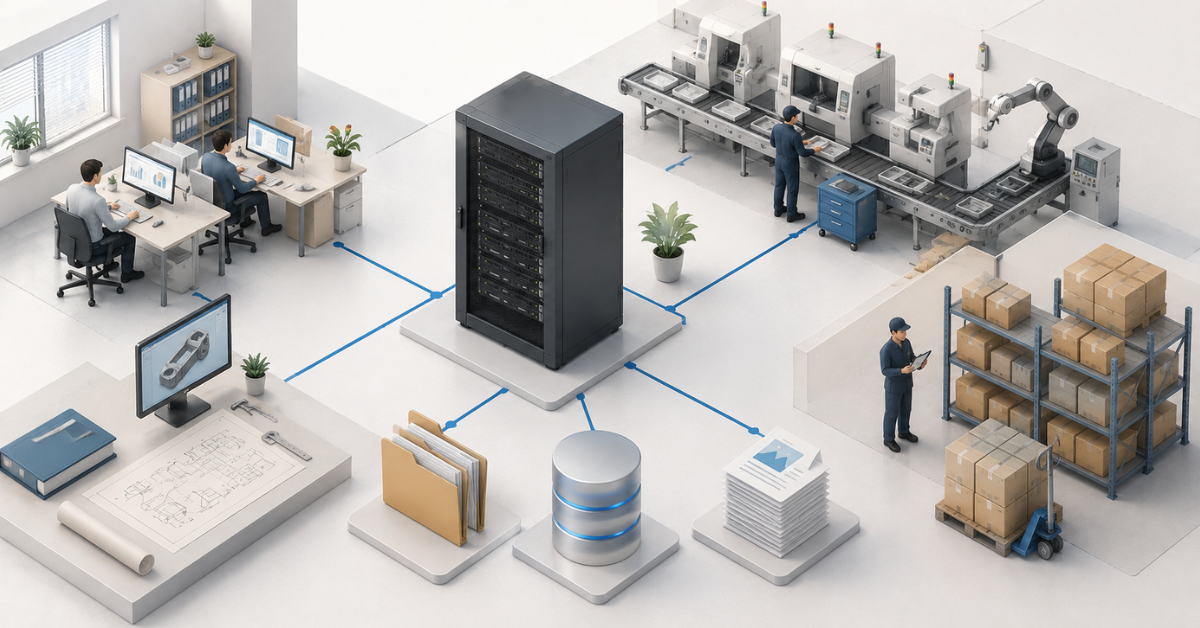
Server infrastructure for a small manufacturing business should be viewed in layers. This approach helps avoid mixing tasks and makes weak points visible in advance.
The physical layer includes servers, disks, network equipment, an uninterruptible power supply, a rack or cabinet, cooling, cables, and the placement area. If the server stands in a dusty corner next to the workshop, without a UPS and with open access for all employees, even a good configuration will not provide enough reliability.
The virtual layer allows different roles to be placed on one physical server without mixing them inside one operating system. For example, a separate virtual machine for ERP, a separate one for files, a separate one for service roles, and a separate one for video surveillance under a small load. This makes it easier to create backups, move services, update systems, recover after a failure, and scale if more servers are needed.
The data layer includes ERP/MES databases, the file archive, backups, the video archive, event logs, and service data. Each type of data has a different operating pattern. A database is sensitive to latency and disk speed. Files grow gradually and require special access rights. A video archive writes data constantly. Backups must be isolated from the main systems.
The access layer defines who is allowed to connect to what. Warehouse employees do not need full access to accounting folders. A machine operator does not need access to the server control panel. A contractor does not need permanent access to the entire network after the work is finished. The fewer unnecessary permissions there are, the lower the risk of error and incident spread.
The protection layer combines backup, updates, antivirus protection, network segmentation, monitoring, logging, and a recovery plan. It is not a separate “add-on” that can be attached sometime later. For manufacturing, protection must be part of the original architecture.
Choosing the Right Equipment
Our specialists will contact you and answer all your questions
ERP and MES: why the database needs special attention
ERP and MES most often rely on a database. This means the data is stored not as ordinary documents in a folder, but in a special system that constantly processes records, changes, transaction logs, user requests, and background operations. Therefore, the database cannot be copied in the same way as a set of files, and it cannot be placed just anywhere.
The database is sensitive to disk speed, latency, memory capacity, free space, correct shutdown, and backup quality. Even the official SQL Server requirements show that the real configuration depends on components, database size, memory, processor, and disk space, not only on the fact that the program is installed. For production ERP, this is especially important: the more documents, reports, exchanges, and users there are, the heavier the load on the database server.
For ERP/MES, it is better to provide fast SSDs for the system and database, spare RAM capacity, control over database growth, and a separate backup scheme. If the database changes actively during the day, it is important to understand how much data the company is ready to lose in an accident. For one company, restoring to last night’s state may be acceptable. For another, losing even two hours of work means problems with warehouse operations, shipments, and production accounting.
The ERP database, shared file archive, video archive, and backups must not be placed on one array without logical separation. Even if the physical disks are shared, the roles must be separated by volumes and policies. Otherwise, constant camera writing, file growth, or a full backup folder may affect the accounting system.
File storage as the working archive of production
File storage in manufacturing is often underestimated. It seems less critical than ERP because it contains “just documents.” But this is where drawings, control files for machines, specifications, product passports, instructions, photos of defects, reports, contracts, and working document versions may be stored.
The main problem with a shared folder is not only volume, but order. If all users have full access to all directories, sooner or later there will be deleted files, accidentally overwritten versions, duplicates, unclear folders, and documents without an owner. In a small company, this is tolerated for a long time, but as production grows, chaos in the file archive starts slowing down work.
File storage is better divided by purpose: production, design documentation, quality, warehouse, accounting, equipment exchange, temporary folders, and archive. Each area needs its own permissions. Temporary folders must not turn into a permanent archive. Files for machines must not be editable by all users. Quality and accounting documents must have restricted access.
On one server, the file role can be kept together with other tasks, but it is better to allocate a separate virtual machine or at least a separate volume. This will simplify backup, permission control, and restoration of individual folders. Versioning is also important for files. Sometimes the company needs to restore not a deleted file, but its state before an incorrect change.
| Role | What it does | Can it be kept on one server? | What to consider |
|---|---|---|---|
| ERP/MES | Accounting, production, warehouse, orders, reports | Yes, in a separate virtual machine | Fast SSDs, database, memory, application-consistent backup |
| File storage | Documents, drawings, exchange, files for machines | Yes | Access rights, versions, volume growth, folder recovery |
| Backup | Copies of servers, databases, and files | Better separated from primary data | Isolation, offline copy, recovery testing |
| Video surveillance | Camera recording, archive, viewing | Only under a small load | Separate disks, network, retention period, camera stream |
| Edge gateway | Exchange with the workshop, terminals, sensors, equipment | Sometimes better closer to the workshop | Environmental resistance, local buffer, maintenance |
| Remote access | Connection for employees and contractors | Yes, but with restrictions | Permissions, login logs, separate accounts |
This table does not mean that every role always needs a separate physical server. It shows something else: even on one piece of hardware, tasks must be separated. Otherwise, a failure or overload in one part will start affecting the rest.
Backup: what exactly needs to be protected
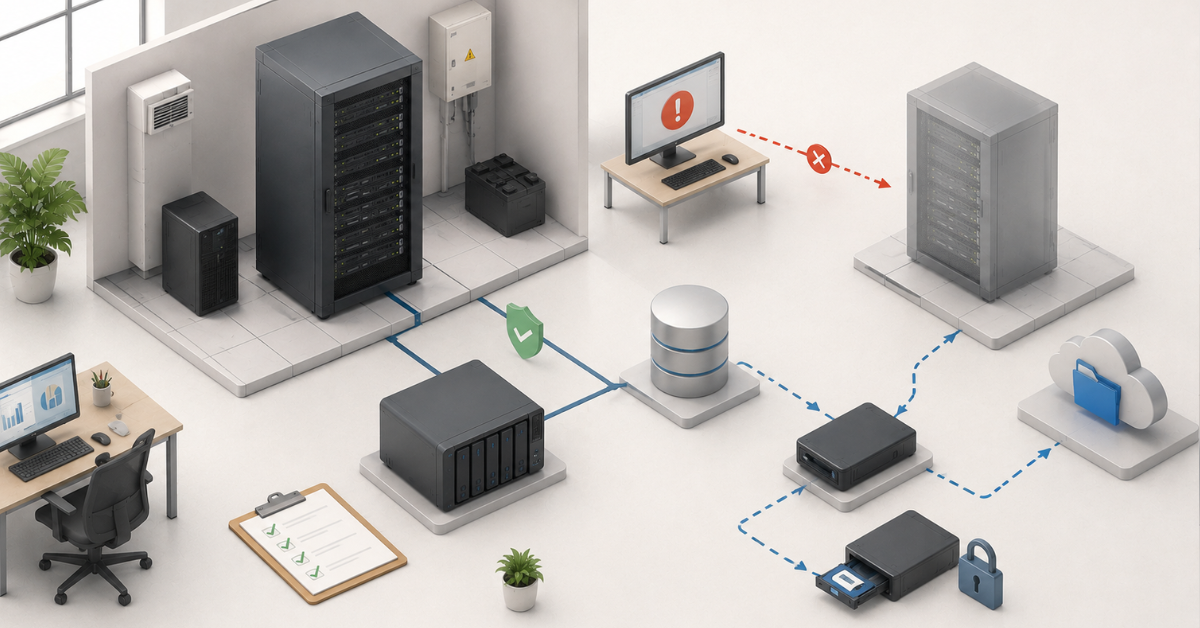
Backup must answer two questions: what data needs to be restored and how quickly this must happen. Simply “making copies” is not enough. If copies cannot be restored, if they are stored on the same server, or if no one knows the password to the storage, such protection exists only formally.
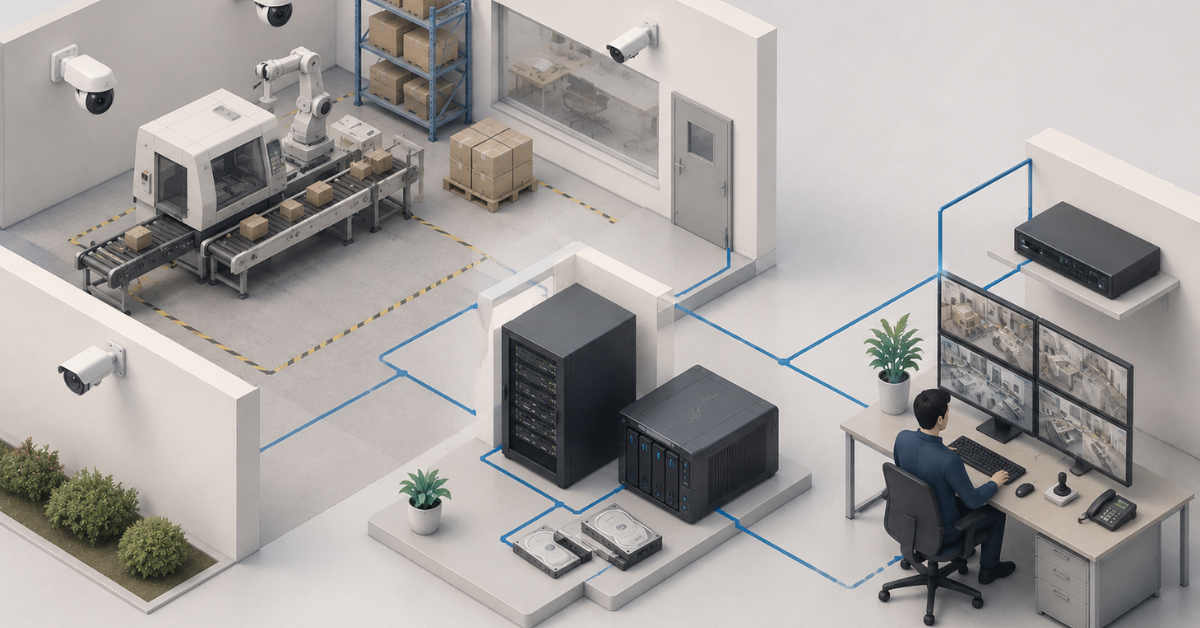
ERP/MES databases, file storage, virtual machine settings, server configurations, network equipment settings, critical documents, logs, and individual video surveillance fragments should be copied if they have production or legal value. The entire video archive is usually not backed up: it is too large. But important events — a production incident, a disputed shipment, a safety violation — are better exported separately.
Backups should be multi-level. Fast local copies help restore a file or virtual machine quickly. Separate storage protects against failure of the main server. An external or cloud copy helps in the event of a serious site accident. An offline copy, inaccessible to ordinary users and malware, protects against ransomware. CISA’s ransomware guidance directly recommends storing critical copies offline, encrypting them, and regularly checking recovery capability. A cloud option with deletion protection is also suitable.
For a small manufacturing business, two simple metrics are especially important. The first is how much data the company is ready to lose. For example, if ERP is backed up once a day, an accident may cost a full working day. The second is how much time is needed for recovery. A server may be expensive, but if database recovery takes two days, production will still be idle.
Backups must be tested. Not in theory, but through a test recovery: of a separate folder, an ERP database, a virtual machine, a document, and server settings. After the test, the date, result, recovery time, and responsible person should be recorded. It is important to know in advance where instructions, passwords, keys, and supplier contacts are stored. If only one person knows all this, the infrastructure depends not on the system, but on that person’s availability.
Video surveillance must not be treated as a secondary load
Cameras create a constant data stream. Even if users rarely view the archive, the server or video recorder still receives and records video around the clock. As the number of cameras grows, the load increases not linearly “by feel,” but according to specific parameters: resolution, frame rate, bitrate, codec, retention period, recording mode, number of operators, and availability of analytics.
If video surveillance is placed on a shared server without calculation, it may start interfering with ERP and file storage. Constant writing loads disks. Archive viewing creates additional reads. Longer retention quickly consumes capacity. Night noise, motion in the frame, snow, rain, or poor lighting may increase the camera stream. Special tools are used to design video surveillance systems: for example, Axis Site Designer helps estimate bandwidth and storage volume for a security system.
Small manufacturing businesses have several possible options. If there are few cameras and the archive is short, video surveillance can run in a separate virtual machine or on a network video recorder. If there are many cameras, a workshop, a warehouse, a perimeter, and long archive retention, it is better to allocate a separate server or at least a separate disk array. If cameras are used for quality control, occupational safety, or incident review, reliability requirements are higher than for a simple security recording at the entrance.
It is not always necessary to back up the entire camera archive. But the company should decide in advance which events are stored separately, who has access to the archive, how many days video is retained, which cameras are critical, who is responsible for exporting fragments, and how the system will behave when disks fill up.
Edge tasks near the workshop
Edge in manufacturing is not a trendy term, but a practical necessity where data must be processed close to equipment. The central server may be located in the office area or server room, while machines, terminals, cameras, and sensors are in the workshop. If every action depends on a stable connection to the central server, any network failure can stop a local process.
An edge node can collect data from machines, receive events from sensors, act as a gateway between equipment and ERP/MES, serve operation accounting terminals, buffer data during a connection outage, preprocess images from a camera, or send only ready events to the central server. For a small manufacturing business, this does not necessarily require a powerful server. Sometimes an industrial computer or a compact node is enough, but it must be manageable, protected, and understandable to maintain.
Such a node cannot be designed as an ordinary office PC. A workshop may have dust, vibration, temperature fluctuations, unstable power, limited space, and the risk of accidental shutdown. It is necessary to decide in advance how long it must operate autonomously, what happens if the connection is lost, how data will get into ERP after the network is restored, who will update the system, and how quickly the device can be replaced if it fails.
Network: office, production, and cameras need to be separated
In many small companies, the network grows spontaneously. First office computers are connected, then the warehouse, then cameras, then Wi-Fi, then a machine, and then a contractor asks for remote access. After a few years, everything ends up in one shared network where a camera, an accounting PC, the ERP server, guest Wi-Fi, and workshop equipment are too close to each other.
For manufacturing, this is a risk. Cameras may create unnecessary load. A virus from an office computer may try to reach the file server. A contractor may see more than necessary. Guest Wi-Fi may end up near internal resources. Machines and controllers should not be accessible from the user network unless necessary.
Basic segmentation can be done without an overly complex architecture. A managed switch, separate networks for servers, office, cameras, production, and guests, clear access rules, and documentation are needed. Cameras should be placed in their own segment. Servers should be placed in theirs. Guest Wi-Fi must not see internal resources. Contractors should receive temporary and restricted access rather than a permanent shared entry point.
The network diagram is also important. It should exist not in the administrator’s head, but in a document: what subnets exist, where the servers are, where the cameras are, where the equipment is, what rules exist between them, and who has remote access. During an accident or attack, such a diagram saves hours.
Fault tolerance starts with simple things
A small manufacturing business does not always need an expensive cluster of several servers. But it almost always needs basic reliability measures: RAID, a UPS, backups, monitoring, disk capacity headroom, and a clear recovery plan. A complex fault-tolerant system without tested backups and documentation may be less useful than a simple but well-designed architecture.
Most often, problems arise because of disks, power supplies, overheating, power outages, full storage, update errors, database corruption, network failures, and human mistakes. Therefore, the company needs to reserve not only “the server as a whole,” but specific weak points.
RAID helps survive a disk failure. Two power supplies reduce the risk of shutdown because of one failed unit. A UPS gives time to shut systems down correctly or survive a short power failure. Monitoring warns about full disks, rising temperature, backup errors, and array problems. Documentation makes recovery possible even if the main specialist is unavailable.
Virtualization is useful because it separates roles from each other and simplifies migration. Microsoft’s architecture materials on local platforms emphasize that critical workloads should have high availability, backup, and recovery tools, and that local infrastructure itself can be used for virtual machines and edge-site workloads. For a small manufacturing business, this does not mean that buying a complex platform is mandatory, but it clearly shows the principle: workloads should be designed with failures in mind, not just launch.
| Scenario | Who it suits | Composition | Advantages | Limitations |
|---|---|---|---|---|
| Minimal setup | 10–20 workstations, simple ERP, small file archive, few cameras | One server with virtualization, SSDs for the system and database, a separate volume for files, RAID, UPS, backup to a separate device | Moderate cost, easier to maintain | One physical server remains a single point of failure |
| Optimal setup | 20–50 workstations, ERP/MES, warehouse, files, cameras, several shifts | Virtualization server, separated roles, separate backup storage, dedicated camera network, monitoring | Good balance of reliability and price | Requires regular administration and recovery testing |
| Expanded setup | Production is growing, downtime is critical, edge tasks and a large archive are present | Two nodes or replication, separate video surveillance server, separate edge contour, backup internet, external data copy | Scales better and handles accidents more easily | Higher cost and higher competence requirements |
Choosing the Right Equipment
Our specialists will contact you and answer all your questions
Security of manufacturing infrastructure
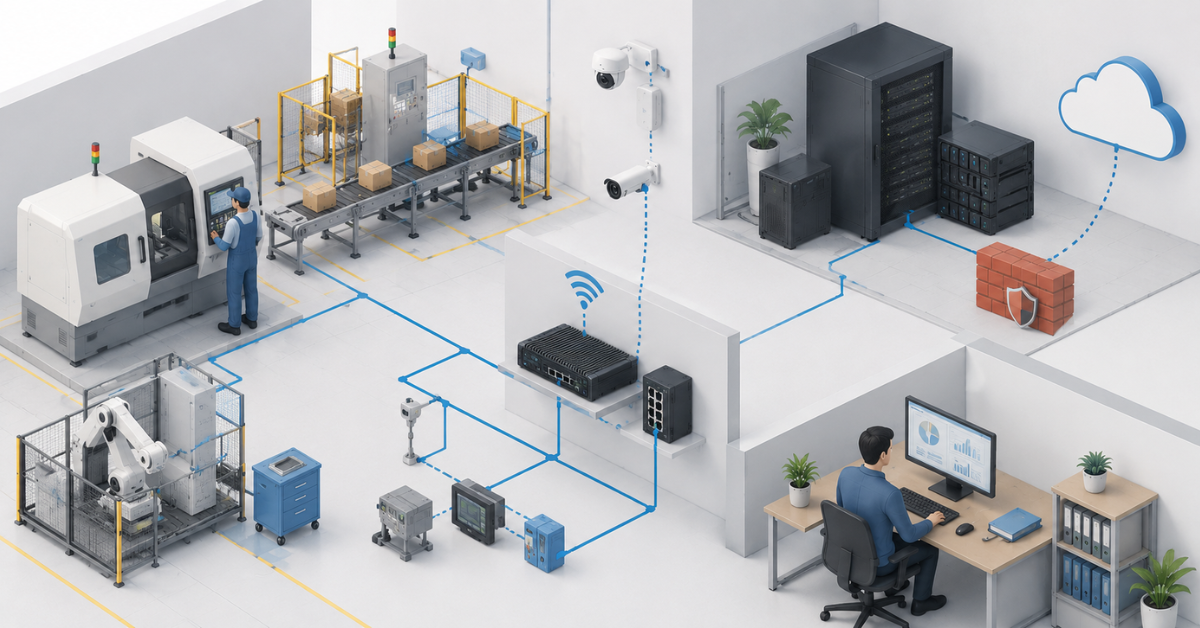
Security in manufacturing is not only antivirus. User accounts, access rights, network segmentation, remote access, updates, backup protection, logging, physical access to the server, and contractor control are important. A contractor may receive access “for ERP system setup,” but if the account remains active for years, it turns into a permanent risk.
Manufacturing infrastructure differs from office infrastructure because it often includes equipment that is difficult to update quickly, cannot be stopped at any time, and cannot be freely connected to the internet. Therefore, security must be risk-oriented: first, protect what can stop production or lead to data loss. NIST’s profile for manufacturing environments describes exactly this approach — reducing cybersecurity risks for manufacturing systems with industry goals and practices in mind.
In practice, this means a few simple rules. Administrators should have separate accounts. Shared passwords should be eliminated. Remote access must be protected and restricted. Contractors should connect only to the systems they need and only for the duration of the work. Logins and important actions should be logged. Folder permissions should match roles. Backups must not be accessible to the same users who work with the main files.
Security must not break production. But it must limit the spread of a problem. If one workstation is infected, this should not automatically mean infection of the file server, ERP database, cameras, and backups.
How to calculate the server configuration
Server selection should start not with the processor model, but with a workload map. First, describe which processes depend on IT: accounting, warehouse, production, shipping, drawings, quality, cameras, terminals, remote access, and equipment data exchange. Then determine which of them are critical and how long they can be unavailable.
For ERP/MES, the company needs to know the number of users, the number of concurrent users, database size, annual growth, document intensity, reports, data exchanges, background jobs, and recovery requirements. For files — current volume, growth, file types, access rights, and the need for versions. For video surveillance — number of cameras, resolution, frame rate, bitrate, retention period, recording mode, and number of operators. For edge tasks — what data is processed locally, how long the node must operate without a connection, and how it will synchronize afterwards.
The processor is selected with headroom for virtual machines, the database, file server, service roles, and background tasks. Memory is needed not “according to minimum requirements,” but based on the simultaneous operation of all roles. System disks are better placed on SSDs. ERP data and active databases should be placed on fast SSDs or a reliable array. Files can be stored on SSDs or HDDs depending on volume and activity. The video archive is often more reasonable to move to a separate HDD array or a separate device.
The network also needs to be calculated by load. For a very simple setup, 1 Gbit/s may be enough. But if there is a virtualization server, file storage, cameras, backups, and several workstations, it is better to consider 10 Gbit/s for the server segment or storage in advance. It is especially important not to mix camera traffic and user access to ERP in one overloaded network.
Disk capacity cannot be calculated by nominal size. If eight 8 TB disks are installed, this does not mean the company has 64 TB of usable space. Part of it will be used by RAID, part by the file system, part must remain free, and part will be needed for growth. Backups require separate space, and their volume is often larger than it seems: copies are stored for several dates, not only in one instance.
Most popular

Free shipping on orders over 500 € in the EU, £500 in the UK, and $3,000 in the USA

Free shipping on orders over 500 € in the EU, £500 in the UK, and $3,000 in the USA

Free shipping on orders over 500 € in the EU, £500 in the UK, and $3,000 in the USA

Free shipping on orders over 500 € in the EU, £500 in the UK, and $3,000 in the USA
Where you can save money and where you cannot
In a small manufacturing business, the budget is almost always limited, so saving money is normal. But it is important to understand where savings are safe and where they create a deferred problem.
You can avoid buying a cluster if downtime is acceptable and recovery from backup takes an acceptable amount of time. You can avoid installing a separate physical server for every role if virtualization and clear separation are in place. You can avoid using expensive SSDs for a cold archive. You can avoid backing up the entire video archive if it is enough to store important fragments. You can avoid implementing a complex enterprise monitoring system if the company has no people to maintain it.
You must not save on backup, UPS, disks for the database, free space monitoring, access rights, network equipment, and documentation. You must not buy a server without headroom for memory and disk bays if production plans to grow. You must not assume that “we will add it later” will always be easy: sometimes the chassis no longer allows the required number of disks, the power supply is not designed for expansion, and a more powerful network card no longer fits because of other expansion cards.
Saving on recovery testing is especially dangerous. Until a test has been performed, it is unknown whether the backup works. It may be damaged, incomplete, too old, inaccessible without a password, or created in a way that prevents the database from being brought up correctly.
Common mistakes of small manufacturing businesses
- All services are installed on one physical server without separation. ERP, files, cameras, backups, remote access, and service programs end up in one system. During any failure, it is unclear what exactly was affected and how quickly it can be restored.
- The ERP database, file archive, video, and backups are stored on one array. This is convenient during installation, but inconvenient in operation. The camera archive grows faster than expected, backups take up space, users create duplicates, the database starts working more slowly, and free space runs out at the worst possible moment.
- RAID is treated as a backup. RAID does not protect against deletion, encryption, database corruption, or administrator error. If a user deletes a file, RAID honestly preserves the state in which the file no longer exists.
- Access rights are too broad. Everyone is given access to all folders to avoid dealing with roles. Later it becomes difficult to understand who deleted a file, why the drawing version changed, and where an extra document in the machine folder came from.
Contractors often receive permanent remote access. This is convenient while everything works, but dangerous from a control point of view. Every external specialist should have separate access, limited by tasks and time.
Many companies do not calculate downtime in money. If ERP does not work for a day, it is not just “the server broke.” It means delayed shipments, manual accounting, inventory errors, idle employees, missed deadlines, and subsequent data recovery. Sometimes the cost of one day of downtime is higher than the difference between a weak server configuration and a proper one.
How to choose an architecture without unnecessary complexity
First, describe the processes that depend on IT. Not in general terms, but specifically: who works in ERP, who opens drawings, who uses warehouse terminals, where cameras are located, which machines or sensors send data, and who connects remotely.
Then separate the workloads: ERP/MES, files, cameras, backup, edge, and remote access. For each workload, determine its criticality. A temporarily unavailable archive of old documents is one thing. A database through which production output and shipping are processed is another.
After that, calculate the data: database size, file volume, camera stream, video retention period, and growth over two or three years. At this stage, it often becomes clear that the company does not need the most powerful server by CPU, but a more balanced one: with enough memory, proper disks, a normal network, and room for expansion.
Next, choose the placement. For a small manufacturing business, one server with virtualization, RAID, a UPS, and a separate backup device will work. For a more active company, it is better to add separate copy storage, a dedicated camera segment, and possibly a separate video surveillance device. If production is growing and depends on IT every hour, replication, a second node, or a fast recovery scenario on spare equipment should be considered.
Then describe recovery. What to do if a disk fails. What to do if the database is corrupted. What to do if the server does not power on. What to do if files are encrypted. What to do if the main administrator is on vacation. These questions are unpleasant, but they are exactly what separates working infrastructure from a set of equipment.
What to choose for a small manufacturing business
For the smallest manufacturing business, one reliable server with virtualization, separated roles, SSDs for the system and database, a separate volume for files, RAID, a UPS, monitoring, and backup to a separate device is usually enough. It is important not to mix everything in one environment and not to keep backups next to primary data without protection.
If there is active ERP, a file archive, a warehouse, several shifts, and video surveillance, the infrastructure should be more separated. The database and files are better separated from the camera archive. Backups should be stored separately. Cameras should be moved to a separate network. For the server segment and storage, it is worth planning a faster network and disk headroom in advance.
If production depends on ERP/MES every hour, the company needs to think not only about server specifications, but also about recovery time. Sometimes what matters more is not how powerful the installed server is, but whether a critical system can be brought up within one or two hours after an accident.
If machines, sensors, terminals, local analytics, or data exchange with equipment appear, a managed edge contour is needed. It may be small, but it must be protected, documented, and designed for workshop conditions.
Good infrastructure for a small manufacturing business does not have to be complex. But it must be well thought out. It is chosen not by one application and not by the number of employees, but by the combination of processes: accounting, production, files, cameras, backups, network, access, recovery, and growth. This approach helps avoid overpaying for what is unnecessary and avoid a situation where one overloaded server becomes the single stopping point for the entire business.
Choosing the Right Equipment
Our specialists will contact you and answer all your questions
Content:
Free shipping on orders over 500 € in the EU, £500 in the UK, and $3,000 in the USA

Free shipping on orders over 500 € in the EU, £500 in the UK, and $3,000 in the USA
Free shipping on orders over 500 € in the EU, £500 in the UK, and $3,000 in the USA

Free shipping on orders over 500 € in the EU, £500 in the UK, and $3,000 in the USA

Free shipping on orders over 500 € in the EU, £500 in the UK, and $3,000 in the USA

Free shipping on orders over 500 € in the EU, £500 in the UK, and $3,000 in the USA