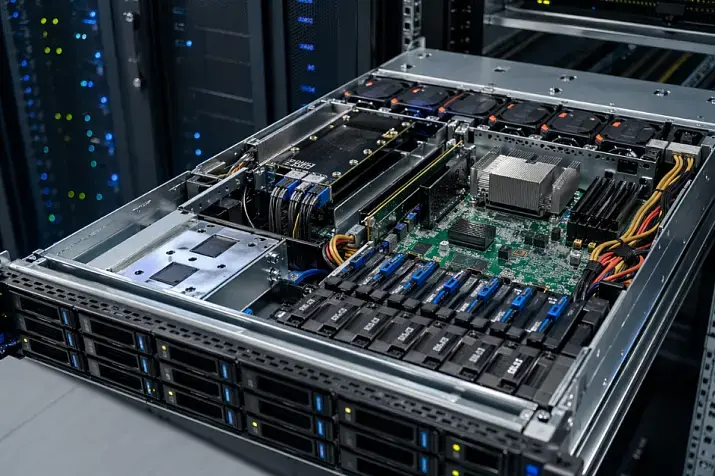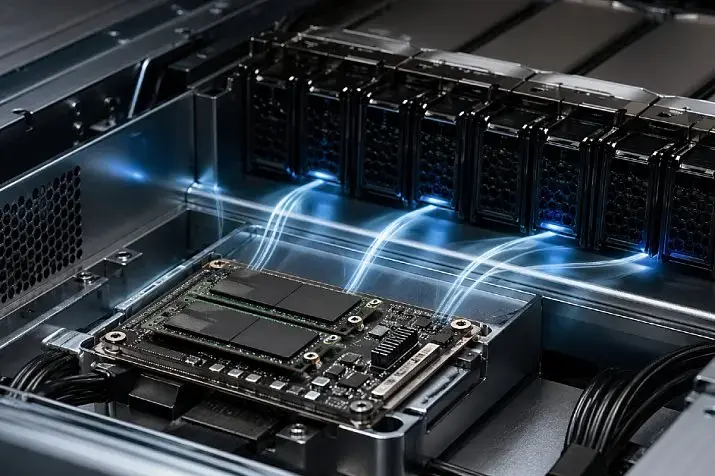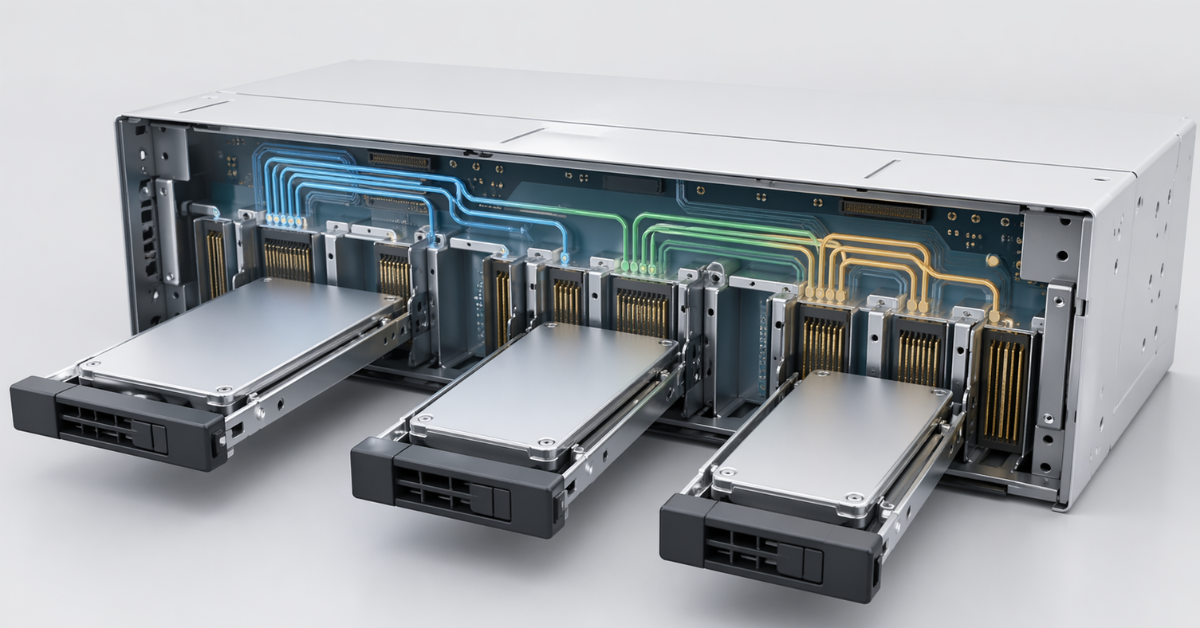
A server backplane is a board or module behind the drive bays through which drives receive power and connect to the controller, motherboard or PCIe lanes. It determines whether a server can work with SAS, SATA and NVMe, whether RAID, hot swap, monitoring and mixing different drive types will be available. That is why, when choosing a server, it is important to look not only at the number of bays, but also at the specific backplane type, cable layout and platform-supported modes.
What is a server backplane in simple terms?
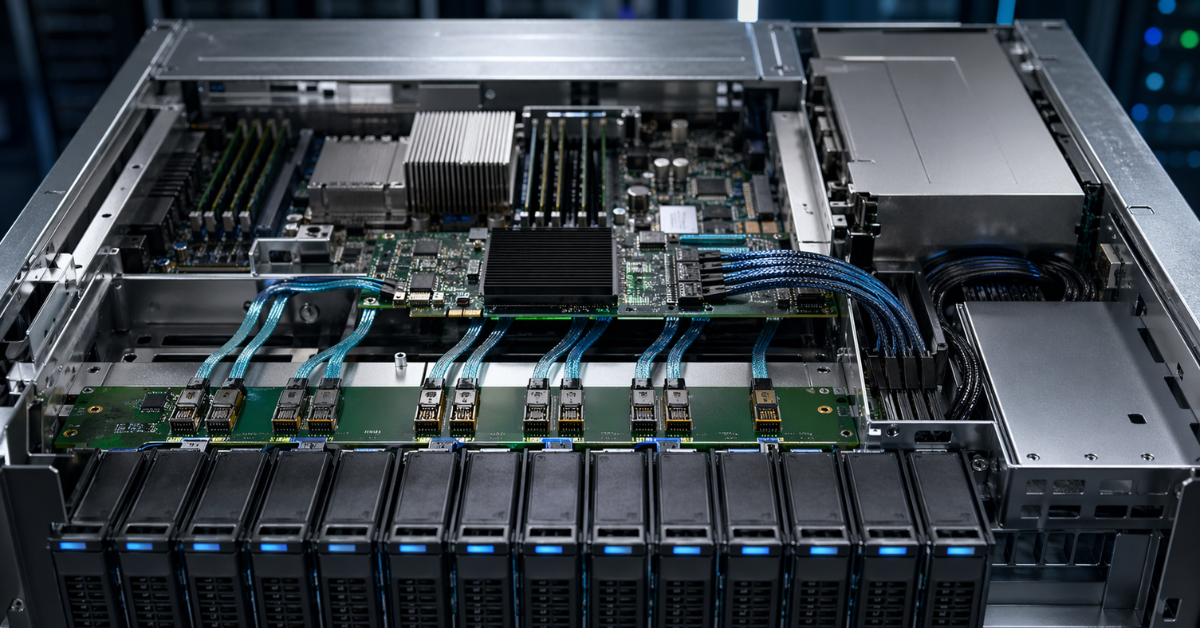
A backplane is an internal board located behind the drive cage. From the outside, the user sees only the bays where drives are inserted in caddies, but behind those bays there is a contact section through which the drive connects to the server. This unit transmits power, data signals and service information for indication, management and monitoring.
Put simply, a drive does not connect to the server “by itself.” It is inserted into a bay, connects to the backplane connector, and from there the signal goes further: to a RAID controller, HBA, motherboard or PCIe lanes. This is why a backplane should not be treated as a passive “rear wall of the drive cage.” In modern servers, it is part of the overall storage architecture.
It is important not to confuse a backplane with a storage controller. A backplane usually does not create RAID arrays, does not decide how data is distributed and does not replace a controller. Its task is to provide the physical and electrical connection between the drives and the rest of the system. But this connection is exactly what determines which drives will work, in which mode and with which limitations.
This leads to the first practical problem. Two servers may have the same number of 2.5-inch bays, but completely different drive support. In one case, it may be a backplane only for SAS and SATA. In another, it may be a separate NVMe backplane. In a third, it may be a mixed or universal layout where some bays support SAS/SATA, some support NVMe, and some can operate in several modes.
This is why, when buying or upgrading a server, it is not enough to rely on the phrase “there are eight drive bays.” You need to understand exactly which interfaces the installed backplane supports and how it is connected inside the server.
Storage systems

Free shipping on orders over 500 € in the EU, £500 in the UK, and $3,000 in the USA

Free shipping on orders over 500 € in the EU, £500 in the UK, and $3,000 in the USA

Free shipping on orders over 500 € in the EU, £500 in the UK, and $3,000 in the USA

Free shipping on orders over 500 € in the EU, £500 in the UK, and $3,000 in the USA
What the drive chain in a server consists of
The backplane is an important component, but it does not work separately from the rest of the system. A server storage subsystem is a chain, and compatibility is determined by the entire chain at once.
It usually includes:
- a drive;
- a caddy and drive bay;
- a connector on the backplane;
- the backplane itself;
- power and data cables;
- a RAID controller, HBA or motherboard;
- PCIe lanes for NVMe;
- server, controller and drive firmware;
- monitoring and remote management tools.
If one element of this chain does not fit, the entire configuration may not work as expected. For example, a drive may physically fit into the bay but not be detected by the system. Or it may be detected as a separate device but remain unavailable for hardware RAID. Or only some of the bays may work because the others lack the required cables, PCIe lanes or controller.
This is the main complexity of server storage: drive support is not only about drive size and connector type. You need to check which backplane is installed, which cables are used, where it connects and which modes are officially supported by the server manufacturer.
When reading a specification, it is worth checking not one line but several parameters:
- the type of installed backplane;
- supported drive types;
- the number of bays and their purpose;
- which bays support NVMe;
- connection to a RAID controller, HBA or motherboard;
- availability of the required cables and risers;
- restrictions on mixing drives;
- boot support from the selected drives;
- hot-swap support;
- drive visibility in the server’s standard monitoring tools.
Dell documentation for PowerEdge directly lists different backplane options for one server platform: SAS/SATA, SAS/SATA/NVMe, separate NVMe options and rear drive modules. This is a good example of how drive support depends on the exact configuration, not only on the server model name.
Why the backplane is especially important for SAS, SATA and NVMe
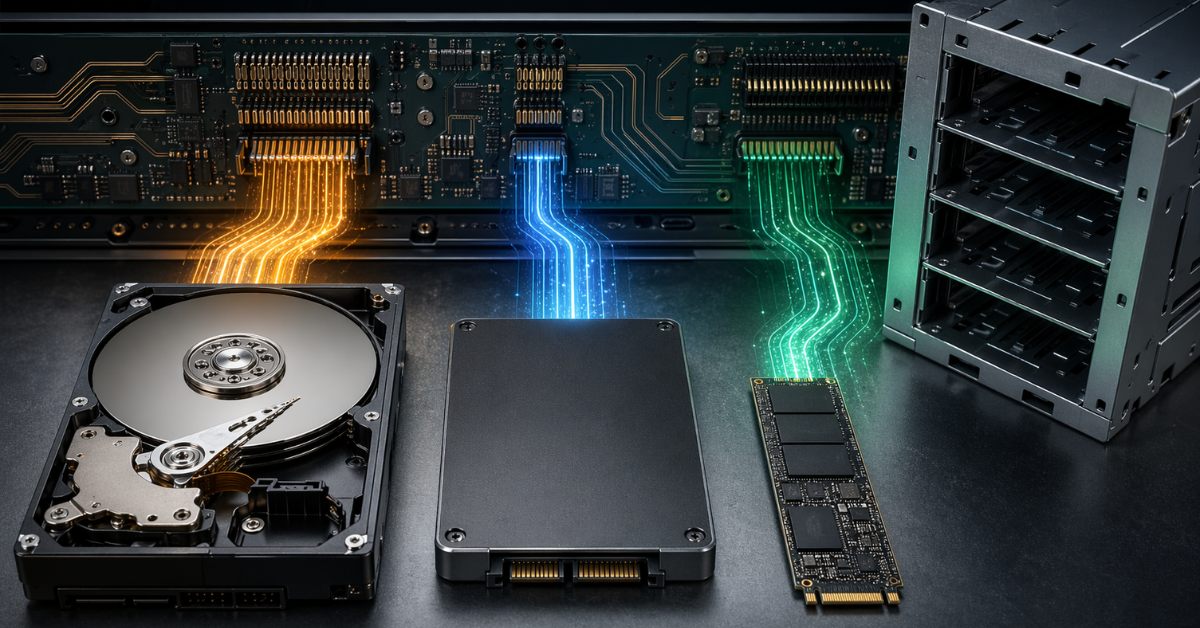
SAS, SATA and NVMe are often placed side by side in server specifications, but technically they are different ways of connecting drives. The backplane must match the type of drives you plan to use.
SATA is the most familiar and straightforward option. Such drives are often cheaper, widely available and suitable for tasks where maximum speed and advanced enterprise features are not required. SATA drives can be used in servers, but the interface itself is limited in speed and capabilities compared with SAS and NVMe.
SAS is a more server-oriented interface. It is designed to work with controllers, disk shelves, fault-tolerant arrays and enterprise operation. SAS drives are often used where predictability, serviceability, reliability and RAID support matter. In general, SATA drives can usually be connected to SAS connectors, but not the other way around.
NVMe works differently. It uses PCIe, which means a more direct and faster path to the processor and system. NVMe has lower latency and higher bandwidth, but this comes with stricter platform requirements. NVMe depends on PCIe lanes, the PCIe generation, the connection layout, cooling, firmware and server-side support.
Therefore, NVMe should not be treated as “SATA, only faster.” It is a different connection method. If a backplane is designed only for SAS/SATA, it will not become NVMe-compatible just because the drive looks physically similar in size. And the opposite is also true: an NVMe backplane does not always support SAS or SATA.
Mixed configurations also require attention. Modern servers may include universal bays that support different drive types, but this works only within the limits of a specific platform. For example, Lenovo’s description of internal drives for ThinkSystem shows SAS/SATA, NVMe, AnyBay and mixed bay configurations where different drive types are supported not arbitrarily, but according to a defined layout.
How a backplane differs from a RAID controller and HBA
One of the most common mistakes is to assume that the backplane, RAID controller and HBA solve the same task. In reality, they are different components.
The backplane provides the physical and electrical connection for drives. Through it, the drive receives power and connects to the rest of the system. It determines which signals can pass from the drive onward.
A RAID controller manages arrays. It can combine several drives into a fault-tolerant group, use cache, monitor the array state and present the system with an already prepared logical drive.
An HBA is an adapter that usually passes drives to the operating system almost directly. It is chosen when storage logic is implemented at a higher level: by the operating system, hypervisor or software-defined storage.
These elements must match architecturally. You cannot simply buy a RAID controller with NVMe support and expect any server to start working with NVMe drives. If the backplane does not support the required mode, if the correct cables are missing, if there are not enough PCIe lanes or if the firmware does not support such a configuration, the controller will not solve the problem.
The same applies to an HBA. If direct access to drives is required, an HBA may be the right choice. But it does not remove the requirements for the backplane. The drive must still be connected through a compatible cage, cable layout and platform-supported mode.
Choosing the Right Equipment
Our specialists will contact you and answer all your questions
What types of backplanes are used in servers?
Server practice includes several main types of backplanes. Their names may differ slightly between manufacturers, but the logic is usually similar.
Backplane for SAS/SATA
This is the classic server layout. Such backplanes are designed for SAS and SATA drives. Drives are usually connected to a RAID controller or HBA, and then the operating system sees either individual drives or a ready-made array.
This layout is familiar to administrators. It is often used in file servers, backup systems, enterprise application servers and traditional virtualization nodes. Its advantages are maturity, clear diagnostics, hardware RAID support and familiar maintenance.
But a SAS/SATA backplane does not mean NVMe support. Even if the server uses 2.5-inch bays, this does not guarantee that an NVMe drive can be installed there and produce a working configuration. Drive form factor and interface are different things.
Backplane for NVMe
An NVMe backplane is designed to connect drives through PCIe. In this layout, PCIe lanes, their number, their generation, the path to the CPU or motherboard, as well as hot-swap and monitoring support all matter.
An NVMe backplane may be fully designed for NVMe or may support only some NVMe bays. From the outside, all drive cages may look the same, but internally some slots will be connected as SAS/SATA, while others will be connected as NVMe. Therefore, when upgrading, you need to check not only the total number of bays, but also their exact purpose.
NVMe provides high speed and low latency, but this architecture is less tolerant of design mistakes. If there are not enough PCIe lanes, if an unsuitable backplane is used or if cooling is not provided, drives may fail to reach their potential or operate unstably.
Lenovo describes such drives as devices with a direct PCIe x4 connection, which explains their difference from SATA/SAS SSDs in bandwidth and latency.
Universal and mixed backplanes
Universal and mixed backplanes are found in modern servers where different drive types need to be combined. Documentation may use terms such as AnyBay, universal, U.3, Tri-Mode and others. Their general meaning is that the platform allows several storage configuration options.
But it is especially important not to oversimplify here. A universal backplane does not mean “you can install anything anywhere.” Often some bays support one set of interfaces, while others support another. Sometimes NVMe requires separate cables or a controller. Sometimes RAID is available only for SAS/SATA, while NVMe works directly. Sometimes U.3 and Tri-Mode require a strictly defined combination of backplane, controller and firmware.
How the backplane affects SAS
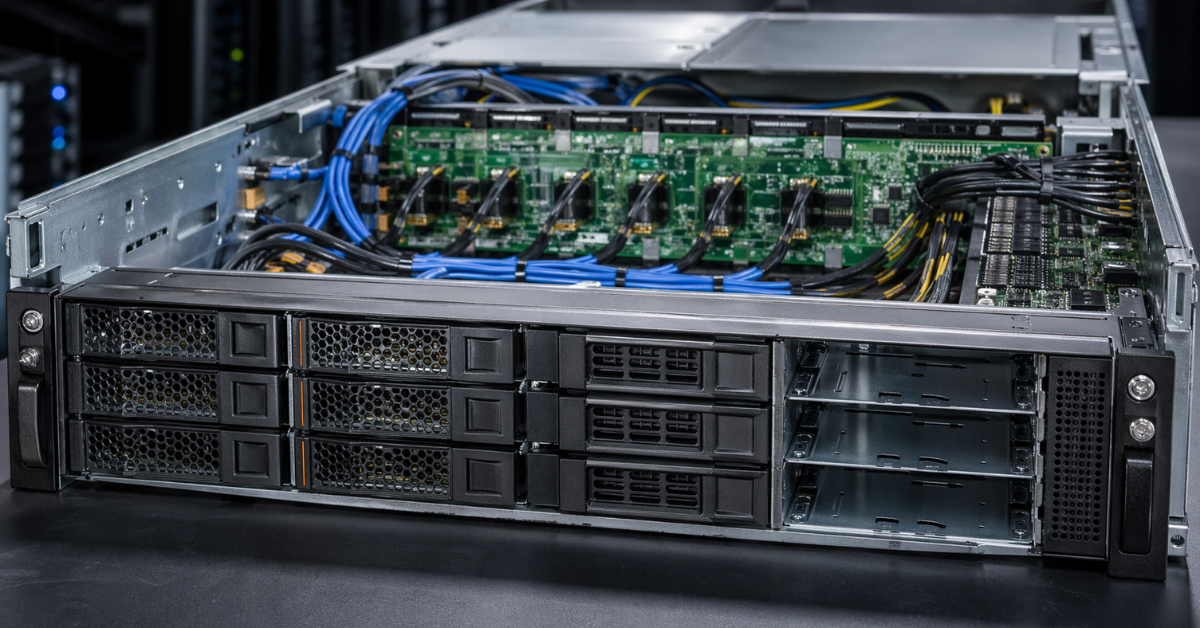
For SAS, the backplane is especially important as part of a mature server storage layout. SAS drives are often connected through a RAID controller or HBA, while the backplane provides the connection between the cage and the controller.
The backplane determines how many drives can be connected, which speeds are available, whether hot swap is supported, how indication works, which drives the controller sees and how they appear in monitoring. In larger configurations, expanders may also matter, as they allow more drives to be connected through a limited number of controller ports.
SAS is well suited for servers where predictability, serviceability and fault tolerance matter. But a SAS backplane should not be treated as universal. It may support SATA because SAS controllers can often work with SATA drives, but this does not mean NVMe support. NVMe uses a different data path and requires a different type of connection.
If a server is being purchased for SAS drives or classic SAS/SATA RAID, you need to check compatibility between the backplane, controller and drives. If a future move to NVMe is planned, a SAS backplane alone may not be enough.
How the backplane affects SATA
SATA drives in servers are often used through a SAS/SATA backplane. These may be high-capacity hard drives or SSDs for tasks where high NVMe speed is not required. For file storage, backup, archives and some application servers, SATA can still be a rational choice.
The backplane affects SATA in the same way as SAS: it determines the physical connection, the number of available bays, drive visibility, indication and operating mode through a controller or motherboard. But SATA is usually simpler in capabilities and weaker in enterprise features, so it is often chosen not for maximum performance, but for price and capacity.
A less obvious point is related to mixed backplanes. If a server supports U.3 or Tri-Mode, this does not mean that any SATA drives can be mixed with NVMe and SAS in one array without restrictions. The possibility depends on the specific controller, connection layout and manufacturer rules. Sometimes different drive types can be physically installed, but cannot be combined into the required RAID array or used in one pool as planned.
Therefore, when working with SATA, it is important to check not only whether the server supports SATA, but also through which backplane and controller those drives will be connected.
How the backplane affects NVMe
NVMe is the most demanding option for a backplane. The reason is that NVMe drives use PCIe. Each drive needs PCIe lanes, and these lanes must be correctly routed from the CPU, motherboard, controller or intermediate components to the drive bays.
This is why servers often have restrictions: not all bays support NVMe, not all NVMe bays support the same speed, not all options allow booting from NVMe, and hardware RAID is not available everywhere. Sometimes a server supports two NVMe drives in separate bays but does not support a full set of NVMe drives across the entire front cage. Sometimes NVMe support appears only when a specific backplane and cable kit are installed.
NVMe is faster not because the drive is “inserted better” into the server. It is faster because it uses a different data path. The backplane must provide that path. If the path is built incorrectly, NVMe either will not work or will not work in the mode the user expects.
For NVMe, it is especially important to check:
- how many PCIe lanes are allocated per drive;
- which PCIe generation the platform supports;
- whether all bays are NVMe or only some of them;
- whether hot swap is supported;
- whether the system can boot from these drives;
- whether the drives are visible in server monitoring;
- whether hardware RAID is supported for NVMe;
- which cables and controllers are required for the selected layout.
Mistakes with NVMe are often more expensive than mistakes with SATA. A SATA drive may simply work more slowly than desired. An NVMe drive with the wrong architecture may not be detected at all or may be available only with limited functionality.
U.2, U.3 and Tri-Mode: where confusion most often occurs
U.2 and U.3 often look almost the same to the user: they are 2.5-inch server drives inserted into a cage. But at the compatibility level, there are important differences between them.
In server practice, U.2 is more often associated with NVMe drives connected through PCIe. U.3 is more closely related to universal and Tri-Mode scenarios, where one cage can be used for SAS, SATA and NVMe, but only if the entire chain supports it.
Tri-Mode does not mean that the server is automatically compatible with all drives. It means that the controller and connection architecture can work with three drive types. But this requires a suitable backplane, correct cables, a compatible controller and firmware support. If even one element does not meet the requirements, the universality disappears.
It is especially dangerous to choose a drive only by form factor. A 2.5-inch drive can be SATA, SAS, U.2 NVMe or U.3. External similarity does not mean the same electrical layout. Therefore, before buying drives, you should read the server documentation, not only the drive specifications.
How backplane type affects drives
| Backplane type | What it usually supports | Where it is used | Advantages | Limitations | What to check |
|---|---|---|---|---|---|
| SAS/SATA | SAS and SATA | Classic servers, file storage, backup | Mature layout, familiar RAID, clear maintenance | Usually does not support NVMe | Controller, speed, drive compatibility |
| NVMe | NVMe over PCIe | Servers for databases, virtualization, fast local storage | Low latency, high bandwidth | Requires PCIe lanes; hardware RAID is not always available | Lane count, boot support, cooling |
| Mixed | Some SAS/SATA, some NVMe | Universal server configurations | Flexibility when selecting drives | Not all bays are identical | Which slots support which modes |
| U.3/Tri-Mode | SAS, SATA and NVMe in supported modes | Modern platforms with universal cages | One architecture for different drive types | Strict platform dependency | Backplane, cables, controller, firmware |
Choosing a backplane is effectively choosing the future storage architecture of the server. It determines not only which drives can be installed today, but also how easy it will be to expand or change the configuration in a year.
What “the server supports NVMe” means in practice
The phrase “the server supports NVMe” is too general by itself. It can mean different things.
For example, a server may support only two NVMe drives in separate bays. Or eight NVMe drives, but only with another backplane. Or NVMe without hardware RAID. Or NVMe only through a specific Tri-Mode controller. Or U.2, but not U.3. Or U.3, but only with a certain cable layout. At the same time, there is also the relatively new E3 format in several variants; this is already an NVMe-only connector, and ordinary 2.5-inch drives will not fit there.
A specification may state “10 x 2.5 SAS/SATA/NVMe,” but this does not mean that any set of ten drives will work in any mode. You need to see exactly how the bays are distributed, which drive types are supported, which controllers are required and whether mixing is allowed.
HPE has separate options for U.3 NVMe/SAS/SATA with support through a Tri-Mode controller, as well as direct-attach options. This shows that the same broad class of drives can require different connection layouts.
In practice, this means that before buying NVMe drives, you need to check not only the presence of NVMe in the server description, but also the exact backplane configuration. This is especially important for refurbished servers, upgrades of existing platforms or buying drives separately from the server.
Backplane and hot-swapping drives
The backplane is directly connected with hot swap because the drive is inserted and removed through its connector. If the server supports hot swap, the backplane must provide correct connection of power, signal lines and service information for drive status.
For SAS and SATA, hot swap has long been a familiar server function. The administrator sees the drive status, can replace a failed drive and wait for the array to rebuild. But even here, hot swap depends not only on the cage. The controller, array type, operating system, firmware and maintenance rules matter.
Hot swap is also possible for NVMe, but it should not be considered automatic. It must be supported by the platform. The correct backplane, firmware support, proper indication and an understanding of how the operating system handles removal and addition of NVMe devices are required.
A less obvious point: if a drive can be physically removed from the front bay, this does not mean it is safe to remove it at any moment. You need to understand the mode in which it is operating: a separate drive, part of a RAID array, an element of a software pool, a boot device or cache.
Backplane, speed and latency: does it accelerate drives?
The backplane does not accelerate a drive by itself. It does not turn SATA into NVMe and does not make a drive faster than its interface. But the backplane can give the drive the correct path to the system, or, conversely, become a limitation.
For SATA, the main limitation is usually the interface itself. Even a good server backplane will not make a SATA drive as fast as NVMe.
For SAS, controller speed, interface generation, the number of connected drives and the presence of expanders matter. If many drives are connected through one controller and one path, performance will depend not only on the drives themselves, but also on the overall layout.
For NVMe, PCIe lanes are critical. If a drive is designed for four PCIe lanes but actually receives fewer lanes or works through an older PCIe generation, it may not show the expected speed. In addition, NVMe drives are sensitive to cooling. Overheating can reduce performance even if everything is formally connected correctly.
So the speed question should not be asked as “Which backplane is faster?” It is better to ask: “Does this backplane limit the selected drives, and does it match the server’s tasks?”
Choosing the Right Equipment
Our specialists will contact you and answer all your questions
Backplane and RAID: why RAID depends on more than the controller
Hardware RAID depends on more than the RAID controller. It requires compatibility between drives, backplane, cables, controller and firmware. This is especially important for NVMe.
With SAS and SATA, the situation is usually clearer. There is a RAID controller, a backplane and drives, and the server provides familiar arrays. But even here, you need to check compatibility of the specific platform and drives.
With NVMe, the situation is more complex. The presence of NVMe drives does not mean that hardware RAID is available for them. Some configurations provide direct access to NVMe drives but do not allow them to be combined by a hardware controller. Others require a Tri-Mode controller. Still others support only certain RAID levels or only certain drive types.
Software RAID can be an alternative. In this case, the array is built by the operating system, hypervisor or storage system. This approach is often used in software-defined storage and some virtualization environments. But it requires a different maintenance logic: monitoring, redundancy, recovery and updates.
RAID is not a property of one controller. It is a supported mode of the whole platform.
Compatibility: what to check before buying a server or upgrading
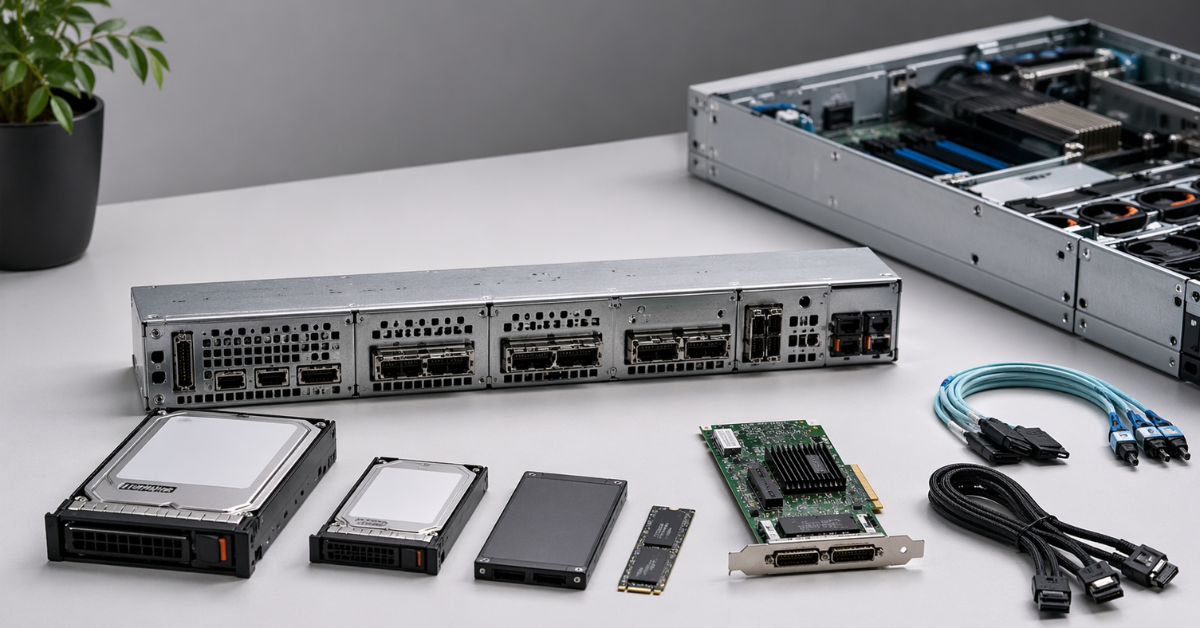
Before buying a server, backplane or new drives, you need to check the whole configuration. This is especially true if the server is not new, has already been used or is being assembled from different components.
You should clarify:
- the exact server model and generation;
- which backplane is currently installed;
- which backplanes are available for this model;
- how many bays support SAS, SATA and NVMe;
- which form factors are supported: 2.5, 3.5, U.2, U.3, E3.S;
- how the backplane connects to the system;
- whether a RAID controller or HBA is required;
- whether Tri-Mode is supported;
- which cables are required;
- which risers and PCIe slots are required;
- whether there are enough PCIe lanes for NVMe;
- whether booting from the selected drives is supported;
- whether hot swap is supported;
- whether SAS, SATA and NVMe can be mixed;
- whether drives are visible in standard monitoring;
- which firmware versions are required;
- whether the selected drives are on the compatibility list.
If the server is being purchased for a specific task, it is better to start not with the drives but with the architecture. For example: whether hardware RAID is needed, whether NVMe will be used, whether expansion is planned, whether a mixed cage is required and how maintenance will be performed.
Typical mistakes when choosing a backplane
| Mistake | Why it happens | What it can lead to | How to avoid it |
|---|---|---|---|
| Looking only at the number of bays | Drive cages look similar from the outside | Drives do not work in the required mode | Check the backplane type |
| Assuming that a 2.5-inch bay fits any 2.5-inch drive | Size is confused with interface | NVMe is not detected or RAID is unavailable | Check SAS/SATA/NVMe support |
| Buying NVMe without checking PCIe lanes | The focus is only on the drive | Speed is lower than expected or the drive does not work | Check the connection layout |
| Buying a RAID controller separately from the platform | The controller is considered the main component | Incompatibility with the backplane | Check the compatibility matrix |
| Mixing SAS, SATA and NVMe without verification | Tri-Mode seems to solve everything | Some drives do not work | Check the mixing rules |
| Ignoring cables | Cables seem secondary | Drives are not visible or are only partially visible | Check part numbers and the layout |
Most problems arise not because of “bad drives,” but because the connection architecture was misunderstood. In a server, a drive rarely works separately from the platform. It works inside a specific chain.
When it makes sense to replace the backplane
Replacing the backplane can be justified if the server platform supports it and the task really requires a different storage architecture.
For example, it may make sense to replace the backplane when moving from SAS/SATA to NVMe, if the server officially supports such a configuration. This can be useful for databases, virtualization, fast local storage and tasks where latency matters more than high capacity.
Another scenario is increasing the number of drives. Sometimes a server can be moved from one cage to another: for example, from fewer bays to more bays, or from a standard SAS/SATA configuration to a mixed one. But this must be provided for by the manufacturer.
The backplane is also replaced when moving to U.3 or Tri-Mode if one cage is needed for different drive types. This approach is convenient for phased modernization: SAS/SATA is used today, and NVMe is added later.
A separate case is replacing a damaged backplane. If drives disappear, certain slots are not detected, indication does not work or connectors are physically damaged, the backplane may be the cause.
But replacing a backplane is not always simple. Often it requires other cables, a controller, riser, cage, firmware and sometimes another chassis kit. Therefore, before an upgrade, you need to calculate not only the price of the board, but also the cost of the entire compatible configuration.
When it is not worth replacing the backplane
It is not worth replacing the backplane if the server platform does not officially support the required mode. For example, an old server may physically accept another board but lack enough PCIe lanes, required firmware or cables.
It is also not worth replacing the backplane when the upgrade becomes more expensive than buying a server in the required configuration from the start. This is a common situation with NVMe: the board itself may be only part of the expense, and then it turns out that other cables, a controller, caddies, fans, risers and updates are required.
If the task does not require NVMe, moving to an NVMe backplane may also be excessive. For a file archive, backup or inexpensive storage, SAS/SATA may be more practical. Fast drives do not always help if the bottleneck is in the network, processor, application or backup policy.
It is also not worth replacing a backplane for abstract “modernity.” A server should not be the most fashionable; it should be correctly assembled for the task.
Practical selection scenarios
Server for virtualization
For virtualization, latency, fault tolerance, drive visibility to the hypervisor and ease of maintenance matter. If virtual machines use local storage, NVMe can provide a noticeable benefit. But the backplane must support the required number of NVMe drives, and the platform must correctly present them to the hypervisor.
If storage is built using a software platform, an HBA or direct attachment may be better than hardware RAID. If a familiar enterprise layout with a controller is required, RAID support must be checked specifically for the selected drives.
Server for databases
For databases, low latency and predictable behavior under load matter. NVMe is often justified here, but only with the right connection. The backplane must not limit PCIe lanes, and cooling must be designed for dense installation of fast SSDs.
For such tasks, it is especially important to understand how drives are connected: directly, through a controller or through a mixed layout. Sometimes direct NVMe connection is better than trying to build hardware RAID where the platform does not provide for it.
File server
A file server does not always need NVMe in all bays. Capacity, cost per terabyte, convenient drive replacement and clear RAID are often more important. Therefore, a SAS/SATA backplane may be more rational.
NVMe can be used as a fast tier, cache or separate group for active data. But for this, you need to understand in advance which bays support NVMe and whether they can be mixed with the main array.
Backup server
For backup, capacity, cost, sequential speed and reliable maintenance are usually important. NVMe can be useful for cache or temporary operations, but it is not always needed as the main storage subsystem.
If the server is mainly used to store backups, a classic SAS/SATA backplane often looks more practical. It is simpler, cheaper and easier to maintain.
Hybrid server
Hybrid servers that use SAS, SATA and NVMe at the same time require the most careful verification. This is exactly where the backplane becomes a key component. You need to determine in advance which drives will be installed now, which may appear later and which modes must be supported.
Universal or Tri-Mode configurations are useful for such tasks, but only if they are officially supported by the specific server model.
How to read a server specification
A server specification should be read carefully because short wording often hides important limitations.
If it says “SAS/SATA backplane,” this is usually not an NVMe configuration. Such a server can work perfectly well with SAS and SATA, but installing NVMe drives in these bays is either impossible or pointless.
If it says “NVMe backplane,” this does not mean SAS and SATA support. Such a cage may be designed only for NVMe.
If it says “SAS/SATA/NVMe,” you need to look at the details. Which exact bays support each drive type? All of them or only some? Is a separate controller required? Is RAID available? Can drives be mixed?
If you see AnyBay, U.3, universal or Tri-Mode, you need to look for the connection layout. These words indicate flexibility, but they do not remove limitations.
If direct attach is specified, this means drives may connect directly to the motherboard or CPU. This is often good for NVMe and latency, but hardware RAID may be unavailable.
If RAID support is specified, you need to clarify: for which drives, through which controller and at which RAID levels. RAID support for SAS/SATA does not equal RAID support for NVMe.
A marketing line on a server product card does not replace the service manual, cable guide and compatible components list.
Most popular refurbished servers

Free shipping on orders over 500 € in the EU, £500 in the UK, and $3,000 in the USA

Free shipping on orders over 500 € in the EU, £500 in the UK, and $3,000 in the USA

Free shipping on orders over 500 € in the EU, £500 in the UK, and $3,000 in the USA

Free shipping on orders over 500 € in the EU, £500 in the UK, and $3,000 in the USA
Checklist before buying
Before buying a server, backplane or drives, it is worth answering several questions:
- Which drives will be installed now?
- Which drives may appear in a year?
- Is NVMe needed in all bays or only in some?
- Is hardware RAID required?
- Does the backplane support SAS, SATA, NVMe or only some of them?
- How does the backplane connect: to a controller, HBA or motherboard?
- Are additional cables required?
- Are there enough PCIe lanes?
- Is booting from the required drives supported?
- Are there restrictions on mixing drives?
- Are the drives visible in standard monitoring?
- Is there official support for this configuration?
- Would it be easier to buy a server with the required backplane from the start?
If the answers to these questions are unclear, it is better not to buy drives “at random.” In server infrastructure, incompatibility is often discovered only after installation, when return or replacement becomes more difficult.
Conclusion
The backplane is one of the key parts of a server storage subsystem. It affects not only whether a drive can be physically inserted into a bay, but also how that drive will be connected, whether the controller will see it, whether RAID, hot swap, monitoring and the required speed will be available.
For SAS and SATA, the backplane is more often associated with the classic server layout through a RAID controller or HBA. For NVMe, it becomes even more important because NVMe requires the correct PCIe path, a sufficient number of lanes, compatible cables and platform-side support. U.3 and Tri-Mode provide more flexibility, but they do not turn a server into a universal system without limitations.
Choosing the right backplane starts not with the number of bays, but with the task. You need to understand which drives will be used, whether hardware RAID is needed, whether a mixed configuration is planned, how the server will be maintained and which modes are officially supported by the manufacturer. In server practice, the winning configuration is not the most modern component, but the one where drives, backplane, cables, controller and firmware work as a single supported system.
Choosing the Right Equipment
Our specialists will contact you and answer all your questions
Content:

Free shipping on orders over 500 € in the EU, £500 in the UK, and $3,000 in the USA

Free shipping on orders over 500 € in the EU, £500 in the UK, and $3,000 in the USA

Free shipping on orders over 500 € in the EU, £500 in the UK, and $3,000 in the USA

Free shipping on orders over 500 € in the EU, £500 in the UK, and $3,000 in the USA

Free shipping on orders over 500 € in the EU, £500 in the UK, and $3,000 in the USA

Free shipping on orders over 500 € in the EU, £500 in the UK, and $3,000 in the USA