A server GPU isn’t “for visuals”
A graphics card (GPU) in a server is, first and foremost, an accelerator: it takes over parallel compute, video processing, and/or the graphics load of virtual workstations. In 2026, a GPU in infrastructure is no longer a “rare 3D option” — it’s a tool that increases throughput, reduces latency, and improves consolidation (more users/streams/tasks per node) at a sensible power cost.
When you almost certainly don’t need a GPU: if you run a typical office stack (AD/file shares/mail/an internal portal), moderate databases without heavy analytics, no VDI, no video processing, and no machine‑learning workloads. In these cases, budget is usually better spent on CPU, memory, NVMe, and power/disk redundancy.
Historical note: we wrote about server GPUs before, but the market has changed significantly since then — especially due to the explosive growth of AI/ML.
Key scenarios where a GPU makes sense

AI/ML: training and inference
What the GPU does. It accelerates matrix operations and massively parallel compute that power deep learning and many data‑science tasks. In real infrastructure, it’s important to distinguish two worlds: training and inference.
Training usually bottlenecks on:
- data volume and access speed (dataset, sharding, caching);
- GPU memory bandwidth (and sometimes GPU‑to‑GPU interconnects);
- steady data feeding from CPU/Storage/Network (if the pipeline stalls, the GPU idles).
Inference often bottlenecks on:
- latency (especially online) and stable p99/p99.9 behavior;
- VRAM capacity for the model + context + batches;
- format optimization (quantization/batching/parallel queues) and smart scheduling.
Metrics that actually matter:
- throughput (requests/sec, tokens/sec, images/sec);
- latency (average and p95/p99);
- VRAM (how many models/batches fit without swapping);
- stability (no throttling or long‑run degradation).
What breaks without a GPU. You can run on a CPU cluster, but as workloads grow you quickly end up with a “farm” of many nodes for the same performance — and hit TCO (power, cooling, racks, operations). GPUs often win both on “results density” and predictability.
Typical workload example. Multiple models for classification/recognition (CV), embedding generation, and LLM inference for support/search/analytics where stable latency and high throughput matter.
VDI / remote desktops with graphics
What the GPU does. It delivers a comfortable interactive experience for 3D/video/modern UI and lets you consolidate more desktops per server, especially if you can slice GPU resources across users.
When you really need a GPU. It’s not only “CAD and rendering.” In 2026, even a “regular” workplace often becomes a heavy web station: the browser actively uses hardware acceleration for video, canvas, WebGL, modern UI, conferencing, etc. If you push everything onto the CPU in VDI, you may see:
- higher CPU utilization and increased input lag;
- freezes during video calls/screen sharing;
- poor UI responsiveness even in simple “browser + office” scenarios.
The key is the resource‑sharing model. For VDI, it’s critical whether you can:
- allocate GPU “in slices” (profiles/instances) so one server can serve many users;
- enforce isolation so one “noisy” user doesn’t ruin everyone else’s experience;
- control limits and monitor real utilization.
Metrics:
- users per node at a given responsiveness SLA;
- p95/p99 latency (input lag) and stable frame/render behavior;
- peaks during video meetings and browser workloads.
Typical workload example. Designers/engineers (CAD/3D) plus office users who live in the browser and video calls — with infrastructure that must be predictable and manageable.
Video processing and transcoding
What the GPU does. It offloads hardware encode/decode (video codecs), increasing stream density and reducing CPU load. This is especially important when you have:
- many parallel streams/conversions (VOD/OTT);
- video surveillance with processing and archiving;
- media services where cost per stream and power efficiency are critical.
What to look at:
- number of parallel streams at the target resolution and codec;
- quality/bitrate requirements (and acceptable trade-offs);
- latency (real-time vs batch processing);
- whether the system can “feed” the GPU with data without drops.
A practical reference for the stack: hardware acceleration in FFmpeg is described in FFmpeg HWAccel Intro, and GPU usage patterns in video pipelines are well illustrated by the NVIDIA Video Codec SDK.
Typical workload example. A user-generated video platform (transcoding for different devices) or a corporate video surveillance system with server-side processing.
Choosing the Right Equipment
Our specialists will contact you and answer all your questions
HPC / rendering / engineering compute
What the GPU does. It accelerates workloads that parallelize well: simulations, numerical computation, rendering, and many engineering pipelines. Often, the GPU is a “turbo boost” for a bottleneck — but success depends on how well the data chain is built.
Metrics:
- task completion time (time-to-result);
- scalability (how performance grows when you add GPUs);
- utilization efficiency (whether the GPU is idling due to I/O).
What you hit without a GPU. A CPU may be cheaper “right now,” but for certain task classes it loses on time-to-result and results density — which makes infrastructure cost and project timelines uncomfortable.
Typical workload example. Studio rendering, engineering computations, or accelerating specific libraries/parts of a pipeline.
Specialized pipelines (briefly)
The point here isn’t to dive into the exotic, but to mention a few “non-obvious” cases:
- brute force/password cracking (within legitimate security audits, hash-strength testing, etc.) — a GPU can speed up certain compute classes by orders of magnitude;
- mining as a historically popular “GPU utilization” case (for server infrastructure it’s more useful as an anti-example: “don’t do this on production”), but it’s still a market reality worth mentioning;
- print server/terminal server: sometimes a GPU helps offload parts of rendering/graphics and reduce CPU spikes in mixed scenarios, especially when users generate/view heavy documents, PDF previews, etc. It’s not a “must-have,” but it’s a good example of buying a GPU for UX stability and lower CPU peaks.
GPU servers
Free shipping on orders over 500 € in the EU, £500 in the UK, and $3,000 in the USA
Free shipping on orders over 500 € in the EU, £500 in the UK, and $3,000 in the USA

Free shipping on orders over 500 € in the EU, £500 in the UK, and $3,000 in the USA
Free shipping on orders over 500 € in the EU, £500 in the UK, and $3,000 in the USA
Use cases: requirements, risks, and notes
| Scenario | Key requirements (VRAM/latency/throughput) | Platform requirements | Typical bottlenecks | Notes |
|---|---|---|---|---|
| Inference | low/stable latency, sufficient VRAM, high throughput | fast storage/cache, stable network, predictable clocks | VRAM shortage, CPU→GPU underfeeding, throttling | often wins on “results density”; p95/p99 are key |
| Training | throughput, VRAM, memory bandwidth, stability | data I/O, network, power/cooling, sometimes multi-GPU | storage/network, overheating, power spikes | you must build the whole data chain, or the GPU will idle |
| VDI | responsiveness, stable UX, user density | GPU sharing/slicing, limits, monitoring | CPU/memory, wrong sharing model | GPU isn’t only for CAD: browsers and video also benefit from acceleration |
| Transcoding | streams/sec, quality/bitrate, latency | sufficient I/O, stable drivers | I/O, pipeline limits, overheating | GPU often reduces CPU load and increases stream density |
| HPC/rendering | time-to-result, scalability | balanced CPU+RAM+I/O | I/O and “feeding,” inefficient code | best effect is when the task truly parallelizes |
How a GPU fits into a server — what matters
PCIe lanes: generation, slot width, risers
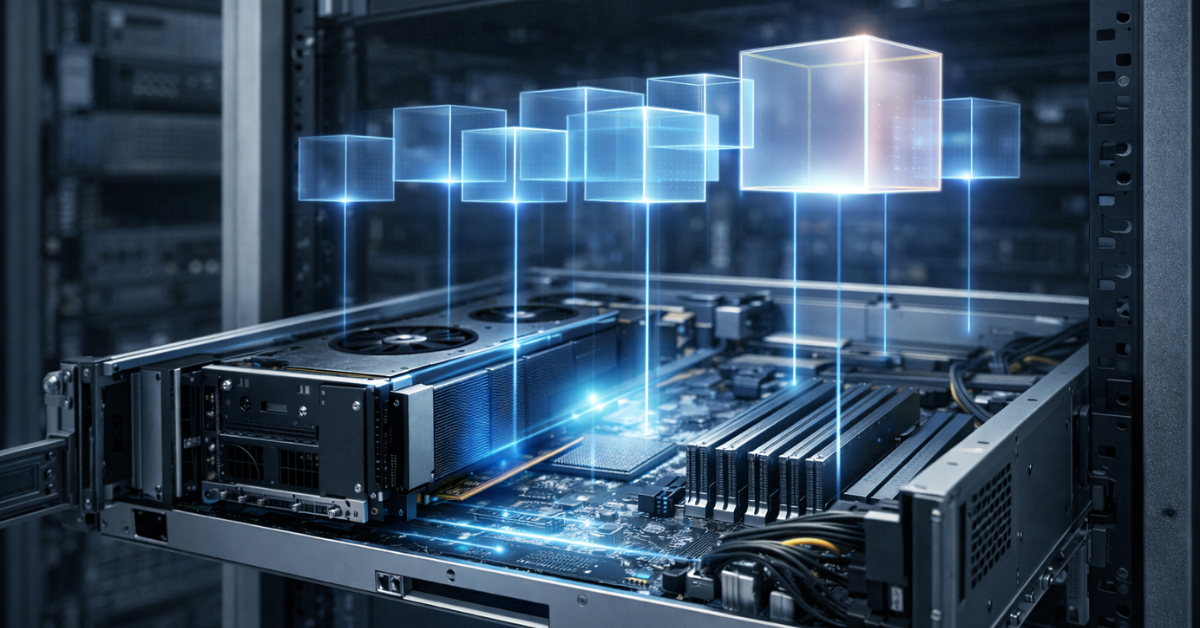
A GPU is not “just a card in a slot.” For predictable performance, what matters is:
- how many PCIe lanes are actually allocated to the GPU (x16 vs x8 is not cosmetic);
- the PCIe generation (Gen3/4/5) across the full chain CPU↔chipset↔riser↔slot;
- riser quality and compatibility/bifurcation (especially in dense 2U/1U builds).
A practical rule: if the GPU must be fed continuously (inference/training/transcoding), a PCIe bottleneck becomes a hidden “limiter” — invisible on the price list but obvious on performance graphs.
VRAM and bandwidth: batches, models, datasets
VRAM isn’t just “memory on the card.” It determines:
- whether the model fits entirely (and how many instances/batches you can keep simultaneously);
- whether constant offload/reload will happen (which kills low-latency performance);
- what batch size is possible without response-time degradation.
When VRAM is insufficient, you often get “a powerful but slow GPU”: it idles because data is constantly shuffled back and forth instead of living next to the compute.
Power: PSU headroom, cabling, peaks, N+1
GPU servers often hit watts rather than “slots”:
- you need power headroom to survive peaks without reboots;
- correct power cabling and the right connectors/rails matter;
- for production, N+1 PSUs and a clear load profile are typically expected.
A common failure pattern: “the calculator says it’s enough” → in reality, under peaks and high inlet temperatures you get faults that look like “random” driver/node crashes.
Cooling and airflow: throttling is the hidden enemy
A GPU is sensitive to:
- airflow design inside the chassis;
- inlet temperature;
- “hot spots” around neighboring cards/risers.
If airflow isn’t engineered, the GPU can throttle: the system “works,” but performance drops in waves, and your latency/throughput SLA starts to drift.
CPU/RAM/Storage/Network: “the GPU idles if data can’t keep up”
Almost every GPU use case is a system, not “one card”:
- for AI training/inference, data feeding and CPU-side preprocessing matter;
- for transcoding, read/write throughput and stable I/O matter;
- for VDI, RAM/CPU per session and the remote-access network/codec matter.
If storage is slow or the network is narrow, the GPU won’t save you: it will idle waiting for data.
Monitoring: temperature, clocks, errors, utilization
Without monitoring, you won’t know:
- why latency suddenly increased;
- why throughput dipped in the evening;
- why one node performs worse than another.
For production control, monitoring and telemetry tools are useful — for example, NVIDIA DCGM.
GPU consumption models: bare metal / virtualization / containers
Model comparison
| Model | Performance | Density (consolidation) | Isolation | Complexity | Typical use case |
|---|---|---|---|---|---|
| Bare metal | maximum | medium | high (node-level) | low/medium | AI, HPC, dedicated-node transcoding |
| Passthrough (VM) | close to bare metal | low/medium | high (VM-level) | medium | 1 VM = 1 GPU when simplicity and predictability matter |
| GPU sharing (vGPU profiles or hardware instances) | high, but profile-dependent | high | medium/high | high | VDI, multi-tenant inference, resource “slicing” |
| Containers (Kubernetes) | high (when configured correctly) | high | policy-dependent | high | platform teams, GPU pools for services |
Bare metal
The simplest and most predictable path when you need:
- maximum performance;
- transparent troubleshooting (drivers, library versions, monitoring);
- minimal overhead.
Downsides: less flexibility for consolidation, and it’s harder to “slice” a GPU for many independent consumers without extra mechanisms.
Virtualization
Typically, three approaches are used:
- Passthrough — direct GPU passthrough to a VM. Pros: near bare-metal performance. Cons: sharing is limited; most often one GPU is “occupied” by one VM.
- GPU profiles/sharing (vGPU as a class of approaches). Pros: you can serve many users/services on one GPU. Cons: dependency on the stack, driver versions, and licensing; you must choose profiles correctly and provide monitoring.
- Hardware partitioning (for example, MIG as a concept). The idea is to split resources into instances with more predictable isolation. This is especially convenient for multi-tenant inference and clear limits. A practical starting point is the NVIDIA MIG User Guide.
Kubernetes / containers
In a container platform, it’s important to understand two layers:
- how the cluster “sees” GPUs and assigns them to pods: this is done via device plugins (an official Kubernetes concept);
- how you manage driver installation, node configuration, updates, and policies — often via an operator approach (for example, a GPU Operator).
Official concept: Kubernetes Device Plugins.
Device plugin implementation: NVIDIA k8s-device-plugin.
The container world’s main risk is multi-tenant operations: you need quotas, limits, allocation policies, observability, and version discipline — otherwise “one service eats everything,” and degradation looks like “random” latency spikes.
Additionally, if you are building a cloud/platform, it helps to understand accelerators at the IaaS layer. In OpenStack, this is addressed by Cyborg.
Most popular GPU

Free shipping on orders over 500 € in the EU, £500 in the UK, and $3,000 in the USA
Free shipping on orders over 500 € in the EU, £500 in the UK, and $3,000 in the USA
Free shipping on orders over 500 € in the EU, £500 in the UK, and $3,000 in the USA
Free shipping on orders over 500 € in the EU, £500 in the UK, and $3,000 in the USA
Choosing the Right Equipment
Our specialists will contact you and answer all your questions
How to choose a GPU for your workload — a practical algorithm
- Define the scenario: AI training, AI inference, VDI, transcoding, HPC/rendering.
- Pick the success metric: latency (including p95/p99), throughput, streams, users, time-to-result.
- Assess site constraints:
- how many watts you have and what PSU headroom is available;
- what cooling you have and allowable temperatures;
- how many U in the rack and which chassis form factor;
- whether there are constraints on noise/power consumption.
- Define GPU resource requirements:
- VRAM (model/batch/parallelism);
- PCIe (generation/lanes/slots/risers);
- the need for GPU sharing (many users/services).
- Check platform and software compatibility:
- hypervisor/kernel/drivers;
- how you will provide GPU access (passthrough/sharing/containers);
- monitoring and your update policy.
- If you need to stay on budget, the most practical approach is to model the “target metric” first: how many requests/streams/users one node delivers with your stack, instead of choosing a GPU by raw specs.
In production, the winner is not “the most powerful card,” but a balanced system that holds the SLA consistently.
Pitfalls and common mistakes
- PCIe becomes the limiter: slot/riser issues, insufficient lanes, or too old a PCIe generation.
- Wrong topology (GPU hanging off the chipset or an unlucky riser) → instability and performance drops.
- No airflow planning → throttling and “wave-like” performance degradation.
- Insufficient PSU headroom → reboots/errors under load and heat.
- Power peaks ignored: “300 W on paper” ≠ your real pipeline profile.
- BIOS/IOMMU/MMIO issues for large GPUs → the VM won’t start or the device won’t passthrough.
- Driver incompatibility with the kernel/hypervisor → “worked yesterday, broke after an update.”
- The GPU idles because storage is too slow: the dataset can’t be fed fast enough.
- The GPU idles because the CPU is the bottleneck: preprocessing/codecs/queues on the CPU become limiting.
- The network is the bottleneck: data/video/VDI can’t fit through the link, latency grows.
- In VDI, the wrong sharing method is chosen: one user “consumes” everyone’s resources.
- In Kubernetes, there is no proper scheduling/limits → noisy neighbor and unpredictability.
- No monitoring of temperature/clocks/utilization → degradation stays invisible until an incident.
- No unified version policy (driver/CUDA/libraries) → the node pool becomes hard to maintain.
- “Blind” purchases by TFLOPS without considering VRAM and I/O → an expensive card fails to deliver the expected effect.
- Wrong expectations for transcoding: the limit isn’t the GPU, but pipeline/quality/codec settings.
- Economics not calculated: GPUs are expensive and must be utilized; otherwise ROI collapses.
- Ignoring operational details (power cables, chassis clearance, serviceability) → downtime and costly on-site work.
Checklist: Do you need a server GPU?
Answer yes/no:
- Do you have AI/ML workloads where throughput or low latency matters?
- Do you run (or plan within the next 6–12 months) LLMs/embeddings/computer vision in production?
- Do you need large-scale video processing (transcoding, analytics, archiving)?
- Are you planning VDI/terminal infrastructure for graphics or a “heavy browser” workload?
- Do users complain about UI/video-call lag in remote workplaces?
- Do you need to consolidate more services/users on a single node?
- Is your CPU cluster already constrained by power/cooling/rack space?
- Do you care about stable p95/p99 latency (not only the average)?
- Do you have a team/process to support the GPU stack (drivers, monitoring, updates)?
- Will the GPU be utilized most of the time (or can you share it across workloads)?
- Do you need accelerated compute checks for security/audit (legitimate hash-strength testing, etc.)?
- Do you have a clear “results metric” and are you ready to compare CPU vs GPU by cost per result?
If you answer “yes” to 4–5 or more, you should almost certainly consider a GPU seriously.
Checklist: Is your server/site ready for a GPU?
- Do you have suitable PCIe slots (width/generation/lanes) and compatible risers?
- Is there enough chassis clearance (length, double-width, mounting/retention)?
- Do you have PSU headroom, peak power accounted for, the right cables, and a clear N+1 scheme?
- Is cooling engineered: airflow, inlet temperature, no hot spots?
- Do CPU/RAM match the workload (so you don’t end up with “GPU waiting for CPU”)?
- Do storage and network provide the needed data feed (IOPS/throughput/latency)?
- Do you understand the operating model: bare metal/VM/containers?
- Are BIOS/IOMMU settings configured if you plan VMs/passthrough?
- Do you have GPU monitoring (temperature/clocks/utilization/errors), alerts, and response playbooks?
- Do you have a driver-version and update policy, plus a test environment?
- For Kubernetes, have you chosen a device plugin/operator approach and scheduling rules?
- Have you assessed ROI: will the GPU be utilized enough?
FAQ
Passthrough vs GPU sharing — when to choose what?
Choose passthrough when you need maximum predictability and “one workload/one VM.” Choose sharing when consolidation matters (many VDI users or many inference services) and you’re ready for higher operational complexity.
Why doesn’t a “more powerful GPU” always improve performance?
Because you may be bottlenecked by VRAM, PCIe, storage, network, or CPU preprocessing. If data isn’t fed in time, the accelerator idles.
What matters more: VRAM or compute?
For many production scenarios, VRAM is more critical: if the model/batch doesn’t fit, latency and throughput can degrade sharply. “Raw FLOPS” help only when the data chain is built correctly.
How do you know you’re limited by CPU/disk/network rather than the GPU?
Look at telemetry: if GPU utilization is low while latency rises, the GPU is waiting. Often the culprit is storage/network/CPU. That’s why monitoring and profiling beat guesswork.
How many GPUs: one big or two smaller?
It depends on the scenario. For high VRAM requirements and large models, you may need a “big” GPU. For parallel independent workloads/services and resilience, two smaller GPUs can deliver better consolidation and flexibility.
Can you use GPUs in containers safely and predictably?
Yes — but you need disciplined configuration of device plugins/operators, scheduling rules, limits, and monitoring. A good starting point is Kubernetes Device Plugins and NVIDIA k8s-device-plugin.
Is a GPU only useful for AI?
No. Video transcoding, VDI, rendering, and engineering compute are classic use cases. Plus there are “non-obvious” scenarios where a GPU stabilizes UX (for example, a heavy browser in VDI) or reduces CPU peaks.
Why does VDI need a GPU if “we’re not doing CAD”?
Because the modern workplace is browsers, video, and interactive UIs. Hardware acceleration often makes the difference between “tolerable” and “comfortable” at the same user density.
How do you account for GPUs in cloud infrastructure?
If you’re building IaaS/private cloud, accelerators can be modeled and allocated as a resource. In OpenStack, this is addressed by Cyborg.
Conclusion
A GPU in a server is a way to get more results per unit of infrastructure (speed/density/stability), but success is defined not by the GPU model, but by how well the system is built: PCIe, power, cooling, data feeding, the operating model (bare metal/VM/containers), and monitoring. If you choose a GPU for the workload, measure the results metric, and avoid the common pitfalls, a server accelerator stops being an “expensive toy” and becomes a normal engineering tool.