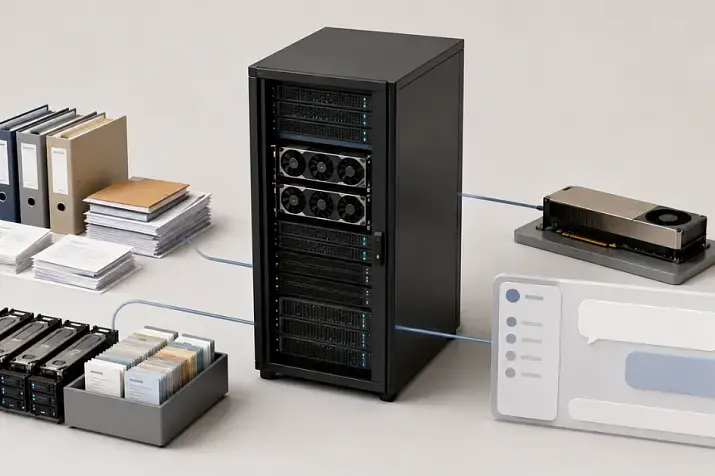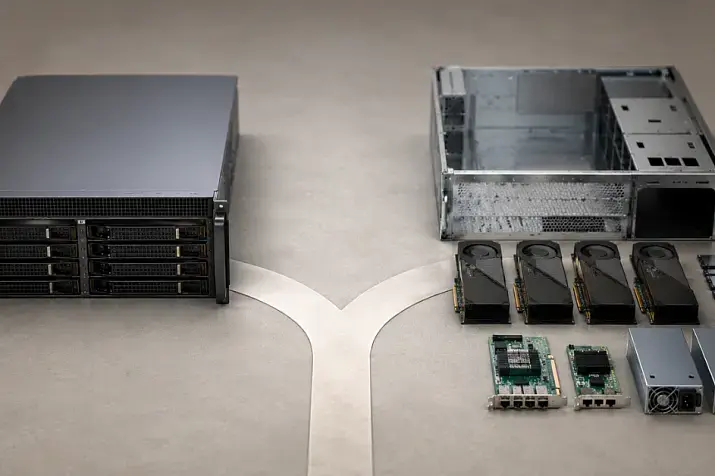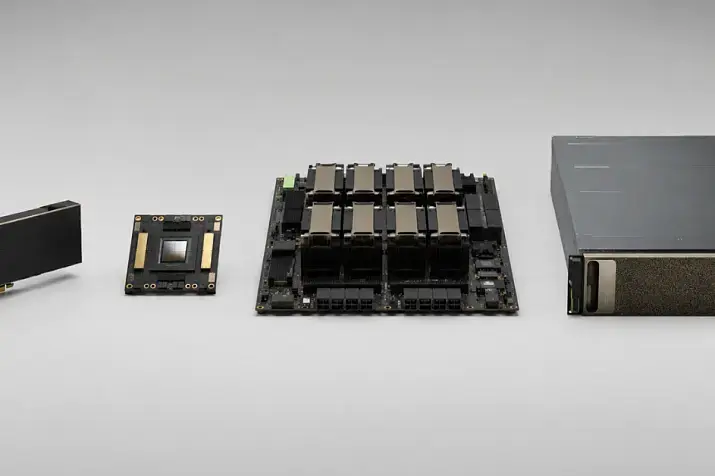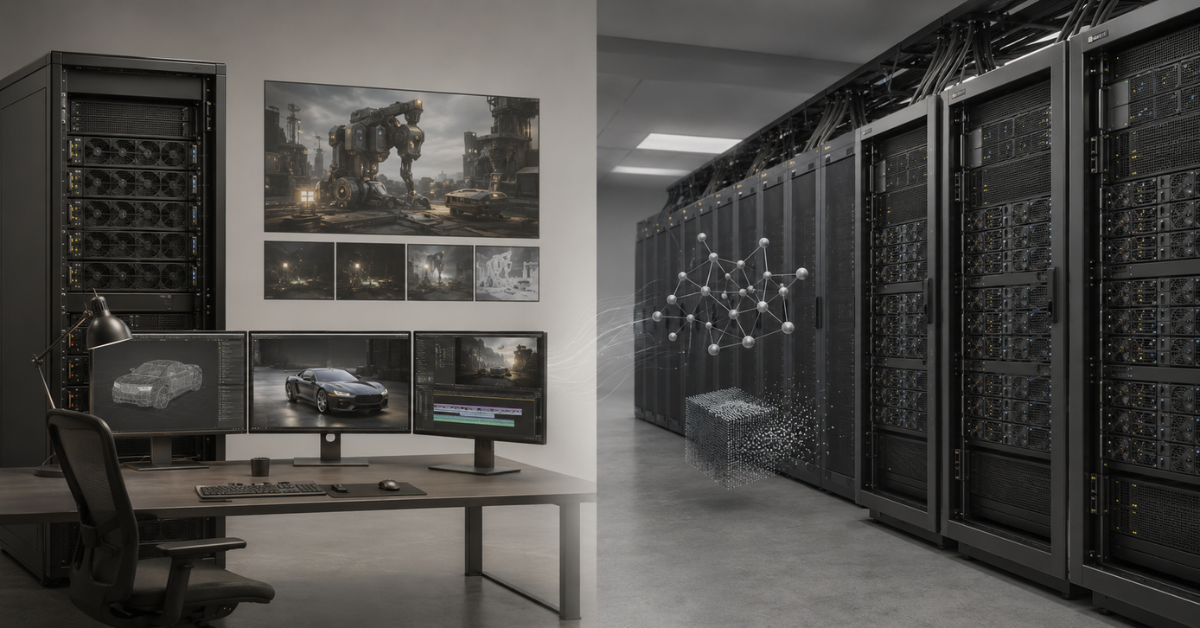
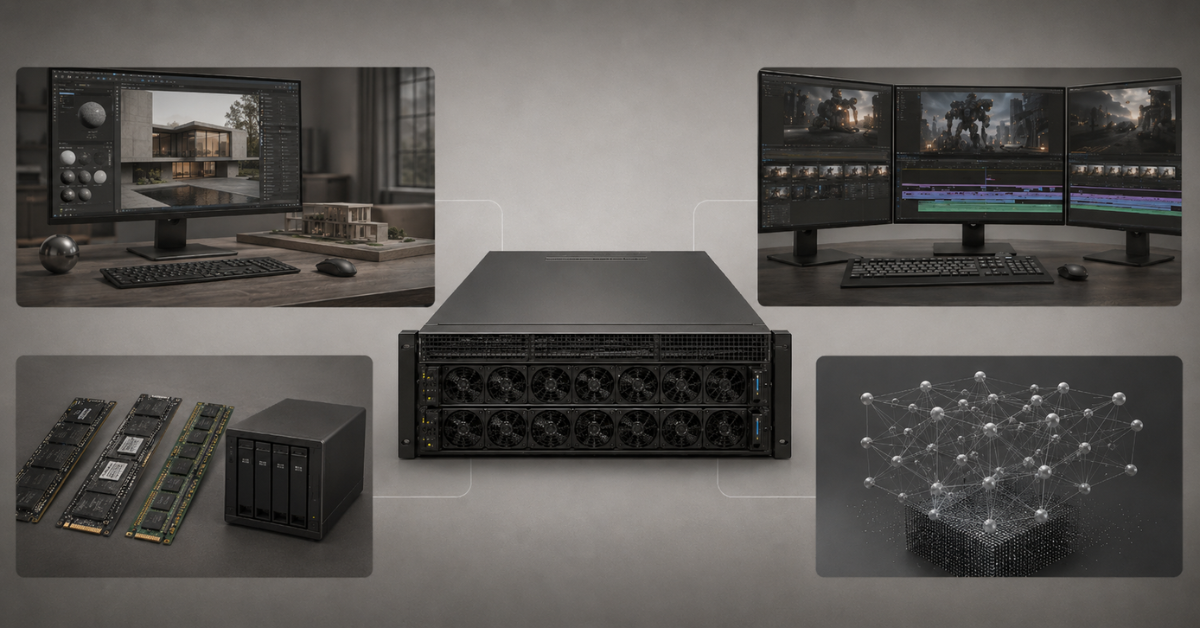
A GPU server for rendering, 3D, and video differs from an AI server because it is not only raw graphics-card compute power that matters, but also the balance between GPU memory, ray tracing support, hardware video encoding, fast NVMe drives, CPU, RAM, network access to assets, and compatibility with specific software. For Blender, Redshift, Octane, V-Ray, DaVinci Resolve, Premiere Pro, After Effects, and Unreal Engine, it is often more reasonable to choose a universal professional GPU configuration with strong graphics and media capabilities than to overpay for H100/H200-class AI accelerators if training large models is not the main task of the server.
In practice, the question “which GPU server should I buy?” almost always needs to start not with the graphics-card model, but with the workflow. One studio needs a server that renders frames in a queue overnight. Another needs a powerful workstation for an artist who moves a scene in real time every day. A third needs a node for editing, color grading, exporting, and transcoding video. Externally, all of this may be called a GPU server, but the hardware requirements will be different.
Why a rendering server should not be chosen like a regular AI server
An AI server is usually designed for model training, inference, work with large language models, computer vision, or RAG services. Tensor computation, large amounts of fast memory, GPU interconnects, support for AI frameworks, and the ability to scale a task across several accelerators are important there.
A server for rendering, 3D, and video lives in a different pipeline. It has scenes, textures, geometry, simulation caches, timelines, codecs, proxies, plugins, licenses, shared storage, and artists’ workstations. That is why the “most powerful AI card” is not always the best choice.
For example, HBM memory and fast communication between GPUs may be important for training a large model. For architectural rendering in Blender or V-Ray, however, it is more important that the scene fits into GPU memory, that the engine works correctly with CUDA/OptiX, and that the server does not choke on an overnight job queue. For video production, hardware encoding and decoding blocks become a separate limitation: without them, even a powerful graphics card may be less convenient in real editing and export work.
That is why a GPU server for graphics is not a “cheaper AI server”. It is a separate type of configuration where you need to look at the entire system:
- which tasks will be performed most often;
- which engines and applications are used;
- how much GPU memory typical projects need;
- whether interactive work is needed or only queued rendering;
- how many users will work with the server;
- where the assets are stored and how quickly they are transferred;
- which licenses will be required for render nodes;
- whether the system can later be scaled into a farm.
Universal server GPUs such as NVIDIA L40 48Gb are often interesting precisely because they cover mixed workloads: rendering, 3D, video, and some AI tasks. NVIDIA also positions L40S as a GPU for AI, graphics, rendering, and video in data centers — a good example of a class of cards that sits between purely graphics-oriented and purely AI-oriented scenarios: NVIDIA L40S GPU.
Most popular GPU
Free shipping on orders over 500 € in the EU, £500 in the UK, and $3,000 in the USA
Free shipping on orders over 500 € in the EU, £500 in the UK, and $3,000 in the USA
Free shipping on orders over 500 € in the EU, £500 in the UK, and $3,000 in the USA
Free shipping on orders over 500 € in the EU, £500 in the UK, and $3,000 in the USA
Different workloads have different bottlenecks
In rendering, interactive 3D graphics, video editing, and AI tasks, the GPU does different work. If you focus only on the number of CUDA cores or overall teraflops, it is easy to buy an expensive system that is not the most suitable one.
| Workload | What the GPU does | Main bottleneck | What to check when choosing |
|---|---|---|---|
| Final GPU rendering | Calculates lighting, materials, reflections, shadows, and denoising | GPU memory, ray tracing, engine support | VRAM, RT cores, CUDA/OptiX, multi-GPU scaling |
| Interactive 3D scene | Displays the scene in real time | Frame rate, latency, CPU, RAM, drivers | GPU, CPU frequency, RAM capacity, fast access to assets |
| Video editing and color grading | Accelerates effects, timeline, preview, and export | Codecs, NVENC/NVDEC, disks, RAM | Codec support, VRAM, fast NVMe, RAM capacity |
| Encoding and transcoding | Encodes and decodes video streams | Generation and number of hardware blocks | NVENC/NVDEC, H.264, HEVC, AV1, number of streams |
| AI denoising and upscaling | Accelerates neural-network functions inside graphics software | Tensor cores, VRAM, application support | Tensor performance, drivers, VRAM capacity |
| LLMs and machine learning | Trains or runs models | Memory capacity, HBM, communication between GPUs | A100/H100/H200, NVLink, InfiniBand, containers |
Several non-obvious points especially often affect the choice.
First, several graphics cards do not always provide linear scaling. Two GPUs will not necessarily render exactly twice as fast, and four will not necessarily render exactly four times as fast. It all depends on the engine, scene, textures, settings, drivers, licenses, and how the task is distributed between cards.
Second, the GPU memory of several cards usually does not combine into one shared memory pool. If a server has four cards with 24 GB each, it does not mean that one scene automatically gets 96 GB. In most scenarios, the scene must fit into the memory of every participating card. If a project needs 40 GB of GPU memory, four 24 GB cards may not solve the problem, while one NVIDIA A40 48Gb or another GPU with 48 GB may be more practical.
Third, video often depends not on “GPU power in general” but on the specific codec. One project may be accelerated well by the graphics card, while another may partially fall back to the CPU because of the source format, bit depth, chroma subsampling, or export specifics.
Fourth, AI features inside graphics software are not the same as a full AI server. Denoising, auto color, upscaling, masks, object recognition, and generative tools may use neural-network acceleration, but that does not mean the studio needs an H100 or H200 server.
Which GPU parameters matter for rendering and 3D
GPU memory capacity
GPU memory is one of the first parameters to check when choosing a GPU for rendering. Geometry, textures, materials, lighting, scene data, and intermediate calculations must fit into it.
General reference points can be presented like this:
- 8–16 GB — an entry level for simple scenes, learning, light projects, and individual video editing tasks;
- 24 GB — a more comfortable level for complex scenes, 4K video, individual AI features, and medium-sized professional tasks;
- 48 GB — a practical level for serious GPU rendering, architectural visualization, heavy textures, large scenes, and studio projects;
- 80 GB and more — more often the zone of AI, HPC, large models, and specialized computing, not a mandatory requirement for ordinary rendering.
A lack of VRAM does not merely reduce performance a little. In some cases, the scene stops rendering on the GPU, falls back to a slower mode, or requires simplifying textures and geometry. That is why it is better to evaluate not only an average project, but also the heaviest scenes that actually occur in work.
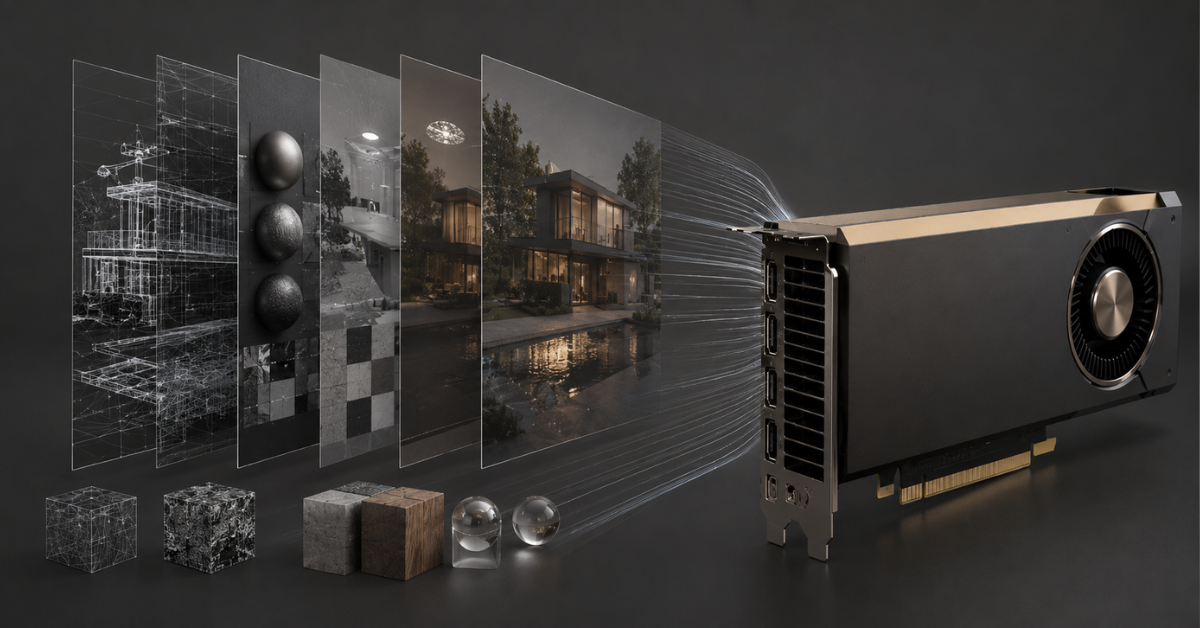
For a 3D studio, 48 GB of GPU memory is often a more practical reference point than chasing AI accelerators. In this class, NVIDIA L40 48Gb, L40S, A40, RTX 6000 Ada, and newer professional RTX cards may be considered.
Choosing the Right Equipment
Our specialists will contact you and answer all your questions
Ray tracing and RT cores
In modern rendering, not only overall compute power matters, but also ray tracing acceleration. RT cores help calculate reflections, shadows, refractions, global illumination, and other effects that make a scene realistic faster.
For final rendering, this affects frame calculation time. For interactive work, it affects scene preview speed. The artist sees changes in light, materials, and camera faster, waits less, and makes decisions directly in the viewport more often.
In AI tasks, RT cores are not the main criterion. Tensor cores, memory capacity, bandwidth, and framework support matter more there. That is why a server that is strong in AI is not automatically the most convenient one for 3D visualization.
CUDA, OptiX, and engine support
For rendering, buying a “powerful graphics card” is not enough. You need to make sure that it is properly supported by the specific engine. Blender Cycles, Redshift, Octane, and V-Ray use GPUs differently, and requirements change from version to version.
Before purchasing, it is worth checking:
- whether the application supports the selected GPU;
- which driver is required;
- whether CUDA, OptiX, or another backend is used;
- whether rendering on several GPUs is supported;
- whether there are GPU memory limitations;
- how render nodes are licensed;
- whether the software vendor has validated configurations.
In Blender, for example, Cycles GPU rendering is configured through available devices and supported backends, including CUDA and OptiX: Blender Manual — GPU Rendering. But this does not remove the need to check the specific Blender version, driver, and add-ons in use.
Professional and server GPUs
A gaming graphics card may be fast in individual tasks, but for a commercial server, benchmark results are not the only important factor. A render node may work at night, process a long queue of frames, serve several projects, and be installed in a server rack. In this mode, stability, cooling, driver support, and predictability matter.
Professional and server GPUs are often chosen because of:
- larger GPU memory capacity;
- ECC memory in some models;
- predictable operation under long-term load;
- server form factor;
- support in both workstations and rack servers;
- drivers that are better suited for professional software.
For a single workstation, you can consider NVIDIA RTX 6000 Ada 48Gb or NVIDIA RTX PRO 6000 Blackwell Workstation Edition. For a rack render node, it is more logical to look at server versions, for example NVIDIA RTX PRO 6000 Blackwell Server Edition or other GPUs designed for server cooling and dense installation.
AI servers with NVIDIA RTX PRO 6000, B200 and B300 GPUs
Free shipping on orders over 500 € in the EU, £500 in the UK, and $3,000 in the USA
Free shipping on orders over 500 € in the EU, £500 in the UK, and $3,000 in the USA
Free shipping on orders over 500 € in the EU, £500 in the UK, and $3,000 in the USA
Free shipping on orders over 500 € in the EU, £500 in the UK, and $3,000 in the USA
Why NVENC, NVDEC, disks, and RAM matter for video
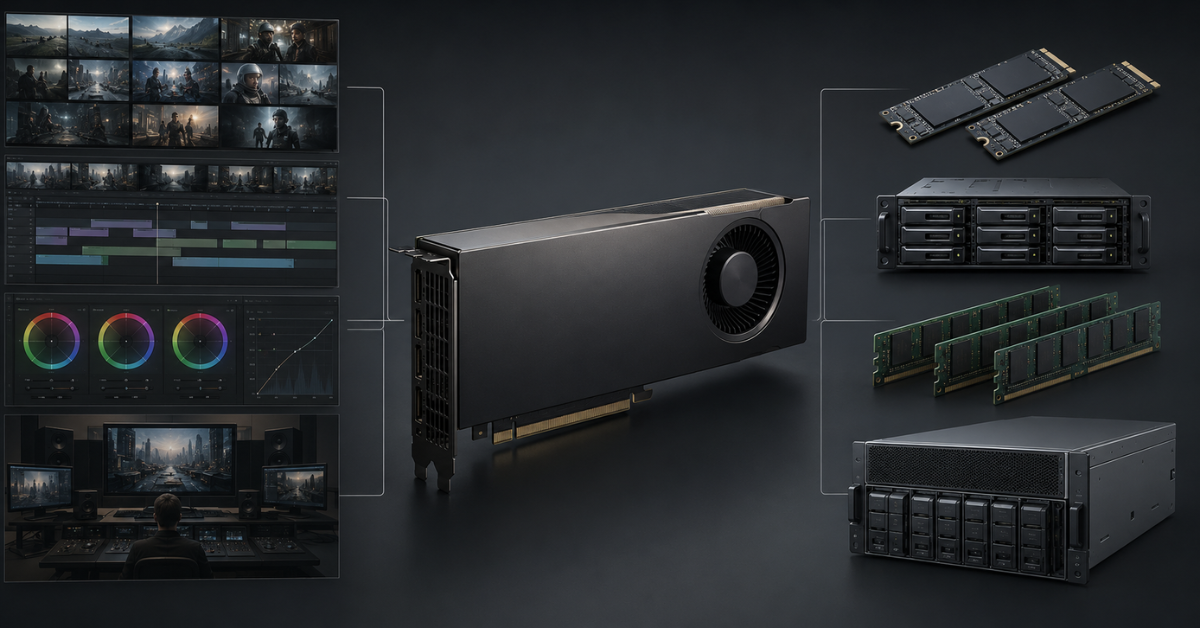
Video editing and transcoding are a separate story. Here, the GPU can accelerate effects, color grading, denoising, scaling, preview, and export, but the final performance depends not only on compute cores.
Hardware encoding and decoding
NVENC is a hardware video encoding block, while NVDEC is a decoding block. They help offload the CPU during export, transcoding, work with several streams, proxy creation, and processing of materials for streaming or content delivery.
For a studio, this is especially important if there are:
- many parallel exports;
- 4K/8K material;
- HEVC or AV1;
- cameras with heavy codecs;
- stream processing;
- constant proxy creation;
- editing projects with many tracks.
Looking only at the number of CUDA cores is wrong in this scenario. A graphics card may be strong in rendering but not optimal for a specific set of codecs. NVIDIA describes hardware encoding and decoding capabilities in Video Codec SDK, and this part of the specifications should be checked as carefully as VRAM capacity.
The codec may matter more than general power
H.264, HEVC, AV1, 10-bit material, 4:2:2, and 4:4:4 behave differently. In one case, the GPU accelerates decoding and export; in another, part of the work remains on the processor. That is why, for video, you need to know in advance which source formats the team uses.
For example, an editing studio may have different workload profiles:
- 4K shooting with several cameras;
- 6K/8K RAW material;
- long educational videos;
- commercial videos with heavy graphics;
- streaming formats;
- mass transcoding of an archive;
- color grading and denoising.
For each such profile, the bottleneck may be different: GPU, CPU, RAM, NVMe disk, shared NAS, or network.
Scratch disks and cache
A fast scratch disk is a working NVMe drive for temporary files, previews, cache, proxies, and exports. The graphics card may be powerful, but if the cache is stored on a slow disk or assets are pulled over a weak network, the timeline will lag.
For a video server or editing workstation, it is advisable to separate storage roles:
- a separate NVMe drive for the OS and applications;
- a separate fast NVMe drive for cache, scratch, and temporary files;
- a separate SSD/NVMe array for current projects;
- HDD or object storage for the archive;
- shared NAS/SAN for teamwork.
HDD can be a normal option for an archive, but not for active editing, cache, and heavy projects with many source files.
RAM for editing and compositing
RAM is especially important for After Effects, Fusion, complex timelines, multilayer compositions, and parallel work in several applications. A lack of RAM leads to constant cache flushing, preview freezes, and extra disk load.
Reference points:
- 32 GB — the lower level for simple 4K projects;
- 64–128 GB — a more reasonable range for professional editing, color grading, and compositing;
- 256 GB and more — for heavy studio projects, 6K/8K, large assets, and parallel work.
In its Premiere Pro recommendations, Adobe points out the role of the GPU, VRAM, drivers, memory, and several GPUs during export and rendering. For a real server, this means that the graphics card is only one part of the system.
What matters for different applications
Blender
For Blender, you need to separate final rendering from interactive work. Cycles can actively use the GPU, but viewport performance depends on more than the graphics card. Comfort is affected by the CPU, RAM, disk speed, texture size, geometry, simulations, and modifiers.
For a Blender server, it is worth defining in advance:
- whether the artist will work on this machine directly or remotely;
- whether the server is needed only as a render node or as a workstation;
- what GPU memory capacity is typical for scenes;
- whether heavy textures and simulations are used;
- whether rendering on several GPUs will be used;
- which Blender and driver versions are planned.
If it is a render node, it does not have to be convenient as a workplace. Stability, cooling, job queue, network access to assets, and compatibility with the render manager matter more.
Octane, Redshift, and V-Ray
Octane, Redshift, and V-Ray are often chosen specifically for GPU acceleration, but they should not be treated as one and the same engine. Each has its own requirements for GPUs, drivers, versions, licenses, and scaling.
Before buying a server, you need to check:
- whether typical scenes fit into the memory of one GPU;
- whether the engine supports the selected card;
- how several GPUs work;
- whether a separate render-node license is needed;
- whether there are limitations for headless mode;
- how the engine behaves with network assets;
- how critical VRAM capacity is compared with the number of GPUs.
If a studio works in a specific engine, the server should be chosen not “for 3D in general”, but for the studio’s real projects. For architectural visualization with heavy textures and complex lighting, GPU memory capacity may be more important than installing more cards with less VRAM.
DaVinci Resolve
DaVinci Resolve can load the system differently depending on the page and task. Color grading, denoising, Fusion, effects, source decoding, and export do not always depend on the same component.
For DaVinci, the following matter:
- VRAM capacity;
- support for the required codecs;
- fast NVMe cache;
- sufficient RAM;
- a strong CPU for tasks that do not fully move to the GPU;
- stable drivers;
- fast access to source files.
For 4K/8K and RAW material, it is often not the “most expensive GPU” that matters, but the combination of a suitable GPU, fast disks, sufficient RAM, and proper storage organization.
Premiere Pro and After Effects
Premiere Pro depends heavily on the codec, effects, timeline, disks, and GPU acceleration. In one project, the graphics card accelerates export well; in another, source decoding or the processor becomes the bottleneck.
After Effects is even more sensitive to RAM and CPU. Compositing, preview, multilayer scenes, and cache work may require more RAM than expected when choosing “just a powerful graphics card”.
For an Adobe pipeline, it is worth considering:
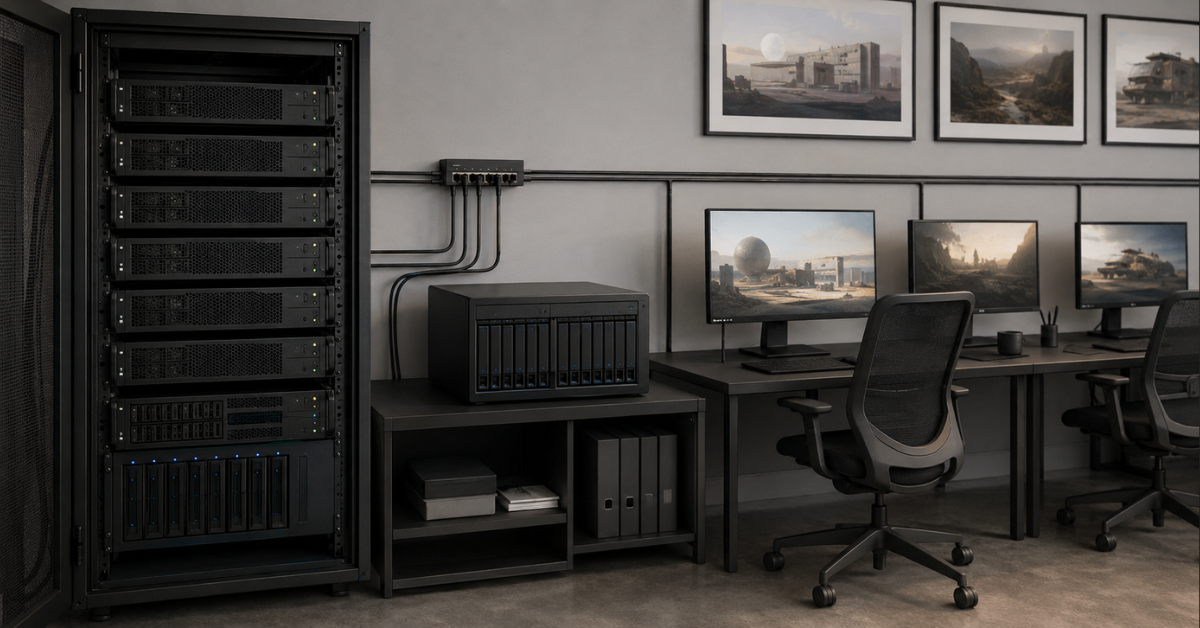
- the working system usually needs to be a convenient interactive workstation;
- remote work requires separate configuration;
- some plugins may have their own requirements;
- a driver update may affect stability;
- for 4K and above, it is better to plan extra RAM and disk capacity.
Unreal Engine
Unreal Engine is not a classic offline renderer. For real-time 3D, stable frame rate, fast response, asset handling, shader compilation, lighting, scenes with many objects, and team development are important.
In its official requirements, Epic points out the importance of CPU, RAM, GPU memory, and up-to-date drivers for Unreal Engine. In working projects, the requirements may be higher than the baseline, especially if virtual production, large scenes, Nanite, Lumen, complex materials, and several workstations are used.
For a server or workstation for Unreal, the following are important:
- a powerful GPU with spare VRAM;
- a fast CPU;
- at least 64 GB of RAM for serious projects, often more;
- fast NVMe drives;
- a good network to asset storage;
- stable drivers;
- a convenient collaboration scheme.
In Unreal, weak storage or a slow network can be no less irritating than a GPU shortage. This is especially true if the team constantly opens large projects, synchronizes assets, and rebuilds data.
What else must be considered in a server besides the GPU
CPU
The CPU remains important even in a GPU server. It is responsible for scene preparation, editor operation, simulations, some effects, codecs, shader compilation, data processing, and parallel processes.
For a render node, the maximum number of CPU cores is not always required, but a weak processor can become a bottleneck. This is especially true if the server simultaneously receives tasks, prepares scenes, works with network storage, and serves several GPUs.
For an interactive workstation, not only multithreaded performance matters, but also high per-core performance. An artist or editor needs a fast interface response, not only a high final calculation speed.
RAM
RAM is needed not only “as a reserve”. Scenes before being sent to the GPU, assets, caches, application data, previews, temporary files, and parallel tasks all get into it.
Recommendations by system level:
- 64 GB — the lower comfortable level for a professional workstation;
- 128–256 GB — a good range for 3D, video, and mixed studio tasks;
- 512 GB and more — heavy render nodes, large scenes, farms, and several tasks at once.
If the server will serve not one user but a team or a job queue, saving on RAM is usually not worth it.
NVMe and storage system
NVMe drives are often underestimated. Yet they determine how quickly projects open, cache is written, proxies are created, temporary calculations run, and the result is saved.
For a professional server, it is better to separate disk roles:
- system and applications;
- cache and scratch;
- active projects;
- shared pool for the team;
- archive.
In a small studio, a setup often works well where working data is stored on fast shared storage, while render nodes have local NVMe drives for temporary files. For a farm, this is especially important: if all nodes simultaneously pull heavy textures from a slow NAS, the graphics cards will sit idle.
Choosing the Right Equipment
Our specialists will contact you and answer all your questions
Network
The network becomes critical when assets are stored not locally, but on shared storage. For a single workstation, 1 GbE may still be tolerable, but for a studio pipeline it quickly becomes insufficient.
Reference points:
- 1 GbE — a basic level, often a bottleneck for heavy video and 3D;
- 10 GbE — a reasonable minimum for a small studio;
- 25 GbE — a good level for render nodes and active work with NAS;
- 100+ GbE — farms, 8K, large asset arrays, several servers.
It is important to look not only at the server network card, but also at switches, NAS/SAN, disks in the storage system, and the team’s real workload.
Cooling and power
Server GPUs can be passive: they do not have their own fans because they are designed for a powerful directed airflow inside a rack server. Such a card cannot simply be installed in a regular case and expected to work stably.
Before buying, you need to check:
- whether the chassis is suitable for the selected GPUs;
- whether there is enough power;
- whether the system is designed for the required thermal design power;
- whether the airflow is correct;
- whether the server supports the specific cards;
- whether the room can handle the noise and heat output.
A workstation and a rack server are different form factors. A workstation is designed for a person nearby, a monitor, peripherals, and relatively acceptable noise. A render node is designed for a server room, constant load, and dense installation.
Drivers
For graphics, not only the latest driver version matters, but also stability. In production, a driver update can speed up one application and break a plugin in another. That is why studios often fix a working stack: OS version, driver, application version, plugins, and render manager.
For an AI server, the driver stack is usually built around CUDA, containers, frameworks, and libraries. For a graphics server, it is built around compatibility with DCC applications, render engines, video editors, and remote access.
Licensing
Licenses can significantly change the budget. A render node may require a separate license for the main application, engine, or plugin. Different products may have floating licenses, limitations for headless mode, node-count limits, or conditions for remote work.
Before purchasing hardware, it is worth clarifying:
- how many render nodes are allowed;
- whether a separate license is needed for each node;
- whether work without a monitor is supported;
- whether tasks can be launched through a queue manager;
- whether there are limitations on virtualization and remote access;
- how plugins are licensed.
Sometimes the right hardware configuration is cheaper than the wrong licensing scheme.
When an AI server is needed, and when a GPU server for visualization is enough
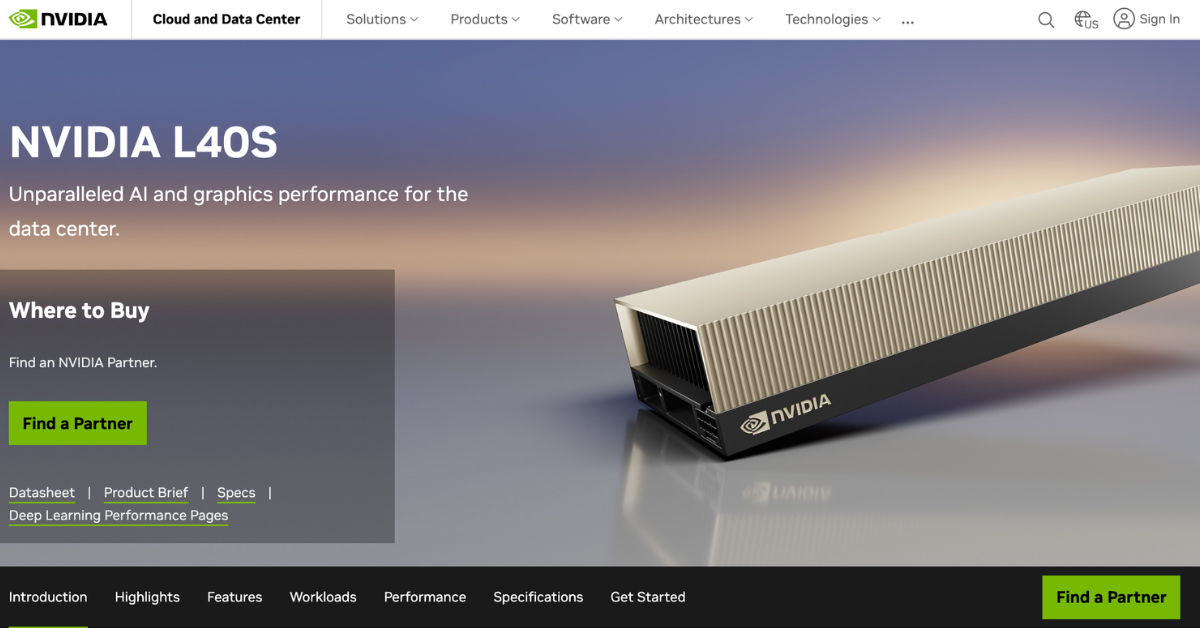
NVIDIA describes L40S as a universal GPU for AI, 3D graphics, rendering, and video.
Image source: official NVIDIA L40S page.
An AI server is needed if the main task is training and running models. This is a separate class of workload where large memory, HBM, tensor cores, fast GPU-to-GPU communication, InfiniBand-class networking or very fast Ethernet, containerization, and ML-stack support are important.
An AI server is justified if the company works on:
- training large models;
- fine-tuning LLMs;
- high-load inference of large models;
- RAG services for a large number of users;
- computer vision at scale;
- processing large datasets;
- HPC tasks;
- ML pipelines where several GPUs must work as one system.
In such cases, NVIDIA H100 80Gb HBM3 OEM, NVIDIA H200 ORIGINAL, or A100 may be logical options. But for rendering, editing, and 3D, this is not an automatic recommendation.
An AI server is often excessive if the main tasks are:
- Blender, Redshift, Octane, or V-Ray without model training;
- architectural visualization;
- motion design;
- editing and color grading;
- Unreal Engine scenes;
- video transcoding;
- AI denoising and upscaling inside graphics software;
- a small render farm.
In such scenarios, it is usually more cost-effective to look at professional GPUs with strong graphics and media capabilities, sufficient VRAM, and a suitable form factor. You can start the overall selection from the Server GPUs for AI, ML and HPC category, but inside it you need to separate AI accelerators from cards that are more convenient for visualization, rendering, and video.
NVIDIA DGX servers
Free shipping on orders over 500 € in the EU, £500 in the UK, and $3,000 in the USA
Free shipping on orders over 500 € in the EU, £500 in the UK, and $3,000 in the USA
Free shipping on orders over 500 € in the EU, £500 in the UK, and $3,000 in the USA

Free shipping on orders over 500 € in the EU, £500 in the UK, and $3,000 in the USA
Example configurations for real scenarios
| Scenario | GPU | CPU | RAM | Disks | Network | What it is suitable for |
|---|---|---|---|---|---|---|
| Single workstation | 1× RTX 6000 Ada / RTX PRO 6000 Workstation / A40 | 12–32 fast cores | 64–256 GB | NVMe for the system, separate NVMe scratch, SSD/HDD for archive | 10 GbE desirable | Blender, Unreal Engine, Adobe, DaVinci Resolve, interactive work |
| Render node | 2–4× L40S / A40 / RTX PRO Server | 24–64 cores | 256–512 GB | 2–4 TB NVMe scratch, shared storage for assets | 25 GbE and higher | Render queues, overnight tasks, studio pipeline |
| Small render farm | 2–4 servers with 2–4 GPUs each | According to the tasks of each node | 256–512 GB per node | Local NVMe + NAS/SAN | 25/100 GbE | Parallel projects, deadlines, several engines |
| AI server for comparison | 4–8× A100/H100/H200 | Multi-core CPU | 512 GB–2 TB | NVMe + fast storage for datasets | 100/200/400 GbE | LLMs, ML, training, inference, RAG, HPC |

Supermicro shows systems for AI, visual computing, graphics, rendering, and virtualization on its website.
Image source: official Supermicro NVIDIA PCIe GPU Systems page
A single workstation is suitable where a person actively works with the interface: models, edits, grades, assembles a scene, moves the camera, and launches previews. Here, not only the GPU matters, but also the responsiveness of the entire system.
A render node is needed when the user sends tasks to a queue and the server renders frames without constant interactive work. Such a machine may not have a monitor, but it must have stable cooling, sufficient RAM, fast scratch disks, and access to assets.
A small render farm is needed when deadlines and parallelism matter. Instead of one huge server, a studio can use several nodes, distributing frames or tasks between them. In this case, the network and storage become no less important than the GPUs themselves.
An AI server is justified if AI is the main workload. If AI is used only as a function inside a video editor or 3D package, buying a pure AI configuration will often be excessive.
Common mistakes when choosing a GPU server for rendering and video
Buying H100/H200 just because they are powerful GPUs
H100 and H200 are strong in AI, HPC, and tasks with large models, but they are not always the best choice for rendering and video. A studio may overpay for capabilities that are not used in Blender, V-Ray, Redshift, Octane, DaVinci Resolve, or Premiere Pro.
Counting only the number of graphics cards
Four GPUs are not always better than two. The GPU memory capacity of each card, cooling, power, PCIe lanes, chassis, engine support, and licenses matter. Sometimes two cards with larger VRAM are more practical than four cards with less memory.
Forgetting about GPU memory
If a scene does not fit into VRAM, high GPU speed loses its meaning. For heavy projects, it is better to plan a reserve in advance, especially when large textures, complex materials, and high resolution are used.
Ignoring NVENC and NVDEC
For video, this is a critical part. If the team exports and transcodes a lot, works with 4K/8K, HEVC, or AV1, hardware encoding and decoding blocks may affect performance more than general compute power.
Installing a passive server GPU in a regular case
A passive server card is designed for airflow inside a server. In a regular workstation, it may overheat. Before buying, you need to check not only connector compatibility, but also cooling, power, card length, and supported configurations.
Not checking licenses
A render node may require a separate license. The same applies to plugins, engines, and remote work. In some cases, licensing costs affect the budget more than the difference between two GPU models.
Saving on disks and network
Slow storage can turn a powerful GPU server into a bottleneck. If assets take a long time to read, cache is written to a slow disk, and several nodes saturate the network at the same time, expensive graphics cards will sit idle.
How to choose a GPU server for your task
Before choosing a configuration, it is worth answering several questions:
- Which software will be used for the main work?
- Is this interactive work or queued rendering?
- What are the typical scenes: size, textures, resolution, number of frames?
- How much GPU memory do the heaviest projects need?
- Is hardware export or video transcoding required?
- Which codecs are used most often?
- How many users or tasks will run simultaneously?
- Is remote desktop work required?
- Where will the assets be stored: locally, on NAS, or on SAN?
- What network will connect workstations, the server, and storage?
- Are there licenses for render nodes?
- Is AI the main workload or an auxiliary function inside software?
- Are there requirements for noise, power, and cooling?
- Will scaling into a farm be needed later?
If the task is rendering, 3D, and video, the server should be chosen based on the workflow, not the name of the graphics card. For a studio, it is more important to understand where the real bottleneck is: GPU memory, ray tracing, video encoding, disks, network, CPU, RAM, drivers, or licenses.
AI servers are suitable for training and running models, but for Blender, V-Ray, Redshift, Octane, DaVinci Resolve, Premiere Pro, After Effects, and Unreal Engine, a professional GPU configuration with sufficient VRAM, fast NVMe, good RAM, the right network, and compatibility with specific software is often more rational. This approach usually gives the best result: less downtime, fewer unexpected limitations, and more value from every component invested in.
Choosing the Right Equipment
Our specialists will contact you and answer all your questions
Content:
Free shipping on orders over 500 € in the EU, £500 in the UK, and $3,000 in the USA
Free shipping on orders over 500 € in the EU, £500 in the UK, and $3,000 in the USA

Free shipping on orders over 500 € in the EU, £500 in the UK, and $3,000 in the USA

Free shipping on orders over 500 € in the EU, £500 in the UK, and $3,000 in the USA

Free shipping on orders over 500 € in the EU, £500 in the UK, and $3,000 in the USA
Free shipping on orders over 500 € in the EU, £500 in the UK, and $3,000 in the USA