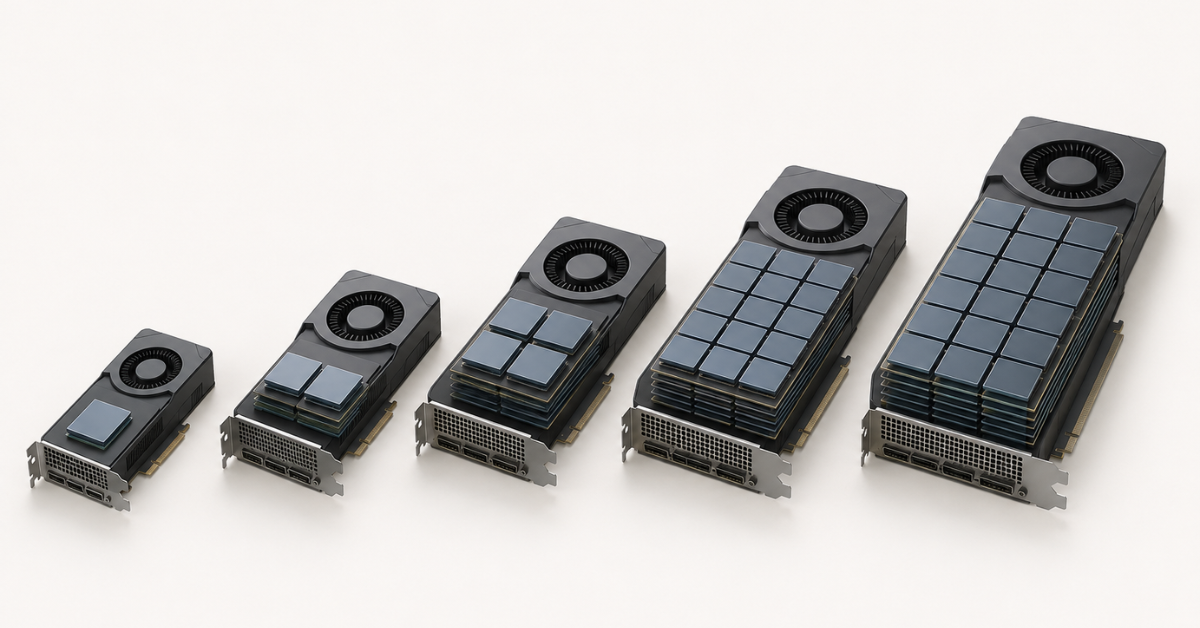
For tests and small models, 16–24 GB of VRAM is usually enough. For working AI services and RAG systems, it is often better to look at 48 GB. For large models, long context, high load, and production, 80–96 GB or a server with multiple GPUs is usually more appropriate. But choosing a graphics card only by memory size is a mistake: the final requirement depends on the model size, storage format, context length, number of simultaneous requests, attention cache, RAM, NVMe, and growth margin.
VRAM has become one of the key parameters when choosing a GPU for neural networks. This is where the model and the data the graphics card is currently working with are loaded. If there is not enough memory, the model may fail to start, run unstably, or lose performance sharply.
But the question “how much VRAM is needed” is more complicated than it seems. The same 24 GB card may be a reasonable option for a prototype and a weak choice for a service where dozens of users send long requests at the same time. And 80 GB may be excessive for a simple test, but necessary for a large model with a long context.
When choosing a configuration, it is important to look not at one parameter, but at the whole scenario:
- which model needs to be run;
- whether the task is only response generation or also fine-tuning;
- how many users will work simultaneously;
- how long the documents to be processed are;
- whether batch request processing is needed;
- whether the system will grow in the next 6–12 months;
- whether scaling by adding more GPUs is possible;
- whether the server has enough RAM, CPU resources, and fast NVMe drives.
If the task is already clear, you can immediately look at suitable NVIDIA GPUs for neural networks, but first it is useful to understand where “just starting a model” ends and full server load begins.
What VRAM is and why it matters for neural networks
VRAM is memory located directly on the graphics card. It is faster than regular system RAM and sits close to the GPU compute units. For neural networks, this is critical: the model performs a huge number of operations, and data must reach the GPU quickly without constant waiting for the CPU or disk.
VRAM usually stores:
- model weights;
- the user’s input request;
- intermediate calculations;
- attention cache;
- some data for parallel processing;
- runtime and framework buffers;
- data needed for training or fine-tuning.
It is important to understand that VRAM is needed not only for the model itself. Even if a model “fits” into 24 GB, this does not mean it will work normally in a real service. You need to leave room for context, cache, several requests, service operations, and margin for unexpected peaks.
Another common mistake is confusing VRAM with server RAM. If a server has 512 GB of RAM, it does not mean the model can use it as 512 GB of VRAM. Some data can indeed be offloaded to RAM or disk, but this is almost always slower. For stable neural network performance, it is more important that the main workload fits into GPU memory.
Most popular GPU
Free shipping on orders over 500 € in the EU, £500 in the UK, and $3,000 in the USA
Free shipping on orders over 500 € in the EU, £500 in the UK, and $3,000 in the USA
Free shipping on orders over 500 € in the EU, £500 in the UK, and $3,000 in the USA
Free shipping on orders over 500 € in the EU, £500 in the UK, and $3,000 in the USA
Why you should not choose a GPU only by memory size
VRAM size is important, but it is not the only parameter. Two cards with the same 48 GB of memory can differ noticeably in speed, generation, power consumption, support for modern compute formats, and behavior inside a server.
When choosing a GPU for neural networks, you need to consider:
- architecture generation;
- memory bandwidth;
- memory type;
- support for the required compute formats;
- power consumption;
- cooling;
- form factor;
- server compatibility;
- the ability to install multiple cards;
- data exchange speed between GPUs.
For simply starting a model, the most important thing is that it fits into memory. For a service with many users, latency, throughput, and stability already matter. For fine-tuning, you need not only gigabytes, but also compute performance. For a server that runs 24/7, power, cooling, and chassis compatibility are critical.
Therefore, 16, 24, 48, 80, and 96 GB are not a “power ladder,” but reference points for different classes of tasks.
What exactly uses VRAM
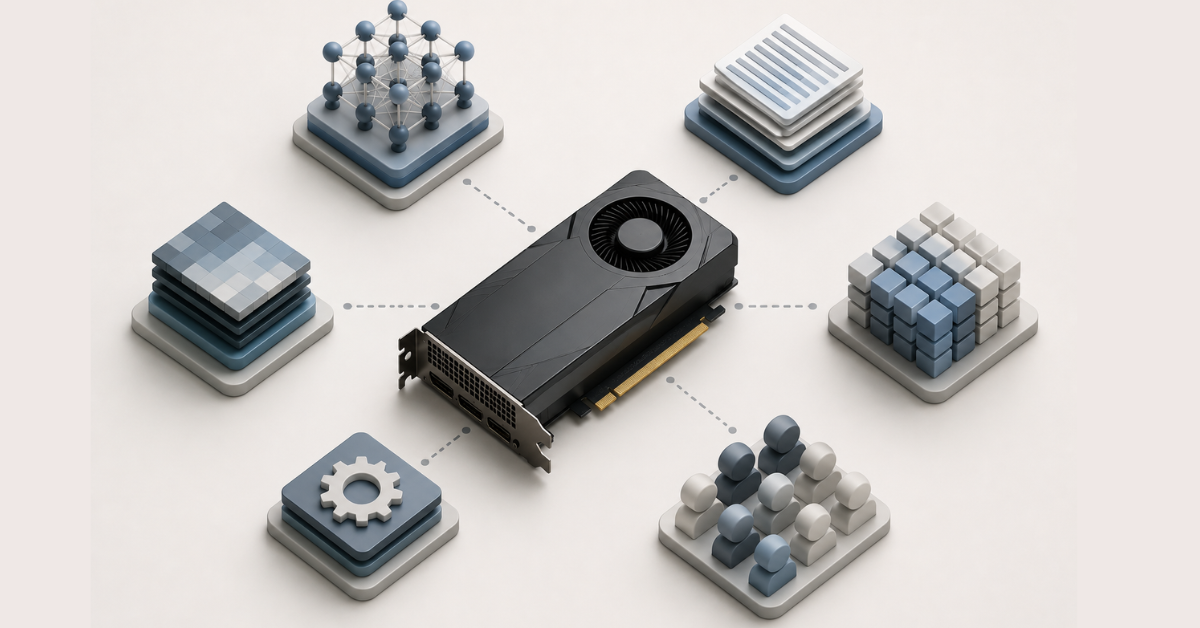
VRAM consumption consists of several parts. If you count only the model size, the estimate will almost always be too optimistic.
Model size
The more parameters a model has, the more memory is needed to store it. A small model can run on a single card with 16–24 GB, while a large language model may already require 48, 80, 96 GB, or several GPUs.
But you cannot look only at the number of parameters. Final memory consumption is also affected by how the model is stored:
- in a heavier format;
- in a more compact format;
- with quantization;
- with additional optimizations;
- with context length and number of requests taken into account.
Quantization is a way to store a model more compactly. Simply put, the model starts taking up less memory because the numbers inside it are stored with less detail. This helps run larger models on less VRAM, but it can sometimes affect answer quality, stability, or speed.
Context length
Context is the amount of information the model takes into account when answering. It includes the user’s question, conversation history, system instructions, retrieved documents, and already generated text.
Long context is especially important for:
- chatbots;
- document analysis;
- legal and technical knowledge bases;
- support assistants;
- search across corporate documentation;
- RAG systems.
RAG is an approach in which the model answers not only based on its own knowledge, but also using fragments retrieved from a document database. The whole knowledge base is usually not stored in VRAM, but the retrieved fragments are added to the prompt. Therefore, memory consumption grows not because of the database itself, but because the context becomes larger.
For example, a model may answer short questions on a single card without problems, but start running into memory limits when each request includes several pages of documentation, conversation history, and a long instruction.
Number of simultaneous requests
One user and one hundred users are different operating modes. When a model serves several requests at the same time, memory is needed not only for model weights, but also for parallel calculations.
Memory consumption is affected by:
- how many requests are processed simultaneously;
- how much text comes in as input;
- how much text the model needs to generate;
- whether requests are combined into batches;
- what memory reserve is left for peak load.
Batch request processing helps use the GPU more efficiently, but increases VRAM consumption. The more requests are processed at the same time, the more memory is required for intermediate data.
Attention cache
During text generation, the model stores intermediate data so that it does not have to recalculate all previous text from scratch at every step. This data is often called the attention cache.
It is especially important for language models because it grows together with:
- context length;
- the number of simultaneous requests;
- batch size;
- response length;
- the number of users.
If there is not enough room for the cache, the service may start working more slowly. The vLLM documentation states that when cache space is insufficient, requests may be evicted and recomputed, while reducing the number of concurrent requests or the batch size lowers memory consumption.
Choosing the Right Equipment
Our specialists will contact you and answer all your questions
How much VRAM is needed: selection matrix
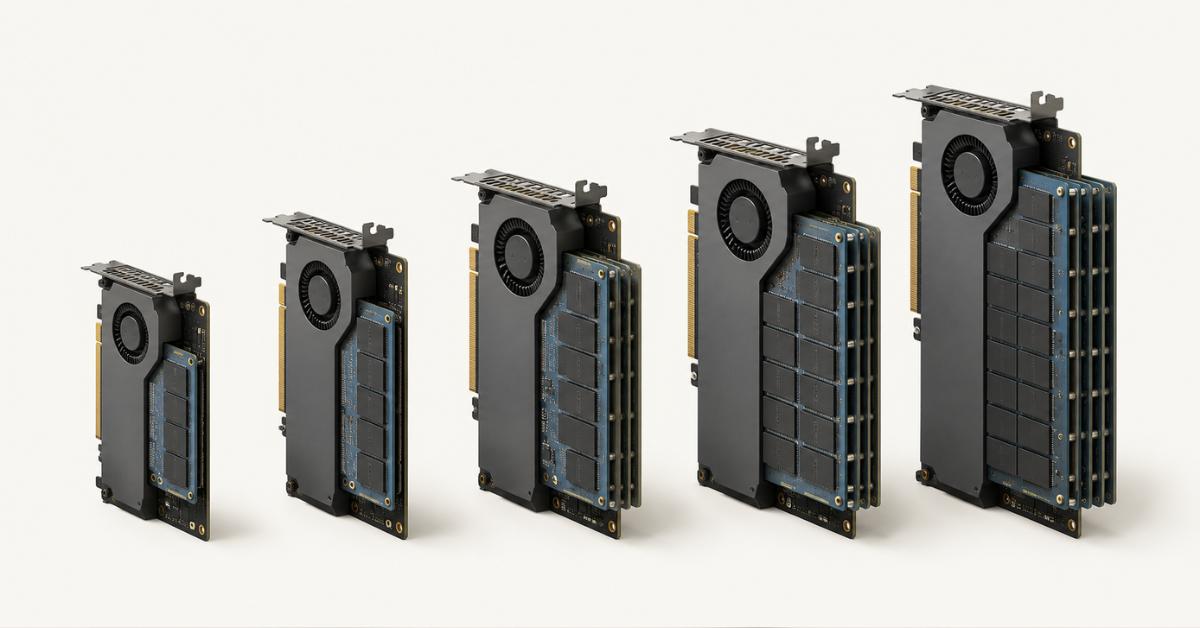
| VRAM size | Suitable for | Where limitations begin |
|---|---|---|
| 16 GB | Tests, learning, small models, simple launch, basic image processing | Memory quickly becomes insufficient for long context, RAG, fine-tuning, and multiple users |
| 24 GB | AI service prototypes, small and some medium-sized models, test RAG, fine-tuning experiments | Little room for model growth, long context, and stable production operation |
| 48 GB | A practical minimum for many corporate tasks: inference, RAG, document processing, fine-tuning small and medium-sized models | Large models, high load, and long context may require several GPUs |
| 80 GB | Large models, long context, production inference, batch processing, serious fine-tuning | Training large models from scratch and very high load require a multi-GPU configuration |
| 96 GB | Maximum headroom on a single professional GPU, heavy inference, multimodal tasks, large models | Does not replace a cluster for training large models from scratch; CPU, RAM, NVMe, networking, and cooling are important |
This table does not mean the boundaries are always strict. Optimization can make it possible to run a model on less memory. But for a working service, it is better to plan not for “the minimum on which the model starts once,” but for a configuration that can handle real requests, long context, model updates, and load growth.
16 GB: for tests, learning, and small models
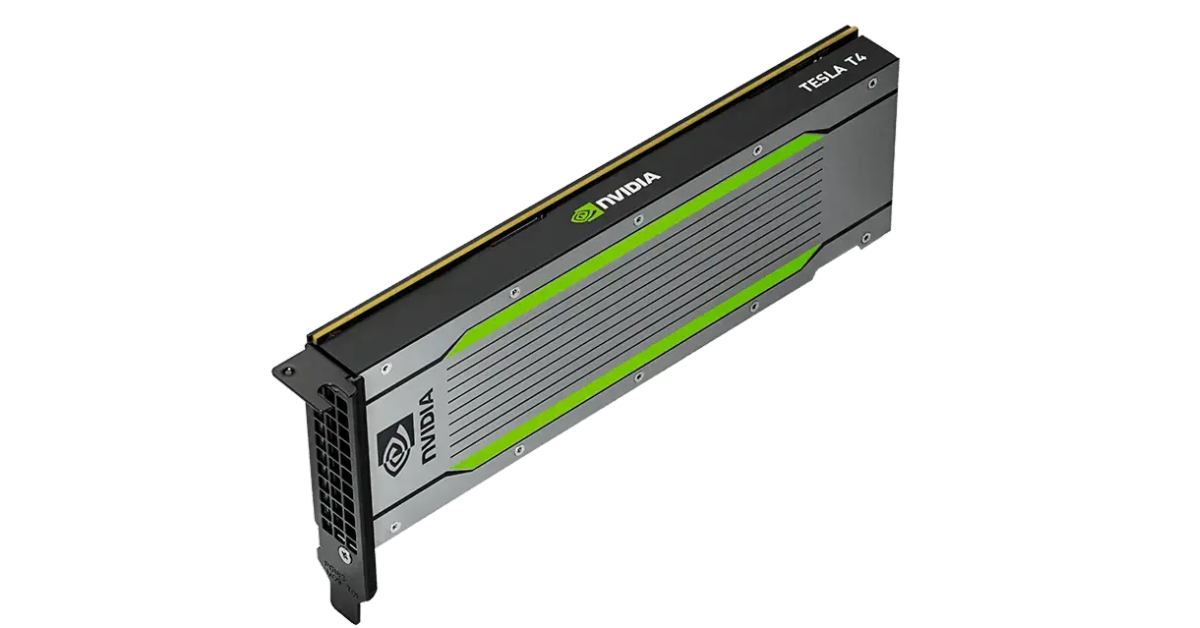
Image source: NVIDIA T4 — an example of a compact 16 GB GPU for inference, tests, and small AI workloads.
16 GB of VRAM is the entry level for working with neural networks. This amount is suitable if you need to study tools, run small models, test ideas, and work on tasks without high load.
With 16 GB, you can consider:
- learning experiments;
- small language models;
- some computer vision tasks;
- simple text generation;
- tests of local AI tools;
- pipeline validation before moving to a more powerful server.
But the margin here is small. Limitations appear quickly when long context, several users, or fine-tuning are added. For a serious RAG system, 16 GB often becomes too tight: even if the model starts, memory may run out because of the cache, documents, and parallel requests.
16 GB is worth choosing if the task is experimental and it is clear that the configuration will have to change as the project grows.
24 GB: more comfortable for prototypes, but without much headroom
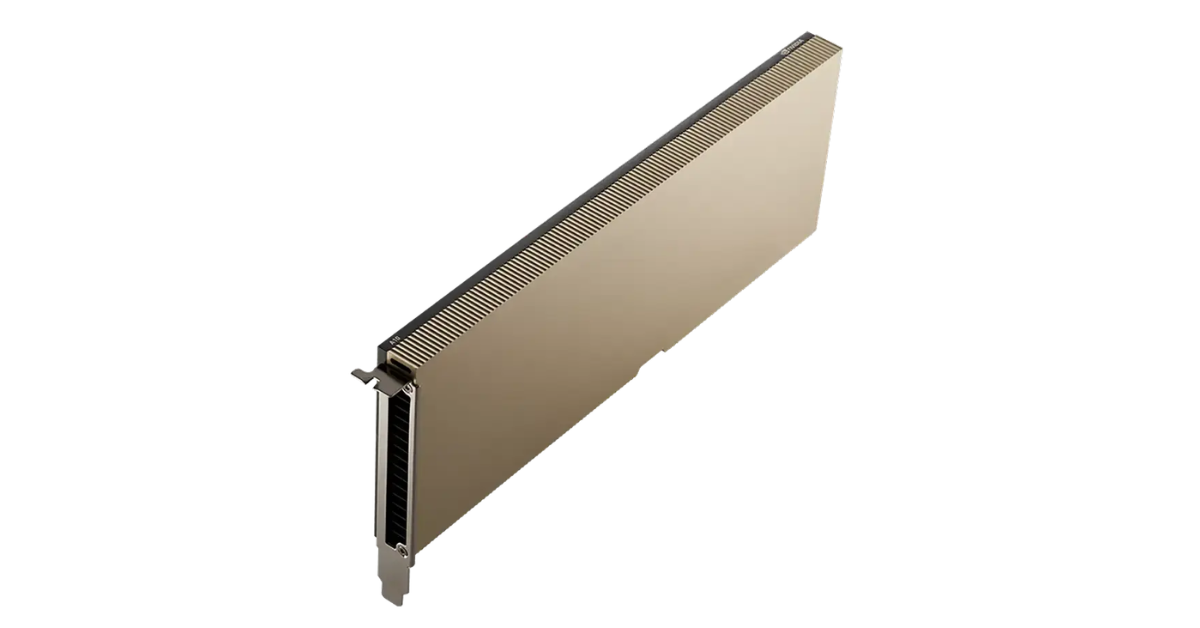
Image source: NVIDIA A10 — an example of a 24 GB GPU for prototypes, AI tools, and mixed server workloads.
24 GB is a popular capacity for prototypes. It gives more freedom than 16 GB and allows teams to work with a wider range of models. This option is suitable for teams that are testing a hypothesis, building a demo, trying an internal assistant, or launching a small service.
24 GB may be suitable for:
- small and some medium-sized models;
- test RAG;
- a local assistant for a team;
- compact fine-tuning experiments;
- processing small document sets;
- the first API test stand.
But 24 GB has an obvious limitation: little headroom. Today the model fits, and tomorrow long documents, more users, another model format, or the need to keep several tasks running at the same time appear.
You should be especially careful with 24 GB in three cases:
- Production is planned, not only testing.
- Long context is required.
- User growth is expected.
In such scenarios, 24 GB may turn into an intermediate solution that has to be replaced quickly.
48 GB: a practical minimum for many AI tasks
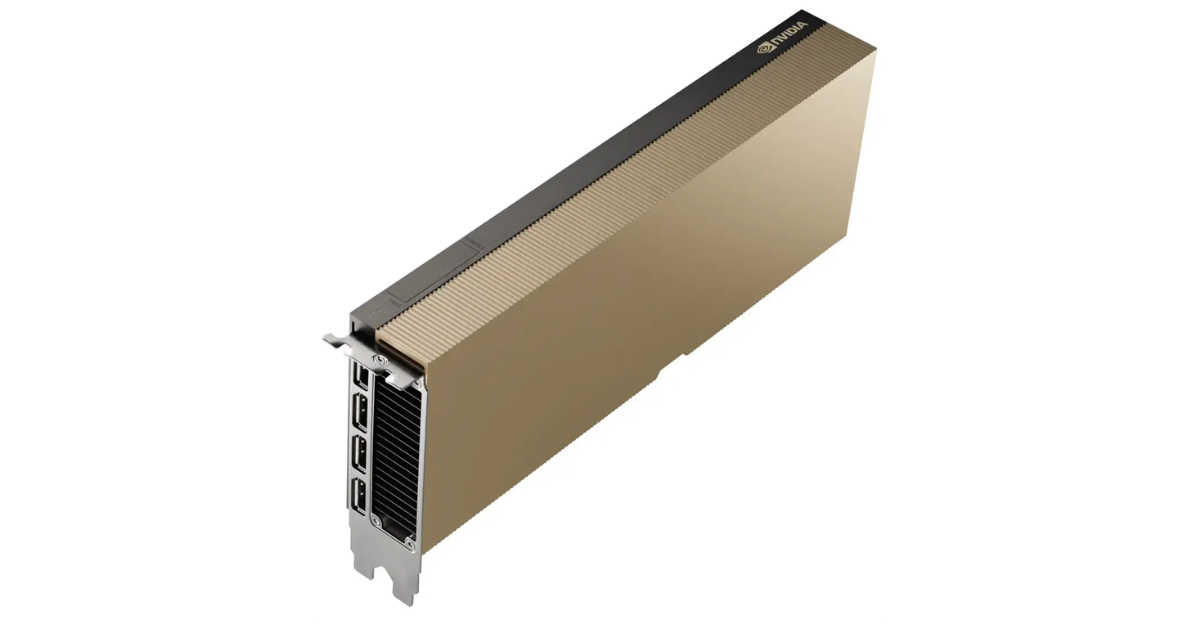
Image source: NVIDIA L40S — an example of a server GPU with 48 GB for working AI tasks, RAG, inference, and fine-tuning.
48 GB is a more practical amount for corporate AI projects. It is often worth considering as a working minimum if the task goes beyond personal experiments.
With 48 GB, you can build more confident scenarios:
- inference for medium-sized models;
- RAG over corporate documents;
- processing long requests;
- fine-tuning small and medium-sized models;
- prototypes with a path to production;
- services for a team or internal department;
- image, video, and document processing.
For example, NVIDIA L40S 48 GB can be considered for working AI workloads where not only gigabytes of memory matter, but also server-grade design, performance, and headroom for different types of tasks.
48 GB does not turn a single card into a universal solution for every model, but it gives much more room to maneuver. Here it is already easier to keep reserve for the attention cache, longer context, and several parallel requests.
Limitations begin where large language models, high parallel load, or long-context requirements appear. In such cases, one 48 GB card may be insufficient, especially if the service has to run reliably for many users.
80 GB: large models, long context, and production
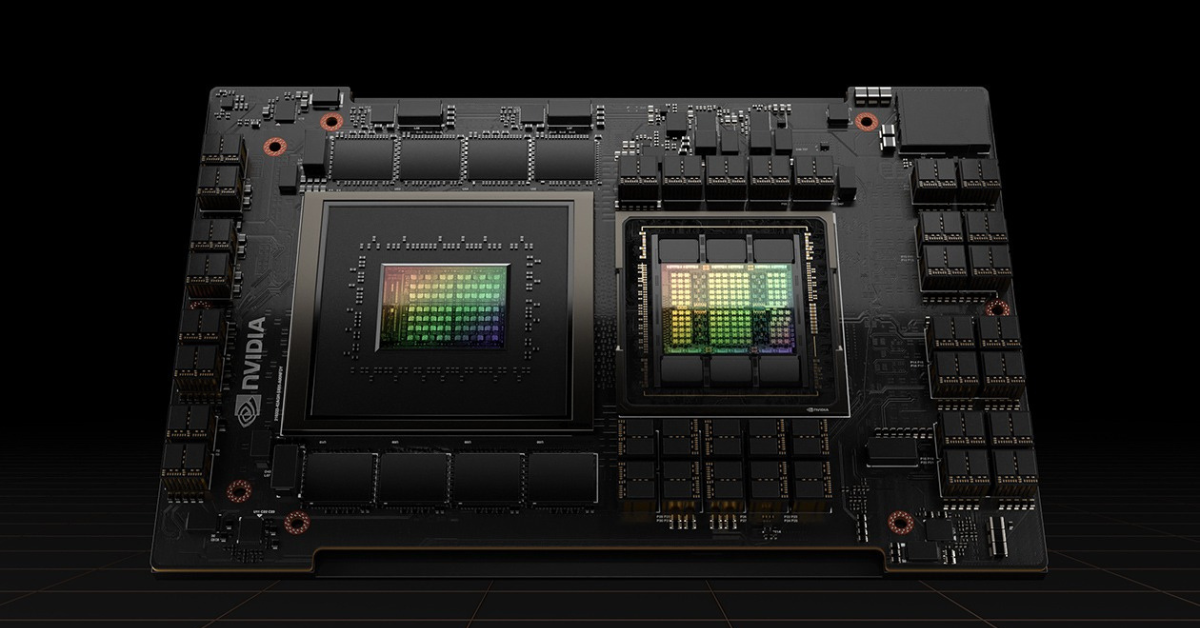
Image source: NVIDIA H100 — an example of an 80 GB GPU class for heavy AI workloads, large models, and production inference.
80 GB is the level for heavy AI workloads. This amount is needed when the model is larger, the context is longer, there are more users, and the service must run stably.
80 GB is worth considering if you need to:
- run large language models;
- serve long conversations;
- work with large documents;
- build RAG for a corporate knowledge base;
- process many requests;
- fine-tune models;
- keep reserve for load growth.
Accelerators such as NVIDIA H100 80 GB are suitable for such tasks. But even 80 GB does not mean you can ignore the rest of the system. If data is read slowly from disk, there is not enough RAM, or the CPU cannot prepare requests in time, the GPU will sit idle.
80 GB is especially useful where you need not only to “start the model,” but to provide predictable operation:
- with several users;
- with long context;
- with a request queue;
- with latency control;
- with reserve for model updates.
96 GB: maximum headroom on a single professional GPU
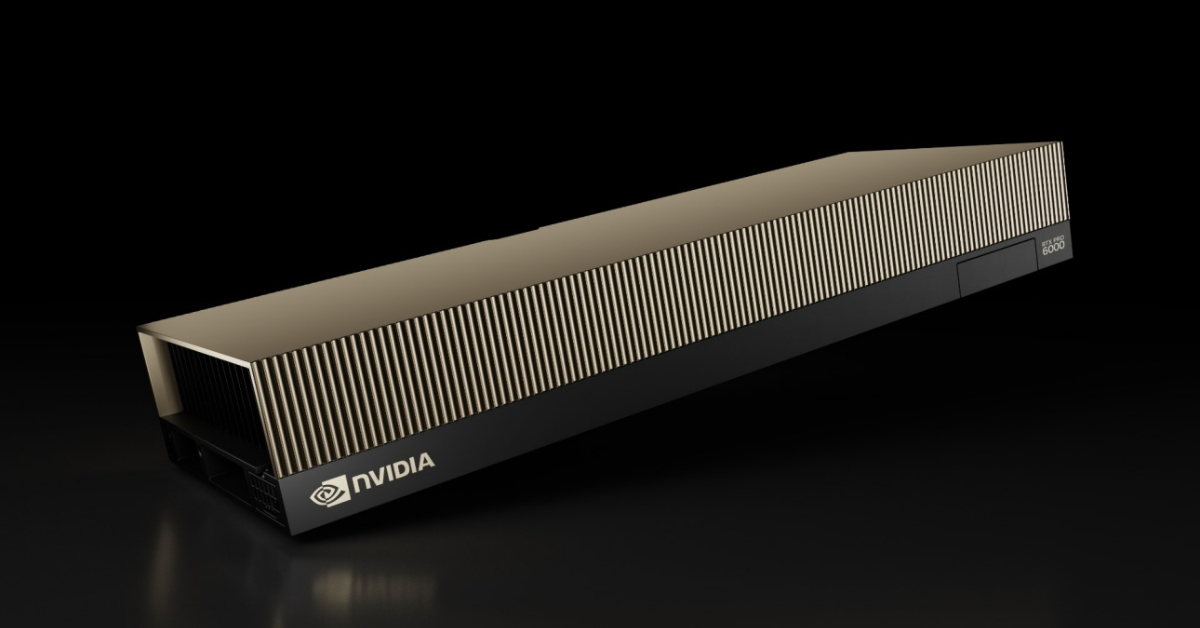
Image source: RTX PRO 6000 Blackwell Server Edition — an example of a professional GPU with 96 GB of VRAM for heavy AI scenarios.
96 GB of VRAM is an option for tasks where maximum headroom on a single card is important. It is useful for heavy inference, large models, multimodal scenarios, big data processing, and corporate AI services where 80 GB is already not enough or where you want to reduce the risk of hitting a memory limit.
This amount may be needed if:
- the model is large and does not fit well into less memory;
- the context is long;
- there are many requests;
- several types of tasks run on one server;
- model growth is planned;
- you need to reduce dependence on splitting the model across multiple GPUs.
The official NVIDIA RTX PRO 6000 Blackwell Server Edition page specifies 96 GB of GDDR7 memory with ECC and positions the card for large AI and visual computing tasks.
But 96 GB is not a magic threshold. For training large models from scratch, one card may still be insufficient. In such tasks, the whole architecture matters, not only VRAM size: several GPUs, the connection between them, RAM, NVMe, networking, power, cooling, and the software stack.
How much memory is needed for different scenarios
Running a ready-made model
Running a ready-made model usually requires less memory than training. Most of the consumption comes from model weights, context, attention cache, and service buffers.
The general reference points are:
- 16 GB — small models and tests;
- 24 GB — more comfortable prototypes;
- 48 GB — working services and medium-sized models;
- 80–96 GB — large models, long context, high load.
It is important not to confuse a local test with a service. Starting a model for one request is one thing. Serving users through an API, keeping conversation history, and processing long documents is something completely different.
RAG and knowledge bases
A RAG system consists of more than just a model. Usually, it also includes a document database, search, text chunking, indexes, an API, and application logic. Not all of this lives in VRAM, but retrieved document fragments are added to the request sent to the model.
Therefore, VRAM consumption depends on several factors:
- how many fragments are added to the context;
- how long these fragments are;
- how many users access the system;
- how long conversation history is stored;
- how much attention cache is needed;
- what memory reserve is left for peaks.
For a small test RAG system, 24 GB may be enough. For a working system over corporate documents, it is more reasonable to look at 48 GB and higher. If there are many users, documents are long, and the model is large, you need the 80–96 GB class or several GPUs.
Fine-tuning
Fine-tuning consumes more memory than simply running a model. In addition to model weights, it needs data for parameter updates, intermediate values, the optimizer, and service structures.
As a simplified guideline:
- 24 GB — experiments with small models and memory-efficient methods;
- 48 GB — a more practical minimum for working tasks;
- 80–96 GB — serious fine-tuning, large models, and stability headroom.
You should not frame the task as “what is the largest model I can squeeze into memory.” For fine-tuning, it is more important that the process does not crash, does not require too many compromises, and leaves room for data.
Training from scratch
Training from scratch is the heaviest scenario. For large models, one graphics card is almost never a complete solution. This requires several GPUs, fast communication between them, a large amount of RAM, fast NVMe drives, and well-planned dataset storage.
In this case, the question “16, 24, 48, 80, or 96 GB” becomes too narrow. You need to evaluate the whole server or cluster:
- how many GPUs are needed;
- how they are connected to each other;
- whether there is enough RAM;
- whether the storage can handle the data stream;
- how the network is organized;
- whether the configuration can be scaled.
If the task is training large models from scratch, the memory size of one GPU is important, but it is not the only deciding factor.
Batch request processing
Batch processing means the system combines several requests to load the GPU more efficiently. This is useful for a service with many users or many tasks.
Advantages:
- higher throughput;
- better GPU utilization;
- more efficient queue processing.
Disadvantages:
- higher VRAM consumption;
- more complex latency management;
- higher attention cache requirements;
- reserve is needed for peak requests.
For a simple internal tool, you can start with 24–48 GB. For a service with many requests, it is better to plan ahead for 80 GB, 96 GB, or multi-GPU.
Choosing the Right Equipment
Our specialists will contact you and answer all your questions
What affects VRAM consumption
| Factor | How it affects memory | Where it matters most |
|---|---|---|
| Model size | The larger the model, the more memory is needed for weights | All scenarios |
| Context length | Increases attention cache consumption | Chatbots, RAG, document analysis |
| Number of requests | Requires more memory for parallel processing | APIs, internal services, SaaS |
| Fine-tuning | Requires more memory than simple inference | Adapting a model to your own data |
| Quantization | Can reduce memory consumption | Prototypes and inference |
| Batch processing | Increases throughput, but requires more memory | Services under load |
This table is useful because it shows that VRAM is consumed for more than one reason. Sometimes the model is small, but the context is long. Sometimes the context is short, but there are many users. Sometimes the model fits, but fine-tuning no longer works. That is why the whole scenario must be calculated when choosing a configuration.
When one GPU is no longer enough
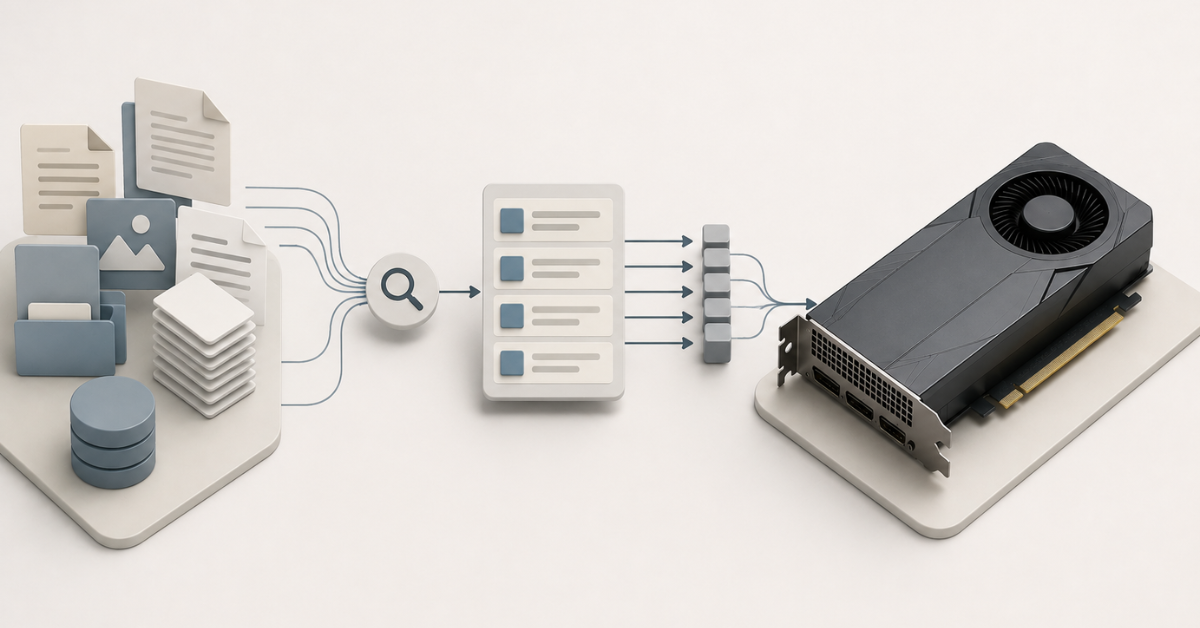
A single GPU stops being sufficient not only when the model physically does not fit into memory. There are other reasons to move to several cards:
- more users need to be served;
- latency must be reduced;
- the model is too large for one GPU;
- long context is required;
- training or fine-tuning is planned;
- different tasks need to be separated between cards;
- growth headroom is needed.
At the same time, it is important to remember: 4 cards with 24 GB each are not the same as one 96 GB GPU.
Each GPU has its own VRAM. In some tasks, the model can be distributed across several cards, but this requires support from the software stack. It also introduces overhead for communication between GPUs, synchronization, and data distribution.
Sometimes several smaller cards are more cost-effective. For example, this can be useful if you need to serve several independent tasks in parallel. But if the model has to work as a whole with a large context, more memory on one card may be more convenient and stable.
Where CPU, RAM, and NVMe limitations begin
VRAM is often discussed as the main resource, but a server for neural networks is not made of one GPU alone. Almost anything can become a bottleneck: the processor, RAM, drives, network, power, or cooling.
RAM
RAM is needed for:
- loading models and data;
- preparing datasets;
- running the application;
- request queues;
- caches;
- indexes;
- databases;
- document processing.
For a RAG system, regular RAM is especially important. Alongside the model, there may be a vector database, file processors, an API, a task queue, and a logging system. If RAM is insufficient, the server will access the disk more often, and this will reduce performance.
CPU
The CPU can become a bottleneck when preparing data. It participates in tokenization, document processing, API operation, request routing, and servicing external systems.
If the processor is weak, the GPU may have to wait for data. As a result, an expensive graphics card will not be fully utilized.
NVMe
Fast NVMe drives are needed to store:
- models;
- datasets;
- indexes;
- temporary files;
- logs;
- intermediate results.
Slow storage is especially harmful during training, processing large datasets, and working with documents. Formally, the model may fit into VRAM, but the whole pipeline will be slowed down by data reads.
Network and GPU-to-GPU communication
For a single card, this is not the main factor. But if a server has several GPUs or there are several nodes, communication speed becomes critical. The larger the model and the workload, the more important it is how GPUs exchange data with each other.
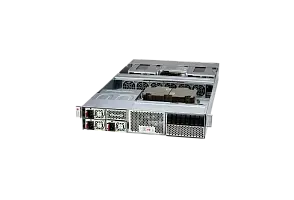
GPU servers
Free shipping on orders over 500 € in the EU, £500 in the UK, and $3,000 in the USA
Free shipping on orders over 500 € in the EU, £500 in the UK, and $3,000 in the USA

Free shipping on orders over 500 € in the EU, £500 in the UK, and $3,000 in the USA
Free shipping on orders over 500 € in the EU, £500 in the UK, and $3,000 in the USA
Common mistakes when choosing VRAM
Choosing a GPU only by memory size
A large amount of VRAM does not guarantee good performance. You need to consider card generation, memory speed, cooling, power, form factor, and server compatibility.
Counting only model startup
The model may start, but work poorly. In a real service, you need reserve for context, cache, parallel requests, and load peaks.
Confusing the memory of one card with total server memory
2 × 48 GB is not always the same as one 96 GB GPU. For some tasks this can be convenient, but the memory of several cards does not always work as one shared pool.
Ignoring model growth
Today, 24 GB is enough. Then a heavier model appears, context gets longer, there are more users, and fine-tuning becomes necessary. As a result, the configuration quickly becomes too tight.
Forgetting about the attention cache
This is a common cause of unexpected problems. The model seems to fit, but during long conversations or parallel requests, memory runs out.
Saving on RAM and NVMe
The GPU may be powerful, but slow storage or insufficient RAM will hurt overall performance.
Choosing a consumer card for server load
Not every graphics card is suitable for 24/7 operation. In a server, cooling, power, support, form factor, and stability under constant load are important.
How to choose the amount of VRAM
Before buying, it is useful to go through a short checklist.
- Define the task: running a model, RAG, fine-tuning, training from scratch, or a user-facing service.
- Understand the model class: small, medium-sized, or large.
- Estimate context length.
- Calculate the expected number of simultaneous requests.
- Decide whether growth reserve is needed.
- Check whether one GPU is enough.
- Evaluate RAM, CPU, NVMe, power, and cooling.
- Compare one powerful card with several GPUs.
- Check how easy it will be to scale the server.
- Choose not the minimum option, but a stable configuration.
The reference points can be summarized as follows:
- 16 GB — tests, learning, small models;
- 24 GB — prototypes and first experiments;
- 48 GB — a practical option for many AI tasks;
- 80 GB — large models, long context, production;
- 96 GB — maximum headroom on a single professional GPU.
What to choose in the end
If the task is educational or experimental, you can start with 16–24 GB. This is enough to understand the tools, test an idea, and run small models.
If you need a working server for RAG, document processing, an internal assistant, inference, and small-scale fine-tuning, it is more reasonable to look at 48 GB. This amount gives headroom and does not force you to fight for every gigabyte constantly.
If you are planning a large model, long context, many users, an API, or stable production, it is better to consider 80 GB. This is already a class for serious workloads, where the goal is not just to start the model, but to handle real scenarios.
If you need maximum headroom on one GPU, it is worth looking at 96 GB. This is useful for heavy inference, multimodal models, complex corporate services, and tasks where several smaller cards are less convenient.
And if the task is training large models from scratch or building a high-load AI service, the question should be broader: not “how much VRAM does one card have,” but “what server or cluster can handle the model, data, users, and load growth.”
Choosing the Right Equipment
Our specialists will contact you and answer all your questions

Free shipping on orders over 500 € in the EU, £500 in the UK, and $3,000 in the USA

Free shipping on orders over 500 € in the EU, £500 in the UK, and $3,000 in the USA

Free shipping on orders over 500 € in the EU, £500 in the UK, and $3,000 in the USA

Free shipping on orders over 500 € in the EU, £500 in the UK, and $3,000 in the USA

Free shipping on orders over 500 € in the EU, £500 in the UK, and $3,000 in the USA

Free shipping on orders over 500 € in the EU, £500 in the UK, and $3,000 in the USA