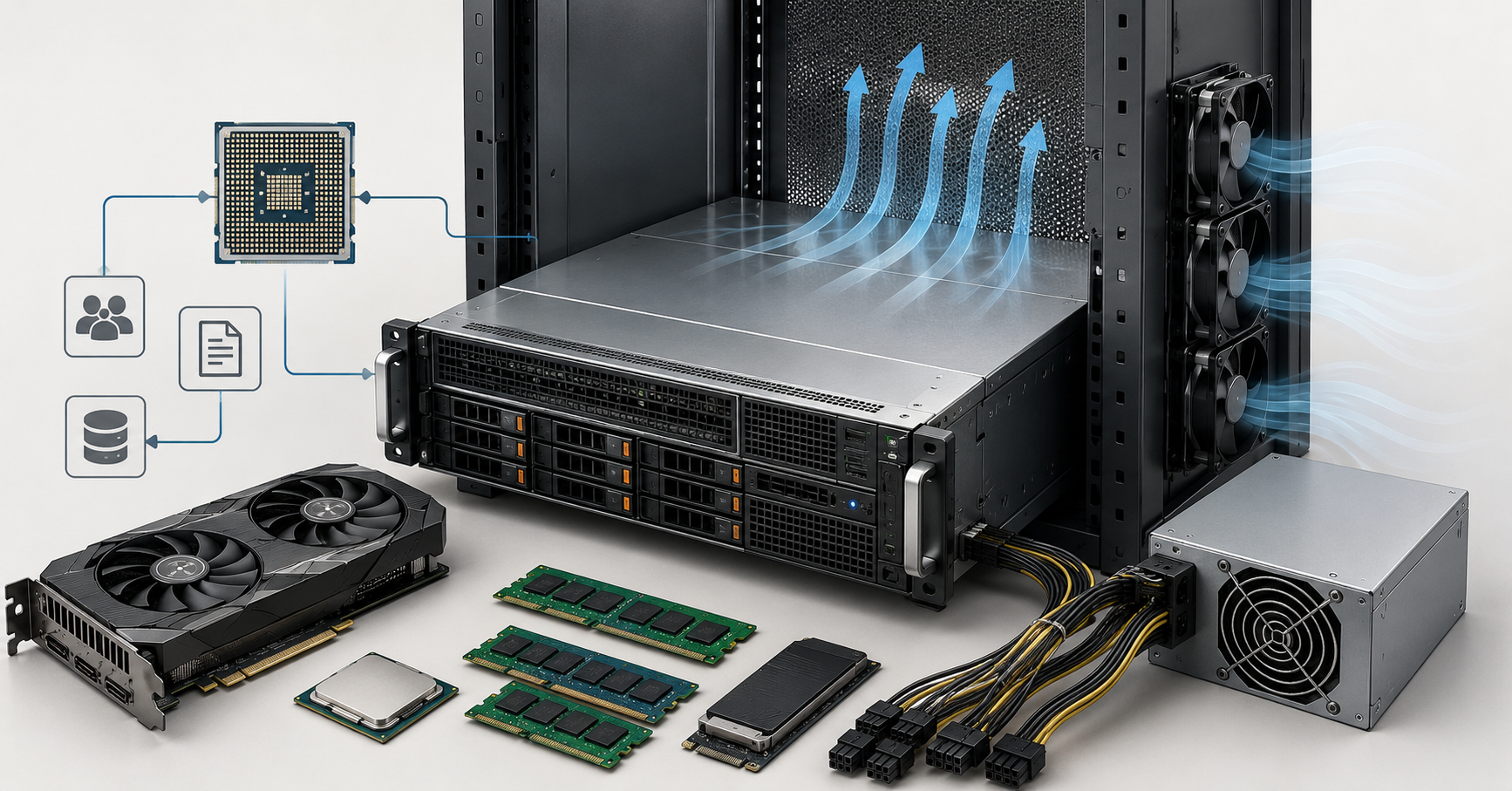
A server for local AI inference should not be chosen by the most expensive graphics card, but by whether the model, working cache and parallel requests fit into video memory, and whether the system has enough CPU resources, PCIe lanes, power and cooling. For a small model and a few users, one accelerator with 24–48 GB of VRAM is often enough. For large language models, long context, coding assistants and dozens of employees, you already need a server with several accelerators, enough RAM headroom, correctly selected power supplies and calculated airflow.
Local AI inference means running an already trained model on your own server. The model is not trained from scratch; it is used to answer questions, analyze documents, generate text, recognize speech, classify tickets, search a knowledge base or process images. This approach is chosen when data cannot be sent to external services, predictable latency inside the local network is required, costs need to be controlled, or independence from third-party APIs is important.
The main mistake when choosing a server is to start with the question “which GPU should I buy?” A GPU is the graphics accelerator that performs the main computational work, but an inference server works as a single system. VRAM, CPU, RAM, storage, networking, the connection bus, power and cooling must all match the same workload. If even one element is chosen incorrectly, an expensive card may sit idle, overheat or fail to deliver the expected speed.
Start by defining the task
AI inference is too broad a concept. A server for an internal chatbot, a document search service and video analysis will be different. That is why the first step is to describe the scenario, not the hardware.
For a text chatbot, the important factors are the model size, question length, answer length, time to first response and the number of concurrent users. One employee asking short questions and a department of twenty people working with large documents create completely different loads.
Document search with answer generation requires more than just a language model. Documents need to be uploaded, split into fragments, converted into numerical representations, saved in a search index and quickly retrieved before the answer is generated. In this case, RAM, fast NVMe drives and the CPU are important in addition to the GPU.
For a coding assistant, context length is especially important. A request may include file fragments, change history, an error description, dependencies and previous answers. The larger the context, the more memory is used not only by the model itself, but also by temporary data during generation.
For classification, document data extraction, ticket routing and simple internal assistants, a large language model is not always necessary. Sometimes a small model or a compressed version of a larger one is enough, and it may not require a GPU at all because it can run on the CPU. This is an important way to avoid overpaying for a server when the task does not require a heavy accelerator.
For images, video and voice, the load profile is different. VRAM is still important, but storage, network, file processing and parallelism requirements also grow. The same server may work very well with a small text model and be poorly suited for a multimodal system that processes images, text and audio at the same time.
Most popular GPU

Free shipping on orders over 500 € in the EU, £500 in the UK, and $3,000 in the USA
Free shipping on orders over 500 € in the EU, £500 in the UK, and $3,000 in the USA

Free shipping on orders over 500 € in the EU, £500 in the UK, and $3,000 in the USA
Free shipping on orders over 500 € in the EU, £500 in the UK, and $3,000 in the USA
Why VRAM matters more than “graphics card power”
VRAM is the video memory of the graphics accelerator. For local inference, it is one of the main resources. It holds model weights, request cache, runtime service data and headroom for concurrent sessions. If the model formally loads into the GPU, this does not yet mean the server can handle the production workload.
Memory is consumed in several ways. The model itself takes space depending on the number of parameters and storage precision. Compression reduces memory usage, but it can affect answer quality or speed. Long context increases the cache. Concurrent users increase the total amount of temporary data. That is why a calculation such as “the model weighs 20 GB, so a 24 GB card will be enough” is often too optimistic.
For a preliminary estimate, you can use the model memory calculator, but the result should be treated as a starting point, not as a guarantee. The final choice is better checked on the real model, real request length and expected number of users.
It is especially important to account for the cache. During answer generation, the model stores intermediate data so it does not have to recalculate the entire context from scratch. The vLLM documentation shows that memory allocated to the cache is linked to the number of parallel requests and batch size: when memory is insufficient, parallelism has to be reduced or GPU memory utilization settings changed. This directly affects service latency and throughput.
| Scenario | Model class | Typical load | VRAM guideline | Possible accelerator class |
|---|---|---|---|---|
| Testing and prototype | 3–8B, compressed model | one user, short requests | 12–24 GB | one entry-level card |
| Internal chatbot | 7–14B | several parallel requests | 24–48 GB | L4/L40S-class server card |
| Document search | 7–14B + search model | medium context, document base | 24–48 GB + RAM headroom | one 24–48 GB card |
| Coding assistant | 14–34B | long context | 48 GB and above | 1–2 cards with 48 GB each |
| Large corporate model | 70B | many users, long requests | 80–160 GB and above | several accelerators |
| Multimodal tasks | depends on the model | text, images, video | 24–80 GB | choose for the model and data format |
This table does not replace testing, but it helps avoid starting with the wrong server class. If you plan to run a 70B model, long context and several employees at the same time, a server with one 24 GB card will not become a reliable foundation. If the task is short-ticket classification, buying a heavy multi-GPU platform may be excessive.
Choosing the Right Equipment
Our specialists will contact you and answer all your questions
The role of the CPU: when the processor matters and when it does not
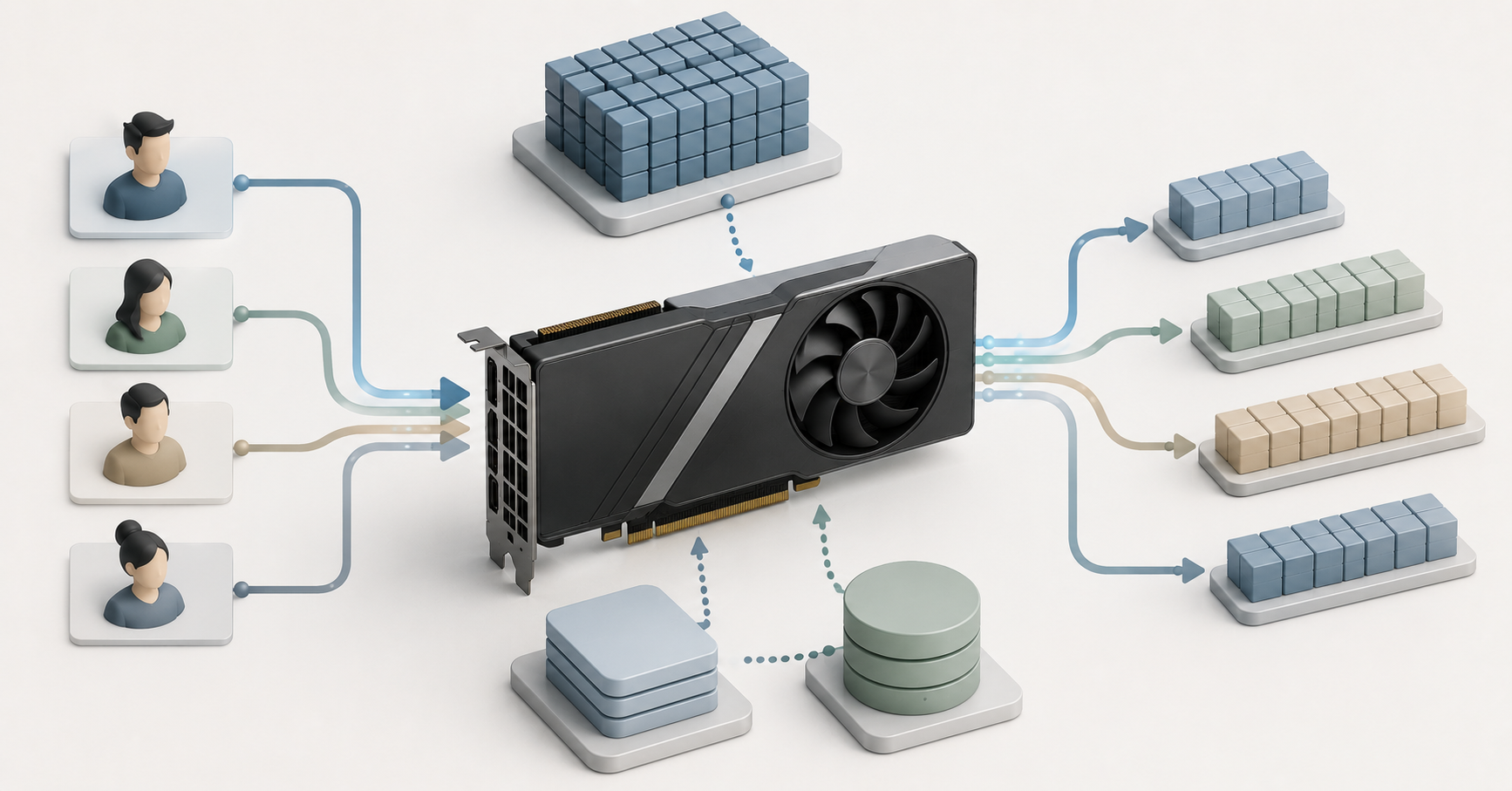
The CPU is the server’s central processor. In systems with a GPU, it usually does not perform the main work of the language model, but it is responsible for request preparation, tokenization, API operation, routing, container servicing, network operations and part of the application logic. In document search tasks, the processor also participates in filtering, database work, file processing and queue management.
The most expensive processor will not fix a lack of VRAM. If the model and cache do not fit into the GPU, a powerful CPU will not make inference comfortable. But a processor that is too weak can also become a bottleneck: requests will be prepared slowly, the application will delay responses, and the GPU will wait for data.
When choosing a CPU, cores are not the only thing that matters. You also need to look at the PCIe generation, the number of lanes, the number of memory channels, support for the required RAM capacity and the specifics of a dual-processor platform. For one GPU, a reasonable mid-range server CPU is usually enough. For several accelerators, fast NVMe drives and network cards, you already need a platform with a sufficient number of PCIe lanes.
A dual-processor server can provide more lanes and more memory, but it also adds complexity. Some devices may be closer to one processor, while others are closer to the second. If the application and accelerators are distributed poorly, extra latency appears. For a small AI service, this is not always critical, but in dense configurations with several GPUs, the topology is best checked in advance.
How to choose a GPU for inference
A GPU should be chosen primarily by VRAM capacity, server compatibility, power consumption and cooling. The number of compute units and advertised performance figures matter, but for local inference they are useless if the model does not fit into memory or the card is not suitable for the server.
For moderate inference, energy-efficient server cards are suitable. For example, NVIDIA L4 has 24 GB of VRAM, a low-profile form factor, PCIe Gen4 x16 connectivity and maximum power consumption of 72 W. This is a good class for small models, video analytics, document search and internal services with moderate load.
For heavier tasks, cards with 48 GB of VRAM are often considered. NVIDIA L40S is an example of this class: 48 GB of GDDR6 memory with ECC, PCIe Gen4 x16 and maximum power consumption of 350 W. This accelerator gives more headroom for 7–14B models, some 30B scenarios, multimodal tasks and several services on one server.
The higher class with 80 GB and above is needed for large models, long context, high concurrency and strict latency requirements. But here, you can no longer choose only the card. You need to look at the server platform, internal connectivity between accelerators, power, rack, cooling and total cost of ownership. The more GPUs there are in a server, the higher the risk that the limitation will be not the card itself, but the chassis, PCIe lanes, temperature or electrical power.
Consumer graphics cards should be discussed separately. They can be cost-effective for a lab, prototype or personal test stand, but they carry risks in server operation. They may have cooling that is unsuitable for a dense chassis, fewer remote management options, a more complicated warranty history and less predictable behavior in 24/7 operation. For business, the important point is not only the price of the card, but also how it will work in a rack, under constant load and during failures.
GPU servers
Free shipping on orders over 500 € in the EU, £500 in the UK, and $3,000 in the USA
Free shipping on orders over 500 € in the EU, £500 in the UK, and $3,000 in the USA

Free shipping on orders over 500 € in the EU, £500 in the UK, and $3,000 in the USA
Free shipping on orders over 500 € in the EU, £500 in the UK, and $3,000 in the USA
PCIe lanes: the hidden limitation of multiple GPUs
PCIe is the connection bus through which the CPU, GPU, NVMe drives and network cards exchange data. Server specifications often list physical slots, but a physical x16 slot does not always mean the device receives all 16 lanes. When several GPUs, fast drives and network adapters are installed, lanes are distributed between devices.
For one card, this is not always critical. When the model is already loaded into VRAM, answer generation may depend less on PCIe than on GPU memory and computation. But PCIe becomes important when loading a model, working with several accelerators, transferring data, serving many users, using fast NVMe drives and 25/100 Gbit/s networks.
The mistake looks like this: the server physically allows several cards to be installed, but some slots work in a reduced mode, conflict with the drive bay or require specific riser cards. As a result, the configuration appears to be assembled, but it does not provide the expected throughput or is not supported by the manufacturer at all.
Before buying, four things need to be checked: how many PCIe lanes the processor platform provides, how they are routed to the slots, which slots are occupied by storage and networking, and what limitations the specific chassis has. This is especially important for servers where 2–4 GPUs, several NVMe drives and a fast network adapter are installed at the same time.
RAM, storage and networking
RAM is needed not only “for the operating system.” In an AI server, it is used by the application, containers, queues, vector database, cache, documents and possible offloading of part of the data from the GPU. For a test server, you can start with 128–256 GB of RAM. For a production service with document search, it is better to plan for 256–512 GB or more if the database is growing or several components run on the server.
Storage also cannot be chosen as an afterthought. NVMe drives speed up model loading, storage of several versions, work with indexes, logs and documents. In corporate file search systems, the amount of data grows quickly: first it is a few instructions and PDFs, then email archives, knowledge bases, contracts, presentations and exports from internal systems. In this scheme, slow drives may degrade not the generation itself, but the preparation of the answer.
The network depends on where the server is located and who uses it. For a single internal chatbot, an ordinary network may be enough. For a service that accepts large documents, images or video, or serves several internal systems, 10/25 Gbit/s and higher should be planned. If the server is connected to storage or used by several teams, the network can become just as much of a limiting factor as the GPU.
Power: the whole server has to be calculated
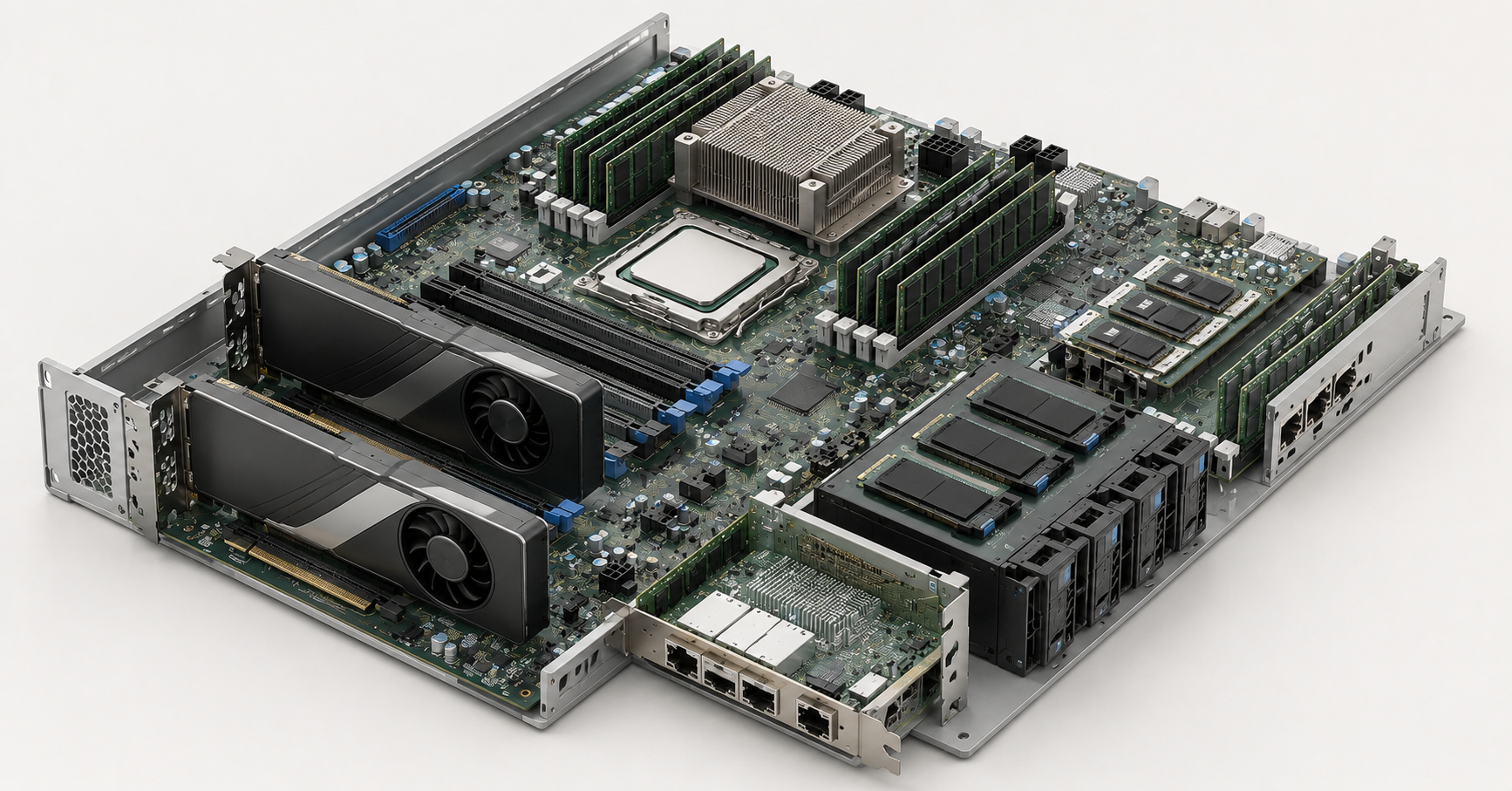
When calculating power, you cannot add only the wattage of the GPUs. You need to account for processors, memory, drives, network cards, fans, the motherboard, losses, peak loads and redundancy. Two 350 W cards do not make a 700 W server. After processors, memory, drives and fans are added, the real requirement will be noticeably higher.
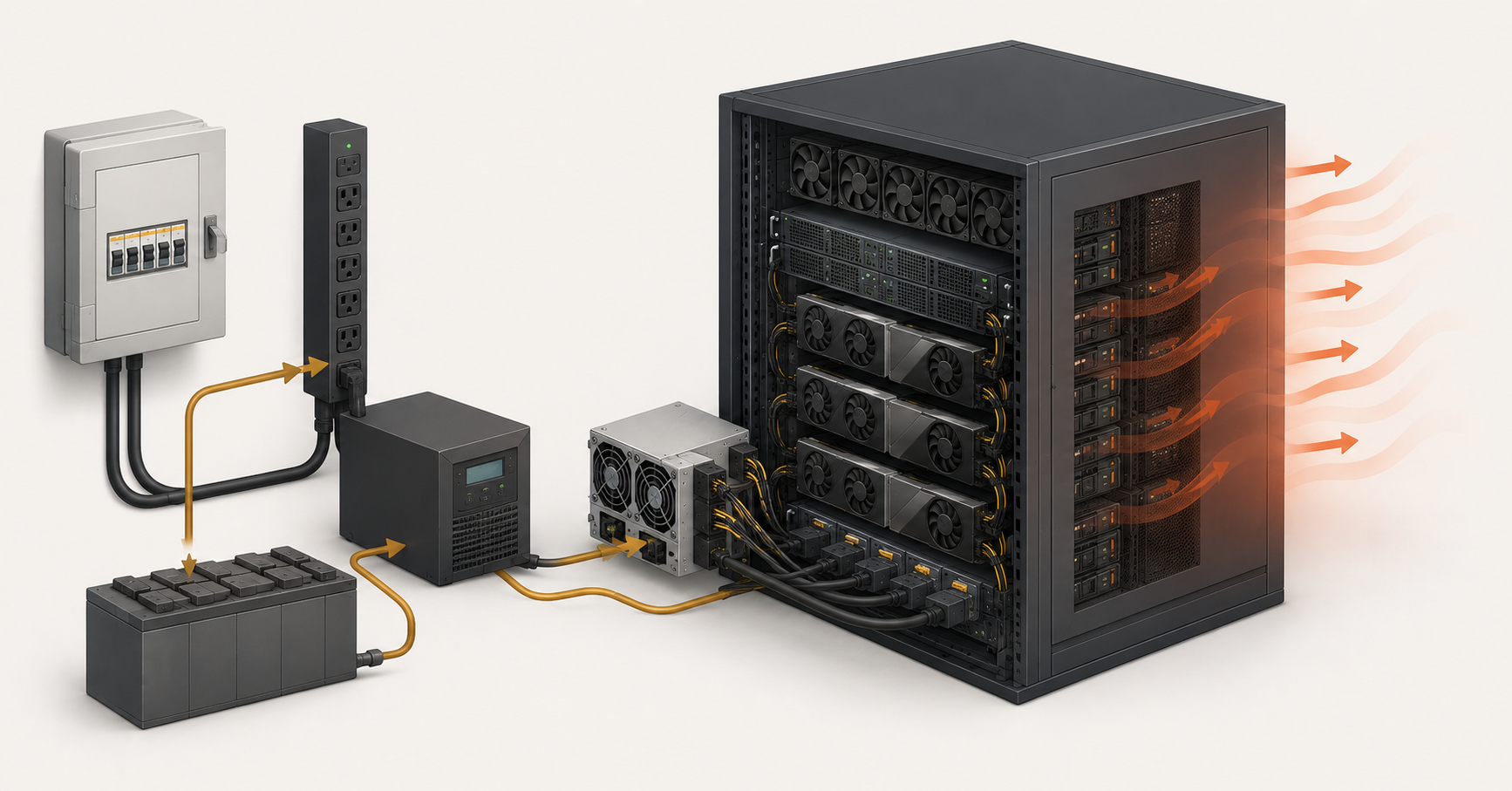
It is important to check which power supplies the specific server supports, at what voltage they deliver full power, and what redundancy scheme is needed. Dense GPU servers may require 200–240 V, a separate power line, a suitable power distribution unit in the rack and a UPS. If the server is placed not in a data center, but in an office server room, this point must be checked especially carefully.
Power is directly connected to heat. Almost all consumed electrical power turns into heat output. If a server consumes 1.5–2 kW, it is no longer “just a noisy machine under a desk,” but a serious load on the room. You need to understand in advance where the heat will go, whether the air conditioning can handle it and whether the server will constantly reduce performance because of temperature.
Cooling: slot compatibility still guarantees nothing
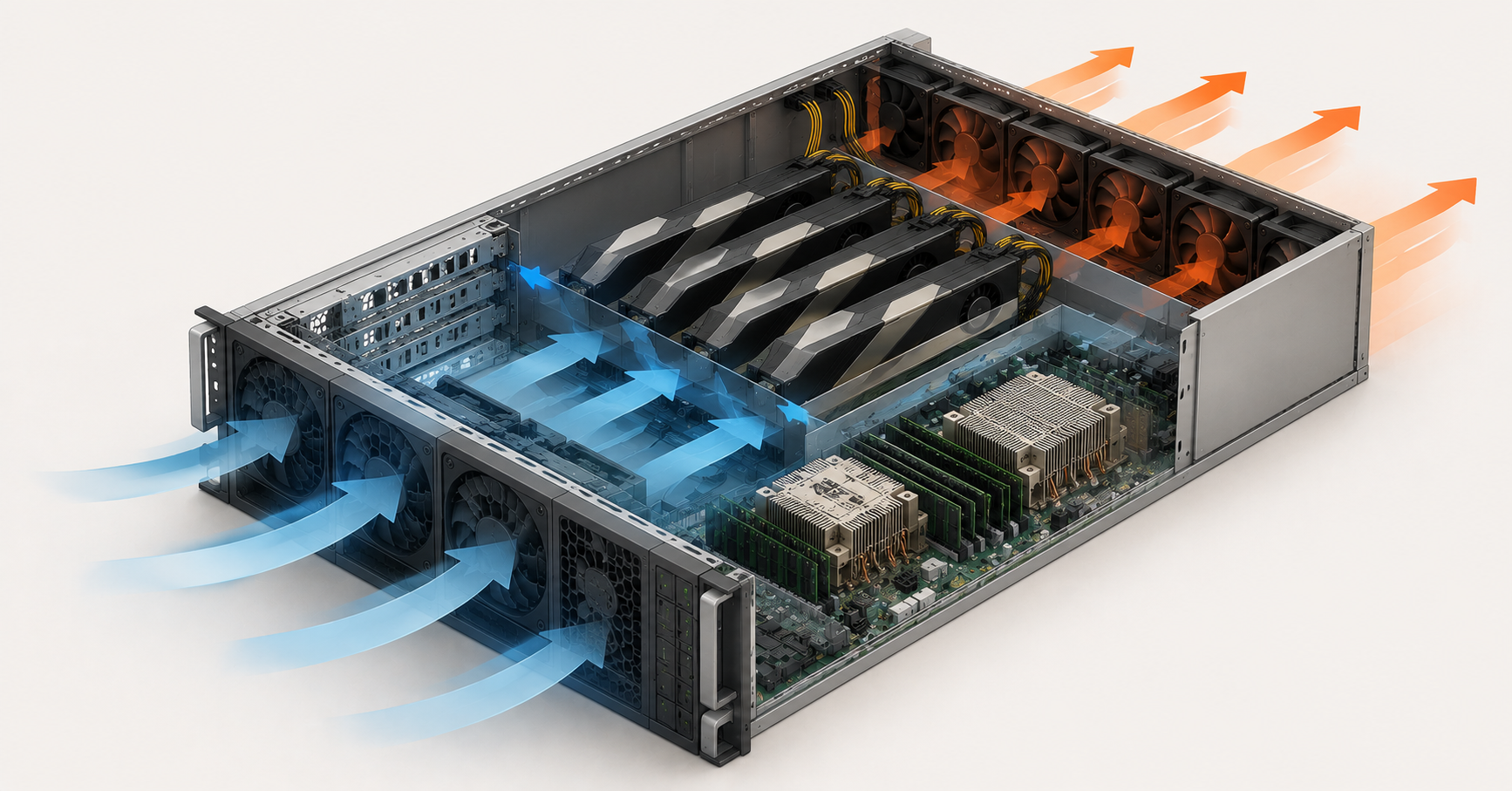
A GPU can physically fit into a server and still be unsuitable thermally. Server accelerators often have passive cooling: the card itself has no large fans and relies on a strong directed airflow from the server fans. In a regular chassis, such a card can quickly overheat.
The opposite situation is installing a consumer card with open cooling into a dense server. It can exhaust hot air inside the chassis, interfere with neighboring cards and disrupt the standard airflow. 1U, 2U and 4U servers have different cooling capabilities. The denser the chassis, the stricter the requirements for fans, air shrouds, blanks, CPU heatsinks and the allowed inlet air temperature.
Server manufacturers usually specify GPU limitations not just by card model, but by the entire configuration. In the Dell documentation for PowerEdge R750, for example, GPU configurations depend on fan type, air shroud, heatsink, drive configuration and temperature; some GPU variants are not supported at all with certain drive bays. This is a good example of why a server cannot be chosen only by the number of PCIe slots.
For AI inference, cooling should be treated as part of reliability. Overheating does not always lead to immediate failure. Sometimes it appears in a worse way: the server becomes louder, the card lowers its clocks, responses slow down, and unstable errors appear in summer. If the service must run continuously, cooling headroom is just as important as VRAM headroom.
How the number of users affects the configuration
The number of users does not affect the configuration linearly. What matters is not only “requests per minute,” but also input length, answer length, number of concurrent sessions and acceptable latency. One user can send a large document and create a higher load than five short questions.
As concurrency grows, memory usage for the cache increases, the request queue grows, and the load on the application, network and processor rises. Sometimes the problem can be solved not by buying a new server, but by setting the right limits: limiting context length, configuring the queue, separating heavy and light requests, reducing the maximum number of concurrent generations, or using a more compact model for simple tasks.
For example, a 14B-class model can work normally on one card with 48 GB of VRAM for several employees. But if the same employees start uploading long documents, using knowledge-base search and waiting for long answers at the same time, the headroom will quickly run out. The server remains the same and the model remains the same, but the real workload becomes different.
For a corporate service, the usage profile should be described in advance: how many active users there are per hour, how many requests run concurrently, what the average and maximum request size is, and what response time is considered acceptable. Without this data, choosing hardware turns into guesswork.
Choosing the Right Equipment
Our specialists will contact you and answer all your questions
Ready configuration guidelines
For a prototype, testing and one or two users, you can start with one accelerator with 16–24 GB of VRAM, 128–256 GB of RAM and an NVMe drive. Such a server is suitable for small models, test document search, compression experiments and business-scenario validation. It is not suitable for heavy models, long context and many users.
For a small team, it is more practical to look at one server GPU with 24–48 GB of VRAM, 256–512 GB of RAM, fast NVMe drives and 10/25 Gbit/s networking. This is a production class for internal chatbots, RAG systems, document analysis and a moderate number of users. It is better to have VRAM headroom than to constantly reduce context length and concurrency.
For a serious internal AI service, you need a server with 2–4 accelerators, enough PCIe lanes, 512 GB–1 TB of RAM, fast storage and well-planned power. This configuration is needed if several models are running, there is a coding assistant, long context, concurrent users and requirements for stable latency.
For large models and high load, specialized GPU servers with 4–8 higher-class accelerators are usually considered. Here, the issue is not only buying hardware, but also preparing the rack, power supply, cooling, monitoring and maintenance. Such a server cannot be placed in an ordinary room “as an afterthought.”
| Task | Minimum class | Comfortable class | Main limitation |
|---|---|---|---|
| Chatbot prototype | 1 GPU, 16–24 GB | 1 GPU, 24 GB | avoid overpaying for excess power |
| Document search for a department | 1 GPU, 24 GB | 1 GPU, 48 GB | RAM, NVMe, context length |
| Coding assistant | 1 GPU, 48 GB | 2 GPUs with 48 GB each | VRAM and PCIe |
| Internal AI service | 2 GPUs | 4 GPUs | queues, power, cooling |
| Large models | 80+ GB of VRAM | several higher-class GPUs | platform, heat, total cost of ownership |
Total cost of ownership: why a cheap GPU can become an expensive solution
The cost of an AI inference server is not only the price of the accelerator. The calculation includes the server platform, processors, memory, storage, power supplies, network cards, rack, power distribution, UPS, electricity, cooling, noise, administration, warranty, spare parts and downtime in case of failure.
A cheap card may require an expensive chassis, non-standard cooling or frequent compromises. A card that is too powerful may be uneconomical if the load is occasional and the server sits idle most of the time. Local inference is especially justified with constant load, sensitive data, a need for control and predictable cost. If requests are rare and irregular, GPU rental or an external API may be more economical.
Model updates must also be considered. In a year, the team may need longer context, a different model, more users or multimodality. That is why it is better not to choose a server with no headroom, but to leave a reasonable reserve: in VRAM, RAM, power, slots and cooling. However, headroom should not turn into buying the maximum configuration without understanding the workload.
Common mistakes when choosing a server
The most common mistake is choosing a GPU only by compute performance and forgetting about VRAM. For inference, whether the model fits with the cache and parallel requests matters more than an attractive performance figure in the specification.
The second mistake is counting only the model weight. A production system includes cache, service data, the application, request queue, vector database and user headroom. This is why a model that starts in a test can perform poorly in a real service.
The third mistake is ignoring context length. A short question and a large document with a long answer create different loads on the same model. If users will upload contracts, instructions, code or reports, memory must be calculated with headroom.
The fourth mistake is placing the wrong card in the wrong chassis. A passive server GPU requires directed airflow. A consumer card may work poorly in a dense server. Slot compatibility is not the same as thermal compatibility.
The fifth mistake is forgetting about PCIe. NVMe drives, network cards and GPUs use the same platform resources. A server may have enough physical slots, but not provide the required number of lanes for all devices at the same time.
The sixth mistake is underestimating power. Power supplies must handle not only nominal load, but also peaks, redundancy and future expansion. Voltage, PDU and UPS also have to be checked separately.
The seventh mistake is buying a server “at maximum” without calculation. An excessive configuration increases price, noise, consumption and cooling requirements. A good choice is not the most powerful server, but the server that matches the task.
Final selection algorithm
Start with the task: chatbot, document search, coding assistant, classification, images, video or voice. Then choose the model or several models, estimate their size, compression method and required context length. After that, determine the number of concurrent users and acceptable latency.
The next step is calculating VRAM with headroom. You need to account not only for model weights, but also for cache, parallel requests and service data. Then the GPU is selected by memory capacity, server compatibility, power consumption, cooling type and support for the required compute formats.
After the GPU, the platform is checked: processor, number of PCIe lanes, slots, riser cards, space for NVMe drives and network adapters. Then RAM, storage and network are selected. After that, power must be checked: power supply capacity, redundancy, voltage, PDU and UPS. Cooling is checked separately: chassis, fans, air shrouds, heatsinks, inlet temperature and noise.
The last step is total cost of ownership and testing. Before buying, it is advisable to check the real model on a similar configuration or at least calculate several workload scenarios. A server for local AI inference should be chosen as an engineering system, not as a set of expensive components. A good configuration is one where the model fits into VRAM with headroom, users get acceptable latency, the GPU does not sit idle because of the platform, and power and cooling are designed for long-term operation.
Choosing the Right Equipment
Our specialists will contact you and answer all your questions
Content:

Free shipping on orders over 500 € in the EU, £500 in the UK, and $3,000 in the USA

Free shipping on orders over 500 € in the EU, £500 in the UK, and $3,000 in the USA

Free shipping on orders over 500 € in the EU, £500 in the UK, and $3,000 in the USA

Free shipping on orders over 500 € in the EU, £500 in the UK, and $3,000 in the USA

Free shipping on orders over 500 € in the EU, £500 in the UK, and $3,000 in the USA

Free shipping on orders over 500 € in the EU, £500 in the UK, and $3,000 in the USA