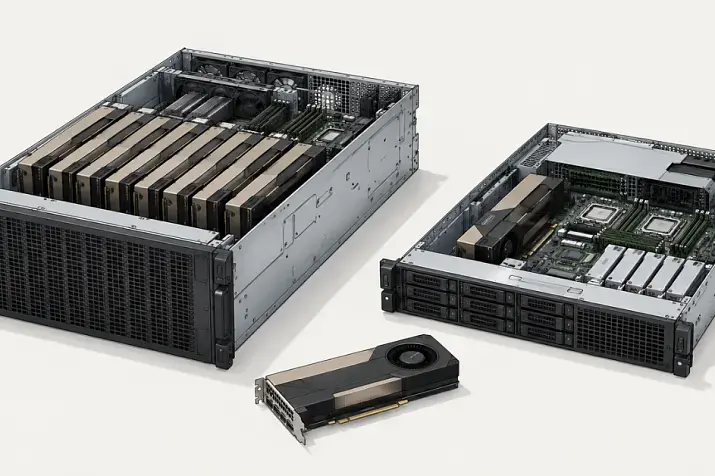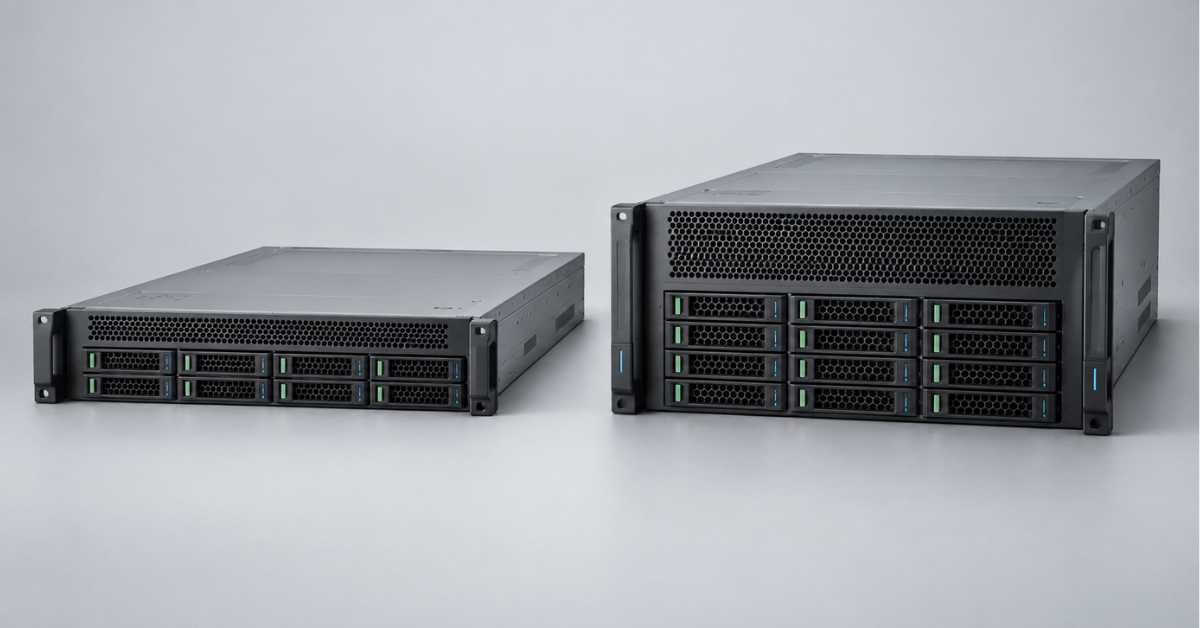
HPE ProLiant DL380a is a specialised GPU compute server, rather than a standard DL380 with more graphics cards. The model has two generations: the compact 2U DL380a Gen11 supports up to four double-wide accelerators, while the 4U DL380a Gen12 is designed for greater density, with up to ten double-wide GPUs in a compatible configuration. Choose Gen11 when rack density and a moderate project scale matter most; choose Gen12 when you need the latest accelerators, more power and cooling headroom, and room to expand the GPU estate.
What does the “a” in DL380a mean?
The “a” indicates a platform optimised for accelerators. This affects more than the number of PCIe slots. The internal layout, airflow channels, fans, power distribution and risers are designed around GPUs that may each draw hundreds of watts.
In the DL380a architecture:
- processors and memory handle data preparation and tasks that cannot be moved to a GPU;
- PCIe lanes are allocated so that accelerators do not unnecessarily share a constrained link;
- power supplies and power circuitry are sized for sudden changes in GPU power draw;
- local storage gives up some space to accelerators and cooling;
- network adapters must feed data fast enough to keep expensive compute resources busy.
For this reason, the DL380a cannot be judged solely by CPU core count and RAM capacity. The whole system matters more: accelerator model, GPU memory, PCIe topology, network speed, local NVMe drives, rack power draw and the data centre’s ability to remove heat.
Which HPE ProLiant DL380a generations are available?
The production DL380a line begins with Gen11 and continues with Gen12. There were no separate DL380a Gen9, Gen10 or Gen10 Plus models. DL380 servers of those generations could run graphics accelerators, but remained general-purpose platforms. The “a” identifies a distinct architecture, not an expansion kit for any DL380.
If you need the history of the general-purpose model for virtualisation, databases and substantial local storage, see “HPE ProLiant DL380: comparing generations”. It also explains the difference between DL380 Gen12 and DL380a Gen12.
DL380a Gen11 vs Gen12
| Specification | DL380a Gen11 | DL380a Gen12 |
|---|---|---|
| Form factor | 2U, two processors | 4U, two processors |
| Processors | 4th and 5th Gen Intel Xeon Scalable, up to 64 cores per processor in compatible configurations | Intel Xeon 6, up to 144 cores per processor in the current range |
| Memory | DDR5, 24 DIMM slots, up to 6 TB in the maximum compatible configuration | DDR5, 32 DIMM slots; maximum capacity depends on the CPU and QuickSpecs revision |
| Accelerators | Up to 4 double-wide or 8 single-wide GPUs | Several chassis options: up to 10 double-wide or up to 16 single-wide GPUs; limits depend on the card model |
| Expansion bus | PCIe 5.0; up to four x16 links for GPUs and two OCP slots in the appropriate build | PCIe 5.0; more GPU zones and options for balanced I/O allocation between CPUs |
| Storage | Up to 8 front SFF or EDSFF drives, depending on the drive cage | Up to 8 SFF NVMe or up to 16 EDSFF drives in a compatible configuration |
| Management | HPE iLO 6 | HPE iLO 7 in current Gen12 configurations |
| Primary role | Inference, VDI, rendering and compute with moderate GPU density | Dense inference, generative AI, fine-tuning, video analytics and large-scale GPU services |
The maximum specifications in this table cannot simply be combined into any arbitrary configuration. The highest GPU count may require a particular chassis, riser set, power supplies and cooling method. Some processors or accelerators are incompatible with certain chassis variants.
HPE ProLiant DL380a Gen11: four powerful GPUs in 2U
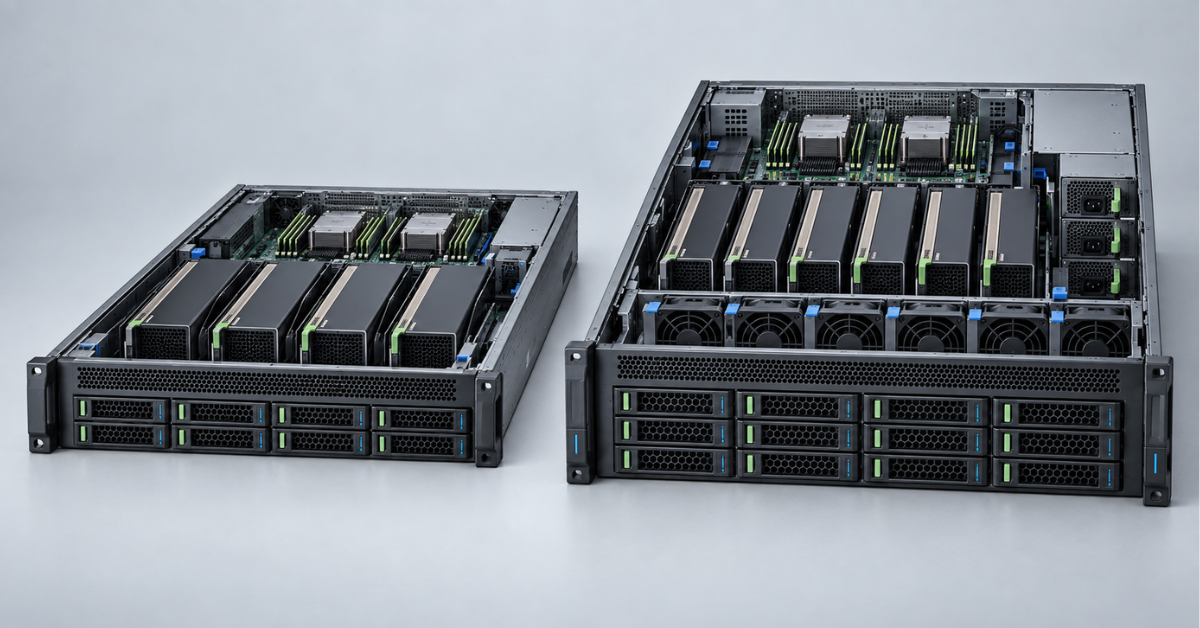
DL380a Gen11 is a dual-processor 2U platform based on 4th and 5th Gen Intel Xeon Scalable processors. DDR5 and PCIe 5.0 increase bandwidth between the CPUs, memory, network and accelerators. Its defining feature is support for up to four double-wide or eight single-wide GPUs without moving to a 4U chassis.
This format is useful when a rack already holds several servers and the project does not require the maximum possible number of accelerators in one node. Four GPUs suit inference, computer vision, graphics-enabled VDI, rendering, engineering simulations and some fine-tuning tasks. Actual performance depends on GPU memory and how data is exchanged, not merely on card count.
Choosing the Right Equipment
Our specialists will contact you and answer all your questions
Processors, memory and I/O
The Gen11 architecture includes:
- two Intel Xeon Scalable processors to run CPU stages of the pipeline and provide the required PCIe lanes;
- 24 DDR5 slots, offering greater capacity and bandwidth than DDR4-era platforms;
- PCIe 5.0, which doubles per-lane bandwidth compared with PCIe 4.0 at the same lane count;
- two OCP slots that allow networking to move out of the main PCIe slots, preserving them for accelerators.
NUMA balance is especially important for DL380a Gen11: GPUs and network adapters should be distributed sensibly between the two processors. If all data enters through one CPU while some accelerators attach to the other, inter-processor traffic can become a hidden bottleneck.
Gen11 limitations
The advantage of a 2U chassis also creates constraints. Four double-wide accelerators occupy much of the available space, so storage expansion is more limited than on a standard DL380. High-performance GPUs require a precise combination of power supplies, cables and fans, and permitted card wattage depends on the specific CTO build.
When choosing Gen11, consider the following:
- expanding beyond four double-wide GPUs requires another node or a move to Gen12;
- the latest accelerators may be absent from later Gen11 compatibility matrices;
- air cooling in 2U imposes strict requirements on inlet temperature and unobstructed airflow;
- cluster growth requires a high-speed network and external storage, or additional nodes will not deliver the expected acceleration.
HPE ProLiant Compute DL380a Gen12: moving to 4U
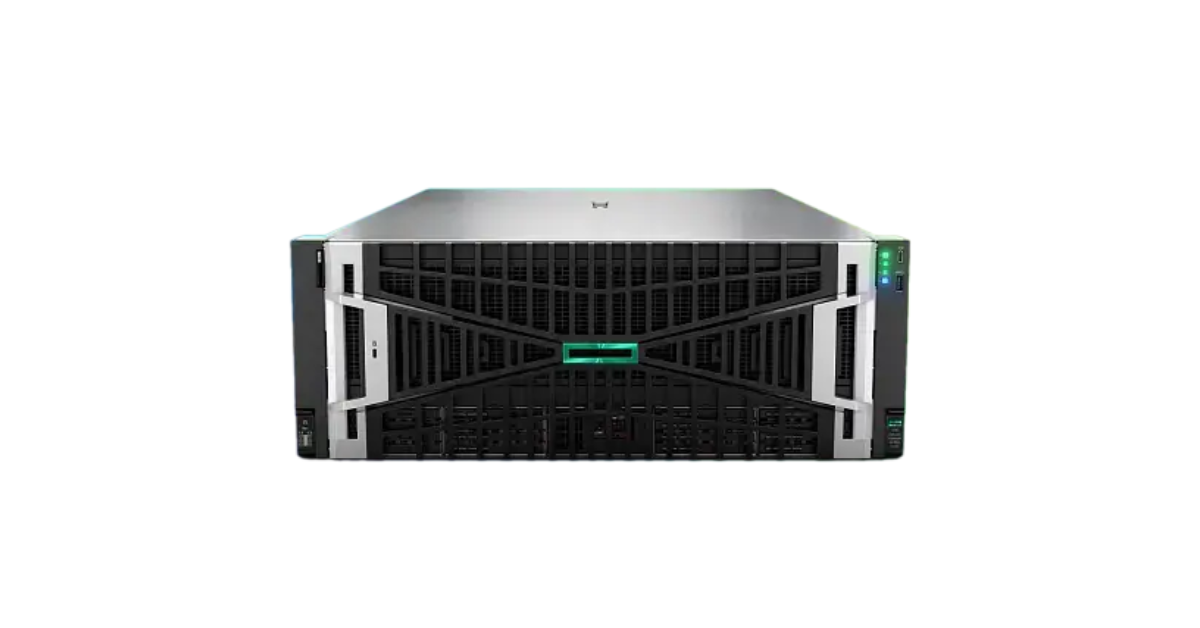
Image source: Servermall
With Gen12, HPE changed more than the processors: it changed the scale of the platform. DL380a Gen12 occupies 4U and uses two Intel Xeon 6 processors, DDR5 memory and PCIe 5.0. The extra height provides space for GPU zones, power delivery and cooling. Gen12 should therefore be compared with Gen11 on whole-system compute density, rather than on the rack units occupied by one chassis.
The current model is available in the Servermall catalogue: HPE ProLiant DL380a Gen12. For a specific configuration with fast drives, you can also examine the DL380a Gen12 NVMe configuration.
Why do specifications mention both 8 and 10 GPUs?
Early DL380a Gen12 materials often described a server with eight double-wide accelerators. Current QuickSpecs cover different CTO chassis, including versions with up to ten double-wide or up to sixteen single-wide GPUs. This does not mean that every card can be installed in the maximum quantity.
Several factors explain the restrictions:
- GPU models differ in width, length, power draw and cooling method;
- some configurations support four or eight cards and leave more room for other adapters;
- maximum-density variants need a matching power subsystem and power-supply set;
- support for direct liquid cooling does not make it mandatory for every build;
- compatibility of a specific accelerator must be checked against current QuickSpecs and the CTO matrix.
Processors, memory and storage
Intel Xeon 6 offers more available cores and greater memory bandwidth, but the CPU with the most cores is not always the best choice for a GPU server. In inference, per-core frequency, sufficient RAM and the absence of data-preparation bottlenecks often matter more. Choose the processor after profiling the pipeline, rather than simply selecting the top specification.
The platform has 32 DDR5 DIMM slots. Large RAM capacity supports dataset caching, preprocessing, virtualisation and models partially offloaded from GPU memory. System RAM does not replace GPU memory, however: transfer over PCIe is considerably slower than access to the accelerator’s local memory.
Local storage options include up to eight SFF NVMe or up to sixteen EDSFF drives. Accelerator-heavy projects often use these drives for boot and temporary data, while keeping primary datasets in an external storage array or distributed storage. This simplifies scaling and reduces data-copying time between nodes.
What changed from Gen11 to Gen12?
More accelerators in one node
Gen11 is limited to four double-wide GPUs, whereas Gen12 allows much denser configurations. This reduces the number of servers needed for a workload and may reduce network traffic between nodes.
At the same time, failure of one dense node affects more compute resources. The more accelerators a single server contains, the more important it becomes to provide workload redundancy and a way to move tasks to another node.
A new processor platform
Xeon 6 broadens the choice between processors with many efficient cores and models focused on per-core performance. For GPU workloads, this allows a closer CPU match to data preparation, container orchestration, virtual desktops or parallel inference services.
Separate power domains
Dense Gen12 configurations use separate power domains for the system and accelerators. This helps distribute loads and redundancy, but raises the requirements for the PDU and rack power supply.
The nameplate wattage of a single power supply is not enough to size the installation. Calculate the actual load of all GPUs, CPUs, memory modules, drives and fans, allowing headroom for short-lived peaks.
Cooling as part of the architecture
Gen12 offers air-cooled configurations and direct liquid-cooling options. Air is simpler to use in an existing server room, although powerful accelerators require high airflow.
A liquid loop reduces the load on air cooling and supports hotter components, but requires:
- manifolds;
- a coolant distribution unit;
- leak detection;
- compatible racks and pipework;
- trained maintenance staff.
How to choose accelerators
A GPU name alone does not establish whether a server suits a workload. Large language models depend heavily on accelerator memory capacity and the speed of communication between cards. Computer vision depends on video decoder throughput and stream count. VDI requires suitable virtualisation profiles and licensing. Rendering requires compatibility with the engine and driver.
When selecting a GPU, consider:
- GPU memory. The model and working batch must fit with room for overhead and context.
- Compute precision. Support for the necessary formats affects inference or training speed and quality.
- Interconnect. If a task is split across several GPUs, PCIe topology and the available high-speed communication option matter.
- Power. A 350 W card and a 600 W accelerator impose different demands on the chassis and power cables.
- Cooling. Passive server cards rely on chassis airflow. An unsuitable shroud or fan set causes clock speeds to fall.
- Software environment. Check the operating system, driver, libraries, container platform and licensing terms in advance.
Memory, networking and storage: hidden bottlenecks
A GPU sits idle if data arrives more slowly than it can process it. Cutting costs on networking and storage can therefore cost more than using a lower-tier accelerator in a balanced system.
Infrastructure design should account for the following:
- local NVMe drives suit caching, temporary data and the actively used part of a dataset;
- 100GbE or even less may suffice for a single inference node, but a cluster with synchronous communication and demanding workloads may need 200/400GbE or InfiniBand;
- direct GPU access to data requires support along the entire path: storage device, adapter, driver and software stack;
- RAM capacity should be calculated from source data size, process count and model-loading method, rather than a fixed ratio to GPU count;
- multi-node systems need low network latency, non-blocking switching and adequate bandwidth between servers and storage.
What to plan for in the rack and data centre
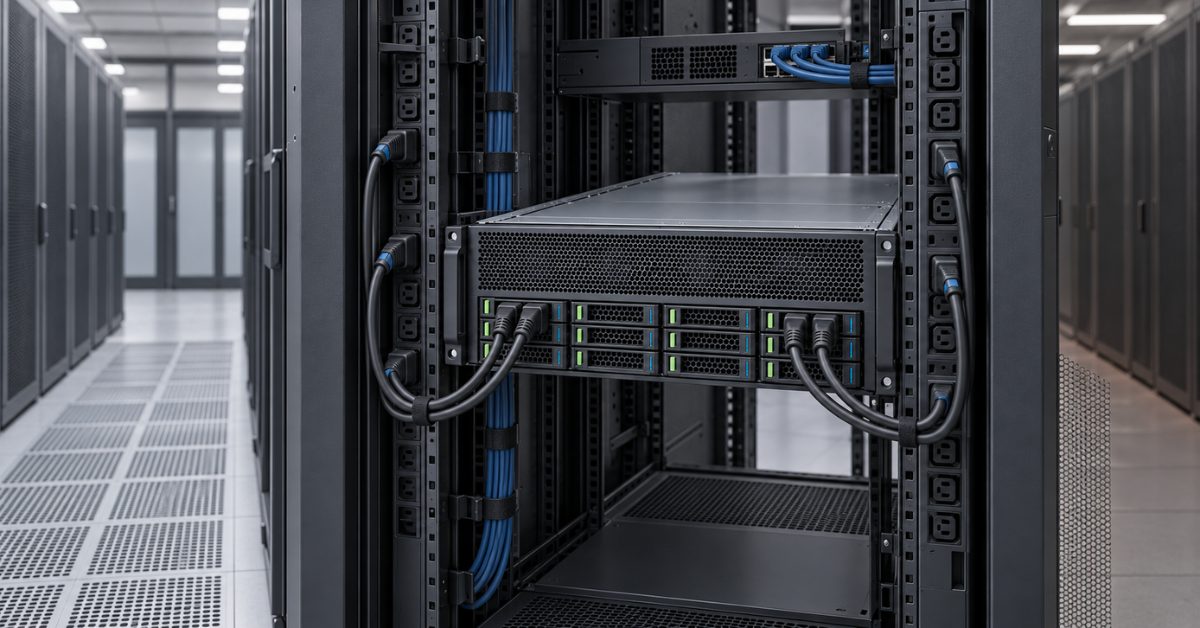
Deploying a DL380a Gen12 may require more preparation than installing a conventional dual-processor server. Before ordering, establish the available power per rack, PDU outlet types and counts, phase distribution, permissible room heat load, rack depth and the weight of the fully populated system.
Bear in mind that:
- high-wattage power supplies may use C19/C20 cables instead of the familiar C13/C14;
- redundancy is preserved only when power supplies are correctly distributed across independent feeds;
- the four rack units do not include space for cable management and liquid-cooling components;
- hot exhaust must not return to neighbouring servers’ intakes, or accelerators will throttle;
- servicing a heavy 4U node is safer with at least two technicians and a suitable lift.
Choosing the Right Equipment
Our specialists will contact you and answer all your questions
Which generation fits each workload?
| Workload | Starting point | Deciding factor |
|---|---|---|
| Inference across several models | Gen11 with 1–4 powerful GPUs; Gen12 for greater density | GPU memory, concurrent requests, latency |
| Fine-tuning and generative AI | More often Gen12 | GPU memory capacity, inter-GPU communication, storage network |
| Graphics-enabled VDI | Gen11 for a moderate pool; Gen12 for high consolidation | vGPU support, licences, resilience |
| Rendering | Either generation | Engine support, number of independent jobs, power draw |
| Video analytics | Gen11 for one deployment; Gen12 for many streams | Decoding, incoming network capacity, NVMe cache |
| Scientific and engineering computing | According to software requirements; Gen12 for a large GPU count | Compute precision, interconnect, scaling |
When you do not need a DL380a
A specialised platform is not automatically better value just because it belongs to a newer generation. If a project needs only one or two cards, a general-purpose DL380 or another model with lower power consumption and more extensive storage may be more useful. If high CPU density without GPUs is the goal, the DL380a’s space and budget will be poorly used.
For a comparison of approaches, see “HPE ProLiant for AI and GPU Workloads: DL380a Gen12, DL385 Gen11, and Alternatives”. It compares the DL380a with general-purpose Intel and AMD platforms and specialised systems.
Depending on the workload, alternatives include:
- Standard DL380. Suited to virtualisation, databases, enterprise applications and a moderate GPU count.
- DL385 Gen11. Combines AMD EPYC, large memory capacity and several accelerators in 2U.
- DL340 or DL360. Useful when a compact chassis matters more and GPU count is limited.
- DL384 and XD systems. Designed for more specialised architectures and large workloads where fast inter-accelerator communication matters.
Available platforms can be compared in the AI servers and GPU servers sections.
Management, security and maintenance
DL380a Gen11 uses HPE iLO 6, while current Gen12 configurations use iLO 7. The remote management controller can power on and restart the server, display hardware events, install firmware and provide console access without a visit to the rack.
Available features depend on the iLO licence, so remote console access, advanced analytics and integration with enterprise management tools should be included in the project plan from the start.
Server hardware status and accelerator telemetry are monitored at different layers. iLO reports power, temperatures, fans, memory and system errors; GPU utilisation, occupied memory, clock speeds and accelerator errors are collected through GPU vendor tools and the monitoring system.
If you monitor CPU utilisation alone, GPU overheating or insufficient accelerator memory may go unnoticed until performance suffers.
When operating a DL380a, the following practices matter:
- update BIOS, iLO, drive and network-adapter firmware, and GPU drivers to mutually compatible versions;
- for container environments, pin the driver, GPU runtime and library versions so an update to one node does not change model behaviour;
- send corrected memory events, PCIe errors and GPU clock reductions to central monitoring;
- put iLO on a separate management network, protect it with multifactor authentication and restrict access by role;
- before replacing an accelerator, record the configuration, serial numbers and slot assignments because topology affects application performance.
Scheduled maintenance is particularly important for a GPU server. Dirty airflow channels and outdated firmware may not stop the system entirely, but can cause lower clock speeds and unpredictable latency. After changing the accelerators or memory, repeat load testing rather than stopping at a successful operating-system boot.
Total cost of ownership: count more than the server
The price of the base chassis is only part of the budget. A full estimate includes:
- accelerators;
- licences;
- high-speed network adapters and switches;
- NVMe drives and external storage;
- electricity;
- cooling;
- rack space;
- warranty service;
- staff time.
Infrastructure costs may be higher for a dense Gen12 configuration, but one 4U node can replace several less densely populated servers and reduce inter-server traffic.
The following factors affect total cost of ownership:
- Utilisation. Expensive GPUs need a regular supply of jobs. Idle time caused by slow storage increases the actual cost of computation.
- Power and cooling. Compare consumption under a real workload, rather than simply adding together component maximum TDPs.
- Licensing. VDI, virtual GPUs, orchestration tools and commercial libraries may be priced per GPU, user or node.
- Resilience. Consolidating ten accelerators in one chassis increases the impact of a node outage. Sometimes two smaller servers provide a more robust design.
- Scaling. Networking and storage provisioned for future clustering can reduce the cost of the next expansion stage.
Gen11 often has a lower entry cost and fits existing air-cooled infrastructure. Gen12 is more economical when a project genuinely uses high GPU density and can keep it busy. Buying a maximum configuration “for the future” without a confirmed workload plan incurs power and licence costs long before the capacity becomes useful.
New or refurbished hardware
DL380a Gen11 is gradually becoming more available on the secondary market and can lower capital costs for inference, VDI or rendering. The saving makes sense if the supplier load-tests the server, confirms the complete set of GPU risers, power cables and fans, and provides a warranty.
Assess the provenance and condition of the accelerators separately: GPUs often cost more than the base server.
DL380a Gen12 is more commonly purchased new and configured for a specific project. This is preferable when the latest accelerators, an exact thermal envelope, liquid cooling or a particular PCIe allocation are required.
Changing one part after delivery may require a different riser, power supply or cable set, so agree the complete configuration in advance.
Conclusion
HPE ProLiant DL380a Gen11 and Gen12 serve the same purpose—providing an enterprise GPU platform—but at different scales. Gen11 fits up to four double-wide accelerators into 2U and suits projects where a compact footprint matters. Gen12 moves to 4U, Intel Xeon 6 and configurations with up to ten double-wide GPUs, making it better suited to dense inference, generative AI and growth of a compute pool.
Start the decision with GPU model and memory capacity, communication between accelerators, data feed rate, rack power and cooling method. The generation number becomes decisive only after these calculations: a newer server will not remove a bottleneck in the network, storage or software stack.
Sources
- HPE ProLiant DL380a Gen11 QuickSpecs
- HPE ProLiant Compute DL380a Gen12 QuickSpecs
- Official HPE ProLiant Compute DL380a Gen12 page
- HPE ProLiant DL380a Gen11 User Guide
- HPE ProLiant Compute DL380a Gen12 User Guide
Choosing the Right Equipment
Our specialists will contact you and answer all your questions