MIG is useful when a single NVIDIA A100, H100 or H200 is too powerful for one workload, but still needs to be shared safely and predictably between several users, services or teams. With MIG, a physical graphics card is split into several isolated instances: each receives its own share of compute resources and GPU memory. This works well for inference, test environments, notebooks, several small models and ML platforms, but it is not always suitable for large distributed training, where full physical GPUs are usually the better choice.
Modern AI accelerators are rarely bought “with headroom for one experiment”. They are installed in servers where the same GPU may be needed by developers, analysts, an MLOps team, an internal machine learning platform or several clients. In this situation, a problem appears quickly: one user launches a small model and occupies the whole card, although in reality the workload uses only part of the GPU memory and compute blocks.
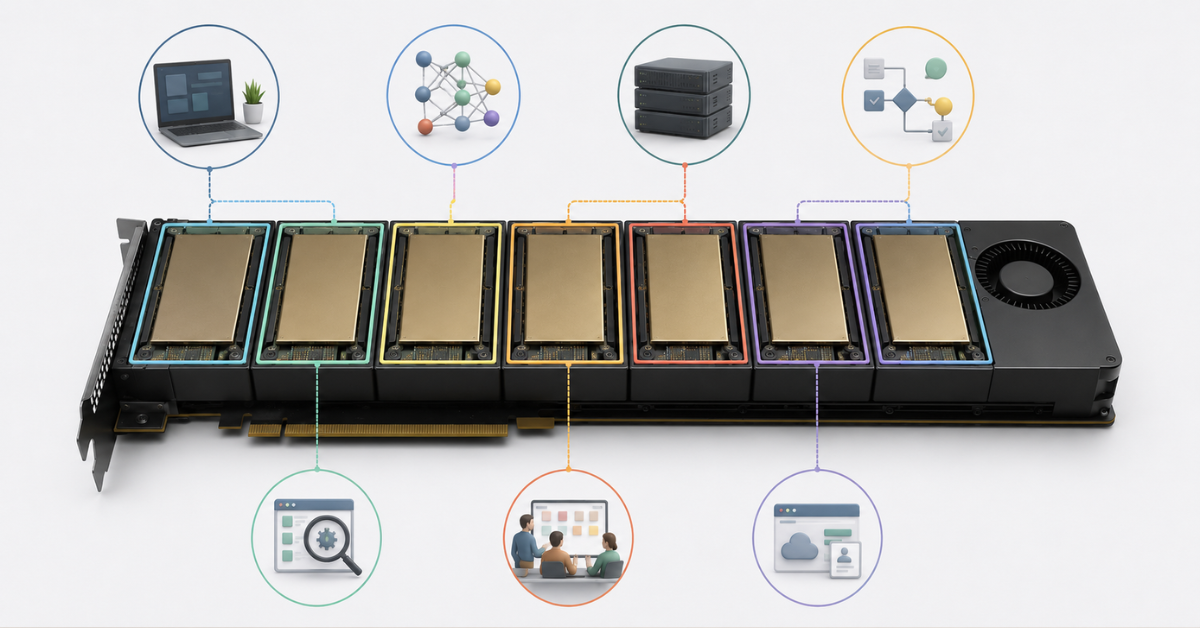
MIG solves this exact problem. The technology allows one supported GPU to be divided into several independent parts. In the system, they appear as separate smaller devices. For example, one A100 80 GB can be divided into several instances of 10, 20 or 40 GB, while an H200 141 GB can be divided into profiles with more memory for heavier models.
For companies choosing NVIDIA GPUs for AI and neural networks, MIG is just as important as total GPU memory or GPU generation. It helps clarify how the card will actually be used: by one workload in full or by several workloads in parallel.
Most popular GPU
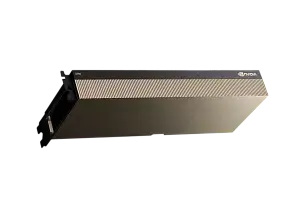
Free shipping on orders over 500 € in the EU, £500 in the UK, and $3,000 in the USA
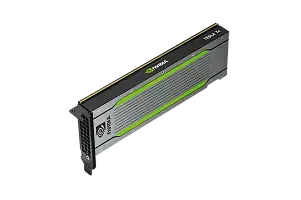
Free shipping on orders over 500 € in the EU, £500 in the UK, and $3,000 in the USA
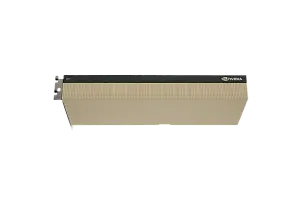
Free shipping on orders over 500 € in the EU, £500 in the UK, and $3,000 in the USA
Free shipping on orders over 500 € in the EU, £500 in the UK, and $3,000 in the USA
What MIG means in simple terms
MIG is a hardware partitioning technology for supported NVIDIA GPUs. One physical GPU is divided into several GPU instances. Each instance receives a fixed part of the resources:
- compute blocks;
- GPU memory;
- part of the L2 cache;
- part of memory bandwidth;
- separate memory access paths;
- a set of hardware engines, depending on the profile.
For an application, a MIG instance looks like a separate smaller GPU. The user does not receive the whole A100, H100 or H200, but works only with the allocated part. The official description of the MIG architecture is available in the NVIDIA MIG User Guide.
A simple example:
- without MIG, one user launches a notebook and occupies the whole H100;
- with MIG, the administrator divides the H100 into several profiles;
- one profile is assigned to the notebook, a second one to an inference service and a third one to a test model;
- the workloads do not compete for the whole card at once, because each has its own allocated section of the GPU.
This is not the same as “giving everyone access to one GPU and hoping they do not interfere with each other”. MIG separates resources at the GPU level itself, so workload behavior becomes more predictable.
Where MIG delivers the most value
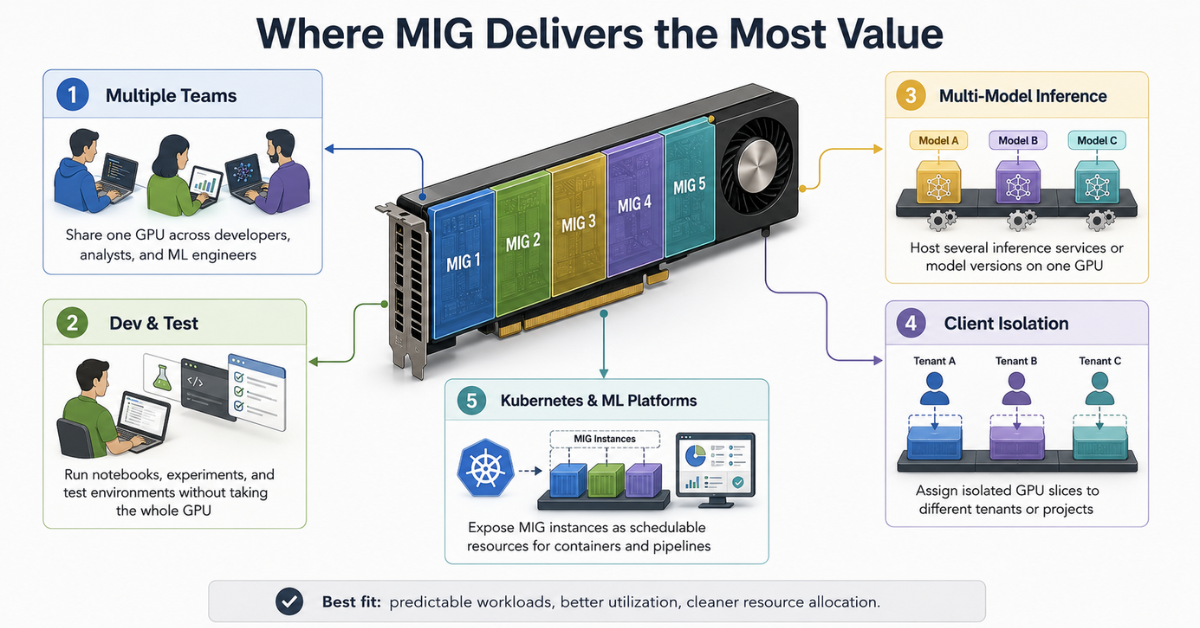
MIG is especially useful where an expensive GPU should not serve one large task only, but several environments or services with different requirements.
Several teams on one GPU
Inside a company, the same H100 may be needed by several groups at once:
- developers are testing a new model;
- analysts are working in a notebook environment;
- the MLOps team is testing inference;
- the engineering team is debugging a data preparation pipeline.
Without MIG, such a card often becomes a disputed resource: whoever takes the GPU first gets to work, while everyone else waits or runs jobs at night. With MIG, each team can be assigned its own profile in advance instead of receiving the entire card.
This is convenient for:
- internal ML platforms;
- research teams;
- laboratories;
- service providers;
- companies where GPUs are purchased centrally and distributed between projects.
Dev/test environments
Development almost never needs the entire H100 or H200. At the debugging stage, environment availability matters more than maximum performance. MIG allows smaller profiles to be allocated for:
- environment checks;
- test model runs;
- dependency debugging;
- checking CUDA, driver and library compatibility;
- preparing a pipeline before running it on a full GPU.
For example, a developer does not need to occupy the whole A100 80 GB if they are only checking model loading and correct input processing. A small profile may be enough, while the rest of the card remains available for other tasks.
Inference for several models
Inference is one of the most natural scenarios for MIG. One physical GPU can host several services:
- different versions of one model;
- several models for different products;
- separate models for different clients;
- a test and production version of a service;
- batch inference with moderate load.
If each model uses only part of the GPU memory, running them on separate physical GPUs is not always rational. MIG helps increase placement density and reduce idle hardware time.
However, it is important not to choose a profile by memory size alone. A model may have enough GPU memory but still lack the compute portion of the profile or memory bandwidth. That is why inference should always be checked for response latency, batch size and stability under parallel load.
Isolation of clients and projects
MIG helps divide a GPU between clients or projects so that one workload cannot occupy all GPU memory on the physical card. This is especially important for platforms where users run their own containers, notebooks or models.
MIG provides isolation at the GPU resource level, but it does not replace the other layers of protection. A real multi-user environment still needs:
- user separation in the operating system;
- data access permissions;
- container isolation;
- network policies;
- Kubernetes limits;
- process monitoring;
- rules for cleaning up stuck jobs.
Otherwise, MIG solves only part of the problem: it partitions the GPU, but it does not protect the platform from mistakes in access rights, secrets, container images or network configuration.
What exactly is divided in MIG
When creating a MIG instance, the administrator chooses a profile. The profile defines what part of the GPU the workload will receive. Inside the profile, compute resources and GPU memory are fixed.
In simple terms, a large GPU is cut into several predefined sections. A small section is suitable for lightweight tasks, while a larger one is suitable for models that need more memory and compute resources.
MIG divides:
- part of the GPU compute blocks;
- part of GPU memory;
- part of the L2 cache;
- part of memory bandwidth;
- some hardware engines;
- device visibility for applications.
What this means for the user:
- a workload cannot go beyond the allocated amount of GPU memory;
- a neighboring instance should not take resources away from another instance;
- the administrator can plan in advance how much GPU capacity is available to each user;
- workload behavior is easier to predict than with ordinary shared use of one card.
But this approach also has a downside: free resources from a neighboring instance are not transferred automatically. If one workload receives 10 GB and a 40 GB instance next to it is idle, the first workload still cannot use those 40 GB. To change the layout, the MIG configuration has to be changed.
Choosing the Right Equipment
Our specialists will contact you and answer all your questions
What MIG does not do
MIG does not turn one physical GPU into several fully independent graphics cards without limitations. This is important because wrong expectations often lead to design mistakes.
MIG does not mean that:
- any workload will run faster;
- a small profile will provide exactly 1/7 of the full GPU performance;
- memory can be redistributed between workloads with unlimited flexibility;
- several MIG instances can replace several physical GPUs for large-scale training;
- live migration will start working by itself;
- monitoring can remain the same as for a regular GPU.
NVIDIA separately describes MIG limitations in the Deployment Considerations section. For practical deployment, limitations related to data exchange between instances, profiling and distributed libraries are especially important.
Limitations for distributed workloads
MIG works well for independent tasks on one physical GPU. But if a workload requires active data exchange between several GPUs or between instances, more caution is needed.
Problematic scenarios may include:
- large-scale distributed training;
- models that require several GPUs at the same time;
- intensive exchange between accelerators;
- collective communication libraries;
- latency-sensitive workloads that depend on communication between devices.
For such cases, it is often better to use full physical GPUs without MIG. For example, if a model consistently occupies the whole H100 and actively exchanges data with neighboring GPUs, splitting the card into MIG profiles may only complicate the architecture.
Monitoring limitations
A standard view of a physical GPU is no longer enough. The administrator needs to see not only the overall load of the card, but also the state of each MIG instance.
Otherwise, a typical situation appears:
- the physical GPU seems unevenly loaded;
- one MIG instance is overloaded;
- another one is idle;
- a third workload has failed because of memory;
- in the general metric, this looks like “GPU usage is normal”.
For production, it is advisable to collect metrics for each instance. NVIDIA DCGM can provide indicators both at the physical GPU level and at the MIG device level; this is described in the DCGM documentation.
It is worth tracking:
- compute resource utilization;
- used GPU memory;
- memory errors;
- temperature;
- power consumption;
- throttling;
- process failures;
- workload distribution across profiles;
- long idle periods of individual instances.
MIG profiles on A100, H100 and H200
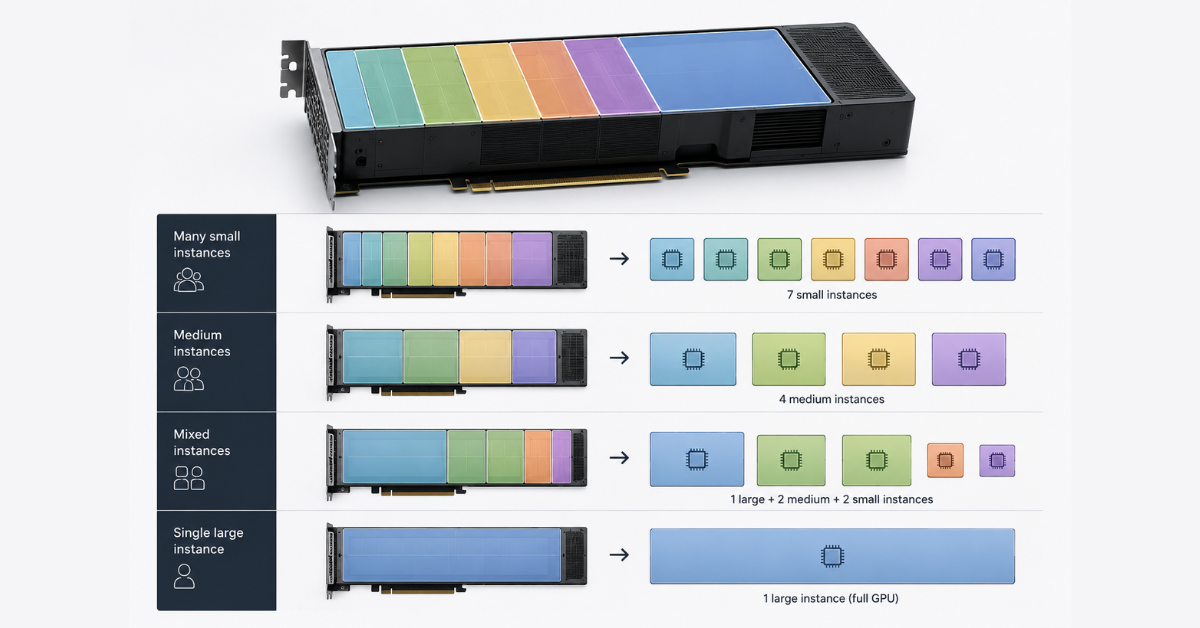
A MIG profile defines the size of an instance. A profile name usually has two parts: the share of the compute section and the amount of GPU memory. For example, the 1g.10gb profile means a small instance with 10 GB of GPU memory, while 7g.80gb is almost the entire H100 80 GB in one profile.
The complete list of profiles should be checked in the official Supported MIG Profiles table, because available options depend on the specific GPU model, memory capacity, form factor and driver version.
| GPU | Examples of MIG profiles | Maximum instances | Suitable workloads |
|---|---|---|---|
| A100 40 GB | 1g.5gb, 2g.10gb, 3g.20gb, 4g.20gb, 7g.40gb | up to 7 | small models, tests, notebooks, lightweight inference |
| A100 80 GB | 1g.10gb, 1g.20gb, 2g.20gb, 3g.40gb, 4g.40gb, 7g.80gb | up to 7 | several teams, inference, batch workloads, medium experiments |
| H100 80 GB | 1g.10gb, 1g.20gb, 2g.20gb, 3g.40gb, 4g.40gb, 7g.80gb | up to 7 | production inference, LLM tests, several services on one GPU |
| H100 94/96 GB | 1g.12gb, 1g.24gb, 2g.24gb, 3g.47/48gb, 4g.47/48gb, full profile | up to 7 | workloads that need more than 80 GB, but not always the whole card |
| H200 141 GB | 1g.18gb, 1g.35gb, 2g.35gb, 3g.71gb, 4g.71gb, 7g.141gb | up to 7 | large inference, memory-heavy workloads, several heavy models |
The numbers in the profile name should not be treated as an exact performance forecast. The profile shows the size of the allocated part of the GPU, but real speed depends on the model, batch size, type of computation, memory, libraries and how well the workload scales.
How to choose a profile for a workload
Profile selection starts not with the question “how many instances can be created”, but with “what exactly will run on each instance”. The same GPU can be configured in different ways: many small profiles, several medium profiles or one large profile.
A small model or test service
For a small model, it is usually worth starting with a 1g profile. This option is suitable if the workload:
- uses little GPU memory;
- does not require high bandwidth;
- serves a moderate number of requests;
- is needed for testing or development;
- runs as a separate service.
On an A100 80 GB, this may be a 1g.10gb profile. On an H200 141 GB, it may be 1g.18gb. The difference matters: even the smallest H200 profile gives noticeably more memory, which makes the card easier to divide between heavier workloads.
A notebook for a developer or analyst
Notebook environments often use GPUs inefficiently. A user may open a session, load a model, run several cells and leave the process hanging for several hours. If they receive an entire H100, the card is formally occupied even though it is only partially used.
For notebooks, the following are usually suitable:
- 1g profiles for lightweight experiments;
- 2g profiles for workloads with a larger batch;
- session time limits;
- automatic cleanup of idle processes;
- separate limits for different user groups.
Here, MIG helps not so much to accelerate computation as to make access to GPUs fairer.
Batch inference
For batch inference, memory is not the only factor: processing latency also matters. A small profile may fit the model, but fail to provide the required throughput.
Before choosing a profile, it is worth checking:
- maximum batch size;
- average and peak latency;
- compute utilization;
- memory utilization;
- behavior under parallel requests;
- headroom for load growth.
If the service runs a small model, you can start with 1g or 2g. If the batch is large or the model is heavier, it is better to test 3g or 4g. For workloads where a large amount of GPU memory is important, H200 becomes more interesting.
Fine-tuning
Small profiles are not always suitable for fine-tuning. Even if the model starts, it may fail at the next stage because of peak memory consumption. This is especially noticeable when increasing batch size, context length or using less memory-efficient training settings.
Fine-tuning more often requires:
- 3g or 4g profiles;
- a full profile if the model is large;
- a separate physical GPU if the workload consistently uses the whole card;
- a preliminary test for peak memory consumption.
If the task involves serious LLM fine-tuning, it is not worth starting with the minimum profile. It is better to measure consumption on a test run first and only then decide whether the card can be shared.
Examples of sharing one GPU between workloads
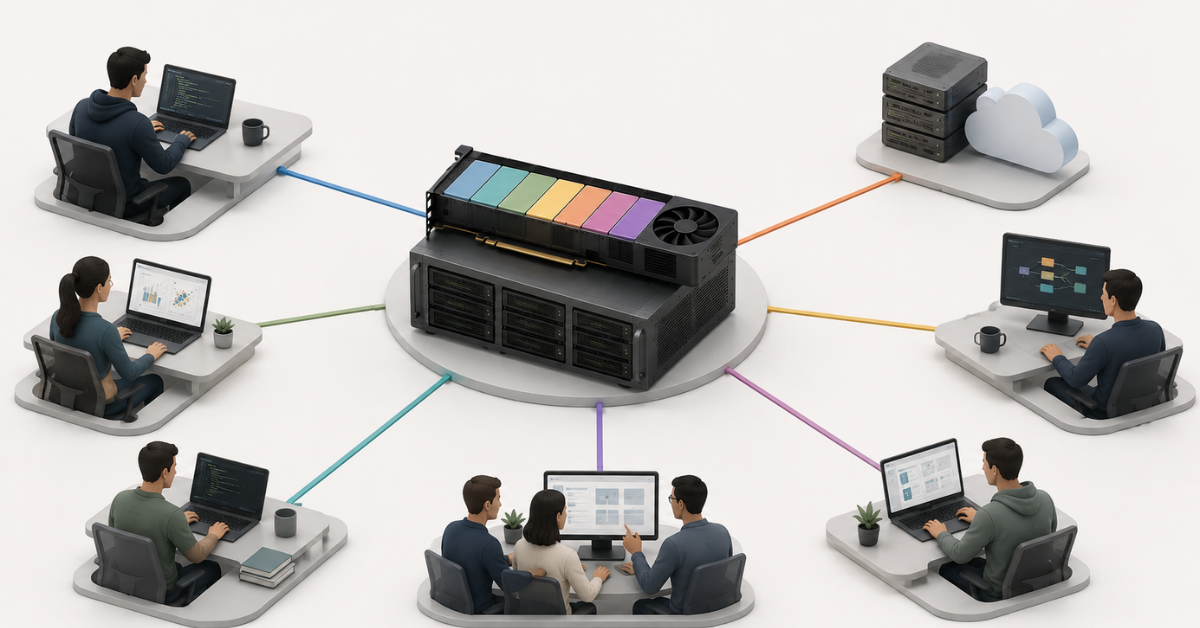
MIG is easiest to understand through specific layouts. The examples below are not universal recipes, but typical starting points for infrastructure design.
A100 80 GB for a development team
NVIDIA A100 80Gb PCIE HBM2 OEM can be used as a shared card for several internal tasks.
Example layout:
- 2 × 1g.10gb — notebooks for developers;
- 1 × 2g.20gb — test inference;
- 1 × 3g.40gb — an experiment with a larger model.
This layout is suitable when the team needs not the maximum acceleration of one task, but constant access to several isolated environments. If a larger experiment is needed for a period of time, the configuration can be rebuilt and more resources can temporarily be assigned to one workload.
H100 80 GB for several inference services
NVIDIA H100 80Gb HBM3 OEM is more often chosen for higher-performance AI workloads. In a MIG scenario, it is well suited for several inference services.
Possible layout:
- several 1g or 2g profiles for small models;
- one 3g or 4g profile for a heavier service;
- a separate small profile for testing a new model version.
Here, it is important not to overload the card with random profiles. It is better to define service classes in advance: small, medium and heavy. Then teams can request resources more easily, and administrators can track utilization more clearly.
H200 141 GB for workloads where GPU memory matters
NVIDIA H200 ORIGINAL is interesting where the limitation is not only compute power, but also GPU memory capacity. H200 MIG profiles are larger: even a small profile gives 18 GB, while medium profiles can provide 35 or 71 GB.
Such a card can be divided between:
- several inference services with noticeable memory consumption;
- batch workloads;
- model tests that need more than 10–20 GB;
- several teams working with heavier pipelines.
If a model needs almost the entire H200 capacity, MIG is no longer necessary: it is better to use a full profile or the whole physical GPU.
GPU servers
Free shipping on orders over 500 € in the EU, £500 in the UK, and $3,000 in the USA
Free shipping on orders over 500 € in the EU, £500 in the UK, and $3,000 in the USA

Free shipping on orders over 500 € in the EU, £500 in the UK, and $3,000 in the USA
Free shipping on orders over 500 € in the EU, £500 in the UK, and $3,000 in the USA
What to check before deploying MIG
Before deploying MIG, it is important to check not only the GPU itself, but the whole stack: driver, containers, Kubernetes, monitoring, access rules and scenarios for recreating profiles.
| What to check | Why it matters |
|---|---|
| GPU compatibility | Not all NVIDIA GPUs support MIG. A100, H100 and H200 are suitable, but the specific model and form factor should be checked separately |
| Driver version | Older versions may not support the required profiles or correct operation with a modern stack |
| CUDA and libraries | The application must see the MIG instance as an available GPU and run correctly on a limited profile |
| nvidia-smi | You need to make sure that MIG can be enabled, profiles can be created and they are displayed in the system |
| Kubernetes device plugin | Required if MIG instances will be assigned to containers in Kubernetes |
| GPU Operator and MIG Manager | Simplify management of the GPU stack and MIG configurations on nodes |
| Monitoring | Metrics are needed for each instance, not only for the physical GPU |
| Allocation rules | Users must understand which profile they need and why |
| Profile change policy | Rebuilding a MIG layout may require stopping workloads |
| Resilience plan | MIG partitions a GPU, but it does not replace service redundancy |
Choosing the Right Equipment
Our specialists will contact you and answer all your questions
Special attention should be paid to allocation rules. Without them, MIG quickly turns into a set of randomly created profiles: one user asks for an oversized instance, another occupies a small profile with a heavy model, and a third leaves a session hanging over the weekend.
A good practice is to define several standard classes in advance:
- a small profile for notebooks and tests;
- a medium profile for inference;
- a large profile for heavy experiments;
- a full profile for workloads that really need the whole card.
MIG in Kubernetes
Example architecture for scaling Triton Inference Server with MIG and Kubernetes. Source: NVIDIA Developer Blog
In Kubernetes, MIG is especially useful because it allows a pod to receive not the whole physical GPU, but a specific profile. This requires an additional NVIDIA stack: drivers, container toolkit, device plugin and, in more managed installations, GPU Operator.
NVIDIA describes MIG scenarios for Kubernetes in separate documentation: MIG Support in Kubernetes. In practice, it looks like this:
- the administrator enables MIG on a GPU node;
- creates the required profiles;
- Kubernetes receives a list of available MIG resources;
- the pod requests a specific resource type;
- the scheduler places the workload on a node where that profile exists.
In Kubernetes, it is especially important not to create chaos from too many profile options. The more variants there are, the harder it is for the scheduler to place workloads and for teams to choose the right resource.
For ML platforms, the following rules are usually useful:
- label GPU nodes by the type of available profiles;
- create separate queues for small, medium and large workloads;
- restrict access to full GPUs;
- automatically terminate idle notebook sessions;
- collect usage statistics by profile;
- regularly review which profiles are actually needed.
MIG works well with Kubernetes when workloads are classified in advance. If every team manually asks for “something bigger”, the benefits are quickly lost.
When it is better not to use MIG
MIG is not needed in every GPU server. Sometimes partitioning a card only makes operations more complicated.
It is better to use a full physical GPU or several GPUs without MIG if:
- one workload consistently uses the whole GPU;
- the model needs almost all GPU memory;
- maximum performance for one workload is required;
- training is distributed across several GPUs;
- the workload actively exchanges data between accelerators;
- the application works poorly on a limited profile;
- flexible memory redistribution between workloads is required;
- the infrastructure is not ready to monitor MIG instances;
- there is no administrator who will manage profiles and access rules.
MIG works especially well where workloads are similar and predictable. For example, when you have several typical inference services, several notebook environments and clear limits for teams. If every run is unique and memory consumption is hard to predict, profiles will have to be changed more often and workloads will need to be stopped.
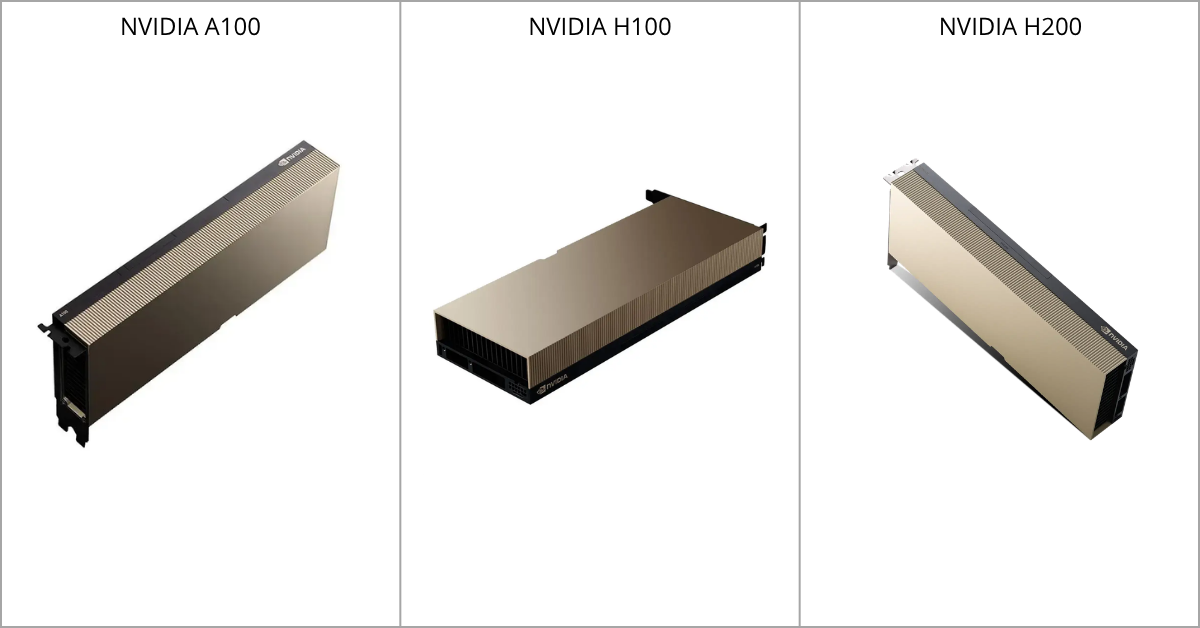
A100, H100 or H200: what to choose for MIG
Source: ServerMall
The choice depends on which workloads need to run and how important GPU memory is.
A100
A100 is a mature and widely used platform. It works well for:
- internal ML environments;
- dev/test;
- several notebooks;
- inference for small and medium models;
- teams that need GPU access without a budget for top-end H100/H200 cards.
If active sharing between users is planned, A100 80 GB is more convenient than the 40 GB version: it offers more memory options and reduces the risk that every workload will quickly hit its limit.
H100
H100 is worth considering if higher performance is required for modern AI workloads. In MIG scenarios, it is suitable for:
- production inference;
- several services on one GPU;
- LLM testing;
- ML platforms with different workload classes;
- teams that need performance headroom.
H100 may be excessive for small tasks. This is exactly why MIG is especially useful here: it helps avoid giving the entire powerful card to one small process.
H200
H200 is interesting when the main issue is GPU memory and memory bandwidth. H200 profiles are larger, so the card is well suited for heavier inference scenarios and workloads that need more than the typical 10–20 GB.
H200 is worth considering if:
- models often hit memory limits;
- several heavy services need to be kept running;
- batch inference requires significant headroom;
- one workload does not always use the full 141 GB capacity;
- you want to divide the card without moving to very small profiles.
If there is only one workload and it constantly needs the whole H200, partitioning will not provide an advantage. But if there are several such workloads and each needs only part of the card, MIG helps use the resource more densely.
Common mistakes when working with MIG
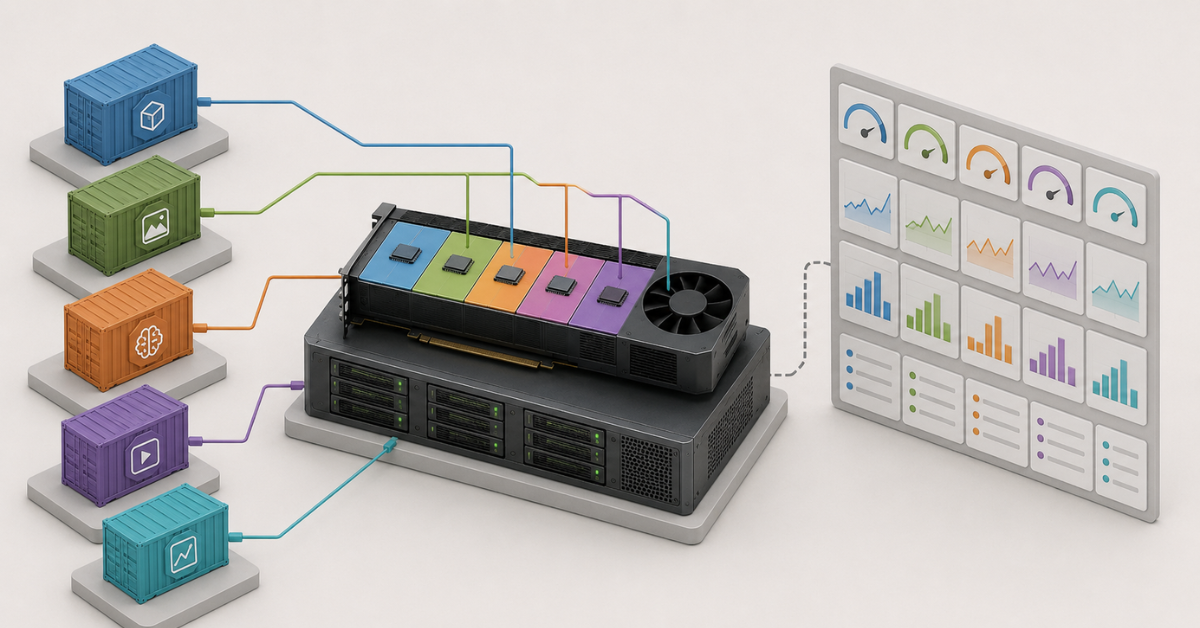
Mistakes are usually connected not with the technology itself, but with expectations and operations.
The most common problems are:
- choosing a profile only by GPU memory size;
- not checking peak memory consumption of the model;
- not measuring inference latency under load;
- assigning oversized profiles “just in case”;
- running fine-tuning on an instance that is too small;
- not collecting metrics for each MIG instance;
- forgetting that free memory from a neighboring profile is not transferred automatically;
- not documenting who received a profile and why;
- mixing too many configurations on one node;
- treating MIG as a replacement for several physical GPUs;
- not planning workload downtime before changing the layout.
To avoid these mistakes, MIG should be deployed not as a one-time setting, but as a managed GPU usage policy.
A minimum set of rules:
- Define standard profiles and scenarios.
- Test real workloads on a test stand.
- Configure per-instance monitoring.
- Restrict access to full GPUs.
- Introduce rules for cleaning up idle processes.
- Review configurations based on usage statistics.
How to understand whether MIG will pay off
MIG makes sense if an expensive GPU is often idle or occupied by workloads that do not need the whole card. This is especially visible in teams with many tests, notebooks, small models and inference services.
MIG will be useful if:
- several users regularly compete for one GPU;
- workloads are predictable in terms of memory;
- there are many small inference services;
- clients or teams need to be isolated;
- the GPU is often occupied, but not actually fully loaded;
- the infrastructure already uses Kubernetes or plans to move to it;
- there is an administrator who will manage profiles.
MIG may be unnecessary if:
- the whole GPU is almost always occupied by one large workload;
- models constantly require the full memory capacity;
- there is no monitoring;
- there are no clear allocation rules;
- the team is not ready to change GPU workflows.
Ultimately, MIG should be viewed not as a way to make A100, H100 or H200 faster, but as a way to make their use more manageable. It helps divide an expensive GPU between several workloads, reduces resource conflicts and improves hardware utilization. But good results require the right profiles, monitoring and an understanding of the limitations. Without that, MIG can easily turn into another complex infrastructure layer that nobody controls.
Choosing the Right Equipment
Our specialists will contact you and answer all your questions
Content:

Free shipping on orders over 500 € in the EU, £500 in the UK, and $3,000 in the USA

Free shipping on orders over 500 € in the EU, £500 in the UK, and $3,000 in the USA

Free shipping on orders over 500 € in the EU, £500 in the UK, and $3,000 in the USA

Free shipping on orders over 500 € in the EU, £500 in the UK, and $3,000 in the USA

Free shipping on orders over 500 € in the EU, £500 in the UK, and $3,000 in the USA

Free shipping on orders over 500 € in the EU, £500 in the UK, and $3,000 in the USA