LUN stands for Logical Unit Number: the SCSI identifier a server uses to address a block volume on a storage system. In everyday use, LUN also refers to the logical disk presented to the server, which can hold a file system or virtual machine disks. To connect it, create a volume, grant the required server access, and discover the device in the operating system. For resilient operation, configure multiple independent paths and manage them with multipathing.
What is a LUN?
A storage system provides the server with logical space of a specified size. The server reads and writes blocks, while the array determines where they are stored and how they are protected.
For example, a 2 TB volume is presented as LUN 5. The operating system discovers a disk, while ESXi discovers a storage device. Partitions and a file system are created later.
Unlike SMB or NFS, this provides the server with blocks rather than a network folder. The operating system or cluster platform manages the file system.
Where LUN comes from: SCSI addressing
LUN means Logical Unit Number. Classic SCSI used the addressing scheme “bus → target device → LUN”. The server’s initiator sends commands, and the target device receives them.
One iSCSI target can present multiple LUNs. An IQN identifies an iSCSI node, either an initiator or a target, rather than each volume. A separate target is not required for every LUN.
LUN 0, LUN ID, and “Target ID 0 LUN 0”
During boot, “Target ID 0 LUN 0” is the address of logical unit 0 on the target with local ID 0. It does not indicate an error or zero capacity.
Some implementations use LUN 0 for initial discovery and management communication. However, it does not have to be a boot device, and there is no universal requirement for user volumes to start at zero. Dell’s Linux guide shows that, before a volume is presented, a PowerVault ME5 may expose an enclosure device at LUN 0. This is not yet a data disk.
A LUN ID is the presentation number within a particular access context, rather than a globally unique volume identifier. Persistent identifiers such as WWID or NAA are also used to match devices. The same number on independent servers can refer to different volumes.
In an ESXi cluster, a shared volume is presented to hosts with the same LUN ID. Broadcom explains how different numbers for the same NAA can produce different VML identifiers and prevent correct recognition of disks already in use. Mistaking such a disk for an unused device is dangerous.
How a LUN is organised inside a storage system
Disks, RAID group, pool, volume, and LUN
| Layer | Purpose |
|---|---|
| Physical disks | SSDs or HDDs that store the blocks |
| RAID group or distributed protection | Data placement with protection against drive failures |
| Pool | Shared capacity from which space is allocated to volumes |
| Volume | Logical space of a specified size |
| Presentation with a LUN ID | Access by a particular server to the volume under a selected number |
In a simple array, a volume is created directly in a disk group. In a distributed system, protection may operate without fixed RAID groups.
A volume is either the object presented to a host or a container for LUNs. A Disk Group is not always the same as a pool. Check the manufacturer’s terminology.
When choosing a storage system from the Servermall catalogue, consider capacity, controller interfaces, adapter compatibility, and multiple paths. Matching connectors alone are insufficient: the hardware, drivers, and operating system must form a supported configuration.
Thick and thin LUNs
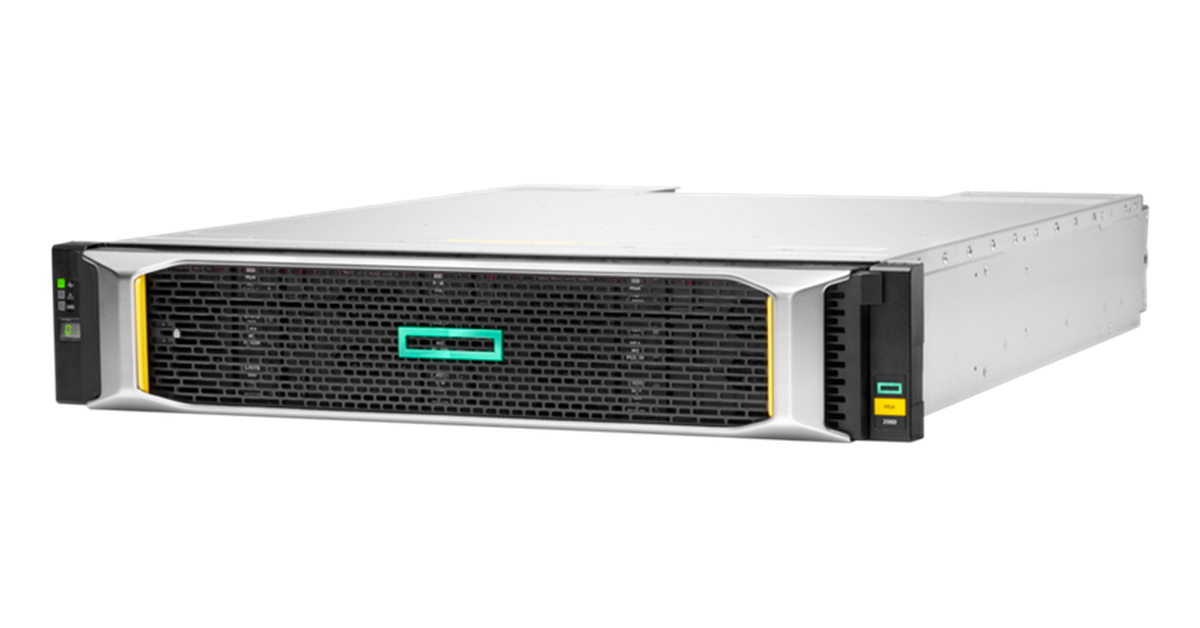
HPE MSA 2060 LFF storage array. Image source: HPE
With thick provisioning, capacity is reserved in advance according to the array’s implementation. With thin provisioning, the server sees the advertised capacity, while physical space is consumed as data is written.
A 10 TB pool can present three thin volumes of 5 TB each, provided the data actually written remains below the pool’s capacity. Further growth requires monitoring:
- Configure alerts based on actual pool utilisation.
- Include snapshots, clones, and write bursts in the capacity reserve.
- Reclaiming freed space depends on UNMAP/TRIM support throughout the entire stack.
- Do not count future compression and deduplication savings as guaranteed spare capacity.
When the pool fills up, writes stop or fail even if the operating system reports free space. Thick provisioning also requires spare capacity for maintenance.
Choosing the Right Equipment
Our specialists will contact you and answer all your questions
How a server gains access to a LUN
Mapping, masking, and zoning
An array’s interface may combine these operations, but they serve different purposes.
- Mapping associates a volume with a server or group and defines the presentation number and access permissions.
- Masking restricts visibility so that a server can access only authorised volumes. Initiators are identified by FC port WWPNs, often referred to as WWNs, or by IQNs in iSCSI.
- Zoning on an FC switch permits communication between initiator and target ports. It does not assign a particular volume to a server.
A zone does not replace mapping. iSCSI requires network connectivity and CHAP authentication if it is used. An IQN is not a password.
One server, multiple LUNs, or a shared cluster disk
Separate LUNs can be allocated to a server for database data and logs. This simplifies protection and maintenance. However, volumes in the same pool share disks and controllers: logical separation does not guarantee independent performance.
A shared LUN requires coordinated access, such as VMFS in VMware or CSV in a Windows failover cluster. Proxmox also requires a supported shared storage design.
A conventional ext4, XFS, or NTFS file system must not be mounted for simultaneous writes on two independent servers without a cluster arrangement. Each server changes metadata without accounting for the other’s actions. Granting access on the storage array does not turn a file system into a cluster file system.
Multipathing: multiple paths to one LUN
Through different ports and controllers, the operating system may discover several devices that lead to the same volume. Multipathing combines these paths into one logical disk and redirects I/O if a path fails.
Linux uses DM-Multipath, Windows uses MPIO with a supported DSM, and ESXi has its own mechanisms. Choose the policy according to the manufacturer’s recommendations. With ALUA, optimised and non-optimised paths have different states.
Provide redundancy throughout the chain: server ports, cables, switches, and connections to controllers. Two cables passing through one failed switch will not preserve access. With a single path, multipathing cannot work around a disconnection.
Load balancing does not guarantee twice the performance, and network interface teaming does not replace multipathing.
LUNs over iSCSI, Fibre Channel, SAS, and NVMe-oF
The transport determines device discovery and the redundancy design:
- iSCSI carries SCSI over TCP/IP. Configure the initiator, target port addresses, and access by IQN.
- Fibre Channel requires compatible adapters, connections, zones, and volume assignments to the correct WWPNs.
- SAS Direct Attach connects a server directly to a supported storage system. The number of hosts and redundant paths is limited by the hardware’s capabilities.
An array with SAS controllers must be distinguished from a JBOD enclosure. An enclosure usually presents drives to the server, while the server’s controller or software manages RAID and logical disks. SAS ports do not mean that an enclosure can create and present volumes by itself.
Infrastructure selection is covered in “FC, iSCSI, or SAS: Which Storage Connection Interface Should You Choose for Servers?”.
What replaces LUNs in NVMe-oF?
In NVMe-oF, block storage is provided as an NVMe namespace. It uses different commands and identifiers, including the subsystem’s NQN. Even NVMe/FC does not turn a namespace into a SCSI LUN. For details, see “NVMe-oF: When to Use It and How to Choose It”.
How to create a LUN on a storage system
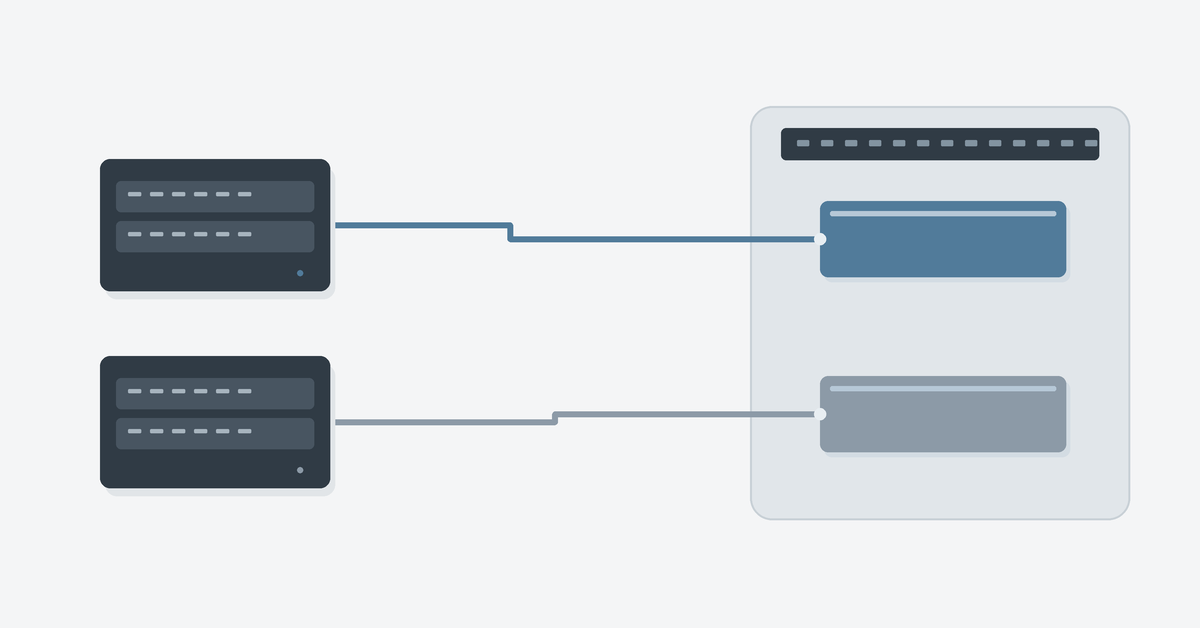
Once capacity, consumers, and the recovery approach have been defined, configure the storage:
- Collect the IQNs or WWPNs of all required initiators, including every cluster node.
- Choose a pool with suitable protection and sufficient spare capacity.
- Create a volume and specify its size and provisioning method.
- Register the server as a Host and add its initiators. Combine cluster nodes into a Host Group if required.
- Present the volume to the server or group, set access permissions, and assign a consistent LUN ID. All paths must lead to the same object.
- Scan for devices on the server and verify the discovered disk by its persistent identifier and size.
HPE MSA, Dell PowerVault, and Huawei
Similar operations have different names on HPE MSA 2060, Dell PowerVault, and Huawei storage systems:
| Family | Capacity objects | Granting access |
|---|---|---|
| HPE MSA 2060 | Disk Group → Pool → Volume in virtual storage | Assign a Volume to a host or group with a LUN ID |
| Dell PowerVault ME5 | Disk Group → Pool → Volume in virtual storage | Attach to a Host or Host Group; settings under Attached Volumes |
| Huawei OceanStor Dorado | Storage Pool → LUN | Map a LUN or LUN Group to a Host or Host Group |
For MSA, the procedure is described in the Storage Management Guide. In ME5, create a volume under Provisioning → Volumes and associate it with the server. With ME5 linear storage, the volume resides directly in the disk group.
In Huawei DeviceManager, the object is called a LUN even before it is presented to a server. According to the OceanStor Dorado guide, it is created in a prepared pool. Access is granted immediately or through subsequent mapping; LUN groups and host groups are used for group assignments. Menus and the availability of a separate Mapping View depend on the version.
LUNs on Synology
On compatible models running DSM 7, use SAN Manager to create a LUN and associate it with an iSCSI target. One target can serve multiple LUNs. Configure permitted initiators and authentication separately. Capabilities depend on the model and package. Allowing simultaneous sessions does not prevent conflicting writes.
How to connect a LUN to a server
The following describes connecting a prepared volume. Before partitioning, verify its size and persistent identifier. Do not mistake a new path to an existing disk for an empty disk: format only a new volume that contains no data you need to keep.
Linux
For iSCSI, install open-iscsi or iscsi-initiator-utils. For multiple paths, install multipath-tools or device-mapper-multipath. Package names depend on the distribution. Configure multipath services and rules before creating a file system.
After authorising the server’s IQN on the storage system, discover the target:
sudo iscsiadm -m discovery -t sendtargets -p 192.0.2.10To connect, use the target IQN returned by discovery rather than the server’s IQN:
sudo iscsiadm -m node -T TARGET_IQN -p 192.0.2.10 --login
sudo iscsiadm -m session --rescan
lsblk -o NAME,SIZE,TYPE,WWN
sudo multipath -ll
Replace TARGET_IQN with the actual name and 192.0.2.10 with the storage port’s address. This example does not use CHAP; if CHAP is required, configure it before logging in. For redundancy, connect the necessary array ports through independent server interfaces.
Discovery finds the target, login establishes a session, and rescan discovers devices. FC and SAS do not require iSCSI commands: scan the corresponding SCSI adapter instead.
With DM-Multipath, create the file system or LVM on the combined device under /dev/mapper rather than on individual /dev/sdX devices. Rules and persistent names are described in the Red Hat documentation. Configure session restoration and startup order after reboot separately.
Windows Server
For iSCSI, use the built-in iSCSI Initiator. With multiple paths, add Multipath I/O and a supported DSM. For the built-in MSDSM, enable device claiming according to the storage system’s instructions.
- Add the target port addresses to discovery.
- Connect to the target, configure CHAP if required, and make the connection persistent across reboots.
- For MPIO, create sessions through the designated interfaces and array ports, with multipath access enabled.
- Scan for disks and verify the identifier and size. Bring the new empty disk online, initialise it with GPT, and create a volume.
Multiple paths must lead to one disk rather than appear as independent copies. Add a shared Windows cluster disk according to the cluster procedure: do not initialise it again on each node.
Choosing the Right Equipment
Our specialists will contact you and answer all your questions
VMware ESXi
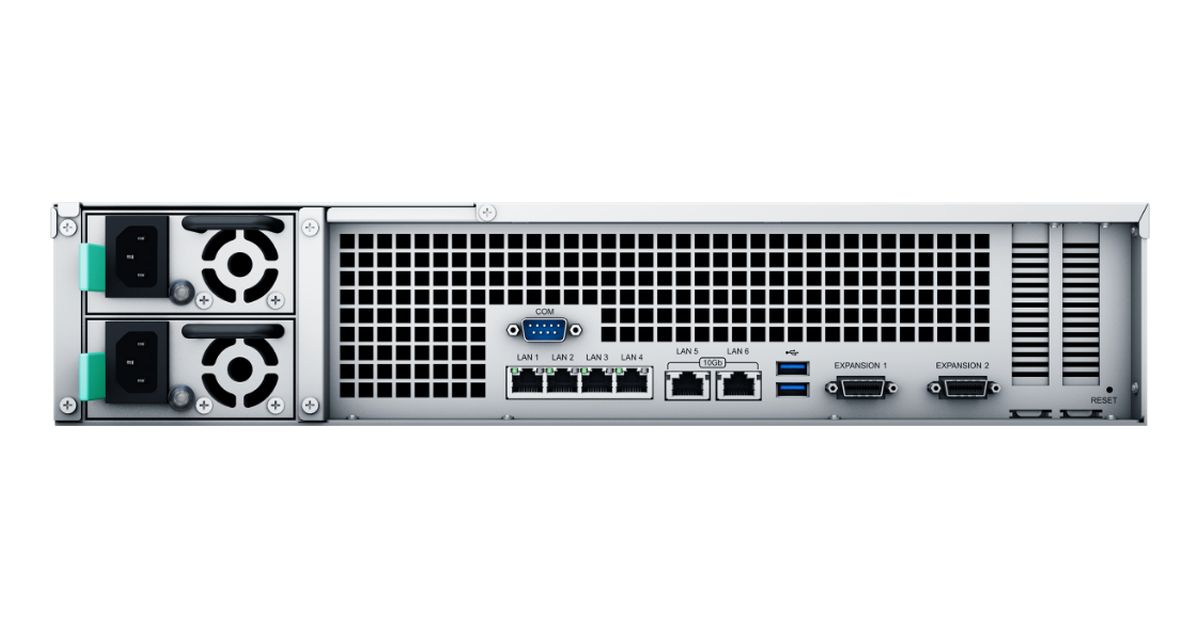
Rear connections on the Synology RS3621xs+. Image source: Synology.
For iSCSI, configure the adapter and VMkernel network; for FC, configure adapters and zones. After presenting the LUN, run Rescan Storage on the required hosts. Verify the NAA, LUN ID, and path states.
Create VMFS on a new empty device. Other nodes must mount the existing datastore: formatting it again will destroy the data. Choose a path policy, including Round Robin, according to the recommendations for the storage system and ESXi version.
When connecting a copy or replica, handle the VMFS signature separately. Changing the signature of a live shared datastore is not a routine LUN discovery step.
Proxmox VE
A common shared storage design is iSCSI → multipath → standard LVM. One LUN is accessible to cluster nodes, and Proxmox manages the volumes containing virtual machine disks.
Verify the WWID on the nodes and configure multipathing. Add the iSCSI storage, create an LVM volume group on the combined device, and add it as shared storage. Do not recreate the volume group on each node.
The Shared setting indicates that storage is accessible to the nodes and enables the intended coordination. It does not connect the array or make a local disk shared. Standard LVM-thin must not be used as shared storage across multiple nodes. A thin LUN on the array is not the same as host-side LVM-thin.
Configuration is described in the Proxmox multipath guide.
Performance and data protection at LUN level
Performance depends on the drives, RAID, pool utilisation, cache, controllers, network, and server. Evaluate throughput, latency, and behaviour during a path failure.
- QoS limits the resources available to individual workloads if the array supports it. Limit IOPS or bandwidth for a test environment; provide sufficient resources for a production database.
- Storage tiering moves frequently accessed blocks to faster drives. Support depends on the storage system, and the algorithm may not always keep up with workload changes.
- Write-back cache acknowledges writes before they reach the main drives. It requires the protection specified by the manufacturer: non-volatile preservation of data during power loss and, where required, controller cache mirroring. An external UPS does not replace protection against controller failure.
- Snapshots speed up restoration to an earlier state but often depend on the same pool. They do not replace a separate backup. For a database, snapshots must also be consistent with the application.
Replication transfers data to another system. Synchronous and asynchronous replication differ in connectivity requirements and the acceptable loss of recent changes. Related data and log volumes must be recovered consistently.
Drive encryption protects information on removed disks but does not prevent an authorised server from reading it. Keys and access permissions require separate management.
Typical LUN configurations by workload
The layout depends on the application and recovery requirements.
| Workload | LUN layout | Key considerations |
|---|---|---|
| Database | Separate data and log volumes if required by the application | Write latency and consistent recovery |
| VMware cluster | Shared LUNs with VMFS | Queues, backups, and host access |
| Hyper-V cluster | Shared LUNs with CSV | Compatibility, cluster validation, and paths |
| Proxmox cluster | Shared LUN, multipath, and standard LVM | Consistent visibility and platform coordination |
| File server | A LUN for the file system and SMB/NFS shares | Data growth and file recovery |
| Test environment | Separate LUNs or clones | Limits on resources, permissions, and capacity consumption |
One large LUN ties workload maintenance together, while many small LUNs complicate administration. Separate volumes by ownership, protection, and maintenance requirements rather than simply to create more LUN numbers.
Expanding and migrating a LUN
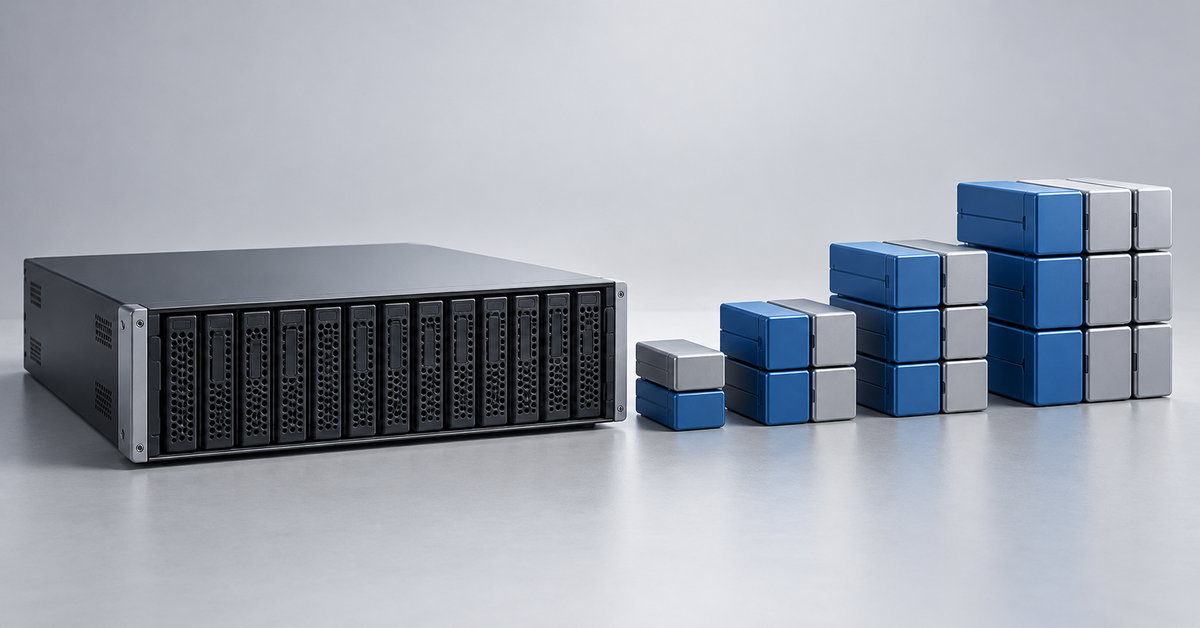
Expansion proceeds through the layers: array volume → host discovery of the new size → multipath update → expansion of the partition, LVM, file system, or VMFS. Expand the guest operating system’s disk and file system separately.
An internal array migration may preserve volume presentation if supported. Moving to another storage system usually requires copying or replication, new mapping, and an application cutover. The same name and LUN ID do not make a new disk the old one: its WWID may change.
During cutover, coordinate writes and the rollback sequence. Detach the old volume after completing the operating system’s removal procedure: removing an active mapping is equivalent to disconnecting a disk.
Common problems: what to do if a server cannot see a LUN
The target is reachable, but no disk appears
Compare the IQN or WWPN with the array’s records and check mapping, permissions, and the session. Cloned operating systems sometimes have identical IQNs: servers need unique names and matching permissions.
For FC, check port registration and zones. For iSCSI, check storage port addresses, routes, VLANs, the TCP port, and CHAP. Rescan: a successful ping does not confirm access to a volume.
LUN ID conflicts or multiple copies of a disk
Different volumes must not have the same address within one presentation context. However, LUN 5 on independent servers does not necessarily indicate a conflict. In a cluster, compare the number together with the persistent identifier: matching numbers may conceal different devices.
If one WWID is visible through multiple paths, investigate multipathing. Do not format additional /dev/sdX devices as unused disks.
A path fails or the connection disappears after reboot
Check cables, ports, switches, and controllers, followed by failover policies and timeouts. If all paths are lost, multipathing cannot maintain I/O; indefinite queueing can stall the application for a long time.
After a restart, check session persistence and the startup order of multipath, LVM, and mounts.
The operating system reports free space, but writes fail
A possible cause is a full thin-provisioned pool. Check actual capacity consumption, snapshots, and events on the array. Expand the pool or reclaim space according to the manufacturer’s procedure, without deleting unknown objects.
After writes resume, assess the file system and application: successful operations alone do not confirm that the database needs no recovery following I/O errors.
Frequently asked questions
Can a LUN be resized?
Many arrays support expansion, but the host-side structures must also be expanded. Shrinking is often unavailable: create a smaller volume and migrate the data instead. Simply reducing capacity risks losing blocks beyond the new boundary.
How many LUNs can be created?
The limit depends on the storage system, firmware, number of mappings, operating system, hypervisor, and adapters. Device count and the LUN ID range are different parameters. Account for the strictest limit throughout the stack, as well as snapshots and clones.
How does a LUN differ from a volume?
A volume is an object with capacity and properties; a LUN is a logical unit number. Interfaces may also call the object itself a LUN. The meaning depends on the manufacturer.
Is multipathing useful with only one cable?
There is no alternative route if the only connection fails. Multipathing can be configured in advance, but resilience requires independent paths.
Can RAID be used with SSDs?
Yes. RAID and distributed protection are also used in all-flash storage systems. Choose a layout based on the workload, acceptable failures, drive endurance, and the manufacturer’s recommendations.
LUN reliability depends on coordinated array, network, and server settings. Redundant paths, spare capacity, and separate copies of data help keep storage maintenance free of unexpected outages.
Choosing the Right Equipment
Our specialists will contact you and answer all your questions