HPE ProLiant DL20 is a compact single-socket 1U server for infrastructure services, branch offices, small databases, and moderate virtualisation. Gen10 remains a sensible minimum for a cost-effective production system, Gen10 Plus offers the best balance on the refurbished market, and Gen11 is the better choice for a new deployment. Gen9 makes sense when the budget is very limited or when the server must match an existing installed base. If the project requires more than 128 GB of memory, two processors, or extensive local storage, it is better to move directly to the DL360 or DL380.
What is the HPE ProLiant DL20?
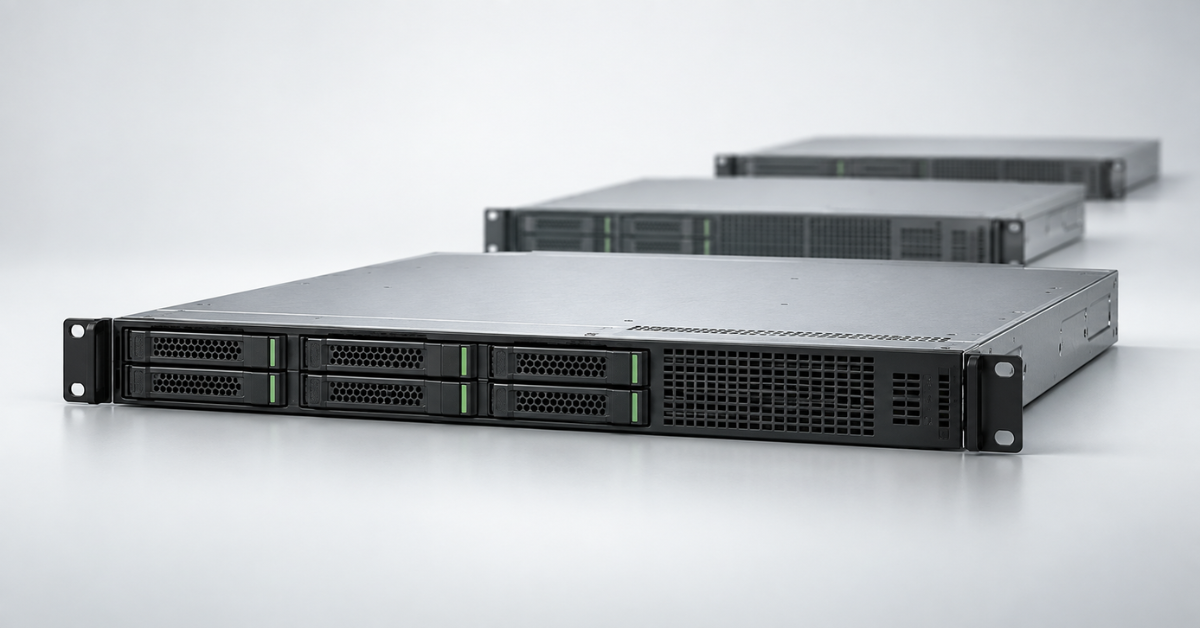
The DL20 is the entry-level model in the HPE ProLiant rack server family. In every generation covered here, it is a short-depth 1U chassis with one processor and four memory slots. The model is designed for locations where shallow chassis depth, remote management, and moderate power consumption matter.
Typical use cases include:
- domain controller, DNS, and DHCP server;
- file services for a small office;
- monitoring, routing, or telephony server;
- a small database or 1C deployment with a moderate number of users;
- a few lightweight virtual machines;
- a local node for a branch office, shop, warehouse, or production site.
The compact design comes with limitations. The DL20 has one processor, four memory slots, only a few drive bays, and limited space for expansion cards. It is not a smaller version of the DL360: the dual-socket DL360 belongs to a higher-performance class despite sharing the same 1U height.
How the platform evolved
The DL20 chassis and purpose changed very little between generations, but its internal limits gradually moved higher. Gen9 used quad-core Xeon E3 processors and supported up to 64 GB of memory. Gen10 introduced eight-core Xeon E processors and iLO 5. Gen10 Plus doubled the maximum memory capacity and moved to PCIe 4.0, while Gen11 added DDR5, PCIe 5.0, iLO 6, and a new arrangement for network and storage controllers.
| Generation | Processors | Memory | I/O | Management | Drive chassis |
|---|---|---|---|---|---|
| Gen9 | Xeon E3-1200 v5/v6, Core i3, Pentium; up to 4 cores | Up to 64 GB DDR4 ECC | PCIe 3.0 | iLO 4 | 2LFF or 4SFF |
| Gen10 | Xeon E-2100/2200, Core i3, Pentium; up to 8 cores | Up to 64 GB DDR4 ECC | PCIe 3.0 | iLO 5 | 2LFF or 4SFF, with an optional additional 2SFF |
| Gen10 Plus | Xeon E-2300, Pentium; up to 8 cores | Up to 128 GB DDR4 ECC | PCIe 4.0 | iLO 5 | 2LFF or 4SFF, with an optional additional 2SFF |
| Gen11 | Xeon E-2400 and Xeon 6300, Pentium; up to 12 cores in the current specification | Up to 128 GB DDR5 ECC | PCIe 5.0, OCP 3.0 | iLO 6 | 2LFF or 4SFF, with an optional additional 2SFF |
The figures in the table describe the platform's capabilities, not every preconfigured server. A base system may ship with an entry-level processor, a single memory module, a non-redundant power supply, and no hardware RAID controller.
HPE ProLiant DL20 Gen9
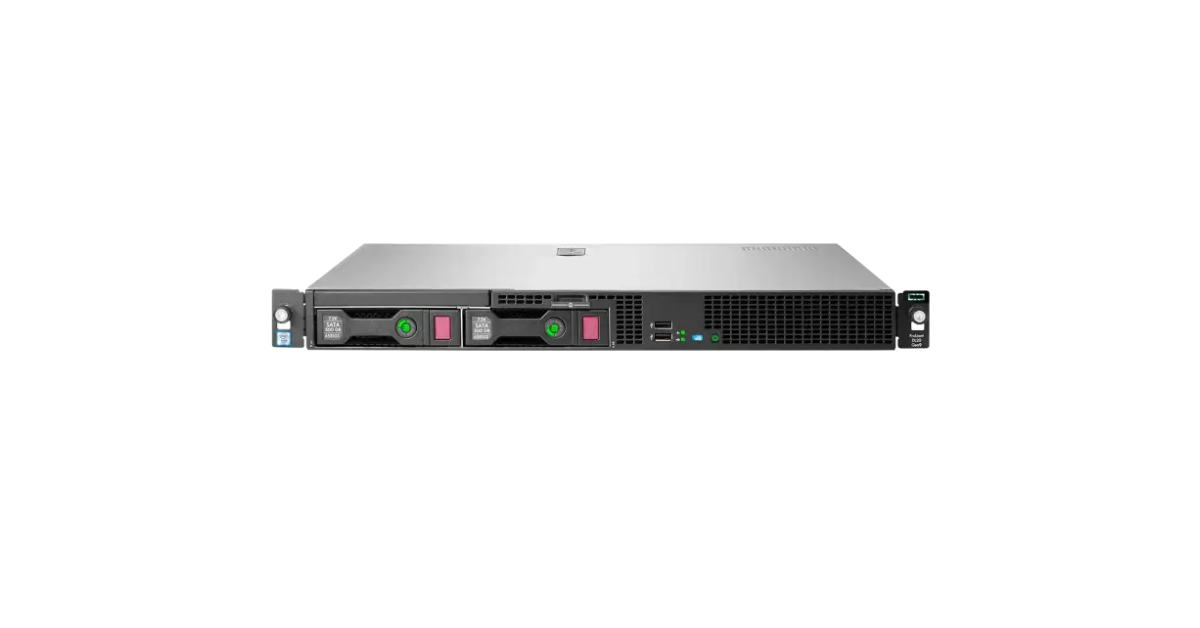
Image source: Servermall
DL20 Gen9 is built around a single Intel Xeon E3-1200 v5 or v6 processor. More affordable configurations with Core i3 and Pentium processors were also available. A maximum of four cores and 64 GB of DDR4 ECC looks modest today, but this capacity is often sufficient for a domain controller, print server, monitoring server, software router, or small file server.
The storage subsystem was available in 2LFF and 4SFF versions. The first is more convenient when capacity from two inexpensive 3.5-inch HDDs matters, while the second is better when four 2.5-inch drives, SSDs, or hot-swap support are required. The actual capabilities depend on the specific chassis, cables, and controller.
The embedded Dynamic Smart Array B140i is a basic SATA solution. SAS drives, hardware RAID, and cache required an H240 or P440 controller. A listing that mentions a P440 does not guarantee that the cache module and a working cache-protection battery are installed.
The server received iLO 4 and two embedded 1GbE network ports. Compared with a conventional PC, this provides full remote hardware monitoring, an event log, and power control. Some remote console functions depend on the iLO licence.
Gen9 is limited by more than performance. The platform is no longer part of the current product line, so a deployment must account for drive condition, firmware availability, support for the selected operating system, and the remaining service life. The full list of factory options is provided in the HPE specification.
Gen9 is reasonable for an inexpensive standby role or for expanding a uniform legacy fleet. It should not be purchased with future virtualisation growth in mind: replacing drives or a network card cannot remove the 64 GB memory and four-core limits.
Choosing the Right Equipment
Our specialists will contact you and answer all your questions
HPE ProLiant DL20 Gen10
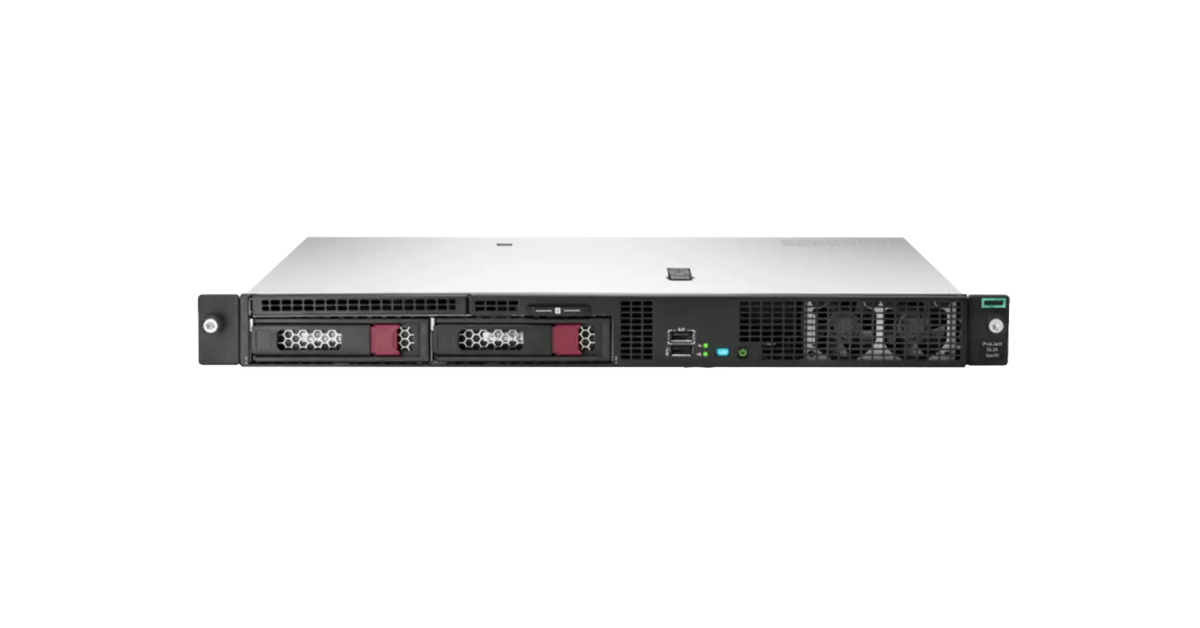
Image source: Servermall
HPE ProLiant DL20 Gen10 became considerably more versatile. Early configurations used Xeon E-2100 processors, while later systems used Xeon E-2200 models with up to eight cores. Core i3 and Pentium versions are also available, but Xeon is preferable for virtualisation and server applications: check not only clock speed, but also core count, platform feature support, and hypervisor requirements.
Memory capacity remained unchanged: four DDR4 ECC modules and a maximum of 64 GB. This may be enough for a single application, but memory often runs out before CPU resources when several virtual machines are deployed. Filling all four slots with small modules is inefficient if future expansion is planned.
Storage options include a 2LFF chassis with or without hot-swap support and a 4SFF chassis that can accept an additional two-drive cage. A 4+2 SFF designation does not mean that six bays are present in every configuration: the cage, cables, and a suitable controller are required.
The embedded S100i is intended for software RAID with SATA drives and has support limitations across different operating systems. HPE specifies UEFI operation and Windows support; on Linux, RAID is assembled in software by the operating system. For SAS, hardware cache, or more predictable hypervisor operation, choose a Smart Array E208i-a or P408i-a in a compatible configuration.
Gen10 moved to iLO 5 while retaining PCIe 3.0 and two embedded 1GbE ports. A dedicated iLO port, redundant power, M.2, and additional network adapters may require separate components. These details are listed in the official specification.
For an infrastructure server with 32–64 GB of memory, Gen10 remains a rational option. Compared with Gen9, it provides more modern management and up to twice as many processor cores, but its memory expansion limit does not change.
HPE ProLiant DL20 Gen10 Plus
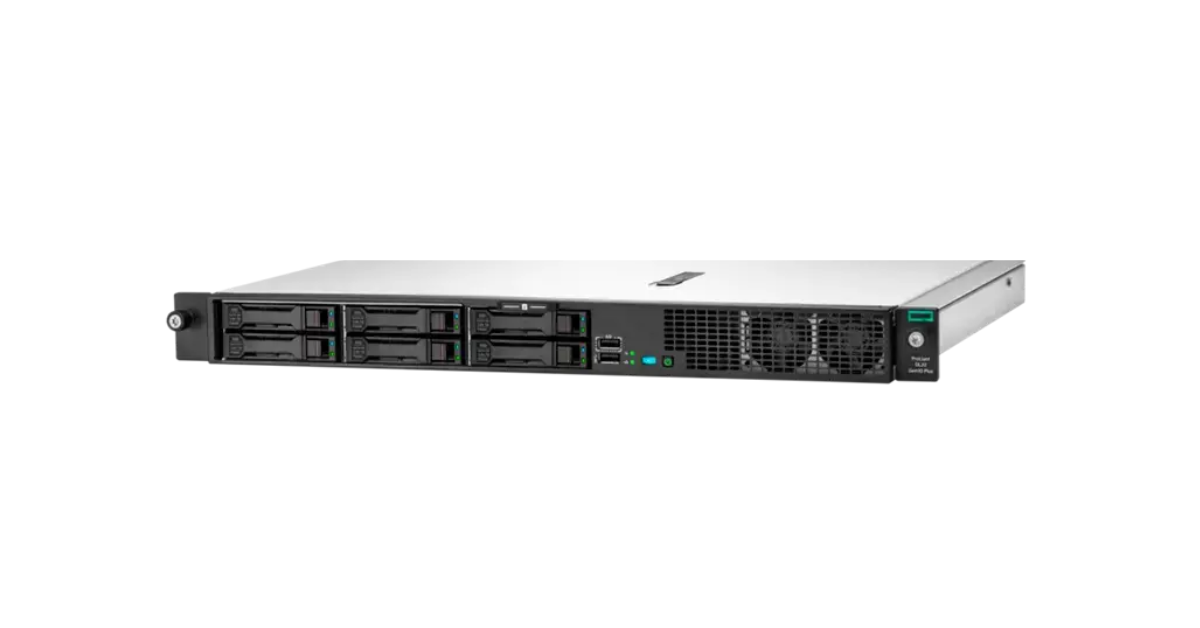
Image source: Servermall
In the HPE ProLiant DL20 Gen10 Plus, “Plus” does not refer to a cosmetic refresh. The DL20 Gen10 Plus moved to four-, six-, or eight-core Xeon E-2300 processors, gained PCIe 4.0, and supports up to 128 GB of DDR4 ECC. Doubling the memory capacity makes it far more practical for several virtual machines, caching services, and moderately sized databases.
The embedded network remained Gigabit Ethernet: two ports on a Broadcom BCM5720 controller. That is sufficient for redundant service traffic, but storage, backup, or virtual machine migration can quickly hit the 1Gbps limit. A faster adapter occupies one of the limited expansion slots.
The drive arrangement is familiar from Gen10: either 2LFF or 4SFF with the option to add two SFF bays. An M.2 NVMe or SATA drive can be used for booting, but support depends on the system board and connection kit. A matching drive form factor does not guarantee interface compatibility.
Embedded Intel VROC SATA is disabled by default and enabled in UEFI settings. It supports RAID 0, 1, 5, and 10, but it is not a universal replacement for Smart Array. HPE states that VROC SATA is not supported by VMware, cannot be configured through Intelligent Provisioning, and requires separate drivers or management tools. SAS drives, hardware cache, and hypervisor deployments require a compatible controller.
Gen10 Plus retained iLO 5 but gained faster I/O and doubled the memory ceiling. Among refurbished DL20 systems, it therefore often provides the best balance between price and remaining useful life. Memory, VROC, and expansion-card details are provided in the HPE QuickSpecs.
HPE ProLiant DL20 Gen11
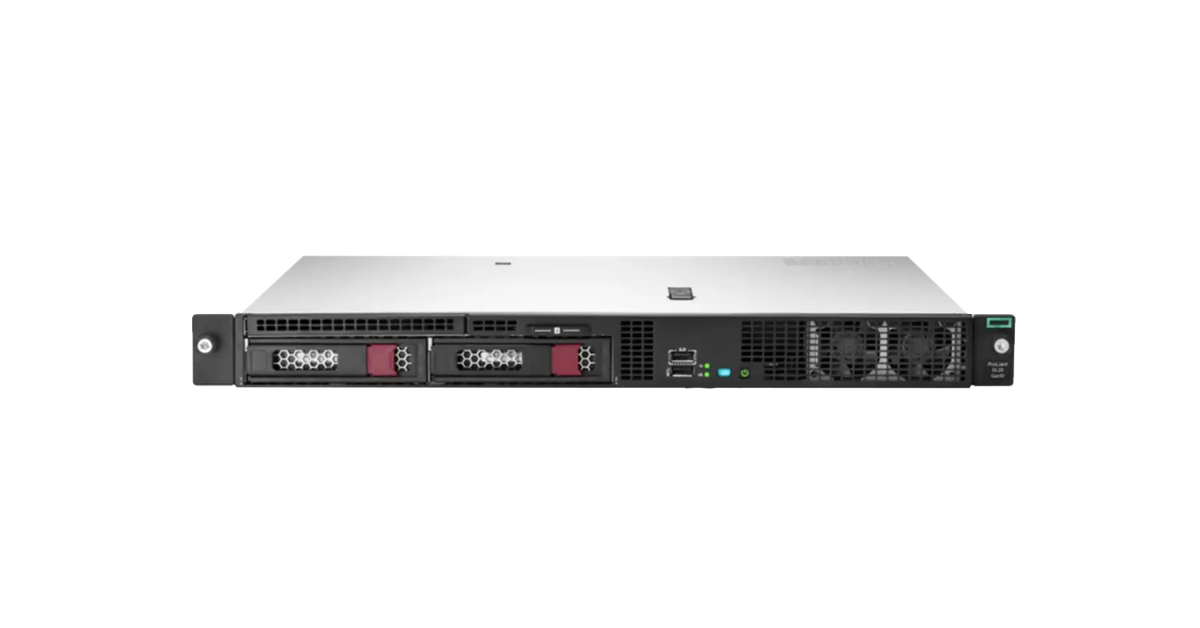
Image source: Servermall
HPE DL20 Gen11 is intended primarily for new infrastructure. Initial configurations were based on Xeon E-2400 processors with up to eight cores. The current HPE specification also includes Xeon 6300 processors, including twelve-core models. When comparing offers, the exact part number, processor, and build date therefore matter more than the Gen11 label alone.
The four memory slots now accept up to 128 GB of DDR5 ECC. Modules may have a higher rated speed, but the actual frequency is determined by the processor, the number of modules per channel, and the population scheme. It is best to use matching modules and maintain channel symmetry.
The main I/O changes are:
- one full-height PCIe 5.0 x16 slot;
- an external OCP 3.0 slot for a network adapter;
- an internal OCP slot for a storage controller;
- four embedded 1GbE ports;
- an optional NS204i-u device with two M.2 NVMe drives in hardware RAID 1 for operating system boot.
Separating the network and storage controllers avoids occupying the main PCIe slot, but the corresponding cards and cables are not always included in the base configuration. Embedded VROC SATA must still be considered separately from a hardware controller.
The DL20 Gen11 includes iLO 6 and TPM 2.0, which is enabled by default. HPE technologies provide firmware integrity verification and recovery to a trusted state, although advanced management and security functions may depend on the licence edition.
Available chassis include 2LFF with or without hot-swap support and 4SFF with two optional additional SFF bays. Two compatible power supplies can be installed for redundancy, but a base configuration with one non-redundant power supply does not become redundant simply by purchasing a second module: the appropriate chassis version and components are required.
Gen11 is worth choosing for DDR5, PCIe 5.0, iLO 6, modern peripheral support, and a longer lifecycle. Its current specification remains the official source for compatible processors and options.
Why DL20 Gen12 is not included in the comparison
As of the article's update date, a standalone DL20 Gen12 is not listed in the current HPE catalogue, and no separate official specification is available. Servermall has a general page for HPE Gen12 servers, but it describes the generation as a whole and does not confirm the release of a specific DL20 model. The comparison can be expanded when an official product page and QuickSpecs become available.
How to read a storage configuration
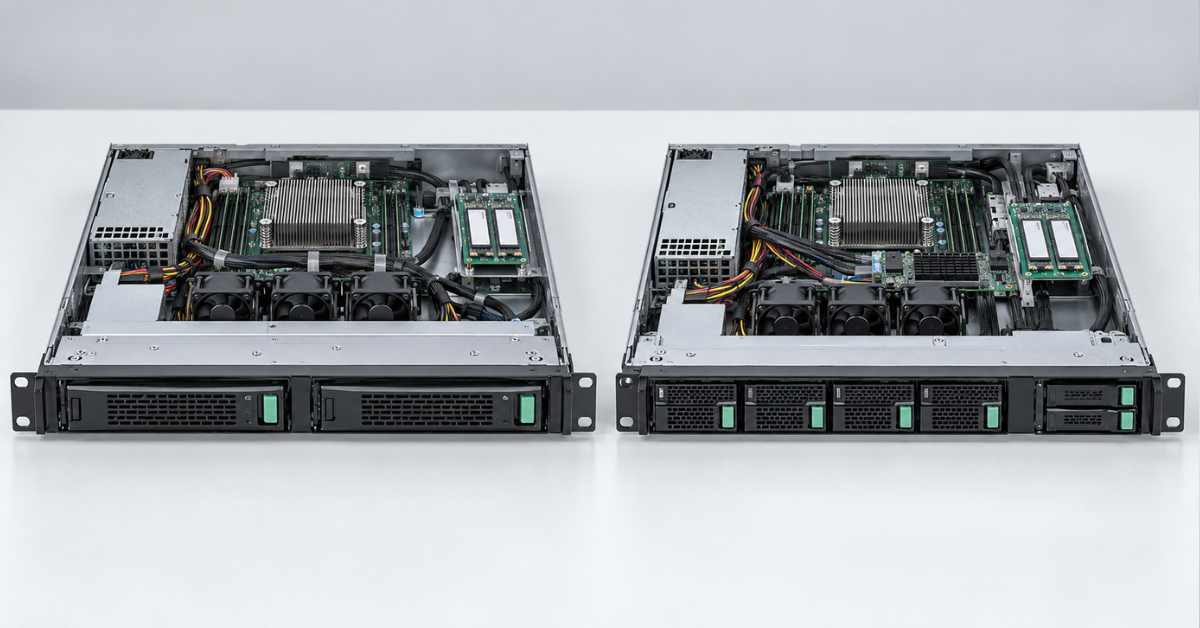
A DL20 configuration name usually specifies the size and number of front drive bays. LFF means 3.5-inch drives, while SFF means 2.5-inch drives. Two LFF bays suit an inexpensive high-capacity array, while four or six SFF bays are more convenient for SSDs, workload separation, and arrays with more drives.
In practice, the figures on the front panel are not the only consideration:
- hot-plug support allows a drive to be replaced without shutting down the server; non-hot-plug does not;
- an additional pair of SFF bays requires a cage, cables, and a supported controller;
- a SAS drive cannot be connected to a controller designed only for SATA;
- NVMe uses a different connection path even when the drive has a 2.5-inch form factor;
- an M.2 drive on a dedicated board may share a connection kit with the dedicated iLO port;
- hardware RAID requires the cache, battery or protection capacitor, and cables to be checked.
For two SATA drives in RAID 1, the embedded solution is often sufficient. If the system uses SAS, RAID 5/6, write-intensive workloads, virtualisation, or requires predictable drive replacement, a hardware Smart Array controller is preferable. The controller should be selected together with the operating system and drives, not after the chassis has been purchased.
Choosing the Right Equipment
Our specialists will contact you and answer all your questions
Networking, expansion, power, and noise
The standard Gigabit ports are suitable for management and ordinary office services. For fast backups, network storage, or several virtual machines, 10GbE is preferable. In Gen11, the network adapter can use the OCP 3.0 slot; in earlier generations, the available slots must be divided carefully between networking and the RAID controller.
A short chassis does not mean quiet operation. The DL20 contains three small non-redundant fans, which must spin faster in a 1U enclosure than the larger fans in a tower server. Unsupported cards, drives without correct telemetry, or an incorrectly installed management agent can increase fan speed further. The model is generally too loud for an open-plan office; it belongs in a rack or a separate server room.
Base versions may include one non-redundant power supply. Redundancy is useful only with two independent power supplies connected to two power feeds. Before ordering, confirm that the selected chassis supports the appropriate power-supply cage and that two identical modules are included.
Which workloads suit the DL20?
| Workload | Sensible configuration | When a different server is needed |
|---|---|---|
| Domain controller, DNS, DHCP | 4 cores, 16–32 GB, two SSDs in RAID 1 | When consolidating many branch-office services |
| Office file server | 4–6 cores, 32–64 GB, 2LFF RAID 1 | When more than two high-capacity drives or high array performance is required |
| 1C or a small database | 6–8 fast cores, 64–128 GB, SFF SSDs, hardware RAID | For a large database, write-intensive workloads, or strict latency requirements |
| A few virtual machines | 6–12 cores, 64–128 GB, 10GbE, SSDs, and hardware RAID | For dense virtualisation, VDI, or growth beyond 128 GB |
| Monitoring, routing, telephony | 4–6 cores, 32–64 GB, RAID 1 | For high network loads or a large number of interfaces |
| Branch node or disaster recovery site | Redundant power, remote management, RAID 1 | When high-capacity local storage is required |
The DL20 is poorly suited to dozens of virtual machines, large databases, VDI, multiple accelerators, or software-defined storage with many drives. In these workloads, the limitation is not one component but the architecture itself: one processor, four memory slots, and a compact chassis.
Which DL20 generation should you choose?
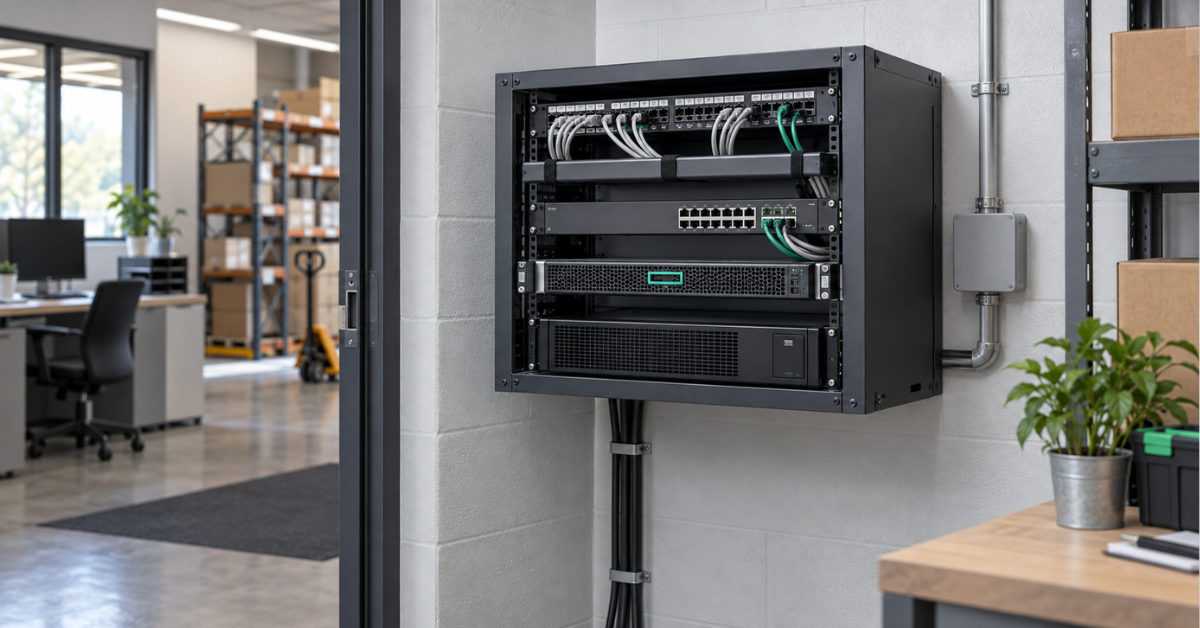
Gen9 is justified when the lowest possible price matters, the workload has long been understood, and the server must match the existing fleet. For a new system, the remaining service life and the 64 GB limit usually outweigh the small saving.
Gen10 is the lower boundary for a modern, cost-effective server. It offers iLO 5, up to eight cores, and a wide choice of refurbished configurations. This is sufficient for a domain controller, file services, or a couple of virtual machines, but memory is limited to 64 GB.
Gen10 Plus is the better choice when 128 GB of memory and PCIe 4.0 are required without paying for a new platform. It is more than an updated Gen10: doubling the memory capacity noticeably extends its useful life. The storage controller requires particular attention, including VROC, RAID, and hypervisor support.
Gen11 is preferable for a new purchase, a long lifecycle, and modern peripherals. DDR5, PCIe 5.0, OCP 3.0, iLO 6, and an optional mirrored boot device make for a cleaner server configuration. There is no need to pay more for it solely to run a simple 16 GB file server.
If the project already requires more than 128 GB, two processors, many drives, or several high-speed adapters, searching for a rare DL20 configuration is pointless. A different class of hardware is required.
When a DL360, DL380, or tower server is a better choice
DL360 retains the 1U height but provides two processors, significantly more memory, and more extensive expansion. The evolution of this model is covered in detail in “HPE ProLiant DL360: Generational Overview”.
The DL380 occupies 2U and provides more room for drives, RAID controllers, network cards, and accelerators. It is better suited as a general-purpose virtualisation host or a server with extensive local storage. Key differences between the newer versions are covered in “HPE ProLiant DL380 Gen12 vs Gen11 vs Gen10 Plus: 2026 Guide”.
If no rack is available and the server will be located near employees, consider HPE ProLiant ML tower servers. The similarly positioned ML30 takes up more space but is usually more convenient in an office and quieter under a comparable load. The DL20 has the advantage where a rack is already available and chassis depth is critical.
What affects the price of a refurbished DL20?
Two servers from the same generation can differ greatly in their actual value. The price of an empty chassis does not account for drive caddies, cages, trays, a hardware RAID controller, cache and its battery, a network adapter, rails, or an iLO licence. Buying missing proprietary kits separately can eliminate the initial saving.
The exact processor and system-board revision, matching memory modules, SSD wear, hardware error log, and firmware versions also matter. Redundant power requires two compatible power supplies and a suitable chassis. If the server will use SAS or a hypervisor, controller and cable compatibility with the project must be established before ordering.
Conclusion
The DL20 remains a strong platform for a compact infrastructure server, but it should be selected according to the workload rather than generation alone. Gen10 suits cost-effective basic services, Gen10 Plus offers the best balance on the refurbished market, and Gen11 provides the most modern foundation for a new purchase. Gen9 is reasonable in a uniform legacy fleet. When requirements grow beyond one processor, 128 GB of memory, and a few drives, moving to a DL360, DL380, or another more capacious model is the right decision.
Choosing the Right Equipment
Our specialists will contact you and answer all your questions