AMD EPYC servers are well suited to virtualization when you need to run many virtual machines on fewer physical nodes without hitting CPU, memory, storage, or network limits too early. However, such a server cannot be selected by core count alone: with VMware, licensing calculations are especially important; with Proxmox, storage architecture and team expertise matter; and with Hyper-V, the connection to Windows Server and Microsoft licensing must be considered.
The best option is not the most powerful EPYC “just in case,” but a balanced configuration designed around real virtual machines, fault tolerance, backups, and a growth plan for the next few years.
Another important point is migration. If you plan to move from one platform to another and/or from Intel-based platforms, simply copying virtual machine files may not be enough for them to boot. Conversion or reinstallation may be required. In some cases, software licensing inside the virtual machines may also be affected, so testing is essential in these scenarios.
Servers powered by AMD EPYC processors
Free shipping on orders over 500 € in the EU, £500 in the UK, and $3,000 in the USA
Free shipping on orders over 500 € in the EU, £500 in the UK, and $3,000 in the USA
Free shipping on orders over 500 € in the EU, £500 in the UK, and $3,000 in the USA

Free shipping on orders over 500 € in the EU, £500 in the UK, and $3,000 in the USA
Why AMD EPYC is often chosen for virtualization
Virtualization benefits from a predictable reserve of resources. One physical server may need to support dozens or hundreds of virtual machines at the same time: some are almost idle, some constantly access storage, some require large amounts of RAM, and others create peak CPU loads.
AMD EPYC fits these workloads well for several reasons:
- many physical cores in a single processor;
- support for large amounts of RAM;
- a high number of PCIe lanes for NVMe drives, network adapters, and controllers;
- the ability to build both single-socket and dual-socket servers;
- high resource density per physical node.
Modern AMD EPYC 9005 processors, for example, are available in configurations with up to 192 cores in a single CPU, demonstrating how much compute density one server platform can provide. In virtualization, however, this advantage must be used carefully: if a server has a very high core count but too little memory or slow storage, it still will not be able to run a large number of virtual machines efficiently. The specifications of the EPYC 9005 generation can be checked on the official AMD EPYC 9005 page.
An AMD EPYC virtualization server should therefore be viewed not as “a processor plus a chassis,” but as a platform. The CPU, memory, storage, network interfaces, hypervisor, backup system, and licences must be selected together.
What matters more than core count in virtualization
A large number of cores is a clear EPYC advantage, but it does not solve every problem by itself. In real infrastructure, the bottleneck often appears somewhere unexpected.
Memory
CPU resources can be moderately overcommitted because not every virtual machine continuously uses all of its assigned virtual cores. Memory is more difficult to overcommit safely. If virtual machines genuinely require 700–800 GB of RAM, a server with 512 GB will perform well only in a presentation, not in production.
For dense virtualization, it is usually sensible to reserve capacity for:
- growth in the number of virtual machines;
- temporary workload peaks;
- failure of one cluster node;
- hypervisor overhead;
- backup and migration operations.
For AMD EPYC, configurations with 512 GB to 1–2 TB of memory per node are often reasonable. Large clusters, databases, remote desktop servers, and private clouds may require even more.
Storage subsystem
Virtual machines rarely keep the processor fully loaded at all times, but they almost always access storage. When dozens of systems simultaneously write logs, update databases, process user requests, and create backups, the storage subsystem becomes critical.
For virtualization, the important metrics are not only terabytes, but also:
- input/output operations per second;
- latency;
- SSD write endurance;
- array fault tolerance;
- the ability to restore a virtual machine quickly;
- separation of production data and backups.
NVMe is particularly useful for databases, remote desktop servers, virtual desktop infrastructure, analytics systems, and any workload where storage latency directly affects the user. However, fast drives require a suitable network and a well-designed storage architecture. Otherwise, the NVMe drives will remain underutilised while the infrastructure is limited by a network link or controller.
Network
For a standalone server, 10 GbE may sometimes be sufficient. For a cluster with live migration, shared storage, and backups, it may not be enough. In modern virtualization configurations, 25 GbE is often a more sensible baseline, while 100 GbE is used for dense clusters, software-defined storage, and large migrations.
It is advisable to separate the following traffic in advance:
- hypervisor management;
- virtual machine traffic;
- migration traffic between nodes;
- storage access;
- backup traffic;
- external client networks.
The higher the virtual machine density per node, the less margin there is for error in the network architecture.
VMware on AMD EPYC: a mature platform with a new cost model
VMware vSphere remains a strong platform for enterprise virtualization. It is chosen for its mature management tools, broad ecosystem, high-availability clusters, live migration of virtual machines, and integration with backup, monitoring, and enterprise processes.
For companies that have used VMware for many years, moving to another platform is not always justified. If the infrastructure is business-critical, the team has strong vSphere expertise, and established service, monitoring, and recovery processes are built around it, retaining VMware may be the safest option.
However, after VMware moved under Broadcom, many companies had to recalculate total cost of ownership. Broadcom officially announced the transition of VMware by Broadcom to a subscription model and the end of perpetual licence sales. This does not mean that VMware must be replaced immediately in every case, but it does mean that previous cost calculations cannot automatically be carried over into a new purchasing period. The changes are described in Broadcom’s official material on the transformation of the VMware portfolio.
This is particularly important for AMD EPYC. The processors provide high core density, but if licensing is calculated by physical core or tied to subscription bundles, the processor with the highest core count is not always the most cost-effective. In some scenarios, high density reduces the number of servers, racks, network ports, and power consumption. In others, it increases the licensing portion of the budget.
Before purchasing an EPYC server for VMware, calculate:
- how many physical cores will need to be licensed;
- which VMware editions and bundles are required;
- whether additional management, storage, and monitoring components are needed;
- how many nodes the cluster will contain;
- how much reserve capacity is required for the failure of one node;
- which ESXi versions are supported by the selected server;
- whether the controllers, network adapters, and drives are compatible.
For VMware, especially when vSAN is planned, hardware compatibility should also be checked against the latest Broadcom/VMware compatibility lists. This is particularly important for new processor generations, network adapters, NVMe controllers, and servers expected to remain in service for several years. Broadcom documentation separately describes VMware vSphere Foundation licensing through a solution licence, so both technical specifications and the current delivery model should be reviewed during the design stage.
In practical terms, this changes the way a server should be selected. For VMware, a processor with fewer cores, a higher clock speed, and sufficient memory capacity may sometimes be more economical than the largest EPYC configuration, whose licensing cost may increase faster than the performance benefit it delivers in real workloads.
Choosing the Right Equipment
Our specialists will contact you and answer all your questions
Proxmox VE on AMD EPYC: a popular VMware alternative
Proxmox VE is often considered as an alternative to VMware, particularly after licensing costs have been reassessed. It is a Linux-based platform that uses KVM for virtual machines and LXC for containers, provides a web interface, supports clustering, migration, multiple storage types, and integration with Proxmox Backup Server. The official Proxmox VE documentation describes it as a virtual machine and container platform based on Debian GNU/Linux.
Proxmox performs particularly well on AMD EPYC servers in several scenarios:
- small and medium-sized businesses where VMware has become too expensive;
- hosting and private cloud environments;
- test and laboratory environments;
- infrastructure with a large number of Linux servers;
- clusters with NVMe storage and high-speed network interfaces;
- projects that require flexibility and freedom from rigid vendor lock-in.
Proxmox strengths include:
- no traditional “per physical core” charge used by some commercial platforms, and the ability to use the product without a paid subscription as open-source software;
- a convenient web interface for basic administration;
- cluster support;
- live migration of virtual machines when the storage architecture is designed correctly;
- built-in support for ZFS, Ceph, NFS, iSCSI, and other storage options;
- container support;
- a separate backup solution.
However, Proxmox should not be treated as a free VMware replacement with no trade-offs. Costs may appear elsewhere: implementation, staff training, storage configuration, backups, monitoring, migration, and support. If administrators have previously worked only with VMware, they will need time to learn Linux concepts, network bridges, storage management, updates, and troubleshooting.
This is especially relevant with AMD EPYC: a powerful server can run many virtual machines, but any storage or network design mistake will scale with that density. The more virtual machines run on a node, the more expensive downtime becomes and the more important it is to test fault tolerance in advance.
A VMware-to-Proxmox migration is best carried out gradually:
- Deploy a pilot cluster.
- Move several non-critical virtual machines.
- Test storage and network performance, including load testing.
- Configure backup and recovery.
- Run failure drills and document how the cluster behaves during a complete or partial outage, including any recovery complications.
- Verify monitoring and alerting.
- Only then migrate production services.
If the objective is to reduce dependence on VMware while using the strengths of AMD EPYC, Proxmox can be a sensible choice. However, it requires no less discipline in architecture and design than a commercial platform.
Hyper-V on AMD EPYC: when it is a rational choice
Hyper-V should primarily be considered by companies that already use Windows Server, Active Directory, Microsoft SQL Server, Windows Admin Center, and other Microsoft products. In such an environment, Hyper-V may be a logical extension of the existing infrastructure rather than a compromise.
Microsoft describes Hyper-V as a Windows Server virtualization technology that can run Windows and Linux virtual machines at scale. The documentation also covers failover clusters, Cluster Shared Volumes, and live migration.
Hyper-V may be particularly appropriate when:
- most virtual machines run Windows Server;
- Windows Server Datacenter licences have already been purchased or are planned;
- the team has strong Microsoft infrastructure expertise;
- Active Directory is in use;
- management through Windows Admin Center or System Center is convenient;
- integration with existing security and administration policies is required.
Hyper-V should not be viewed as “free VMware.” A limited free edition exists, but the more mature offering is paid, although it is generally less expensive to operate than VMware. The economics depend on Windows Server licensing, the number of physical cores, the Standard or Datacenter edition, and the number of Windows virtual machines. It is cost-effective for some companies and not for others.
Hyper-V can run efficiently on AMD EPYC, but the same design constraints apply as with other hypervisors:
- sufficient RAM;
- fast storage;
- network interfaces for migration and storage traffic;
- driver compatibility;
- a correctly designed cluster;
- backups stored separately from production data.
Hyper-V is particularly strong where virtualization is part of a Microsoft environment rather than a separate independent platform. If the infrastructure is mixed, includes many Linux systems, uses non-standard networks, and relies heavily on open tools, Proxmox may be more convenient. If a mature enterprise ecosystem is essential and the organisation already has deep VMware expertise, vSphere may remain preferable.
VMware, Proxmox, and Hyper-V on AMD EPYC
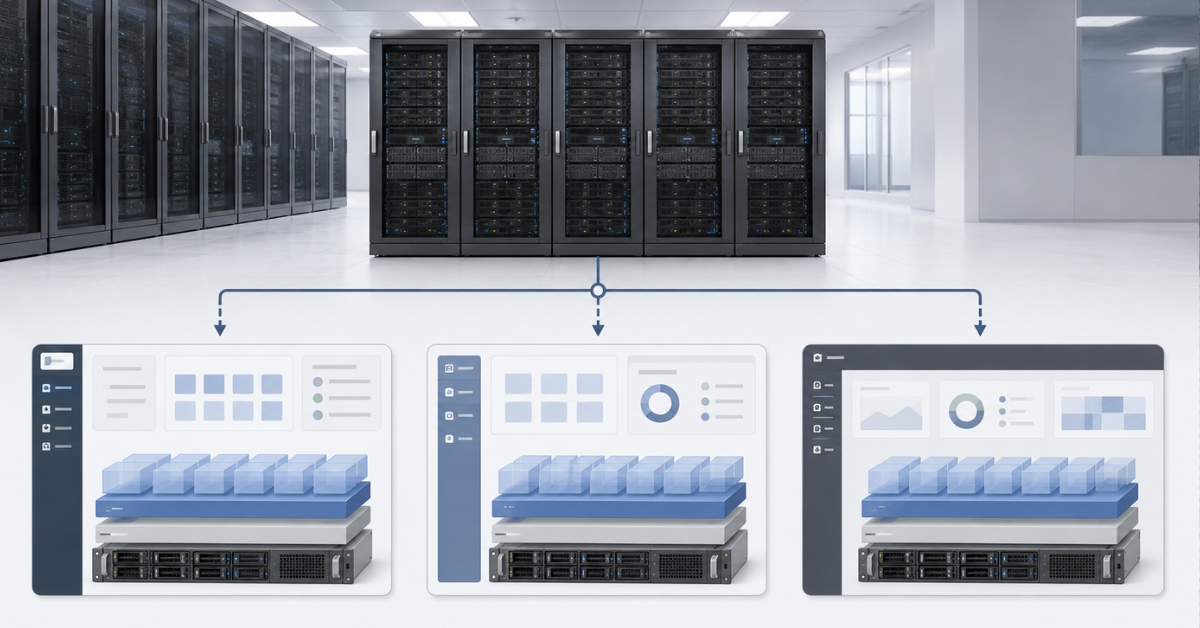
| Criterion | VMware vSphere | Proxmox VE | Hyper-V |
|---|---|---|---|
| Best suited to | Business-critical enterprise infrastructure | Small and medium-sized businesses, hosting, private cloud, and VMware replacement | Windows-based infrastructure |
| Economics | Subscriptions, cores, and bundle contents must be calculated | Major costs are often support, implementation, and ongoing operations | Depends on Windows Server licensing and virtualization rights |
| Management | Very mature ecosystem | Convenient interface, but Linux expertise is required | A logical fit for Microsoft environments |
| Fault tolerance | A major strength of the platform | Available, but storage design and quorum are critical | Available through Windows Failover Clustering |
| Storage | SAN, NAS, vSAN, and other options | ZFS, Ceph, NFS, iSCSI, and other options | SAN, SMB, Storage Spaces Direct, and other options |
| Migration risk | Minimal if the company remains on VMware | Medium: a pilot and process validation are required | Medium: depends on the proportion of Windows workloads and existing licences |
Hypervisor selection should not begin with the question “Which option is cheaper?” First determine which virtual machines must be supported, what level of downtime is acceptable, who will administer the platform, and how quickly the company must recover after an incident. Only then should licensing and support costs be compared.
AMD EPYC Servers
Free shipping on orders over 500 € in the EU, £500 in the UK, and $3,000 in the USA
Free shipping on orders over 500 € in the EU, £500 in the UK, and $3,000 in the USA
Free shipping on orders over 500 € in the EU, £500 in the UK, and $3,000 in the USA
Free shipping on orders over 500 € in the EU, £500 in the UK, and $3,000 in the USA
How to choose an AMD EPYC server for virtualization
Start not with the processor model, but with an inventory of the virtual machines. A server is purchased for a specific workload, not for its core count.
Before selecting a configuration, determine:
- how many virtual machines are running now;
- how many will be required in two to three years;
- which systems are business-critical;
- which machines are under constant load;
- which workloads consume large amounts of memory;
- which workloads generate heavy storage writes;
- which systems require rapid recovery;
- which systems may be stopped temporarily during an incident;
- which systems must never be stopped.
Only then should you move on to the hardware.
Processor
For standard office services, small web systems, domain controllers, and utility virtual machines, moderate CPU overcommitment is acceptable. Not every virtual machine uses all of its assigned virtual cores at the same time.
Heavily loaded systems require a much larger reserve. These include:
- databases;
- remote desktop servers;
- 1C and other accounting systems;
- virtual desktop infrastructure;
- analytics services;
- video surveillance systems;
- mail servers;
- high-load web applications.
You cannot simply add up all virtual cores and purchase the same number of physical cores. Actual utilisation, peaks, workload profile, and fault-tolerance requirements must be considered. If the cluster must survive the failure of one node, the remaining servers must be able to absorb its virtual machines without a critical performance loss.
Memory
For virtualization, memory is often more important than the processor. A server with 96 cores and 256 GB of RAM may be unbalanced: the CPU still has spare capacity, but there is no memory left for additional virtual machines.
For production infrastructure, a reserve of at least 20–30% is usually advisable. In a cluster, this capacity is needed not only for growth, but also for emergency relocation of virtual machines. If every node is almost fully utilised, fault tolerance exists only on the architecture diagram.
AMD EPYC servers are commonly configured with substantial memory headroom: 512 GB, 1 TB, 2 TB, or more. This is especially important for virtualization platforms, databases, remote desktop servers, and private clouds.
Storage
When selecting drives, separate three different tasks:
- Storing virtual machines.
- Storing backups.
- Service operations such as logs, migrations, temporary data, and replication.
SSDs with SAS or SATA interfaces may be sufficient for moderate workloads. For dense virtualization, databases, remote desktop servers, and active user environments, NVMe is preferable. If the server is part of a cluster, decide in advance whether storage will be local, shared, or software-defined.
An important point: backups cannot be considered reliable if they are stored only on the same array as the virtual machines. An array failure, administrator error, attack, or data corruption may destroy both the production environment and its backups at the same time.
Network
For a lightly loaded standalone node, 10 GbE may still be sufficient. For a cluster, it is better to consider 25 GbE from the outset, especially when the following are planned:
- live migration of virtual machines;
- centralised storage;
- Ceph, vSAN, Storage Spaces Direct, or similar architectures;
- backups during business hours;
- a large number of virtual machines per node.
100 GbE makes sense for dense clusters, service-provider platforms, NVMe storage, and scenarios in which the network becomes part of the storage subsystem.
For modern server estates, Dell PowerEdge 16G and Dell PowerEdge 17G can also serve as reference points for platform generation, memory density, support for high-speed interfaces, and expansion capabilities. The final choice should still be based on the workload profile, not the product line name.
Example AMD EPYC configurations for different scenarios
| Scenario | Processor | Memory | Storage | Network | Comment |
|---|---|---|---|---|---|
| Small office, 10–30 virtual machines | 1× AMD EPYC, 32–48 cores | 256–512 GB | SSD or NVMe | 10/25 GbE | You can start with one node, but without full fault tolerance |
| Medium-sized business, 30–100 virtual machines | 2–3 EPYC nodes, 48–64 cores | 512 GB–1 TB per node | NVMe and a separate backup system | 25 GbE | A suitable scenario for VMware, Proxmox, or Hyper-V |
| Dense virtualization, 100+ virtual machines | EPYC, 64–96+ cores | 1–2 TB+ | NVMe, SAN, or software-defined storage | 25/100 GbE | Licensing, memory, and failure reserve must be calculated carefully |
| Service provider or private cloud | EPYC, 64–128+ cores | 1–3 TB+ | NVMe, Ceph, or SAN | 100 GbE | Automation, monitoring, billing, and strict recovery processes are required |
These configurations are not universal standards. Ten database virtual machines may place more load on a server than one hundred lightly used utility machines. Before purchasing, analyse not only the number of virtual machines, but also their behaviour: memory use, storage activity, network traffic, peaks, and recovery requirements.
Licensing can change the entire calculation
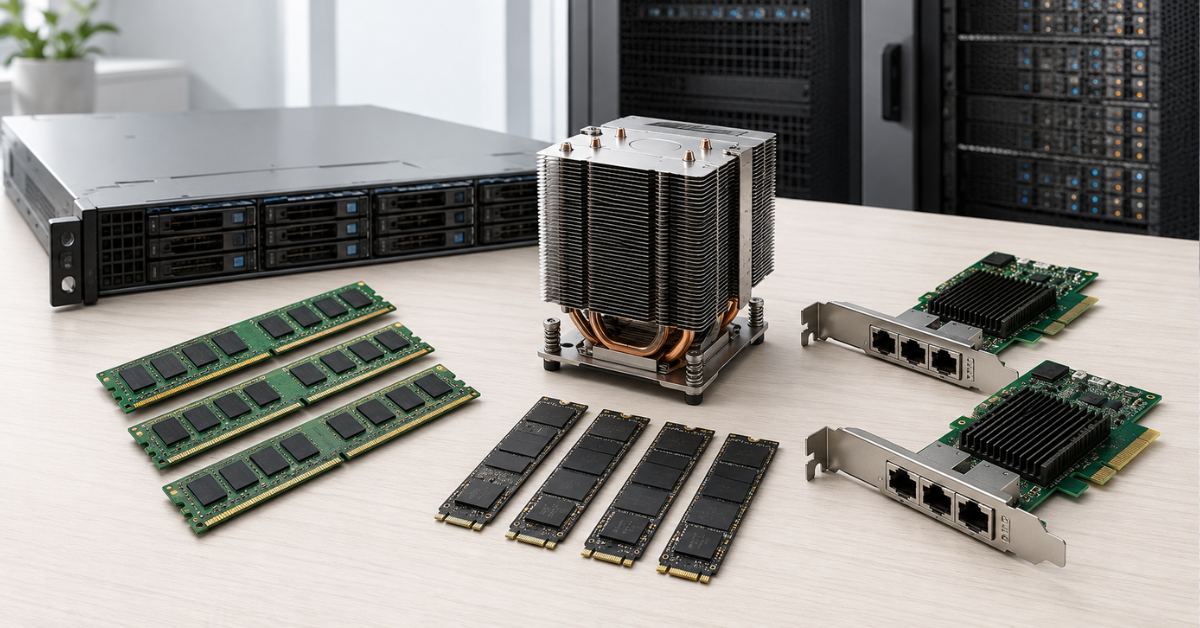
AMD EPYC often helps reduce the number of physical servers. One powerful node can replace several older machines, simplify the rack, reduce the number of network ports, and lower power consumption. However, licensing by physical core or subscription bundle makes the calculation more complicated.
In a VMware environment, a high-core-count processor must be evaluated particularly carefully. Choosing the largest available EPYC simply because it exists may leave the company paying for excess cores while the actual virtual machines are constrained by memory or storage.
Hyper-V follows a different economic model. Windows Server licences, the Standard or Datacenter edition, and the rights to run virtual instances must be assessed. Datacenter may be economically justified where most systems run Windows Server. In a mixed environment, the final calculation may be less straightforward.
Proxmox does not use the same per-physical-core charging model, but that does not make the project free. The following costs must be considered:
- implementation;
- team training;
- support;
- monitoring;
- backup configuration;
- migration;
- fault-tolerance testing;
- documentation and ongoing operations.
Sometimes a more expensive licence is cheaper than a migration mistake. In other cases, leaving the previous platform produces substantial savings over several years. The final figure should therefore be calculated as total cost of ownership, not as the server price or subscription price in isolation.
Choosing the Right Equipment
Our specialists will contact you and answer all your questions
Fault tolerance, backup, and migration
Virtualization provides flexibility, but it does not eliminate the need for sound architecture. If one powerful server runs every virtual machine in the company, it becomes a single point of failure. AMD EPYC can consolidate a large workload on one node, but that is not always beneficial for reliability.
Cluster
Production infrastructure usually requires a cluster. Two nodes may be a starting point, but three are often better for a more resilient design. A third node or a separate witness helps the cluster make correct decisions during communication failures and outages.
When designing a cluster:
- do not fill every node to its limit;
- reserve capacity for the failure of one server;
- use processors from similar generations;
- design shared or distributed storage carefully;
- separate management, storage, and migration networks;
- test virtual machine migration before an incident, not after one.
If a cluster consists of two powerful EPYC servers, each must be able to temporarily host the critical virtual machines from the other node. Otherwise, the claimed fault tolerance exists only on paper.
Backup
A snapshot is not a backup. A snapshot can provide a quick rollback before an update or configuration change, but it does not protect against loss of the entire storage system, administrator error, ransomware encryption, or array corruption.
Virtualization requires separate backups:
- on another storage system;
- with verified successful recovery;
- with a clearly defined retention period;
- with protection against deletion or encryption;
- with regular recovery tests for at least a portion of the virtual machines.
VMware environments often use Veeam and other commercial solutions. Proxmox Backup Server can be considered for Proxmox. Hyper-V can use Microsoft tools and third-party backup systems. The product name is less important than a proven ability to restore the service within the required time.
Migration from VMware
Migrating from VMware to Proxmox or Hyper-V is not simply a matter of converting virtual disk files. Drivers, network settings, disk controller types, boot loaders, guest agents, backups, monitoring, and service startup order must all be considered.
A safe process usually looks like this:
- Migrate non-critical virtual machines first.
- Verify boot, network connectivity, performance, and backups.
- Configure monitoring.
- Document the rollback process.
- Only then plan the migration of production systems.
- Keep the old platform available until the pilot is complete.
If the company changes the servers, hypervisor, and storage architecture at the same time, the project becomes more complex. In that case, divide the changes into stages: deploy the new server platform first, then the test hypervisor, and finally migrate part of the workload.
When it makes sense to stay with VMware
Keeping VMware is reasonable when the platform is already stable and the subscription cost is acceptable compared with the risks of migration. This is particularly relevant where virtualization supports critical systems such as ERP, databases, billing, manufacturing services, remote desktop farms, medical applications, or financial applications.
VMware may be preferable when:
- the team has deep vSphere expertise;
- backup and monitoring are already configured;
- complex network architectures are in use;
- SAN, vSAN, or mature storage processes are in place;
- the lowest possible change risk is required;
- downtime costs more than the potential savings;
- corporate support and certification requirements must be met.
In this scenario, AMD EPYC can still be an excellent server platform. The processor simply needs to be selected with licensing in mind. Fewer physical cores, more memory, and fast NVMe storage may be preferable to maximum core density that provides little practical benefit to the virtual machines.
When to consider VMware alternatives
Alternatives should be evaluated when VMware costs have become disproportionate to the size of the infrastructure or are restricting growth. This is particularly relevant to small and medium-sized businesses, hosting providers, laboratory environments, and companies that do not depend heavily on specialised VMware features.
Proxmox may be a good option when:
- the team is ready to work with Linux infrastructure;
- storage flexibility is required;
- licensing savings are important;
- there is time for a pilot project;
- the infrastructure does not depend on rare VMware-specific features;
- a private cloud or hosting platform must be built.
Hyper-V may be more logical when:
- most services run on Windows;
- the company already purchases Windows Server Datacenter;
- administration is centred on Microsoft technologies;
- the team has experience with Windows Failover Clustering;
- integration with Active Directory and Windows Admin Center is important.
Leaving VMware should not be an emotional decision. Saving money on licences while losing manageability, reliable backup, or predictable recovery can result in a higher total cost.
AMD EPYC Servers
Free shipping on orders over 500 € in the EU, £500 in the UK, and $3,000 in the USA
Free shipping on orders over 500 € in the EU, £500 in the UK, and $3,000 in the USA
Free shipping on orders over 500 € in the EU, £500 in the UK, and $3,000 in the USA
Free shipping on orders over 500 € in the EU, £500 in the UK, and $3,000 in the USA
Single-socket or dual-socket AMD EPYC server
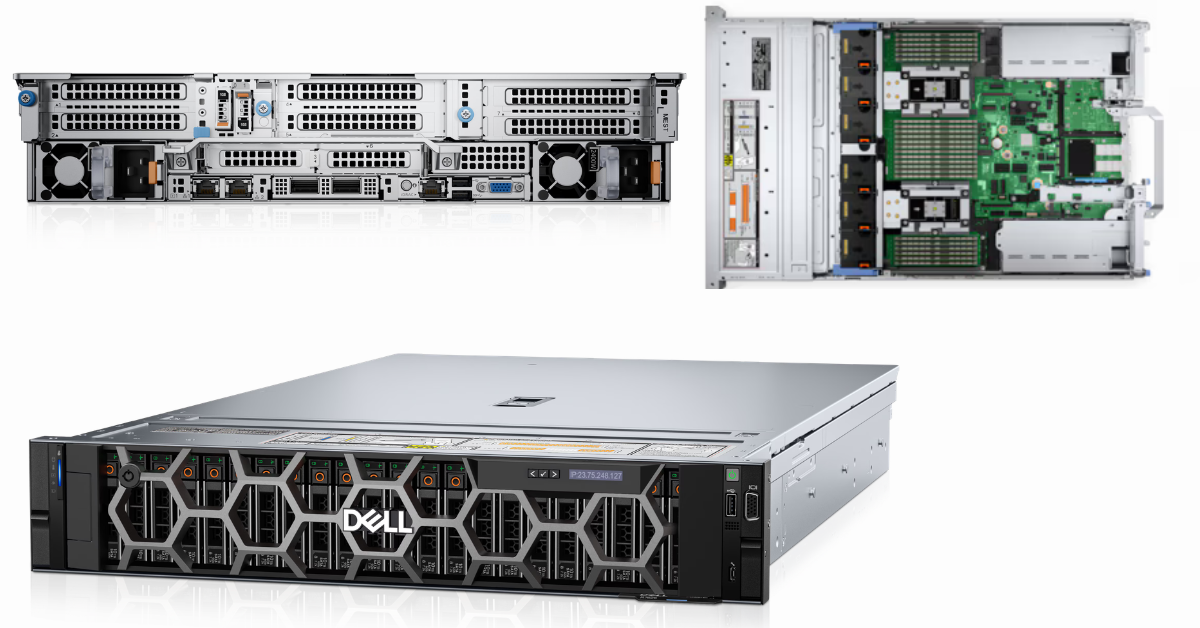
Dell PowerEdge R7625, 2U rack server.
Image source: dell.com
One less obvious question is whether a dual-processor server is necessary. In the past, large virtualization deployments often defaulted to dual-socket systems. With AMD EPYC, this is not always required.
A single-socket EPYC server may be advantageous when:
- one processor provides enough cores;
- there are enough memory slots;
- there are enough PCIe lanes;
- a simpler architecture is preferred;
- power consumption and heat output are important;
- complexity and potential licensing costs need to be reduced.
A dual-socket server is required when:
- the maximum possible memory capacity is needed;
- many NVMe drives and expansion cards are required;
- maximum virtual machine density is important;
- the server will be part of a large cluster;
- the workload scales efficiently across two processors.
With a dual-socket configuration, NUMA must be taken into account. In simple terms, memory and cores inside a server are not always equally close to one another. Large virtual machines may perform worse if their resources are distributed carelessly across processor domains. For large databases, remote desktop servers, and demanding applications, virtual machine sizes must therefore be configured correctly and hypervisor recommendations should be followed.
What a balanced AMD EPYC server should look like
A good virtualization configuration is not the largest processor installed in the smallest possible specification. It is a balanced system with no obvious weak point.
For a small node, this may include:
- one AMD EPYC processor with 32–48 cores;
- 512 GB of RAM;
- an NVMe or SSD array;
- 10/25 GbE networking;
- a separate backup system.
For a medium-sized cluster:
- 2–3 AMD EPYC nodes;
- 48–64 cores per node;
- 512 GB–1 TB of RAM per node;
- NVMe storage for virtual machines;
- 25 GbE for migration and storage traffic;
- a separate backup system.
For dense virtualization:
- EPYC with 64–96 cores or more;
- 1–2 TB of RAM per node;
- NVMe or external/distributed storage;
- 25/100 GbE networking;
- careful licensing calculations;
- capacity reserved for failures;
- monitoring and regular recovery tests.
When purchasing refurbished or previously used equipment, it is especially important to verify compatibility between the exact server model, processors, memory, drives, network adapters, and hypervisor. Virtualization platforms have long life cycles: a server may remain in service for three to five years or longer, so a small saving on a controller or network adapter can create restrictions during future hypervisor upgrades.
What to choose for virtualization on AMD EPYC
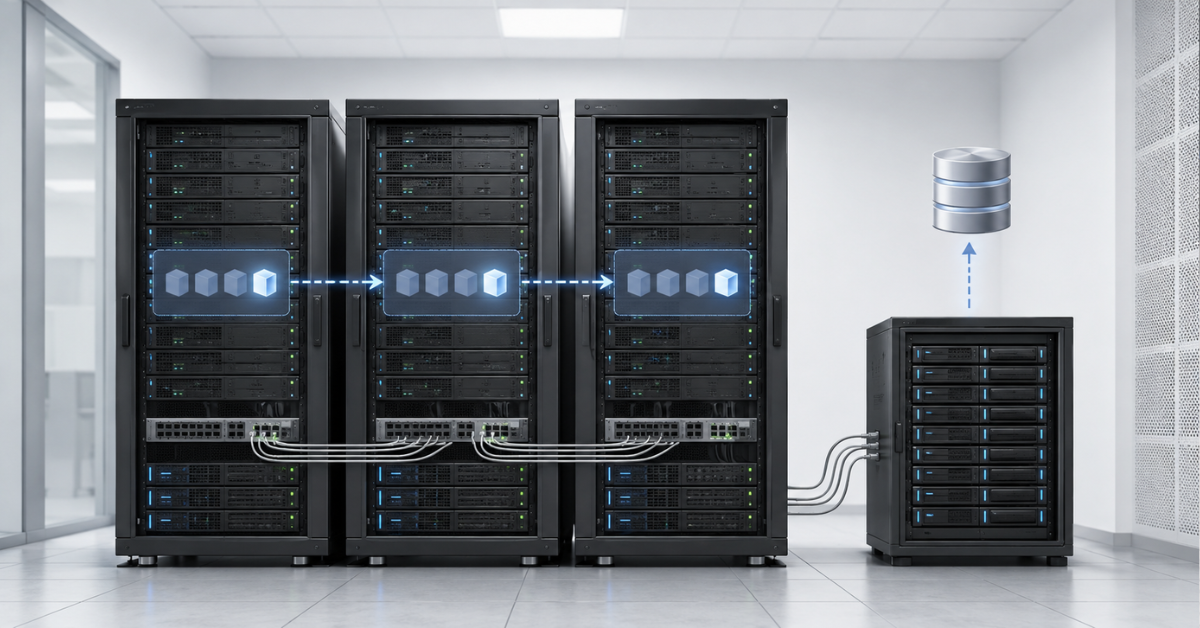
For a company building new infrastructure and seeking high virtual machine density, AMD EPYC is a strong platform. It is particularly well suited to environments that require many cores, large memory capacity, fast NVMe storage, and advanced networking. However, the server should be selected together with the hypervisor, not independently from it.
VMware remains a rational choice for critical enterprise environments when the subscription cost is justified by stability, a mature ecosystem, and lower migration risk. Proxmox is well suited to organisations that want greater flexibility and are prepared to invest in architecture, Linux expertise, and a pilot migration. Hyper-V is logical for companies with a strong Microsoft environment where Windows Server licences can be used efficiently.
The most reliable strategy is not to calculate “how many cores can be purchased,” but how much resilient virtualization can be built. The calculation should include the processor, memory, storage, network, licences, backups, fault tolerance, and the cost of downtime. Only then will an AMD EPYC server provide a genuine advantage rather than becoming powerful but unbalanced hardware.
Choosing the Right Equipment
Our specialists will contact you and answer all your questions
Content:
Free shipping on orders over 500 € in the EU, £500 in the UK, and $3,000 in the USA
Free shipping on orders over 500 € in the EU, £500 in the UK, and $3,000 in the USA
Free shipping on orders over 500 € in the EU, £500 in the UK, and $3,000 in the USA
Free shipping on orders over 500 € in the EU, £500 in the UK, and $3,000 in the USA