Introduction
Building a home lab is one of the best ways to learn virtualization, test enterprise software, or create a personal cloud. Used enterprise servers provide an affordable way to gain access to hardware that can handle multiple virtual machines, storage solutions, and even AI workloads. Compared to consumer hardware, enterprise servers deliver stronger reliability, expandability, and remote management features.
This article explores the best used servers for home labs, focusing on proven models from Dell PowerEdge Gen14 & Gen15 and HPE ProLiant Gen10 & Gen11.

What to Look for in a Home Lab Server
-
Energy efficiency – lower power consumption is essential for 24/7 home use.
-
Noise level – tower servers are quieter, while rack servers may require placement outside living spaces.
-
Expandability – ability to upgrade memory, storage, and add PCIe cards or GPUs.
-
Virtualization support – compatibility with VMware, Proxmox, or Hyper-V.
-
Remote management – iDRAC (Dell) and iLO (HPE) enable efficient headless operation.
-
Budget – used servers from recent generations balance cost with long-term usability.
Hypervisor Compatibility Notes
-
Proxmox VE / KVM – broad hardware support and ZFS integration make it a top pick for home labs.
-
VMware ESXi – check NIC and RAID/HBA driver support for your exact model and ESXi version before buying.
-
Windows Server / Hyper-V – runs well on Gen14/Gen15 and Gen10/Gen11; verify features like SR-IOV if needed.
-
GPU virtualization – for CUDA/AI or Plex transcoding, confirm PCIe power/space and vendor driver support.
Storage Strategy for Home Labs
-
ZFS vs. Hardware RAID – ZFS offers end-to-end checksumming, snapshots, and easy replication; prefer an HBA in IT mode (e.g., Dell HBA330) over a RAID controller for ZFS.
-
Boot devices – use dedicated M.2/BOSS modules or mirrored SATADOMs; avoid booting hypervisors from data arrays.
-
NVMe for VM datastores – NVMe U.2/U.3 drives drastically reduce latency for many small VMs.
-
SSD endurance – choose enterprise SSDs with adequate TBW/DWPD for lab write patterns.
Networking for Labs
-
10 GbE baseline – SFP+ cards (e.g., Intel/Broadcom) are efficient and affordable on the used market.
-
VLANs & trunking – segment storage, management, and VM networks for performance and security.
-
vSwitch/bonding – leverage LACP or active/standby for resilience; keep management on a separate uplink.
Power, Noise & Placement
-
CPU choice – Xeon Silver parts balance performance and idle power; avoid high-TDP SKUs for apartments.
-
Fan profiles – use “Quiet”/“Acoustic” profiles in iDRAC/iLO when available; keep dust filters clean.
-
UPS & ventilation – a line-interactive UPS and clear airflow paths protect hardware and reduce noise spikes.
Best Dell PowerEdge Servers for Home Labs
Dell PowerEdge servers from the 14th and 15th generations remain popular for home labs thanks to their balance of performance, energy efficiency, and second-hand availability.
Dell PowerEdge R640 (Gen14, 1U Rack)
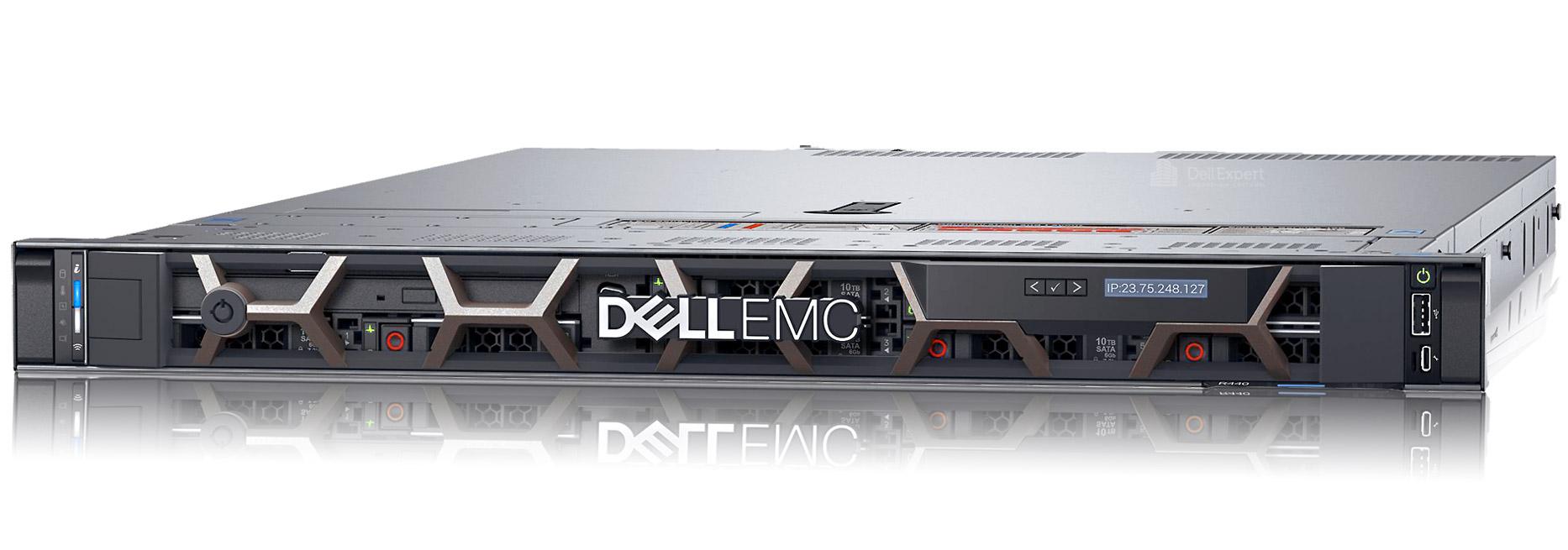
The Dell PowerEdge R640 is a compact 1U dual-socket server, perfect for homelabs needing high compute density. With strong support for virtualization and multiple NVMe drives, it delivers enterprise-class performance in a small footprint.
Best for: high-density VM labs, Kubernetes clusters, and development testing.
Dell PowerEdge R740xd (Gen14, 2U Rack)
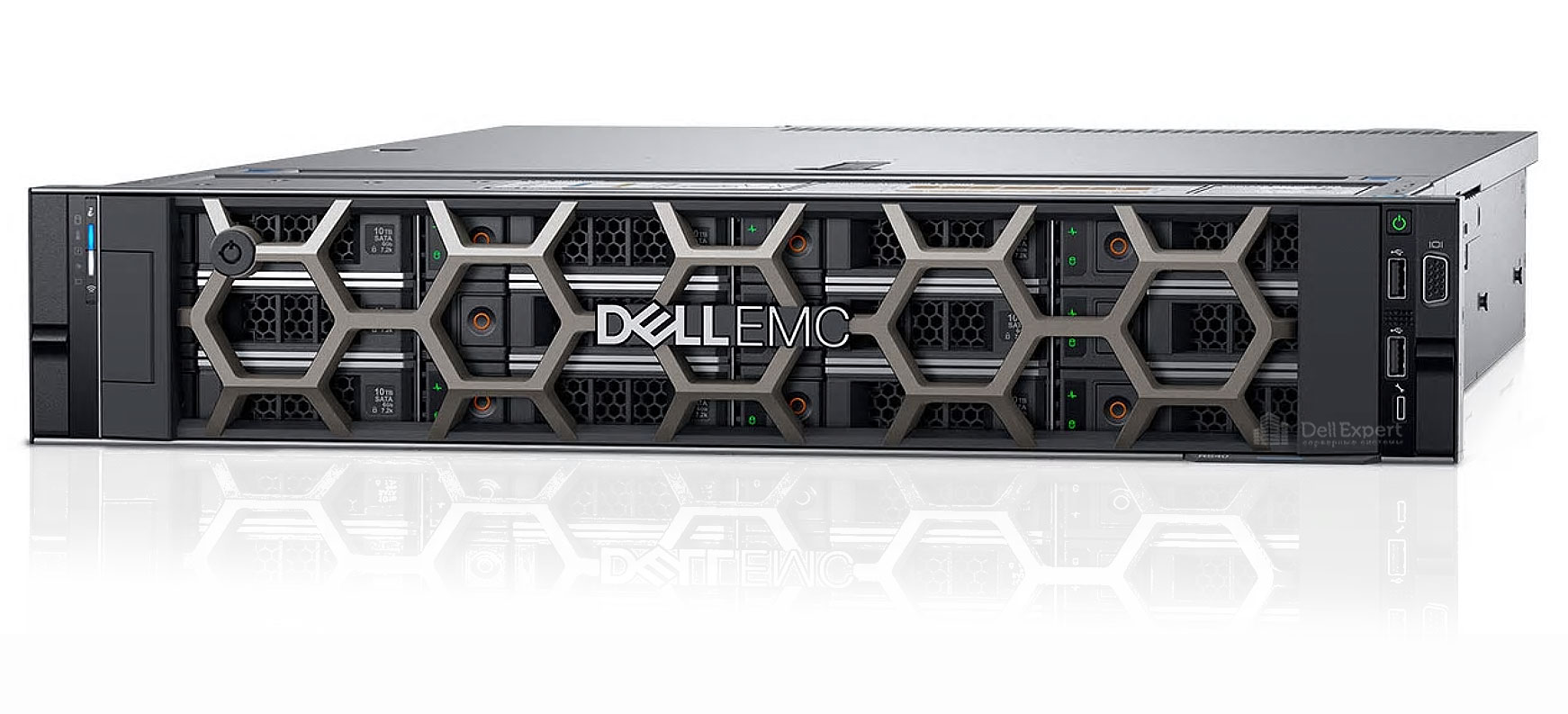
The Dell PowerEdge R740xd offers a larger 2U design with expansive storage capacity. With dual Xeon Scalable CPUs, it is ideal for workloads requiring both compute and storage scalability, such as media servers or large virtualization clusters.
Best for: storage-rich environments, Plex or NAS combined with VMs, and AI experimentation with GPU options.
Dell PowerEdge R550 (Gen15, 2U Rack)
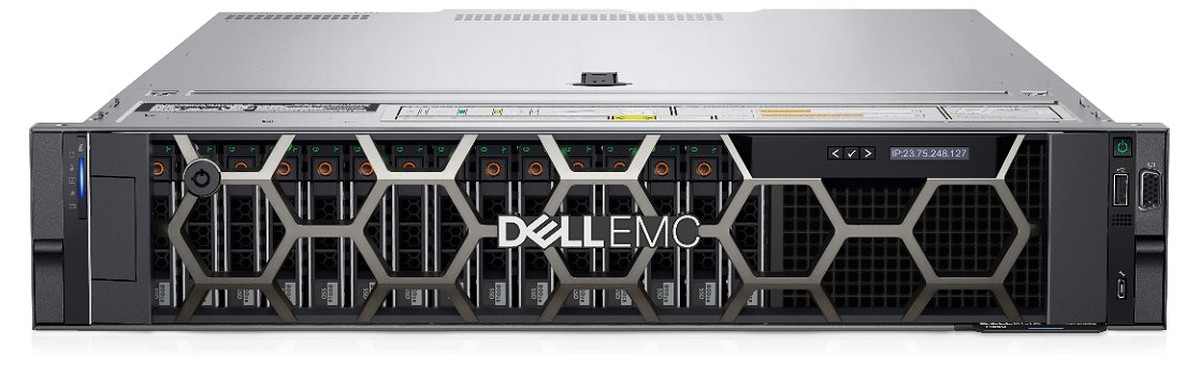
The Dell PowerEdge R550 is part of the newer Gen15 family, available on the used market at attractive prices. It supports modern Xeon CPUs and provides a balance between energy efficiency and expandability, making it an excellent future-proof choice for home labs.
Best for: versatile homelabs, production-like environments, and long-term projects.
Best HPE ProLiant Servers for Home Labs
HPE ProLiant Gen10 and Gen11 servers are well-suited for home labs due to their strong remote management, flexible storage options, and quiet tower variants.
HPE ProLiant DL360 Gen10 (1U Rack)
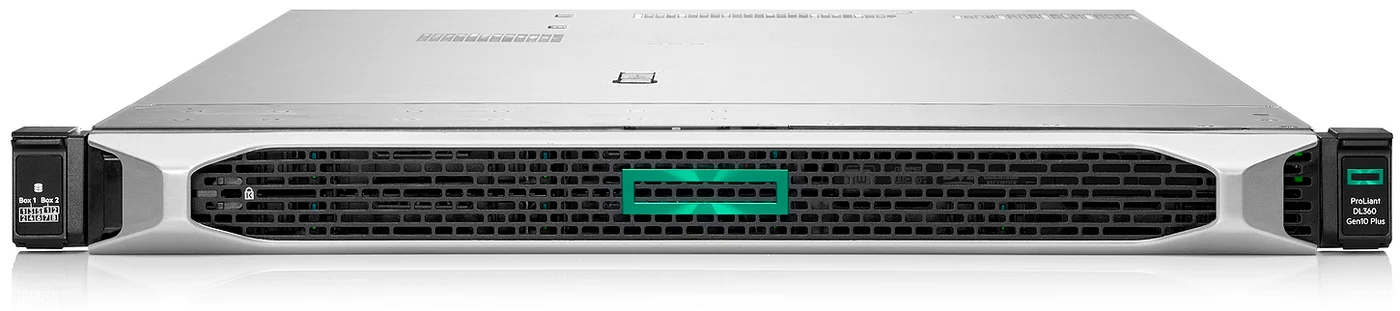
The HPE ProLiant DL360 Gen10 is a 1U rack server optimized for compute-intensive tasks. With dual Xeon CPUs and up to 3TB of RAM, it provides robust performance for lab environments running multiple hypervisors or test clusters.
Best for: compact virtualization setups, CI/CD environments, and edge deployments.
HPE ProLiant DL380 Gen10 (2U Rack)
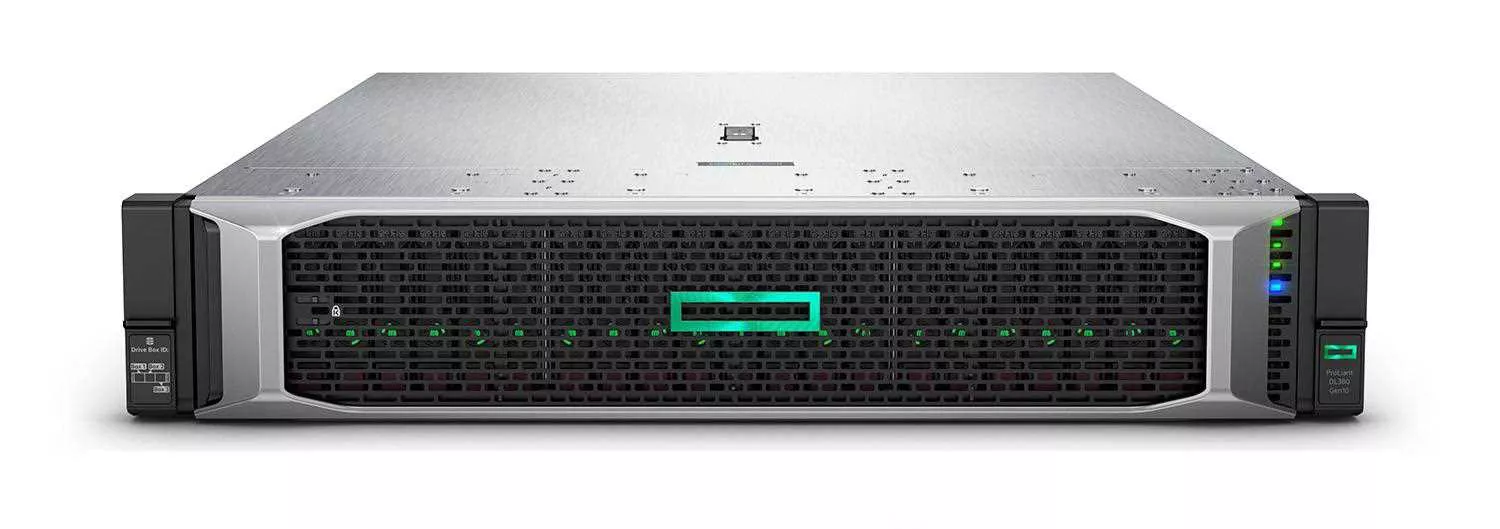
The HPE ProLiant DL380 Gen10 is one of the most versatile 2U servers available on the used market. It offers extensive drive bay options, scalability, and reliability, making it a top choice for home users who want flexibility and storage.
Best for: storage-heavy virtualization labs, hybrid NAS + VM environments, and enterprise software testing.
HPE ProLiant ML350 Gen11 (Tower)

The HPE ProLiant ML350 Gen11 combines enterprise performance with a tower form factor that is quieter and more practical for home offices. It supports dual Xeon CPUs and offers excellent expansion without the noise of rack servers.
Best for: home offices, mixed VM and storage workloads, and quiet homelab environments.
Recommended Starter Builds (Bill of Materials)
Quiet Tower (HPE ML350 Gen11)
-
CPU: 1× Xeon Silver (upgrade path to dual-socket)
-
Memory: 128–256 GB RDIMM ECC
-
Boot: mirrored M.2 (iLO-supported module/SATADOM)
-
Datastore: 2–4× NVMe U.2 for VMs + 4–8× SATA SSD/HDD for bulk
-
Network: Dual-port 10 GbE SFP+
-
Optional: Low-power GPU (e.g., T4/A2000) for AI/Plex
Compact 1U (Dell R640 Gen14)
-
CPU: 2× Xeon Silver 4210R (or similar)
-
Memory: 192–384 GB RDIMM ECC
-
Boot: BOSS card (mirrored M.2)
-
Datastore: 2–4× NVMe U.2 for latency-sensitive VMs
-
HBA: HBA330 (IT mode) for ZFS pools (if required)
-
Network: 2×10 GbE SFP+ mezzanine/PCIe
2U Storage-First (Dell R740xd Gen14 or R550 Gen15)
-
CPU: 2× Xeon Silver (Ice Lake for R550)
-
Memory: 256–512 GB RDIMM ECC
-
Boot: mirrored M.2/BOSS
-
Datastore: mix of NVMe (VMs) + SATA SSD/HDD (bulk/ZFS)
-
Network: 2×10 GbE SFP+ (optionally add 25 GbE later)
-
Optional: GPU for AI/Transcoding
Remote Management & Firmware
-
iDRAC9 / iLO5 – remote console and virtual media typically require Enterprise/Advanced licenses.
-
Firmware hygiene – update BIOS, NIC, storage firmware before production; keep a rollback plan.
-
Backups – snapshot/replicate VMs and export configs (hypervisor + switch) regularly.
Home Lab Buying Checklist
-
Confirm CPU generation and RAM type (RDIMM vs. LRDIMM) for future upgrades.
-
Check drive caddies/backplanes (SAS/SATA/NVMe) and power cables are included.
-
Verify RAID/HBA model suits your storage plan (hardware RAID vs. ZFS/HBA).
-
Ensure NICs match your hypervisor support and switch (SFP+ vs. RJ-45).
-
Ask about acoustic profile and idle power if installing near living spaces.
-
Prefer units with documented testing and an extended warranty.
Use Cases for Home Lab Servers
-
Learning & Certification – practice VMware, Microsoft, or Linux certifications in a real environment.
-
Virtualization Clusters – run Proxmox, Hyper-V, or Kubernetes clusters for testing.
-
Personal Cloud – build private Nextcloud or TrueNAS instances for secure storage.
-
Media Servers – combine Plex or Jellyfin with virtual machines for home entertainment.
-
AI & Development – experiment with GPU-enabled servers for ML frameworks.
Why Choose Used or Refurbished Servers
Refurbished enterprise servers are ideal for home labs, providing strong reliability at a fraction of the cost of new hardware. At Servermall, we ensure every system is tested, certified, and backed by warranty.
-
Lower cost – enterprise features for a small budget.
-
Enterprise reliability – hardware designed for 24/7 operation.
-
Sustainability – extending hardware lifecycle reduces e-waste.
-
Warranty – every server from Servermall comes with a 5-year warranty and the backing of over 20 years of expertise.
Conclusion
For home labs, both Dell and HPE offer excellent used server options:
-
Dell Gen14 models like the R640 and R740xd deliver high performance at affordable second-hand prices.
-
Dell Gen15 models such as the R550 offer more modern hardware for future-proof home labs.
-
HPE Gen10 servers like the DL360 and DL380 remain flexible and affordable on the used market.
-
HPE Gen11 towers like the ML350 provide quiet, expandable solutions for office or home setups.
By choosing refurbished Dell or HPE servers, you can build a reliable home lab environment without overspending — backed by Servermall’s 5-year warranty and decades of expertise.