Introduction
A server CPU is not just “the most powerful component” — it’s the part that sets the scaling ceiling, defines the balance of the entire platform (memory, PCIe, storage, networking), and directly impacts total cost of ownership over a 3–5 year horizon. A CPU mistake rarely shows up “immediately”: more often it turns into chronic symptoms — steady database latency spikes, a shortage of PCIe lanes for NVMe/GPU, inability to expand memory, or a sudden rise in licensing or power costs.
Server processors differ from desktop chips not only by core count. What matters more is the server ecosystem built around them: ECC memory support, reliability and diagnostic features (RAS), long lifecycle platform support, predictable 24/7 behavior under load, validated compatibility with motherboards, RAID/HBA, NICs, hypervisors, and enterprise OSes. Plus expanded I/O capabilities: more memory channels and PCIe lanes, which in a real server are often more important than “+200 MHz in turbo.”
This article is a practical guide for sysadmins, DevOps engineers, and IT managers who choose CPUs for specific workloads: web applications, databases (OLTP/OLAP/In-Memory), virtualization, Kubernetes, software-defined storage, and AI/ML. We’ll break down key characteristics, provide formulas and calculation examples (including electricity and TCO), show typical configurations, and finish with a checklist that makes it easy to decide without extra “googling.”
Main manufacturers: Intel Xeon and AMD EPYC
Intel Xeon (server ecosystem and platform predictability)
Intel has historically been strong in enterprise compatibility, platform maturity, and broad vendor availability. The most common “universal” lineup is Xeon Scalable: it covers everything from relatively affordable models for typical tasks to high-performance CPUs for databases, analytics, and virtualization. In the Xeon ecosystem, it’s not just about cores — platform capabilities matter, too: number of memory channels, PCIe Gen5 support, security and telemetry features, and optimizations for common enterprise workloads. The official Xeon Scalable lineup and its positioning are available on the Intel page.
Features that often show up in real workloads:
- Hyper-Threading (threads) — helps with parallel workloads but does not replace physical cores (especially with strict latency SLOs).
- Vector instructions (including AVX-512 in some tasks) — noticeable in HPC/scientific computing, some analytics, and multimedia workloads. (Important: the effect depends on software and how it was compiled/configured.)
AMD EPYC (lots of I/O and memory “by default”, strong density)
Recent AMD EPYC generations are a bet on high compute density and especially on I/O: lots of PCIe lanes, many memory channels, high memory bandwidth — all of which is often critical for virtualization, containers, analytics, and storage systems. This can be important depending on the software you run: some products are licensed per socket, and one AMD CPU with many cores can be more cost-effective than a dual-socket Intel platform.
Current families commonly considered for purchases in 2026:
- EPYC 9004 (Genoa) — 4th Gen EPYC for modern data centers.
- EPYC 9005 (Turin) — 5th Gen EPYC (Zen 5 / Zen 5c) as the next step in performance and efficiency.
AMD also emphasizes a “wide range” of core counts/power envelopes and positions EPYC for cloud/enterprise on its product page. (AMD)
Table: manufacturer comparison (simplified, for practical selection)
| Criterion | Intel Xeon (Scalable) | AMD EPYC (9004/9005) |
|---|---|---|
| “Per-core” performance | Often strong in tasks where single-thread/latency matters (model-dependent) | Varies widely by lineup; often wins “per server” due to platform resources |
| Memory (channels/bandwidth) | Up to 8 DDR5 channels per socket in typical Scalable platforms | 12 DDR5 channels and high bandwidth — a key EPYC 9004/9005 advantage |
| PCIe and I/O | Often 80 PCIe Gen5 lanes per socket | 128 PCIe Gen5 lanes in 1P — a strong argument for NVMe/GPU/networking |
| Ecosystem (servers/firmware/compatibility) | Very broad, many validated configurations | Broad and fast-growing, especially in cloud and high-density |
Key CPU characteristics (and how they “show up” in a server)
3.1 Core count and frequency: where the truth is, and where marketing is
Physical cores vs threads (SMT/Hyper-Threading). Threads (SMT) improve performance when a workload parallelizes well and stalls on pipeline bubbles (waiting on memory/branching). But threads are not equal to extra cores: for databases with strict latency requirements, or CPU-bound tasks (compilation, some computations), physical cores are usually more important.
When you need lots of cores:
- virtualization (many VMs/containers);
- Kubernetes clusters with high pod density;
- web servers and applications with many parallel requests;
- analytics/ETL, batch jobs, many storage services.
When frequency matters (and low latency):
- OLTP databases (short transactions, lots of locking/contention, latency is critical);
- legacy applications with limited parallelism;
- some middleware components where single-thread response time matters.
Base vs Turbo — what it really means.
- Base frequency — the frequency the CPU is guaranteed to sustain within its power/thermal envelope under prolonged load (simplified).
- Turbo/Boost — a “peak” frequency when thermal/power budget is available, often with a limited number of active cores that can boost higher.
Practical takeaway: if you’re buying “32 cores because turbo is 3.9 GHz”, make sure your workload actually runs on a limited number of cores or can sustain the required boost under your power/cooling profile. Otherwise, you’ll get “many cores at moderate frequency” — which is sometimes fine (virtualization) and sometimes not (OLTP).
3.2 Cache: why L3 is often more important than “+200 MHz”
For servers, cache is a buffer between cores and memory. When the working set (indexes, hot DB pages, metadata) hits L3 more often, RAM accesses drop, latency decreases, and predictability increases.
In practice:
- OLTP databases benefit from larger L3 because cache misses on hot indexes and internal structures decrease.
- OLAP/analytics also benefits, especially with scans/aggregations and repeated reuse of data.
- Virtualization gets more stable latency when the hypervisor and the guests’ “hot” pages stay closer to the cores more often.
You can easily see typical L3 spreads on real models: for example, AMD EPYC 9554 has 256 MB L3. High-end Intel Xeon Platinum 8580 also offers large cache capacity and high core density.
3.3 Memory support: DDR4 vs DDR5, channels, capacity, DIMM types
DDR4 vs DDR5. In 2026 purchasing, DDR5 is already the de-facto standard for new platforms: higher bandwidth and better scaling for multi-CPU/high-core configurations. But DDR4 can still be economically justified — as can selecting a slightly older server generation where the platform is cheaper and the expected workload doesn’t saturate memory bandwidth (especially considering memory pricing in early 2026).
Number of memory channels and memory bandwidth are critical for:
- databases (especially In-Memory and analytics);
- virtualization at high VM density;
- many data processing and storage tasks (e.g., Ceph on saturated nodes).
At the platform level, the differences are notable:
- Intel Xeon Scalable typically provides up to 8 memory channels.
- AMD EPYC 9004/9005 provides 12 DDR5 channels as a baseline platform advantage.
Maximum memory capacity depends not only on the CPU, but also on the server (DIMM slot count and RDIMM/LRDIMM support). Vendors explicitly state ceilings: for example, HPE ProLiant DL360 Gen11 lists up to 8 TB DDR5 and PCIe Gen5 I/O.
RDIMM vs LRDIMM.
- RDIMM is usually cheaper and sufficient for most workloads.
- LRDIMM is used when you need the maximum capacity per socket (more expensive, sometimes with nuances on frequency/latency).
Table: memory and I/O in popular lines (practical reference)
| Line | Memory | Channels | PCIe | Comment |
|---|---|---|---|---|
| Intel Xeon Scalable (example: Gold 6430) | DDR5 | 8 | 80 Gen5 lanes | Strong ecosystem, balanced “generalist” |
| AMD EPYC 9004/9005 | DDR5 | 12 | 128 Gen5 lanes | High I/O and memory density “by default” |
| Entry server (example: Dell PowerEdge T360) | DDR5 ECC UDIMM | depends on platform | depends | Up to 128 GB ECC UDIMM — typical for SMB/branches |
3.4 PCIe lanes: NVMe, GPUs, and 100G — where the CPU decides everything
PCIe 4.0 vs 5.0. PCIe Gen5 doubles per-lane bandwidth compared to Gen4. This becomes important when:
- you have many NVMe drives (especially U.2/U.3/EDSFF and networked RAID);
- you have multiple GPUs;
- you use fast NICs (25/100/200G) and SmartNIC/DPU.
How many lanes do you really need? A simple way is to count devices by “width”:
- an NVMe SSD is almost always x4;
- a 100G NIC is often x16 (model-dependent);
- a GPU is usually x16.
Example allocation (an idea, not the only scheme):
- 8× NVMe (8 × x4 = 32 lanes)
- 2× 100G NIC (2 × x16 = 32 lanes)
- 4× GPU (4 × x16 = 64 lanes)
Total: 32 + 32 + 64 = 128 lanes — a typical “ideal” case for a CPU that provides 128 PCIe lanes (for example, an EPYC platform).
On specific Intel models you can see how many lanes are available per socket: for example, Xeon Gold 6430 specifies 80 PCIe lanes.
Practical takeaway: if you plan “a lot of everything”, PCIe is not “secondary” — it’s often the main limiter.
3.5 Power (TDP) and money: an example calculation
TDP is not “exact wall power”, but it’s a solid reference for thermal design and understanding CPU class. In reality, a server can consume more/less depending on turbo modes, BIOS power profiles, utilization, number of DIMMs, drives, etc.
To avoid guessing, use an approximate calculation based on average power under your workload. For example, assume:
- the server averages 250 W (0.25 kW) for CPU+platform under real load;
- electricity price is $0.12/kWh (example);
- it runs 24/7 for 5 years.
Calculate:
- hours per year: 24 × 365 = 8760
- annual consumption: 0.25 × 8760 = 2190 kWh
- annual cost: 2190 × 0.12 = $262.80
- 5-year cost: 262.80 × 5 = $1314.00
Now imagine you chose a CPU/power profile that adds +100 W of average consumption (0.10 kW) for a small performance gain you don’t need. Then the “extra” over 5 years is:
- 0.10 × 8760 × 0.12 × 5 = 876 × 0.12 × 5 = 105.12 × 5 = $525.60
And this is without accounting for cooling and rack/UPS. Takeaway: a “cheaper CPU” isn’t always cheaper in reality.
3.6 Multi-socket (1P vs 2P) and NUMA: when a second CPU is really needed
1P (single socket) is simpler: fewer NUMA effects, easier tuning, and often more predictable latency. That said, AMD also has NUMA tuning: on a single socket you can configure from 1 to 4 NUMA nodes, and depending on the workload this can and should be tuned.
2P (dual socket) provides more cores, more memory, more PCIe, and often a higher scaling ceiling.
But 2P has a cost: NUMA. Memory is “closer” to its socket, and if an application constantly accesses remote memory, latency increases and performance drops. This is critical for:
- OLTP databases,
- some latency-sensitive services,
- dense virtualization without proper NUMA pinning.
Practical rule:
- Choose 2P if you really need memory/PCIe/cores beyond what 1P can provide, or if the server consolidates many heterogeneous workloads.
- Stick with 1P if the key KPI is latency and operational simplicity, and one socket has enough resources with headroom.
3.7 Specialized instructions and accelerators: when it matters
- AES-NI / hardware encryption: accelerates TLS, VPN, disk encryption. On modern server CPUs this is typically a baseline “must-have.”
- AVX-512: can provide a noticeable boost in HPC/scientific computing, some analytics, and specialized software (if it uses these instructions).
- AI/ML acceleration (e.g., VNNI/DL accelerators): relevant when you do inference on CPU or accelerate certain matrix operations without GPUs. The key is to verify benchmarks for your exact framework/version.
Workload types and requirements: translating the task into CPU parameters
4.1 Web servers and applications
Profile: many parallel requests; stable throughput matters, and you need enough cores, but frequency also affects p95/p99 latency.
Typical recommendation: 16–32 cores, moderate frequency, enough memory, and fast I/O.
Example selection logic: Intel Xeon Silver/Gold or AMD EPYC mid-range. As an EPYC reference point, models in the EPYC 9254 class (9004 series) are often considered a balanced cores/frequency option for general applications.
4.2 Databases
OLTP (transactional)
Profile: many short operations, locks, journaling; latency is critical.
You need:
- high turbo frequency on “working” cores;
- fast memory and sufficient bandwidth;
- predictable latency (often better with 1P or well-tuned 2P/NUMA).
Example CPU class for OLTP: Intel Xeon Gold with a focus on frequency (for example, Gold 6538N is often categorized as a high-frequency/DB-oriented option in the lineup).
OLAP (analytical)
Profile: scans, aggregations, parallel queries, batch jobs.
You need:
- lots of cores (32–64+);
- large cache;
- high memory bandwidth;
- enough PCIe for fast NVMe and networking.
In-Memory DB (Redis / SAP HANA-style approach)
Profile: everything in memory; bandwidth and capacity are key.
You need:
- maximum number of memory channels;
- high memory speed and correct DIMM population;
- large total RAM capacity.
Table: quick configuration pointers for databases
| Database type | CPU | Memory | I/O |
|---|---|---|---|
| OLTP | fewer but faster cores; high turbo frequency | high frequency/bandwidth, sufficient capacity | NVMe/journal, low latency |
| OLAP | many cores, large cache | a lot of memory and bandwidth | NVMe/throughput, networking |
| In-Memory | balance of frequency and cores | maximum channels and capacity | often secondary, but stability is important |
4.3 Virtualization
Profile: many different VMs, competition for CPU/cache/memory; “flat” latency matters.
Practical sizing: a common rule of thumb is 4–6 vCPU per physical core (highly dependent on VM profile). It’s also worth noting that this can become an anti-pattern for critical VMs (more vCPU than physical cores/threads) — this is called CPU oversubscription, and under serious load it may not deliver the best results.
Rough estimate: if you target 30–50 mid-density VMs, a reasonable starting point is 32–64 physical cores, plus headroom.
2P-class examples:
- 2× Intel Xeon Gold 6430 (a typical 32-core socket in 2P yields 64 cores total).
- 2× AMD EPYC 9334 (reference: 32 cores per socket in 2P).
Key point: NUMA-aware configuration — pinning, proper VM placement, and checking remote memory accesses.
4.4 Containerization (Kubernetes)

Profile: high pod density, platform overhead, requests/limits, possible spikes.
Recommendation: more cores at medium frequency + enough memory and memory bandwidth. If you have many sidecar containers and a service mesh, CPU “melts” faster than it looks in application metrics.
4.5 Storage systems
- Ceph / software-defined storage: often 16–32 cores per node are sufficient, but a lot depends on the role (OSD/Monitor), networking, and drives. CPU matters for codecs (erasure coding), compression, encryption, and the network stack.
- NVMe-over-Fabrics: bottlenecks on PCIe, networking, and queue processing — CPU and PCIe lanes are critical.
- File servers: CPU is usually not the bottleneck unless there’s heavy encryption/compression/deduplication.
4.6 ML/AI and compute
If you have a GPU server, the CPU’s main job is to “not get in the way” of the GPU:
- often 16–32 CPU cores are enough for a multi-GPU node (if there’s no heavy preprocessing load on the CPU);
- it’s critical to ensure PCIe x16 for each GPU and not “consume” lanes with disks/networking.
Platforms with a large number of PCIe lanes (for example, 128) are especially convenient for such builds.
Additional factors that change the choice
5.1 Reliability: ECC and RAS are not “options”, they’re basic hygiene
ECC memory is a server standard: it reduces the risk of rare but destructive memory errors. RAS features (diagnostics, hardware error logging) are important for operations: you want to detect DIMM/CPU degradation before a failure.
5.2 Compatibility: HCL, firmware, and vendor support
Check HCL compatibility (hypervisor/OS/controllers/NICs) and supported CPUs for the specific server model. The same “Xeon Gold” can be physically incompatible with a different server generation.
5.3 Software licensing: per-core can make a “cheap CPU” expensive
Some enterprise products are licensed by core count. This changes the economics: sometimes it’s better to choose a CPU with fewer but faster cores than “more cheaper cores” and then pay for licenses.
5.4 TCO (Total Cost of Ownership): a formula worth calculating
Simplified:
TCO = Server price + (Average power × tariff × 24 × 365 × 5)
Yes, it’s rough, but even at this level it’s clear that electricity and cooling can “eat” the difference between two CPU classes.
5.5 Security: Spectre/Meltdown-class vulnerabilities and performance impact
Mitigations for CPU/OS-kernel class vulnerabilities can reduce performance. Depending on the scenario and platform, the effect can be small, but in some cases noticeable; Red Hat noted that the impact depends heavily on workload and specific protection mechanisms.
In practice: keep firmware/microcode and your OS kernel up to date, and measure the impact on your own workload profile before buying “blind.”
2026 use cases: examples of Dell/HPE servers and suitable CPUs (without tying to specific prices)
Note: prices depend on region, support, storage/networking/memory configuration, and supply terms — therefore below is only the configuration logic.
6.1 Dell PowerEdge for a small business / branch office
Server: Dell PowerEdge T360 (tower, single-socket) — a typical option for an office/branch.
CPU: Intel Xeon E-2488 (8 cores/16 threads; frequency references — Intel specifications).
Use cases: file services, domain controller, small business applications, light virtualization.
Memory: up to 128 GB DDR5 ECC UDIMM.
6.2 HPE ProLiant for web hosting / containers
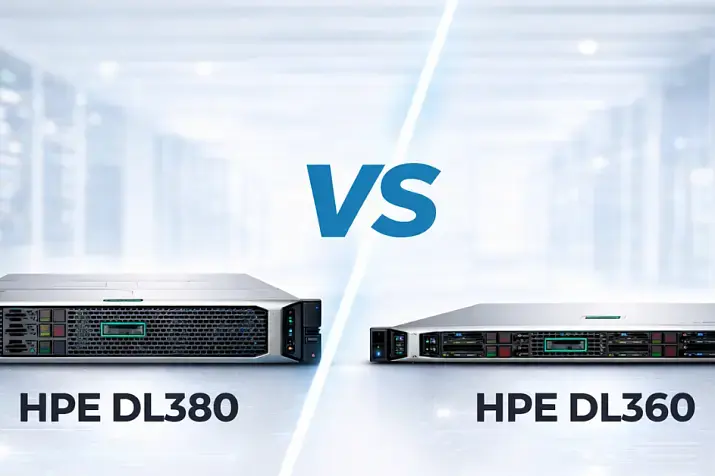
Server: HPE ProLiant DL360 Gen11 (1U, 2P).
HPE explicitly lists Intel Xeon Scalable 4th/5th Gen support, up to 64 cores, up to 8 TB memory, and PCIe Gen5.
CPU options: Intel Xeon Silver 4416+ (a more affordable start) or Xeon Gold 6430 (higher density).
Use cases: web hosting, Kubernetes, mid-tier services, “moderate” databases.
6.3 Dell PowerEdge for OLTP databases (latency-sensitive workload)
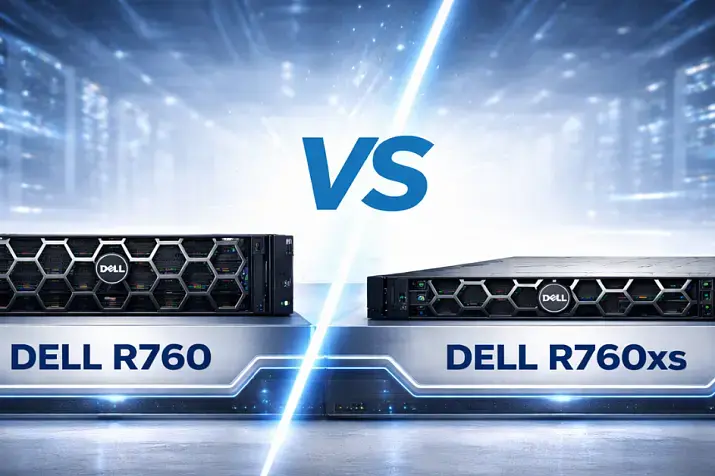
Server: Dell PowerEdge R760 (2U, a platform for modern Xeon Scalable; memory/PCIe references — Dell specs).
CPU: Intel Xeon Gold 6538N (often considered a frequency-focused/DB-profile option; verify compatibility with your chosen platform).
Use cases: high-load OLTP systems, ERP/CRM-class applications, transactional services.
Comment: for OLTP it’s almost always more important to build memory/disks/journaling correctly and ensure stable p95/p99 than to “add 16 more cores.”
6.4 HPE ProLiant for virtualization (2P, high density)
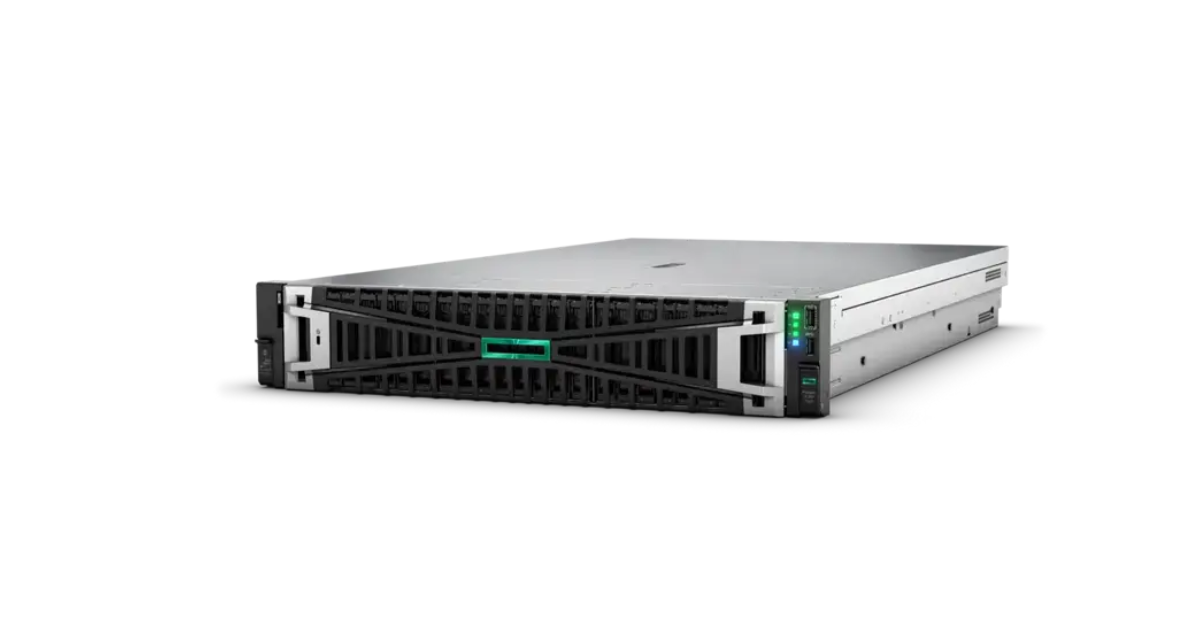
Server: HPE ProLiant DL380 Gen11 (2U, 2P). HPE lists Xeon Scalable 4th/5th Gen support and up to 8 TB DDR5, and positions the model for virtualization.
CPU options:
- 2× Intel Xeon Gold 6430 (64 cores total)
- or an AMD platform with 2× EPYC 9334 (reference: 32 cores per socket)
Use cases: 50–100 VMs (depending on profile), a hypervisor cluster.
6.5 Dell/HPE for OLAP/analytics (Data Warehouse, ETL)
Approach: many cores + high memory bandwidth + fast I/O.
CPU class references:
- Intel Xeon Platinum 8580 (high-end, many cores and cache)
- AMD EPYC 9554 (64 cores/128 threads, 256 MB L3)
As the “chassis” for these tasks, platforms like Dell PowerEdge R760-class or the corresponding HPE 2U series are often chosen — depending on requirements for disks/GPU/networking.
6.6 HPE ProLiant for ML/AI (GPU server)
Server: HPE ProLiant DL385 Gen11 (an AMD-focused platform). Vendor materials emphasize EPYC support and a focus on scaling for modern workloads.
CPU: EPYC 9554 or another EPYC 9004/9005 CPU for the needed balance of frequency/cores.
Critical: PCIe topology for GPUs (x16 per GPU), networking, and power/cooling.
Table: Dell vs HPE cases (by purpose)
| Purpose | Dell (example) | HPE (example) | CPU class |
|---|---|---|---|
| Small business/branch | PowerEdge T360 | ProLiant ML class (similar segment) | Xeon E-2400 (example: E-2488) |
| Web/containers | PowerEdge R760 class | ProLiant DL360 Gen11 | Xeon Silver/Gold |
| OLTP DB | PowerEdge R760 | ProLiant DL360/DL380 Gen11 | high-frequency Xeon Gold (example: 6538N) |
| 2P virtualization | PowerEdge R760 class | ProLiant DL380 Gen11 | 2× Xeon Gold 6430 / 2× EPYC 9334 |
| OLAP/analytics | PowerEdge 2U class | ProLiant 2U class | Xeon Platinum 8580 / EPYC 9554 |
| ML/AI (GPU) | PowerEdge accelerator class | ProLiant DL385 Gen11 | EPYC 9004/9005 + GPU |
When to choose Dell (common reasons):
- convenient remote management tools iDRAC and server administration across your infrastructure.
When to choose HPE (common reasons):
- a strong ProLiant lineup and iLO remote management in enterprise scenarios.
Also consider official Dell and HPE server line pages — from the manufacturers.
Step-by-step selection methodology (what really works)
Step 1. Identify the workload type and profile your current system.
Don’t start with “which Xeon is better.” Start with metrics: CPU utilization (with user/system/iowait breakdown), p95/p99 latency, disk throughput, network, cache misses (if available), memory usage and swap, and disk queue depth.
Step 2. Translate metrics into requirements.
- Cores: take your current “sustained peak” and multiply by 1.5–2 (growth + headroom).
- Frequency: if OLTP/latency-critical — frequency matters; if parallel web/containers — cores and memory matter more.
- Memory: capacity + channels. If memory is already “tight”, a CPU upgrade won’t help.
- PCIe: count devices (NVMe/GPU/NIC) and make sure lanes won’t run out before your budget does.
Step 3. Build a short list of 3–5 CPU models.
Pick not “the very top,” but several candidates: a mid-range option, an “optimal” option, and one “with extra headroom.”
Step 4. Check benchmarks — but do it properly.
Use:
- SPEC CPU2017 as an industry reference for CPU workloads.
- PassMark — as a mass comparison point (with methodology caveats).
And most importantly: if possible, run your application (or the closest synthetic profile).
Step 5. Compare TCO, not just CPU price.
This includes electricity, cooling, licensing, downtime, and the cost of future RAM/PCIe expansion.
Step 6. Check compatibility and availability.
Server generation, BIOS/UEFI, DIMM support, compatible NIC/HBA list, hypervisor support.
Step 7. Make a decision with 30–50% growth headroom.
A server that is “at the limit” from day one is almost always more expensive in the long run.
Common mistakes (and why they cost a lot)
- Overpaying for a top model for workloads where the bottleneck will actually be memory/storage/networking, or where the CPU will be significantly underutilized.
- Underestimating memory: the bottleneck is often not CPU, but RAM bandwidth/capacity.
- Ignoring power consumption: saving on CPU can turn into overpaying over 5 years (see the calculation above).
- Buying an outdated generation for a “discount,” losing PCIe Gen5/DDR5 and paying with time/risk.
- Ignoring per-core or per-socket licensing, especially in enterprise databases/virtualization.
- Lack of headroom: a server that “still handles it” stops handling it after the first growth step.
- Neglecting NUMA: then p99 latency and strange drops “suddenly” appear.
Comparison table and checklist
Table: “top” CPU classes by budget (category reference, not a price list)
| Budget class | Typical scenarios | CPU reference |
|---|---|---|
| Entry | office/branch, file services, light virtualization | Xeon E-2400 (example: E-2488) |
| Mid-range | web/containers, general services | Xeon Silver/Gold or EPYC 9004 mid-range (example: EPYC 9254) |
| High-range | high-density virtualization, OLAP/ETL | Xeon Gold 6430 / EPYC 9334 class |
| Ultra / HPC | heavy analytics, high-end consolidation | Xeon Platinum 8580 / EPYC 9554 and above |
Useful resources
- CPU specifications: Intel ARK and the official Intel Xeon Scalable pages.
- AMD EPYC: the official EPYC lineup and generation pages for 9004/9005.
- Benchmarks: SPEC (CPU2017) and PassMark (as a broad comparison database).
- Practical reviews/community: ServeTheHome, niche forums and subreddits (homelab/sysadmin) — useful for real-world pitfalls and configurations.
FAQ

Q: What is the main difference between server processors?
A: Predictable 24/7 operation, ECC memory, RAS features, more memory channels and PCIe lanes, and a longer platform lifecycle.
Q: Can you use a desktop CPU in a server?
A: Technically, sometimes you can — but you usually lose ECC/RAS and get lower reliability and compatibility, which is a bad bet for production. Also, server CPUs typically support much larger RAM capacities. A desktop processor can be faster and cheaper than a server CPU, and that’s used where ECC and reliability are not required but maximum performance and low latency are — for example, in trading systems.
Q: How many cores do you need for a database server?
A: OLTP often works comfortably in the 8–32 “fast” core range; OLAP more often needs 32–64+ and strong memory. The precise answer comes after profiling.
Q: What matters more: cores or frequency?
A: Parallel tasks and high density = cores/memory/PCIe. Latency-critical transactions = frequency and predictable latency.
Q: Intel or AMD?
A: AMD often provides more memory/I/O “per socket” (12 DDR5 channels and 128 PCIe lanes are a strong argument).
Intel is strong in ecosystem and the broad range of validated vendor platforms.
Q: Should you buy a top-tier model?
A: Usually no. Mid-range typically offers the best price/performance/TCO ratio unless you have extreme requirements.
Q: How does the CPU affect licensing?
A: If a product is licensed per core, more cores can mean more licenses. Sometimes fewer, more powerful cores are more cost-effective.
Q: One powerful processor or two weaker ones?
A: One is simpler and often better for latency (less NUMA). Two provides more memory/PCIe/cores, but requires correct tuning.
Conclusion
Choosing a server CPU in 2026 is a balance of performance, platform resources (memory and PCIe), price, and future growth. The most common mistake is choosing a CPU “by name” or “by core count” without checking whether your workload is actually CPU-bound. In practice, a server is a system: memory, disks, networking, and PCIe topology can limit results more than “another +16 cores.”
The right path is to start with profiling your current system, translate metrics into requirements (cores, frequency, memory, PCIe), build a short list, validate benchmarks and compatibility, and then compare options by TCO, including electricity and potential licensing. And be sure to plan 30–50% headroom for growth: a server that’s “tight” becomes a constant firefighting project.
If you follow the recommendations in this article and honestly calculate memory/PCIe/TCO, the CPU choice usually becomes obvious — and, importantly, defensible to the business with numbers rather than “feelings.” And if something is unclear or you have additional questions, reach out to our managers — we’ll consult you and help select the optimal model for you.