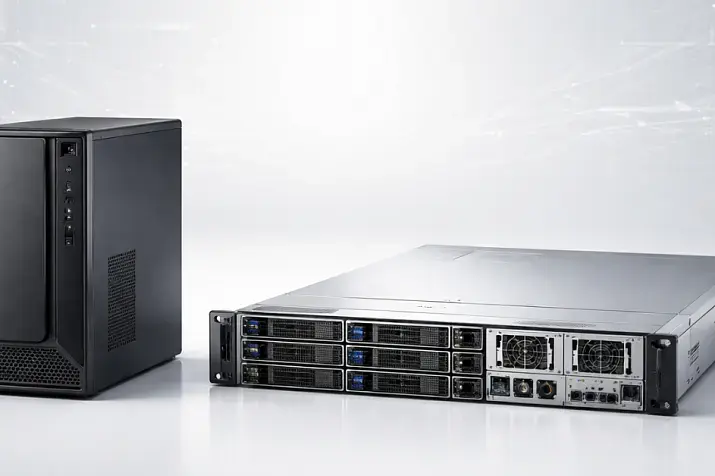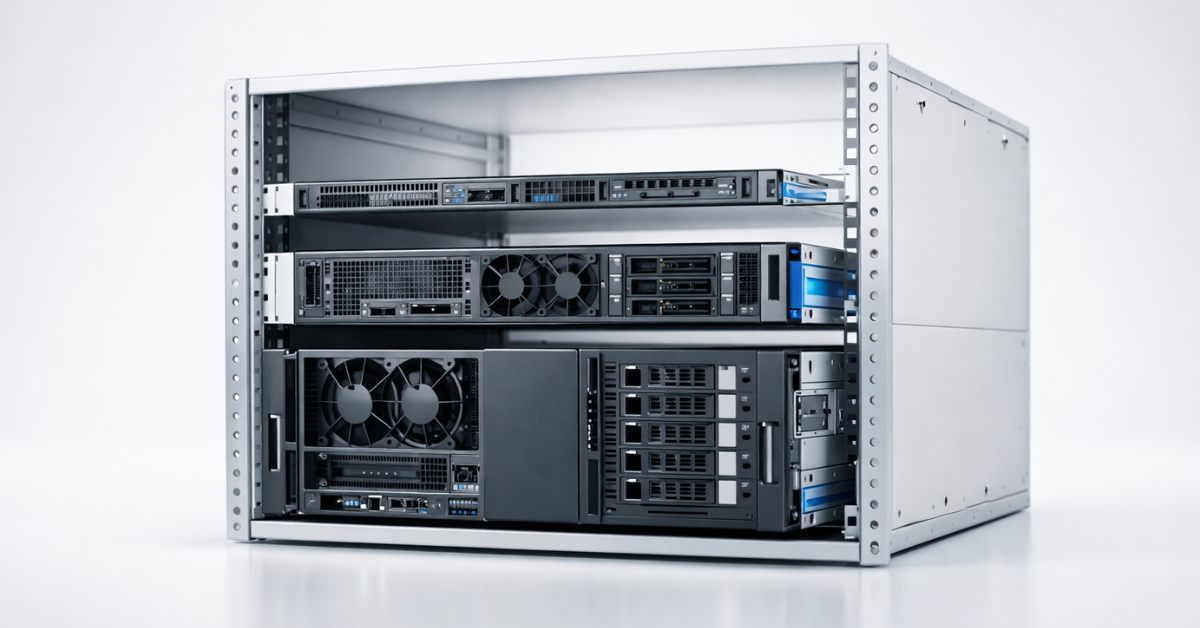
U (rack unit, RU) is a unit of equipment height in a 19" rack. 1U = 44.45 mm (1.75"), 2U = 88.9 mm, 4U = 177.8 mm.
Important: U describes height only, but a server’s real "capabilities" are also determined by chassis depth, internal layout, airflow, rails, power, and expansion (PCIe/risers, NVMe backplane, etc.).
On ServerMall, the height is usually shown on the product page as 1U/2U/4U. But before choosing, be sure to also check depth, drive count, PCIe slots/risers, PSUs, and the cooling design — we’ll break down the checklist below.
What “U” is and where the standard comes from
The “U” form factor appeared as part of standardizing 19-inch racks: rack and equipment height is conveniently divided into equal blocks (U), so you can:
- plan rack space (how many units your servers, switches, patch panels will occupy);
- understand mounting compatibility (hole spacing/fasteners, 4-post vs 2-post racks);
- estimate clearances, cable management, and airflow paths in advance.
The base “compatibility anchor” for 19" racks is the EIA-310 family of requirements (vendors usually reference it in rack/mounting documentation).
Practical takeaway: U helps you fit by height, but you shouldn’t decide to buy without checking depth, rails, and power.
Mini glossary
- U / RU — rack unit, a unit of rack height (1U = 44.45 mm).
- Rails — mounting rails for sliding server installation in a rack.
- Blanking panels — panels that cover empty U to keep airflow correct.
- Front-to-back airflow — a typical airflow direction from front to rear.
- PDU — rack power distribution unit (a “server-grade” power strip).
1U / 2U / 4U — sizes and the basic “practice”
Practical takeaway: choose height based on the scenario (density vs expansion), but keep noise, drives, and PCIe in mind from the start.
| Form factor | Height (mm / inches) | Typical scenarios | Typical limits / trade-offs |
| 1U | 44.45 mm / 1.75" | many identical nodes (web/app), colocation with “pay per U”, edge | often noisier, less room for PCIe/GPU, tighter layout → higher cooling demands |
| 2U | 88.9 mm / 3.5" | “universal server”, virtualization, mixed workloads | takes more rack space, but is usually easier to build “without surprises” |
| 4U | 177.8 mm / 7" | GPU/AI, rendering, high I/O, lots of drives, service-friendly builds | heavier/more complex mounting & logistics; “one big node” = higher cost of mistakes during downtime |
1U: maximum density — maximum cooling requirements

Where 1U shines:
- when you need many identical nodes (web/app, proxies, small services at scale);
- when colocation billing is “per U” and density is critical;
- when you build a rack from uniform nodes and are ready for maintenance by schedule.
Non-obvious 1U details:
- Smaller fans → higher RPM → often higher noise, especially under load.
- Tighter layout increases sensitivity to dust and to the quality of the front air intake.
- Expansion often hits limits: low-profile cards, riser constraints, and internal “geometry”.
If you’re choosing 1U on ServerMall, filter not only by CPU/RAM, but also by: NVMe/SAS/SATA count, riser options, SFF/LFF bay type, and PSU (1+1) — this is the fastest way to exclude builds that won’t survive your growth.
Who does NOT need 1U (quick stop list)
- you plan GPUs/double-width cards or very “hot” accelerators;
- you need lots of LFF (3.5") drives in one chassis;
- the server will be in an office (noise is critical);
- a “dirty” environment / rare maintenance (dust, no cleaning routine);
- tight rack power/thermal budget;
- you already know you’ll need many PCIe cards (HBA, NIC, NVMe adapters).
Practical takeaway: choose 1U if you clearly understand thermals/noise and you’re not counting on “expanding everything later”.
2U: the golden middle for general-purpose tasks
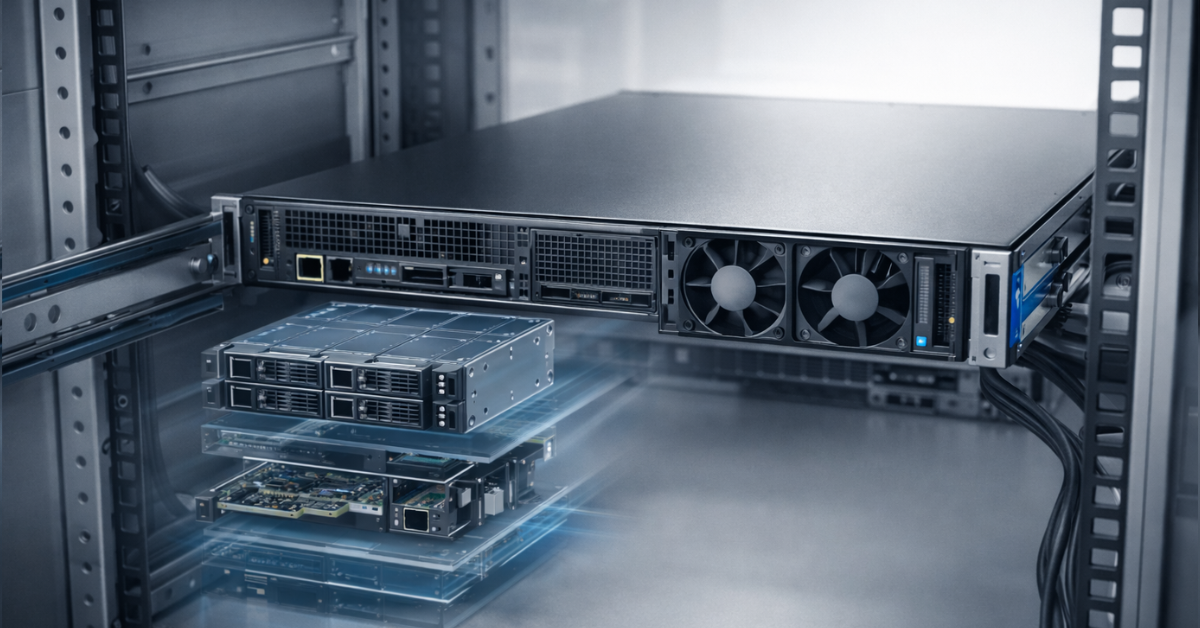
What +1U of height usually gives you:
- larger fans → often quieter and more stable temperatures;
- more drive bay options (SFF/LFF), easier to build a storage profile;
- more PCIe/riser options, easier to add extra networking/HBA/NVMe;
- more spacious layout → more predictable servicing.
When 2U is safer than 1U:
- a “first server in a rack” for 1–3 years with uncertain growth;
- virtualization and mixed workloads where CPU/RAM/IO balance matters;
- you want expansion headroom without moving to 4U.
For most “first server in a rack” cases, 2U is the most predictable choice: it’s easier to balance drives/PCIe/cooling without surprises. These configurations are usually simpler to spec and handle workload growth more calmly.
Practical takeaway: if you’re torn between 1U and 2U, 2U wins more often (fewer compromises when requirements grow a bit).
4U: when drives, PCIe, and GPU matter (and serviceability, too)
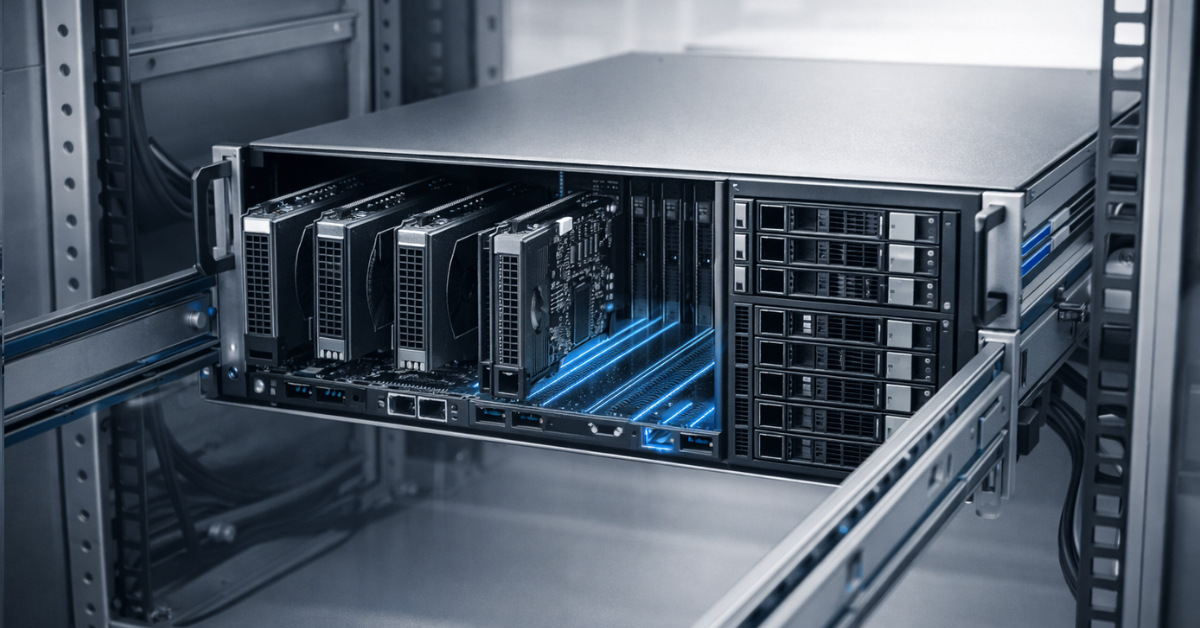
4U isn’t chosen just to have “more U” — it’s chosen when you truly need space for:
- lots of PCIe (25/100G networking, HBA, RAID/HBA, NVMe adapters);
- GPU/accelerators (width/height, power, airflow);
- large drive cages and cleaner routing;
- more comfortable access during maintenance (often easier to reach components).
Downsides of 4U:
- weight and mounting (rails are mandatory; sometimes heavy-duty rails are required);
- rack load/stability requirements;
- logistics and operations: “one node carries a big share of the workload”.
If you’re building for GPU/AI, rendering, large storage, or high I/O density, 4U often saves time on compromises: fewer “workarounds” with risers and external shelves. In the ServerMall catalog, it’s best to view these builds by scenario, not by “U” alone.
Practical takeaway: 4U is chosen where expansion and serviceability matter more than rack density.
1U vs 2U vs 4U: capabilities at a glance
Practical takeaway: it’s not “which is better”, it’s “which limits your scenario less”.
| Parameter | 1U | 2U | 4U |
| Cooling / TDP headroom | often harder | usually more comfortable | often the most headroom |
| Noise (on average) | often higher | often lower / moderate | depends on GPU/config, but often more predictable |
| Drives (inside the chassis) | moderate | flexible | maximum options |
| PCIe/GPU | limited (often low-profile) | flexible | best for GPU / lots of PCIe |
| Serviceability | tighter / harder | easier | often easier (access/layout) |
| Weight / mounting | lighter | medium | heavier; higher requirements for rails/rack |
| Rack density | maximum | balanced | minimum |
| Typical roles | web/app nodes | virtualization / general-purpose | GPU / storage / high-IO |
“U isn’t everything”: 7 parameters that break the choice (and how to check them)
Practical takeaway: verify these items in the spec before paying — they most often “break” installation and operations.
- Chassis depth + cable clearance
- Rails: compatibility and rack depth range
- Weight: rack/rail load limits
- Airflow + whether blanking panels are needed
- Power: PSU, redundancy, PDU, separate circuits
- Noise: office / server room / colocation (different tolerances)
- Expansion: risers, PCIe, OCP NIC, NVMe backplane
How to read a ServerMall product page
You can open a PDF on the server page with all technical specifications:
- Form factor: 1U/2U/4U
- Chassis depth (if listed) + check cable clearance
- Drive bays: SFF/LFF, max NVMe, backplane type
- PCIe slots / riser options (not “exists”, but how many and which)
- PSU: count/power/1+1 (if redundancy is needed)
- Network: OCP vs PCIe NIC and upgrade options
- Rails: included or optional, and for which rack type
- Noise/Acoustics (if listed)
- Power draw / thermal (if listed)
“Parameter → why it matters → how to check”
Practical takeaway: keep this table handy when you open a configurator/datasheet.
| Parameter | Why it matters | Where to look | Typical mistake |
| Chassis depth | may not fit the rack / door won’t close | datasheet/spec, product page | “2U is standard” → but depth varies |
| Cable clearance | bend radius is required, especially for thick DAC/power cables | rack diagram, rear photos | “fits tightly” → then connectors get damaged |
| Rails and rack type | without compatible rails, mounting becomes a problem | accessories/docs (ReadyRails, etc.) | bought a server but the rack is 2-post / non-standard |
| Weight/load | rack safety and durability | rack spec + server spec | “we’ll make it work somehow” |
| Airflow + blanking panels | empty U can ruin airflow paths | best practices, DC practice | “ignored blanking panels” → overheating |
| PSU/PDU/circuits | overload risks and resilience | PSU specs, power plan | didn’t account for peak draw |
| PCIe/risers | “slots exist” ≠ “slots are available in your riser configuration” | config/datasheet | planned NIC+HBA+NVMe, but only one riser is available |
Rack planning: 42U isn’t 42 servers
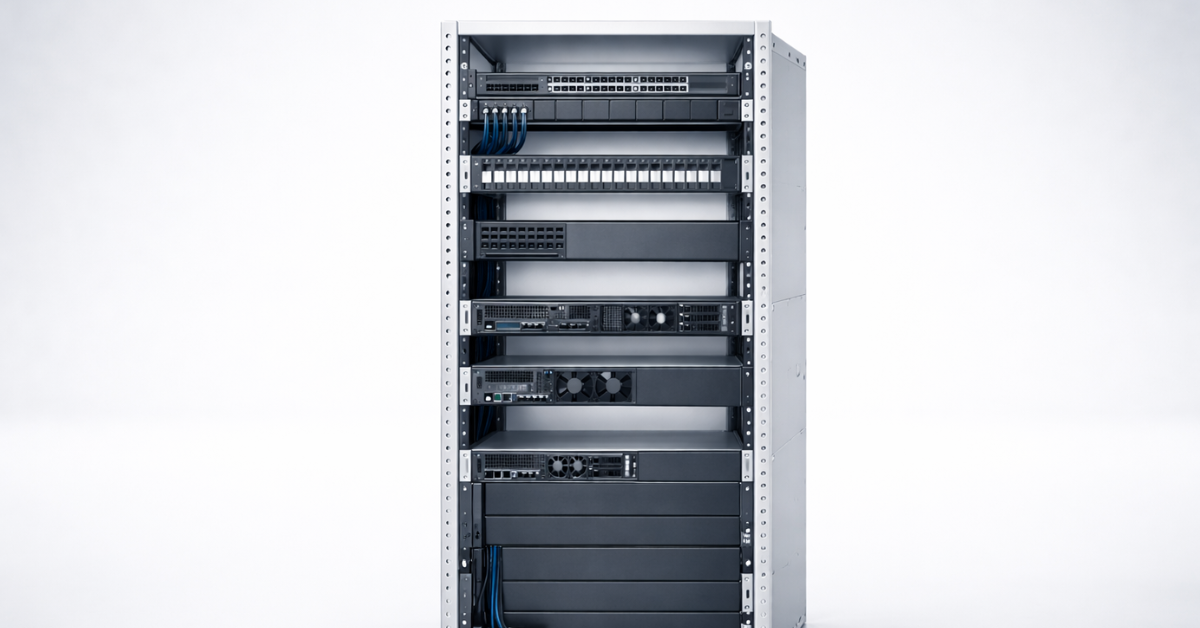
Even if a rack is 42U, you almost always reserve space for:
- top-of-rack switch(es), patch panels;
- cable managers;
- vertical/horizontal PDUs;
- shelves / sliding consoles;
- service gaps and blanking panels for airflow.
Mini example: 42U minus 2U (ToR) minus 2U (patch panels/managers) minus 2U (gaps/blanking panels in hot spots) → about ~36U left “for servers”. Then you divide by form factor and add growth reserve.
When planning a rack, start not with “how many U”, but with a placement map: network/patch panels/managers/PDU, and only then — servers. This reduces the chance that “height fits, but assembling the rack is impossible”.
It’s also important to make sure all planned servers will "fit" the rack by power — especially if the rack is rented. Standard 5–7–10 kW isn’t that much (yes, a server with two 1 kW PSUs doesn’t always draw 2 kW, but…). And if the rack is in your own room, there’s also the question of where to place the UPS — and what kind.
Example rack “U layout”
Practical takeaway: infrastructure first, servers second — otherwise you’ll hit cables/power/airflow limits.
| Rack zone | U | What to install | Why |
| Top | 2U | ToR switch | short patch cords, easy access |
| Under networking | 1–2U | patch panel + cable manager | organized cables, less strain |
| Middle | 24–30U | servers (e.g., 12×2U or 24×1U) | main compute section |
| Hot zones | 2–4U | blanking panels / reserve | airflow, growth, service windows |
| Bottom | 2–4U | extra manager / reserve | routing power and trunk lines |
Checklist: choosing 1U/2U/4U
Practical takeaway: go through the items — and the “right U” usually becomes obvious.
Role and workload growth
- What role: web/app, virtualization, storage, GPU, edge?
- Do you need CPU/RAM growth within 12–24 months?
- How many servers are planned per rack (does density matter)?
Drives and I/O
- How many drives now and in a year? SFF or LFF?
- Do you need NVMe (and how many)?
- Do you need HBA/RAID/external shelves?
PCIe / GPU
- How many PCIe cards do you truly need (NIC/HBA/accelerators)?
- Do you need a GPU, and which kind (double-width, power, airflow)?
- Are there low-profile limitations?
Site constraints: noise and maintenance
- Where will it live: office, server room, colocation?
- Is there a cleaning/filter/dust routine?
- How critical are visits and service convenience?
Power and cooling
- Are there 2 independent circuits? Do you need PSU 1+1?
- What PDU and how many outlets/phases?
- Are there rack heat limits?
Mounting and compatibility
- Rack depth and chassis depth + cable bend clearance
- Compatible rails (2-post/4-post, depth range)
- Allowed load by weight
Rule of thumb: if you have ≥2–3 critical requirements for drives/PCIe/noise, 2U/4U is more often the safer bet. If the workload is uniform and density matters, 1U makes sense.
Mini decision algorithm: which U is reasonable
Practical takeaway: start from the scenario, not from “I need 1U because that’s how it’s done”.
Web/App nodes “many identical” → usually 1U Micro-CTA: For this scenario, it’s convenient to start with a filter: 1U + drive type + PSU 1+1. ServerMall: 1U servers
Virtualization / general-purpose server → usually 2U Micro-CTA: Filter: 2U + max RAM/PCIe slots + 10/25G NIC options. ServerMall: 2U servers
Storage node / many drives → 2U or 4U If you need “many drives now” or easier service — 4U is often better. Micro-CTA: Filter: 2U/4U + LFF/SFF bays + HBA/RAID options.
GPU/AI / rendering → usually 4U Micro-CTA: Filter: 4U + PCIe/risers + PSU wattage + airflow. ServerMall: 4U servers
Edge/branch office (noise/compactness/simplicity) → 1U or 2U with caveats If it’s “in an office next to people” — 2U is often safer (quieter/cooler), and 1U only if you clearly understand acoustics and load.
Checklist: common mistakes and how to prevent them

Practical takeaway: most problems aren’t about “U”, but about mounting/cables/power.
- Didn’t account for chassis depth and cable bend radius
- Rails didn’t match (2-post/4-post, depth range)
- Filled the rack without blanking panels → broke airflow → overheating
- Bought 1U “for a future GPU” → didn’t work physically/power-wise
- Didn’t plan power/PDU/circuits and peak loads
- Didn’t account for office noise
- Didn’t reserve U for networking/patch panels/cable management
- Mixed up SFF/LFF and got the wrong capacity/density
- Didn’t verify required PCIe slots are available with the chosen riser configuration
- Overly dense rack without service plan → “a small issue became a big one”
FAQ
1) Is 1U height or width? Height only (44.45 mm). Rack equipment width is typically 19" (with rails accounted for).
2) Why is 1U often noisier? Because smaller fans often have to spin faster to push enough air through a tight layout.
3) Is 2U always better than 1U? No. If density matters and the workload is uniform, 1U is logical. 2U more often wins when you need balance and expansion headroom.
4) Can you put 4U into any rack? By height — yes, if you have the U. In practice, rack depth, load rating, compatible rails, and cable/airflow access decide.
5) Why do two 2U servers have different depths? Because U doesn’t fix depth: vendors build chassis for different drive cages, backplanes, PSUs, and airflow designs.
6) How many servers fit into a 42U rack “fully built”? Often fewer than 42: some U goes to networking, patch panels, cable managers, PDUs, and gaps. In real builds, “usable U for servers” can be about 32–38U depending on the architecture.
7) What matters more: U or depth? For compatibility and mounting, depth + cable clearance + rails are very often more important than height.
8) What are rails and why do you need them? Rails are the sliding mounting rails that secure a server in a rack and (often) allow service pull-out; rail compatibility depends on rack type and mounting standards.
Conclusion
U is about height and planning. 1U is maximum density and maximum cooling/acoustic demands, 2U is the most universal balance, 4U is when drives, PCIe, GPU, and serviceability are critical. But the final choice is usually decided by chassis depth, rails, airflow/blanking panels, power/PDU, noise, and real expansion needs. Before buying, run the checklist above — it saves hours and money.
If you’re unsure between 1U/2U/4U for a specific job, collect requirements via the checklist and match them against catalog configurations (form factor, drives, PCIe/risers, PSUs, depth).
Quick TL;DR
- 1U — density and colocation, but often harder on noise/cooling.
- 2U — universal and predictable for most tasks.
- 4U — when you need drives/PCIe/GPU with fewer compromises.
- Always verify: depth, rails, power, airflow, PCIe/risers, noise.
Sources
- Definition of U and 44.45 mm / 1.75"
- Reference to rack requirements/compatibility (EIA rack / RU context)
- Official vendor quick reference for rack series.
ServerMall Catalog
- ServerMall: 1U servers: https://servermall.com/sets/1u-rack-servers/
- ServerMall: 2U servers: https://servermall.com/sets/2u-rack-servers/
- ServerMall: 4U servers: https://servermall.com/sets/4u-rack-servers/
- ServerMall blog: Article “Server for small business” (useful read): https://servermall.com/blog/how-to-choose-an-office-server/
- Consultation/request via the site: https://servermall.com/