TPM 2.0 and Secure Boot were long perceived as “checkbox features”: enable them in UEFI settings, achieve formal compliance with a corporate policy, and move on. For server infrastructure, that approach is far too superficial. In practice, these are not two disconnected options, but parts of a chain of trust that affects boot-path protection, key handling, automatic unlocking of encrypted volumes, validation of platform state, and, in more mature scenarios, remote attestation of a node before it is admitted into a cluster or segment. UEFI defines the mechanics of Secure Boot and the model of trusted keys, while TPM 2.0 provides the hardware foundation for storing key material, measurements, and cryptographic operations. Modern platform security practices treat all of this as part of a broader hardware root of trust and platform resiliency model.
This topic is especially important for servers for several reasons. First, an attack on the early boot stage does not hit just one application, but the foundational trust layer: if the bootloader, hypervisor, or a pre-boot component is replaced, the compromise becomes systemic. Second, servers increasingly operate in environments with limited physical control: remote sites, edge deployments, colocation, branch offices, and sometimes multi-tenant bare metal. Third, platform integrity requirements are no longer merely a regulatory formality: they are directly tied to encryption, secrets management, hypervisor security, and operational predictability during updates. So the real question is not “does a server need TPM 2.0,” but rather “what trust model are you building, who owns its trust anchors, and what happens if the platform state changes.”
What TPM 2.0 Is and What Secure Boot Is
Secure Boot and TPM 2.0 are often mentioned together, but they solve different problems.
Secure Boot is a UEFI mechanism that verifies digital signatures of components before handing off control further down the boot chain. In simple terms, firmware launches only EFI code signed by a trusted key or certificate from the current trust database. This applies not only to the boot manager, but also to UEFI drivers, EFI applications, and, depending on the scenario, Option ROMs. Secure Boot answers the question: do we trust this component enough to allow it to execute at all?
TPM 2.0 is a hardware trust module that can securely store key material, support cryptographic operations, and, most importantly for servers, work with platform measurements. Its role is not limited to “storing secrets.” In practice, TPM is used to build a hardware root of trust, seal and unseal data, record boot-chain state through PCR registers, and support encryption and remote attestation scenarios. TPM answers a different question: what state is the platform in, and in that state can it be trusted to release a key, a secret, or a trust signal?
The key difference can be summarized like this:
- Secure Boot verifies the trustworthiness of a component before execution.
- TPM 2.0 helps record platform state and bind cryptographic actions to it.
On a server platform, TPM can be discrete, integrated, or firmware-based—the exact implementation depends on the platform generation and vendor. But from an architectural standpoint, the important thing is not the form factor, but the fact that TPM becomes the anchor for measurements, keys, and secret-release policies.
A common misconception is that TPM somehow “protects the entire server.” It does not. It does not replace proper UEFI configuration, management-plane segmentation, BMC control, a secure firmware update process, or disciplined key management. TPM strengthens the trust model, but it does not eliminate the need for the other protection layers.
How the Server Boot Chain of Trust Works

In a server environment, trusted boot is not a single step, but a sequence of validations and measurements.
First, the platform starts in UEFI mode. At this stage, not only the firmware itself matters, but also its settings: whether UEFI is enabled, whether Secure Boot is active, which keys are loaded, and whether the platform uses the vendor’s standard key set or a custom hierarchy. The firmware then accesses Secure Boot key and policy stores: the Platform Key, Key Exchange Keys, the database of trusted signatures, and the database of revoked signatures. After that, it verifies signatures of the EFI components involved in booting: the boot manager, shim, bootloader, and sometimes UEFI drivers and Option ROMs. Only then does control move further down the chain.
At the same time, measurement of components may occur alongside signature verification. This is a fundamentally different mechanism. Verification decides whether execution is allowed; measurement records the fact and the state. A component’s hash “extends” the corresponding TPM PCR register. The word extend matters here: a PCR does not simply store a set of separate records, but accumulates a cryptographic chain of measurements. That means the final value depends not only on the content of each element, but also on the order in which they were processed.
This chain may include:
- UEFI firmware;
- Secure Boot key infrastructure: PK, KEK, db, dbx;
- the boot manager;
- shim;
- GRUB or another bootloader;
- the OS kernel;
- initramfs;
- pre-boot drivers and Option ROMs;
- configuration elements that affect the trusted boot path.
The difference between verification and measurement is one of the most important points in this topic. A component may be correctly signed and therefore allowed to launch, but its state will still be measured and recorded in PCRs. This enables more mature scenarios: for example, not just booting, but then automatically decrypting the system disk only if the resulting PCR values match the expected profile. This is exactly where the difference becomes clear between “Secure Boot is enabled” and “the platform is actually integrated into a managed trust model.”
Secure Boot, Measured Boot, Trusted Boot, and Attestation
This terminology causes the most confusion, so the mechanisms need to be separated clearly.
Secure Boot verifies signatures before execution. Its job is to prevent unsigned or untrusted EFI code from running.
Measured Boot does not by itself allow or deny execution; it measures boot components and writes the results into TPM PCRs. It is a mechanism for observability and provable platform state.
Trusted Boot is a broader term. In Windows, it describes the continuation of the chain of trust beyond Secure Boot, where control of system state extends further into the OS startup process, including early boot components. In the context of server infrastructure design, the exact wording matters less than the underlying logic: Secure Boot protects early execution admission, while Trusted Boot extends the trusted model to the OS level.
Remote Attestation is remote verification of platform state based on its measurements. A node presents evidence, and an external system compares it against a reference or policy and decides whether to trust that server: whether to release a secret, admit it into a cluster, or allow it to run workloads.
Sealing / Unsealing means binding a secret to platform state. A secret can be decrypted or released only when PCR values match the expected state. That is why TPM matters not as “storage next to the system,” but as a mechanism that makes keys depend on the integrity of the boot path.
Mechanism Comparison
| Mechanism | What It Does | What It Records or Verifies | Main Benefit |
|---|---|---|---|
| Secure Boot | Verifies signatures before execution | Trustworthiness of boot components | Protection against unsigned code in pre-boot |
| Measured Boot | Measures boot components | Hashes and platform state in PCRs | Integrity control, attestation |
| TPM 2.0 | Stores keys and measurements, performs cryptographic operations | Root of trust, sealing, PCRs | Encryption, secret binding, platform trust |
| Trusted Boot | Extends the chain of trust at the OS level | State of early OS components | Integration with OS security policies |
| Remote Attestation | Allows remote evaluation of node state | Comparison of evidence against a reference | Zero trust, edge, bare metal, compliance |
The practical takeaway is this: in enterprise infrastructure, measured boot is often more useful than Secure Boot alone. Secure Boot protects against obvious substitution of an unsigned component, but it is measured boot and attestation that allow platform state to be built into real operational decision points: cluster admission, automatic secret release, node labeling, and policy compliance.
Where TPM 2.0 and Secure Boot Really Matter on a Server

On a server, these features make sense not in the abstract, but in specific scenarios.
Servers with Encryption for System and Data Volumes
This is one of the most practical use cases. In Windows Server, TPM is closely tied to the logic of automatic key release for BitLocker. In Linux, a similar concept appears when LUKS unlock is bound to TPM. The benefit is obvious: there is less dependence on manual passphrase entry after reboot, and remote startup and recovery become easier to automate. But this also introduces a new class of operational risks: a bootloader update, a change in boot mode, a Secure Boot policy change, or a TPM reset may make automatic decryption unavailable.
Edge, Branch Offices, and Remote Sites
If a server is deployed in a place with limited physical control, trusting “the mere presence of hardware” is no longer enough. At a minimum, you need the ability to verify that the node started in a known state and did not go through unplanned changes in the boot chain. In such scenarios, measured boot and attestation often become more valuable than the bootloader signature alone.
Virtualization Hosts and Private Cloud Nodes
A hypervisor host is the foundational trust layer for all guest systems. If it is compromised, the impact affects an entire pool of workloads. That is why trusted host boot and controlled platform state are especially important for VMware, Hyper-V, KVM stacks, and private cloud environments. In cloud and edge contexts, NIST specifically highlights the value of hardware-enabled security for building platform trust policies, labeling nodes, and launching workloads only on verified systems.
Regulated Environments
In regulated environments, TPM and Secure Boot are often needed not for the sake of a “formal compliance checkbox,” but because without them it is difficult to justify platform integrity, key protection, and trusted startup of critical nodes. This is especially relevant where a server stores sensitive data, participates in trusted processing, or must undergo platform security audits.
Multi-Tenant Bare Metal and Dedicated Hosting
This is where less obvious questions emerge: who owns the trust anchors, how to reclaim the server between tenants, how to clear trust state, what to do when the system board is replaced, how to handle sealed secrets, and whether TPM-dependent scenarios will survive disk migration. In such environments, TPM and Secure Boot are valuable, but only if operational procedures are mature enough.
At the same time, there are cases where the effect is limited. If a server has neither encryption, nor attestation, nor policy-driven admission based on platform state, while BMC and the firmware update pipeline are not controlled, then enabling TPM and Secure Boot may only provide a partial security improvement—not a fully trusted platform.
What Threats They Reduce—and What They Do Not
The value of TPM 2.0 and Secure Boot becomes clearer if you honestly separate threat classes.
They do help against:
- execution of an unsigned bootkit or loader;
- substitution of early boot components;
- unauthorized execution of pre-boot code;
- part of image integrity and supply chain attacks when an attacker tries to introduce an untrusted component;
- compromise of secrets bound to a trusted state.
But there are also things they do not fully address:
- a vulnerable but correctly signed component;
- compromise of the BMC or management plane;
- attacks after the OS has finished booting;
- poor update policy;
- errors in UEFI configuration and key hierarchy;
- weak recovery-key management;
- physical attacks outside the accepted trust model.
This is a fundamental point. Secure Boot controls trust in code at startup, but it does not guarantee that the code itself is free of vulnerabilities. If a trusted and signed boot component contains a vulnerability, the fact that it is signed does not save you. That is why not only the trusted key database matters, but also the freshness of the revoked-component list and the discipline of updates. The UEFI specification describes the key model and verification mechanism, while NIST guidance on platform firmware resiliency emphasizes that protection, change detection, and secure recovery must be treated as a unified system.
A common misconception is: “If Secure Boot is enabled, bootkits are no longer a concern.” A more accurate formulation would be: Secure Boot significantly raises the bar for attacks on early boot, but it still depends on the quality of trusted components, the state of dbx, key policy, and the protection of the rest of the platform.
Typical Implementation Mistakes
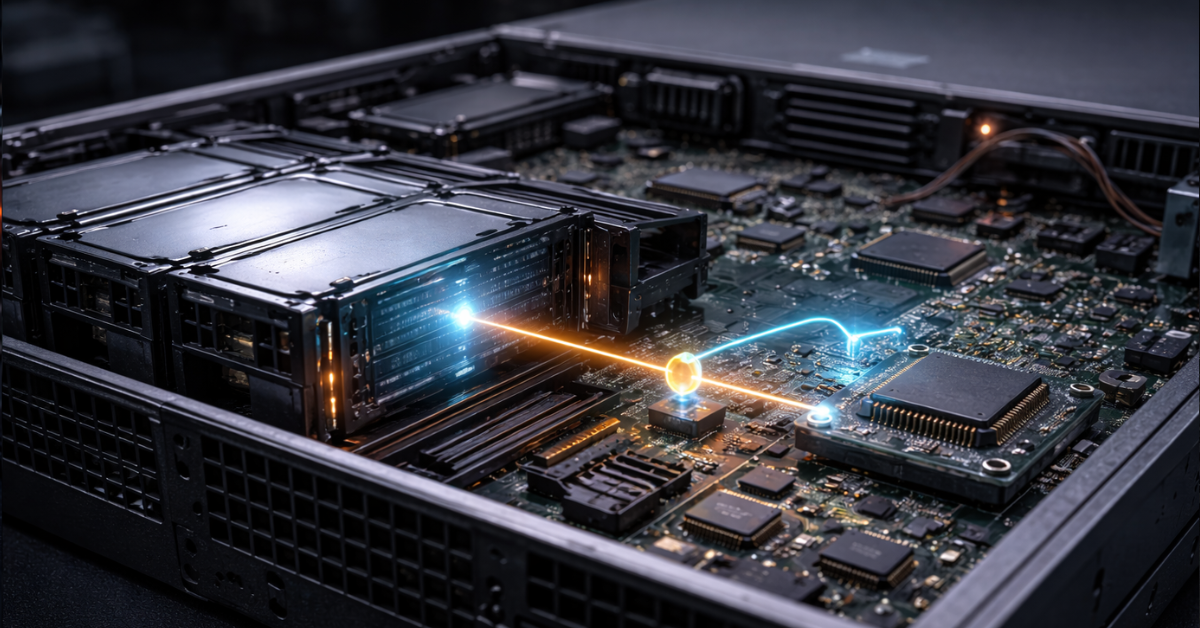
Most TPM 2.0 and Secure Boot problems arise not because of the technologies themselves, but because they are deployed without accounting for operational reality.
In practice, the most common mistakes are:
- enabling Secure Boot without checking compatibility across the full boot chain;
- not understanding who actually owns the chain of trust: the OEM, a third-party signing authority, Microsoft’s 3rd-party UEFI CA, or your own PKI;
- enabling TPM but using neither sealing, nor attestation, nor integration with encryption;
- failing to document the expected PCR profile after updates;
- not planning recovery procedures for system board replacement, TPM reset, or migration;
- forgetting about DKMS, out-of-tree drivers, custom kernel modules, and non-standard hypervisor components;
- mixing production and lab key policies;
- not tracking revocation list updates;
- testing firmware, shim, or bootloader updates directly on production nodes.
The most painful consequences are predictable: the server fails to boot automatically after an update, an encrypted volume does not unlock, an older adapter with a pre-boot ROM stops participating in the boot process, or a custom Linux stack becomes incompatible with the signature policy.
What can break after an update:
- PCR values may change, and automatic unlock may stop working;
- dbx may revoke a previously accepted component;
- the signature of an older shim or bootloader may no longer be sufficient;
- an older network or storage adapter with a pre-boot driver may fall out of the trusted path;
- a custom kernel module may fail to load without a new signature.
Linux and Windows: Practical Differences
In Windows, the server stack is usually more predictable. Integration of Secure Boot, TPM, measured boot, and Trusted Boot is more deeply built into the platform itself. This simplifies BitLocker scenarios, centralized policy enforcement, and general consistency of behavior after updates. If the infrastructure is based on a standard enterprise stack without major customizations, Windows often offers a more linear operational model.
In Linux, the picture is more flexible—but also more complex. In the chain of trust, shim, GRUB, the signed kernel, and in some distributions MOK, play an important role as a practical compromise for locally trusted modules and custom signatures. As soon as out-of-tree drivers, DKMS, custom kernels, non-standard initramfs, or a custom hypervisor stack come into play, managing the trust path becomes an engineering task of its own. This is where the conflict between security and operational convenience appears more often: either you tightly control signatures and updates, or you leave escape hatches for flexibility and lose the purity of the trust model.
This does not make Linux “worse.” It simply requires more disciplined lifecycle management of the boot chain. For Windows, the typical risk is excessive confidence that the platform will handle everything correctly by itself. For Linux, the typical risk is fragmentation and homemade workarounds “just in case we might need them,” which break the trusted model at the worst possible moment.
Secure Boot Keys: Who Trusts Whom
The question of keys is more important than the Secure Boot toggle itself in the UEFI menu.
The hierarchy is based on:
- PK, which defines the owner of platform policy;
- KEK, which defines who can update trusted databases;
- db, which contains trusted certificates and hashes;
- dbx, which contains revoked signatures and hashes.
If the server operates with vendor default keys, you inherit the vendor’s trust model and the ecosystem it relies on. This simplifies compatibility and updates, but it also means you do not fully control the trust anchors. If you switch to custom mode and manage keys yourself, the level of control becomes higher, but operational responsibility also increases sharply.
It makes sense to think about your own keys when:
- the environment is tightly regulated;
- a custom boot image is used;
- your own hypervisor stack is deployed;
- it is critical to minimize trust in third-party anchors;
- a strict chain of custody for images and updates matters.
The trade-off here is strict. Your own keys mean you must sign components yourself, protect key material, handle rotation, support revocation, prepare recovery procedures, and avoid situations where one PKI mistake removes the infrastructure’s ability to boot after a routine update.
What to review before enabling it:
- who owns PK and who has the right to update KEK/db;
- how revocation of compromised components will be handled;
- whether there is a staging process for dbx updates;
- whether there is a plan for motherboard replacement and disk migration;
- where and how recovery keys are stored;
- whether old Option ROMs, PXE workflows, and custom drivers will violate the policy.
TPM 2.0 on a Server: Practical Scenarios

The most useful server TPM 2.0 scenarios go far beyond “meeting requirements.”
The first is TPM-bound disk unlock. The key is not stored on the disk next to the system and is not entered manually after every restart; instead, it is released only when the platform is in the expected state. This reduces the risk of unauthorized data access after a drive is stolen or the boot chain is tampered with.
The second is measured boot as a source of platform evidence. In a serious infrastructure, it is important not only whether “the server boots,” but whether “it can be proven that it booted in a known and expected state.”
The third is remote attestation of a node before it is admitted into a cluster or trusted segment. This is especially important for edge and cloud scenarios, where orchestration and policy engines may make decisions based on platform state rather than just an IP address or group membership.
The fourth is binding secrets to platform state. This applies not only to disk encryption keys, but also to other sensitive artifacts: tokens, machine identity, and bootstrap credentials.
The fifth is provable baseline integrity. For audits, investigations, and trusted workload launch, this often matters more than the mere status of “Secure Boot enabled.”
This is where TPM becomes more useful than simply storing a key “on the same machine.” The secret does not just exist somewhere locally—it depends on a known platform state. But this advantage also has a downside: any change that affects PCR values may block release of the secret. So PCR binding is both a benefit and a source of operational friction.
Best Practices: How to Implement It Without Pain
From an operational perspective, the best strategy is not to start by enabling it, but to start by answering the question: “why?”
Define the Goal
Is this only for formal compliance?
Do you need automatic encryption and unlock?
Do you need attestation?
Do you need your own trust anchors?
Without this step, enabling TPM and Secure Boot often turns into a nice-looking but barely used feature.
Check Platform Compatibility
You need to verify:
- server generation and firmware maturity;
- mandatory UEFI mode;
- TPM type and its support in the chosen OS;
- compatibility of network and storage adapters;
- specifics of PXE, hypervisor boot, and remote boot.
Prepare a Staging Environment
You should not roll out changes to the trusted chain directly into production.
You need:
- test nodes identical to production systems;
- documentation of expected PCR behavior;
- boot verification after firmware, dbx, shim, GRUB, and kernel updates;
- tests with encryption and automatic unlock enabled.
Manage the Lifecycle
TPM and Secure Boot must not be treated as static settings. They need to be integrated into regular processes:
- BIOS/UEFI updates;
- revocation list updates;
- bootloader and kernel updates;
- motherboard replacement;
- system disk migration;
- server decommissioning and reclaim.
Have a Break-Glass Process
You absolutely need:
- recovery keys;
- a documented rollback path;
- out-of-band access;
- instructions for failed boot trust checks;
- an understanding of what to do when PCR values change after a legitimate update.
When It Should Be Mandatory, Recommended, or of Limited Effect
| Scenario | Secure Boot | TPM 2.0 | Comment |
|---|---|---|---|
| Windows Server with BitLocker | Strongly recommended | Strongly recommended | Maximum practical benefit when used together |
| Linux server with LUKS and automatic unlock | Recommended | Recommended or mandatory | Update tests and a recovery plan are required |
| Virtualization host | Strongly recommended | Recommended | Integrity of the foundational layer matters |
| Edge or remote site | Strongly recommended | Strongly recommended | Attestation and tamper evidence have high value |
| Lab/dev without encryption or attestation | Optional | Optional | Benefit is limited without process integration |
| Regulated environment with high security requirements | Practically mandatory | Practically mandatory | Usually justified by policy, audit, and key management |
What Else Must Be Present Alongside TPM and Secure Boot
Even perfectly configured TPM and Secure Boot do not create mature platform security on their own. They need to be accompanied by:
- up-to-date firmware;
- BMC and management-plane control;
- a secure firmware update process;
- configuration inventory and baseline tracking;
- deviation monitoring;
- a managed secrets lifecycle;
- segmentation;
- minimization of the trusted attack surface;
- documented recovery procedures.
That is exactly how this topic should be understood: not as “two security features,” but as part of a coherent platform resiliency model where protection, change detection, and secure recovery are interconnected.
Conclusion
Secure Boot and TPM 2.0 are useful on a server not because that is “the right thing according to a checklist,” but because they provide the foundation for a managed chain of trust.
Secure Boot determines what is allowed to run during the early boot stage.
TPM 2.0 determines how to record platform state, what to bind keys to, and how to prove that this state is trustworthy.
The maximum benefit appears when they are integrated into real processes: encryption, measured boot, attestation, lifecycle management, recovery, and key management. The minimum benefit appears when they exist only as an enabled option in UEFI, disconnected from the rest of the security architecture.
The biggest mistake is to assume the issue is solved as soon as the option is enabled. On a server, mature security begins not with a checkbox in BIOS, but with understanding where your chain of trust runs, who owns its anchors, how it changes during updates, and what happens if the platform no longer looks “as expected.”
TPM 2.0 and Secure Boot are neither magical protection nor a universal answer to every threat. They are building blocks of a mature trusted platform, and their real strength appears only when combined with the right architecture and operational discipline.